Lock Screen Widgets Live
Widgets, App Dock & Launcher
Được thiết kế cho iPhone, iPad
Miễn phí · Mua hàng trong ứng dụng
- Độ tuổi4+
- Danh mụcLối Sống
- Nhà phát triểnMonocraft
- Ngôn ngữTiếng Anh+ 11 ngôn ngữ khác
- Kích thước85,8 MB
Liên kết đến trang App Store chính thức
Download.org không lưu trữ tệp nào của Lock Screen Widgets Live. Nút này mở trang ứng dụng trên App Store, nơi Monocraft phát hành ứng dụng. Trang được kiểm tra lần cuối: 14/11/2026.
Ảnh chụp màn hình


Giới thiệu
Nhà phát triển chưa cung cấp nội dung này bằng ngôn ngữ của bạn.
Keep favorite apps and everyday information within reach. Build a Lock Screen that works for you with app shortcuts, a calendar, a pedometer and an event countdown.
App Launcher — your favorites together
• Collect favorite apps and tap to open them.
• Touch and hold icons to reorder them, or remove apps you no longer need.
• Browse the catalog or search the App Store. Set up personal launchers with a named Apple Shortcut or a supported app URL.
App Dock — up to 10 apps on your Lock Screen
• Show app shortcuts as a Live Activity, with Dynamic Island access on supported iPhones.
• Show or hide app names, choose grayscale icons and adjust padding.
• Choose system, translucent or solid backgrounds and adjust background opacity.
• Reorder or remove apps in either the Launcher or App Dock preview. Tap Update App Dock to apply changes to your running Dock.
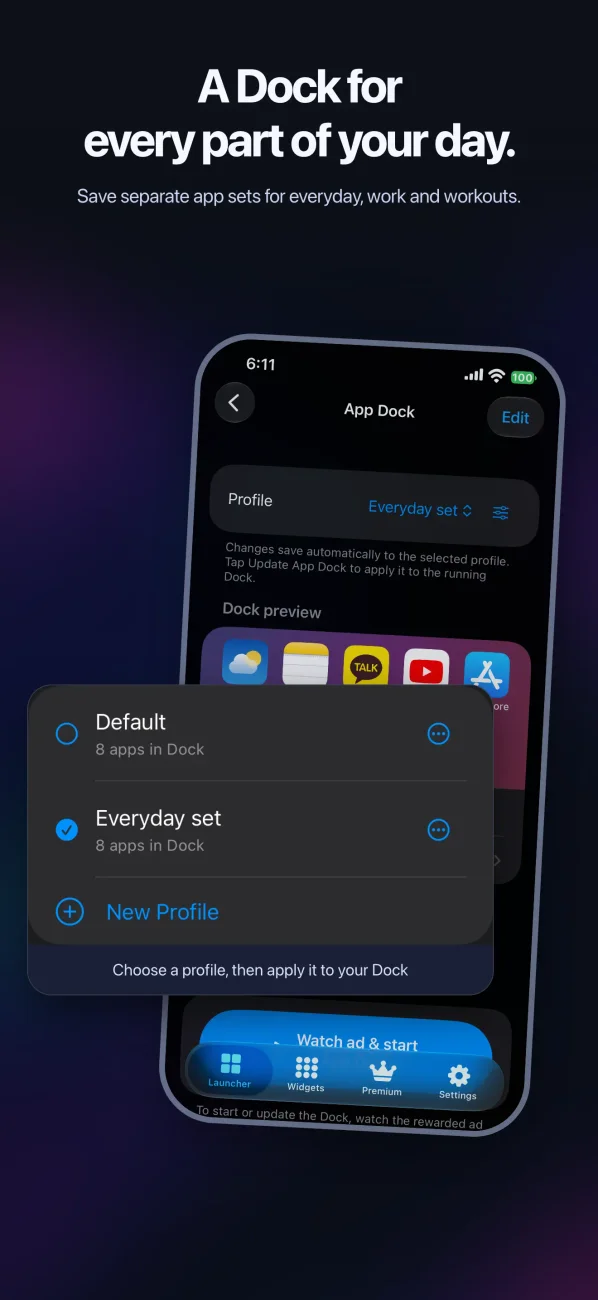
• Save different app lists, orders and appearances as Dock profiles. Create, duplicate, rename and switch profiles for different parts of your day.
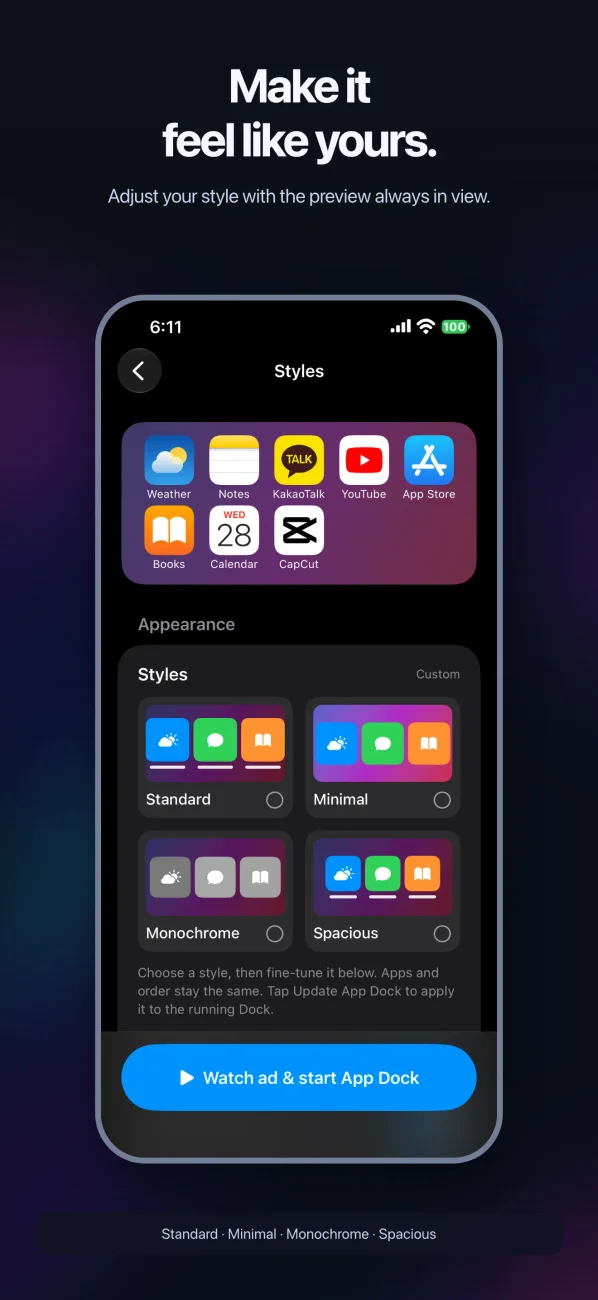
• Apply Standard, Minimal, Monochrome or Spacious design presets, then fine-tune the appearance.
• Adjust Dock styles while the preview stays visible at the top. Scroll through the options and apply your changes with the button at the bottom.
System controls — quicker access on iOS 18 or later
• Add controls to open App Dock settings, start or update your selected Dock, or apply a saved profile.
• Use them in Control Center, supported Lock Screen controls or the Action button on supported iPhones.
• Controls open this app to apply changes; unlocking may be required.
Lock Screen launcher widgets
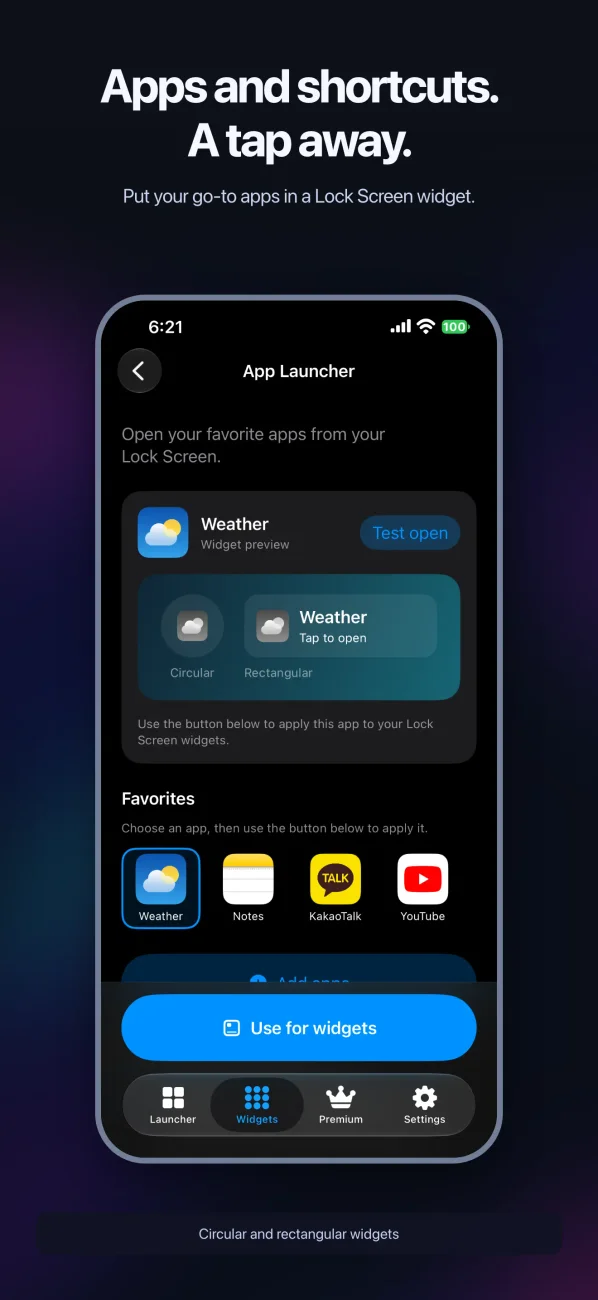
• Add circular or rectangular app shortcuts.
• On iOS 17 or later, choose a default app from inside the app, or select a different app for each widget in the Lock Screen editor.
• On iOS 16, use the existing individual app shortcut widgets.
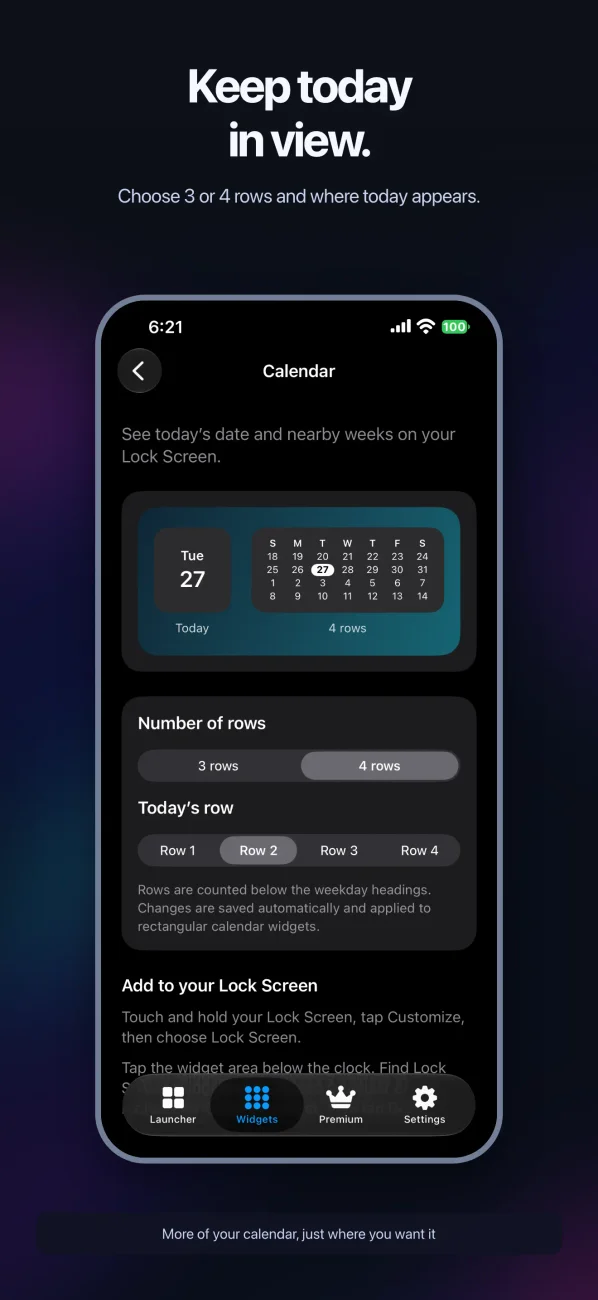
Calendar — today and the weeks around it
• See today's weekday and date in a circular widget.
• Choose 3 or 4 rows for the rectangular calendar.
• Pick the row containing today to show more of the past or upcoming weeks.
• Settings save automatically, with a preview as you make changes.
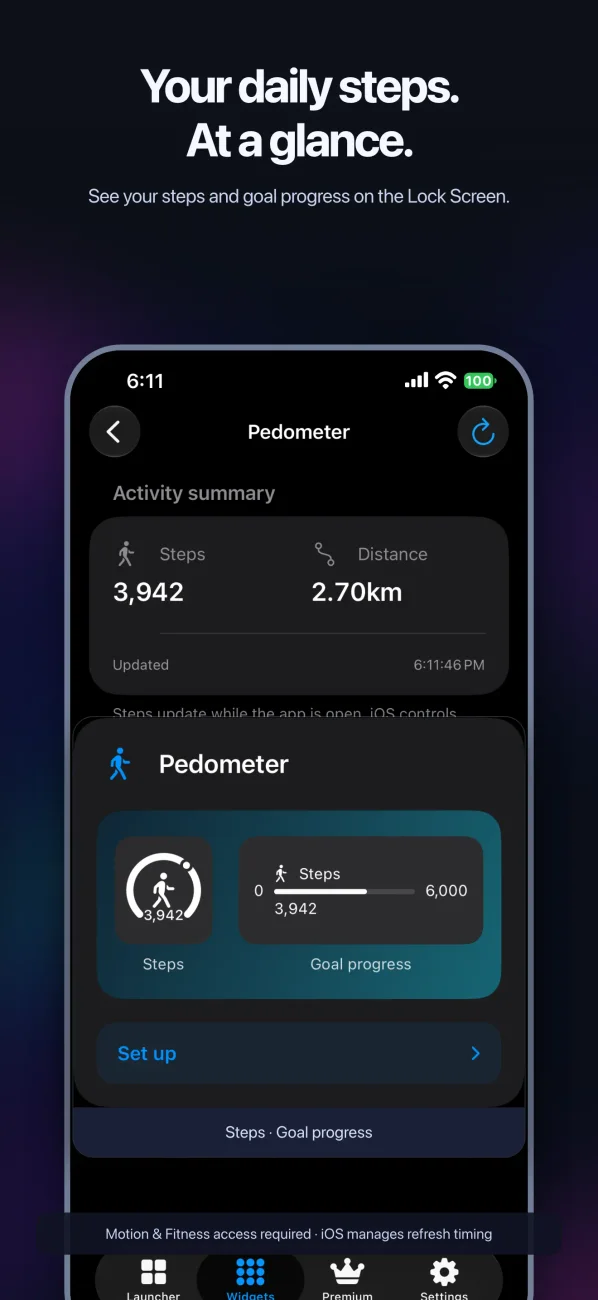
Pedometer — follow your daily movement
• Check steps, progress toward your goal and distance.
• Set a daily step goal and choose kilometers or miles.
• Refresh in the app and check the last update time. On iOS 17 or later, you can also tap the pedometer widget to refresh.
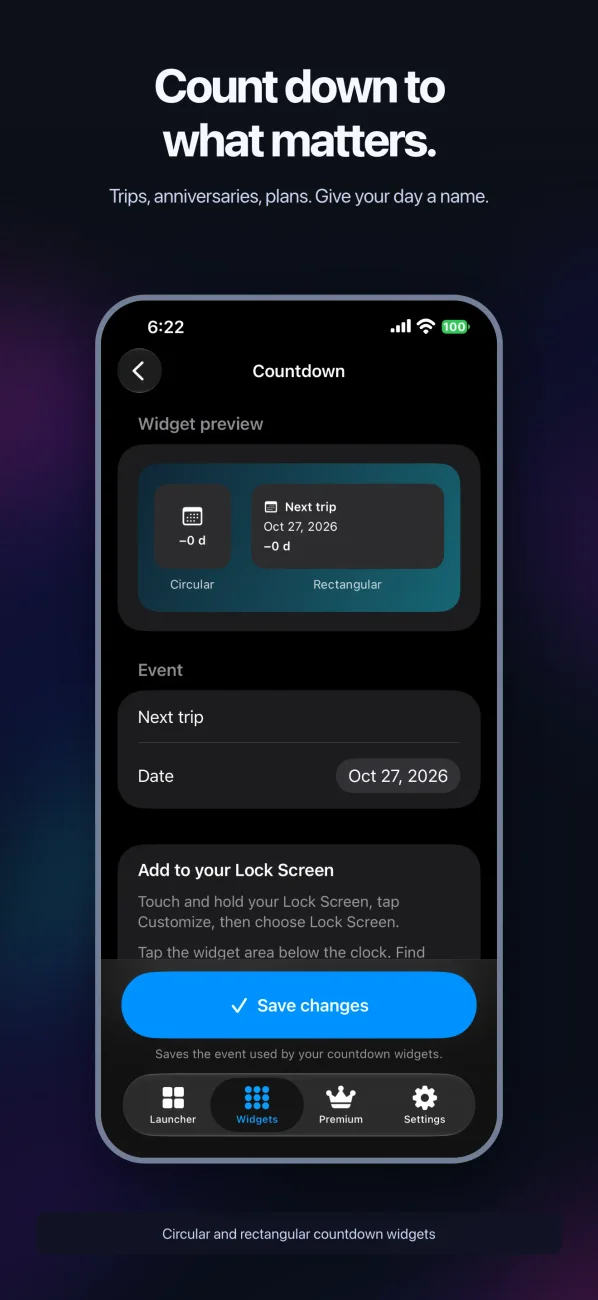
Countdown — keep important dates in sight
• Save an event name and date, then see the days remaining or elapsed in a widget.
• Use it for anniversaries, trips or other dates you want to remember.
Illustrated help, inside the app
Find visual instructions for adding widgets and using each feature. Search the guides even offline. The app supports 12 languages.
Good to know
• Steps require Motion & Fitness permission. iOS controls when widgets refresh automatically.
• App Store search does not identify installed apps. Launch support varies by app, and opening may pass through this app or Shortcuts.
• A Dock session can stay active for up to 8 hours and remain on the Lock Screen for up to 4 more hours. It may end sooner. Optional renewal works while this app is open; start the Dock again if it ends.
Có gì mới
Phiên bản 2.0.0 · 27/10/2026
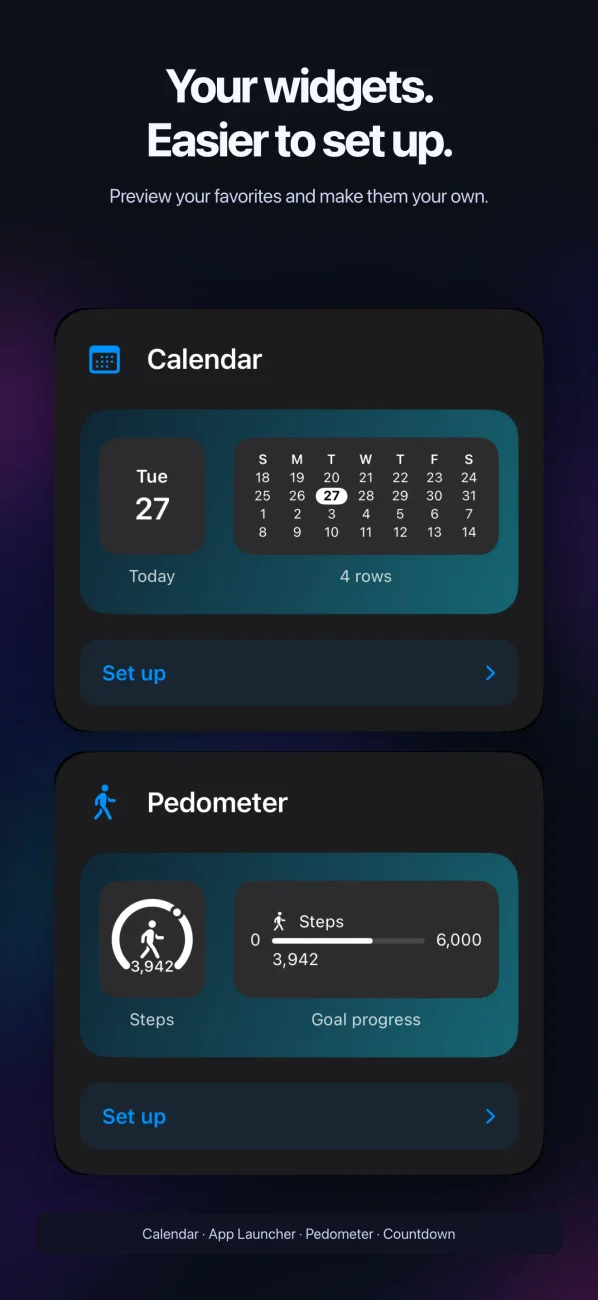
• A redesigned Widgets tab makes previews and setup easier to find.
• Edit App Dock styles with a preview that stays visible while you scroll through options. The update button stays within reach.
• Scroll naturally over Dock icons. Touch and hold to reorder or remove apps.
Quyền riêng tư của ứng dụng
Những gì Monocraft khai báo trên App Store về cách ứng dụng này xử lý dữ liệu.
-
Dữ liệu không liên kết với bạn
Có thể được thu thập nhưng không liên kết với danh tính của bạn.
- Chẩn đoán
Phương thức đảm bảo quyền riêng tư có thể khác nhau, chẳng hạn như tuỳ theo các tính năng bạn sử dụng hoặc độ tuổi của bạn.
Thông tin
- Người bán
- Monocraft
- Danh mục
- Lối Sống
- Phiên bản
- 2.0.0
- Cập nhật
- 27/10/2026
- Phát hành
- 14/09/2022
- Kích thước
- 85,8 MB
- Yêu cầu
- iOS 16.1 trở lên
- Độ tuổi
- 4+
- Giá
- Miễn phí
- Mua hàng trong ứng dụng
- Có
- Ngôn ngữ
- Tiếng Anh, Tiếng Ả Rập, Tiếng Pháp, Tiếng Đức, Tiếng Ý, Tiếng Nhật, Tiếng Hàn, Tiếng Bồ Đào Nha, Tiếng Nga, Tiếng Trung Giản thể, Tiếng Tây Ban Nha, Tiếng Trung Phồn thể
- Bản quyền
- © Monocraft
Có thể bạn cũng thích
-
 Calendar Widget - Date WidgetsLối Sống
-
 WallCube 3D Live Wallpaper 4KLối Sống
-
 Lock Screen Wallpapers 17Lối Sống
-
 Icon Skins & FramesLối Sống
-
 Lock Screen 17 WidgetLối Sống
-
 Icon Themer: Widget & ThemesLối Sống
-
 Appy Birthday: Reminder & GiftLối Sống
-
 PostMe - Tiện ích, Hình nềnTùy Chỉnh Màn Hình Chính OS 26
-
 WatchAnything - watch facesLối Sống
-
 Widgets by WidgetbotAdd News, Photos, Calendar