- Độ tuổi4+
- Danh mụcDẫn Đường
- Nhà phát triểnFairwinds Software
- Ngôn ngữTiếng Anh
- Kích thước5,3 MB
Liên kết đến trang App Store chính thức
Download.org không lưu trữ tệp nào của Log GPS. Nút này mở trang ứng dụng trên App Store, nơi Fairwinds Software phát hành ứng dụng. Trang được kiểm tra lần cuối: 06/11/2026.
Ảnh chụp màn hình



Giới thiệu
Nhà phát triển chưa cung cấp nội dung này bằng ngôn ngữ của bạn.
LogGPS is a GPS data logger and recorder utility that saves all GPS data when you press the 'Save' button. The saved data includes notes, date and time, longitude, latitude, altitude, horizontal accuracy, vertical accuracy, speed, course, heading, and heading accuracy. The notes are not cleared between saves so you may save multiple data points with the same notes, add to the existing notes, or you may manually clear or edit the notes between saves.
LogGPS is an ideal application to use for remote GPS data gathering with the intent of importing the GPS data into another application. LogGPS does not require any mapping for basic operation and therefor it does not require any network access. Because it does not require network access and currently does not record in the background it is fast and very easy on battery life.
LogGPS has an option for a Big Button mode that make the entire screen a 'Save' button. Once activated, touching anywhere on the screen saves the current GPS location. This mode was designed specifically for city administrations to log locations for follow-up code enforcement inspections.
It is possible to show any saved location using a map application. Of course, it only works if you have network access.
There is also a 'return to location' function. After selecting a saved location, select the 'Return To' button and a new view will appear that shows the course, bearing, distance, and time to return to the saved location.
The user may view all saved GPS readings. Individual readings can be deleted and notes edited.
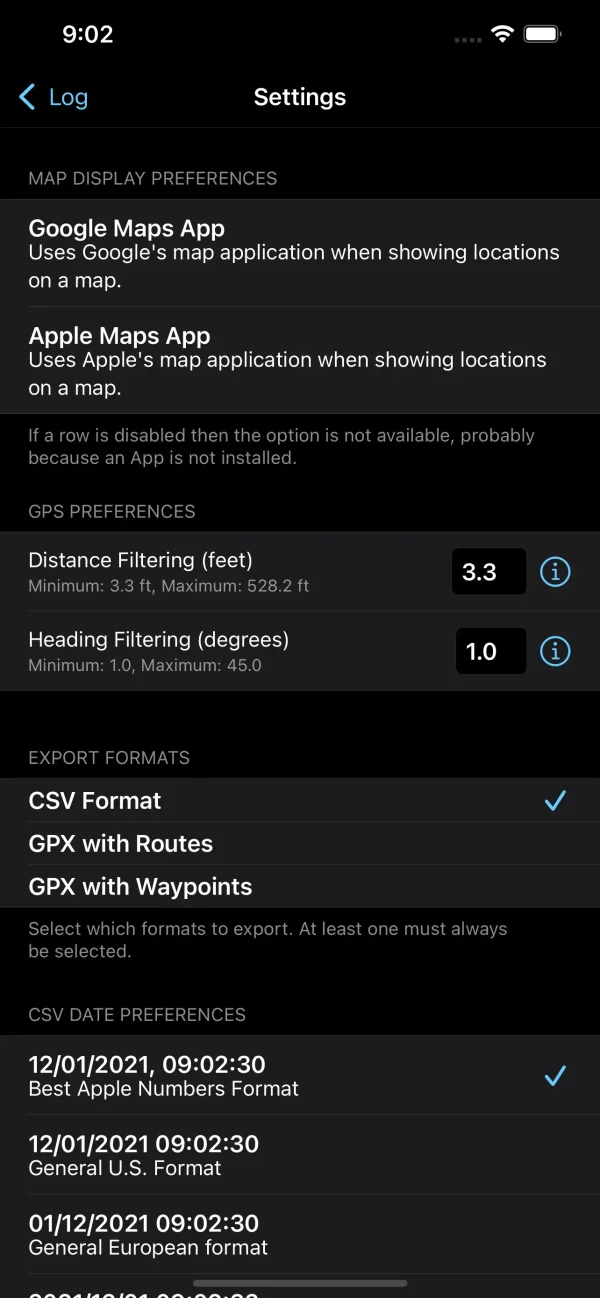
Clicking ‘Export’ allows sharing the collected data as a comma separated (CSV), GPX route, and/or GPX waypoint file. Data is exported without any transformations (metric units and UTC) regardless of the display settings.
Once the data is exported and a file selected, it can be emailed, sent to other applications, saved in a common file area, etc. using the 'Share' button
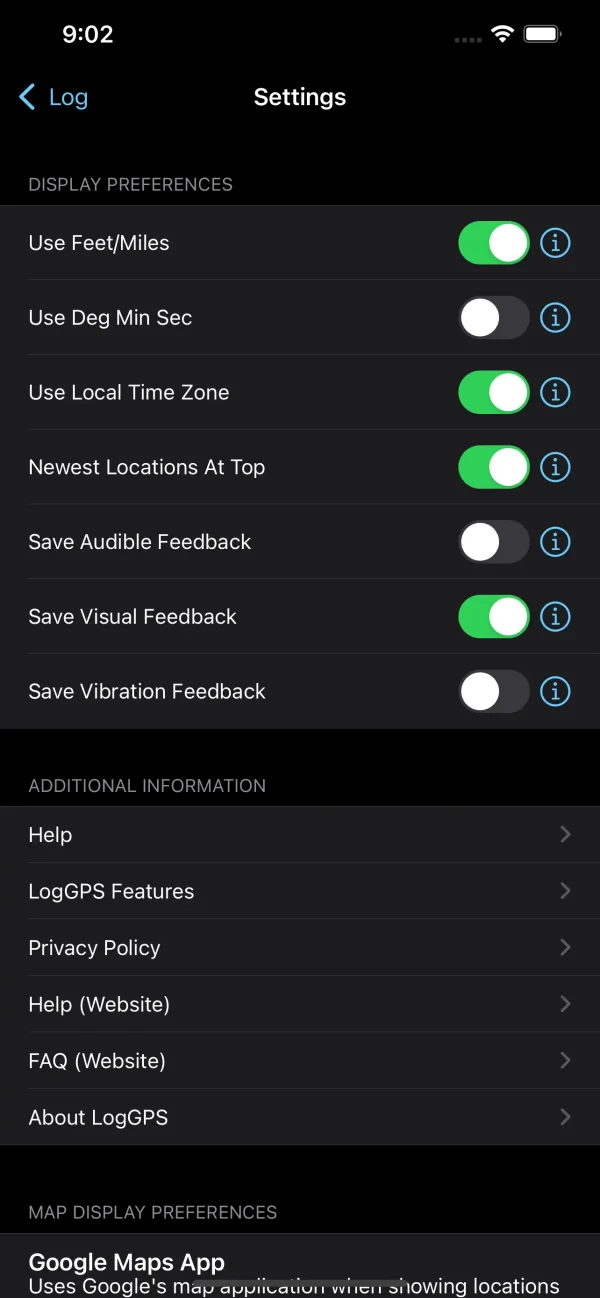
Settings in the Apple Settings application allow:
- Metric or US Customary Units for displayed distance.
- Local device time or UTC for displayed time.
- DMS or fractional degrees for displayed latitude and longitude.
- Sorting newest readings at top or bottom.
- Selection of mapping application (Apple Maps, Google Maps, Google Web.)
- Self contained help files.
- GPS update settings to balance battery life with accuracy.
- Selection of CSV export formats (header row inclusion, time format, separator, null values, line endings, etc.)
- Type of Save feedback.
Có gì mới
Phiên bản 5.3.2 · 16/06/2026
5.3.2 (181)
- Bug Fix: The Show Log button was not reliably showing on iPhone.
- Bug Fix: On the iPhone the return to location view was not showing correctly when in Light mode.
Quyền riêng tư của ứng dụng
Những gì Fairwinds Software khai báo trên App Store về cách ứng dụng này xử lý dữ liệu.
-
Dữ liệu không được thu thập
Nhà phát triển không thu thập bất kỳ dữ liệu nào từ ứng dụng này.
Phương thức đảm bảo quyền riêng tư có thể khác nhau, chẳng hạn như tuỳ theo các tính năng bạn sử dụng hoặc độ tuổi của bạn.
Thông tin
- Người bán
- Performance Champions, Inc.
- Danh mục
- Dẫn Đường
- Phiên bản
- 5.3.2
- Cập nhật
- 16/06/2026
- Phát hành
- 18/01/2011
- Kích thước
- 5,3 MB
- Yêu cầu
- iOS 16.0 trở lên
- Độ tuổi
- 4+
- Giá
- 149.000đ
- Ngôn ngữ
- Tiếng Anh
- Bản quyền
- © 2026 Performance Champions, Inc.