LogFleetIQ Driver
Route, fuel and company rules
Được thiết kế cho iPhone, iPad, iPod touch
Miễn phí
- Độ tuổi4+
- Danh mụcKinh Doanh
- Nhà phát triểnLeandro Francisco
- Ngôn ngữTiếng Bồ Đào Nha+ 2 ngôn ngữ khác
- Kích thước28,5 MB
Liên kết đến trang App Store chính thức
Download.org không lưu trữ tệp nào của LogFleetIQ Driver. Nút này mở trang ứng dụng trên App Store, nơi Leandro Francisco phát hành ứng dụng. Trang được kiểm tra lần cuối: 22/11/2026.
Ảnh chụp màn hình



Giới thiệu
Nhà phát triển chưa cung cấp nội dung này bằng ngôn ngữ của bạn.
LogFleetIQ Driver is the app for drivers at companies that use the LogFleetIQ fleet management platform. It is used to record the day's route, fuel and AdBlue refuelling, vehicle changes and maintenance requests, and to exchange messages with the managers and receive the company's rules.
The app only works with an account created by the company: the administrator creates the accounts and the driver signs in with the email address and PIN given by the fleet manager. On a phone used only by them, drivers can sign in with Face ID or Touch ID; the PIN keeps working. There is no public sign-up, no ads and no in-app purchases. The app is in Portuguese, Spanish and English.
WHAT YOU DO IN THE APP
• Home — the current vehicle, the route status (not started, in progress or finished), the driver's driving score (if the company uses it), highlighted notices and shortcuts to Refuel, AdBlue, History, Maintenance, Messages and Rules.
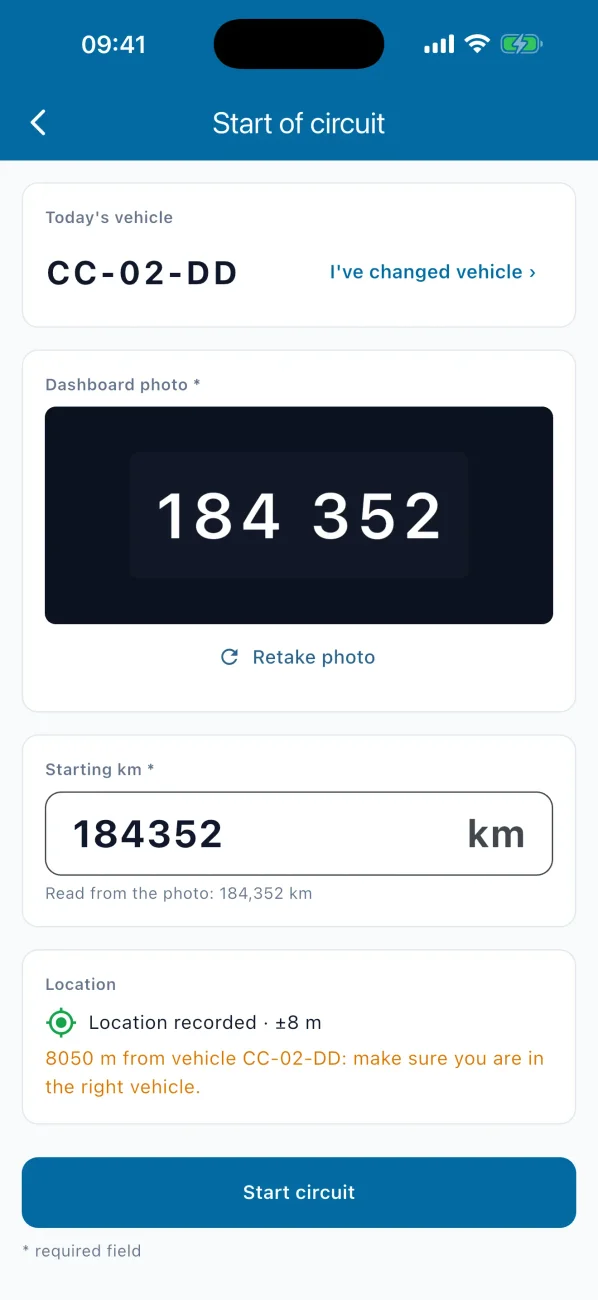
• Start and end of route — when setting off on the route and at the end of the shift, the driver photographs the instrument panel and confirms the odometer reading, read from the photo when there is a network connection.
• Choose and change vehicle — the list shows all the company's active vehicles: free ones first, then those in use, with the colleague's name, which can also be chosen. On taking the vehicle, the driver enters the odometer reading, answers the company's checklist and signs with a finger on the screen.
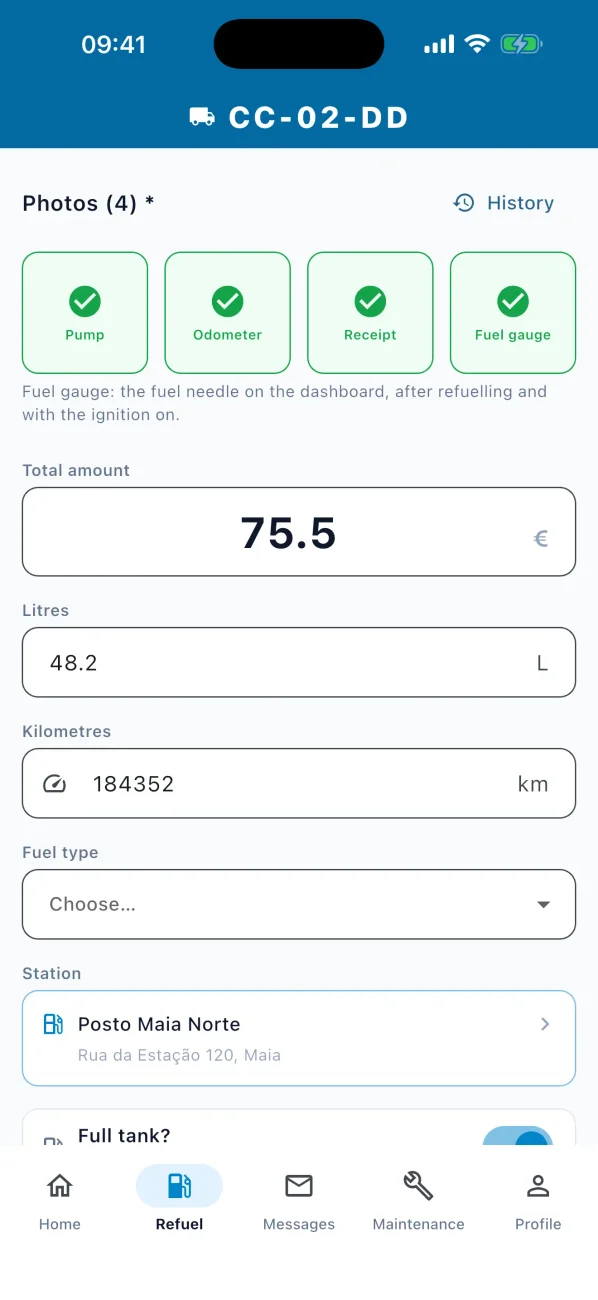
• Refuel — four photos taken on the spot, one after the other (pump, odometer, receipt and fuel gauge), amount, litres, odometer reading, fuel type and filling station. The litres and amount read from the pump photo and the km from the odometer photo go straight into the fields, for the driver to check. The nearest filling station and the fuel of the vehicle's last refuel come already chosen.
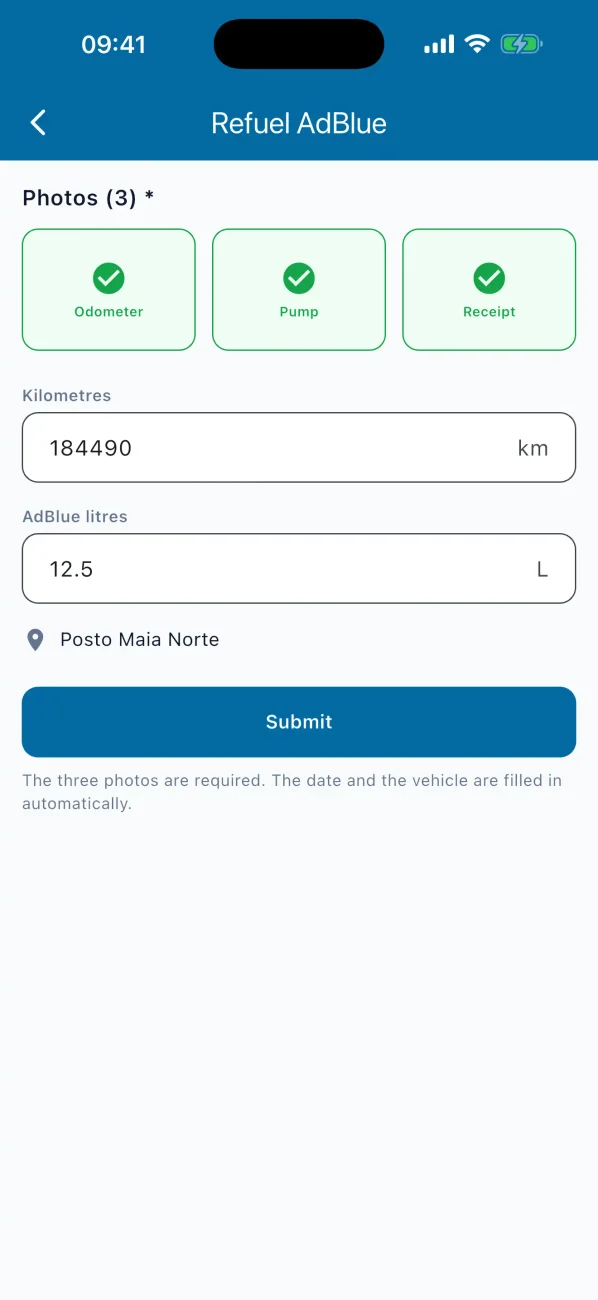
• AdBlue — a separate record, with three photos (odometer, pump and receipt), odometer reading and litres. With the company's AdBlue monitoring on, a warning appears when the vehicle has gone too long without a record.
• Offline — the start and end of route, refuelling, AdBlue, the vehicle checklist and maintenance requests are saved on the phone, with their photos, and sent when the connection returns, with the app open.
• History — list of refuelling records for the current vehicle, with date, filling station, litres and amount.
• Messages — the company's messages and conversations with the managers, which the driver can also start, with text and up to 3 photos. PDFs and photos from the company open inside the app. The company sees when a message has been opened.
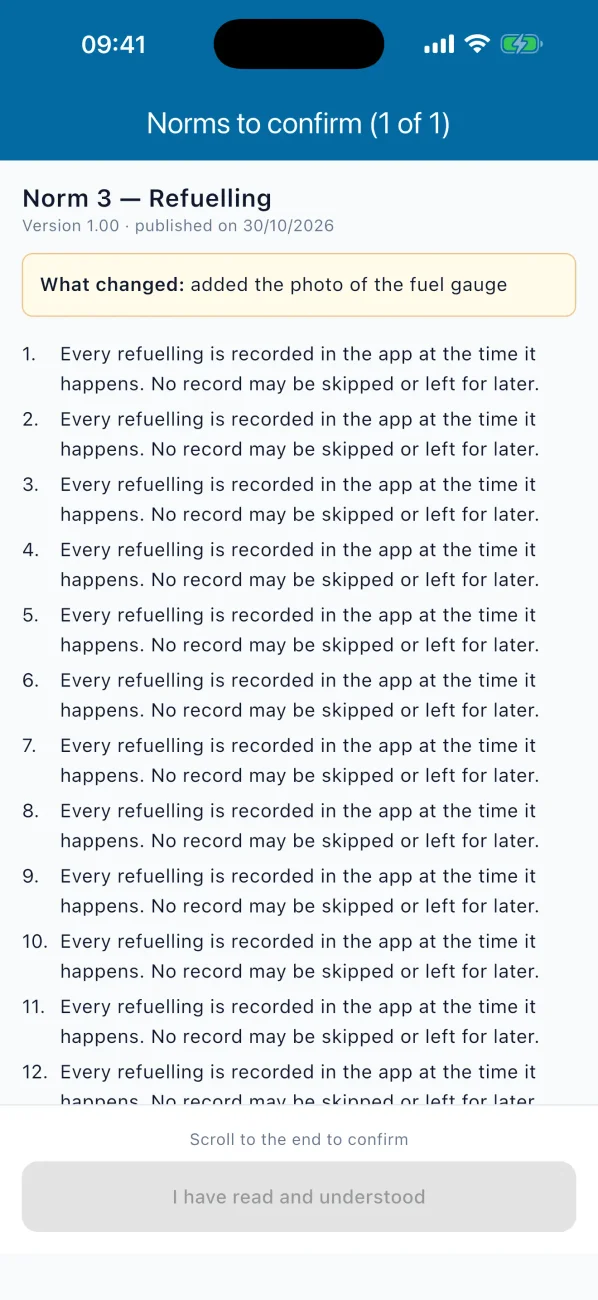
• Company rules — when the company publishes or changes a rule, the driver reads it to the end and confirms having taken note of it before continuing. The rules in force and the confirmations remain available to consult.
• Maintenance — request to the fleet manager, with the type and description of the problem, and a list of the requests and their status.
• Notifications — alerts from the company's platform: new message or reply, rule awaiting confirmation, and AdBlue and route reminders. Tapping the alert opens the relevant screen.
LOCATION AND PHOTOS
• Location — only while the app is in use: a single position reading at each start or end of route, refuelling or AdBlue, which goes with that record and suggests the nearest filling station. The app does not track the phone in the background and does not record journeys. If location is refused, the records can still be made.
• Photos — taken by the driver, they serve as proof of the records.
PRIVACY
Records are sent only to the LogFleetIQ platform's servers, over an encrypted connection, and are available to the driver's company for fleet management. The app has no advertising and no usage analytics tools.
Privacy policy: https://app.logfleetiq.com/en/privacy
SUPPORT
Questions about your account, PIN or vehicle: speak to your company's fleet manager.
Có gì mới
Phiên bản 1.27.0 · 09/11/2026
Version 1.27.0
• Payslips: in Profile, the payslips your company sends you, with the PDF to view, save or share.
• The colours of the driving score are now the ones your company sets.
• Stability improvements.
Version 1.26.0
• Refuelling: the declaration at the end of the record is now your company's, which can change it or turn it off.
• Clearer texts and examples in the circuit and the employment contract.
• Stability improvements.
Version 1.25.0
• Registration: bank details for your salary: IBAN, BIC and the bank's proof of IBAN.
• Stability improvements.
Version 1.24.0
• Registration: new “Date of birth” field, for the company's birthday message on your birthday.
• Stability improvements.
Version 1.23.0
• Employment contract: on the contract screen, “Save or share” saves the PDF to Files or sends it by WhatsApp, e-mail or Drive.
• Stability improvements.
Version 1.22.0
• Employment contract: when the company sends you your contract, it appears on Home. Read the PDF in the app and sign it with your finger; the signed contract stays in your Profile.
• Registration: the company may ask for your tax number, social security number and address, which go into the contract.
• Stability improvements.
Version 1.21.0
• Circuit start: tell the app which circuit you are doing that day. It suggests the last one you did and asks you to confirm when you change it.
• Checklist: the 'Confirm' button stays locked while the photos are being sent.
• Android: notifications show the app's white truck instead of a white square.
• Stability improvements.
Version 1.20.0
• Maintenance: when one of your requests is handled in a workshop visit together with other requests for the vehicle, the request's details now say so.
• Component updates and stability improvements.
Version 1.19.0
• Refuel in fewer taps: "Take the photos" takes all 4 in a row, the values read go straight into the fields, and the fuel and filling station come already chosen.
• Offline, the refuel and the vehicle checklist are saved and sent by themselves later.
• Sign with your finger at the end of the vehicle checklist.
• Your driving score on Home.
• Sign in with Face ID or Touch ID, if you want.
• New blue icon.
Version 1.18.0
• New blue main colour, with easier-to-read buttons.
• "I forgot my PIN" on the sign-in screen explains how your manager resets the PIN.
• Before asking for notifications, the app explains what they are for.
• A notice when location is turned off, with a shortcut to the settings.
• Stability improvements.
Version 1.16.0
• AdBlue refuelling: the vehicle's fleet card and PIN now also appear on this screen.
• Photos: if your company's plan does not include automatic reading, or this month's readings have run out, the app says so once and asks you to type the value.
• Security: the session is now stored more securely. After updating, some drivers may need to sign in again with their email address and PIN.
Version 1.15.0
• Company account: if your company's access is suspended, the app shows its own screen and goes back to normal as soon as it is settled.
• What you recorded offline stays on the phone while access is suspended and is sent afterwards.
• Registration: if you save it half done, the app says what is still missing.
Version 1.14.0
• Registration update: mobile, personal e-mail, emergency contact, identification and driving licence.
• Photos of the documents (up to 3 per document), stored encrypted.
• The registration is asked for at sign-in until it is complete; it can be changed later in the Profile, under "O meu registo" (my registration).
Quyền riêng tư của ứng dụng
Những gì Leandro Francisco khai báo trên App Store về cách ứng dụng này xử lý dữ liệu.
-
Dữ liệu liên kết với bạn
Có thể được thu thập và liên kết với danh tính của bạn.
- Thông tin tài chính
- Vị trí
- Thông tin liên hệ
- Nội dung của người dùng
- Mã định danh
- Dữ liệu sử dụng
- Dữ liệu khác
-
Dữ liệu không liên kết với bạn
Có thể được thu thập nhưng không liên kết với danh tính của bạn.
- Chẩn đoán
Phương thức đảm bảo quyền riêng tư có thể khác nhau, chẳng hạn như tuỳ theo các tính năng bạn sử dụng hoặc độ tuổi của bạn.
Thông tin
- Người bán
- Leandro Francisco
- Danh mục
- Kinh Doanh
- Phiên bản
- 1.27.0
- Cập nhật
- 09/11/2026
- Phát hành
- 17/04/2026
- Kích thước
- 28,5 MB
- Yêu cầu
- iOS 15.5 trở lên
- Độ tuổi
- 4+
- Giá
- Miễn phí
- Ngôn ngữ
- Tiếng Bồ Đào Nha, Tiếng Tây Ban Nha, Tiếng Anh
- Bản quyền
- © 2026 Log Express LDA