
- Độ tuổi17+
- Danh mụcHiệu Suất
- Nhà phát triểnChristoph Maximilian Kortl
- Ngôn ngữTiếng Anh
- Kích thước31,8 MB
Liên kết đến trang App Store chính thức
Download.org không lưu trữ tệp nào của Lucent Ally. Nút này mở trang ứng dụng trên App Store, nơi Christoph Maximilian Kortl phát hành ứng dụng. Trang được kiểm tra lần cuối: 17/11/2026.
Ảnh chụp màn hình


Giới thiệu
Nhà phát triển chưa cung cấp nội dung này bằng ngôn ngữ của bạn.
Introducing Lucent Ally,
organize, record, and analyze your Life.
Welcome to Lucent Ally, the ultimate app for organizing your life, tracking important information, and visualizing your data with ease. Whether you're managing personal projects, tracking habits, or keeping detailed records, Lucent Ally is designed to help you stay organized and informed.
Key Features:
1. Create and manage groups
Organize Your Life: Create groups (also known as folders) for different areas of your life, such as personal projects, work tasks, expense tracking or anything that
you might be intrested in.
Flexible Structure: Each group allows you to organize information in a way that makes sense to you.
2. Customizable Entries
Tailor to your needs: Define your own entry types by creating models with different fields. There are fields to track Payments, Emotions, Dates, Numbers,
Texts, Tags, Images, Locations, Birthdays, Passwords, Emails, Phone numbers, and more.
Easy to Use: Once you've created a model entry with your desired fields, you can quickly add those to any group.
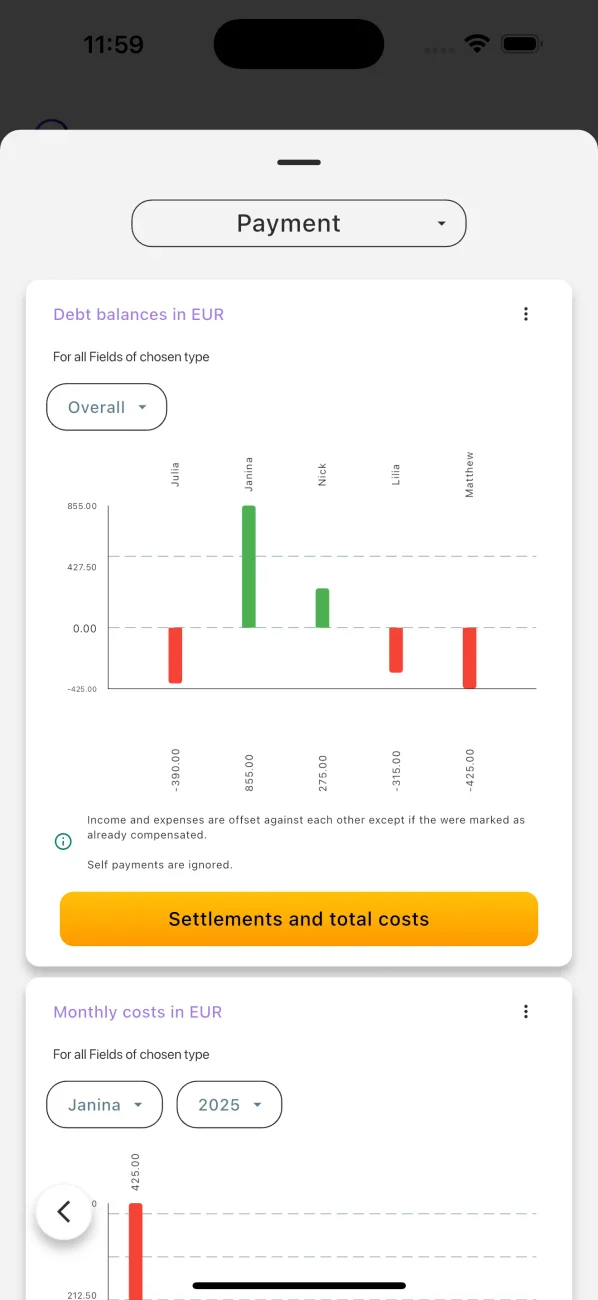
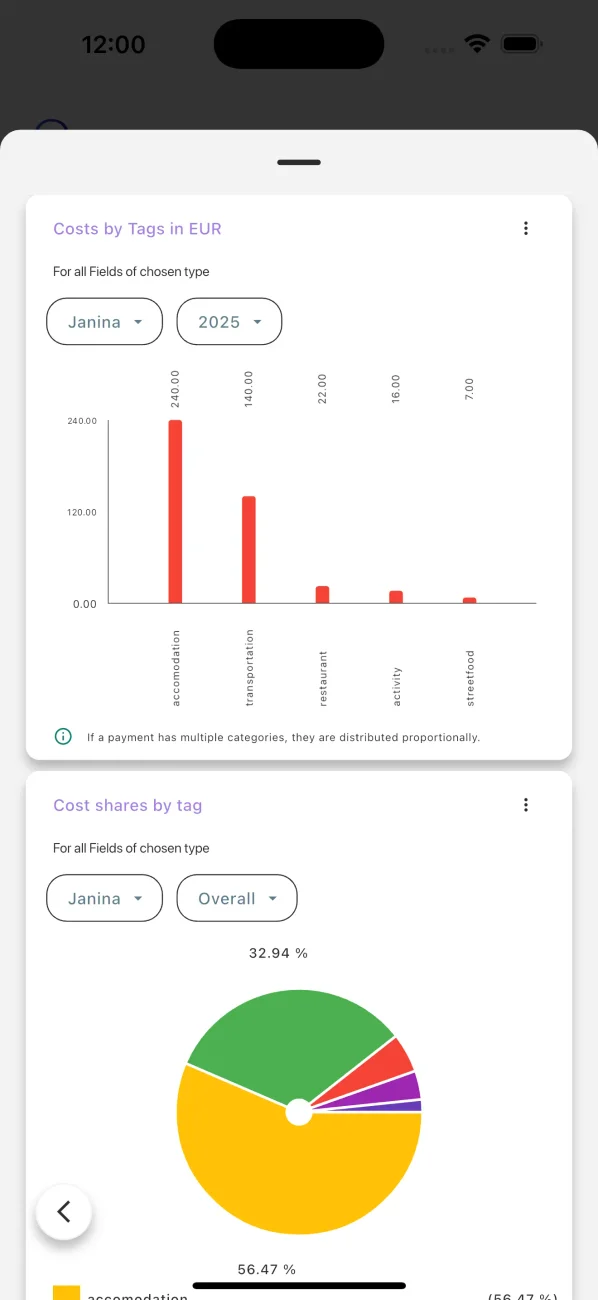
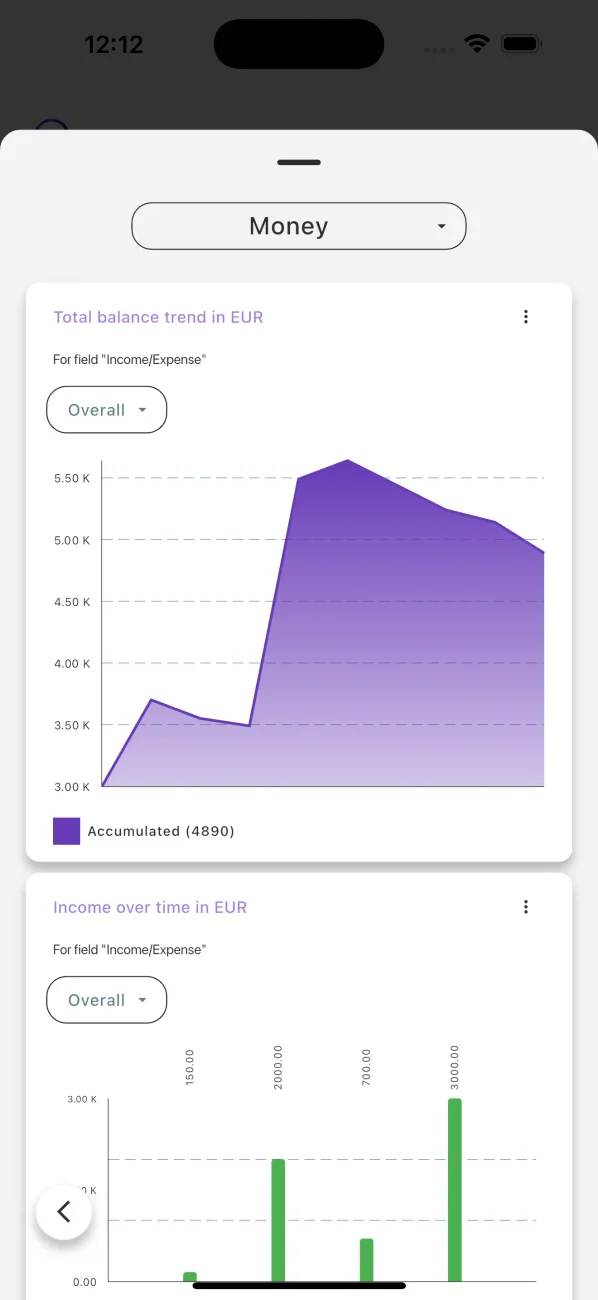
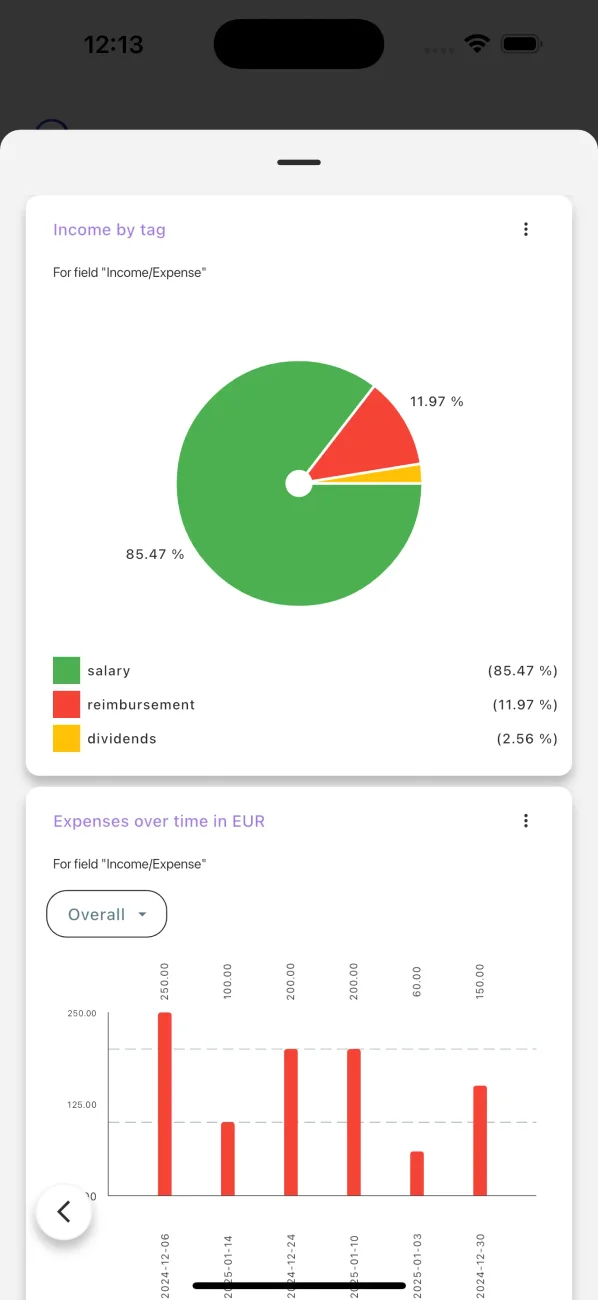
3. Visualize Your Data
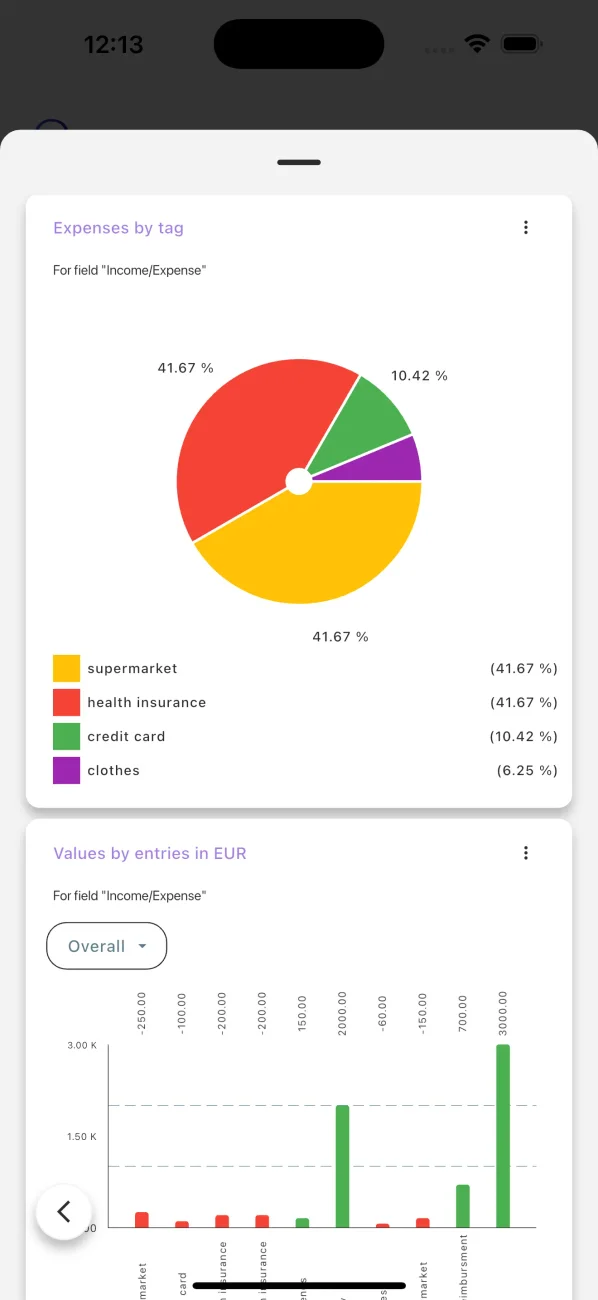
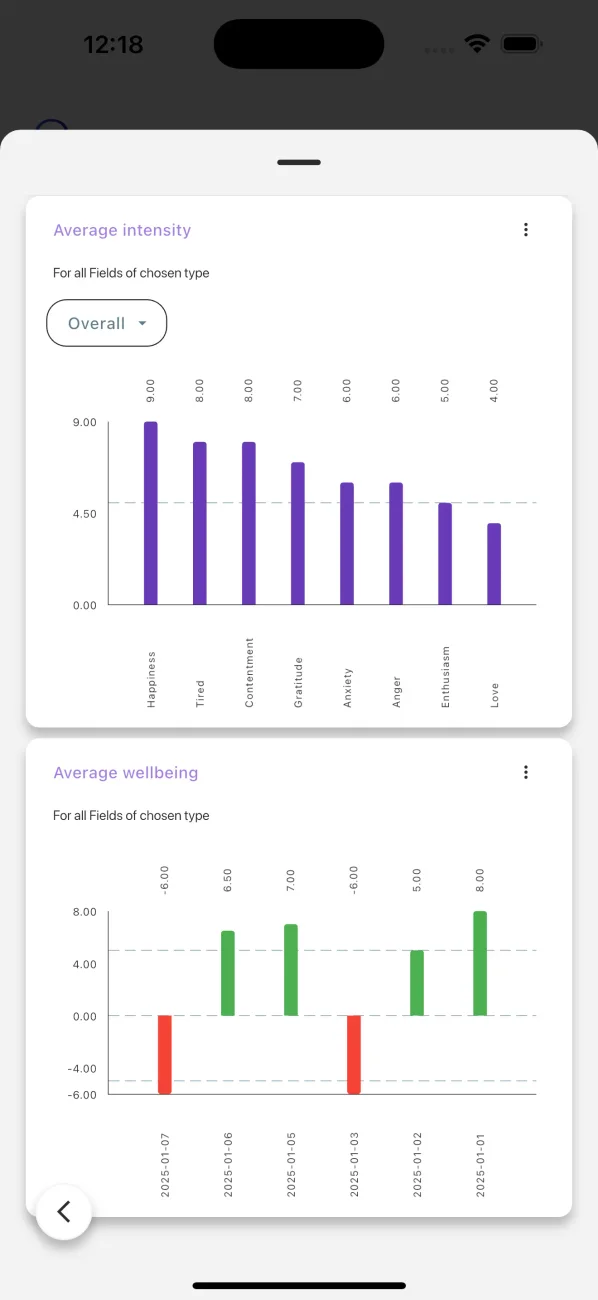
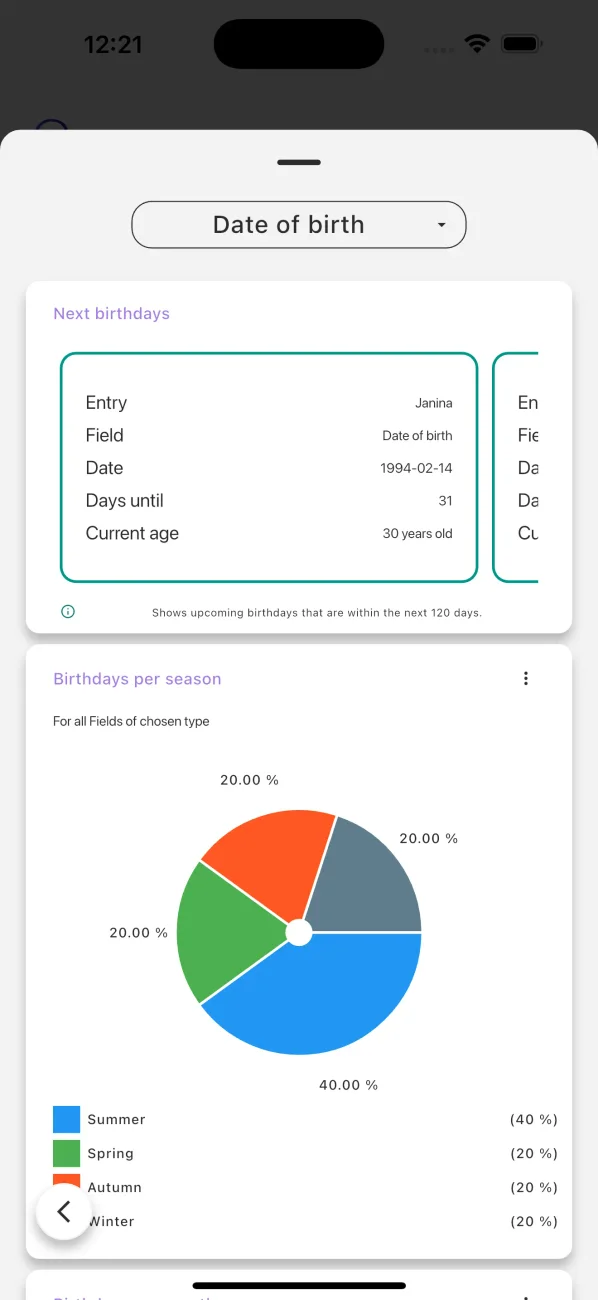
Insightful Charts: Turn your data into beautiful charts. See trends and pattersn at a glance.
Make informed decisions: Use visualizations to understand your data better and make informed decisions based on what you track.
4. Two Modes: Local and Shared
Local Mode:
On Your Device: In Local Mode, all groups and entries are saved only on your physical device. This ensures your data remains only accessible to you.
No Internet Needed: Access your information anytime without requiring an internet connection.
Shared Mode:
Cloud Storage: In Shared Mode, all groups and entries are saved securely on a cloud server. This allows you to share data and charts with others.
Collaborate Easily: Perfect for teams or shared projects, enabling seamless collaboration and networked data gathering.
5. Encryption available:
Secure Your Data: Choose to encrypt local groups to keep your sensitive information safe. Your data is protected with the highest security standards.
6. Your data stays private! No Ads! No login! No internet required!
Privacy pledge: We do not collect or sell your private information! This App is advertisement free and does not require a login!
Peace of Mind: Feel confident that your private information remains private!
How It Works:
Choose Your Mode:
Local Mode: For maximum privacy and offline access, keep your data stored only on your device. Optionally secure your groups with a password to encrypt its contents.
Shared Mode: For cloud access and collaboration, save your data on our secure servers.
Create a Group: Start by creating a new group for the area you want to organize. For example, create a group for "Work Projects" or "Expense Journal".
Define Model Entries: Customize your entries by selecting from a variety of fields. You might create a model entry "Expense" with a Date field, a Text field for notes and a Payment
field to track what you spend and earn.
Add Entries: Use this Model to start adding data to your groups. For example, in your "Expense Journal" group, you might add an "Expense" entry with the name "Lucent Ally". ;)
View Charts: Visualize your data with charts. Get a detailed overview of what you spend and earn, track project progress, see how your mood changes or analyze any other data
you’ve recorded.
Why Lucent Ally?
User-friendly: Designed for ease of use, Lucent Ally requires no technical skills. Simply create, record, and view your data.
Highly customizable: Adapt the app to suit your unique needs with flexible Model Entries.
Flexible secure storage: Choose between Local Mode for privacy and Shared Mode for accessibility and collaboration.
Có gì mới
Phiên bản 1.0.6 · 22/01/2025
- Fix bug that prevented Charts from being shown in shared mode.
- Fix bug that required manually giving Clipboard permission everytime a paste action was called, instead of just once.
- Some more smaller bug fixes.
Quyền riêng tư của ứng dụng
Những gì Christoph Maximilian Kortl khai báo trên App Store về cách ứng dụng này xử lý dữ liệu.
-
Dữ liệu không liên kết với bạn
Có thể được thu thập nhưng không liên kết với danh tính của bạn.
- Vị trí
- Nội dung của người dùng
- Mã định danh
- Chẩn đoán
Phương thức đảm bảo quyền riêng tư có thể khác nhau, chẳng hạn như tuỳ theo các tính năng bạn sử dụng hoặc độ tuổi của bạn.
Thông tin
- Người bán
- Christoph Maximilian Kortl
- Danh mục
- Hiệu Suất
- Phiên bản
- 1.0.6
- Cập nhật
- 22/01/2025
- Phát hành
- 15/01/2025
- Kích thước
- 31,8 MB
- Yêu cầu
- iOS 17.5 trở lên
- Độ tuổi
- 17+
- Giá
- 119.000đ
- Ngôn ngữ
- Tiếng Anh
- Bản quyền
- © 2025 Lucent Ally
Có thể bạn cũng thích
-
 MindPrintHiệu Suất
-
 Auer NotesHiệu Suất
-
 Reminders with Voice ReminderHiệu Suất
-
 Notes Todo's Lists: NoteFolioHiệu Suất
-
 Stack: Daily Planner & RoutineHiệu Suất
-
 Timing – Calendar & PlannerHiệu Suất
-
 Engramr - Reminders & AlarmsHiệu Suất
-
 Miracal: Lịch & Kế hoạchNhắc sinh nhật, việc cần làm
-
 AppFlowyHiệu Suất
-
 WebID WalletHiệu Suất