
magicPresenter
Elevate your slides.
Được thiết kế cho iPad
Miễn phí · Mua hàng trong ứng dụng
- Độ tuổi4+
- Danh mụcHiệu Suất
- Nhà phát triểnMarkus Nebel
- Ngôn ngữTiếng Anh
- Kích thước37,0 MB
Liên kết đến trang App Store chính thức
Download.org không lưu trữ tệp nào của magicPresenter. Nút này mở trang ứng dụng trên App Store, nơi Markus Nebel phát hành ứng dụng. Trang được kiểm tra lần cuối: 21/11/2026.
Ảnh chụp màn hình




Giới thiệu
Nhà phát triển chưa cung cấp nội dung này bằng ngôn ngữ của bạn.
magicPresenter — elevate your slides
Unleash the full power of your iPad for presentations with magicPresenter, the lightweight, free app designed to turn your PDF slide decks into immersive, confident talks.
Why Choose magicPresenter?
Seamless PDF Presentation
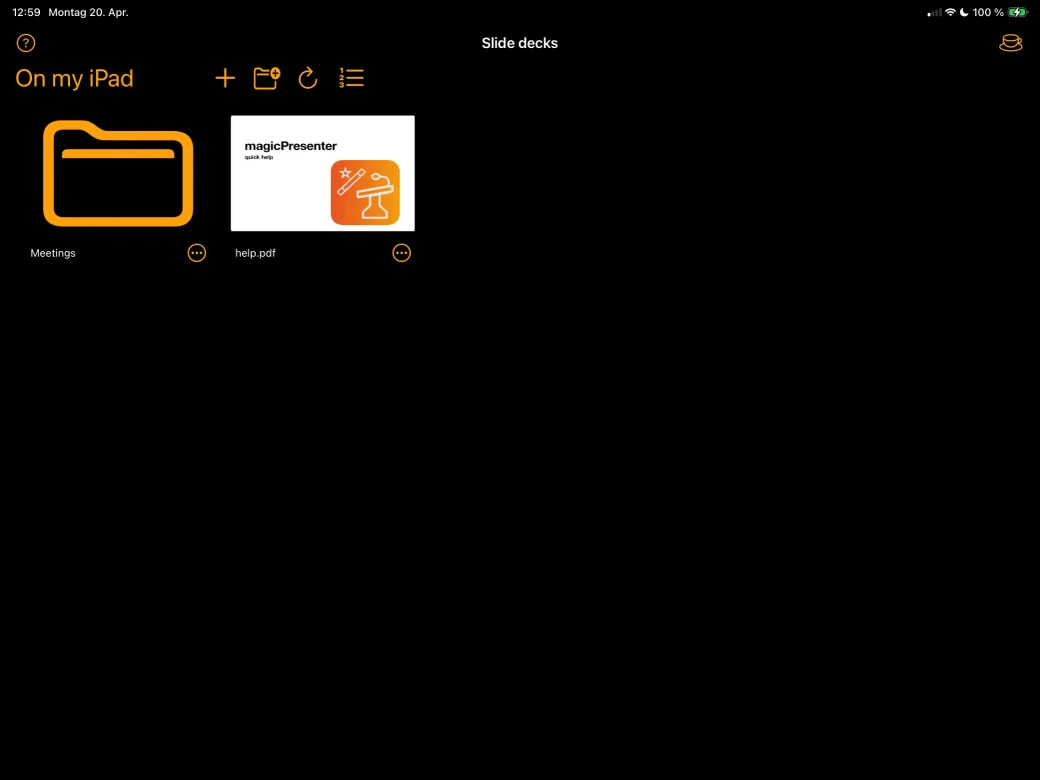
Open and present your existing PDF slide decks effortlessly. Use the built-in “Slide Decks” view to browse previews, import via share sheet, or simply drop your files into the magicPresenter directory. Create folders to group decks and use drag and drop to move slides in and out.
Smart Presenter View
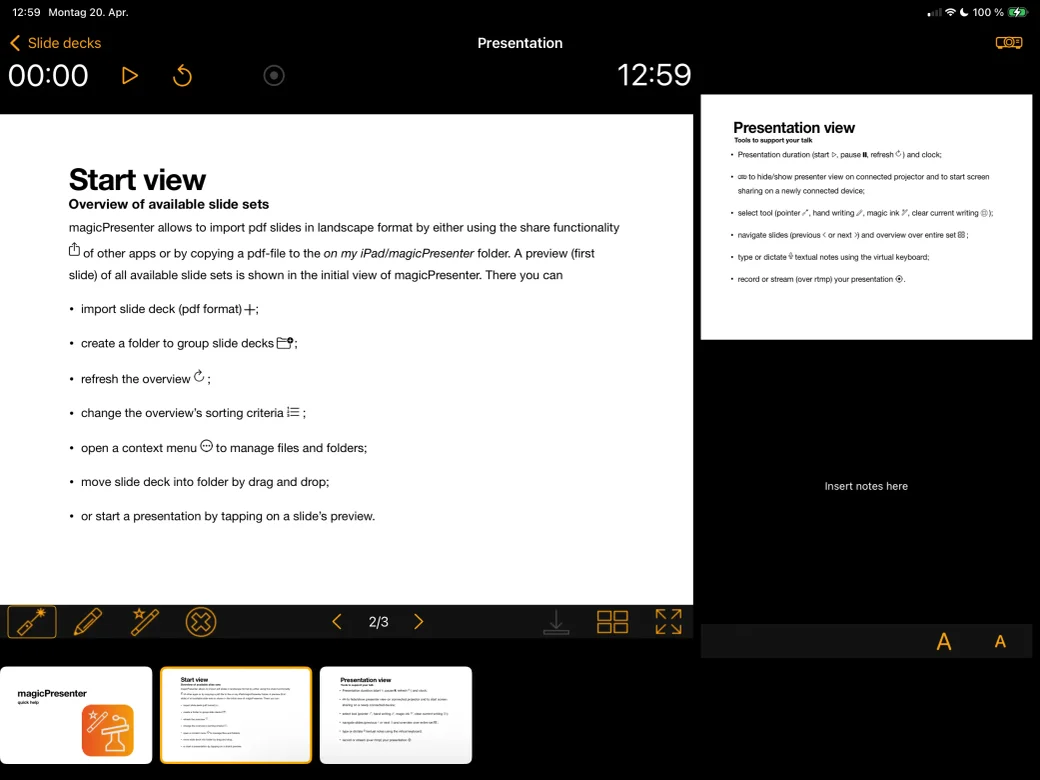
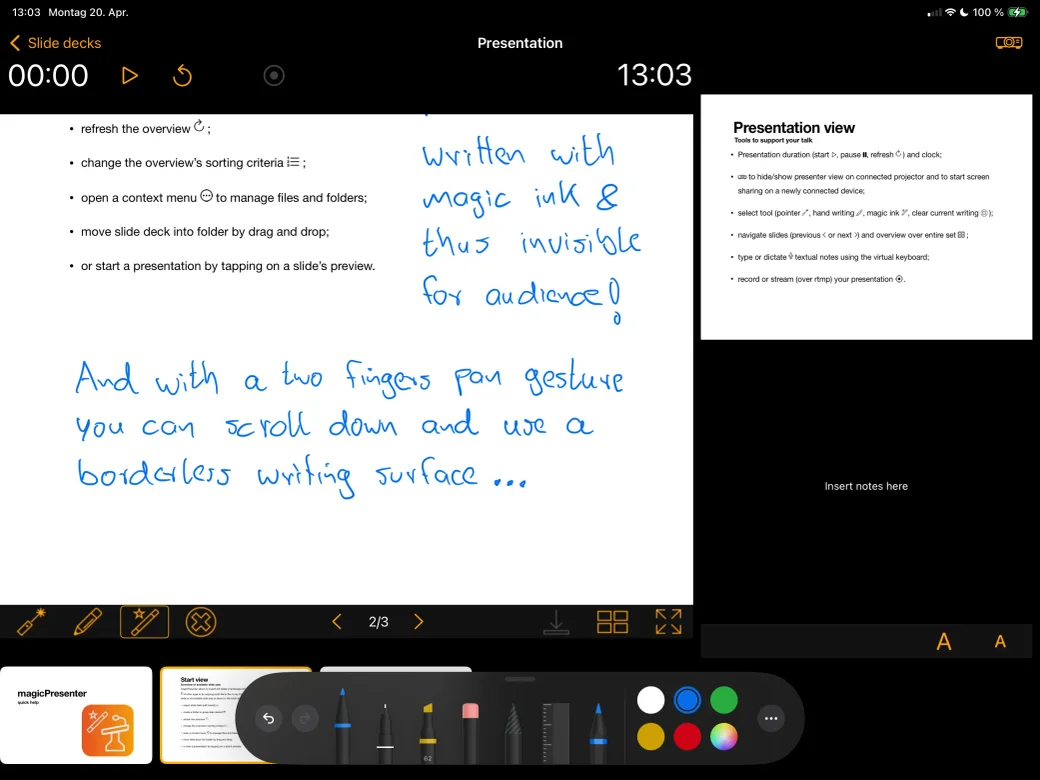
While presenting, see your current slide with its handwritten annotations and an overview of the upcoming slides below. To the right you find your speaker notes (rich text or markdown and LaTeX formulae) and next slide preview — all in one clean interface. A full screen view of the current slide is just one click away. This makes handwriting even more convenient.
A connected projector shows the current slide and public annotations to the audience.
Invisible & Visible Annotations
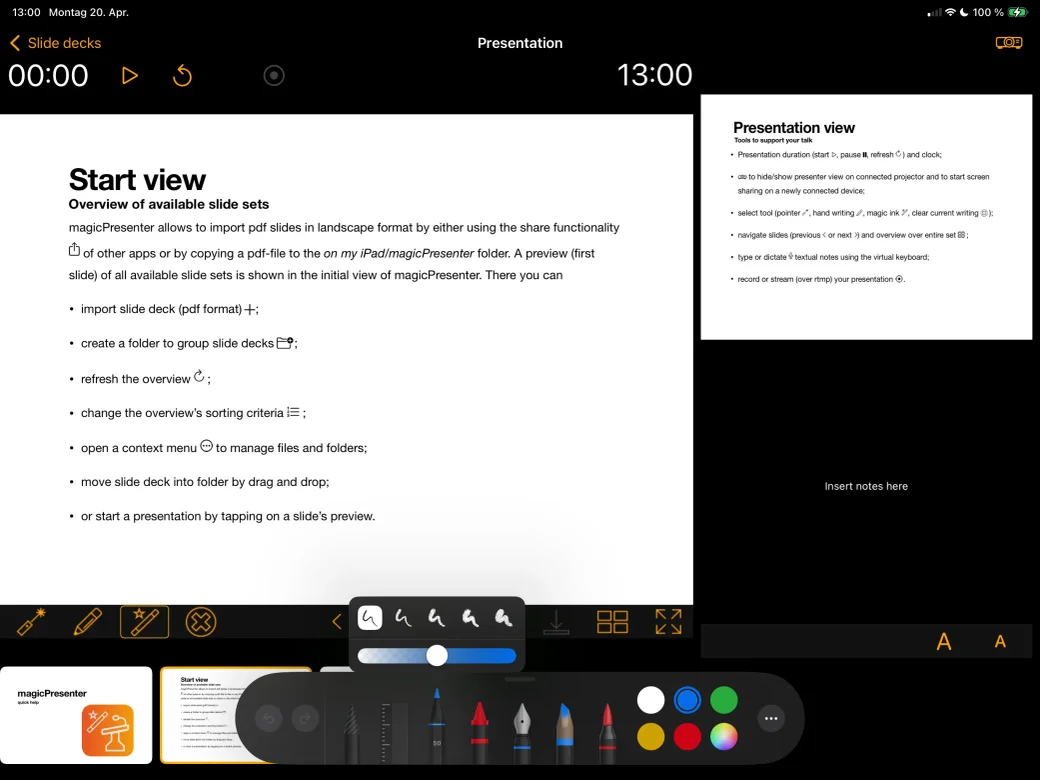
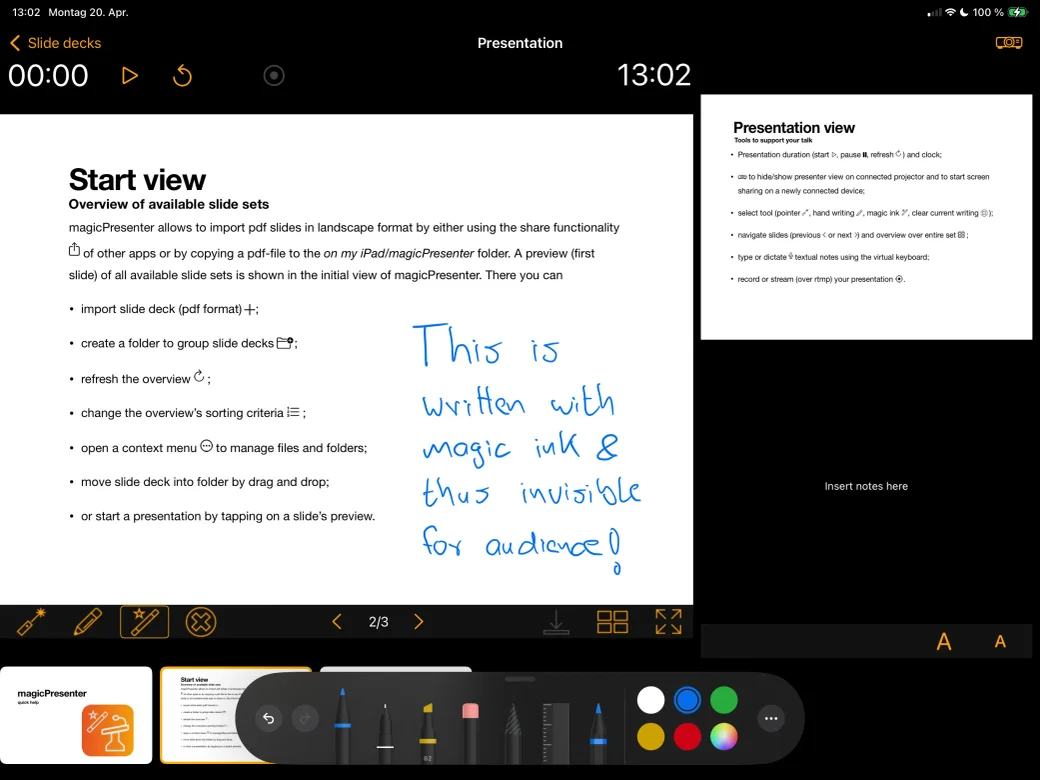
Want to jot personal cues or draw attention? magicPresenter uses dual-layer annotations: private, by the use of magic ink to write hidden presenter-only notes, and publicly visible handwriting and drawing to annotate directly on slides during your talk, building on a boundless writing surface.
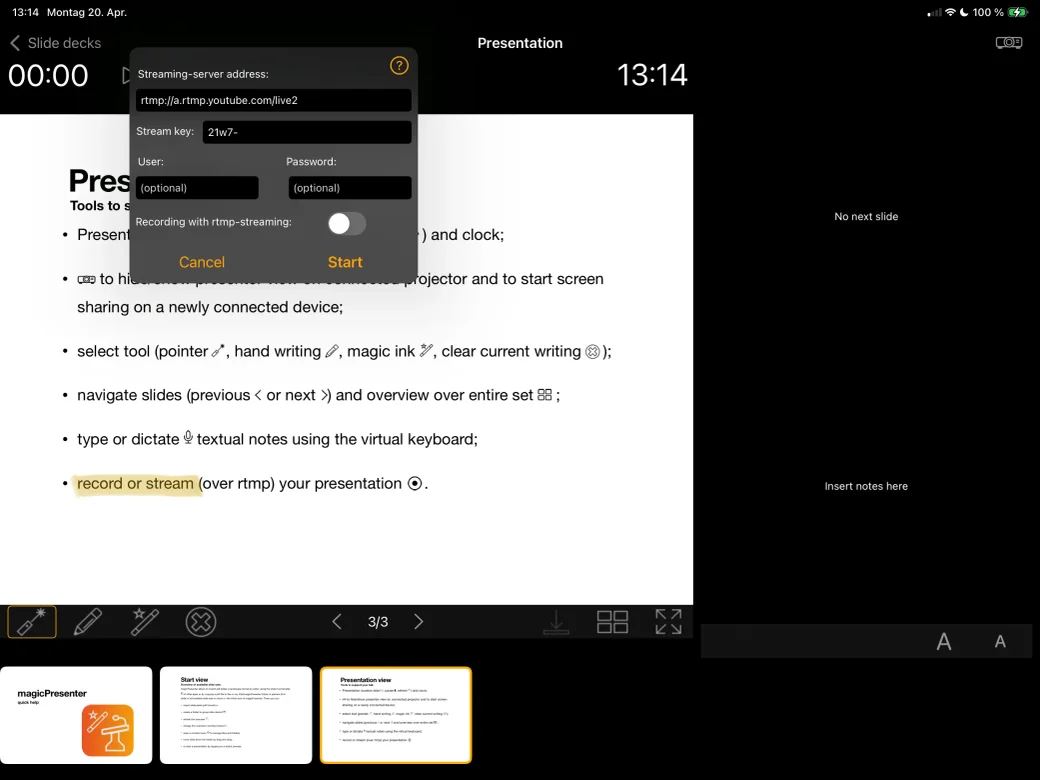
Record and stream you presentation
Produce a video of your presentation (projector view and audio) for later use and stream it via rtmp (e.g. to youTube).
Flexible Navigation
Skip ahead, go back, or jump around your slides via tap, thumbnail bar, or slide overview or by using a presenter to navigate slides or control the virtual laser pointer.
Integrated Links & Media
If your PDF contains links or embedded videos, simply long-press them during presentation to open the content inside magicPresenter — ideal for live demonstrations or video inserts. Linked content could address media on the web or be stored locally on your iPad.
Timing Tools & Display Controls
Use the built-in clock and timer controls (start, pause, reset) to keep on track. Hide or show the slide view with one tap when switching between presenting modes.
File Management & Archiving
Archive versions of your presentations (including annotations) via the context menu, export your slides and notes in printable formats, or restore snapshots easily.
With magicPresenter, you get an intuitive, minimal-overhead tool tailored for confident delivery — no bloated features you never use, just the polish and control you need to shine on stage (or in the boardroom). Try it on your iPad and transform how you present.
Có gì mới
Phiên bản 2.2b · 18/11/2026
Thank you for your feedback! In release 2.2 we have added two finger swipe gestures to change slides. Hyperlinks and PDF GoTo-actions are highlighted on the slide for easy recognition while presenting. We added settings to our app where this functionality can be disabled. Furthermore you can choose the color and opacity of the laser pointer and change its visibility duration. Presenter notes can now be formatted using markdown. With release 2.2a key codes used by remote controls can be customised. Misc. UI and stability improvements and minor bug fixes come with release 2.2a, too.
Quyền riêng tư của ứng dụng
Những gì Markus Nebel khai báo trên App Store về cách ứng dụng này xử lý dữ liệu.
-
Dữ liệu không được thu thập
Nhà phát triển không thu thập bất kỳ dữ liệu nào từ ứng dụng này.
Phương thức đảm bảo quyền riêng tư có thể khác nhau, chẳng hạn như tuỳ theo các tính năng bạn sử dụng hoặc độ tuổi của bạn.
Thông tin
- Người bán
- Markus Nebel
- Danh mục
- Hiệu Suất
- Phiên bản
- 2.2b
- Cập nhật
- 18/11/2026
- Phát hành
- 04/09/2024
- Kích thước
- 37,0 MB
- Yêu cầu
- iOS 16.0 trở lên
- Độ tuổi
- 4+
- Giá
- Miễn phí
- Mua hàng trong ứng dụng
- Có
- Ngôn ngữ
- Tiếng Anh
- Bản quyền
- © H. Drimalla and M. Nebel
Có thể bạn cũng thích
-
 TalkBeamerHiệu Suất
-
 Notedrafts: Note TakingHiệu Suất
-
 Drawboard PDF Annotate, MarkupHiệu Suất
-
 Flexcil Note & Good PDF ReaderNote-taking & markup for study
-
 Collabora OfficeHiệu Suất
-
 MarginNote 5: AI Notes·MindMapHiệu Suất
-
 PDF Viewer by NutrientHiệu Suất
-
 ONLYOFFICE DocumentsHiệu Suất
-
 LiquidTextHiệu Suất
-
 ZoteroHiệu Suất