MainframeMonitor
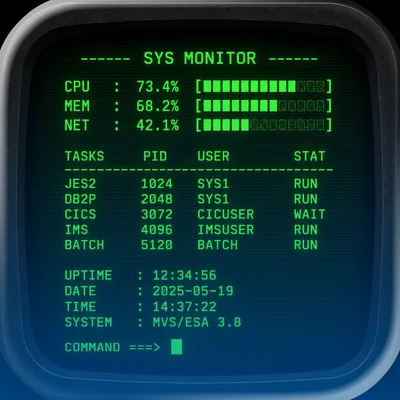
Retro CRT System Monitor
Được thiết kế cho iPhone, iPad
Miễn phí
- Độ tuổi4+
- Danh mụcTiện Ích
- Nhà phát triểnRalf Langhoff
- Ngôn ngữTiếng Anh
- Kích thước21,6 MB
Liên kết đến trang App Store chính thức
Download.org không lưu trữ tệp nào của MainframeMonitor. Nút này mở trang ứng dụng trên App Store, nơi Ralf Langhoff phát hành ứng dụng. Trang được kiểm tra lần cuối: 08/11/2026.
Ảnh chụp màn hình


Giới thiệu
Nhà phát triển chưa cung cấp nội dung này bằng ngôn ngữ của bạn.
MAINFRAME MONITOR: Your Device as a Mainframe Console
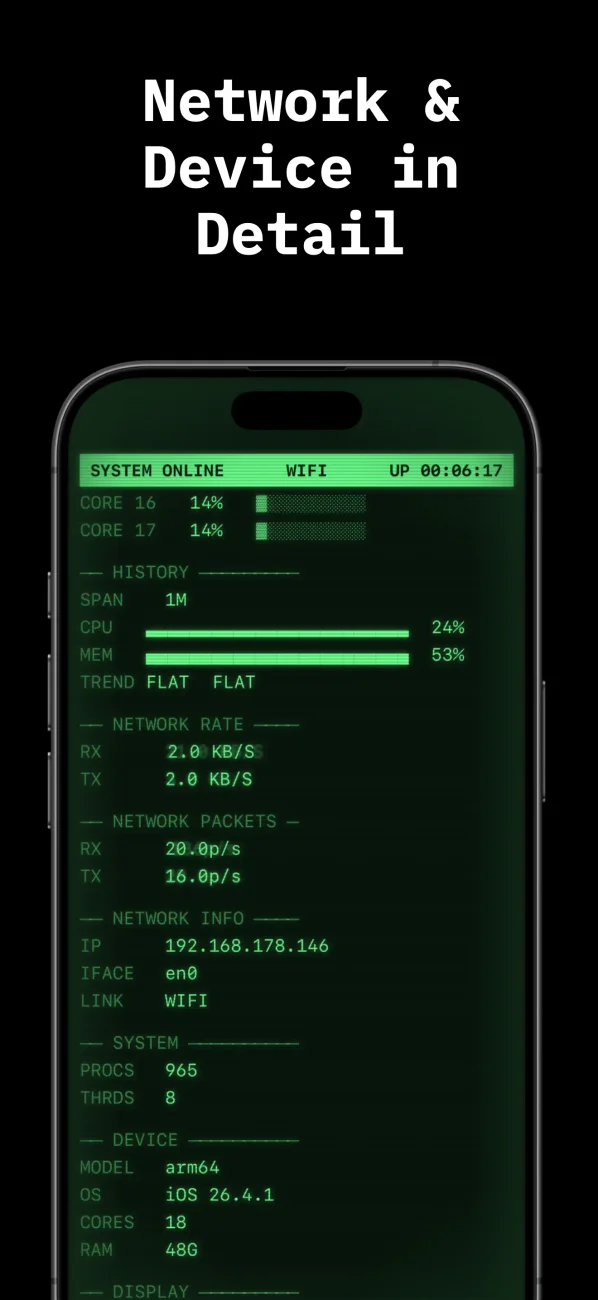
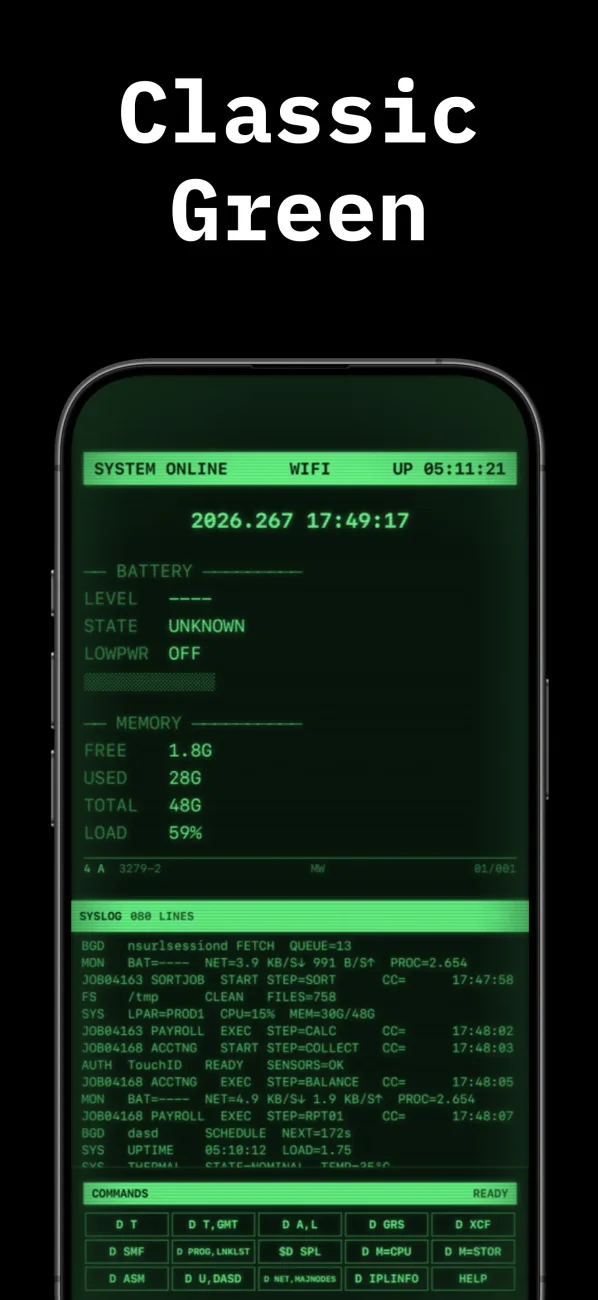
Mainframe Monitor shows your device's real live data in the style of a 1980s IBM operator console: CPU, memory, storage, battery, network, thermal state and motion. All values come from your device. You also get green phosphor text, scanlines, key clicks and real MVS commands.
REAL DATA, CLASSIC LOOK
• Live CPU load per core, memory, DASD, battery, network and thermal state
• Front panel lamp strip that flickers with the load
• Seismograph as a moving paper strip. Knock on the table!
• Compass, audio output, brightness and refresh rate (ProMotion)
• Motion sensors with pitch, roll, yaw and G-vector
• Capacity planning: battery time remaining and storage forecast
• Session statistics (SMF) with averages and peak values
• Clock with UTC, Julian date and 64-bit TOD register
FIVE HISTORIC DISPLAYS
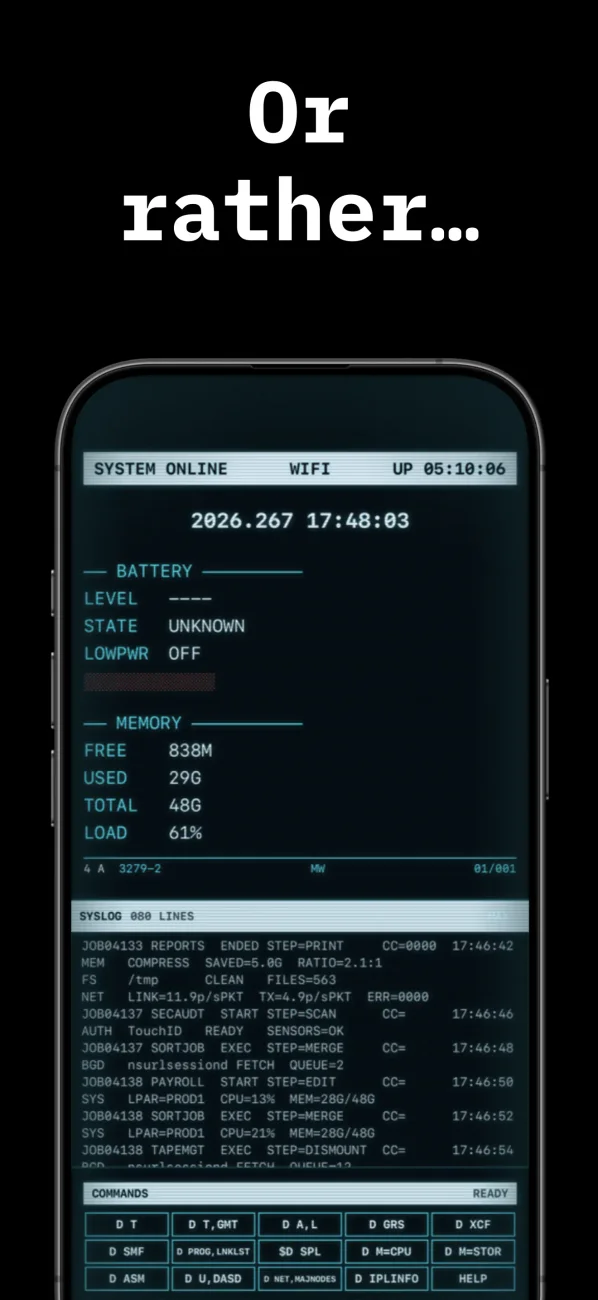
Press PF5 to switch between green and amber phosphor, the IBM 3279 color terminal, the neon-orange IBM 3290 gas plasma display and the Tektronix 4014 storage tube. Each display has its own effects, from degauss to beam redraw, and a matching app icon.
MVS CONSOLE WITH REAL COMMANDS
In the syslog you enter commands like a real operator: D T, D A,L, D M=CPU, D U,DASD, D NET, D IPLINFO, D ENV, D CAPACITY, D M=MIPS (CPU benchmark) and many more. With PF8, a virtual IBM 1403 line printer prints a status report on continuous paper that you can share as an image.
PARALLEL SYSPLEX
Couple iPhone, iPad and Mac on your local network via Bonjour to form a sysplex. The sysplex panel shows CPU, memory and battery of all devices.
TRACE ROUTE WITH WORLD MAP
PF9 traces the path your data takes to any website. You see every hop with IP, location and round-trip time, plus an ASCII world map of the route. The optional latency panel measures ping, jitter, packet loss and clock drift.
IPL, INTRO AND SCREENSAVERS
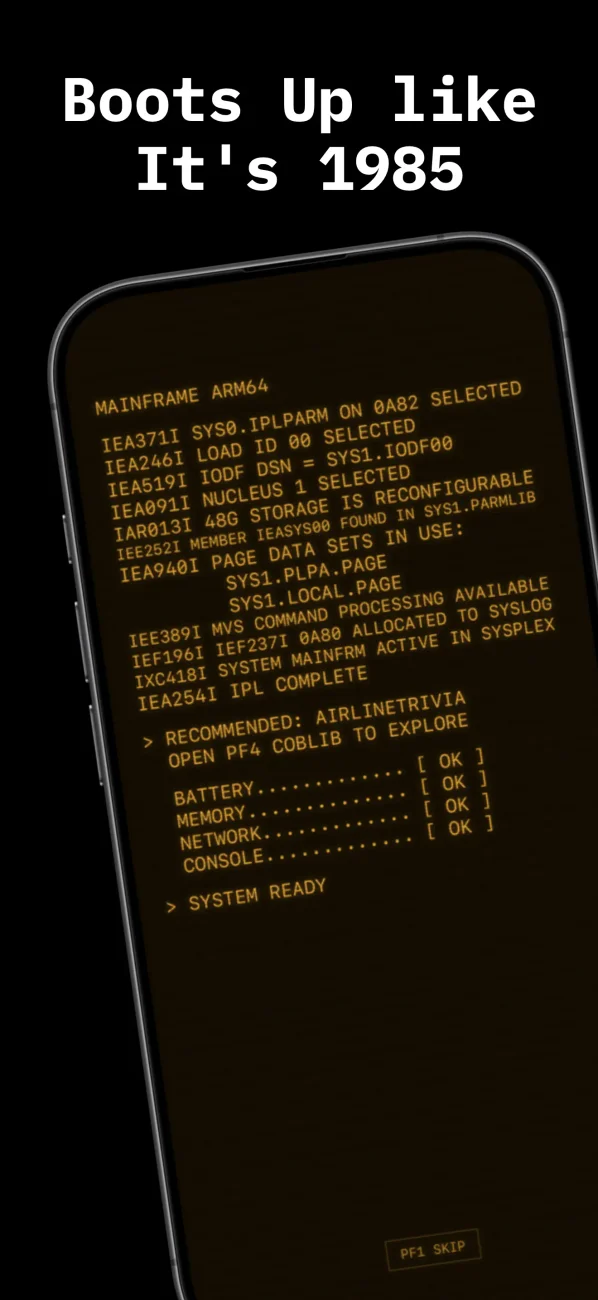
At startup the system boots with an authentic IPL sequence. The screensavers show real values too: control panel, tape drives, core memory, punch cards, printer or oscilloscope.
GAMES IN THE COBLIB
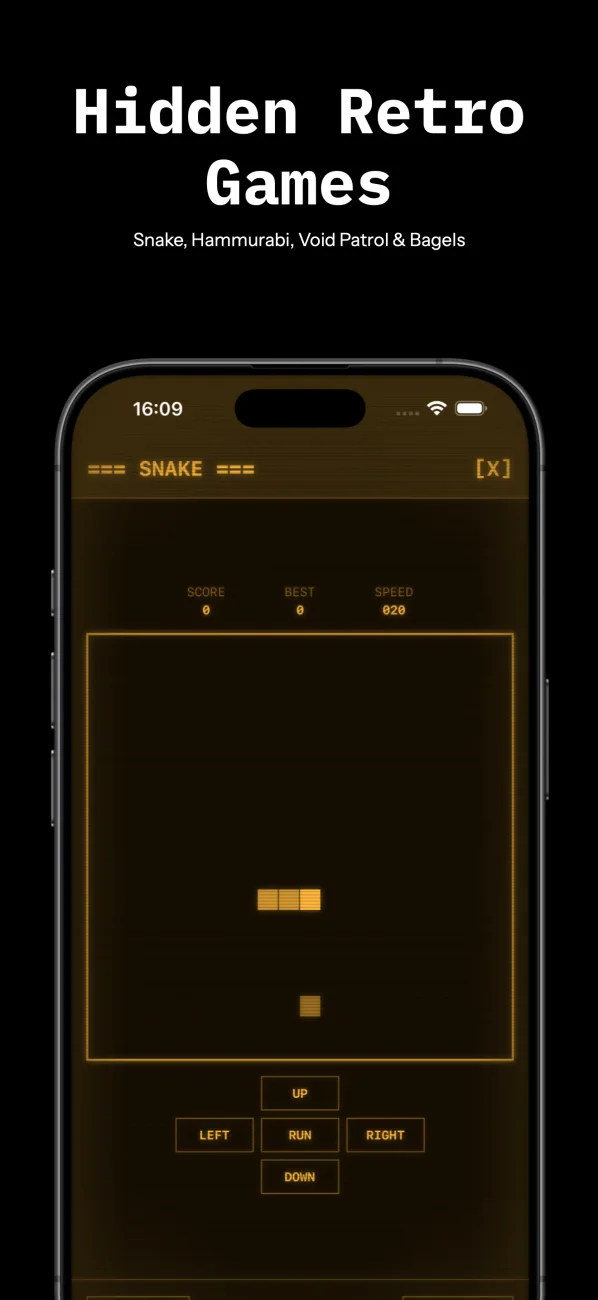
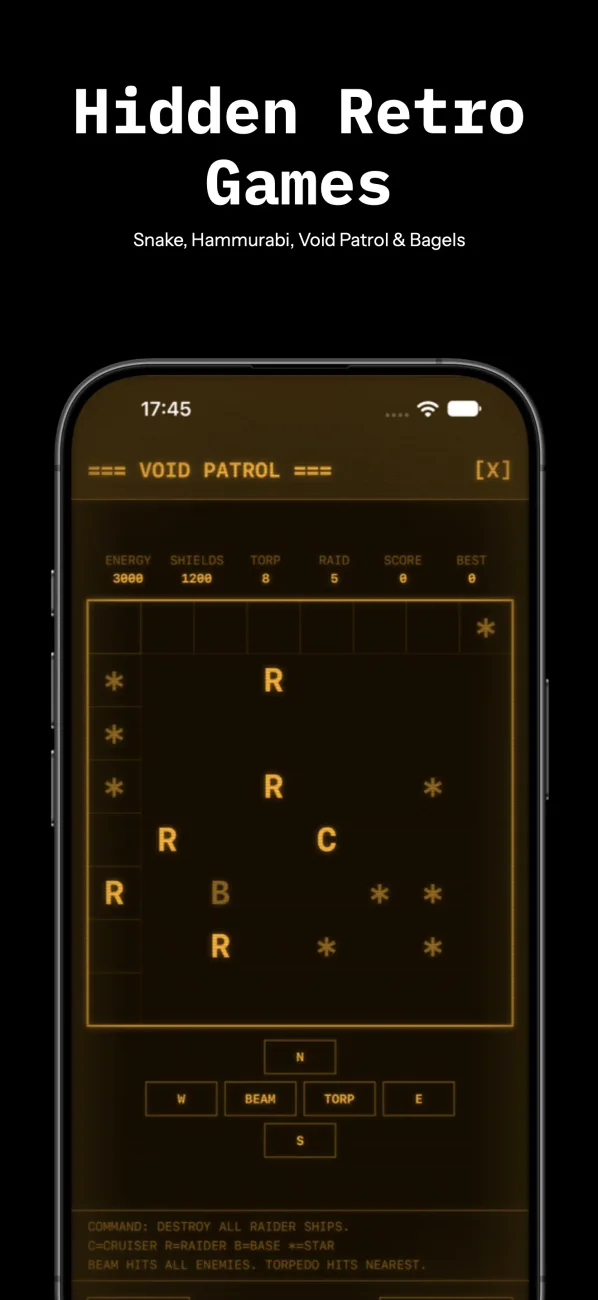
Hamurabi, Void Patrol, Snake and Bagels: classics in terminal style.
WIDGETS AND LIVE ACTIVITY
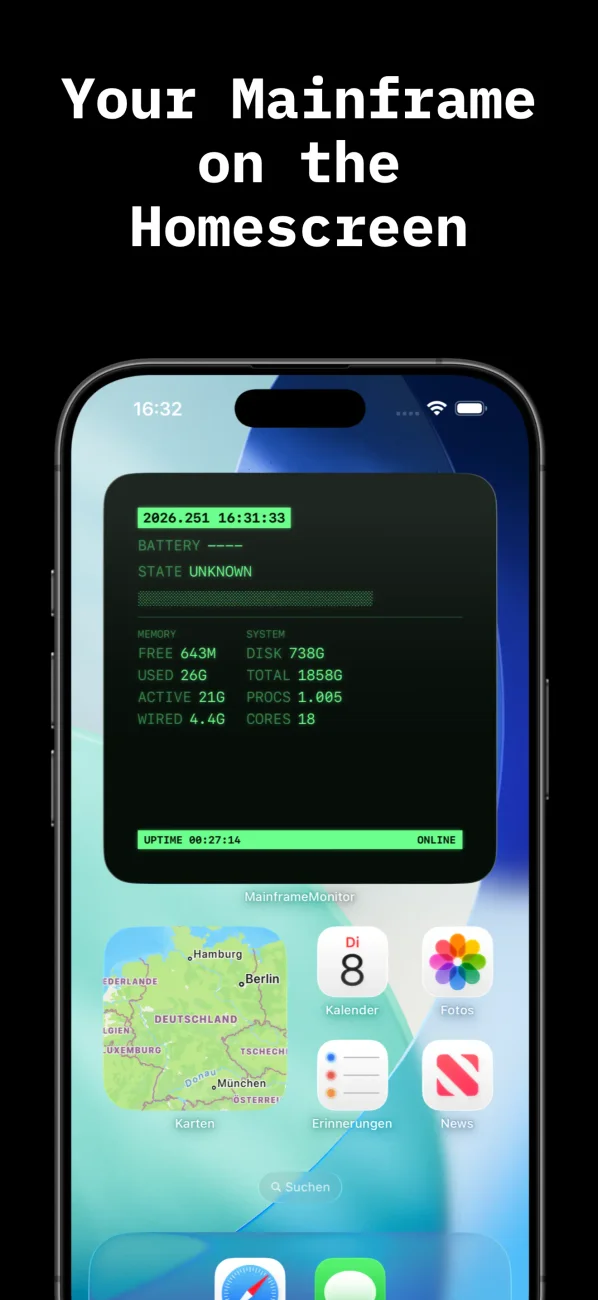
• Widgets for the Home Screen and Lock Screen in three sizes
• Control Center button
• Live Activity in 3270 style on the Lock Screen and in the Dynamic Island
FOR EVERY DISPLAY
The layout adapts to iPhone, iPad, Mac and foldable devices like iPhone Duo, stacked or side by side. With a hardware keyboard, F1 to F12 work as PF keys.
FULLY CONFIGURABLE
Show, hide and reorder panels, or choose a preset: Default, Minimal, Performance, Network or Device. Under PF1, an operator guide in German and English explains every feature.
PRIVACY
No tracking, no ads, no analytics. The app works offline. Network features only start after you agree (message IEA910A), and you can withdraw consent at any time under PF7. The EXT lamp shows you when data goes to the internet.
Note: Job names in the log are simulated. D M=MIPS is an estimate, not an official IBM rating.
Có gì mới
Phiên bản 3.0 · 26/10/2026
PARALLEL SYSPLEX
• Couple iPhone, iPad and Mac (to be released soon) on your local network (Bonjour)
• Sysplex panel with CPU, memory and battery of all devices
• New commands: D XCF, D XCF,S,SYS1, RO SYS1 and RO *ALL
• XCF messages show when a system joins or is lost
• Orderly sign-off (quiesce) when a device is locked
NETWORK PRIVACY
• IEA910A notice before the first data transmission
• New overview PF7 > N Network Services with Yes/No/Ask
• EXT lamp indicates internet traffic
• Trace Route also works without location lookup
TRACE ROUTE (PF9)
• Every hop with IP, location and round-trip time
• ASCII world map of the route
• Report printout on virtual continuous paper, ready to share
NEW MEASUREMENTS
• Latency panel: ping, jitter, packet loss, NTP clock drift
• Network: subnet mask/CIDR, DNS servers, 5G/LTE
• Storage: block size and sectors
• Memory: virtual memory, page-in/page-out
• Biometric status of Face ID and Touch ID
NEW DISPLAYS
• IBM 3290 gas plasma in neon orange
• Tektronix 4014 storage tube
• Unique switch effect for each display and matching app icons
AND ALSO
• New interactive IPL sequence
• Historic data center intro
• COBLIB as an ISPF member list with data sheets
• "About Mainframe" with intro film
• Panels grouped by topic
• Expanded operator guide
• New screensaver styles
• And much more...
Quyền riêng tư của ứng dụng
Những gì Ralf Langhoff khai báo trên App Store về cách ứng dụng này xử lý dữ liệu.
-
Dữ liệu không liên kết với bạn
Có thể được thu thập nhưng không liên kết với danh tính của bạn.
- Vị trí
Phương thức đảm bảo quyền riêng tư có thể khác nhau, chẳng hạn như tuỳ theo các tính năng bạn sử dụng hoặc độ tuổi của bạn.
Thông tin
- Người bán
- Ralf Langhoff
- Danh mục
- Tiện Ích
- Phiên bản
- 3.0
- Cập nhật
- 26/10/2026
- Phát hành
- 10/09/2026
- Kích thước
- 21,6 MB
- Yêu cầu
- iOS 18.6 trở lên
- Độ tuổi
- 4+
- Giá
- Miễn phí
- Ngôn ngữ
- Tiếng Anh
- Bản quyền
- © 2026 Ralf Langhoff