
Mapio.
Offline maps with live GPS
Được thiết kế cho iPhone, iPad, iPod touch
Miễn phí · Mua hàng trong ứng dụng
- Độ tuổi4+
- Danh mụcDẫn Đường
- Nhà phát triểnNicolas Ahumada
- Ngôn ngữTiếng Anh+ 2 ngôn ngữ khác
- Kích thước36,9 MB
Liên kết đến trang App Store chính thức
Download.org không lưu trữ tệp nào của Mapio. Nút này mở trang ứng dụng trên App Store, nơi Nicolas Ahumada phát hành ứng dụng. Trang được kiểm tra lần cuối: 16/11/2026.
Ảnh chụp màn hình



Giới thiệu
Nhà phát triển chưa cung cấp nội dung này bằng ngôn ngữ của bạn.
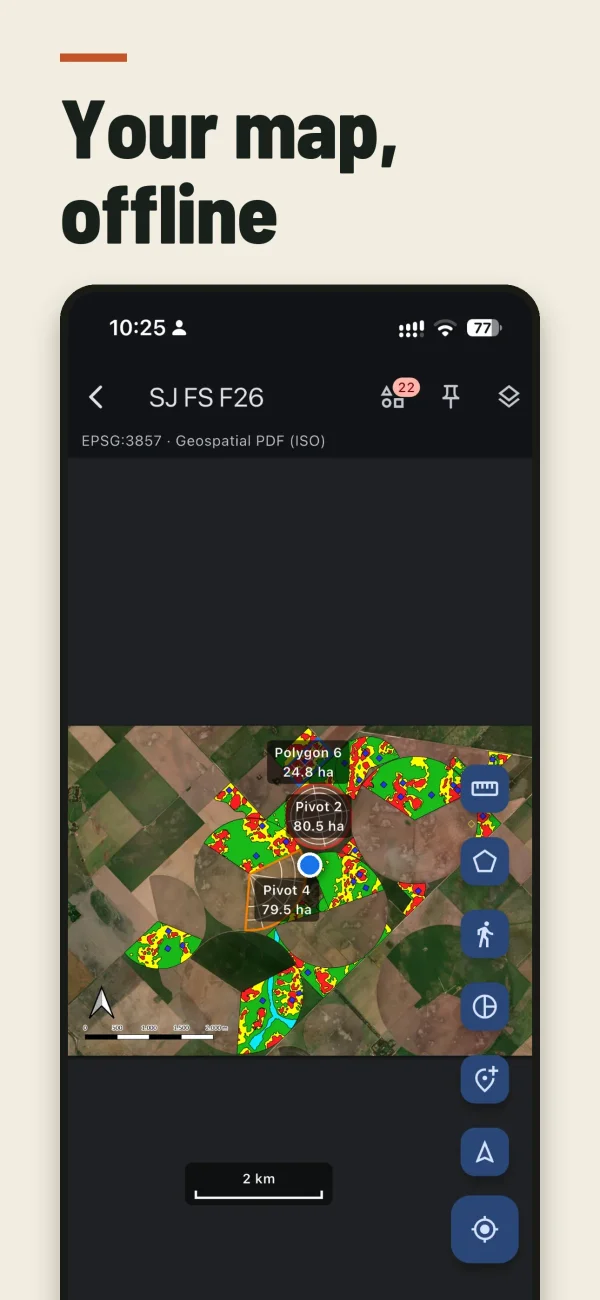
Mapio turns your phone into a GPS for the field. Open a georeferenced map (PDF or GeoTIFF) and see yourself on it, in real time, with no signal.
WHAT IT OPENS
Georeferenced PDFs (TerraGo GeoPDF and ISO 32000 PDFs with georeferencing), and TIF, TIFF and GeoTIFF: the drone orthomosaic, the agronomist's image, the survey map. And your fields as KML, KMZ or shapefile (zip). Got one in WhatsApp, email or Files? Share it to Mapio.
MEASURE
Distance and area by tapping the screen or walking the field with GPS, and centre pivots by centre, radius and fraction of the circle. Share a measurement or your location for free, with a Google Maps link.
MARK
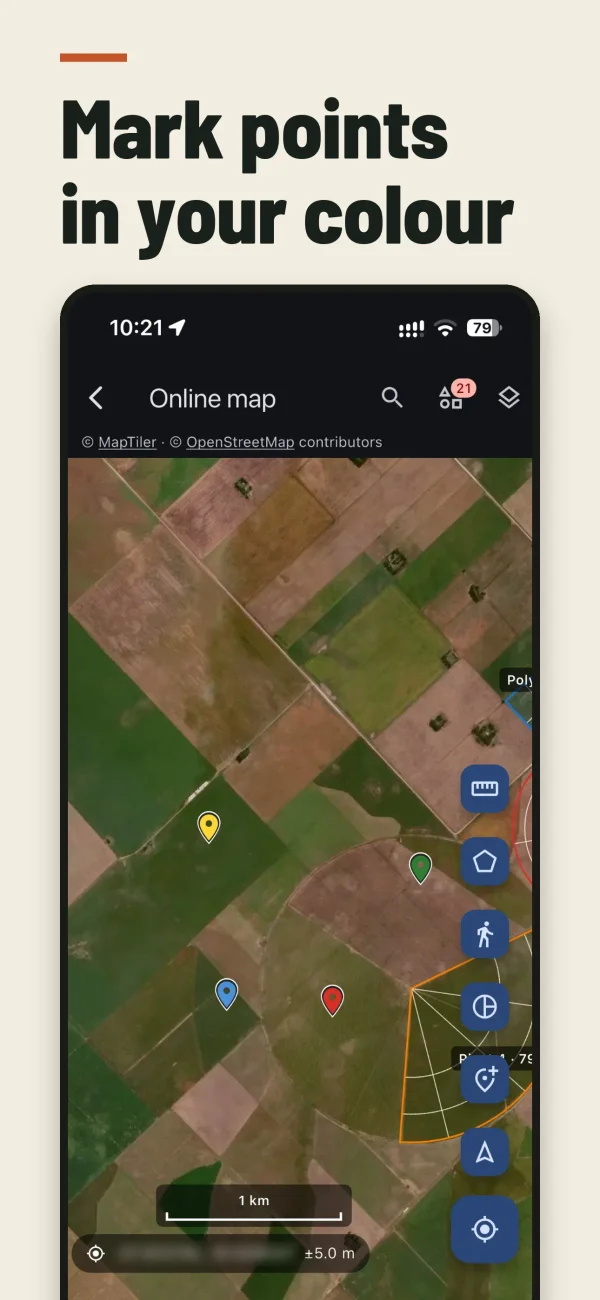
Points with a name, a note, photos and the colour you pick, on your maps or the online map. Export as GPX and CSV.
ONLINE MAP
OpenStreetMap and high-resolution satellite imagery with town names, roads and your GPS. Search a town or a farm, or paste coordinates (that works offline). With no data, what you already viewed still shows for up to 90 days.
SAVED FIELDS AND PIVOTS
Save a field once and use it on all your maps. Organise fields with folders and tags, and move or delete several at once. Import them for free, several files at a time, and with Mapio Pro export them to QGIS, Auravant or the planter monitor.
ROTATIONAL GRAZING
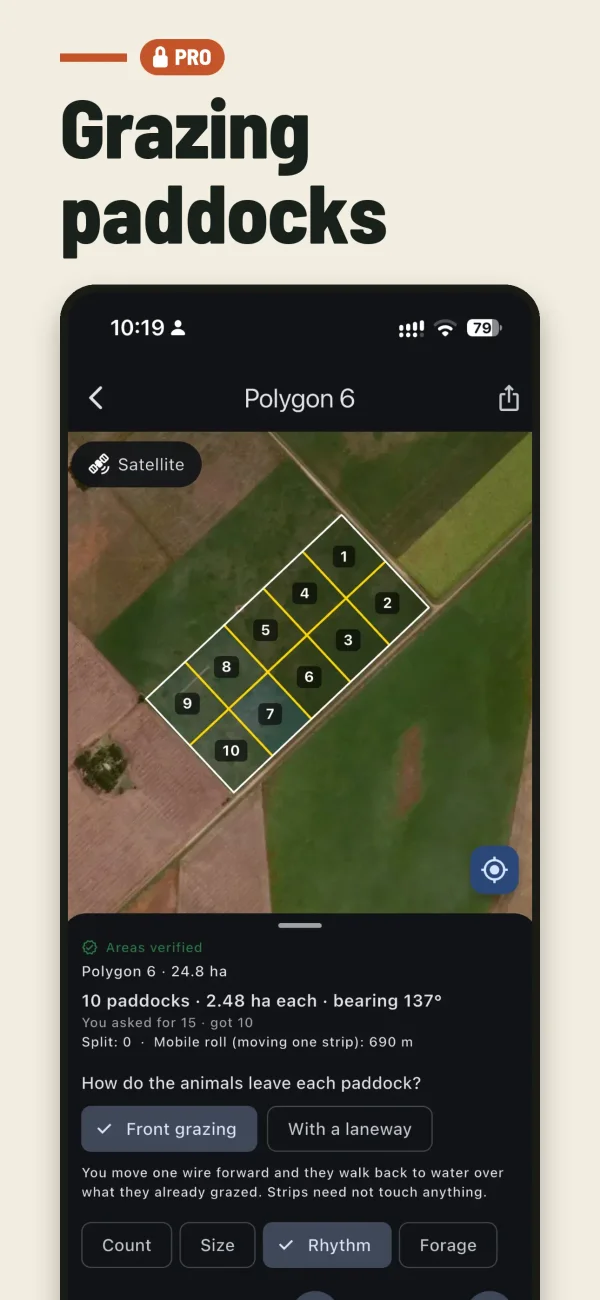
Split the field into equal strips, rotate the fence line and read the instant stocking rate in head/ha and liveweight per hectare. Draw the laneway and mark the water point: every paddock with a way out to water, and how far the herd walks.
SATELLITE ZONING
Management zones from up to 5 years of Sentinel-2 imagery of your field, with the headland separated from the centre and stability across seasons. Plus variable-rate prescriptions: several products per operation, the rate for each zone and the total to buy.
FIELD ANALYSIS (PRO)
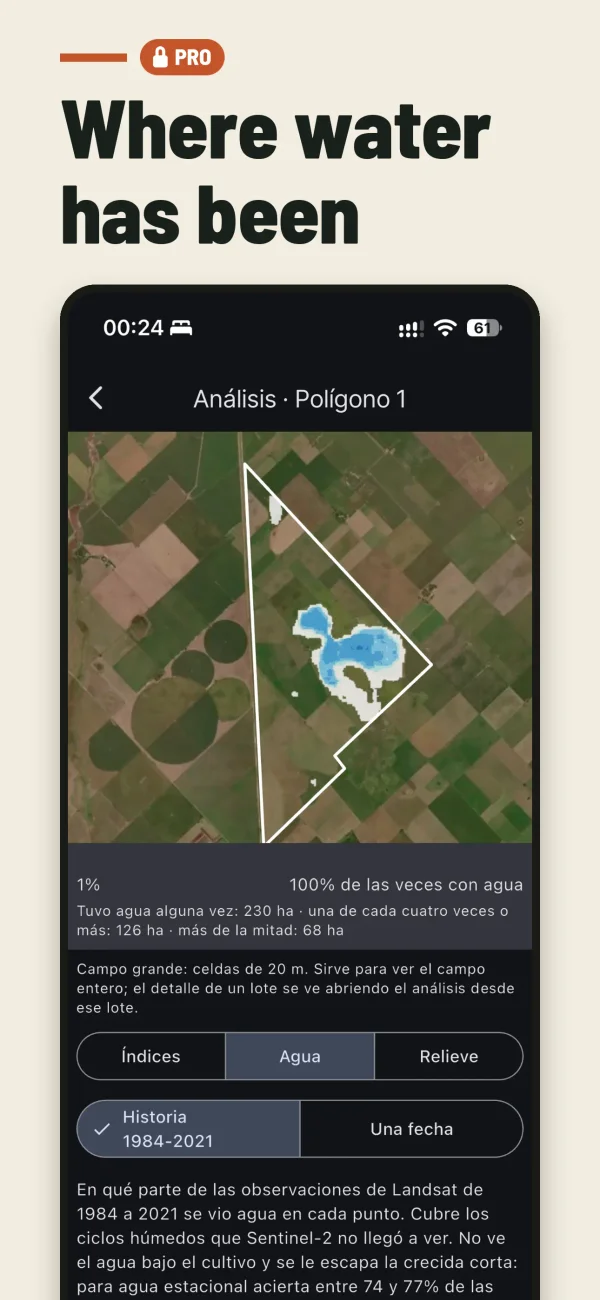
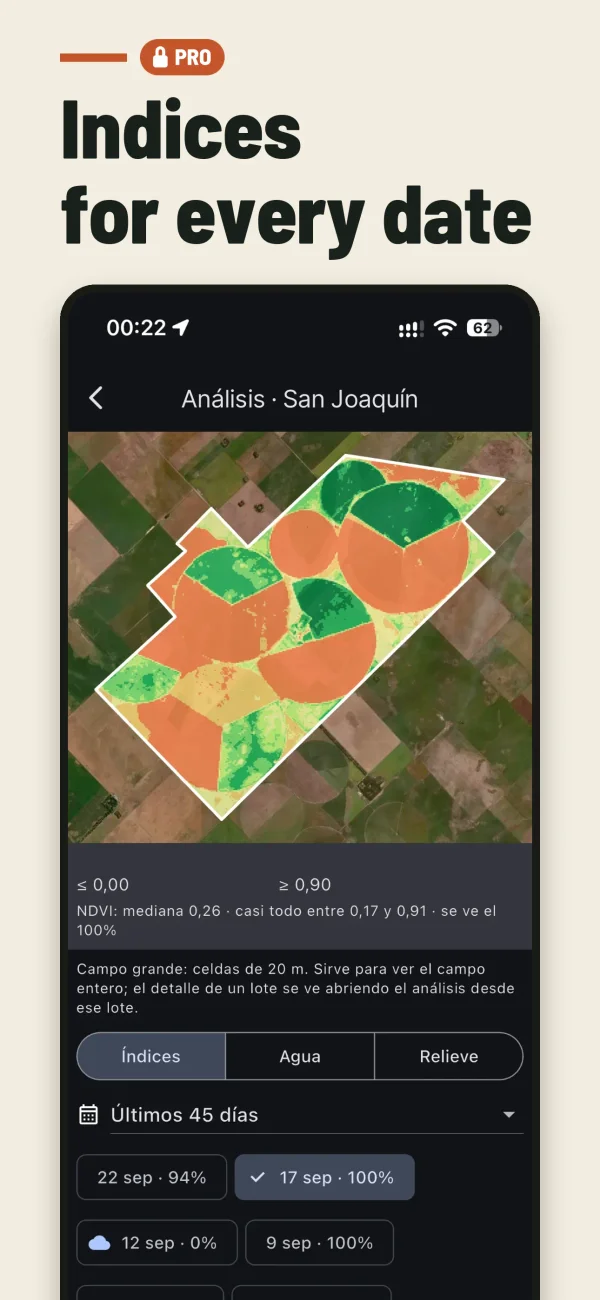
Sentinel-2 indices by date (NDVI, EVI, NDRE, NDMI and 19 more), each with what it measures and its source. The time-lapse: the clear dates of a period, one after another, in natural colour, 8-4-3, your own bands or an index. Water on one date, and the 1984-2021 Landsat history (JRC). Terrain from the Copernicus DEM: relative elevation and landscape position, with a test against 38 years of observed water. Each layer states its limits: terrain is a model and water on one day is not a flood risk. It all exports to QGIS.
ONLINE AND OFFLINE
Offline: opening your maps, locating yourself, measuring, paddock planning, marking points and exporting. Online: the satellite map the first time, place search, satellite zoning (do it before heading out) and field analysis, which downloads everything every time you open it.
MAPIO PRO
The free version includes opening maps, locating yourself, measuring, marking points, saving and importing fields, and the online satellite map. Mapio Pro adds field analysis, satellite zoning, variable-rate prescriptions, grazing paddock planning, export and an ad-free map.
• Mapio Pro Monthly — 1 month — US$ 0.99
• Mapio Pro Yearly — 1 year — US$ 7.99
Auto-renewable subscription. Payment is charged to your App Store account at confirmation of purchase. It renews automatically unless you cancel at least 24 hours before the end of the current period; your account is charged within 24 hours prior to the renewal. You can manage or cancel it in your account settings after purchase.
PRIVACY
No accounts and no servers of ours. Your location is processed on the phone and only leaves if you share it. The app's data is excluded from iCloud backup, so when you switch phones you have to import your maps again. The free version shows Google AdMob ads, and where the law requires it the app asks for your consent before the first one; you can change that answer in Settings.
Privacy policy: https://sites.google.com/view/mapio-privacy
Terms (Apple standard EULA): https://www.apple.com/legal/internet-services/itunes/dev/stdeula/
Data: Copernicus (EU/ESA), ESA WorldCover, EC JRC/Google and © OpenStreetMap contributors.
Có gì mới
Phiên bản 1.0.30 · 06/11/2026
New in Field analysis (Mapio Pro): the time-lapse. The clear dates of a period, one after another, to see how your field changes over the season.
• It opens with the film button at the top of Field analysis (“View as time-lapse”).
• The period: the last 3, 6 or 12 months, a July-to-June season or the dates you choose, up to a year.
• You decide how much of the field has to be cloud-free, according to the ESA mask. The neighbouring fields show around it.
• In natural colour, false colour 8-4-3 (active vegetation shows red), with the bands you choose for red, green and blue, or with any of the analysis indices.
• Play, pause, step one date at a time or change the speed. If a date is no good, remove it from the time-lapse.
• Your saved fields and the zone borders go on top of the imagery.
• Nothing is downloaded until you tap “Download”, which tells you how many MB it takes first (Wi-Fi recommended). Switching layers only downloads the bands that are missing.
Quyền riêng tư của ứng dụng
Những gì Nicolas Ahumada khai báo trên App Store về cách ứng dụng này xử lý dữ liệu.
-
Dữ liệu không liên kết với bạn
Có thể được thu thập nhưng không liên kết với danh tính của bạn.
- Vị trí
- Mã định danh
- Dữ liệu sử dụng
- Chẩn đoán
Phương thức đảm bảo quyền riêng tư có thể khác nhau, chẳng hạn như tuỳ theo các tính năng bạn sử dụng hoặc độ tuổi của bạn.
Thông tin
- Người bán
- Nicolas Ahumada
- Danh mục
- Dẫn Đường
- Phiên bản
- 1.0.30
- Cập nhật
- 06/11/2026
- Phát hành
- 01/07/2026
- Kích thước
- 36,9 MB
- Yêu cầu
- iOS 15.0 trở lên
- Độ tuổi
- 4+
- Giá
- Miễn phí
- Mua hàng trong ứng dụng
- Có
- Ngôn ngữ
- Tiếng Anh, Tiếng Bồ Đào Nha, Tiếng Tây Ban Nha
- Bản quyền
- © 2026 Nicolás Ahumada
Có thể bạn cũng thích
-
 MapNero: Offline GIS MapsDẫn Đường
-
 NomadTracks: GPS Map TrackerDẫn Đường
-
 Đo diện tích thực địaMáy tính diện tích
-
 Locus Map LiteDẫn Đường
-
 Map PlusDẫn Đường
-
 Movil-TRDẫn Đường
-
 GPS Tracker: Offline Maps, GPXTracks, Location & Coordinates
-
 3D Bản đồ offline: GPS trackerGhi đường GPS & Điều hướng,gpx
-
 SEM MobileDu Lịch
-
 Guru: Offline Navigation MapsGPS tracker, Hiking Trails App