
MathWrite Notes
Handwriting to LaTeX with AI
Được thiết kế cho iPhone, iPad
Miễn phí · Mua hàng trong ứng dụng
- Độ tuổi4+
- Danh mụcHiệu Suất
- Nhà phát triểnAndres Osorio Leyenda
- Ngôn ngữTiếng Anh+ 5 ngôn ngữ khác
- Kích thước45,4 MB
Liên kết đến trang App Store chính thức
Download.org không lưu trữ tệp nào của MathWrite Notes. Nút này mở trang ứng dụng trên App Store, nơi Andres Osorio Leyenda phát hành ứng dụng. Trang được kiểm tra lần cuối: 22/11/2026.
Ảnh chụp màn hình



Giới thiệu
Nhà phát triển chưa cung cấp nội dung này bằng ngôn ngữ của bạn.
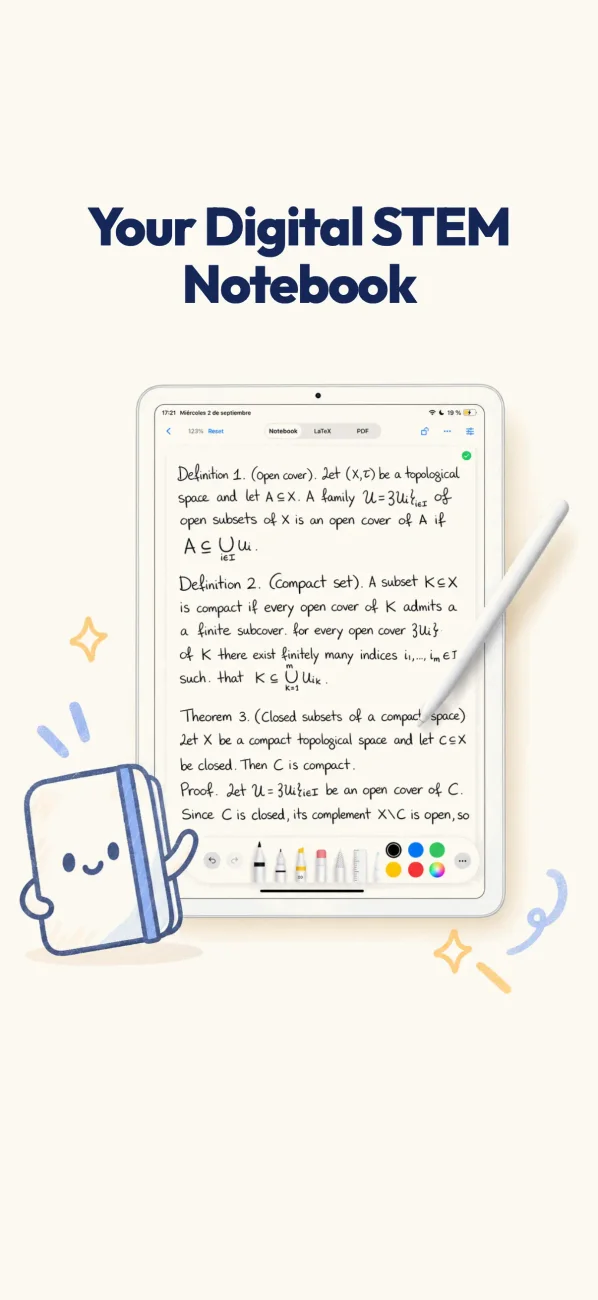
MathWrite Notes turns your handwritten maths into LaTeX.
Write on the page as you always do, with Apple Pencil on iPad or on iPhone, and MathWrite converts each page into clean, structured LaTeX and compiles it into a typeset PDF.
HOW IT WORKS
• Write a page by hand.
• At the end of the page, pull down and hold to add a new one. The page you leave behind turns into LaTeX on its own.
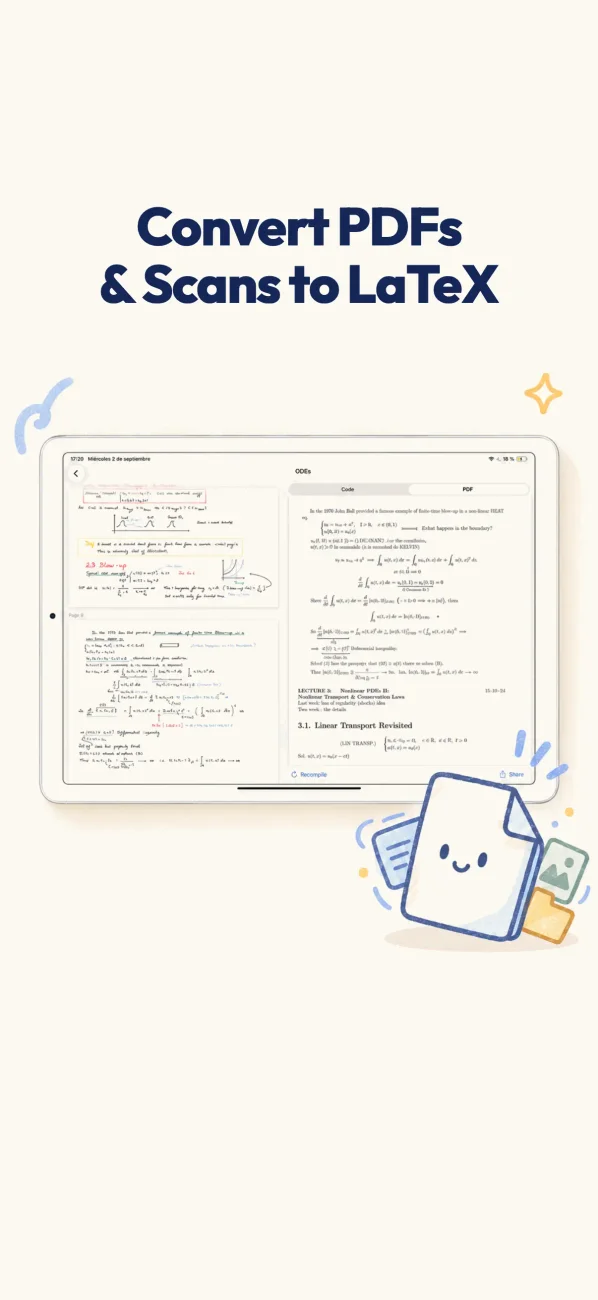
• Open the LaTeX tab to see the source, or the PDF to see it typeset. On iPad in landscape, the source and the PDF sit side by side, and you can put your handwriting next to the PDF to compare them.
A NOTEBOOK BUILT FOR MATHS
• Blank, ruled, grid or dotted pages, in portrait or landscape.
• Draw and hold: a stroke held still at its end becomes a perfect line, circle, rectangle, triangle or arrow.
• The shapes tool places lines, arrows, axes and polygons with a single drag.
• The graph pencil: write a function such as y = sin x and get its graph, drawn in ink you can move, resize and adjust.
• Insert photos on the page.
• Apple Pencil only mode, so your hand can rest on the screen, and a read-only mode for reviewing.
• Folders, favourites, search and dark mode.
LATEX THE WAY YOU WANT IT
• Three styles: Classic, Tagged and Boxed.
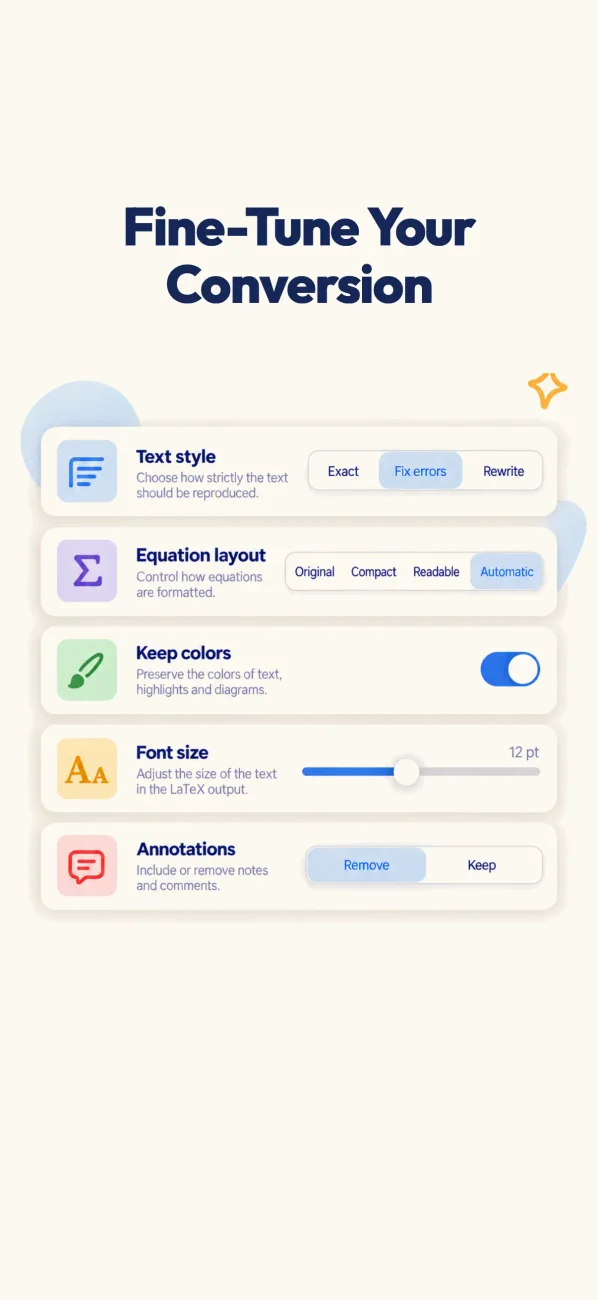
• Conversion settings: page layout, font size, margins, title and table of contents, equation numbering, what to do with diagrams, crossed-out work and margin notes, and whether photos are converted or inserted as images.
• Your notes keep their own language, and theorem and proof headings follow it.
• Every page is checked before it reaches you, and if a page would break your document, MathWrite repairs it so the PDF keeps compiling.
YOUR PAPERS AND PDFS TOO
• Scan pages with the camera, choose photos or import a PDF, and convert them to LaTeX.
• Import a PDF from another notes app as a notebook and keep writing on top of it.
SHARE AND EXPORT
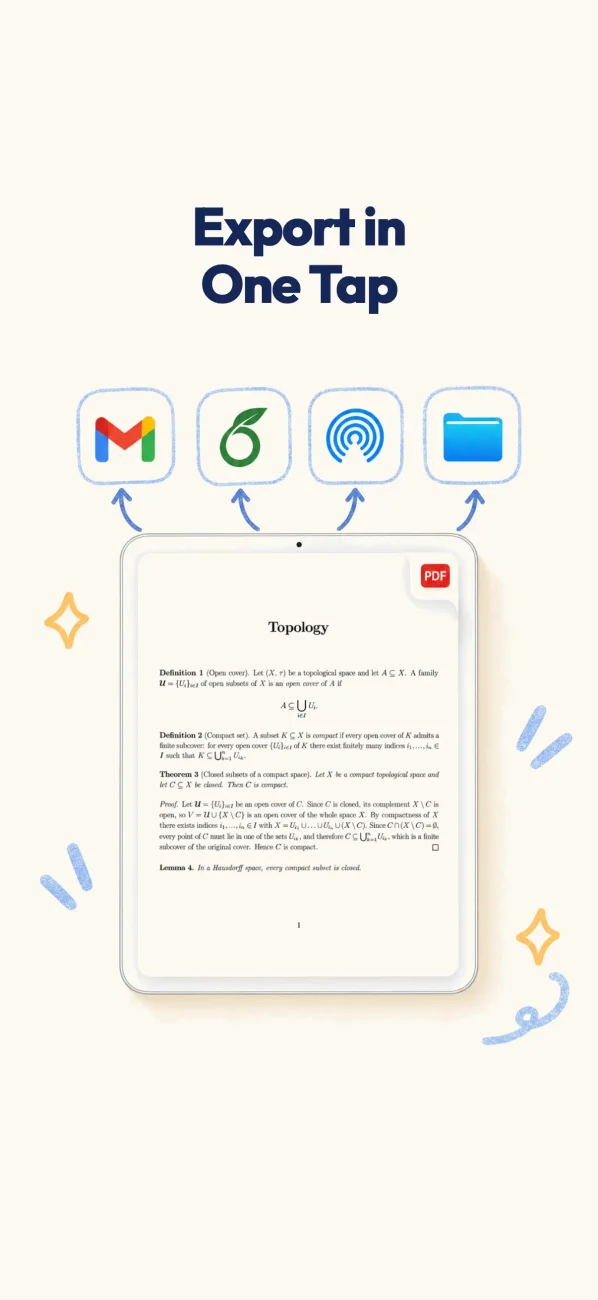
• Copy the LaTeX, share the .tex file, or open it in Overleaf in one tap.
• Export the typeset PDF, or your handwriting as a PDF.
PRIVATE BY DESIGN
Your notebooks are stored on your device. Pages leave it only to be converted, and our server does not keep them.
MATHWRITE PRO
MathWrite Notes is free to download. Using it in full requires MathWrite Pro, an auto-renewable monthly or yearly subscription. Prices and terms are shown in the app before you buy. Payment is charged to your Apple Account. The subscription renews automatically unless it is cancelled at least 24 hours before the end of the current period. You can manage or cancel it in your Apple Account settings.
Terms of Use: https://math-write-notes-backend.vercel.app/terms
Privacy Policy: https://math-write-notes-backend.vercel.app/privacy
Có gì mới
Phiên bản 1.1 · 08/10/2026
MathWrite 1.1 is our biggest update yet.
NEW
• Folders for notebooks and documents, with search and sorting.
• Dark mode.
• Shapes: hold your pencil still at the end of a stroke to turn it into a perfect shape or arrow, or place shapes with the new shapes tool.
• The graph pencil: write a function and get its graph.
• Conversion settings: choose how your notes become LaTeX, from layout and numbering to diagrams and corrections.
• Photos on the page, converted to LaTeX or inserted as images in the PDF.
• A new LaTeX source view with line numbers, colours and six themes. The LaTeX and PDF tabs open on the page you were writing.
• Scans, photos and PDF import, with a clearer sheet for converting imported documents.
• Now in French, Italian, German and Brazilian Portuguese.
• Request features and chat with the developer from Settings.
BETTER CONVERSIONS
• A newer AI model, and every page checked before it reaches you.
• Lists, number sets and long equations come out right, and notes keep their own language.
• If a page would stop your document from compiling, it is repaired so the PDF keeps working.
Also: a guided demo to get started, faster page loading, clearer conversion progress and many fixes.
Quyền riêng tư của ứng dụng
Những gì Andres Osorio Leyenda khai báo trên App Store về cách ứng dụng này xử lý dữ liệu.
-
Dữ liệu liên kết với bạn
Có thể được thu thập và liên kết với danh tính của bạn.
- Vị trí
- Thông tin liên hệ
Phương thức đảm bảo quyền riêng tư có thể khác nhau, chẳng hạn như tuỳ theo các tính năng bạn sử dụng hoặc độ tuổi của bạn.
Thông tin
- Người bán
- Andres Osorio Leyenda
- Danh mục
- Hiệu Suất
- Phiên bản
- 1.1
- Cập nhật
- 08/10/2026
- Phát hành
- 12/09/2026
- Kích thước
- 45,4 MB
- Yêu cầu
- iOS 18.6 trở lên
- Độ tuổi
- 4+
- Giá
- Miễn phí
- Mua hàng trong ứng dụng
- Có
- Ngôn ngữ
- Tiếng Anh, Tiếng Pháp, Tiếng Đức, Tiếng Ý, Tiếng Bồ Đào Nha, Tiếng Tây Ban Nha
- Bản quyền
- © 2026 MathWrite
Có thể bạn cũng thích
-
 MathNotes: AI Notes for STEMHiệu Suất
-
 WriteTex - Math OCR & LaTeXHiệu Suất
-
 VerbTeX LaTeX EditorHiệu Suất
-
 Texlet: LaTeX & Math EditorHiệu Suất
-
 LaTeX Editor Tex ProHiệu Suất
-
 Anoc Octave EditorHiệu Suất
-
 Mathpix SnipHiệu Suất
-
 Amphi: AI Notes & FlashcardsHiệu Suất
-
 Math Notes - Giải toánMáy tính, LaTeX, Math AI
-
 GPAI: Trợ lý AI cho sinh viênThi cử, bài tập, làm nhóm