Maxy MIDI: Wireless Controller
Keyboard, Pads, Mixer & Remote
Được thiết kế cho iPhone, iPad
Miễn phí · Mua hàng trong ứng dụng
- Độ tuổi4+
- Danh mụcNhạc
- Nhà phát triểnPDS Technology LTD
- Ngôn ngữTiếng Anh
- Kích thước16,7 MB
Liên kết đến trang App Store chính thức
Download.org không lưu trữ tệp nào của Maxy MIDI: Wireless Controller. Nút này mở trang ứng dụng trên App Store, nơi PDS Technology LTD phát hành ứng dụng. Trang được kiểm tra lần cuối: 23/11/2026.
Ảnh chụp màn hình
Giới thiệu
Nhà phát triển chưa cung cấp nội dung này bằng ngôn ngữ của bạn.
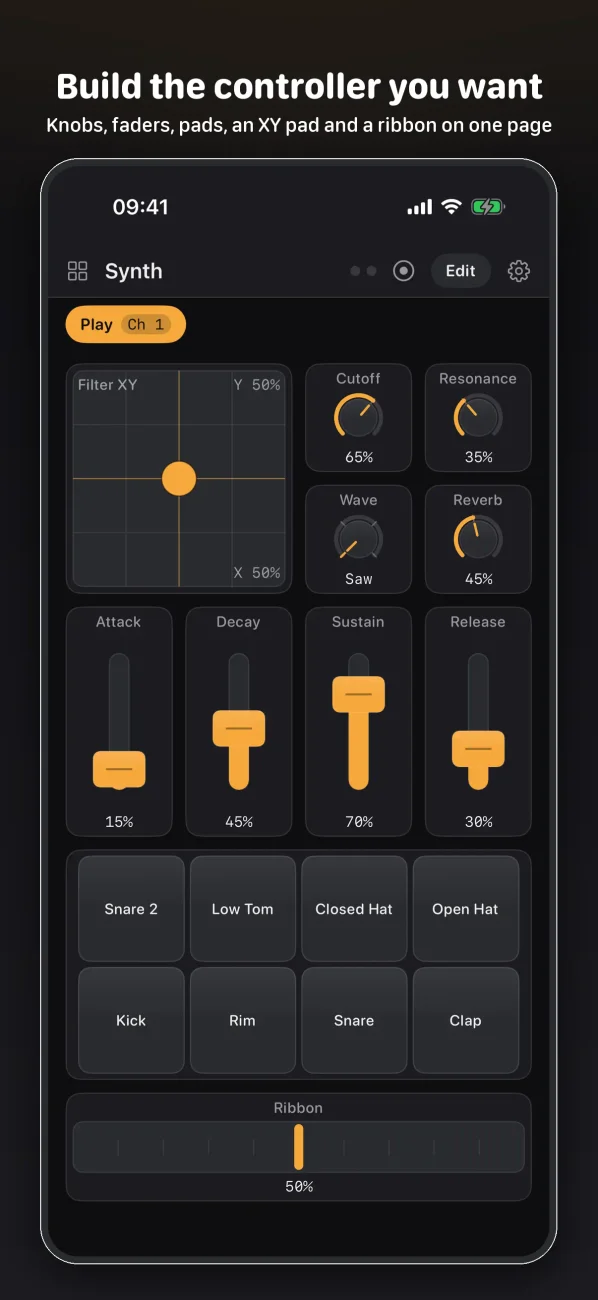
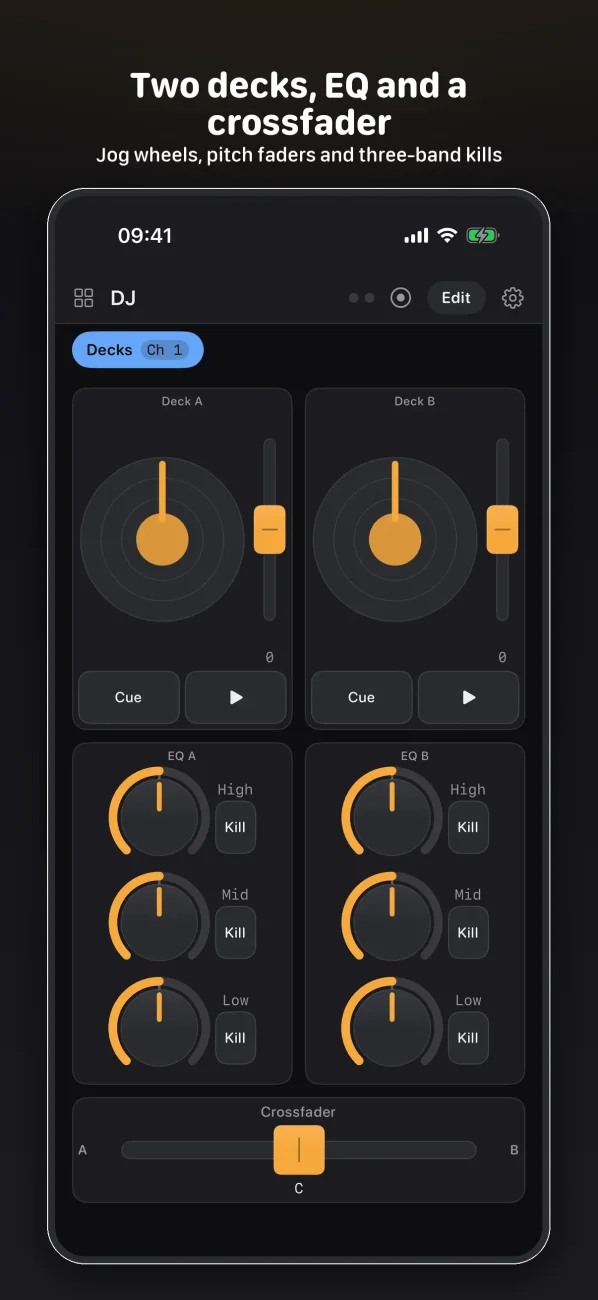
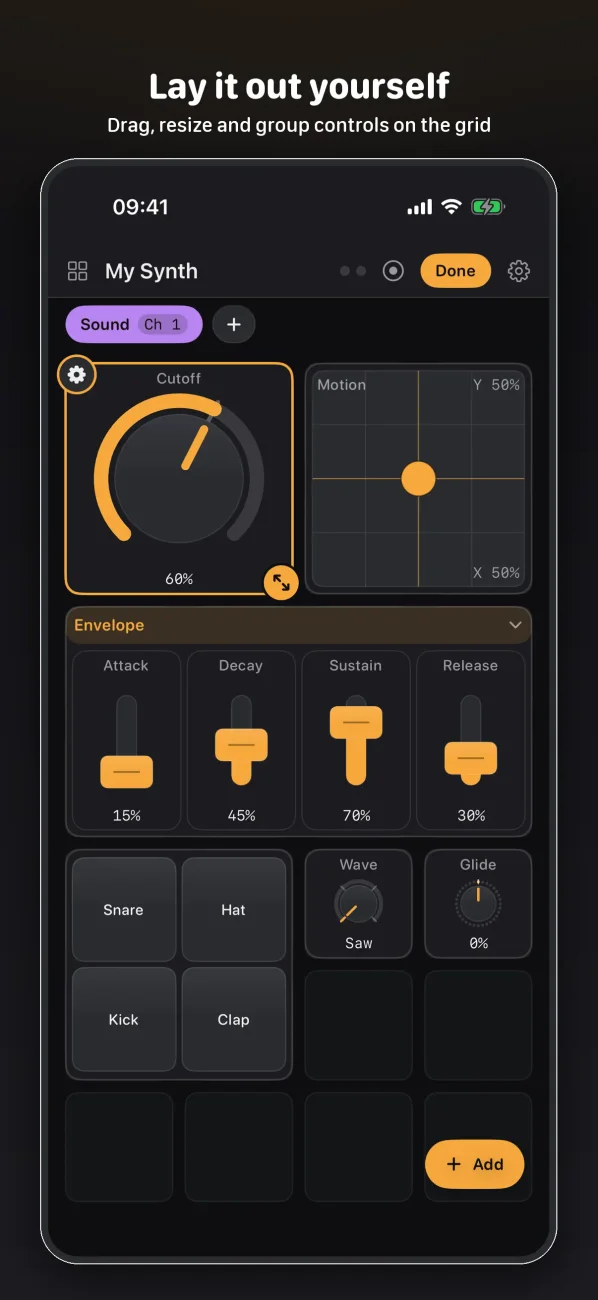
Maxy MIDI turns an iPhone or iPad into a MIDI controller you design yourself. Drop knobs, faders, pads, keyboards, launch grids, mixer strips and DJ controls onto a page, set what each one sends, and play.
Boards and pages
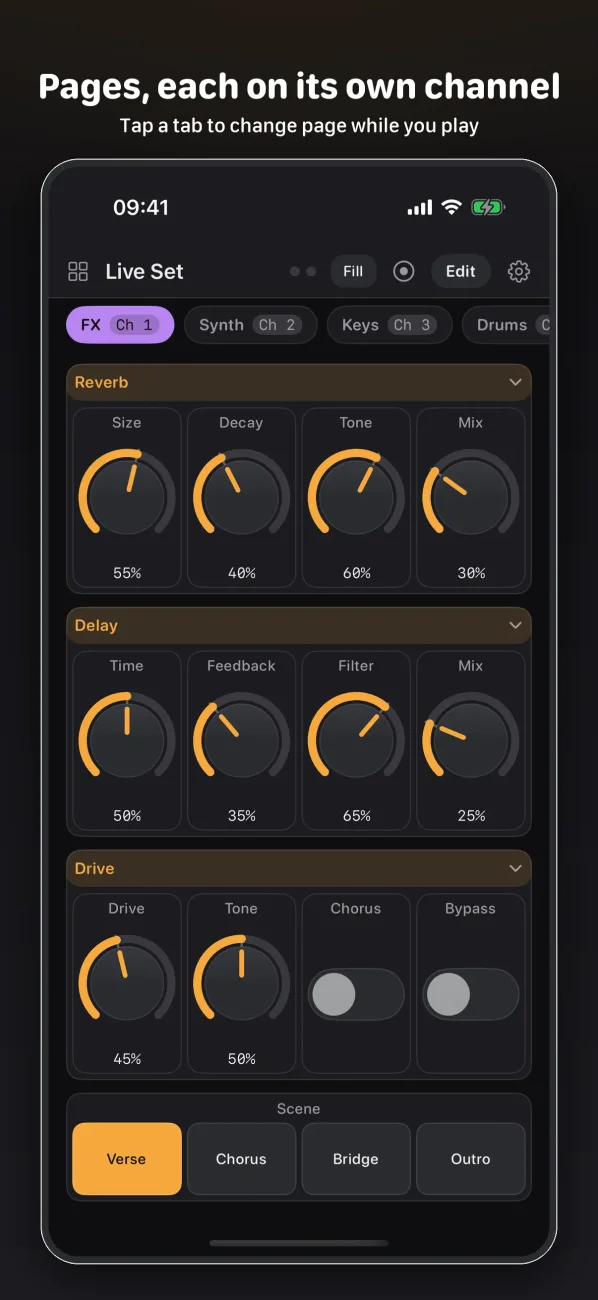
Every board is a set of pages, each on its own MIDI channel, laid out on a grid. Tap a tab to change page while you play. Boards are saved on the device, exported as files and shared by AirDrop, so a layout built on an iPad can be opened on a phone.
Controls
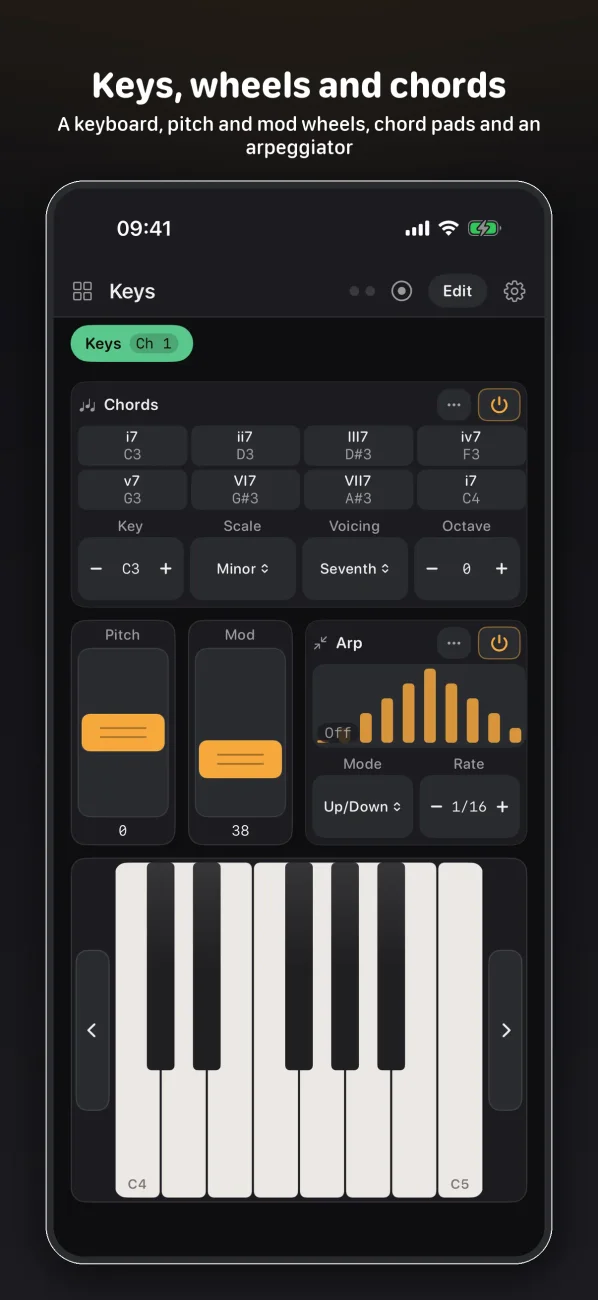
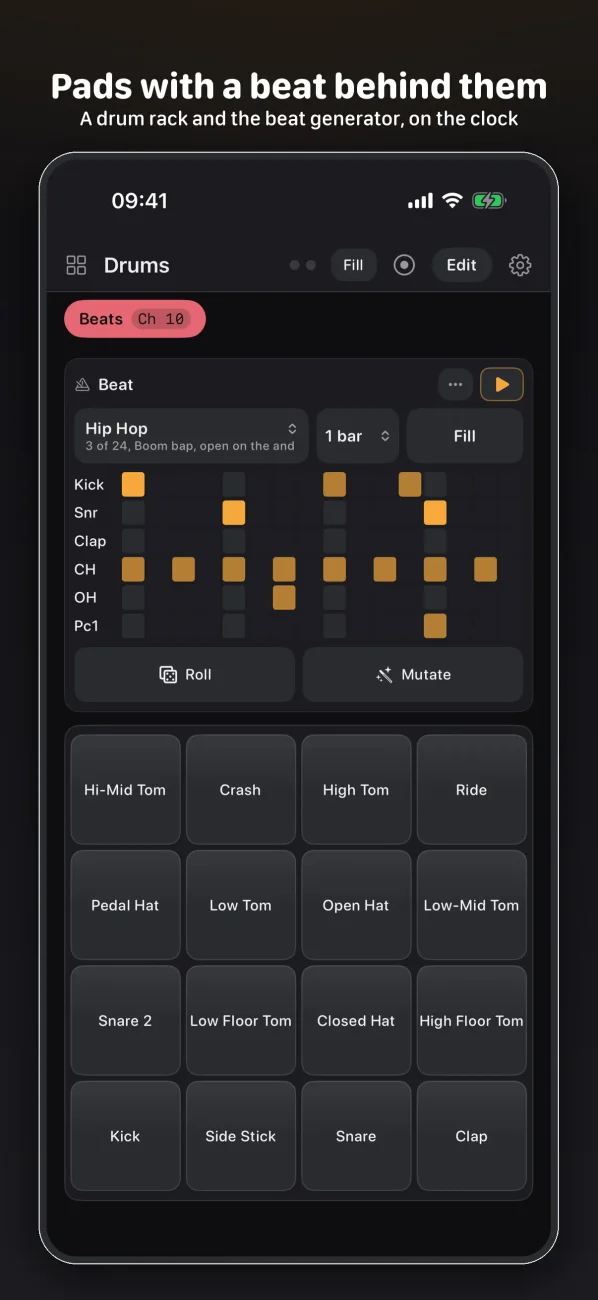
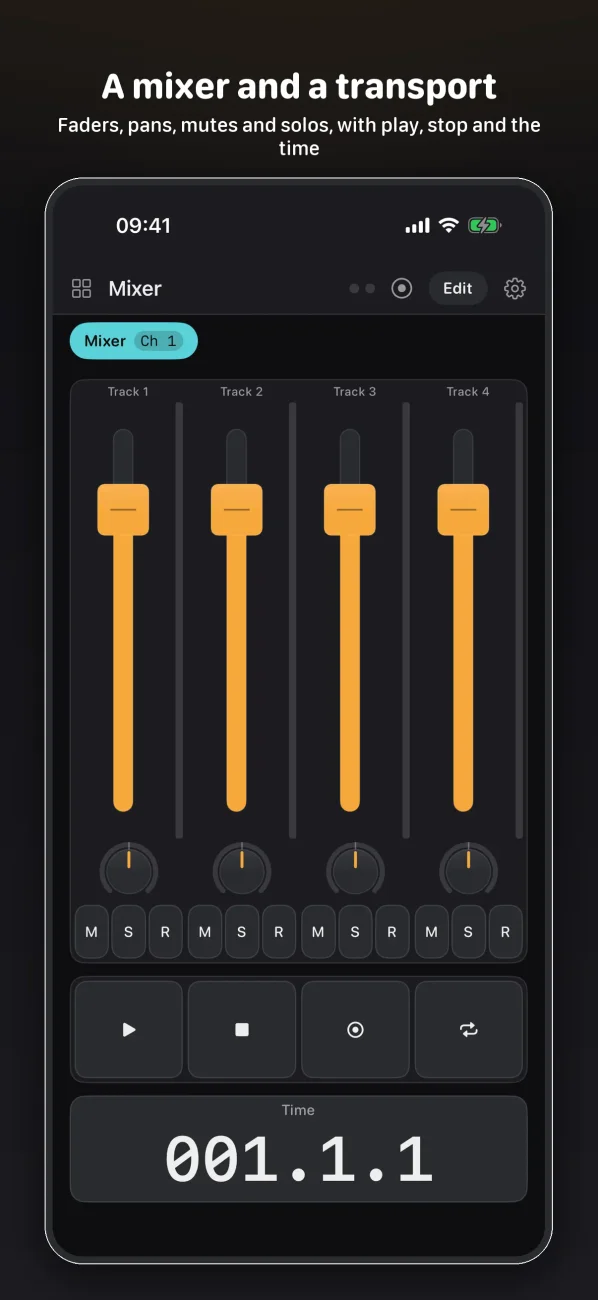
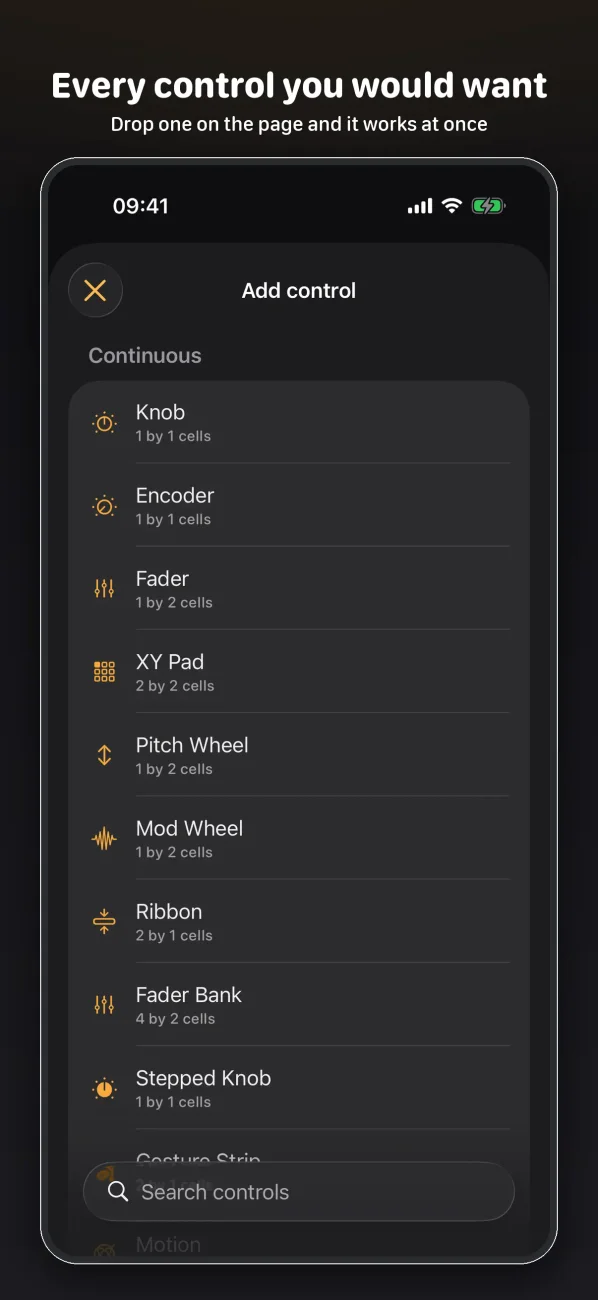
Rotary knobs and endless encoders, vertical and horizontal faders, motorised faders that follow the DAW, XY pads, ribbons, pitch and modulation wheels, buttons and toggles, velocity pads and drum racks, a piano keyboard, Launchpad-style clip grids, transport buttons, mixer strips, crossfaders, three-band DJ EQ with kills, and a deck with a jog wheel. Velocity is measured by where your finger lands, by how much glass it covers, or fixed.
Getting to your computer
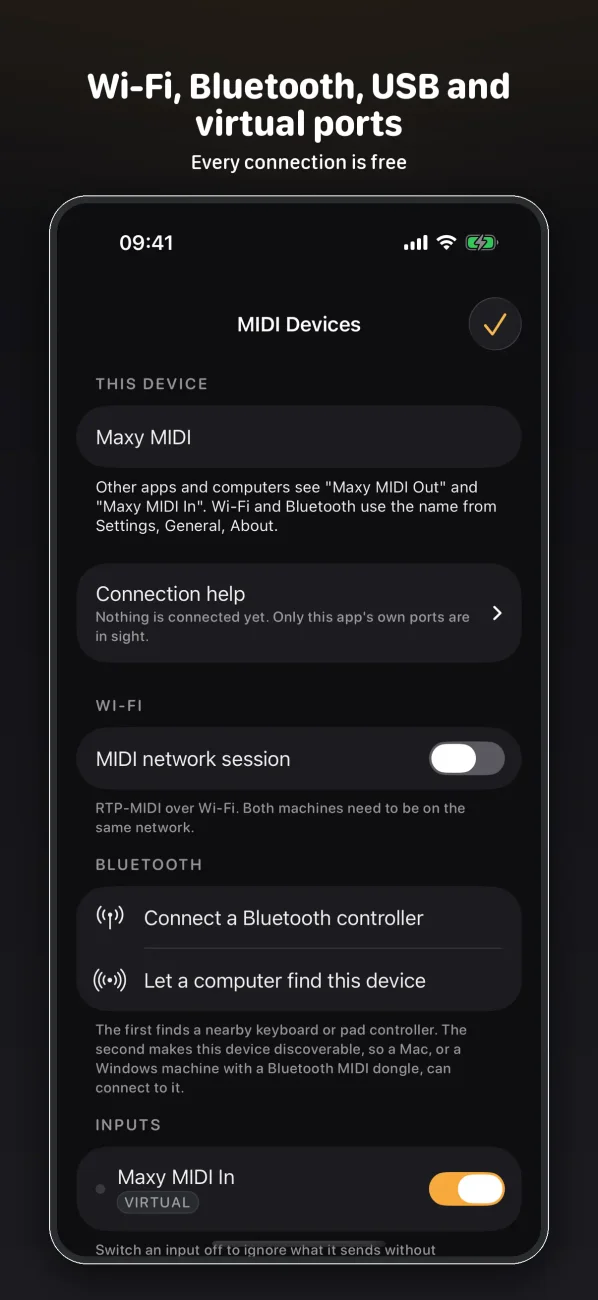
Wi-Fi network session for a Mac or for rtpMIDI on Windows, Bluetooth LE, USB cable, and virtual ports for other apps on the same device. MIDI 2.0 is used where the port supports it. There is a MIDI monitor for when something is not arriving.
Speaking your DAW's language
Mackie Control for mixers and transport, HUI for Pro Tools, and OSC over UDP for Reaper, Bitwig, Resolume, TouchDesigner and VCV Rack. An Ableton Live remote script is bundled and can be sent to your Mac. Controller scripts for Bitwig and Reaper can be generated from a board.
Generators
A clock that sends MIDI clock or follows one, an arpeggiator, chord pads, a step sequencer with conditional trigs and probability, a Euclidean sequencer, an LFO to any CC, note repeat, a note echo, a Turing machine melody, and a beat generator with hand-written patterns for two dozen genres. Ableton Link is supported when the LinkKit framework is added.
Made to be simple
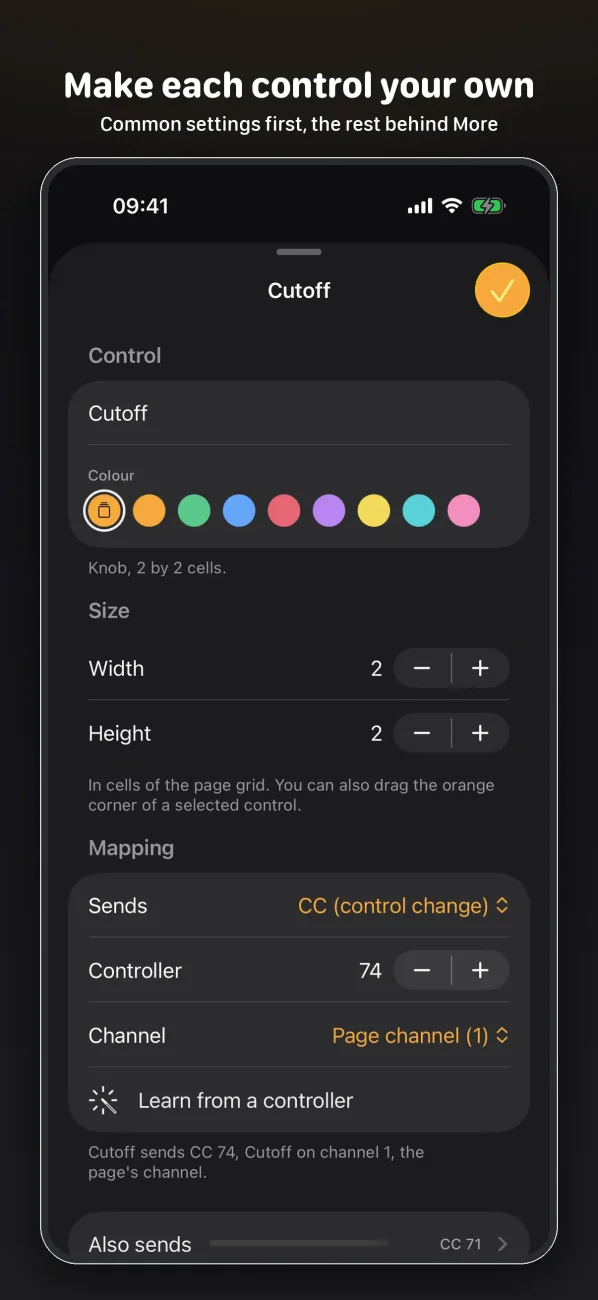
Every control works the moment it is dropped on a page, with a sensible default. The inspector shows the common settings first and hides the rest. MIDI Learn wires a control to whatever you move in the DAW. More than sixty templates give you a layout to start from, from Serum and Diva to Logic Pro, a drum rack and a DJ board.
What you need to know
MIDI does not tell software what to do by itself. It sends numbers on channels, and the software at the other end decides what those numbers mean. A template is a layout whose numbers never clash. Hardware boards are wired from the maker's MIDI chart; the Logic, Bitwig, Cubase, Studio One and Pro Tools boards speak Mackie Control or HUI, which those DAWs take once you add the surface; Ableton Live has a bundled script. For everything else you map the controls in your DAW, usually by moving a control in Maxy MIDI while the DAW is listening. Each template says which it is, and the app has a walkthrough that sends each control in turn to make learning quick.
Free and Pro
The free app gives you one board of three pages, one of each kind of control on a page and one generator at a time, and lets you open and play every template within those limits. Maxy MIDI Pro is a one-time purchase that removes the limits, keeps templates as boards of your own, turns on board export and sharing, OSC sending and the rest of the beat genres.
Có gì mới
Phiên bản 1.0.1 · 19/11/2026
Fixes for two problems in the first release.
- The app could close after a few minutes of receiving MIDI from a DAW, most often with MIDI clock switched on. Fixed.
- Opening More on a beat generator closed the app. Fixed.
Quyền riêng tư của ứng dụng
Những gì PDS Technology LTD khai báo trên App Store về cách ứng dụng này xử lý dữ liệu.
-
Dữ liệu không được thu thập
Nhà phát triển không thu thập bất kỳ dữ liệu nào từ ứng dụng này.
Phương thức đảm bảo quyền riêng tư có thể khác nhau, chẳng hạn như tuỳ theo các tính năng bạn sử dụng hoặc độ tuổi của bạn.
Thông tin
- Người bán
- PDS Technology LTD
- Danh mục
- Nhạc
- Phiên bản
- 1.0.1
- Cập nhật
- 19/11/2026
- Phát hành
- 16/10/2026
- Kích thước
- 16,7 MB
- Yêu cầu
- iOS 18.0 trở lên
- Độ tuổi
- 4+
- Giá
- Miễn phí
- Mua hàng trong ứng dụng
- Có
- Ngôn ngữ
- Tiếng Anh
- Bản quyền
- © 2026 PDS Technology LTD