Melovance: Learn Piano
Interactive Piano Lessons
Được thiết kế cho iPhone, iPad
Miễn phí · Mua hàng trong ứng dụng
- Độ tuổi4+
- Danh mụcGiáo Dục
- Nhà phát triểnJustin Seyvecou
- Ngôn ngữTiếng Anh
- Kích thước57,0 MB
Liên kết đến trang App Store chính thức
Download.org không lưu trữ tệp nào của Melovance: Learn Piano. Nút này mở trang ứng dụng trên App Store, nơi Justin Seyvecou phát hành ứng dụng. Trang được kiểm tra lần cuối: 23/11/2026.
Ảnh chụp màn hình


Giới thiệu
Nhà phát triển chưa cung cấp nội dung này bằng ngôn ngữ của bạn.
Learn Piano with Melovance
Discover a smarter, more interactive way to learn piano. Whether you're a complete beginner or looking to improve your playing, Melovance combines guided lessons, music theory, interactive 3D demonstrations, and personalized AI coaching to help you develop real musical skills.
Learn at your own pace on iPhone, iPad, or desktop, with your progress synchronized across devices.
LEARN PIANO, STEP BY STEP
Build a strong musical foundation with structured courses designed to make learning engaging and rewarding.
• Interactive piano lessons with realistic 3D hand demonstrations
• Learn proper finger placement and piano technique
• Understand music theory, rhythm, and musical notation
• Practice note reading and keyboard recognition
• Complete interactive exercises and assessments
• Unlock new lessons as you progress
Melovance doesn't just show you which keys to press. It helps you understand what you're playing and why.
PRACTICE AND IMPROVE
Put your skills into practice with a growing library of piano pieces.
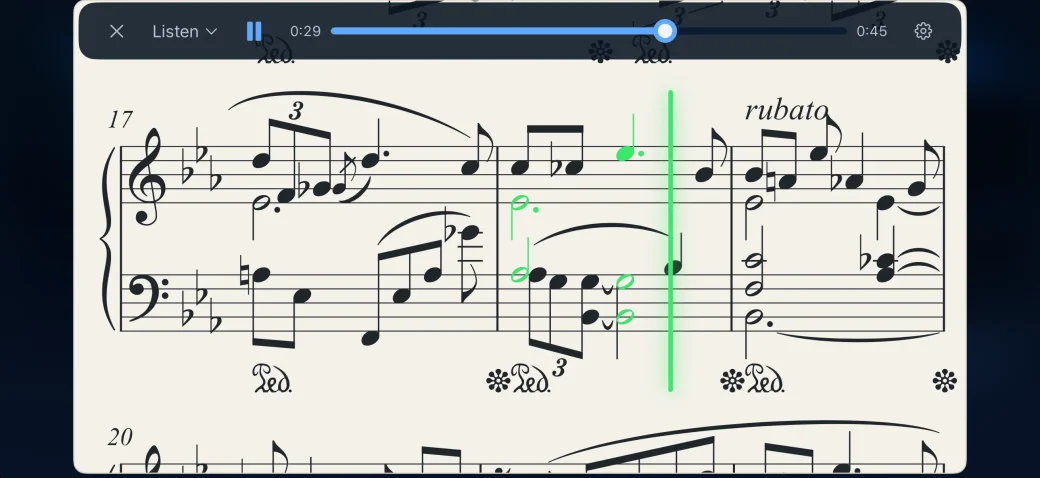
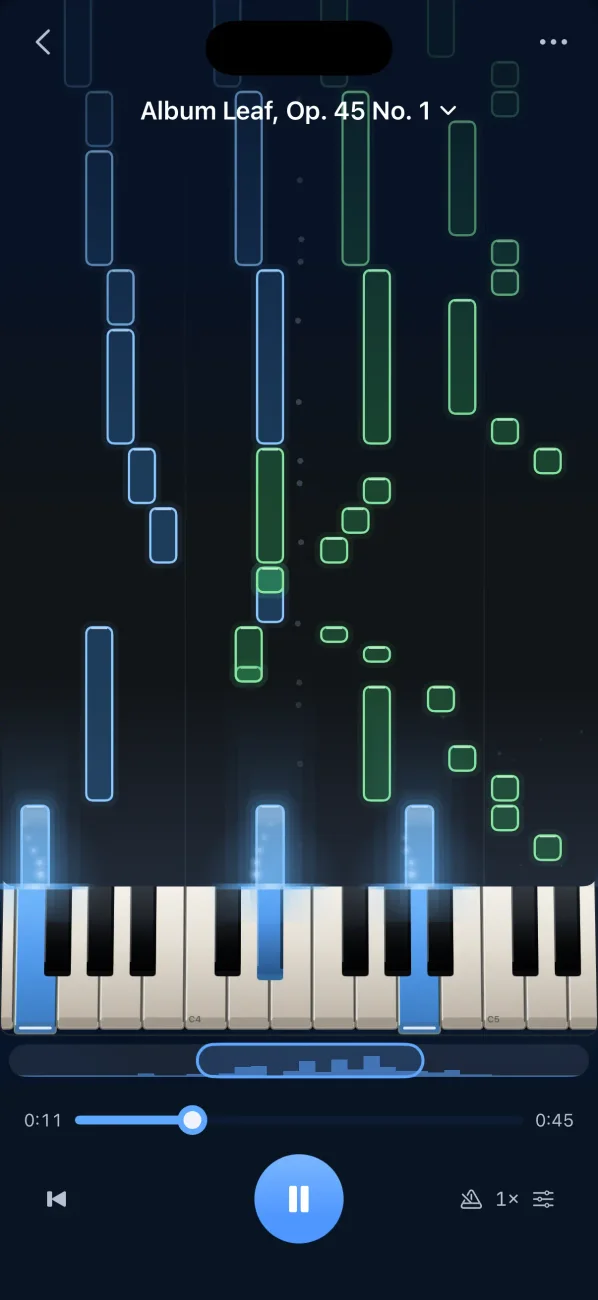
• Follow traditional sheet music and interactive falling notes
• Practice specific sections at your own pace
• Adjust tempo and use the built-in metronome
• Connect a compatible MIDI keyboard for performance tracking
• Receive focused AI feedback on your playing
• Identify mistakes and discover what to practice next
YOUR PERSONAL AI PIANO COACH
Make every practice session more productive.
Melovance analyzes your MIDI performances and provides actionable feedback to help you improve accuracy, timing, and technique.
Whether you're struggling with a difficult passage or refining a familiar piece, your AI coach helps guide your next steps.
LEARN ANYWHERE, CONTINUE ON ANY DEVICE
Explore lessons and music theory on your iPhone, enjoy interactive learning on your iPad, and practice at your piano using the desktop application.
Your learning progress is linked to your Melovance account, so you can continue your journey across supported devices.
Some advanced practice features benefit from a larger screen and may require an iPad or desktop.
START LEARNING FOR FREE
Get started with Melovance's free learning features, including up to 5 AI practice analyses per day.
Optional monthly subscriptions provide additional coaching capabilities:
• Plus: 50 practice analyses per day and AI spoken coaching.
• Pro: 200 practice analyses per day and personalized AI-generated lessons.
A compatible MIDI keyboard is required for MIDI performance feedback.
SUBSCRIPTIONS AND PRIVACY
Sign in to associate your subscription with your Melovance account.
Apple subscriptions renew automatically unless canceled at least 24 hours before the current subscription period ends. Manage or cancel your subscription in your Apple Account settings. Prices are displayed in the app before purchase.
Privacy Policy: https://www.melovance.com/en/privacy
Terms of Use: https://www.melovance.com/en/terms
Melovance - Learn music. Play piano. Keep improving.
Có gì mới
Phiên bản 1.1.0 · 13/11/2026
Melovance now works on iPhone as well as iPad.
NEW
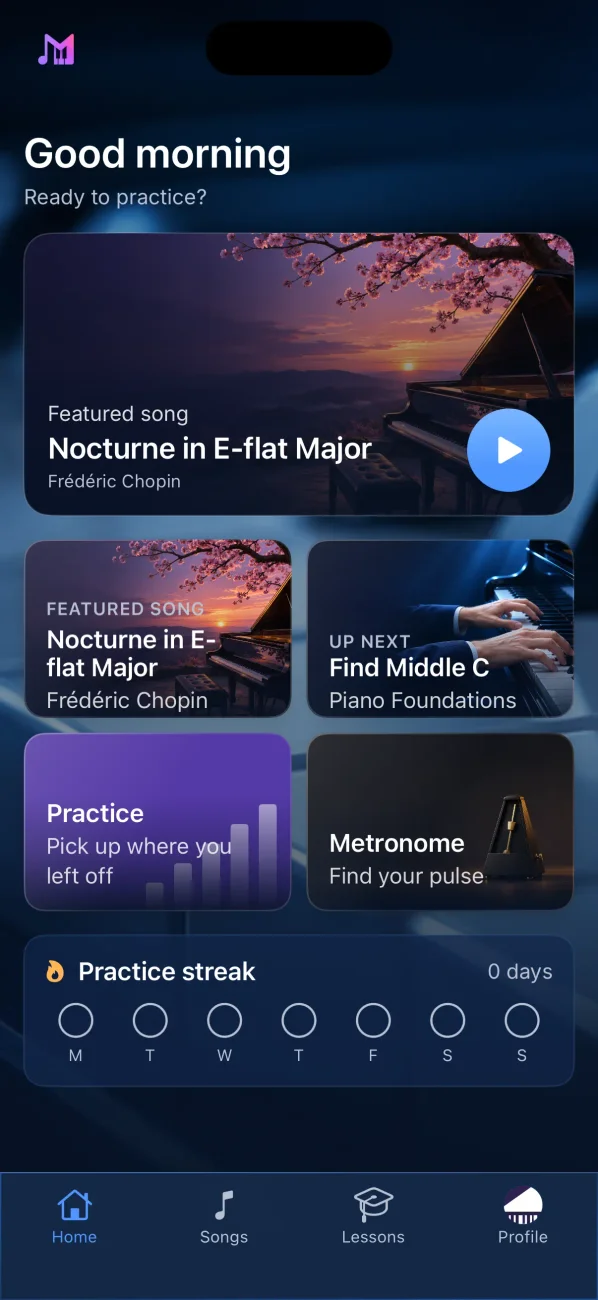
• iPhone support: a layout designed for phones, in portrait and landscape, with a bottom tab bar, compact lessons that fit the screen without scrolling, and a score that opens instantly.
• Guided tour: a spoken walkthrough of the practice screen that moves on by itself. It's offered the first time you open a song, and you can replay it anytime from the "?" menu.
• Floating on-screen keyboard in lessons: bigger keys that fit real fingers, with a full-piano overview on top. Drag it anywhere and close it when you don't need it.
• Falling notes now glow over the sheet music instead of splitting it in two.
• Pressed keys are easier to see. Repeated notes visibly release and re-strike, and keys now press down on the bottom keyboard.
• Lessons play along with you: rhythm demonstrations speak the counts, a "Your turn" countdown shows when it's time to play, and each course ends with a final performance.
• Hear more of what you learn: technique demonstrations (thumb-under, finger-over, phrases) play as full clips with a smoother camera on the 3D hands.
Quyền riêng tư của ứng dụng
Những gì Justin Seyvecou khai báo trên App Store về cách ứng dụng này xử lý dữ liệu.
-
Dữ liệu liên kết với bạn
Có thể được thu thập và liên kết với danh tính của bạn.
- Mục mua
- Thông tin liên hệ
- Nội dung của người dùng
- Mã định danh
- Dữ liệu sử dụng
- Chẩn đoán
- Dữ liệu khác
Phương thức đảm bảo quyền riêng tư có thể khác nhau, chẳng hạn như tuỳ theo các tính năng bạn sử dụng hoặc độ tuổi của bạn.
Thông tin
- Người bán
- Justin Seyvecou
- Danh mục
- Giáo Dục
- Phiên bản
- 1.1.0
- Cập nhật
- 13/11/2026
- Phát hành
- 14/10/2026
- Kích thước
- 57,0 MB
- Yêu cầu
- iOS 26.5 trở lên
- Độ tuổi
- 4+
- Giá
- Miễn phí
- Mua hàng trong ứng dụng
- Có
- Ngôn ngữ
- Tiếng Anh
- Bản quyền
- © 2026 Justin Seyvecou