MindCards: Flashcards & Study
Spaced Repetition for Learning
Được thiết kế cho iPhone, iPad
Miễn phí · Mua hàng trong ứng dụng
- Độ tuổi4+
- Danh mụcGiáo Dục
- Nhà phát triểnLucas Monteiro
- Ngôn ngữTiếng Anh+ 1 ngôn ngữ khác
- Kích thước53,5 MB
Liên kết đến trang App Store chính thức
Download.org không lưu trữ tệp nào của MindCards: Flashcards & Study. Nút này mở trang ứng dụng trên App Store, nơi Lucas Monteiro phát hành ứng dụng. Trang được kiểm tra lần cuối: 14/11/2026.
Ảnh chụp màn hình

Giới thiệu
Nhà phát triển chưa cung cấp nội dung này bằng ngôn ngữ của bạn.
Create flashcards to study what matters to you and build a collection of your own.
Turn your notes, interests, and questions into study decks with MindCards. Personalize covers with stickers, review what you're learning, and unlock achievements as you go. Build a study space that grows with every new discovery.
A deck for every interest
English, Spanish, and French vocabulary, biology, chemistry, history, geography, or a subject you need to review: organize questions and answers into flashcards by topic. Build your own materials for exams, college classes, and professional certifications, or explore something new just because you're curious.
Make your own flashcards
Start a deck from scratch, import content, or use AI to help you create. Turn topics, notes, and text-based PDFs into suggested flashcards. Review and edit the content before studying, and combine questions and answers, images, and multiple-choice questions.
Covers that tell your story
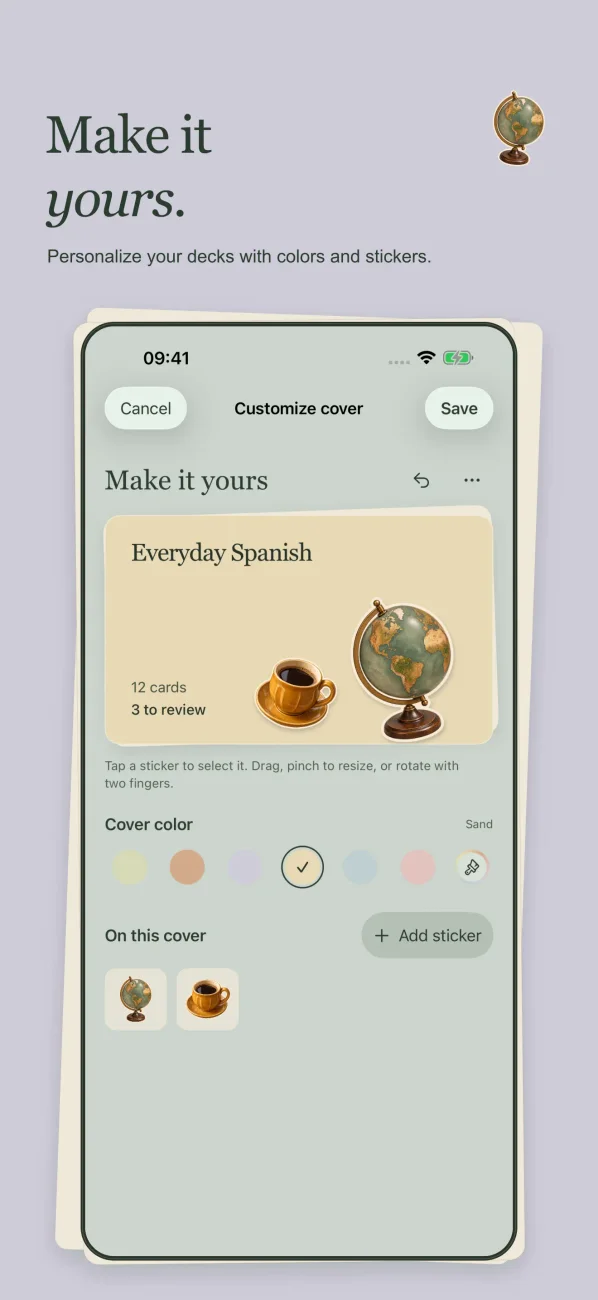
Choose colors, mix stickers, and design covers that feel like yours. Move, resize, rotate, and arrange each element. Use the camera to turn real objects into your own stickers, then save them to use across your decks. Give every subject a recognizable cover and build a collection you enjoy coming back to.
Study, achieve, and collect
Work toward daily study goals and complete missions to unlock new stickers. Explore different decks, create your own material, and return to challenging cards. Add the stickers you earn to your covers, so your collection reflects the discoveries and progress you've made.
Practice active recall with spaced repetition
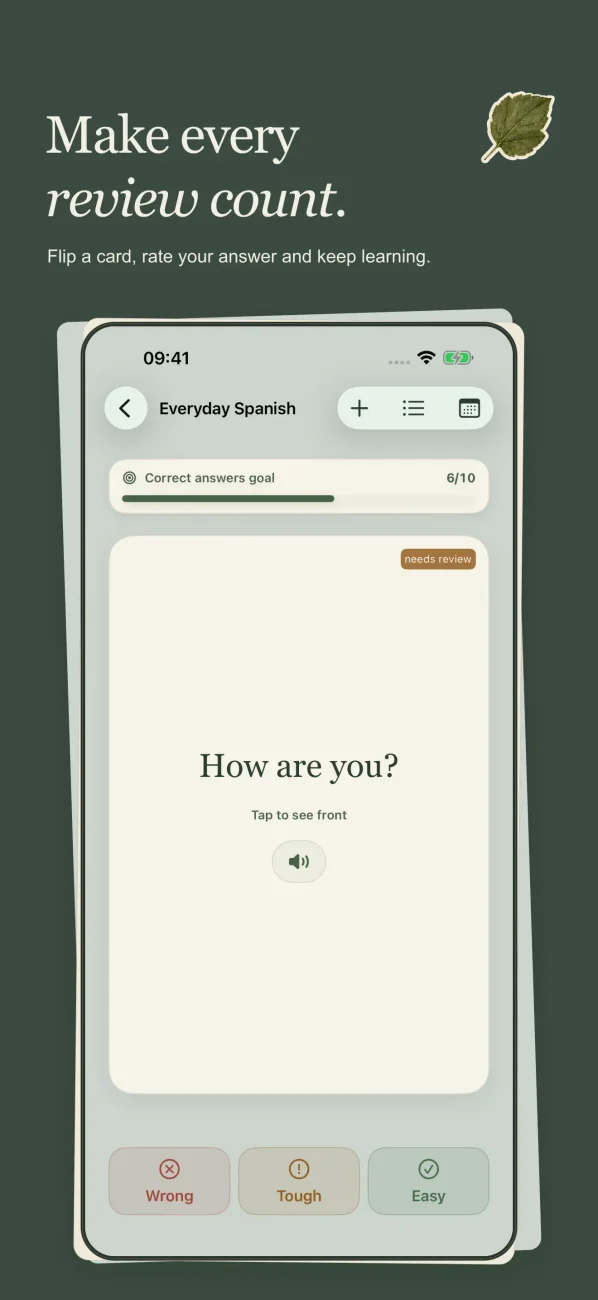
Try to remember before revealing the answer, then mark it as easy, hard, or wrong. MindCards schedules upcoming reviews based on your responses and brings difficult cards back during the session. Switch between scheduled reviews and free practice, set daily goals, and check your session summary. Spend time testing what you remember, with a clear next step when you're ready to review again.
Discover your next collection
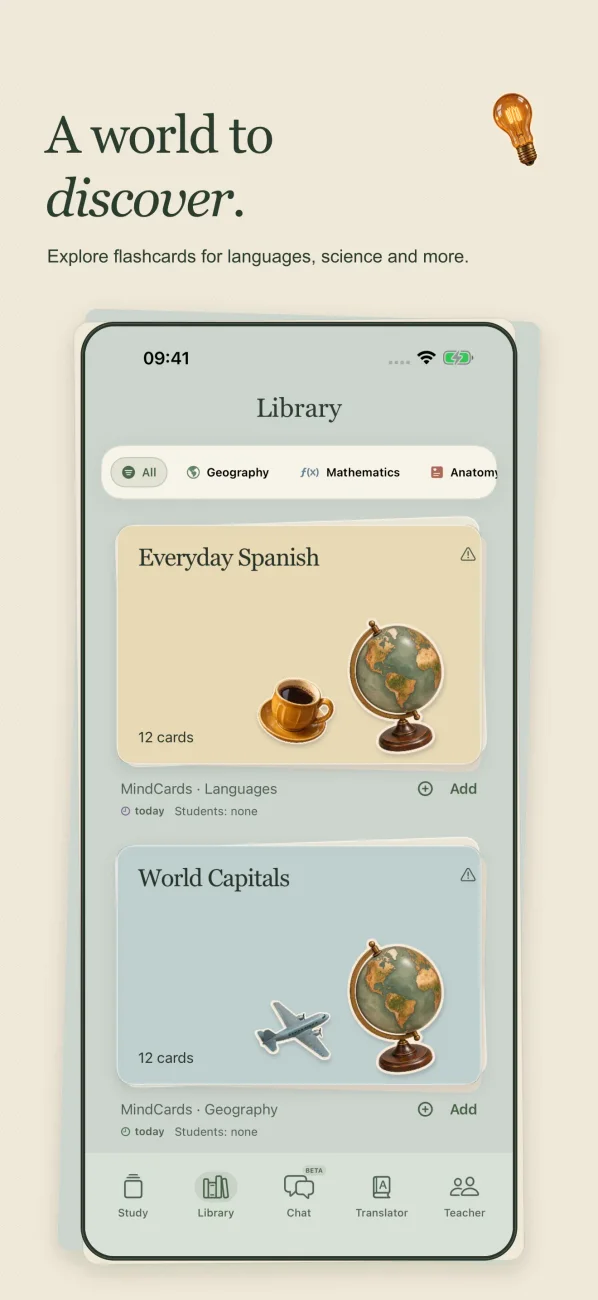
Browse the Library, explore public decks by topic, and add the ones that spark your curiosity. Find new subjects, expand your interests, and collect material to revisit. You can also publish your own decks to share what you've learned with others.
Put language learning into practice
Organize words, expressions, and sentences into vocabulary flashcards. Use the translator and practice conversations with the language tutor on compatible devices. Bring your questions into practice and turn new discoveries into material you can review later, whether you're learning for class, travel, or everyday conversations.
Create and share study materials
Import and export decks in CSV and .minddeck formats. Teachers can organize content in classrooms and share cards with students. Use MindCards for independent study, classroom review, or creating materials that others can explore.
Study on iPhone and iPad
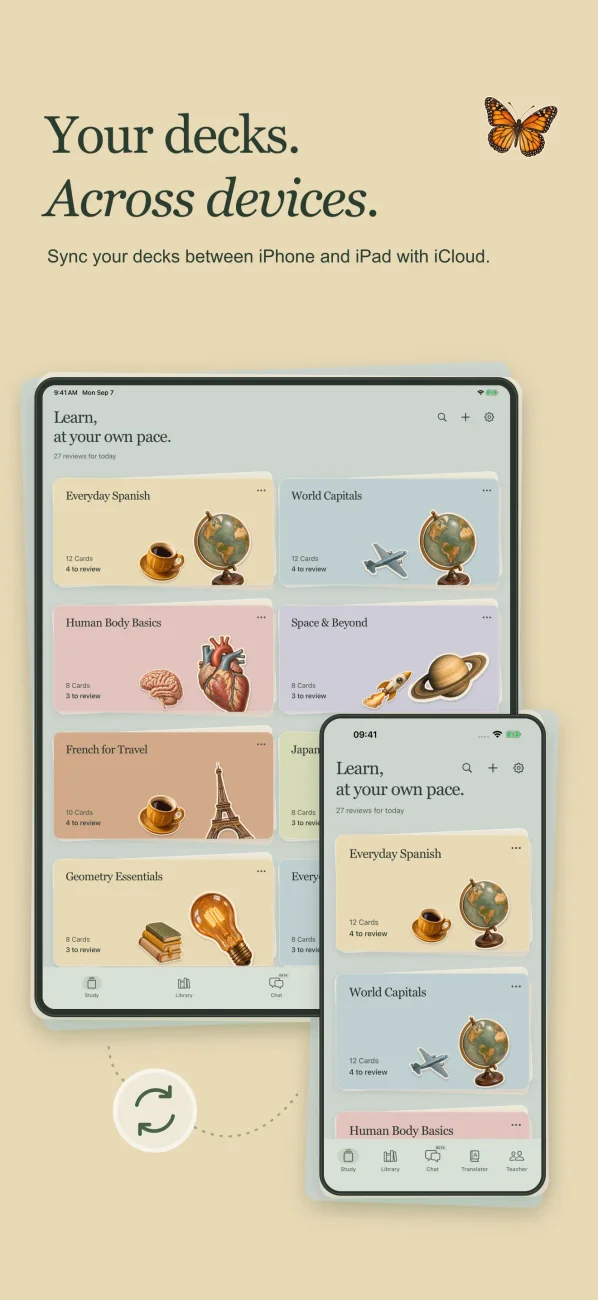
Keep your decks close and use iCloud to sync them across your devices. Study saved content offline. Online features require an internet connection. Apple Intelligence features require a compatible device, operating system, and language, with Apple Intelligence enabled.
Start with your next question. Create a deck and make it part of your collection.
MindCards subscription
Try your first study session before subscribing. To continue, choose the individual monthly plan or the annual plan with Family Sharing. A 3-day free trial is available to eligible subscribers, subject to the offer shown in the app.
After the trial, your selected plan is charged to your Apple Account and renews automatically until canceled. Review the price and terms before confirming. To avoid being charged after the trial, cancel at least 24 hours before it ends. Manage your subscription in Settings > your name > Subscriptions.
Privacy Policy: https://mindcards.org/privacy?lang=en
Terms of Use: https://www.apple.com/legal/internet-services/itunes/dev/stdeula/
Có gì mới
Phiên bản 2026.48 · 27/09/2026
Invited students can now study for free in classrooms shared by their teachers! Simply enter the access code to join a classroom and start learning, with no subscription required.
Quyền riêng tư của ứng dụng
Những gì Lucas Monteiro khai báo trên App Store về cách ứng dụng này xử lý dữ liệu.
-
Dữ liệu không được thu thập
Nhà phát triển không thu thập bất kỳ dữ liệu nào từ ứng dụng này.
Phương thức đảm bảo quyền riêng tư có thể khác nhau, chẳng hạn như tuỳ theo các tính năng bạn sử dụng hoặc độ tuổi của bạn.
Thông tin
- Người bán
- Lucas Monteiro
- Danh mục
- Giáo Dục
- Phiên bản
- 2026.48
- Cập nhật
- 27/09/2026
- Phát hành
- 24/08/2025
- Kích thước
- 53,5 MB
- Yêu cầu
- iOS 26.1 trở lên
- Độ tuổi
- 4+
- Giá
- Miễn phí
- Mua hàng trong ứng dụng
- Có
- Ngôn ngữ
- Tiếng Anh, Tiếng Bồ Đào Nha
- Bản quyền
- © MindCards
Có thể bạn cũng thích
-
 FlashCards - MindCardsGiáo Dục
-
 Flashcard Maker & FSRS: AzriGiáo Dục
-
 Learn Spanish with flashcards!Giáo Dục
-
 Fluent Forever:Speak LanguagesGiáo Dục
-
 Learn French with Flash cards!Giáo Dục
-
 Flashcards WorldTạo thẻ học bằng AI
-
 Dreaming: Language LearningGiáo Dục
-
 ConjuGato: Learn Spanish VerbsGiáo Dục
-
 Mopiq: AI Flashcards LearningGiáo Dục
-
 DuoCards: Học Ngoại NgữFlashcard Từ Vựng & AI