
Modulo: Notes by Week
University notes and timetable
Được thiết kế cho iPhone, iPad
Miễn phí · Mua hàng trong ứng dụng
- Độ tuổi4+
- Danh mụcGiáo Dục
- Nhà phát triểnAYOOLA OLUWAFEMI LAWAL
- Ngôn ngữTiếng Anh
- Kích thước62,1 MB
Liên kết đến trang App Store chính thức
Download.org không lưu trữ tệp nào của Modulo: Notes by Week. Nút này mở trang ứng dụng trên App Store, nơi AYOOLA OLUWAFEMI LAWAL phát hành ứng dụng. Trang được kiểm tra lần cuối: 26/11/2026.
Ảnh chụp màn hình
Giới thiệu
Nhà phát triển chưa cung cấp nội dung này bằng ngôn ngữ của bạn.
Your whole academic year, laid out.
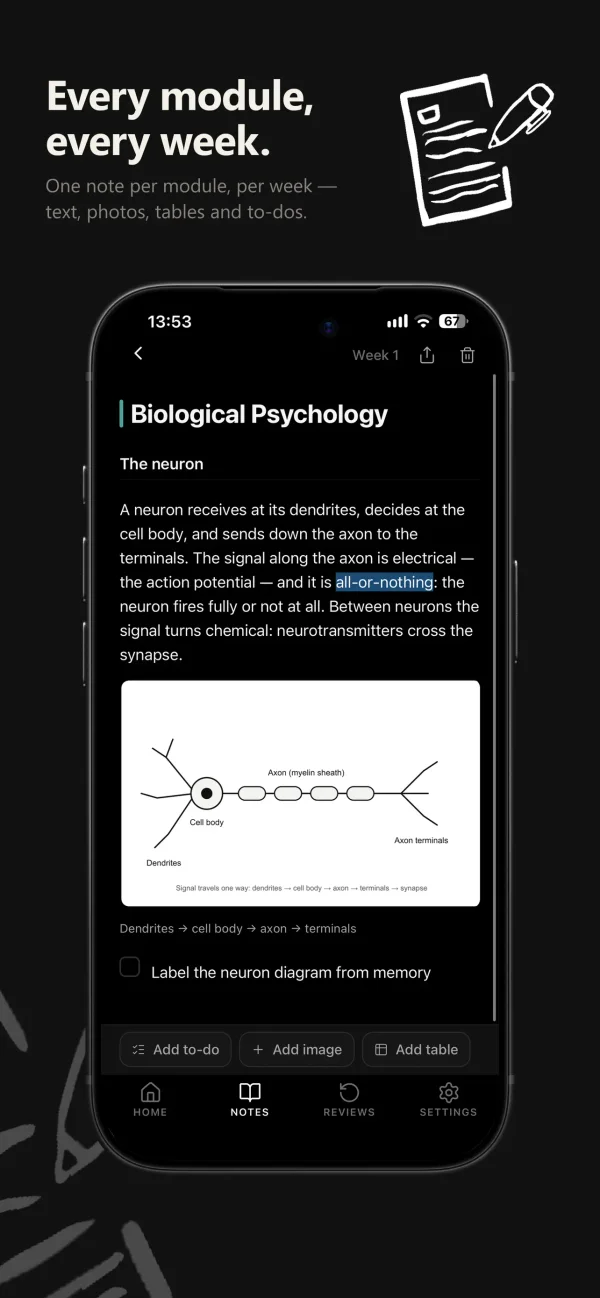
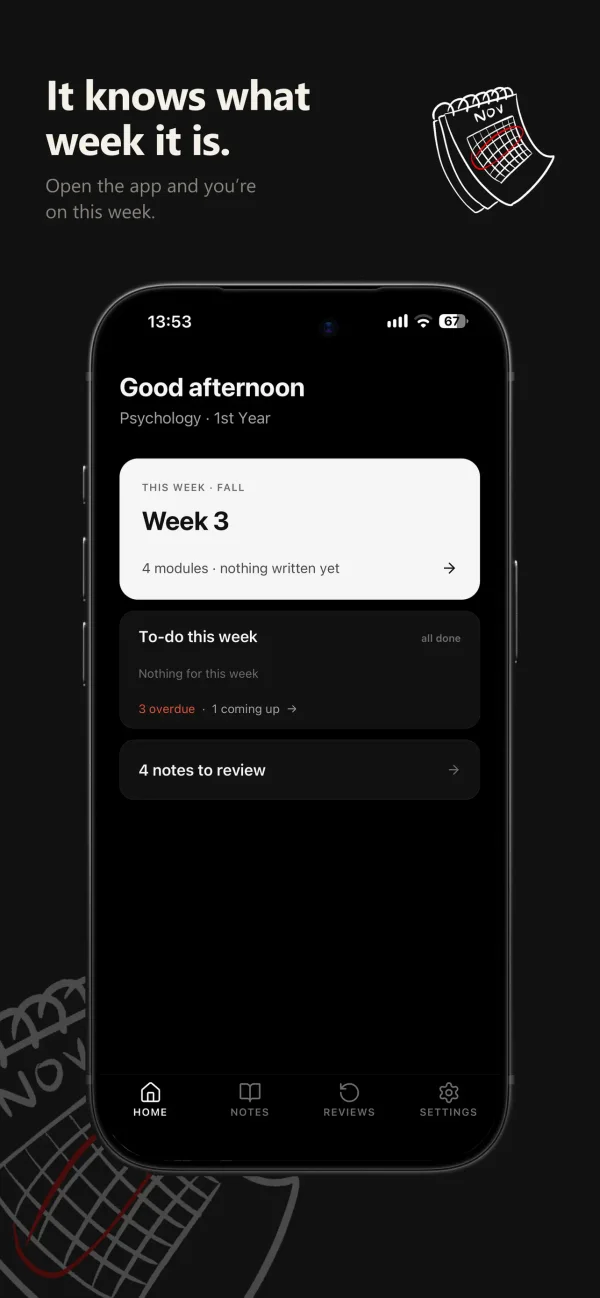
Modulo organises your notes by teaching week instead of by folders, because that is how your course is actually taught. Open it and you are already in this week, with one note per module.
READS YOUR TIMETABLE
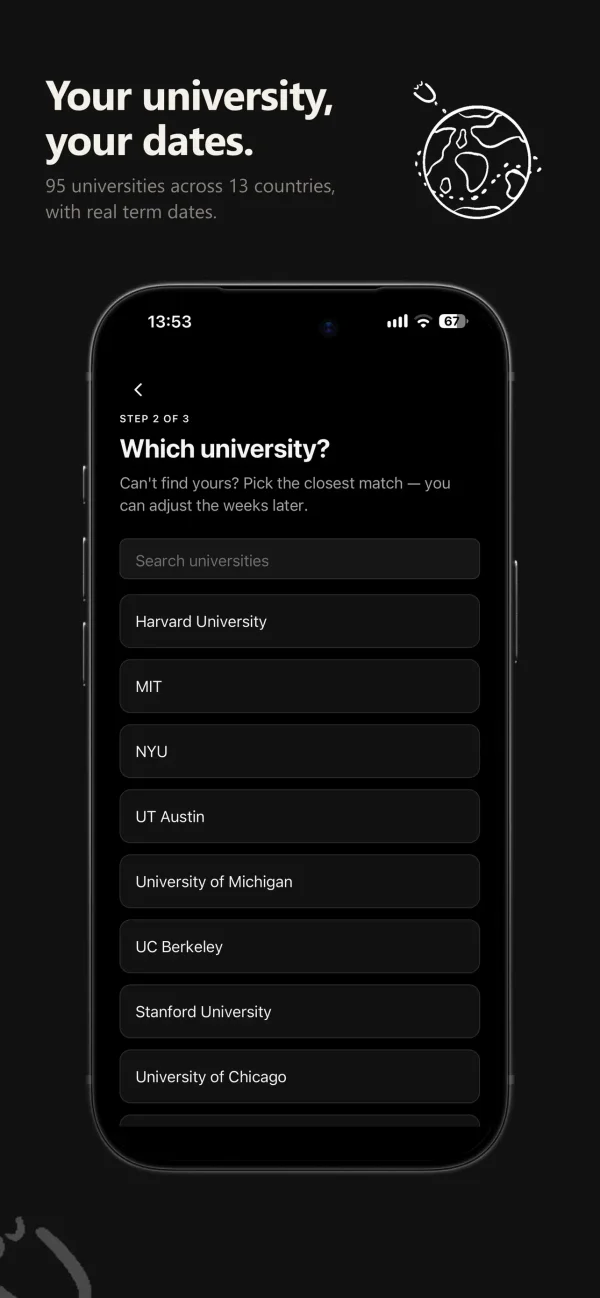
Subscribe to your university timetable in your phone's calendar and Modulo works out your modules and your term dates from it. No typing them in, no setting up folders. It knows 16 academic calendar systems across 13 countries and 95 named universities, and it handles the longer terms that medicine, dentistry and veterinary courses run on.
SEND ANYTHING TO THE RIGHT NOTE
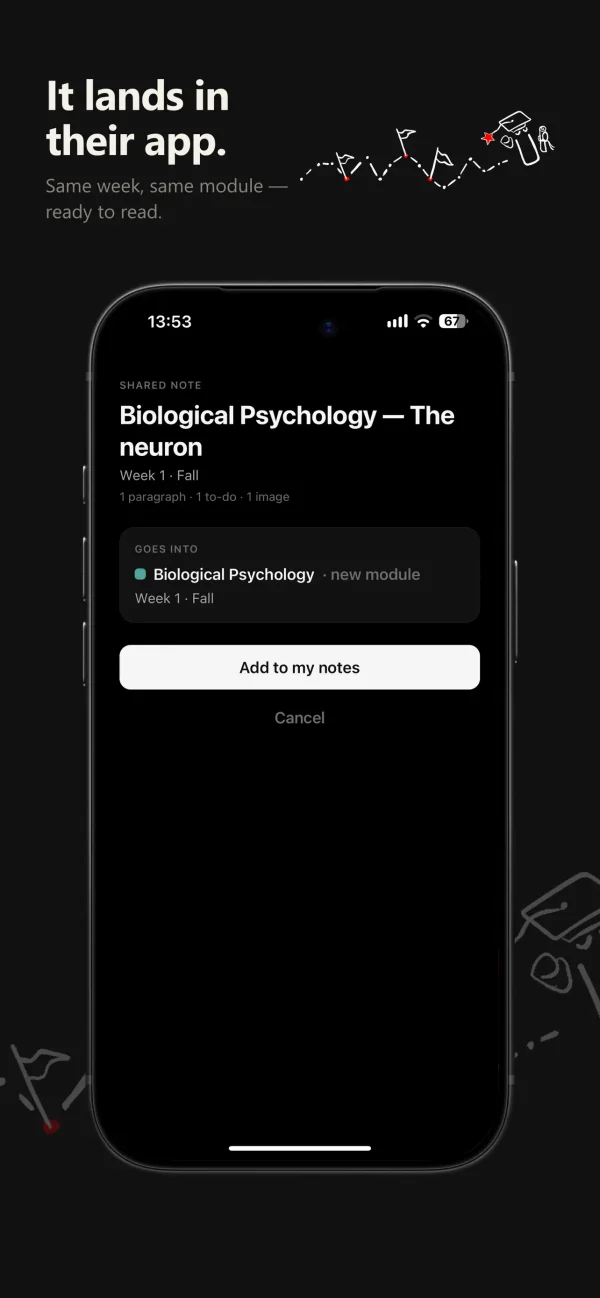
Select text, a link, a photo or a Markdown file in any app, tap Share and choose Modulo. It lands at the end of the right module's note for the right week. Notes tidied up by ChatGPT or Claude keep their headings, bold text and to-dos.
WRITTEN FOR COURSEWORK
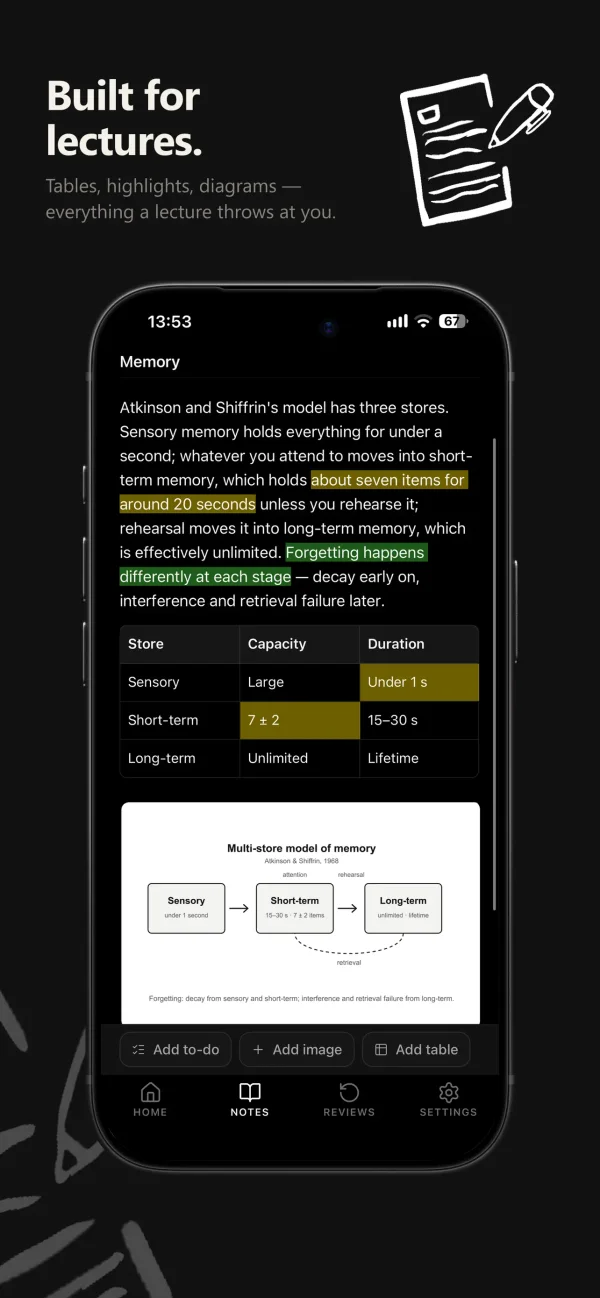
Headings, quotes and code. Bold, italic and four highlighter colours. Tables that turn into charts: bar, line, area, stacked bar, scatter, pie, histogram and box plot, with the axis titles taken from your own column headings. Study templates for Cornell notes, lectures, reading, essay plans, seminar prep, active recall and reflection, each with a question under every heading so you know what to actually write.
TO-DOS THAT KNOW WHAT THEY ARE
Mark something as a task, an assignment, a reading or revision, and it is treated accordingly. An assignment starts reminding you a fortnight out and gets more insistent as the hand-in nears. Revision counts down to the exam it belongs to. A small task waits until the day before.
BUILT TO BE READ
Eight fonts, including Atkinson Hyperlegible, which was designed so similar letters cannot be confused, and Lexend, which is shaped to be read quickly. Four text sizes and three line spacings. Set a font for everything, for one note, or for a few words.
NOTHING IS LOST BY ACCIDENT
Delete a table, an image, a note or a whole module and you can undo it straight away. Every note keeps its own history.
EXAMS AND REVISION
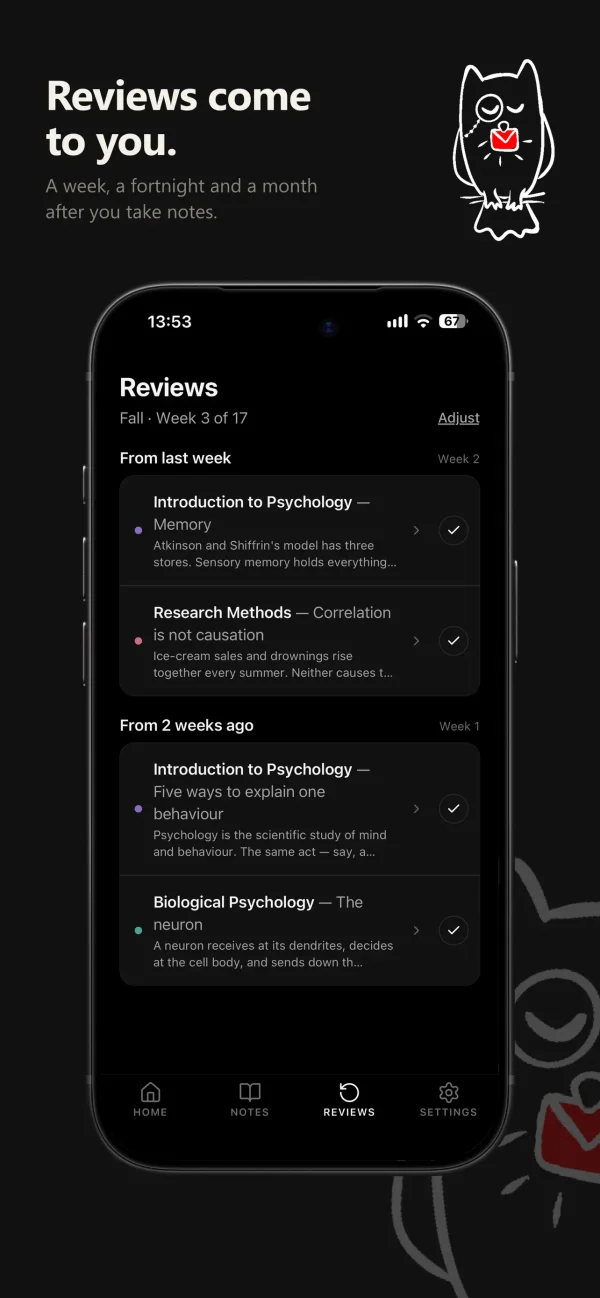
Add your exams, or read the exam timetable when your university publishes it. Optional reminders bring a note back one, two and four weeks after you wrote it, which is the spacing that actually moves things into long term memory.
YOUR NOTES STAY YOURS
No account. No sign in. No ads. No tracking. There is no server: your notes are on your phone and nowhere else, and your timetable is read on the device and stays there.
MODULO PLUS
Everything above is free and stays free. Plus adds:
Break it down: add your assignment brief as a PDF, a Word file or pasted text and Modulo plans it into steps across your teaching weeks, aiming to finish two days early. It plans on your device, with Apple Intelligence where your device has it, and it never writes the work for you.
The revision planner: what to revise next for each exam, and how, for essays, problems, multiple choice and more.
The Pad: a drawing side to every note, with Apple Pencil or your finger.
Subject templates for law, medicine, business, engineering and more.
Looks: colours for the whole app, grid or dotted paper, and headings with a highlighter.
Plus comes monthly, yearly, or as an academic year pass that ends on 31 August and never renews. Monthly and yearly plans renew automatically unless cancelled at least 24 hours before the end of the period, in your Apple account settings, and Modulo reminds you a week before a yearly renewal.
Terms of Use: https://www.apple.com/legal/internet-services/itunes/dev/stdeula/
Privacy Policy: https://phoenixriseinteractive.github.io/phoenix-rise-site/modulo/privacy.html
Made for iPhone and iPad.
Có gì mới
Phiên bản 1.3.0 · 25/11/2026
Modulo Plus is here, and if you have been using Modulo since before it existed, it is yours free until the end of 2027. Thank you for being here first.
Back up all your notes. Settings can now save every note, drawing, photo and PDF into one file you keep anywhere, and restore it on a new iPad or iPhone. Your notes are now part of your device's iCloud Backup too.
Break it down. Add your assignment brief and Modulo plans it into steps across your weeks, so you know where to start and when. It plans the work; it never writes it. If a step feels too big, Make it smaller gives you a first move.
On iPad, put Modulo in Slide Over and your next step stays beside your work.
Looks. Colours for the whole app, grid or dotted paper, and headings with a highlighter.
Exams and a revision planner. Add your exams and the planner tells you what to revise next, and how, for that kind of exam.
The Pad: draw with Apple Pencil or your finger, select with the lasso, and draw and hold to straighten a line or round a circle.
Reuse a picture from an earlier week without searching your camera roll.
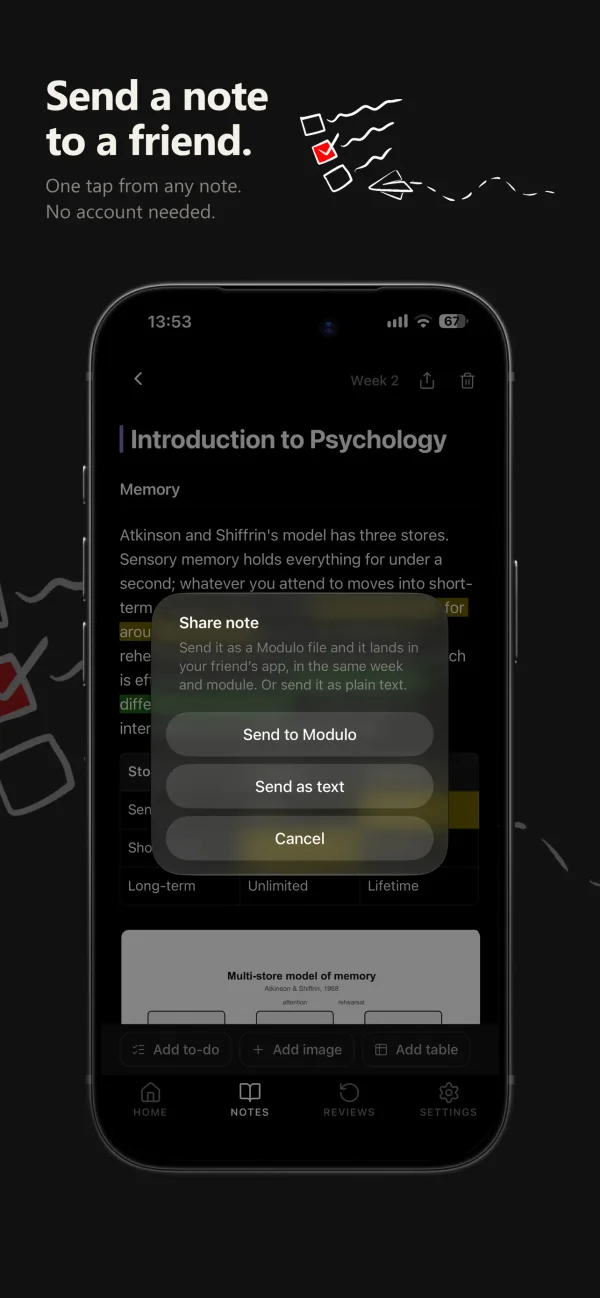
Send a note as a link. Friends with Modulo open it straight into the right week; friends without it can still read it.
Shared notes now select across paragraphs, and long notes scroll smoothly.
Quyền riêng tư của ứng dụng
Những gì AYOOLA OLUWAFEMI LAWAL khai báo trên App Store về cách ứng dụng này xử lý dữ liệu.
-
Dữ liệu không liên kết với bạn
Có thể được thu thập nhưng không liên kết với danh tính của bạn.
- Chẩn đoán
Phương thức đảm bảo quyền riêng tư có thể khác nhau, chẳng hạn như tuỳ theo các tính năng bạn sử dụng hoặc độ tuổi của bạn.
Thông tin
- Người bán
- AYOOLA OLUWAFEMI LAWAL
- Danh mục
- Giáo Dục
- Phiên bản
- 1.3.0
- Cập nhật
- 25/11/2026
- Phát hành
- 29/10/2026
- Kích thước
- 62,1 MB
- Yêu cầu
- iOS 16.4 trở lên
- Độ tuổi
- 4+
- Giá
- Miễn phí
- Mua hàng trong ứng dụng
- Có
- Ngôn ngữ
- Tiếng Anh
- Bản quyền
- © 2026 Phoenix Rise Interactive