MPO Viewer
3D Stereo Photo & Video Viewer
Được thiết kế cho iPhone
Miễn phí · Mua hàng trong ứng dụng
- Độ tuổi4+
- Danh mụcẢnh & Video
- Nhà phát triểnG.G. van der Steen
- Ngôn ngữTiếng Anh+ 1 ngôn ngữ khác
- Kích thước64,7 MB
Liên kết đến trang App Store chính thức
Download.org không lưu trữ tệp nào của MPO Viewer. Nút này mở trang ứng dụng trên App Store, nơi G.G. van der Steen phát hành ứng dụng. Trang được kiểm tra lần cuối: 18/11/2026.
Ảnh chụp màn hình


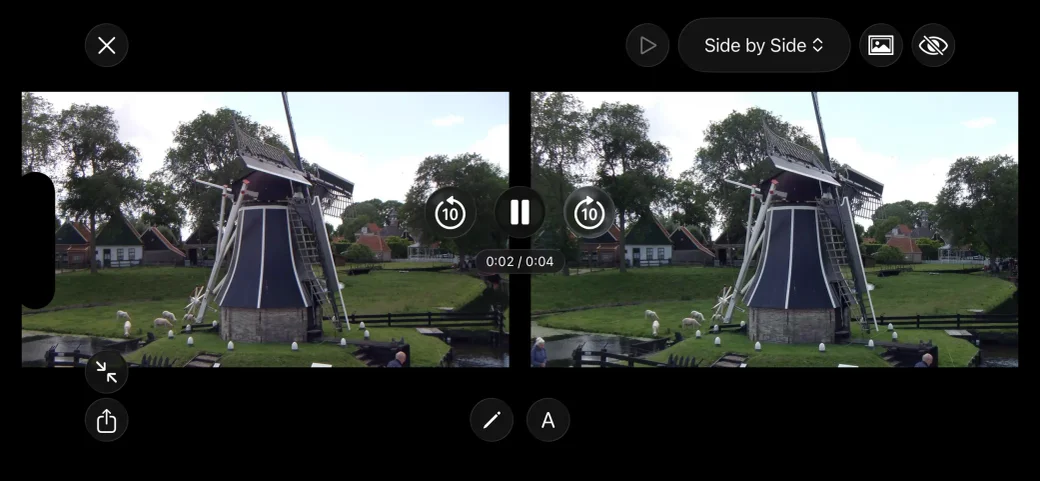
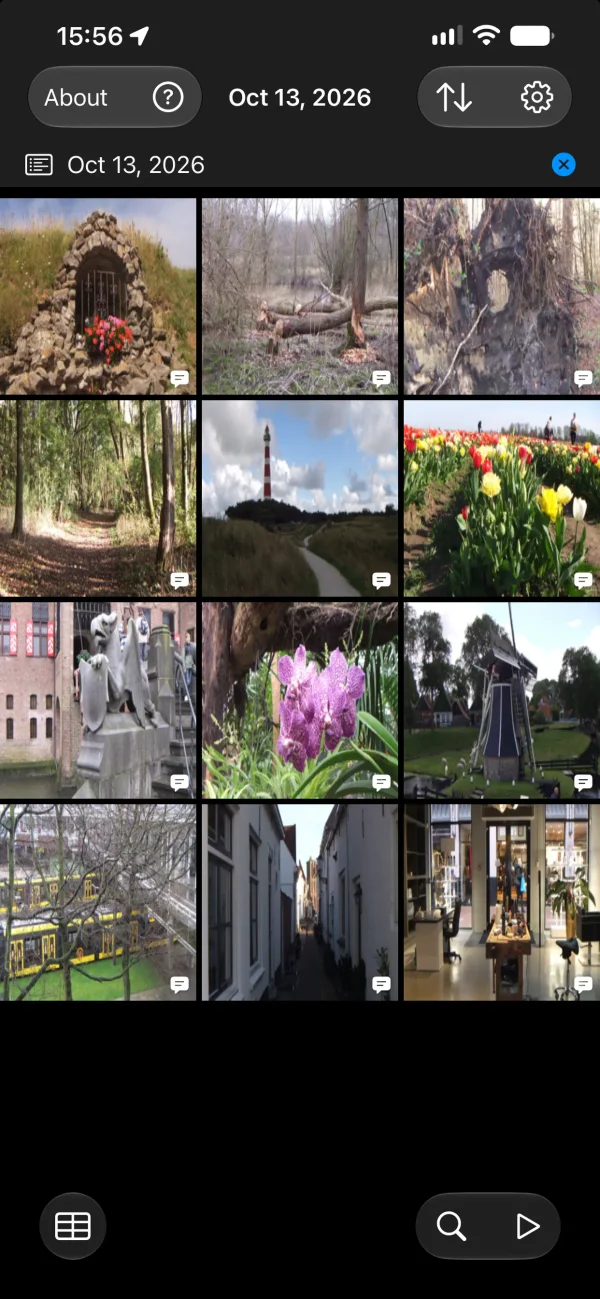
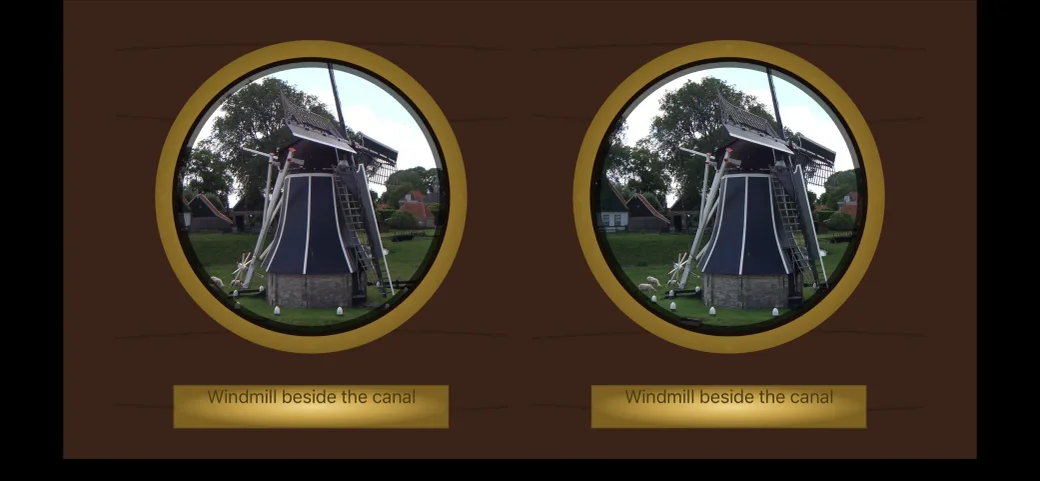
Giới thiệu
Nhà phát triển chưa cung cấp nội dung này bằng ngôn ngữ của bạn.
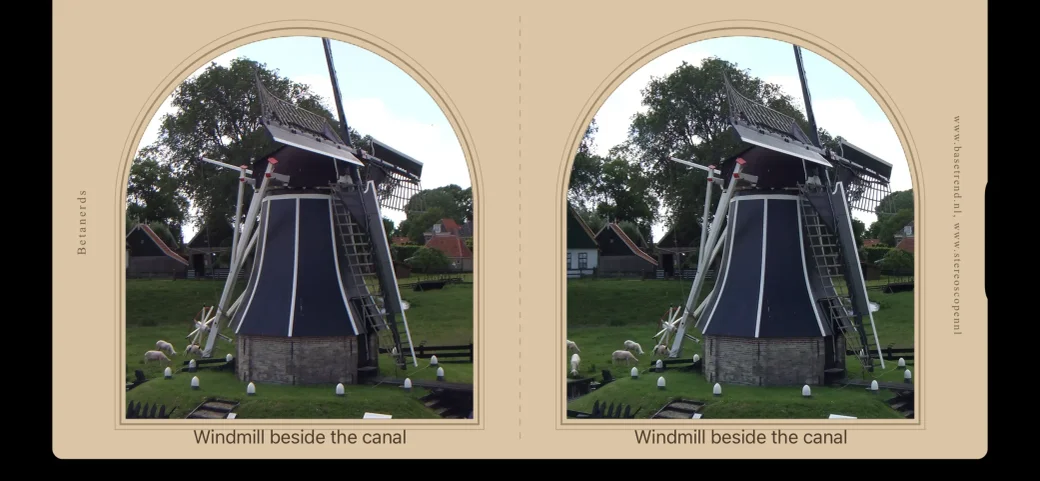
A box of Keystone cards, a Fujifilm FinePix and a phone: MPO Viewer brings them together. It opens stereo photographs and stereo video straight from the camera, with no conversion and no computer, and lets you look at them the way they were meant to be seen. Through a viewer, with coloured glasses, or together on the television.
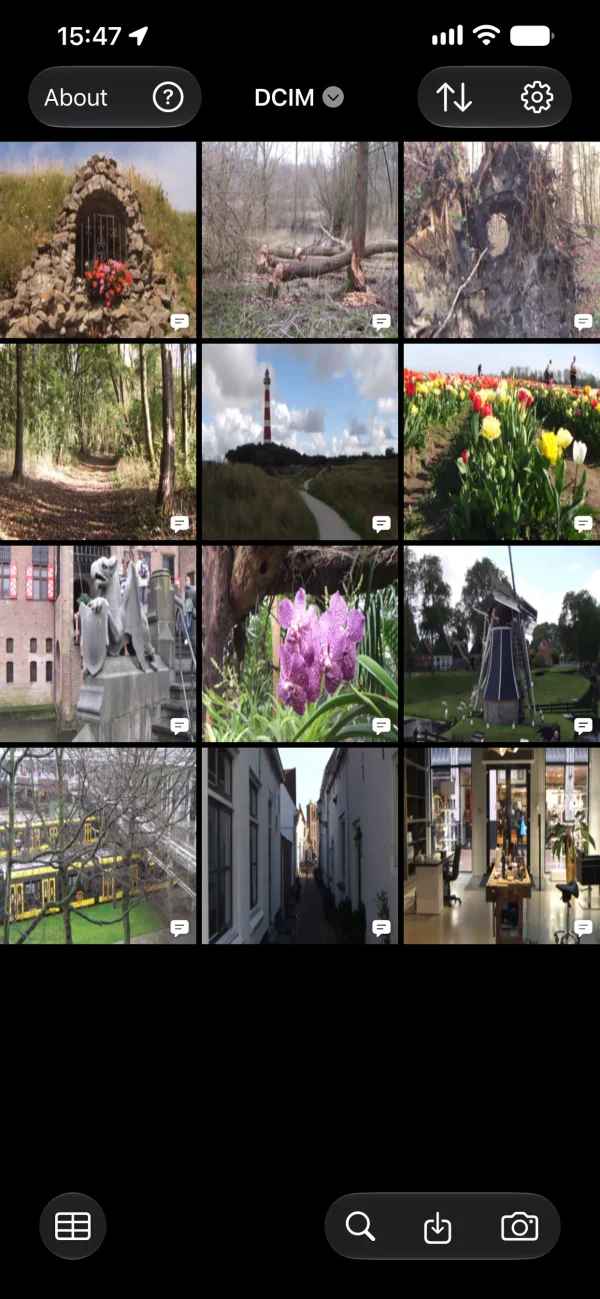
A dual-lens camera such as the FinePix REAL 3D W1 or W3 writes every photograph to the card as an .mpo with both eyes inside it, and films in .avi. Point the app at a folder on your device or in iCloud Drive and they are all in one place, in a grid or a table, searchable. Keep them apart in as many folders as you like: each has its own captions, hidden photographs and playlists, and the name at the top of the grid switches between them.
Six ways to look
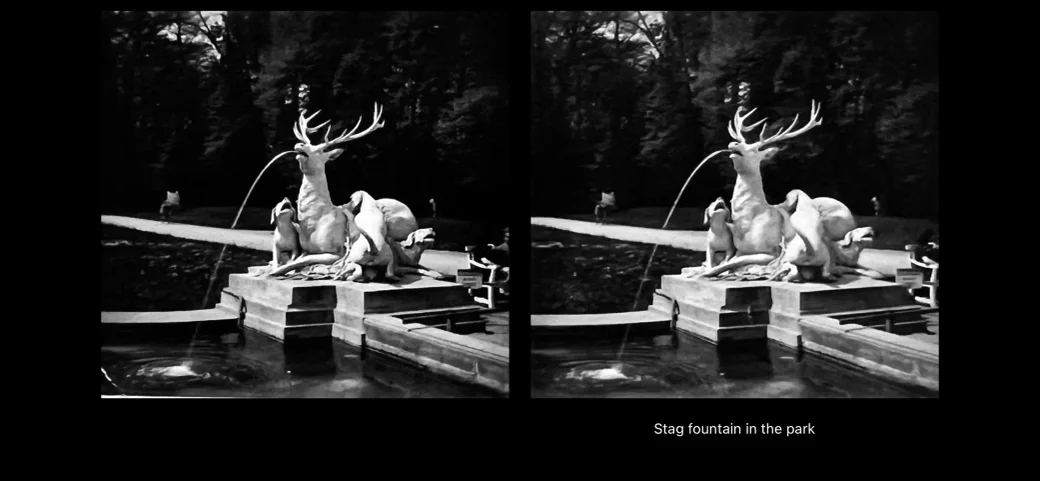
• Side by Side: the classic pair, for free viewing or a stereoscope, from a Holmes to an OWL
• Crossed Eye: the same pair swapped, for anyone who crosses their eyes
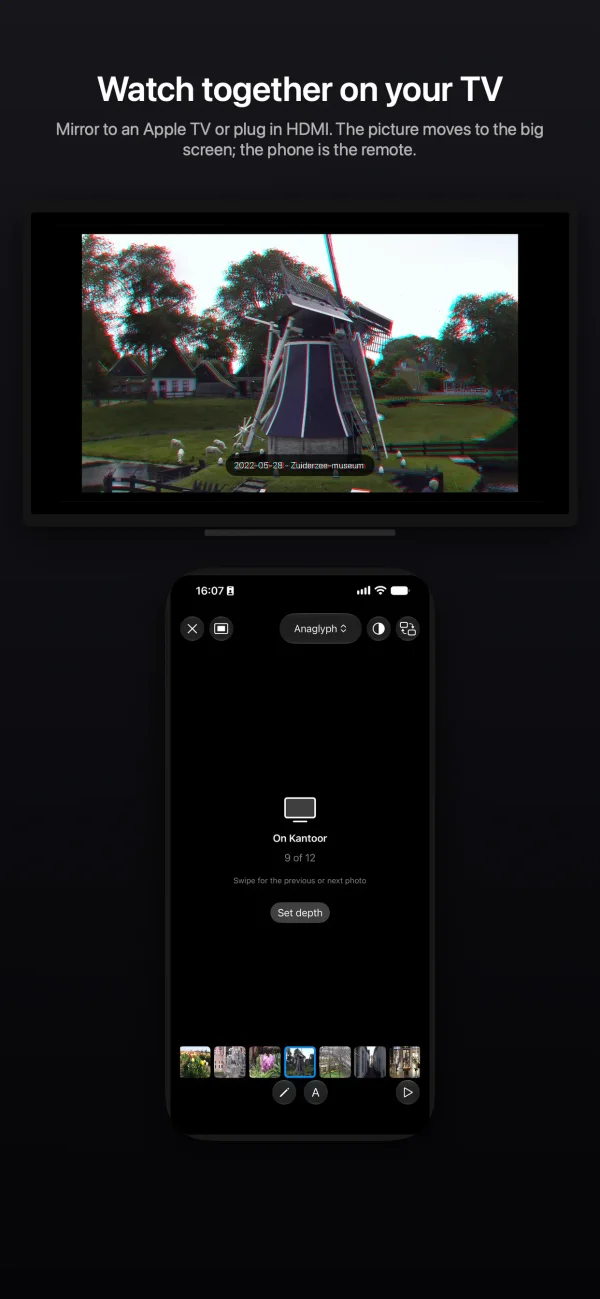
• Anaglyph: both eyes in one picture for coloured glasses, red/cyan, magenta/green, amber/blue or red/blue, with ghost reduction
• Cardboard: the pair bent so the lenses of a cheap VR viewer straighten it out again; set it to your own viewer once
• Wiggle: the two eyes flicker back and forth, on a timer or as you tilt the phone
• Depth: a depth map built from the pair, moving along as you tilt
Cardboard and Depth are marked experimental. Clips play with sound in the first four.
Whichever you pick, the pair is put straight first: the eyes brought into line, the nearest thing placed at the screen plane. That is the difference between depth and a headache.
Watching together
A few red/cyan glasses and a television, and the whole room joins in. Mirror to an Apple TV or AirPlay screen, or plug in HDMI: the picture moves to the big screen and the phone becomes the remote. A strip of thumbnails under the photograph holds the whole folder, the one on the television in the middle: look ahead without the room noticing, and tap to send one over. Swipe through them or start a slideshow, which carries on from whatever you pick. Set the depth once per television and every photograph sits right on that screen from then on.
Old cards
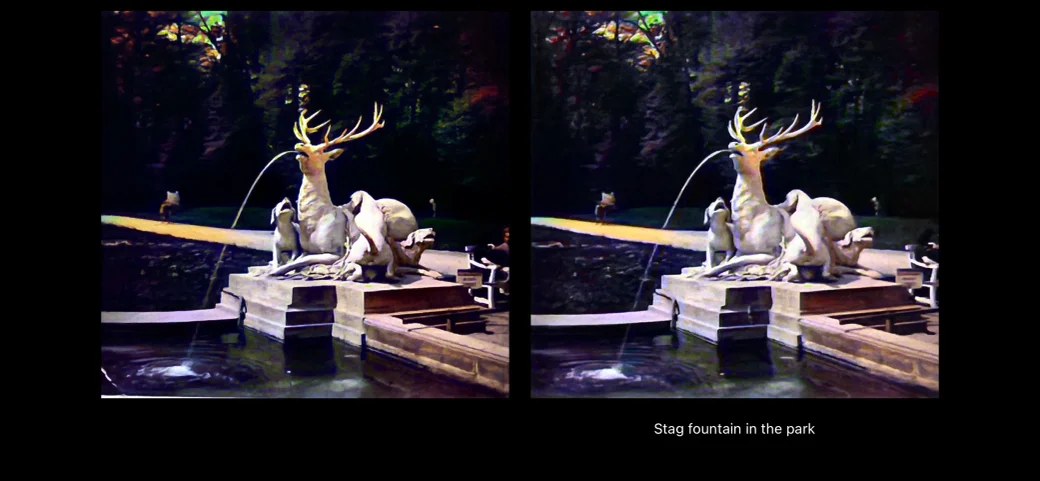
A stereo card from 1900 becomes an MPO here like any other. Photograph one inside the frame the app draws, or hand it a scan to convert: it finds the two prints, straightens them, lays them on each other and takes out the colour cast. Every card then has three buttons of its own: turn it over, put the light back, or keep it without colour. And if you like, a model running on the device itself will colour it in. The card is never touched.
A picture that already holds the pair side by side goes in the same way, and so does an anaglyph: that one the app takes back apart into its two views, in grey, the depth unchanged.
Framing, keeping, sharing
Put a photograph in a border in the colour you choose, or in one of six passepartouts, from a stereo card to a cardboard peep box, with a caption in a colour of its own. Save a selection as a playlist, in your order or shuffled. Side by Side, Crossed Eye and Anaglyph go out as PNG or JPEG, Wiggle as a GIF or a video, Depth as a tilt in MP4, and a clip as MP4 at three sizes. Exports carry a watermark; MPO Viewer Pro takes it off.
And the rest
A photograph you hide stays hidden, behind Face ID if you want. An info button tells you what the camera recorded, down to lens, aperture, shutter and ISO, with a map when there is a location. All of it works with VoiceOver and with the largest text sizes. With Reduce Motion on, Wiggle and Depth follow your tilt instead of moving by themselves, and those two also work with one eye.
Your photographs do not leave your device. No accounts, no analytics, nothing looking over your shoulder. The one thing the app ever fetches is a larger colour model, and only when you ask for it.
In English and Dutch. For anyone who finds a box of old stereo photographs again, and anyone who still makes them.
Có gì mới
Phiên bản 1.18 · 14/11/2026
New in 1.18
• Light or dark, or whatever your phone says. At the top of Settings, General there is now a choice between System, Light and Dark. The viewer puts every photo on black whatever you pick here, so the choice shows in the grid, in the settings and in the screens around them. It stays until you change it yourself.
• Settings that fit on one screen. The groups stand in a new order: General and Pro at the top, then the viewing mode, then your folders, the stereo cards, the export and the television, and the five modes at the bottom. And when you search, every hit opens the page it belongs to, a switch included: you now see what it sits with, with the explanation underneath.
• Two buttons beside the coloured glasses. In Anaglyph one of them merges both eyes in grey, for a photograph where a bright red is nearly black behind one filter and lights up behind the other; the other merges red/cyan and red/blue with fitted matrices, so grey stays grey, white stays white and the colours come out closer to the original. What you pick in the viewer holds for that visit, and both sit under Settings, Anaglyph as a switch for what the next one starts from.
From earlier versions, in case you skipped a few
• More than one folder. The library was one folder; it is now as many as you keep, each with its own captions, hidden photographs and playlists. Tap the name at the top of the grid to switch, and add or remove folders under Settings, Library.
• A strip of thumbnails while the television has the picture. Under the photograph the whole folder stands as small pictures, with the one on the television in the middle. Scroll ahead without the room noticing anything, and tap one to send it over.
• A pair that says how it wants to be looked at. If the file name or the EXIF says a stereo pair was made for crossed eyes, the app swaps the eyes on import and says underneath what it read. If that is wrong, the swap button keeps the last word.
• The screen stays on while you are looking. Looking at stereo happens without touching, and in Cardboard it cannot be done at all, so the screen used to dim in the middle of it. While the viewer is open it now stays on.
• Import an anaglyph. A picture made for red and cyan glasses comes apart again into the two views it was built from, after which every way of looking the app has applies to it.
• The viewer and the grid stopped caring how big your folder is, even at a few thousand photographs.
Quyền riêng tư của ứng dụng
Những gì G.G. van der Steen khai báo trên App Store về cách ứng dụng này xử lý dữ liệu.
-
Dữ liệu không được thu thập
Nhà phát triển không thu thập bất kỳ dữ liệu nào từ ứng dụng này.
Phương thức đảm bảo quyền riêng tư có thể khác nhau, chẳng hạn như tuỳ theo các tính năng bạn sử dụng hoặc độ tuổi của bạn.
Thông tin
- Người bán
- G.G. van der Steen
- Danh mục
- Ảnh & Video
- Phiên bản
- 1.18
- Cập nhật
- 14/11/2026
- Phát hành
- 19/08/2026
- Kích thước
- 64,7 MB
- Yêu cầu
- iOS 26.0 trở lên
- Độ tuổi
- 4+
- Giá
- Miễn phí
- Mua hàng trong ứng dụng
- Có
- Ngôn ngữ
- Tiếng Anh, Tiếng Hà Lan
- Bản quyền
- © 2026 BaseTrend