multiborder
Add borders to multiple images
Được thiết kế cho iPhone, iPad
Miễn phí
- Độ tuổi4+
- Danh mụcẢnh & Video
- Nhà phát triểnAdam Pearce
- Ngôn ngữTiếng Anh+ 7 ngôn ngữ khác
- Kích thước9,9 MB
Liên kết đến trang App Store chính thức
Download.org không lưu trữ tệp nào của multiborder. Nút này mở trang ứng dụng trên App Store, nơi Adam Pearce phát hành ứng dụng. Trang được kiểm tra lần cuối: 23/11/2026.
Ảnh chụp màn hình

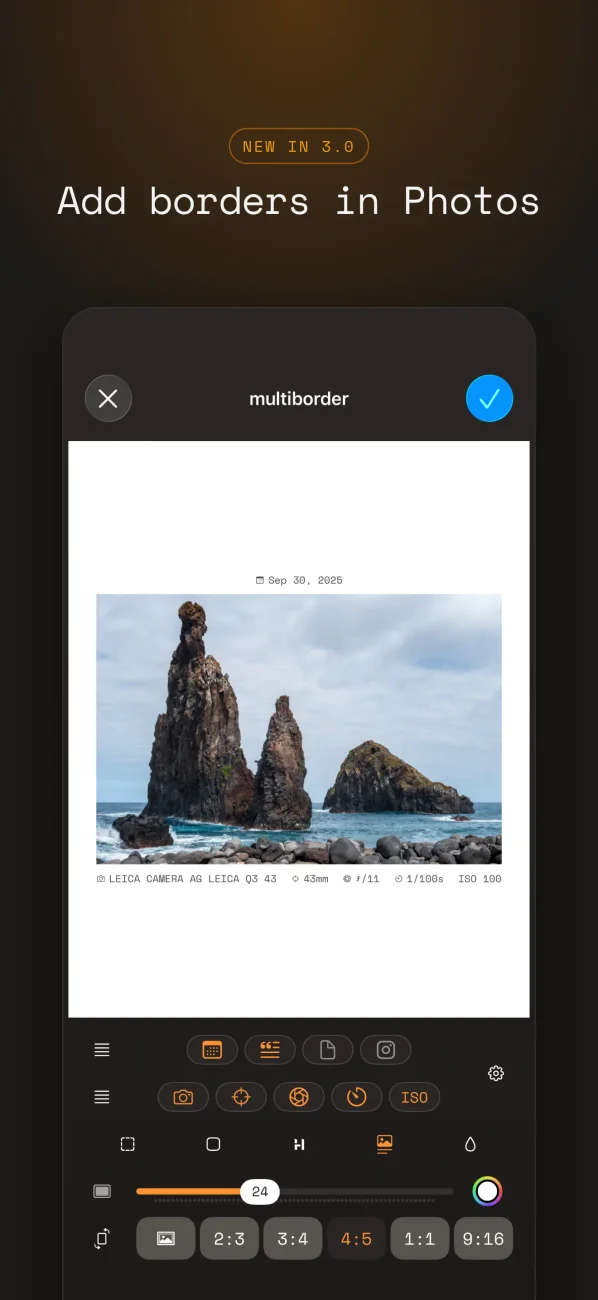

Giới thiệu
Nhà phát triển chưa cung cấp nội dung này bằng ngôn ngữ của bạn.
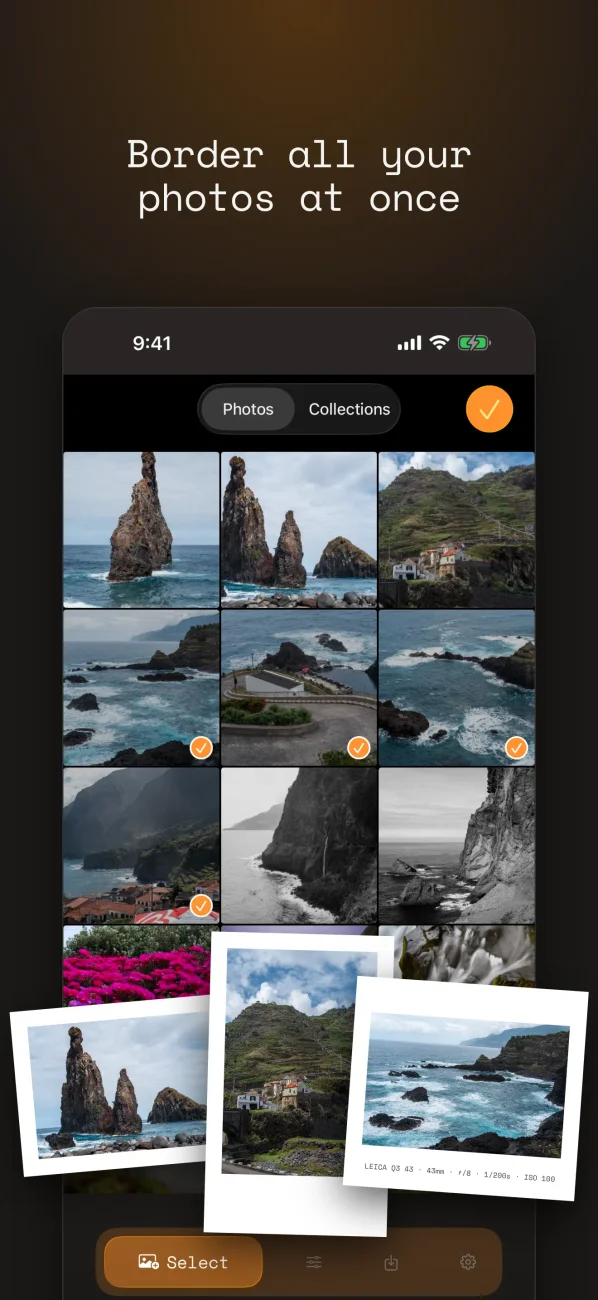
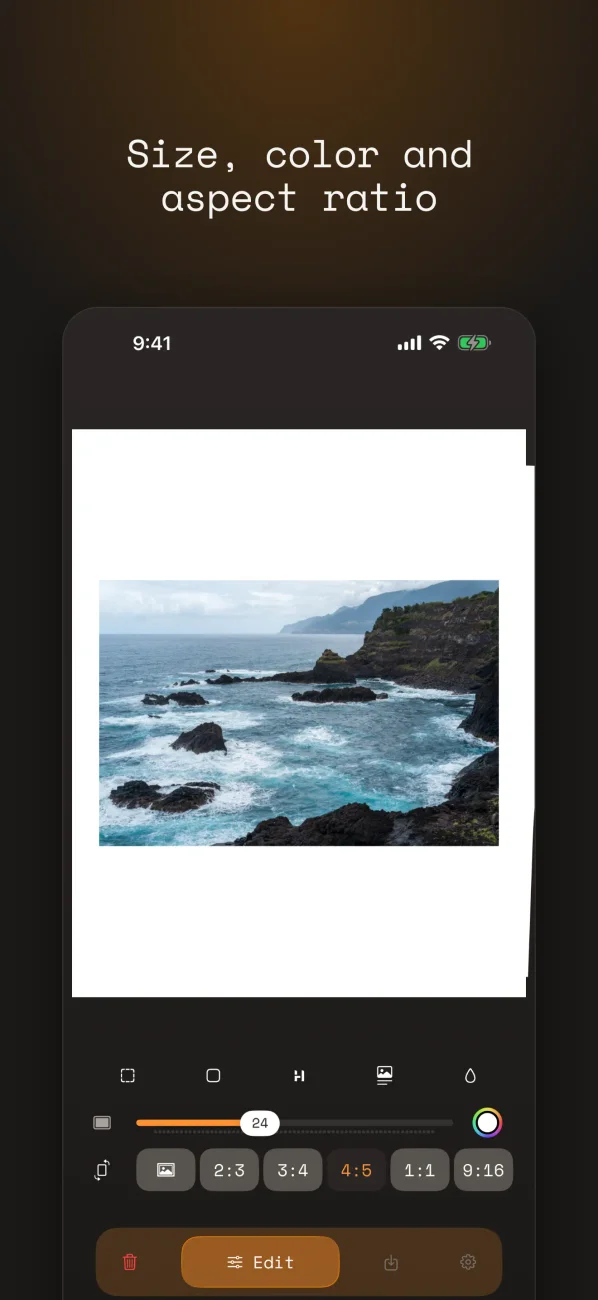
Add clean borders to all your photos at once. Pick your photos, set the border size, color and aspect ratio, and save every one in seconds.
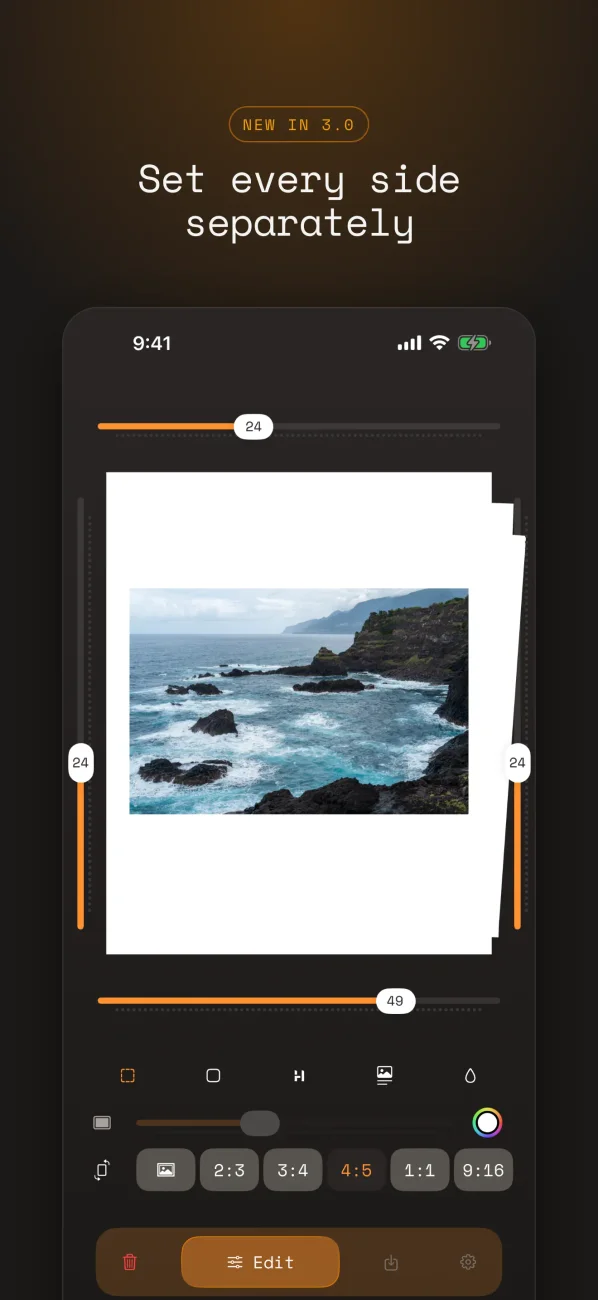
Multiborder is made for people who post their photos and want them framed consistently: square for a grid, 4:5 or 9:16 for stories, with the whole photo always in view.
BORDERS YOUR WAY
• Border as many photos as your iPhone or iPad can handle in one go
• Aspect ratios: original, 2:3, 3:4, 4:5, 1:1 and 9:16
• Any border color, or a soft blur of the photo itself
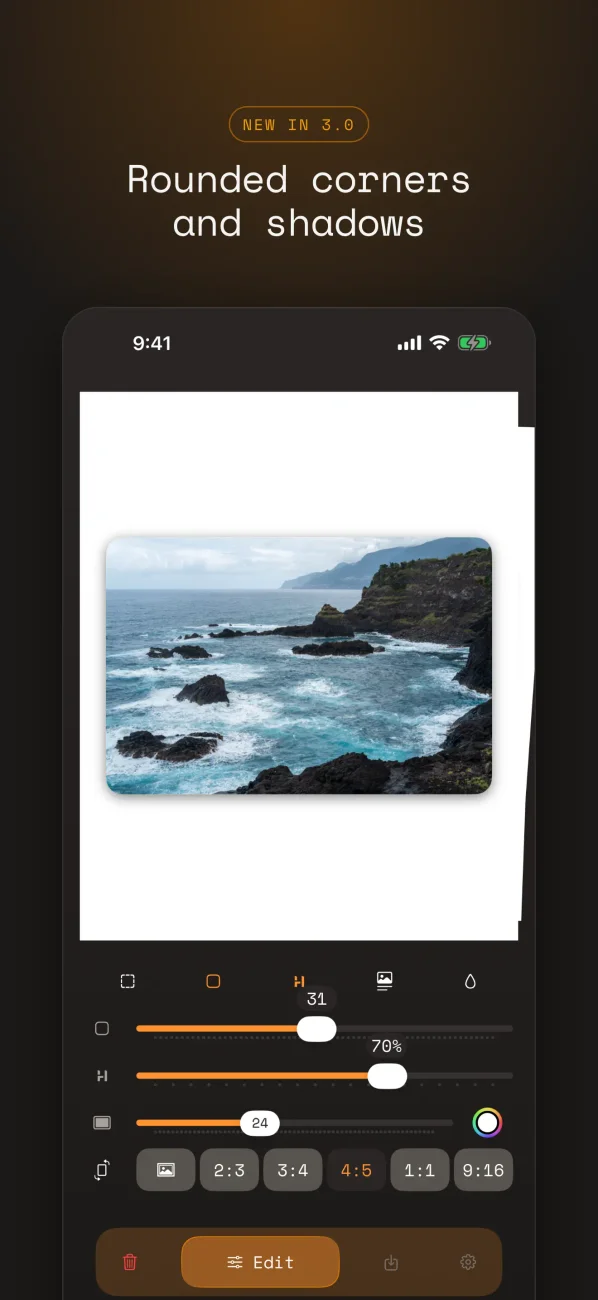
• Set each side separately, round the corners, or add a shadow
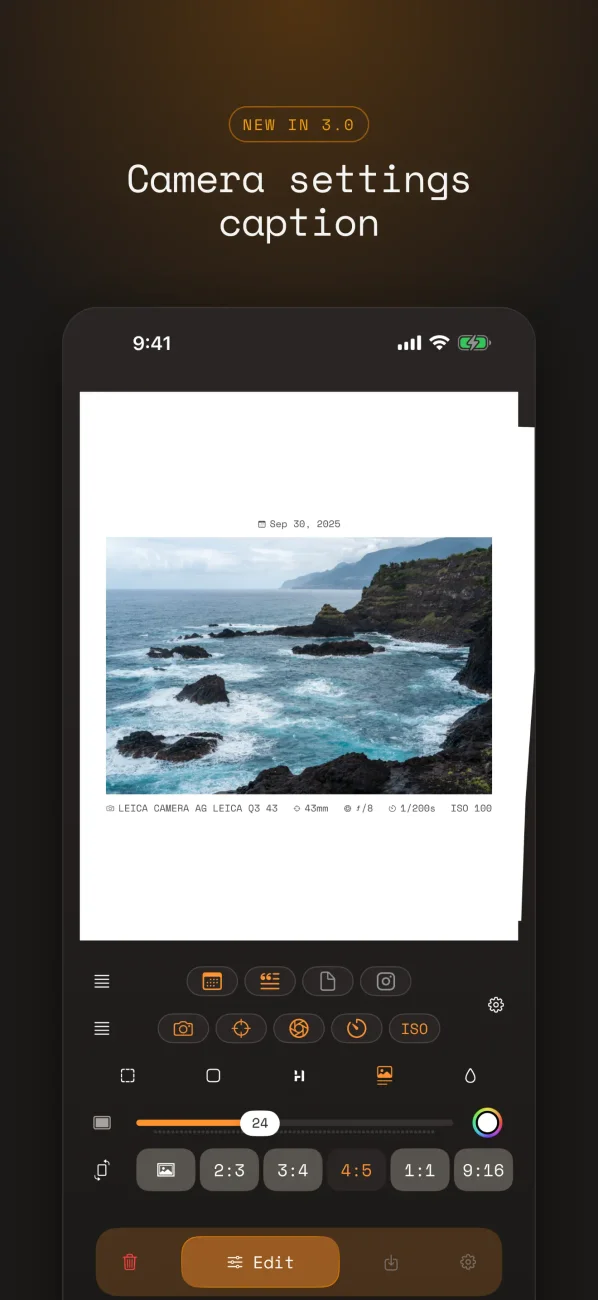
CAMERA SETTINGS CAPTION
• Show the date, camera, focal length, aperture, shutter speed and ISO above or below the photo, read straight from the photo
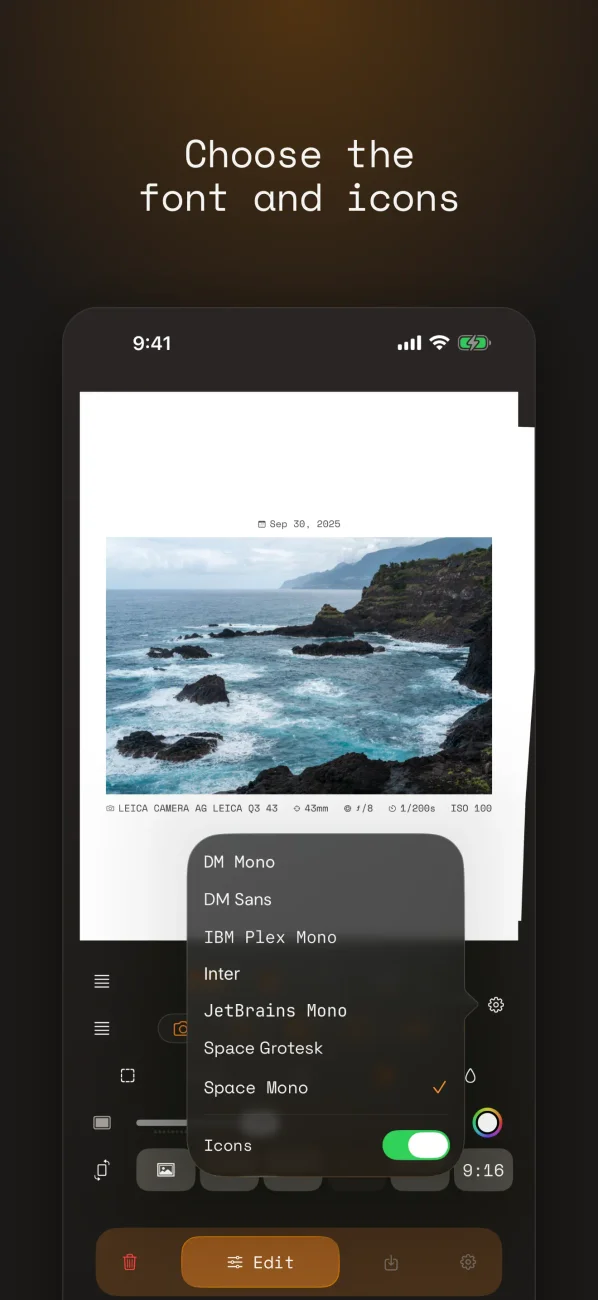
• Add your handle, drag details into place, and choose the font
WORKS WHERE YOU DO
• Add a border while editing in the Photos app, and change it later
• Border photos from any app with the share sheet, using your last settings
• Automate it with the "Add Border to Photos" Shortcuts action
EXPORT
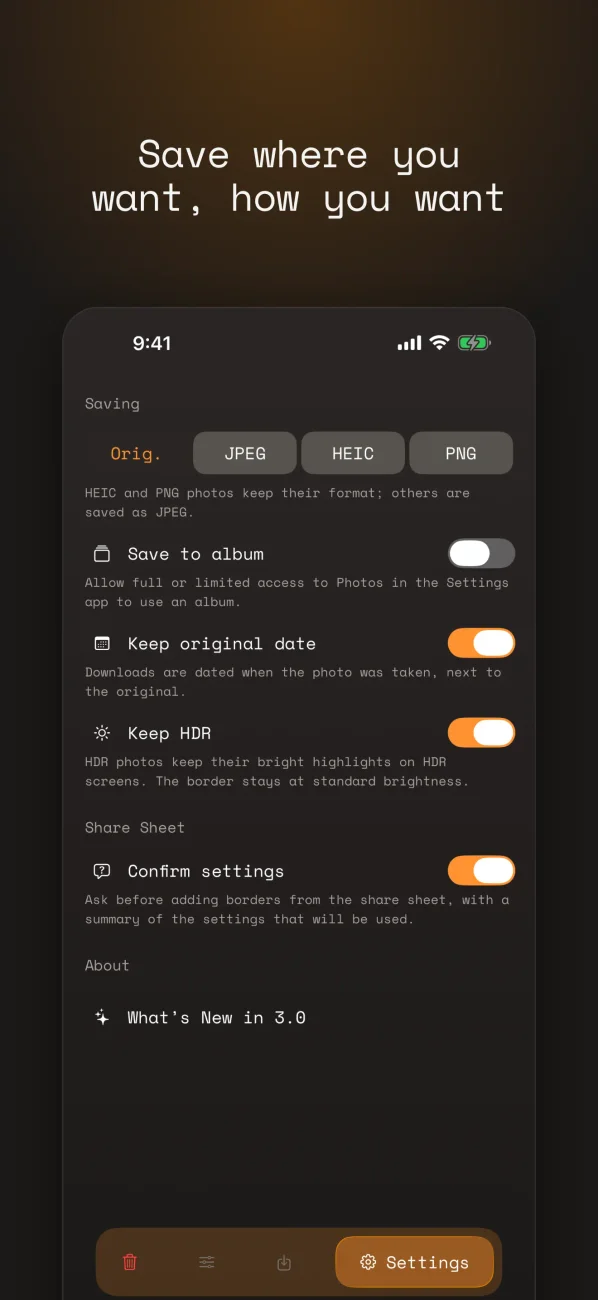
• Original size, 1080 or 2160 px, or any width up to 7680 px, as JPEG, HEIC or PNG
• HDR photos keep their bright highlights
• Save to an album you choose and keep each photo's original date
• Downloads keep going in the background
SIMPLE AND PRIVATE
No ads, no subscriptions and no account. Your photos are processed on your iPhone or iPad and never leave it.
If you enjoy Multiborder, a review on the App Store helps a lot.
Có gì mới
Phiên bản 3.2.0 · 20/11/2026
Multiborder now runs on iPad.
• Use it in portrait or landscape, in Split View and in Stage Manager, along with the Photos editing extension and the share sheet.
• New export sizes: 1080 px for posting and 2160 px for 4K. The width slider now stops on common sizes and goes up to 7680 px (8K).
Thanks for using Multiborder. If you enjoy it, a review helps a lot.
Quyền riêng tư của ứng dụng
Những gì Adam Pearce khai báo trên App Store về cách ứng dụng này xử lý dữ liệu.
-
Dữ liệu không được thu thập
Nhà phát triển không thu thập bất kỳ dữ liệu nào từ ứng dụng này.
Phương thức đảm bảo quyền riêng tư có thể khác nhau, chẳng hạn như tuỳ theo các tính năng bạn sử dụng hoặc độ tuổi của bạn.
Thông tin
- Người bán
- Adam Pearce
- Danh mục
- Ảnh & Video
- Phiên bản
- 3.2.0
- Cập nhật
- 20/11/2026
- Phát hành
- 02/06/2024
- Kích thước
- 9,9 MB
- Yêu cầu
- iOS 17.0 trở lên
- Độ tuổi
- 4+
- Giá
- Miễn phí
- Ngôn ngữ
- Tiếng Anh, Tiếng Pháp, Tiếng Đức, Tiếng Nhật, Tiếng Hàn, Tiếng Bồ Đào Nha, Tiếng Trung Giản thể, Tiếng Tây Ban Nha
- Bản quyền
- © 2026 Adam Pearce
Có thể bạn cũng thích
-
 BatchPad: Photo Border & ReelẢnh & Video
-
 White Space - Photo BordersẢnh & Video
-
 white_borderẢnh & Video
-
 No Crop - Simple BorderẢnh & Video
-
 White BorderẢnh & Video
-
 White Background FrameẢnh & Video
-
 Camset – Fuji & Ricoh RecipesCông thức phim Fujifilm Ricoh
-
 Cameramark: Photo EXIF FrameẢnh & Video
-
 Fuji Recipes - Film simulationẢnh & Video
-
 FujiStyle - Film Recipes FrameẢnh & Video