- Độ tuổi4+
- Danh mụcNhạc
- Nhà phát triểnMuziGuide
- Ngôn ngữTiếng Anh+ 3 ngôn ngữ khác
- Kích thước48,0 MB
Liên kết đến trang App Store chính thức
Download.org không lưu trữ tệp nào của MuziView. Nút này mở trang ứng dụng trên App Store, nơi MuziGuide phát hành ứng dụng. Trang được kiểm tra lần cuối: 22/11/2026.
Ảnh chụp màn hình



Giới thiệu
Nhà phát triển chưa cung cấp nội dung này bằng ngôn ngữ của bạn.
MuziView is an affordable, full-featured music viewer, practice tool, and set list organizer for iPad and Mac. Create and save an unlimited number of practice intervals, repeat them, and slow them down to master difficult passages and riffs. Keep your entire music library organized and ready for rehearsal or performance with one purchase, no subscription, and no account required.
IMPORT AND ORGANIZE
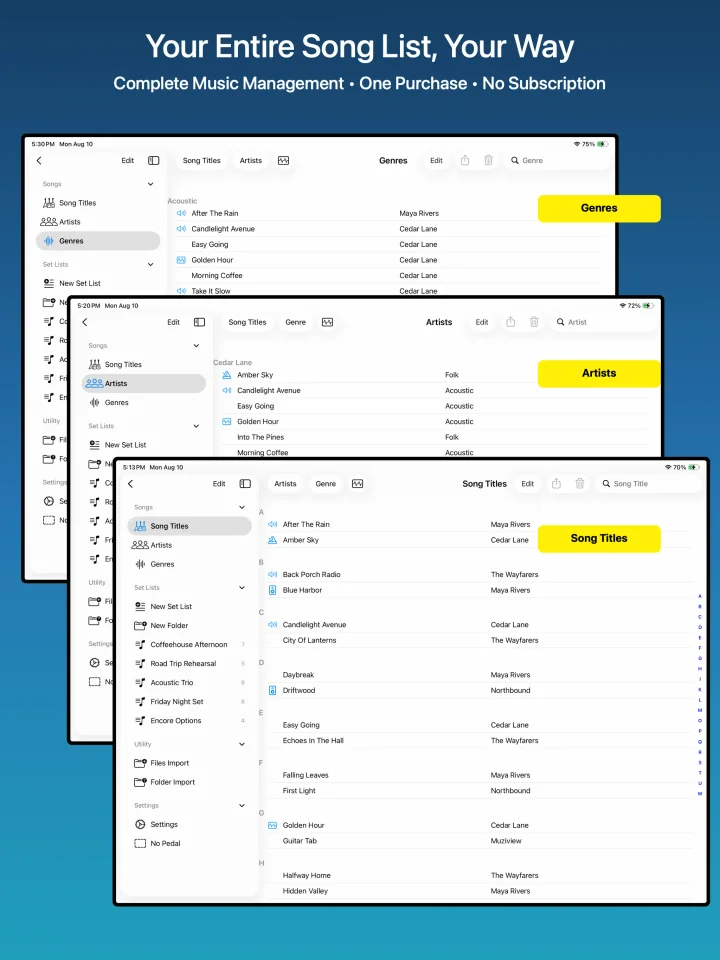
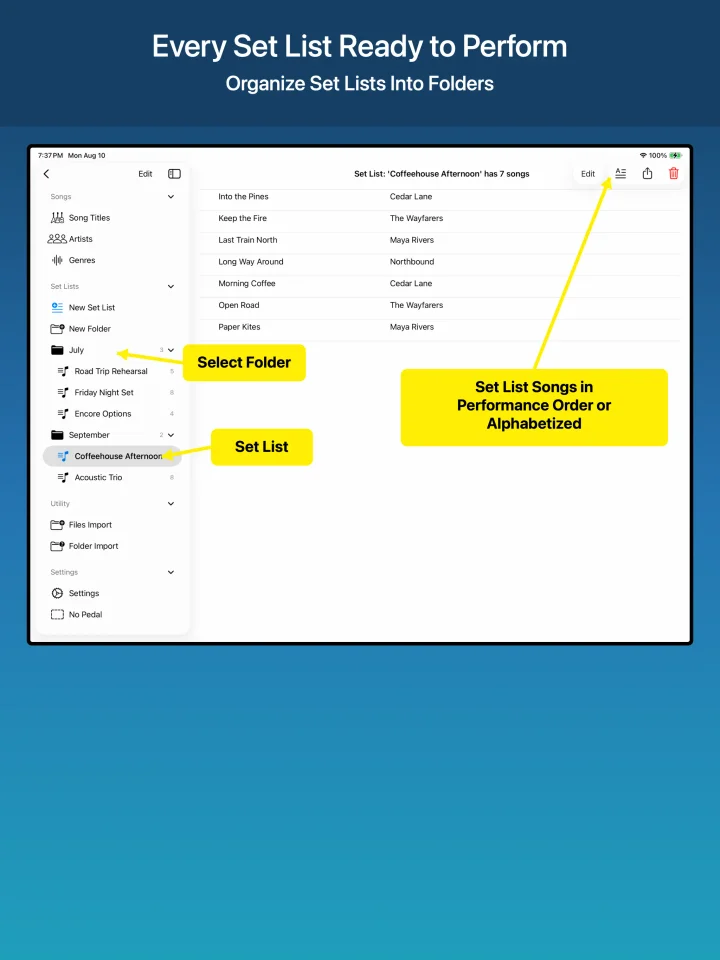
Import PDF sheet music, tablature, ChordPro and other chart formats, text files, Word-style documents, audio files, complete folders, and ZIP archives. MuziView helps identify titles, artists, and genres, then lets you browse or search your entire song list by any of them. Organize any number of Set Lists into folders and arrange each set in performance order or alphabetically.
VIEW AND PERFORM
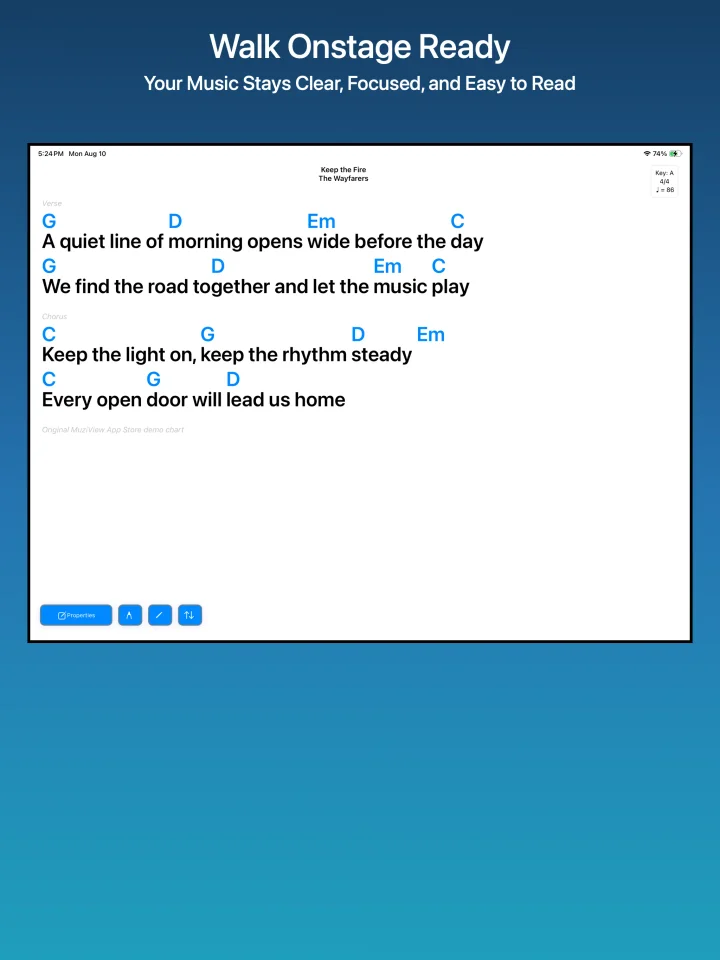
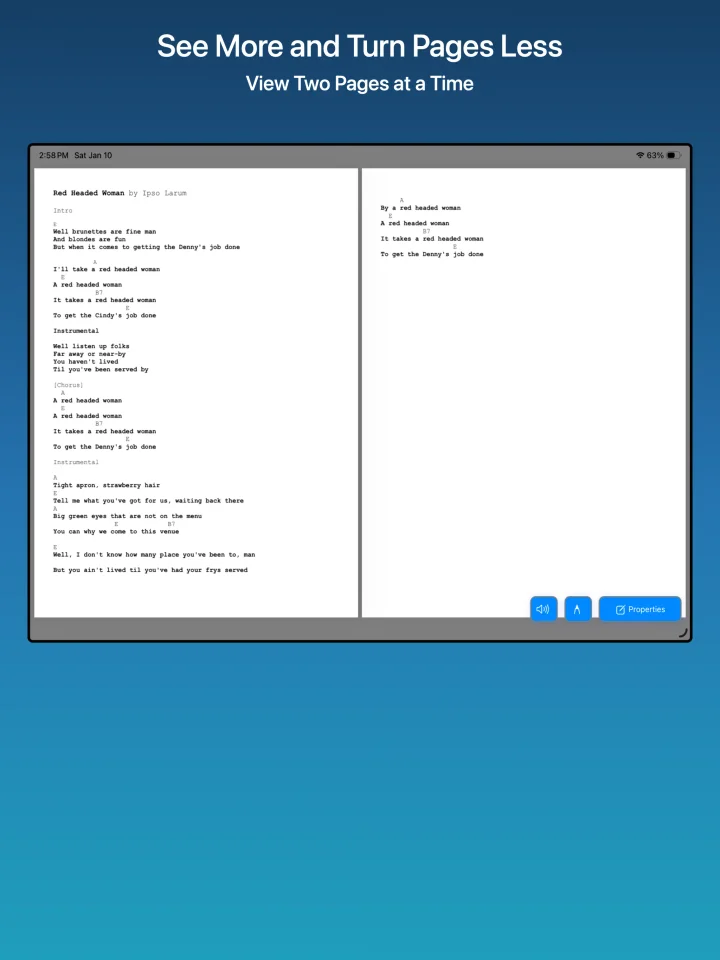
Keep your music clear and easy to read with a full-page portrait view or two pages at a time in landscape. Swipe between pages and move directly from one song to the next while performing a Set List. Use compatible Bluetooth pedals for hands-free page turns and keep your attention on the music.
MAKE CHARTS YOUR OWN
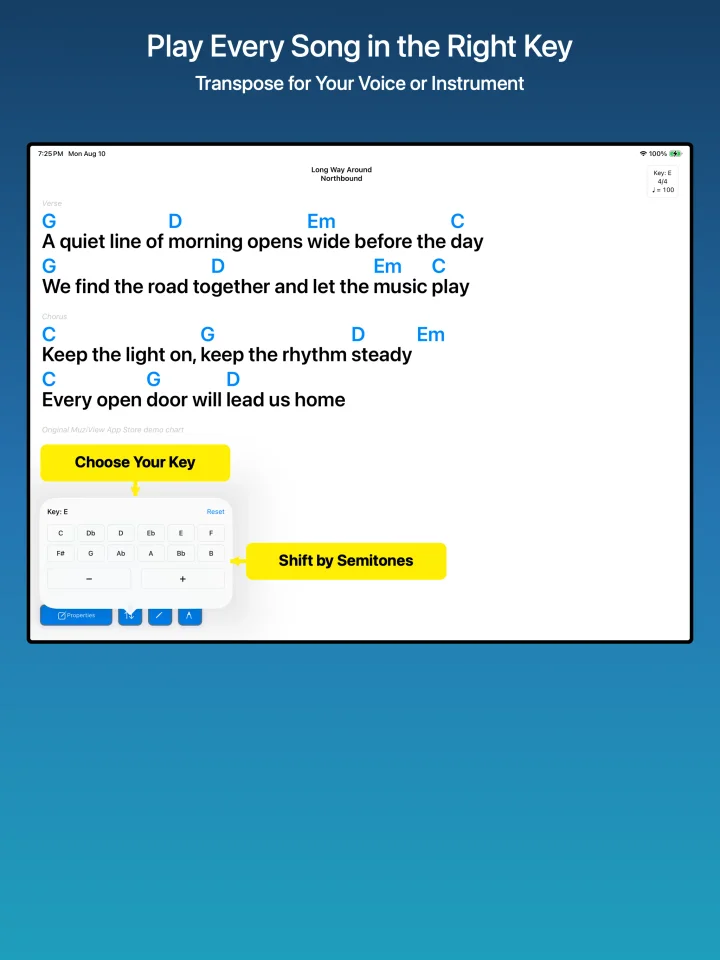
Add notes and markup with Apple Pencil or touch. Edit compatible text-based charts and change their key, timing, or tempo. Transpose supported chord and lyric charts whenever you need a different key.
PRACTICE WITH AUDIO
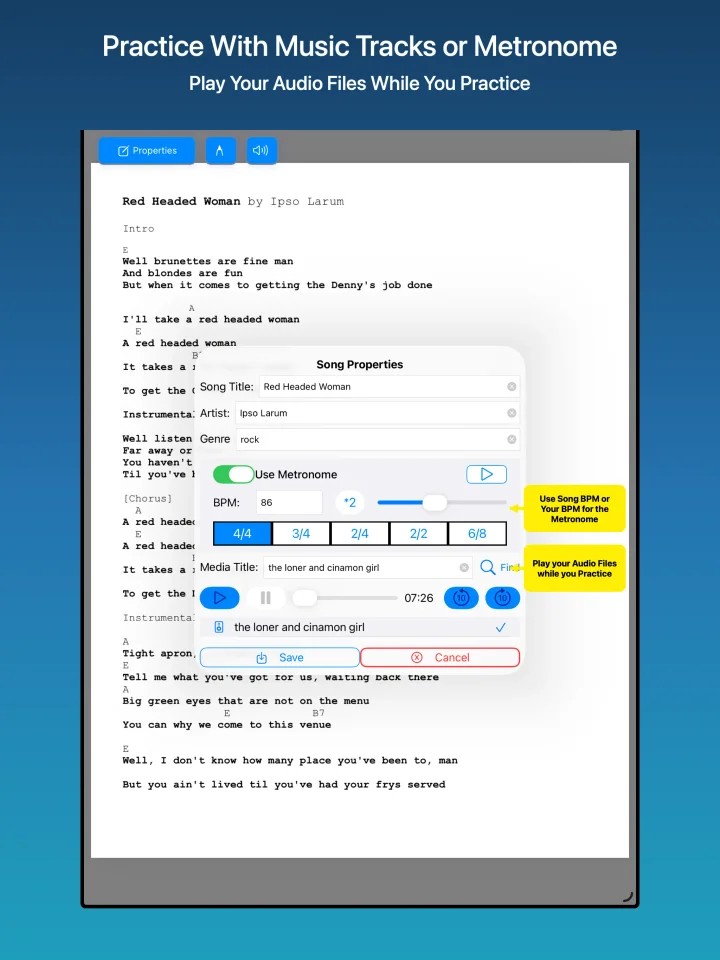
Link songs to Apple Music library tracks or your own audio files. Create and save as many practice intervals as you need for each song, isolate difficult passages or riffs, repeat them continuously, and slow down playback while you learn them. Practice with audio, the built-in metronome, or both. MuziView can also detect tempo and save per-song BPM and meter settings.
BUILD AND SHARE SET LISTS
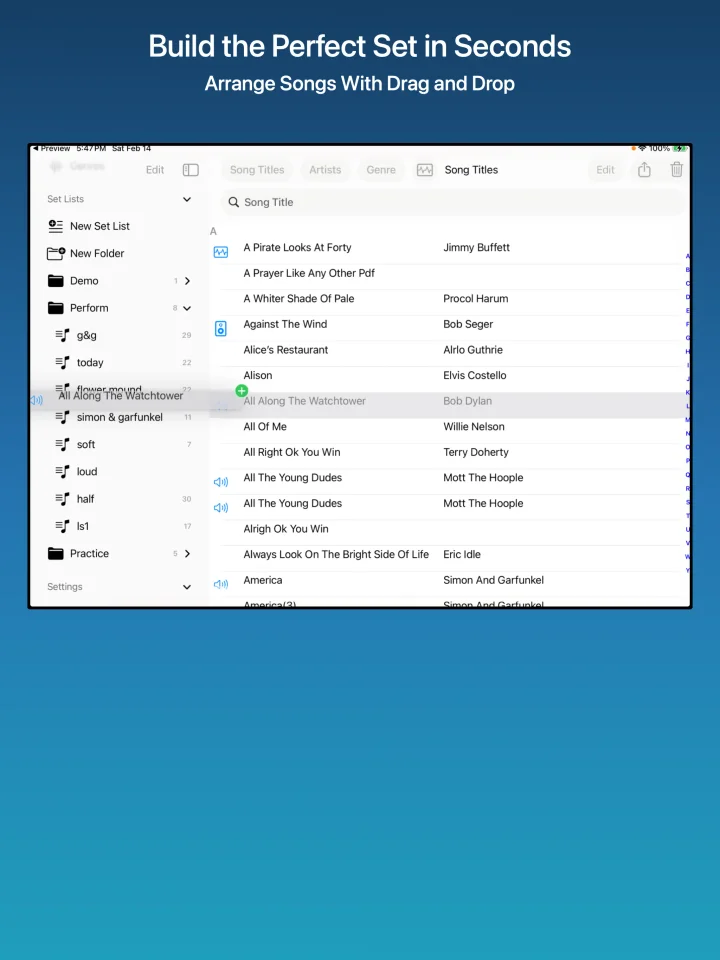
Create Set Lists for practice, lessons, rehearsals, worship, or live performance. Add songs with drag and drop, arrange their playing order, and organize related sets into folders. Share songs and Set Lists with other musicians, including people who do not use MuziView, using supported export formats.
BACK UP YOUR LIBRARY
Back up your MuziView library, including songs, Set Lists, annotations, intervals, and metadata. Restore it on your iPad or Mac, keep multiple devices ready, or share a library where permitted.
MuziView is designed for students, teachers, solo performers, bands, ensembles, and any musician who wants powerful tools without clutter, recurring fees, or an account.
Có gì mới
Phiên bản 5.9 · 29/10/2026
NEW
• Recent Songs: the last 10 songs you opened, right in the sidebar under Songs. Tap it to play through them like a Set List.
• Restore a backup just by opening the .mzvbackup file from Files, AirDrop or Share (or double-click it on a Mac).
• Remote Page Change keeps a portrait iPad and a landscape iPad in step, and reconnects by itself after a dropped connection.
• Faster start-up with a large Apple Music library.
IMPROVED
• Markup on PDFs stays on until you tap the red Markup button, so you can mark up several pages in one go.
• An updated User Guide in English, Spanish, French and German, with new sections on AirTurn and other Bluetooth pedals.
• Better Spanish, French and German wording throughout the app.
FIXED
• AirTurn pedals now connect and turn PDF pages.
• Unsaved markup is no longer lost when a Set List moves on to the next song.
• Saving markup no longer loses the drawing, and Save New no longer freezes.
• Set Lists no longer lose songs after a file is rescanned or shared again.
• Deleting a song now removes exactly that song, along with its saved intervals.
• Backups restore properly without iCloud turned on.
• On a Mac, the page refits when you resize the window.
• Many smaller import, backup and stability fixes.
NOTE
• On iPadOS 27, a connected Bluetooth keyboard or pedal hides the on-screen keyboard. Turn the pedal off to type.
Quyền riêng tư của ứng dụng
Những gì MuziGuide khai báo trên App Store về cách ứng dụng này xử lý dữ liệu.
-
Dữ liệu không được thu thập
Nhà phát triển không thu thập bất kỳ dữ liệu nào từ ứng dụng này.
Phương thức đảm bảo quyền riêng tư có thể khác nhau, chẳng hạn như tuỳ theo các tính năng bạn sử dụng hoặc độ tuổi của bạn.
Thông tin
- Người bán
- MuziGuide LLC
- Danh mục
- Nhạc
- Phiên bản
- 5.9
- Cập nhật
- 29/10/2026
- Phát hành
- 26/02/2022
- Kích thước
- 48,0 MB
- Yêu cầu
- iOS 16.0 trở lên
- Độ tuổi
- 4+
- Giá
- 99.000đ
- Ngôn ngữ
- Tiếng Anh, Tiếng Pháp, Tiếng Đức, Tiếng Tây Ban Nha
- Bản quyền
- Copyright © 2021-2026 MuziGuide LLC