NanoSnap
Perfect ratios for socialmedia
Được thiết kế cho iPhone, iPad
Miễn phí · Mua hàng trong ứng dụng
- Độ tuổi4+
- Danh mụcẢnh & Video
- Nhà phát triển恒俭 董
- Ngôn ngữTiếng Anh+ 4 ngôn ngữ khác
- Kích thước6,9 MB
Liên kết đến trang App Store chính thức
Download.org không lưu trữ tệp nào của NanoSnap. Nút này mở trang ứng dụng trên App Store, nơi 恒俭 董 phát hành ứng dụng. Trang được kiểm tra lần cuối: 18/11/2026.
Ảnh chụp màn hình


Giới thiệu
Nhà phát triển chưa cung cấp nội dung này bằng ngôn ngữ của bạn.
NanoSnap is a lightweight, professional photo cropping and formatting companion. Designed for creators, photographers and social media enthusiasts who want every image to look right before hitting "share."
Choose a platform, pick a photo, and NanoSnap sizes it for you: 13 platforms, more than 40 presets, exported at each platform's recommended size.
Key Features:
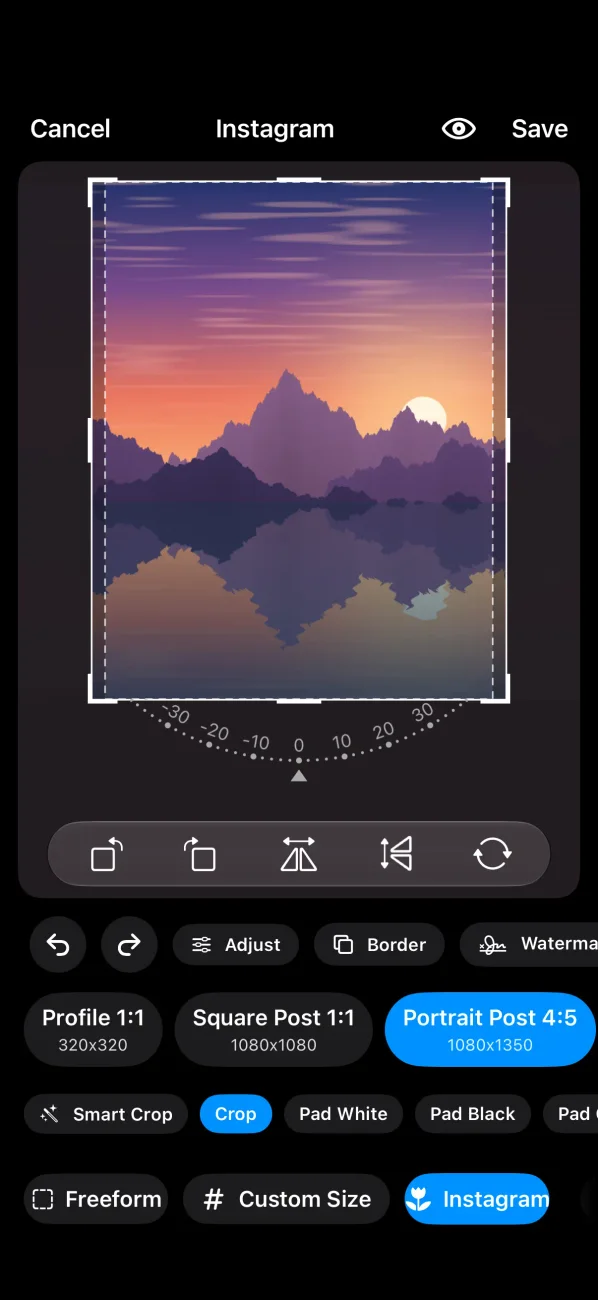
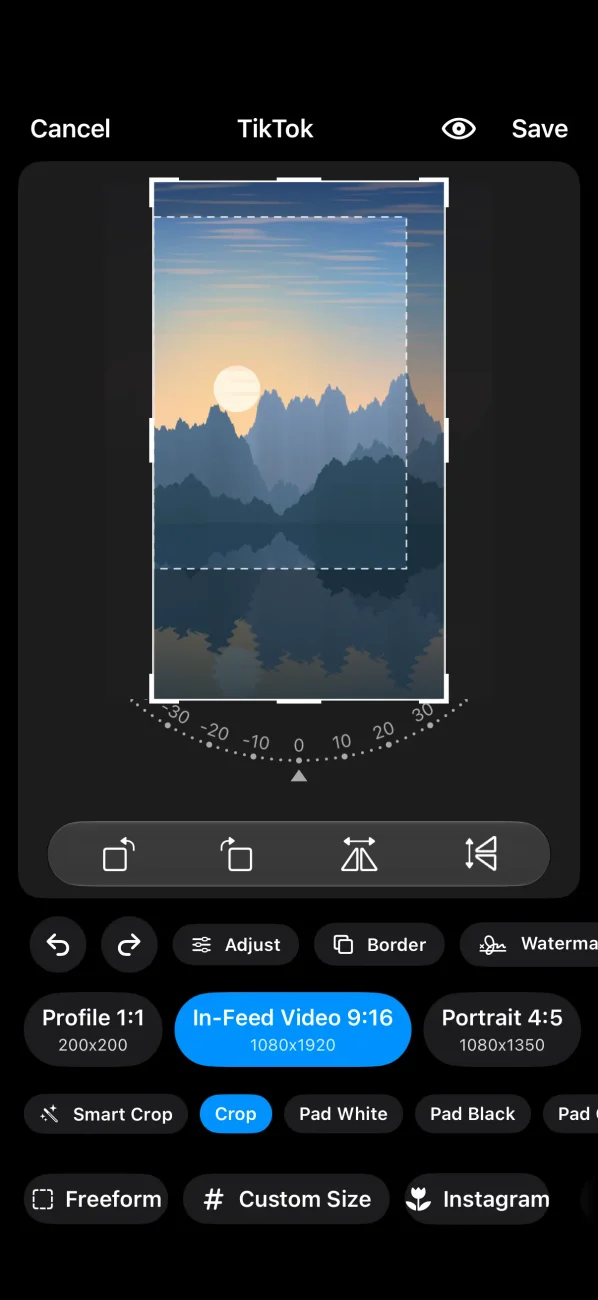
Social Media Ready: Accurate presets for Instagram, TikTok, YouTube, X, Facebook, Pinterest, Threads, WhatsApp, WeChat, Weibo, RedNote and more. LinkedIn and Dribbble are included with Pro. Need something else? Enter your own size in pixels.
Smart Crop: NanoSnap finds the subject of your photo and frames it for you, one photo at a time or across a whole batch.
Safe Zone Guides: See on the crop box what Stories, Reels and TikTok cover with their own interface, and keep what matters clear of it.
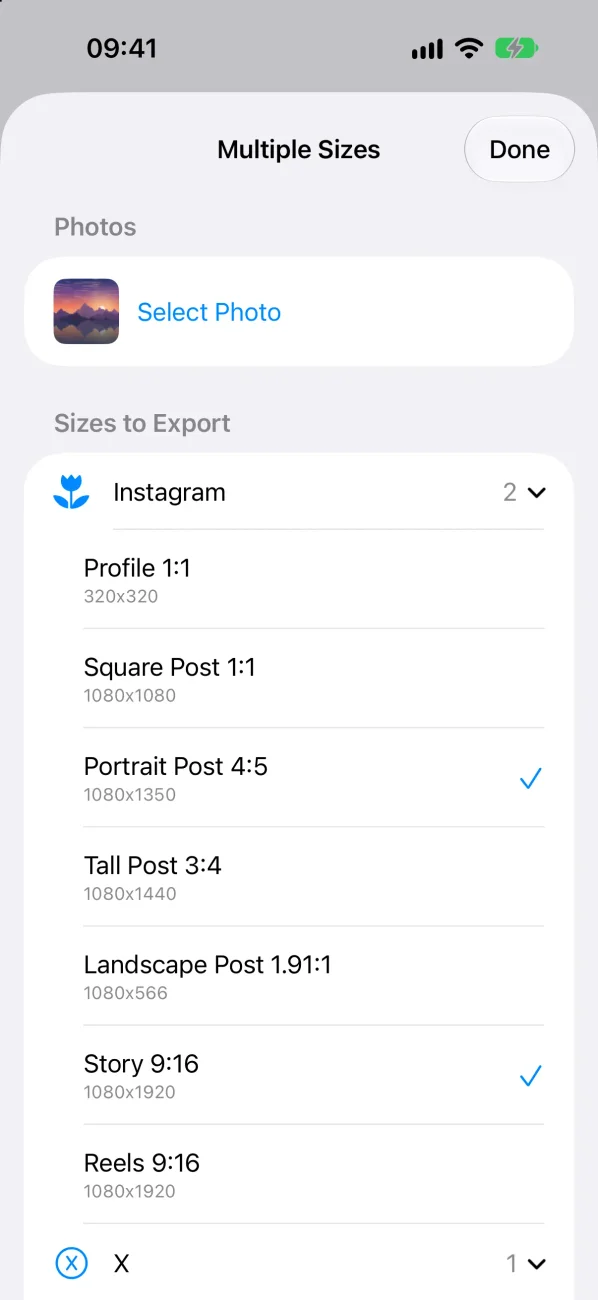
Multiple Sizes: Save one photo at several platform sizes in a single pass.
Carousel Split (Pro): Cut a wide photo into seamless slides for swipeable posts, in 1:1, 4:5 or 3:4.
Batch Processing: Crop several photos at once. The free version handles 3 at a time; Pro handles 20 and applies your color, border and watermark settings.
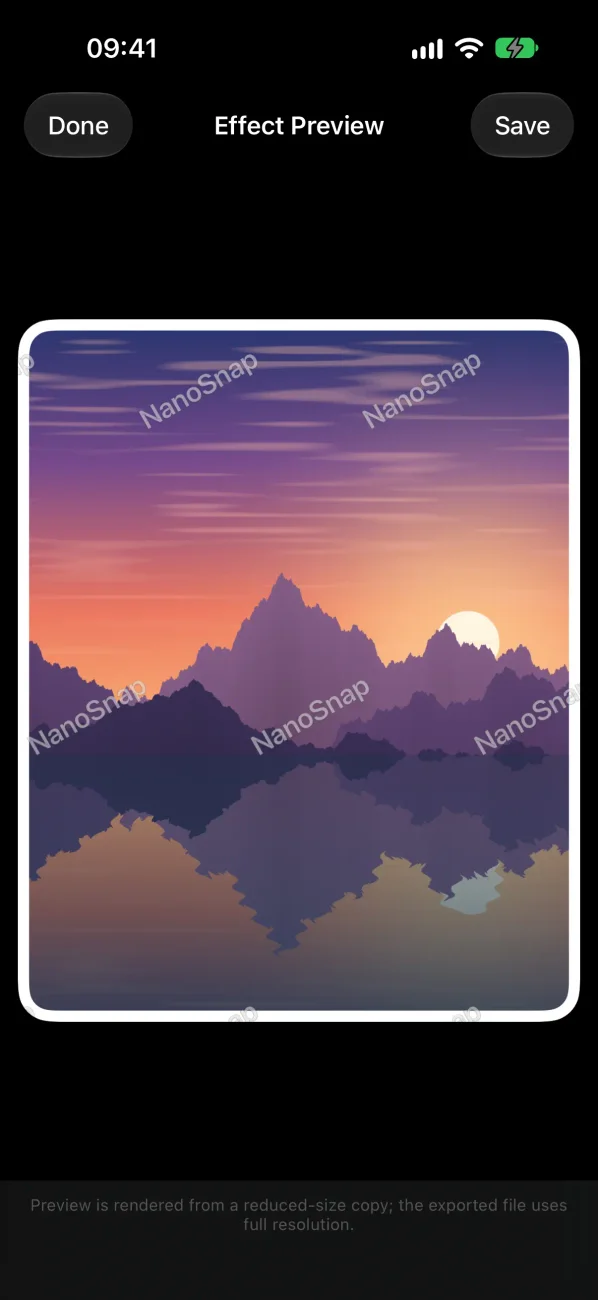
Padding Without Cropping: Keep the whole photo on a white, black, blurred or solid color background taken from the photo itself.
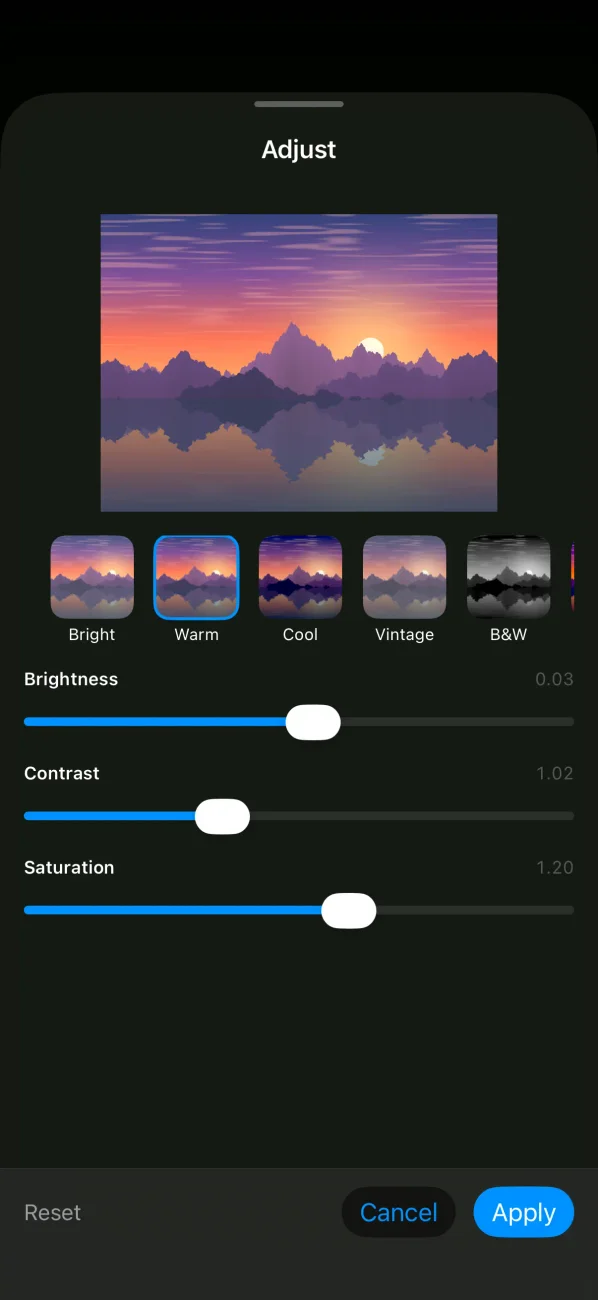
Precision Color Adjustment: Tune brightness, contrast and saturation in a distraction-free dark editor, or start from a filter previewed on your own photo.
Pro Watermarking: Add custom text, adjust opacity and margins, and lay out diagonal or straight tiled watermarks.
Custom Borders and Frames: Add rounded corners and stroke controls to stand out on any feed.
Uncompromised Quality: Social exports are sized for each platform, in JPEG or lossless PNG. Pro exports keep the original resolution of your photo.
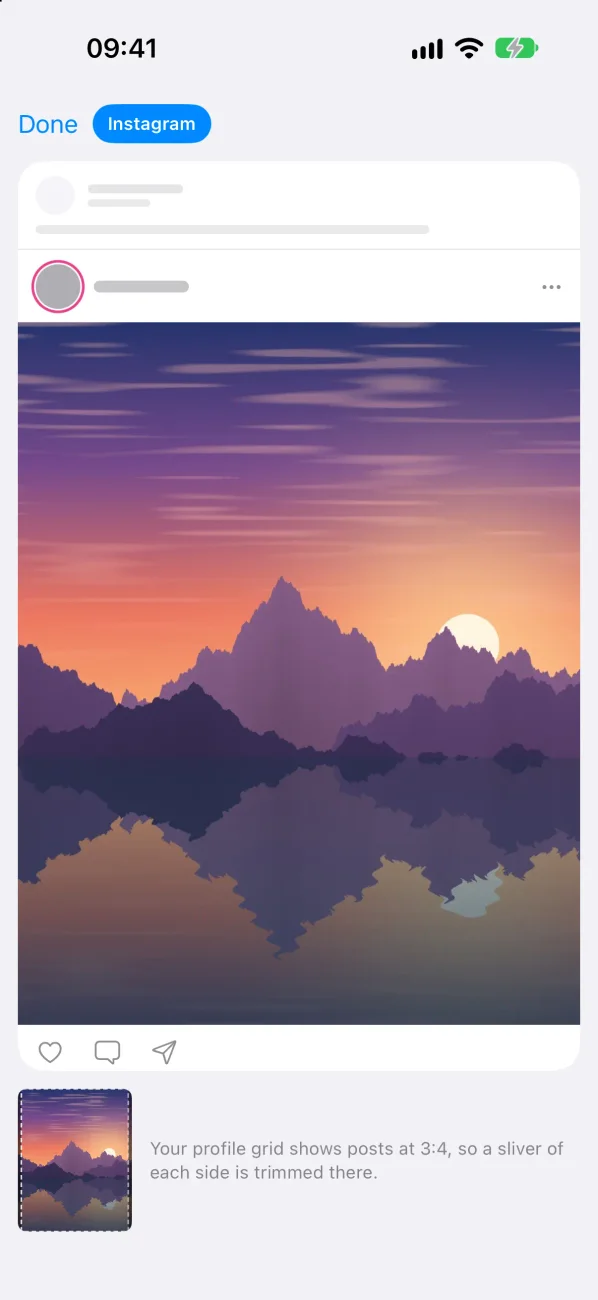
Save in One Tap: NanoSnap remembers your settings. Share straight from the confirmation, or preview how the post will look on the platform.
Pick Up Where You Left Off: Recent edits bring back your platform, preset and settings.
Your Photos Stay Yours: Photos are processed on your device, and location data is removed from exports by default.
Works Everywhere You Do: Designed for iPhone, iPad and iPhone Duo, with a Share extension, a Home Screen widget and a Shortcuts action that crops without opening the app.
Download NanoSnap today, because every pixel of your creativity deserves the perfect frame.
Có gì mới
Phiên bản 1.1.0 · 05/11/2026
Full-resolution export, Smart Crop and one-tap saving.
New
• Smart Crop finds the subject of your photo and frames it for you, in single edits and batches.
• Multiple Sizes saves one photo at several platform sizes in a single pass.
• Carousel Split (Pro) cuts a wide photo into seamless slides for swipeable posts.
• Safe zone guides show on the crop box what Stories, Reels and TikTok cover.
• A new Shortcuts action crops a photo without opening the app.
• WeChat joins the platforms, with new Instagram 3:4, Facebook 4:5 and LinkedIn 4:5 presets.
• Custom Size lets you enter exact pixels.
• Pad Color adds a solid background taken from your photo, or any color you pick.
• Touch and hold a preset to make it a favorite.
• Pick a platform first from the Home screen.
• Designed for iPhone Duo, on both displays and across folding.
Improved
• Save in one tap with your last settings. Touch and hold Save for other options.
• Share or preview right from the confirmation after saving.
• Social exports are noticeably sharper and match each preset's recommended size.
• Pro exports now keep the full resolution of your photo, including in batches.
• The editor has a dark background, so colors are easier to judge.
• Filters preview on your own photo.
• A warning appears when a crop is too small for the platform.
• Recent edits now bring back your platform, preset and padding.
Fixed
• Rounded corners no longer turn black when saved.
• Opening a recent edit no longer applies color twice or shows an empty canvas.
Quyền riêng tư của ứng dụng
Những gì 恒俭 董 khai báo trên App Store về cách ứng dụng này xử lý dữ liệu.
-
Dữ liệu không được thu thập
Nhà phát triển không thu thập bất kỳ dữ liệu nào từ ứng dụng này.
Phương thức đảm bảo quyền riêng tư có thể khác nhau, chẳng hạn như tuỳ theo các tính năng bạn sử dụng hoặc độ tuổi của bạn.
Thông tin
- Người bán
- 恒俭 董
- Danh mục
- Ảnh & Video
- Phiên bản
- 1.1.0
- Cập nhật
- 05/11/2026
- Phát hành
- 03/04/2026
- Kích thước
- 6,9 MB
- Yêu cầu
- iOS 17.6 trở lên
- Độ tuổi
- 4+
- Giá
- Miễn phí
- Mua hàng trong ứng dụng
- Có
- Ngôn ngữ
- Tiếng Anh, Tiếng Nhật, Tiếng Hàn, Tiếng Trung Giản thể, Tiếng Trung Phồn thể
- Bản quyền
- © 2026 levi
Có thể bạn cũng thích
-
 One Shot EditorẢnh & Video
-
 AI Team AgentẢnh & Video
-
 PicSlicer - Slice your imagesẢnh & Video
-
 LiviGrid - Live Photo & PuzzleẢnh & Video
-
 Any Erase Tẩy Xóa ẢnhXóa vật thể và người
-
 AI Headshot - Photo GeneratorẢnh & Video
-
 Pintaro - Ghép Ảnh & VideoLive Photo & Lưới Video Động
-
 Fauve by FlexPresetsẢnh & Video
-
 9CutẢnh & Video
-
 BackiGo: iCloud Photos & DriveẢnh & Video