Network-Doctor
Wi-Fi & home network diagnosis
Được thiết kế cho iPhone, iPad
149.000đ
- Độ tuổi4+
- Danh mụcTiện Ích
- Nhà phát triểnKonrad Kern
- Ngôn ngữTiếng Anh+ 1 ngôn ngữ khác
- Kích thước1,2 MB
Liên kết đến trang App Store chính thức
Download.org không lưu trữ tệp nào của Network-Doctor. Nút này mở trang ứng dụng trên App Store, nơi Konrad Kern phát hành ứng dụng. Trang được kiểm tra lần cuối: 18/11/2026.
Ảnh chụp màn hình

Giới thiệu
Nhà phát triển chưa cung cấp nội dung này bằng ngôn ngữ của bạn.
Network Doctor finds out why your home network feels slow — and shows the evidence behind every conclusion.
WHAT IT MEASURES
Every check runs a fixed, deterministic sequence: idle latency, latency under load in both directions (bufferbloat), request loss, time-boxed saturation download and upload throughput, and server-assisted path MTU — which detects the reductions typical of DS-Lite and PPPoE lines.
ROUTER INTELLIGENCE, NO CREDENTIALS NEEDED
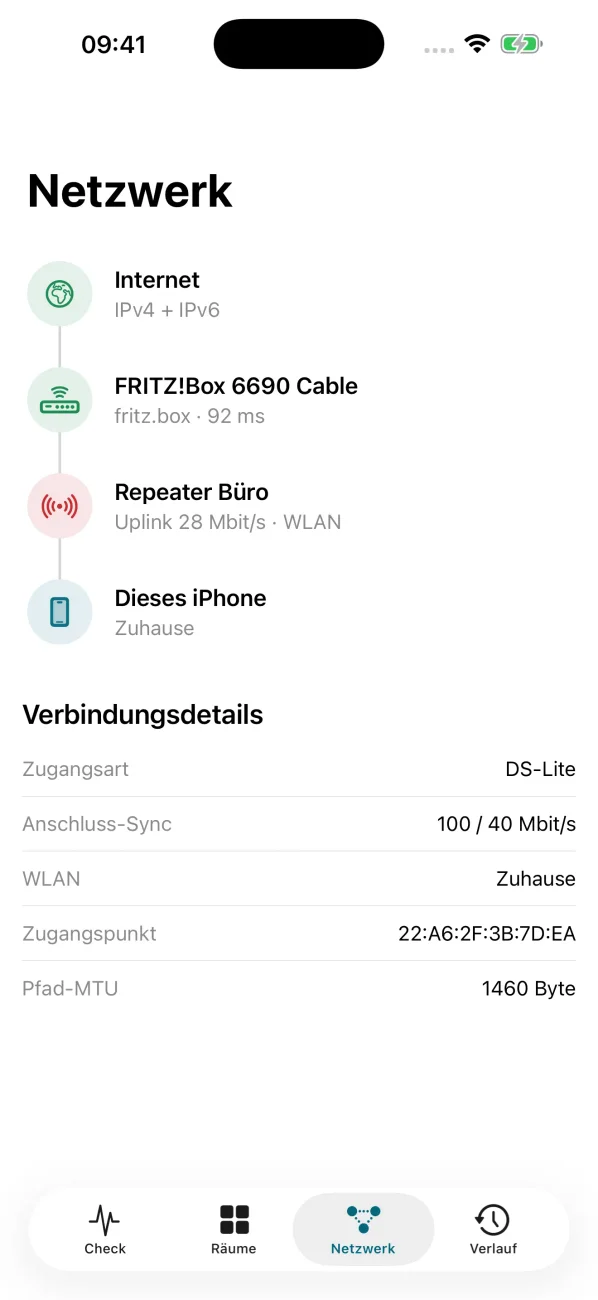
Network Doctor auto-detects FRITZ!Box, Telekom Speedport, Vodafone Station/EasyBox, O2 HomeBox, and any UPnP-capable router. It classifies your line as native dual stack, DS-Lite, carrier-grade NAT, or double NAT from the WAN address, reads the line sync rates, and compares them with the Wi-Fi throughput it actually measured: your line delivers 100, your WLAN delivers 31.
FRITZ!BOX DEEP EVIDENCE (OPTIONAL)
With optional credentials — strictly read-only — Network Doctor maps your mesh: which repeater serves your phone, the backhaul medium and its bottleneck rate (Wi-Fi, Ethernet, or Powerline, including devolo), 100-Mbit cable detection, channel utilization, and topology loops.
FINDINGS YOU CAN CHECK
Every finding names the measurements behind it and states a confidence. Typical findings: weak mesh backhaul, bufferbloat, congested channel, recurring evening losses, double NAT.
GUIDED A/B TESTS
Is it your home network or your provider? Compare WLAN against cellular. Is it coverage? Compare where you are against next-to-router.
SAFE REMEDIATION
Every suggested change comes with a preview and a rollback path, is confirmed explicitly, and is validated by the next measurement: resolved, improved, unchanged, or regressed. Router access is strictly read-only — Network Doctor never changes router settings.
HISTORY AND TRENDS
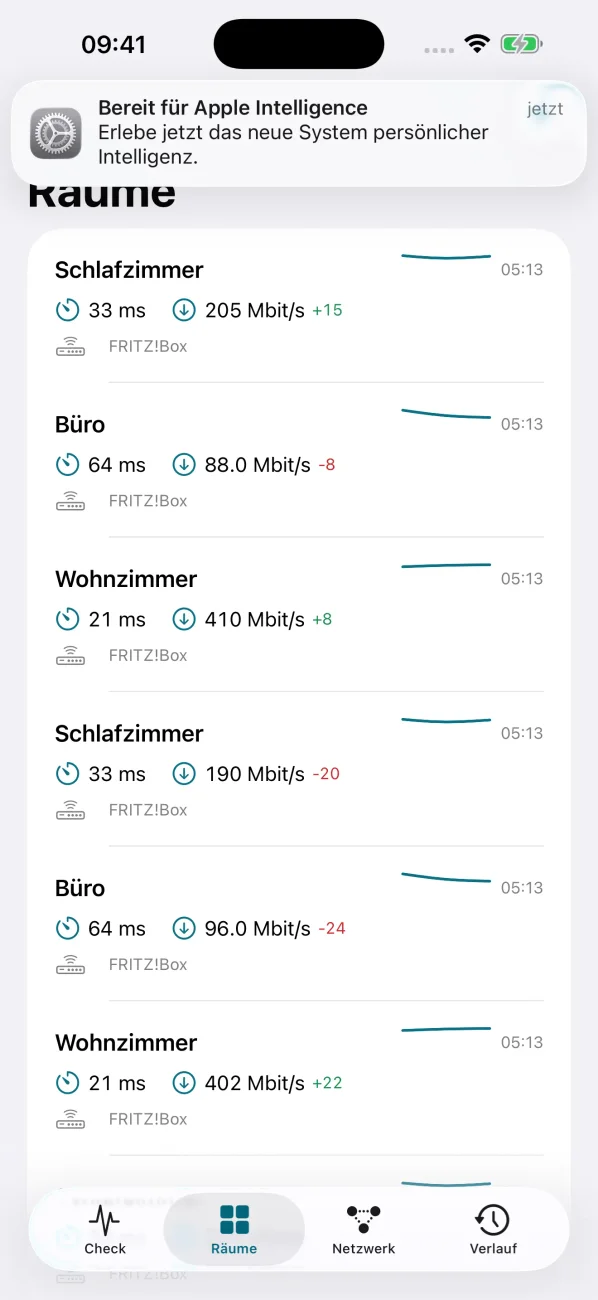
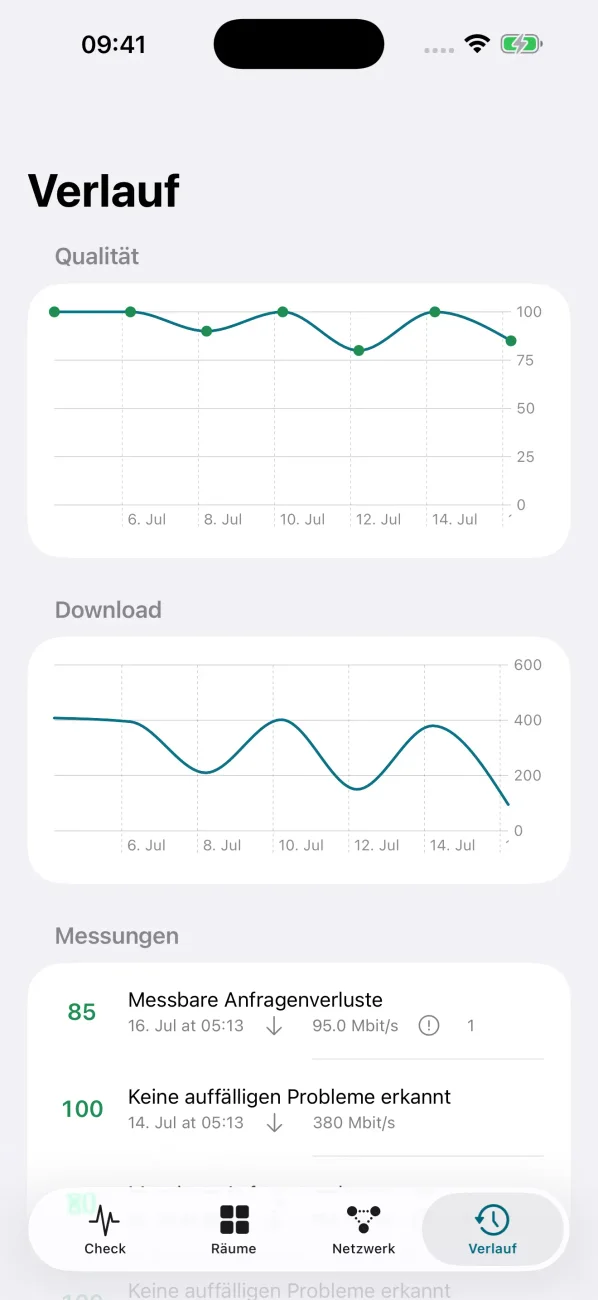
Every check is stored locally, with trends and per-room sparklines. History-based rules catch patterns a single check misses, such as losses that recur every evening.
PRIVACY
Local-first by design: no account, no tracking, no third-party SDKs, and a privacy manifest. Optional cloud analysis (Claude) is off by default, never sends network names or addresses, and the exact payload can be previewed in the app before anything leaves your device. A support report can be exported via the share sheet.
A NOTE ON LANGUAGE
Network Doctor is developed German-first. The user interface is available in English, but the diagnostic finding texts currently appear in German.
Requires iOS 18 or later. For iPhone and iPad.
Quyền riêng tư của ứng dụng
Những gì Konrad Kern khai báo trên App Store về cách ứng dụng này xử lý dữ liệu.
-
Dữ liệu không được thu thập
Nhà phát triển không thu thập bất kỳ dữ liệu nào từ ứng dụng này.
Phương thức đảm bảo quyền riêng tư có thể khác nhau, chẳng hạn như tuỳ theo các tính năng bạn sử dụng hoặc độ tuổi của bạn.
Thông tin
- Người bán
- Konrad Kern
- Danh mục
- Tiện Ích
- Phiên bản
- 1.0
- Cập nhật
- 12/08/2026
- Phát hành
- 12/08/2026
- Kích thước
- 1,2 MB
- Yêu cầu
- iOS 18.0 trở lên
- Độ tuổi
- 4+
- Giá
- 149.000đ
- Ngôn ngữ
- Tiếng Anh, Tiếng Đức
- Bản quyền
- © 2026 Konrad Kern