
Network Scan: Wi-Fi & SSH
Wake, Scan, SSH & Sleep
Được thiết kế cho iPhone, iPad
Miễn phí · Mua hàng trong ứng dụng
- Độ tuổi4+
- Danh mụcTiện Ích
- Nhà phát triểnEarl Jones
- Ngôn ngữTiếng Anh
- Kích thước12,7 MB
Liên kết đến trang App Store chính thức
Download.org không lưu trữ tệp nào của Network Scan: Wi-Fi & SSH. Nút này mở trang ứng dụng trên App Store, nơi Earl Jones phát hành ứng dụng. Trang được kiểm tra lần cuối: 13/11/2026.
Ảnh chụp màn hình

Giới thiệu
Nhà phát triển chưa cung cấp nội dung này bằng ngôn ngữ của bạn.
KNOW WHAT IS ON YOUR NETWORK
Network Scan discovers devices on the Wi-Fi networks you join and gives you a clear, private inventory on your iPhone and iPad. See responding hosts, names, likely device types, services, open ports, and last-seen details without creating an account.
WAKE A COMPUTER FOR FREE
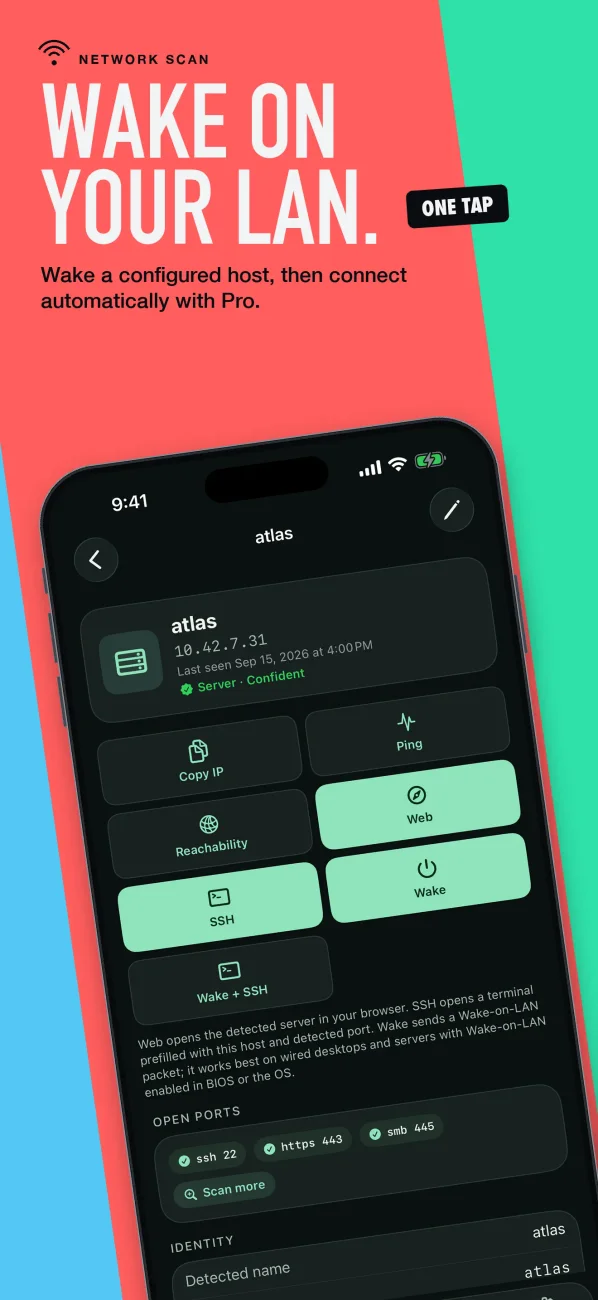
Save a compatible machine and send a Wake-on-LAN magic packet from your phone or tablet. Wake works best with wired desktops and servers that have Wake-on-LAN enabled in firmware and the operating system.
SSH IS PRO
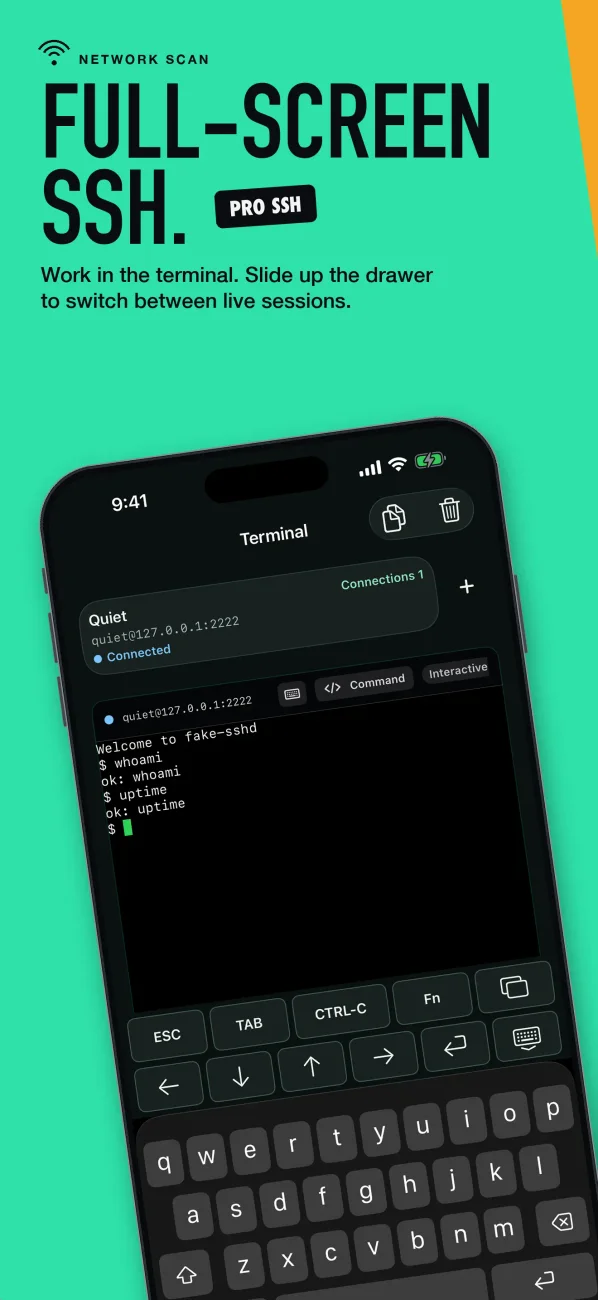
Use a real, interactive SSH terminal with multiple sessions and essential keys above the keyboard. On iPhone, the terminal fills the screen and a slide-up drawer keeps saved hosts and open sessions close at hand. On iPad, a persistent Connections sidebar keeps hosts and sessions visible beside the terminal.
Pro also adds:
- Wake + SSH in one tap. Wake the machine, wait for its SSH service, and connect automatically.
- Sleep requests over SSH, with presets for Linux, macOS, and Windows.
- Custom device names, larger port scans, CSV export, and full scan history.
CURRENT, HISTORY, AND SAVED
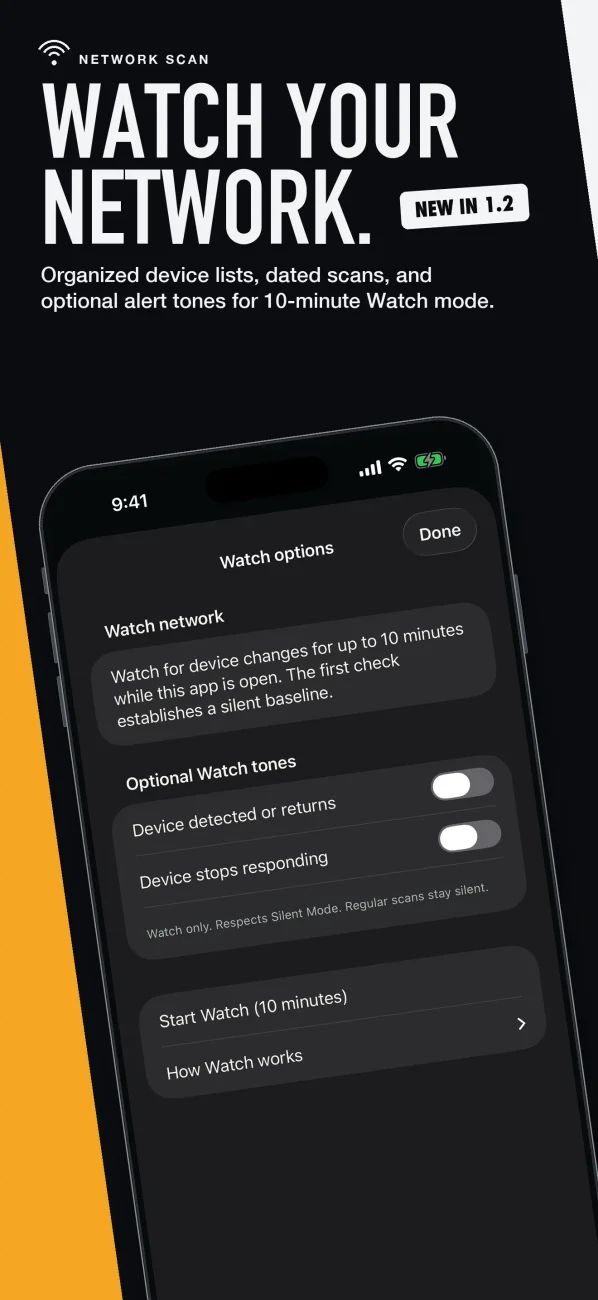
Keep today's network view separate from dated scan snapshots and the machines you intentionally save. Watch network can check for changes for up to 10 minutes while the app is open, with optional alert tones.
PRACTICAL NETWORK TOOLS
Use Ping, DNS lookup, TCP checks, port scanning, banner checks, subnet tools, and other focused diagnostics. Results stay connected to the work you started.
PRIVATE BY DESIGN
Network Scan has no app account, advertising SDK, analytics SDK, or SEM cloud service. Scan history and saved connections stay on your device. Passwords and private keys are stored in iOS Keychain only when you choose to save them.
FREE AND PRO
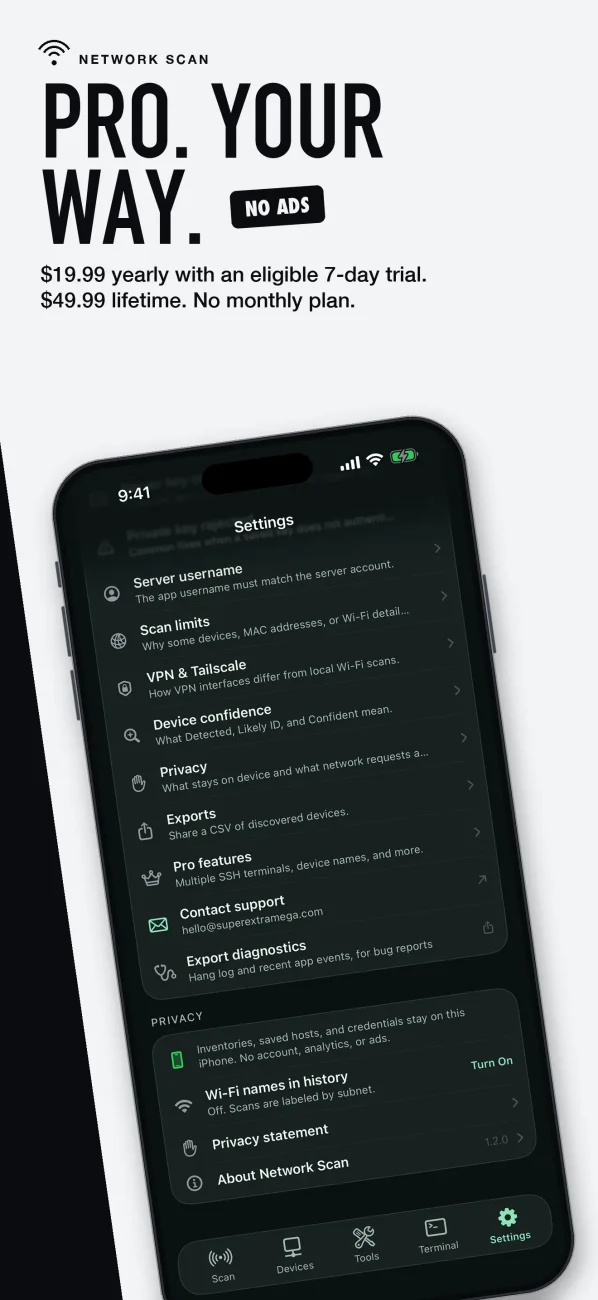
Network scanning, essential diagnostics, and Wake-on-LAN are free. SSH is Pro.
- Yearly: $19.99 USD, with a 7-day free trial for eligible new subscribers.
- Lifetime: $49.99 USD as a one-time purchase.
- No monthly plan.
Payment is charged to your Apple Account at purchase confirmation. Subscriptions renew automatically unless cancelled at least 24 hours before the end of the current period. Manage or cancel in App Store settings. A free trial converts to a paid subscription unless cancelled before the trial ends. Lifetime is a one-time purchase, not a subscription.
Wake-on-LAN requires compatible hardware, host configuration, and local network access. Wake + SSH requires a reachable SSH service and saved credentials. Sleep requests require an SSH account permitted to suspend the host. A sent request does not by itself prove that the computer woke or slept.
Use Network Scan only on networks and systems you own or are authorized to administer.
Privacy Policy: https://superextramega.com/networkscan/privacy/
Terms of Use: https://www.apple.com/legal/internet-services/itunes/dev/stdeula/
Có gì mới
Phiên bản 1.2.0 · 23/10/2026
Network Scan 1.2 adds a complete wake-to-sleep workflow and a new Lumen design.
- Wake compatible computers on your local network for free with Wake-on-LAN.
- Pro can wake a saved host, wait for SSH, and connect automatically.
- Pro can request sleep on Linux, macOS, and Windows hosts over SSH.
- The redesigned terminal uses a slide-up Connections drawer on iPhone and a persistent Connections sidebar on iPad.
- Devices are organized into Current, History, and Saved views.
- Watch network can monitor changes for up to 10 minutes, with optional alert tones.
- A refreshed graphite-and-mint interface brings the radar animation back to the Scan screen.
Wake and sleep features require compatible, properly configured computers.
Quyền riêng tư của ứng dụng
Những gì Earl Jones khai báo trên App Store về cách ứng dụng này xử lý dữ liệu.
-
Dữ liệu không được thu thập
Nhà phát triển không thu thập bất kỳ dữ liệu nào từ ứng dụng này.
Phương thức đảm bảo quyền riêng tư có thể khác nhau, chẳng hạn như tuỳ theo các tính năng bạn sử dụng hoặc độ tuổi của bạn.
Thông tin
- Người bán
- Earl Jones
- Danh mục
- Tiện Ích
- Phiên bản
- 1.2.0
- Cập nhật
- 23/10/2026
- Phát hành
- 21/07/2026
- Kích thước
- 12,7 MB
- Yêu cầu
- iOS 18.0 trở lên
- Độ tuổi
- 4+
- Giá
- Miễn phí
- Mua hàng trong ứng dụng
- Có
- Ngôn ngữ
- Tiếng Anh
- Bản quyền
- © 2026 SEM LLC
Có thể bạn cũng thích
-
 NetProbeX - Network ScannerTiện Ích
-
 PacketScout: Network ScannerTiện Ích
-
 NetworkTools and SSH with AITiện Ích
-
 Netra: Network ToolkitTiện Ích
-
 Securaid Safety AppTiện Ích
-
 XML Studio Editor & ViewerTiện Ích
-
 DNS leak testTiện Ích
-
 NetTests - Network TestingTiện Ích
-
 WiFi Sucks - Speed TestTiện Ích
-
 LensSweep: Hidden Camera ScanTiện Ích