Notify - Smart Reminders
Lock Screen Notes, Quick To-Do
Được thiết kế cho iPhone
Miễn phí · Mua hàng trong ứng dụng
- Độ tuổi4+
- Danh mụcHiệu Suất
- Nhà phát triểnDominic Ponniah
- Ngôn ngữTiếng Anh
- Kích thước10,6 MB
Liên kết đến trang App Store chính thức
Download.org không lưu trữ tệp nào của Notify - Smart Reminders. Nút này mở trang ứng dụng trên App Store, nơi Dominic Ponniah phát hành ứng dụng. Trang được kiểm tra lần cuối: 14/11/2026.
Ảnh chụp màn hình

Giới thiệu
Nhà phát triển chưa cung cấp nội dung này bằng ngôn ngữ của bạn.
Life’s busy. Remembering shouldn’t be. Notify helps you remember what matters most. It’s your thoughts, turned into instant notifications. We built Notify because we forget things too.
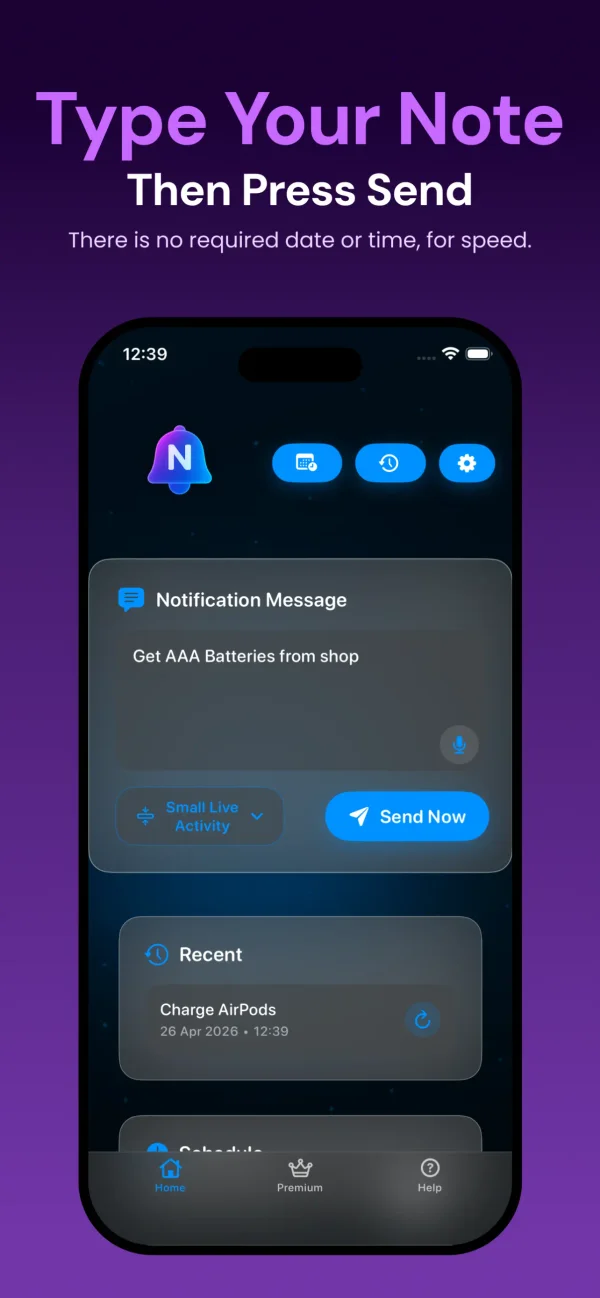
Capture a thought before it’s gone and turn it into a lock screen reminder in seconds. Whether it’s something to bring with you, a task for later or an idea you don’t want to lose, just type it and send. You don’t need to choose a date or time to remind yourself now.
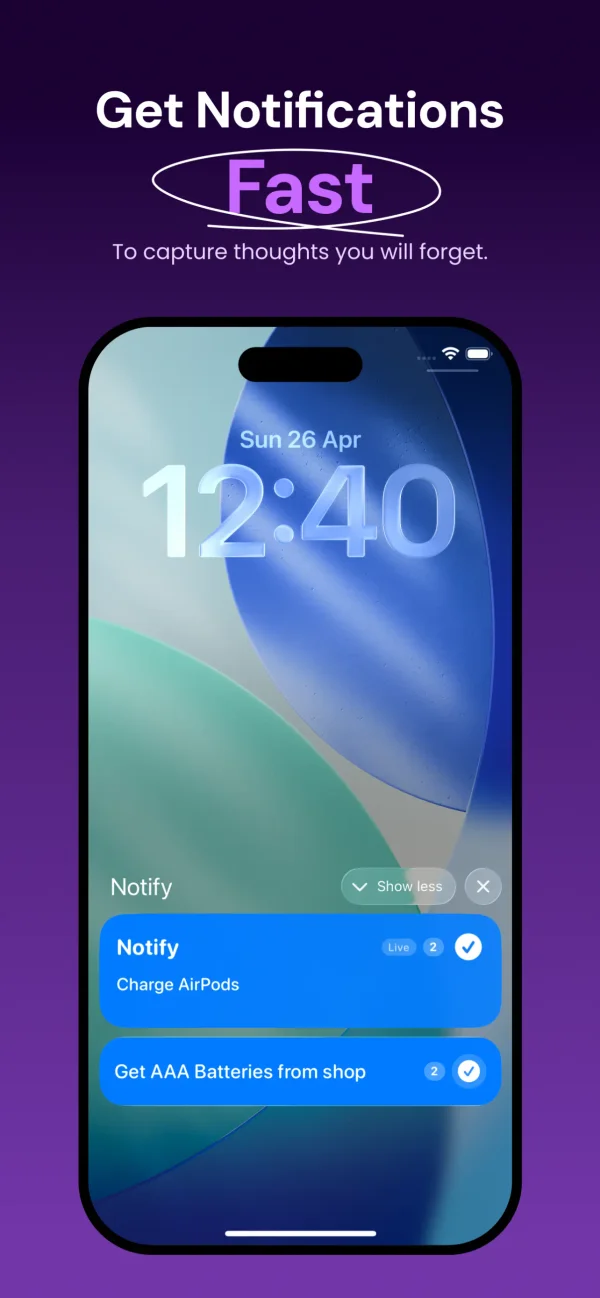
Notify puts your notes where you’ll see them: on your iPhone lock screen. Use Live Activities for visible reminders you can glance at throughout your day, with a simple way to edit them while they’re active.
• Quick reminders, your way
Choose a Live Activity, a smaller live notification or a standard notification. Send yourself a quick note now, or schedule a reminder for when you need it.
• Capture thoughts even faster
Open Notify straight from a lock screen widget. Use Siri to start a reminder, or voice-to-text to get your message down without typing.
• Photo reminders
Sometimes a picture says it better. Take a photo in Notify and turn it into a Photo Live Activity, so the thing you need to remember is right there on your lock screen.
• Ticklists for everyday tasks
Keep a short to-do list on your lock screen and tick things off as you go. Schedule a repeating ticklist for your daily routine and start with fresh, unticked tasks each time.
• Reminders for later
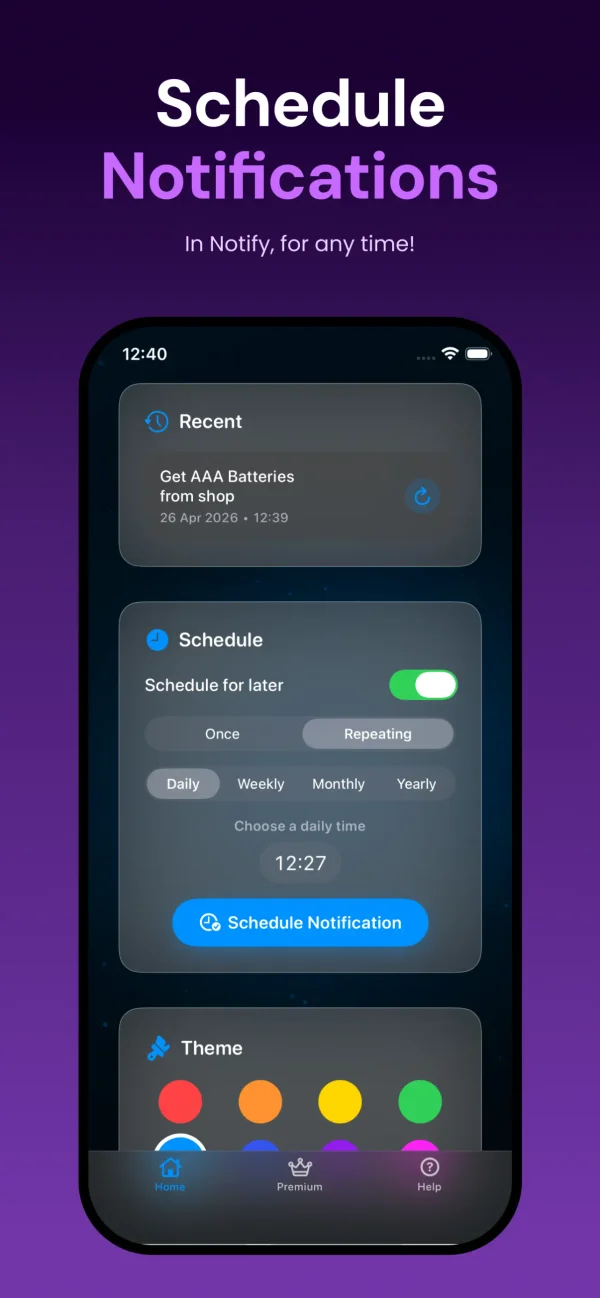
Schedule any notification type once or on a repeating schedule. Change the message, type or schedule when plans change. When a scheduled Live Activity needs you to open Notify to start it, a notification will prompt you.
• Notification history and folders
Find past reminders, resend a note and organise your notification history into folders with your own names, colours and icons. Deleting a folder keeps your notifications.
• Bring your plans together
Import events from Apple Calendar and tasks from Apple Reminders to use them as notifications in Notify.
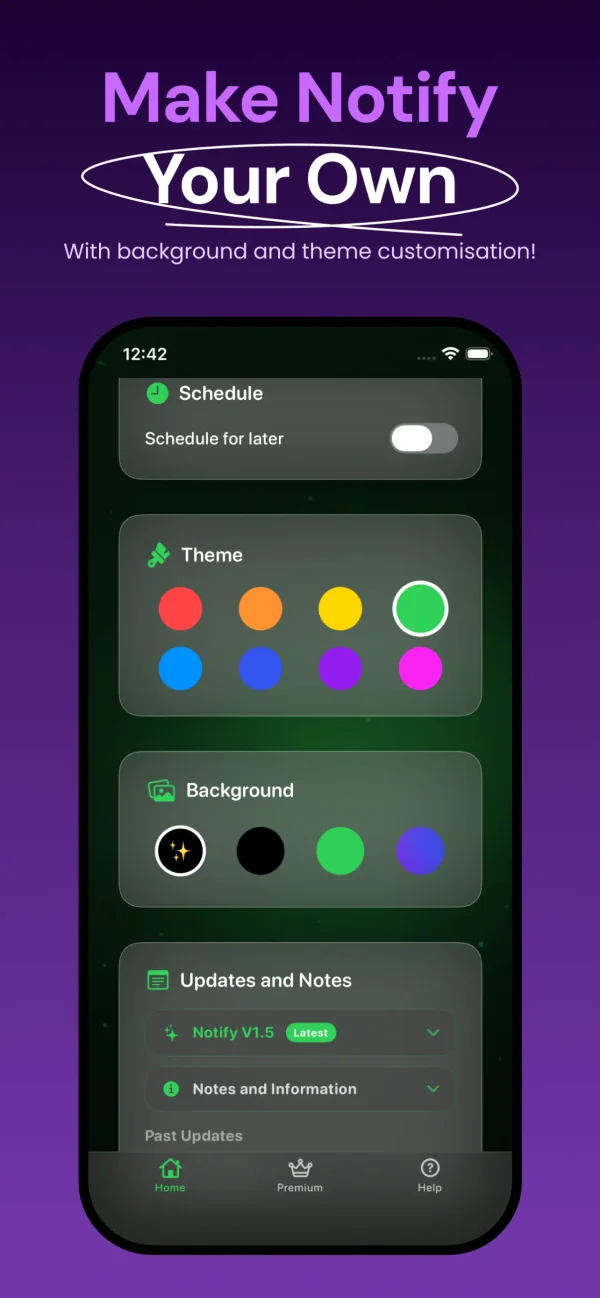
• Make Notify feel like yours
Choose your theme colour, pick a custom colour and explore a collection of backgrounds, from simple black to animated designs.
Create and schedule reminders on your device, even offline. iCloud sync is available with Premium and can be turned off in settings.
Notify is free to download. Notify Premium adds photo and ticklist reminders, smaller and standard notifications, history folders, voice-to-text, all backgrounds, imports and more, with a one-time purchase and no subscription.
Got a thought you don’t want to forget? Send it to yourself.
Terms of Use: https://www.apple.com/legal/internet-services/itunes/dev/stdeula/
Có gì mới
Phiên bản 1.8 · 01/11/2026
V1.8:
-new ‘send now’ animation
-you can pause the delivery of repeating scheduled notifications
-you can import photos for Notify photo notifications
-photo notification images taken in Notify now saved to your camera roll (optionally)
-you can now take and use landscape images for Notify photo notifications
-you can choose which scheduled notifications are saved to notification history
-new toggle in folder settings, to hide notifications in that folder from all (the main) folder
-improved onboarding experience
-improved paywall
-submit new feature idea suggestions through a google form now, or via email
-create a post about Notify on any social media, and submit through a new google form, get 50% off Notify Premium Lifetime
-you can now leave reviews for Notify, directly in Notify
-bug fixes + improvements
Quyền riêng tư của ứng dụng
Những gì Dominic Ponniah khai báo trên App Store về cách ứng dụng này xử lý dữ liệu.
-
Dữ liệu không được thu thập
Nhà phát triển không thu thập bất kỳ dữ liệu nào từ ứng dụng này.
Phương thức đảm bảo quyền riêng tư có thể khác nhau, chẳng hạn như tuỳ theo các tính năng bạn sử dụng hoặc độ tuổi của bạn.
Thông tin
- Người bán
- Dominic Ponniah
- Danh mục
- Hiệu Suất
- Phiên bản
- 1.8
- Cập nhật
- 01/11/2026
- Phát hành
- 28/11/2025
- Kích thước
- 10,6 MB
- Yêu cầu
- iOS 18.0 trở lên
- Độ tuổi
- 4+
- Giá
- Miễn phí
- Mua hàng trong ứng dụng
- Có
- Ngôn ngữ
- Tiếng Anh
- Bản quyền
- © 2025 Dominic Ponniah
Có thể bạn cũng thích
-
 SumNote - Notes with SumsHiệu Suất
-
 HEIC sang JPG Đổi Ảnh+JPEG PNG PDF lô offline
-
 Việc Cần Làm: 3 TasksTo do list & kế hoạch ngày
-
 Nuro: Brain Dump Voice JournalHiệu Suất
-
 Nyblit 2: To-Do List & PlannerHiệu Suất
-
 Remindly - All-in-One ReminderHiệu Suất
-
 Gravity Notes: Minimal NotepadHiệu Suất
-
 Nutbox: liên kết, ảnh, văn bảnLưu lại, xem sau
-
 Ora - Daily Planner for WomenHiệu Suất
-
 OmegaGPT - Offline AI ChatChat AI Safe Notes Generator