oblivious — vlog maker
Make a vlog like a mixtape
Được thiết kế cho iPhone, iPad
Miễn phí
- Độ tuổi4+
- Danh mụcẢnh & Video
- Nhà phát triểnKMNGY Inc.
- Ngôn ngữTiếng Anh+ 7 ngôn ngữ khác
- Kích thước48,3 MB
Liên kết đến trang App Store chính thức
Download.org không lưu trữ tệp nào của oblivious — vlog maker. Nút này mở trang ứng dụng trên App Store, nơi KMNGY Inc. phát hành ứng dụng. Trang được kiểm tra lần cuối: 14/11/2026.
Ảnh chụp màn hình

Giới thiệu
Nhà phát triển chưa cung cấp nội dung này bằng ngôn ngữ của bạn.
oblivious is an app for picking photos and videos (moments) from your camera roll, arranging them, and making a vlog (film).
Like making a mixtape or a playlist, choose the photos and videos you want to keep, arrange them in any order, adjust what each one shows, and finish with background music (soundtrack).
What you want to keep might be a view you saw while traveling.
It might be an ordinary scene from everyday life.
It might be an expression you did not notice at the time, or a small event you had almost forgotten.
When you place them together, you may start to notice a flow or impression that was not there when you looked at each one on its own.
Ways to use oblivious
• Turn memories from a trip into a vlog
• Keep everyday photos and videos like a diary
• Collect time spent with family and friends
• Make a vlog for someone
• Create short videos for social media
• Make a simple promotional video
• Keep a personal visual record
Arrange photos and videos into a vlog
• Choose photos and videos from your camera roll to make a vlog
• Mix photos and videos in the same vlog
• Arrange them in any order, or duplicate a photo or video
• Sort everything by capture date or by date added, then fine-tune by hand
• Each photo plays as one shot
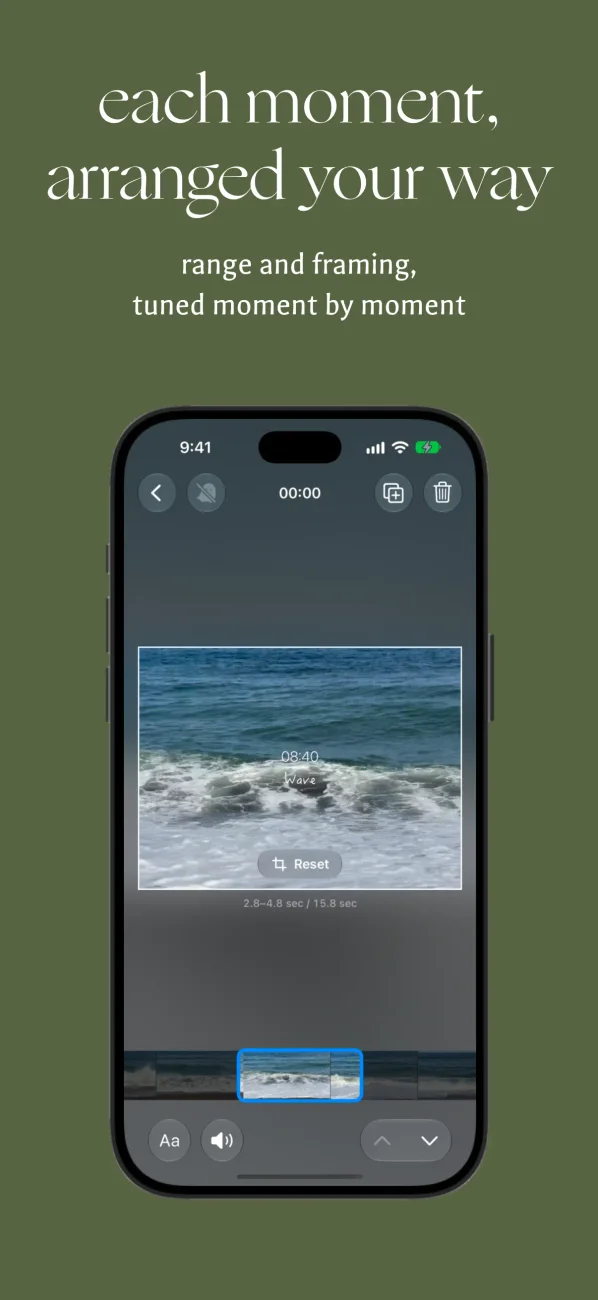
• Choose the part of a video you want to use as a shot
• Set shot length to 1, 2, or 3 seconds for each vlog
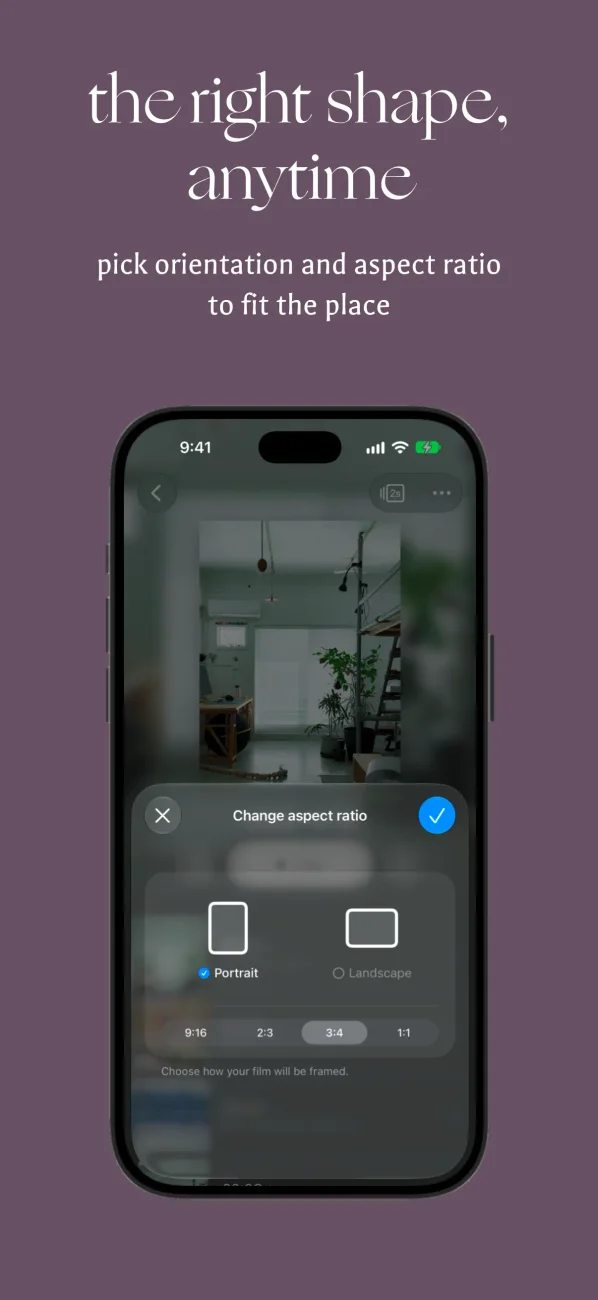
• Choose from 16:9 / 3:2 / 4:3 / square aspect ratios
• Use portrait or landscape orientation
By placing photos and videos together, a different rhythm and flow can emerge than when you view each one on its own.
Refine each shot
• Adjust how each photo or video is framed to fit the vlog
• Keep the part of a photo or video you want to show
• Choose the exact section of a video to use
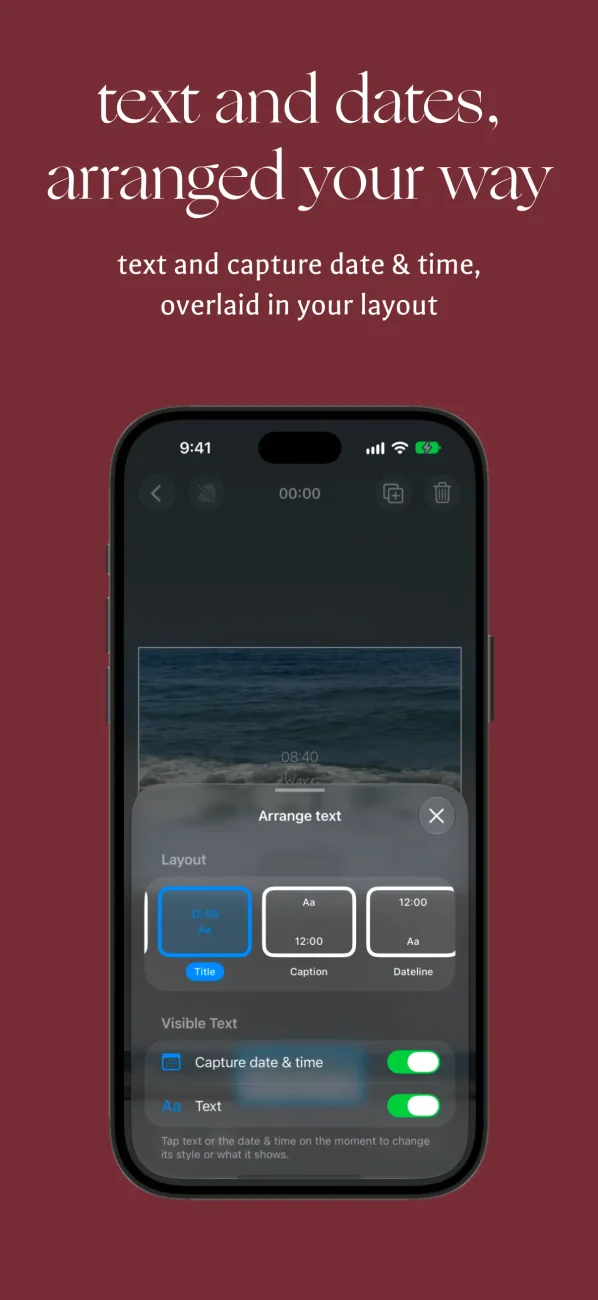
• Add text, or burn in the date and time it was captured
• Choose the font, layout, and background color for text
• Lightly overlay the previous shot to help line up the transition
• Choose whether to include the original audio of each video
Add background music
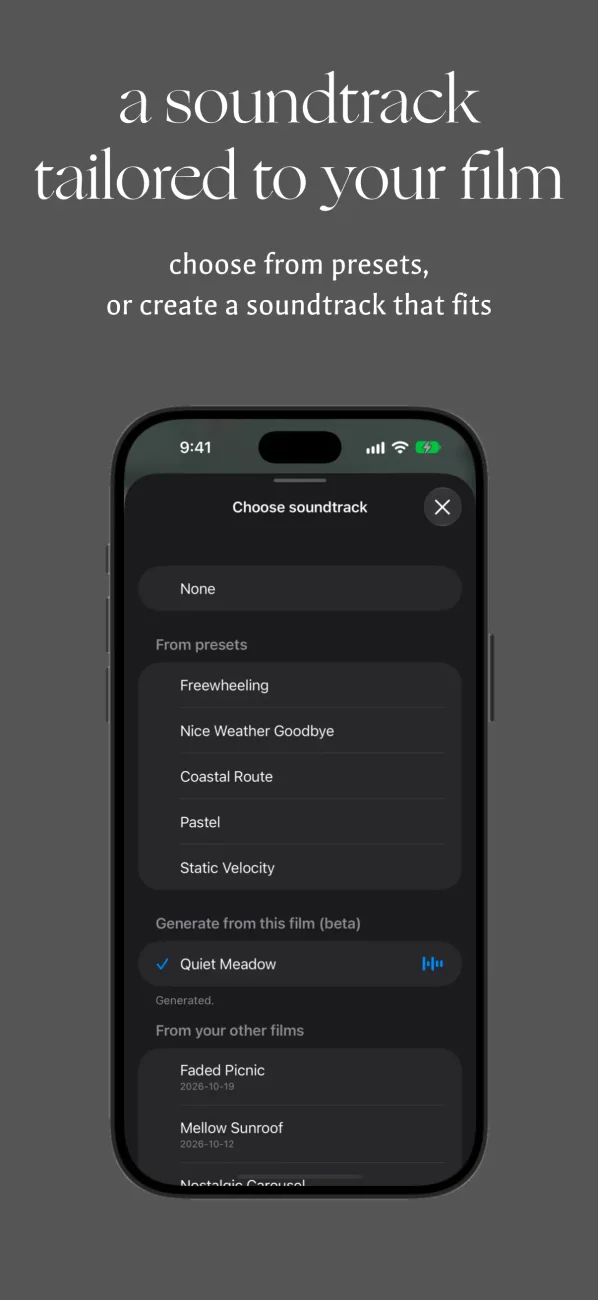
• Choose from the included music and add it to your vlog
• Finish a vlog without music if you prefer
• Use original audio that you have the rights to
Create background music
Create music made for your vlog.
What is in the image, the words you wrote, the light, the time it was captured — the vlog is read, and music takes shape from it.
All of that reading happens on-device. Your photos, videos, and written text themselves never leave your device.
• Create one track per vlog, up to 3 per month across all vlogs
• Creation continues even if you leave the app, and you can stop it at any time
• Reuse music in other vlogs
• Creating music requires an internet connection
Choose a LUT and export
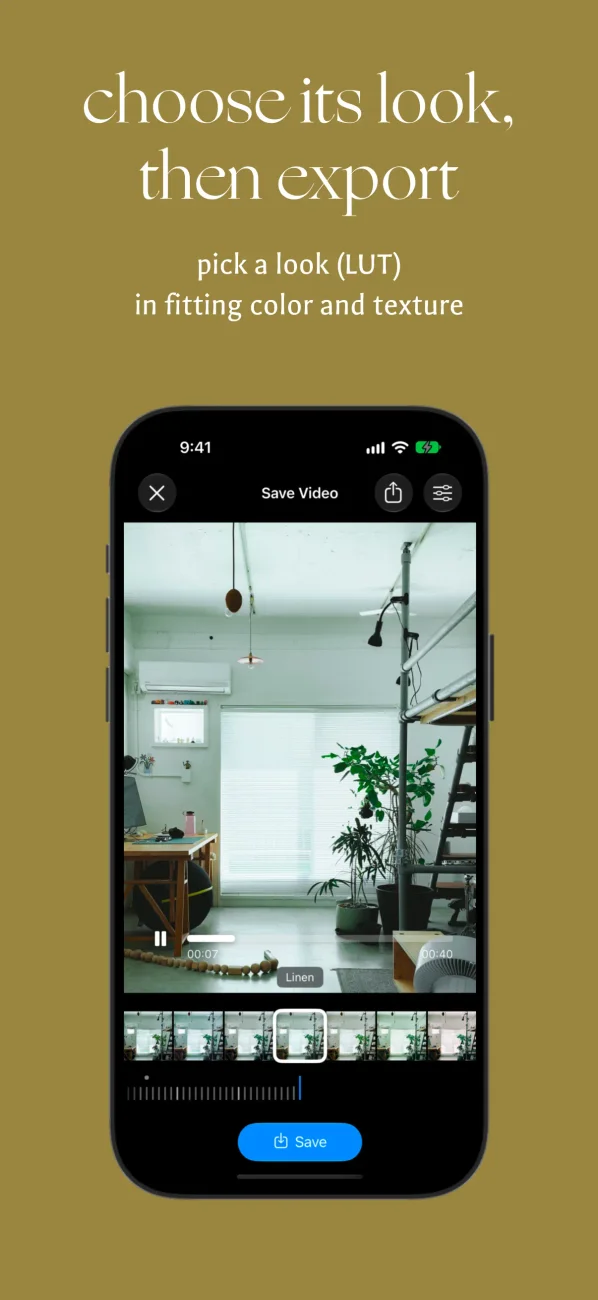
The export screen lets you choose a LUT (look) to finish the color.
• Choose from 16 LUTs, plus Original with no LUT
• Import your own .cube (3D LUT) files
• Drag to adjust the strength of the LUT
• Tap the video to compare it with Original
• A LUT does not change the vlog itself — it is only applied to the exported video
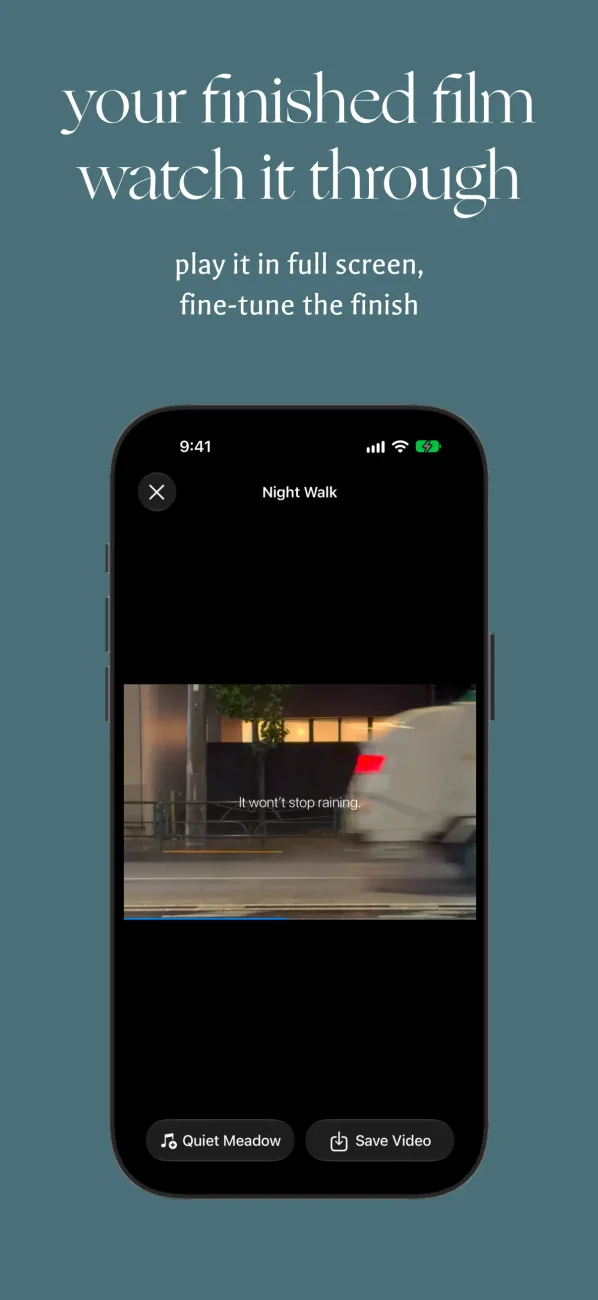
• Save your finished vlog to your photo library
• Share it to other apps to post or send
From your Home Screen, Siri, and Shortcuts
• Add a widget to your Home Screen showing a recent vlog, the vlog of the day, or a vlog you choose
• Open a vlog with Siri or Shortcuts, and find vlogs by title in Spotlight
• Add photos and videos to a vlog from the share sheet in Photos or from Shortcuts
• With Siri or Shortcuts, make a vlog from your favorites in a date range or add them to a vlog, take a photo or video and add it right away, or tell Siri a day to make a vlog from that day’s photos
• See what you can do with Siri and Shortcuts in Settings > Siri & Shortcuts
Sync across devices
• Sync vlogs, music, and settings with iCloud
• Syncing stays off until you enable it in Settings
Có gì mới
Phiên bản 2.2.1 · 10/11/2026
• Add photos and videos to a film with Shortcuts
• Add favorites to a film, or take a photo or video and add it right away, with Siri or Shortcuts
• Tell Siri which day you took the photos to create a film from that day's photos
• Fixed a rare issue where the app could quit when you stopped an export partway through
• See what's new in each update from Settings
• Fixed an issue where photos and videos sometimes couldn’t be added to a film from Shortcuts or the share sheet in Photos
• Minor fixes and improvements
Quyền riêng tư của ứng dụng
Những gì KMNGY Inc. khai báo trên App Store về cách ứng dụng này xử lý dữ liệu.
-
Dữ liệu không liên kết với bạn
Có thể được thu thập nhưng không liên kết với danh tính của bạn.
- Nội dung của người dùng
- Dữ liệu sử dụng
Phương thức đảm bảo quyền riêng tư có thể khác nhau, chẳng hạn như tuỳ theo các tính năng bạn sử dụng hoặc độ tuổi của bạn.
Thông tin
- Người bán
- KMNGY Inc.
- Danh mục
- Ảnh & Video
- Phiên bản
- 2.2.1
- Cập nhật
- 10/11/2026
- Phát hành
- 09/04/2026
- Kích thước
- 48,3 MB
- Yêu cầu
- iOS 18.0 trở lên
- Độ tuổi
- 4+
- Giá
- Miễn phí
- Ngôn ngữ
- Tiếng Anh, Tiếng Pháp, Tiếng Đức, Tiếng Nhật, Tiếng Hàn, Tiếng Trung Giản thể, Tiếng Tây Ban Nha, Tiếng Trung Phồn thể
- Bản quyền
- © 2026 KMNGY Inc.
Có thể bạn cũng thích
-
 Nut JarẢnh & Video
-
 Stills - Memories for LifeẢnh & Video
-
 FrameGrab - Video to PhotoẢnh & Video
-
 SCENE:Ảnh & Video
-
 Vlog2Shorts: AI Clip MakerẢnh & Video
-
 LogGrid - Make Your VLog LaterẢnh & Video
-
 OsomeFrame: Video to PhotoẢnh & Video
-
 Easy Frame Photo - Video GrabẢnh & Video
-
 FocalWell 66: Medium FormatẢnh & Video
-
 Chuyển video sang ảnhTrích khung hình & ảnh chụp HD