
Obsideck
Markdown notes, made casual
Được thiết kế cho iPhone, iPad
Miễn phí · Mua hàng trong ứng dụng
- Độ tuổi4+
- Danh mụcHiệu Suất
- Nhà phát triểnShota Hori
- Ngôn ngữTiếng Anh+ 1 ngôn ngữ khác
- Kích thước4,1 MB
Liên kết đến trang App Store chính thức
Download.org không lưu trữ tệp nào của Obsideck. Nút này mở trang ứng dụng trên App Store, nơi Shota Hori phát hành ứng dụng. Trang được kiểm tra lần cuối: 14/11/2026.
Ảnh chụp màn hình
Giới thiệu
Nhà phát triển chưa cung cấp nội dung này bằng ngôn ngữ của bạn.
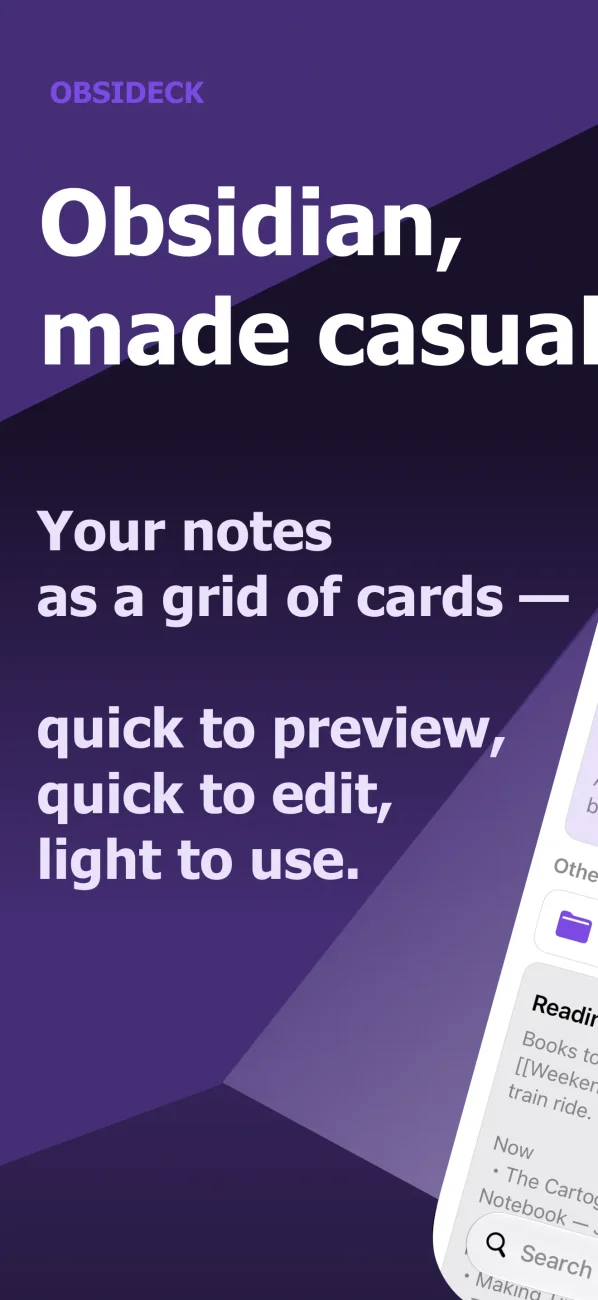
Your notes, as cards. Obsidian, made casual.
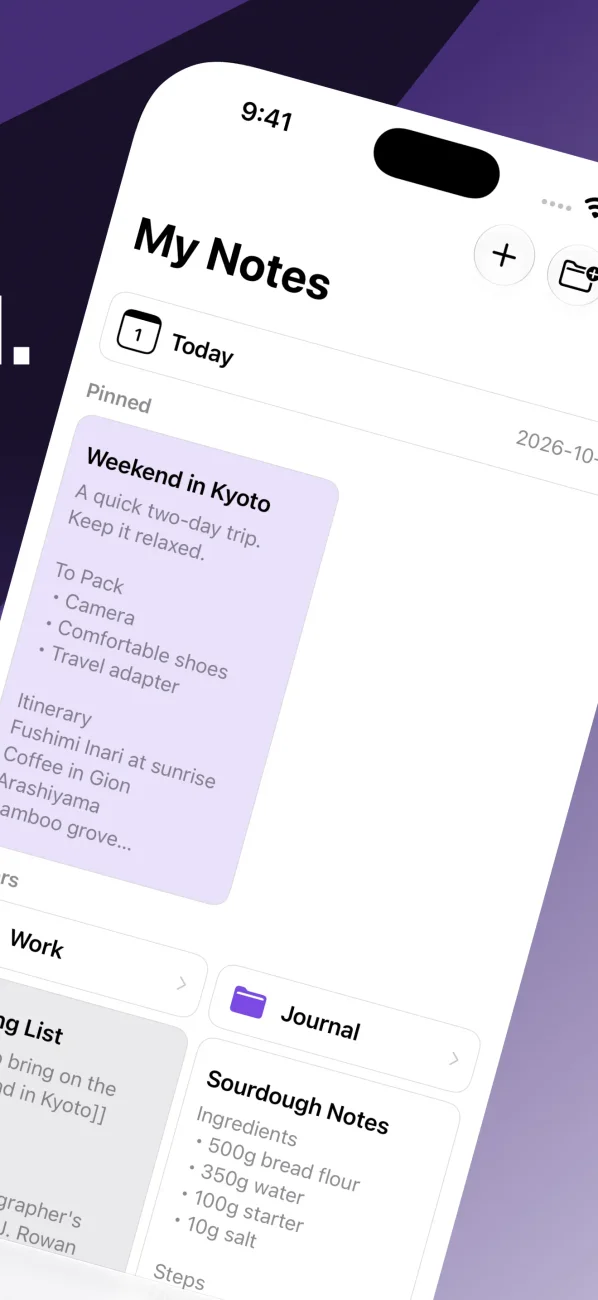
Obsideck is a relaxed way to use your Obsidian notes on iPhone and iPad. Point it at any folder — your Obsidian notes in iCloud Drive, a local folder on your device, or anywhere the Files app can reach — and your notes appear as a tidy grid of cards. Tap a card for a quick preview, follow links and tags, check off tasks, and switch to a focused editor whenever you want to make a change. Everything stays fast and light — no heavy setup, no plugins to configure, just your notes, ready when you are.
**Free to start, unlock once**
Free to download: browse, search, edit, create notes, and use the preset themes. One Unlock adds pins, card colors, backlinks, the Custom theme, daily notes, and widgets — no subscription, Family Sharing supported. Existing buyers get everything at no extra cost.
**A card grid for casual browsing**
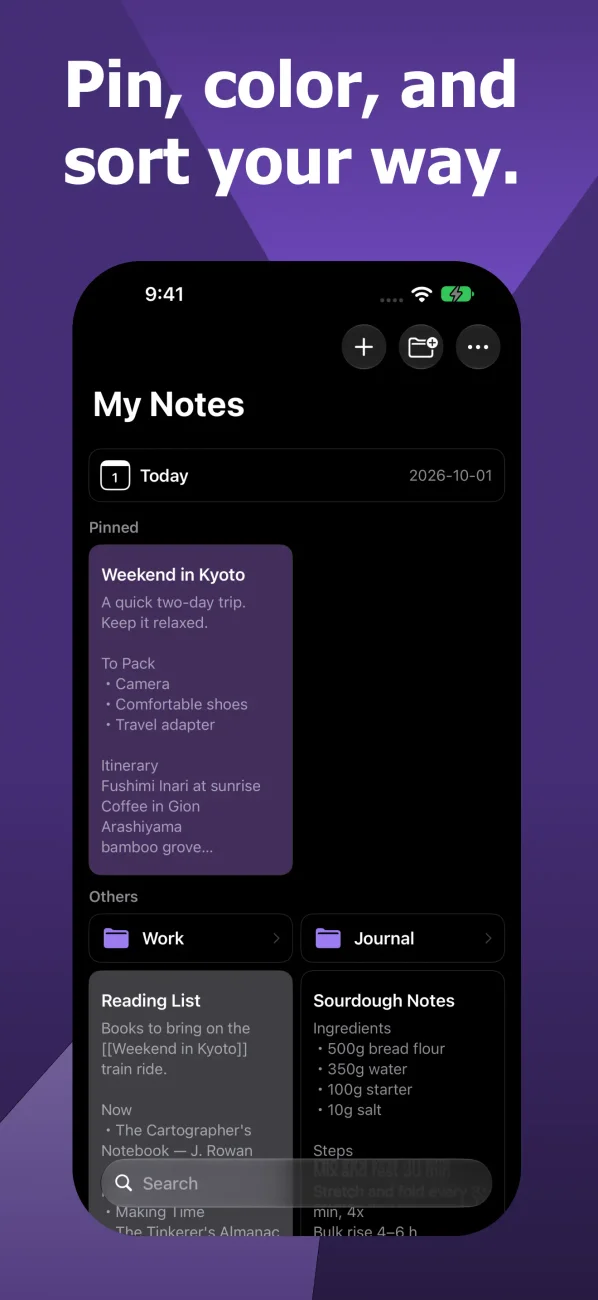
Your notes are laid out as cards in a masonry grid, like sticky notes. Sort by date modified, date created, or name. Reorder by dragging. With Unlock: pin notes to the top and color cards. Long-press a card for quick actions.
**Themes**
Choose Violet, Ocean, or Warm, or build a Custom theme: per-element colors, bold and italic, and code block colors. Adjust text size and line spacing for the preview and the editor in Appearance.
**Daily notes and widgets**
Obsideck reads your Obsidian daily-note settings and shows today's note on a Today card. Add New Note, Today, or Pinned widgets to your Home Screen; the data they show stays on your device.
**Rich Markdown preview**
- Headings, emphasis, lists, quotes, and code blocks
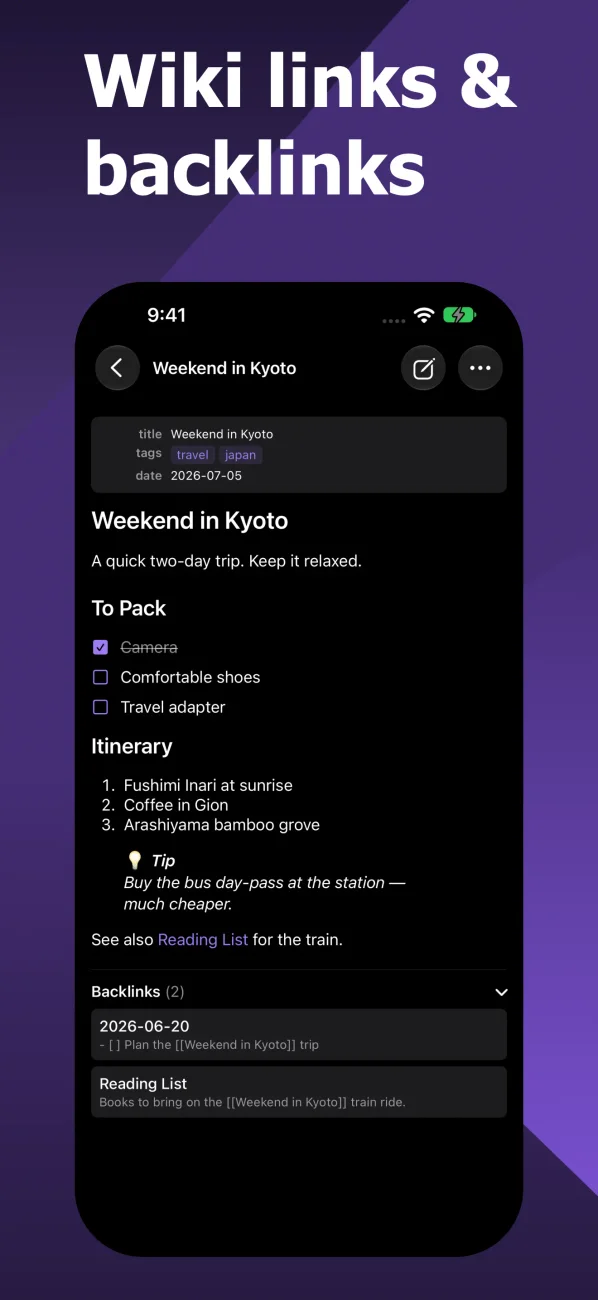
- Frontmatter shown as a clean, structured panel
- Callouts (`> [!note]`, `> [!warning]`, and more) rendered with icons
- Images embedded with Obsidian syntax: `![[image.png]]`
**Wiki links that actually work**
Tap a `[[note]]` link to jump straight to that note. Obsideck searches all your notes to resolve links, supports aliases and heading links, and lists backlinks to the note you're reading; with Unlock, tap one to jump there.
**Tappable tags**
Tap any `#tag` to instantly search your notes for every one that uses it — inline tags and frontmatter tags alike.
**Interactive task lists**
Check and uncheck `- [ ]` task items right in preview — tap anywhere on the row, not just the checkbox. Your changes are written back to the file.
**Edit with a focused editor**
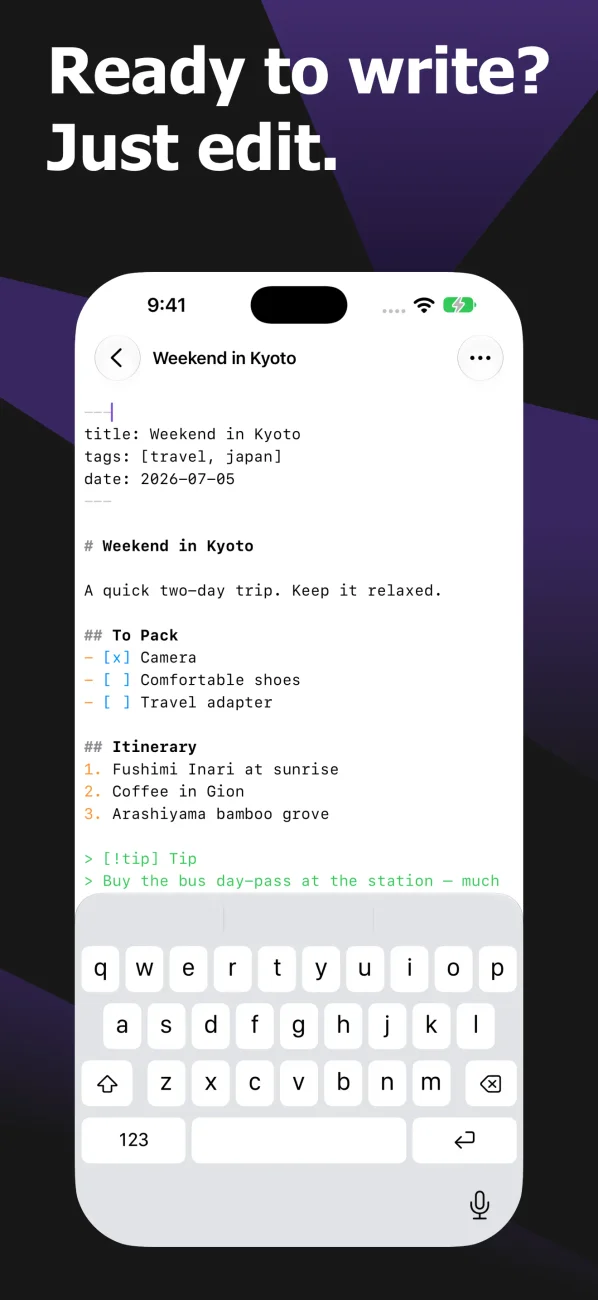
Switch to edit mode for syntax-highlighted Markdown editing. Changes auto-save back to the file, so your notes stay in sync with Obsidian and every other tool you use.
**Privacy first**
- No account or sign-in, and no servers of ours — only Apple's iCloud sync and App Store purchases
- No ads, no tracking, no analytics
- Your notes never leave your device or your own iCloud Drive
- Obsideck reads and writes only the folder you explicitly select
**Please note**
- Obsideck is a companion reader/editor for Markdown notes; it is not affiliated with Obsidian or Obsidian.md.
- Obsideck is an independent app and is not affiliated with, endorsed, or sponsored by Dynalist Inc. Obsidian is a trademark of Dynalist Inc.
- The app works with plain Markdown (.md) files. Some advanced Obsidian plugin syntax may not be rendered.
- Obsideck is designed for everyday note collections — roughly up to a few hundred notes per folder and a few thousand notes in total. Performance is not guaranteed for very large collections beyond this range.
- To use your Obsidian notes, keep them somewhere the Files app can reach (for example, iCloud Drive).
- Card layout (order, pins, and colors) is saved in a small hidden `.obsideck` folder at the top of the folder you chose, so it syncs across your devices along with your notes (for example, via iCloud Drive). It never modifies your note files, and Obsidian simply ignores the folder. Deleting the `.obsideck` folder resets the layout to default.
Terms of Use: https://unadongames.com/obsideck/terms.html
Privacy Policy: https://unadongames.com/obsideck/privacy.html
Có gì mới
Phiên bản 1.2 · 01/10/2026
Obsideck is now free to download. Browsing, searching, editing, creating notes, and the preset themes stay free. A one-time Unlock adds pins, card colors, backlinks, the Custom theme, daily notes, and widgets. If you already bought Obsideck, everything is unlocked for you at no extra cost.
- Backlinks: with Unlock, tap a backlink to jump to the note that links back
- Appearance themes: Violet, Ocean, Warm, or your own Custom theme, with per-element colors, bold and italic, and code block colors and background
- Adjustable line spacing in the preview
- Daily notes: Obsideck reads your Obsidian daily-note settings and shows today's note on a Today card
- Home Screen widgets: New Note, Today, and Pinned
- Edit a note's title from the navigation bar
- Various fixes and improvements
Quyền riêng tư của ứng dụng
Những gì Shota Hori khai báo trên App Store về cách ứng dụng này xử lý dữ liệu.
-
Dữ liệu không được thu thập
Nhà phát triển không thu thập bất kỳ dữ liệu nào từ ứng dụng này.
Phương thức đảm bảo quyền riêng tư có thể khác nhau, chẳng hạn như tuỳ theo các tính năng bạn sử dụng hoặc độ tuổi của bạn.
Thông tin
- Người bán
- Shota Hori
- Danh mục
- Hiệu Suất
- Phiên bản
- 1.2
- Cập nhật
- 01/10/2026
- Phát hành
- 25/06/2026
- Kích thước
- 4,1 MB
- Yêu cầu
- iOS 26.0 trở lên
- Độ tuổi
- 4+
- Giá
- Miễn phí
- Mua hàng trong ứng dụng
- Có
- Ngôn ngữ
- Tiếng Anh, Tiếng Nhật
- Bản quyền
- © 2026 UNADON GAMES
Có thể bạn cũng thích
-
 Table Scan LabHiệu Suất
-
 Tick: To-Do & RemindersHiệu Suất
-
 Due Pal: Đếm Ngược & Hẹn GiờNgày thi, Tết, giờ tan làm
-
 Litho: Screenshot to ObsidianHiệu Suất
-
 ThinkAloud NotesHiệu Suất
-
 Ứng dụng Kỹ sư Công trườngMáy tính dân dụng cho mọi đối
-
 Referat: AI Meeting NotesHiệu Suất
-
 InfusionLogHiệu Suất
-
 Simple Memo - Obsidian VoiceHiệu Suất
-
 Countdown Widget - Till ThenHiệu Suất