- Độ tuổi4+
- Danh mụcNhạc
- Nhà phát triểnOmar Quddusi
- Ngôn ngữTiếng Anh
- Kích thước7,4 MB
Liên kết đến trang App Store chính thức
Download.org không lưu trữ tệp nào của Ohms Sample. Nút này mở trang ứng dụng trên App Store, nơi Omar Quddusi phát hành ứng dụng. Trang được kiểm tra lần cuối: 07/11/2026.
Ảnh chụp màn hình
Giới thiệu
Nhà phát triển chưa cung cấp nội dung này bằng ngôn ngữ của bạn.
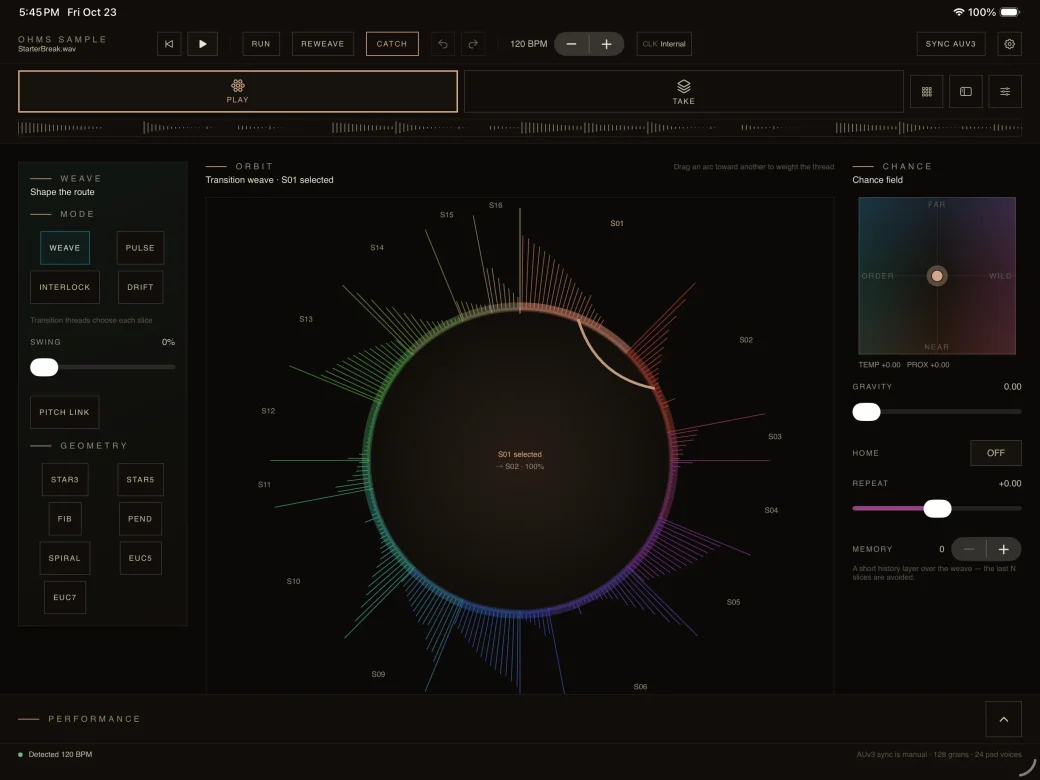
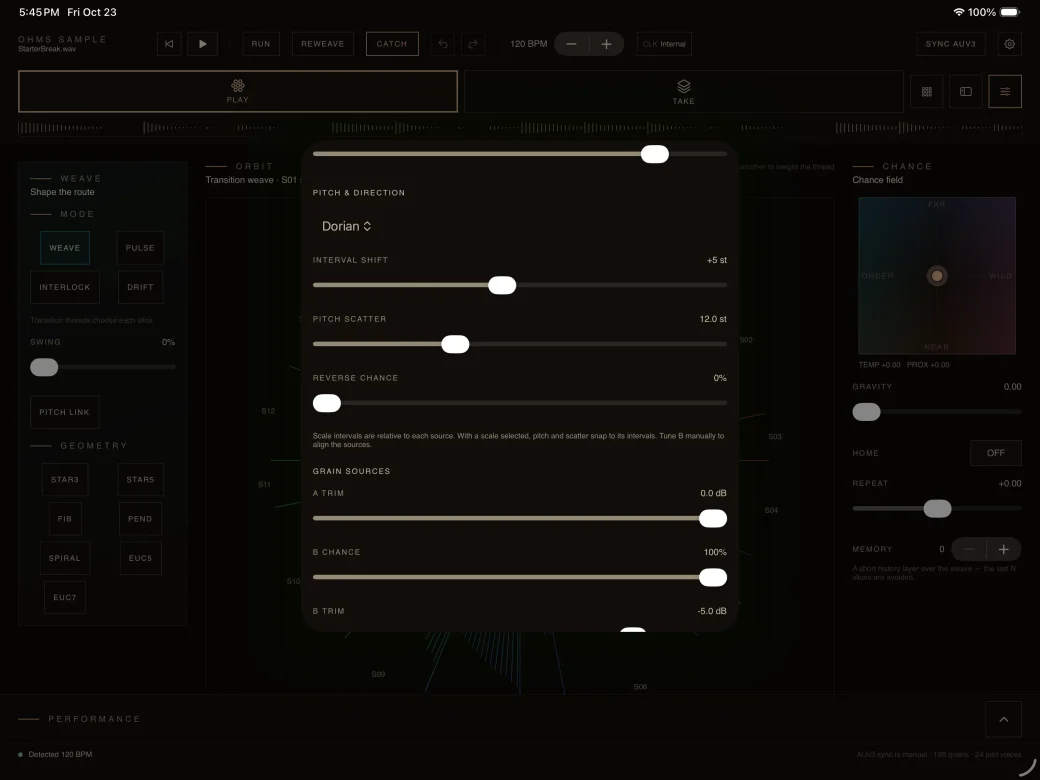
Ohms Sample turns an audio file into playable slices and a grain cloud. Drop in a loop, move its transient slices, and play on screen, from Mac keys, MIDI or a Launchpad. A starter drum loop is ready on first launch; sound starts only when you play.
SLICE AND SHAPE
* Up to 16 slices with tune, volume, pan, attack, release, reverse, looping and choke groups.
* Tap slices, hold a two-finger grain loop, scrub like tape, or play one slice chromatically.
* Zoom the waveform, cut or keep a range, reverse it, or stretch it from 50% to 200% without changing pitch. Restore the original source.
* Master tuning includes a one-tap A = 432 Hz.
TWO SOUNDS, ONE GRAIN CLOUD — STANDALONE
* Shape up to 128 grain voices with position, size, density, pitch and spread.
* Choose relative scale intervals, interval shift, pitch scatter and reverse chance. Off leaves pitch unsnapped; sources are not automatically key-detected.
* Add Source B from a file. B chance chooses A or B for each new grain. Pads keep Source A.
* Separate trims attenuate each source. Tune B manually in one-cent steps. Replacing A rebuilds B at A's rate.
* Undo grain settings or a source change. Missing-file references stay until you relink or remove them.
LET THE SLICES PLAY
* Pattern presets, weighted Orbit routes and Weave, Pulse, Interlock and Drift paths.
* A 1–64 step Pulse lane, Chance controls, per-slice gestures, a 3×4 snapshot bank and four trigger pads.
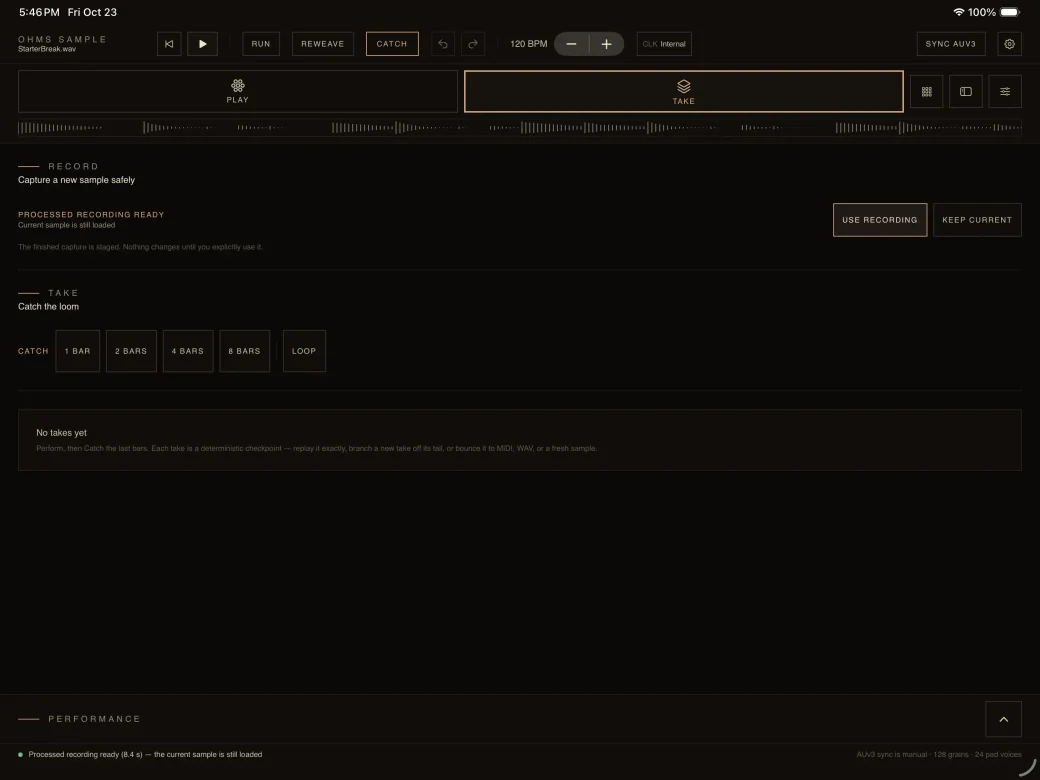
* Catch the last 1, 2, 4 or 8 bars of slice events as a Take, then export WAV or MIDI. Use Record mix to capture the grain cloud itself.
KEEP YOUR WORK
* Record mix in Grain or Record Output in Take keeps up to 60 seconds of stereo output with pads, grains, filter, delay and reverb.
* Recordings wait for Use Recording or Keep Current. Using an effected mix switches inserts off so they are not applied twice.
* Microphone recording is in Take. On Mac, optional Sample Anything holds the last 60 seconds of system audio after you enable it; no screen frames are stored.
* Export WAV, save sessions, or keep up to 256 reusable recipes. Recipes contain settings, never audio or source bookmarks.
* Sessions open stopped. New-feature documents require this version; original settings remain readable by earlier releases. New committed edits stay in local app storage for session reopening.
KEYS, MIDI AND AUv3
* Mac A–P keys, MIDI slice and trigger notes, learned CC controls, MIDI clock and dedicated Launchpad Mini MK3, X and Pro MK3 pages.
* The AUv3 instrument plays slices, loom paths and insert effects with 24 automatable parameters and host-saved state. It preserves grain settings in recipes, but does not load Source B or render the standalone grain cloud.
Audio stays on your device. No account, analytics, advertising or cloud audio processing. One purchase covers macOS 14 or later and iPadOS 17 or later, with no subscription or in-app purchase.
Có gì mới
Phiên bản 1.9.0 · 24/10/2026
Shape a grain cloud from two sounds.
Add Source B in the Grain inspector. B chance chooses the source for each new grain; pads keep Source A. Separate trims and one-cent B tuning help balance the pair.
Choose relative scales, interval shift, pitch scatter and reverse chance. Undo or redo grain settings and source changes. Presets change settings without starting playback.
Record mix keeps the stereo output with pads and effects, then stages it in Take for Use Recording or Keep Current.
Sessions remember both files and open stopped. Missing B offers Relink, Continue with A, or Remove. New-feature sessions and recipes require this version; original settings remain compatible with earlier releases.
Fixed: cancellation waits for source-edit buffers to retire. Failed edits preserve the current working audio. New committed edits are retained locally for session reopening.
The new cloud and Source B are standalone Mac and iPad features. AUv3 plays slices, loom paths and effects, and preserves grain configuration in recipes without rendering the standalone cloud.
Quyền riêng tư của ứng dụng
Những gì Omar Quddusi khai báo trên App Store về cách ứng dụng này xử lý dữ liệu.
-
Dữ liệu không được thu thập
Nhà phát triển không thu thập bất kỳ dữ liệu nào từ ứng dụng này.
Phương thức đảm bảo quyền riêng tư có thể khác nhau, chẳng hạn như tuỳ theo các tính năng bạn sử dụng hoặc độ tuổi của bạn.
Thông tin
- Người bán
- Omar Quddusi
- Danh mục
- Nhạc
- Phiên bản
- 1.9.0
- Cập nhật
- 24/10/2026
- Phát hành
- 23/07/2026
- Kích thước
- 7,4 MB
- Yêu cầu
- iOS 17.0 trở lên
- Độ tuổi
- 4+
- Giá
- 999.000đ
- Ngôn ngữ
- Tiếng Anh
- Bản quyền
- © 2026 Omar Quddusi