
- Độ tuổi17+
- Danh mụcHiệu Suất
- Nhà phát triển森 王
- Ngôn ngữTiếng Anh+ 23 ngôn ngữ khác
- Kích thước368,7 MB
Liên kết đến trang App Store chính thức
Download.org không lưu trữ tệp nào của Open Minis. Nút này mở trang ứng dụng trên App Store, nơi 森 王 phát hành ứng dụng. Trang được kiểm tra lần cuối: 27/11/2026.
Ảnh chụp màn hình
Giới thiệu
Nhà phát triển chưa cung cấp nội dung này bằng ngôn ngữ của bạn.
Minis — Local-First On-Device AI Agent
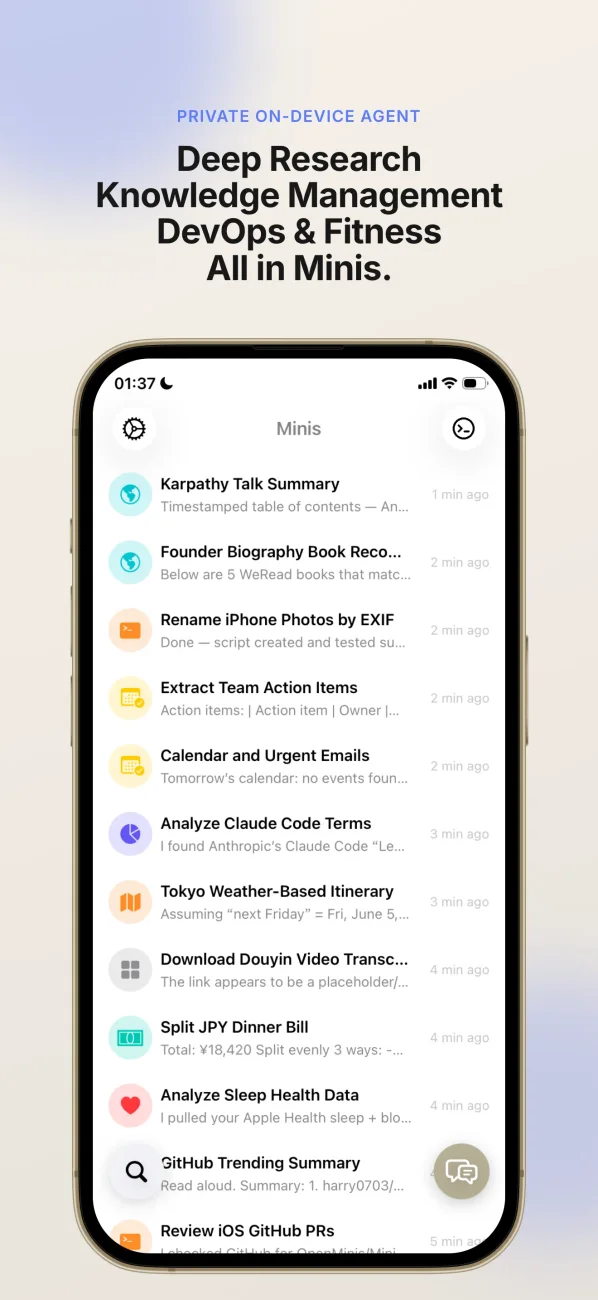
Minis is a local-first, on-device AI agent that goes beyond chat. All your data stays on your iPhone — nothing is uploaded to a server by default. Running locally means lower latency and stronger privacy, while the agent still takes real action: browsing the web, accessing your health data, managing your schedule, controlling your smart home, and automating complex tasks.
Local-First AI Agent
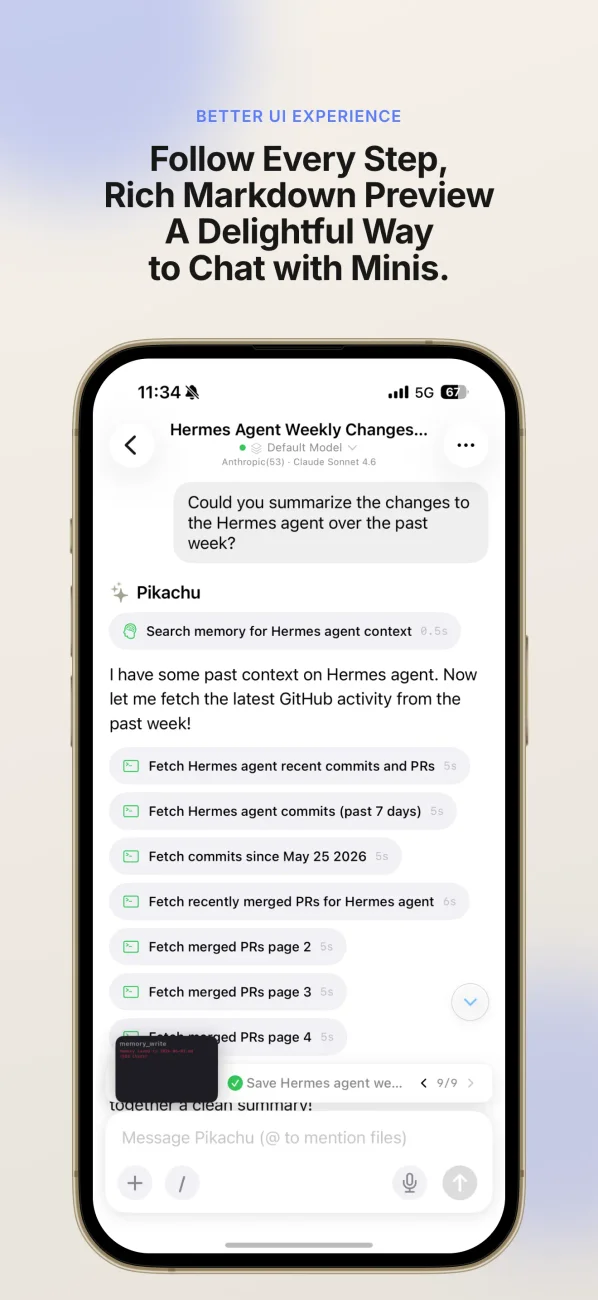
Unlike cloud-only chatbots, Minis runs directly on your device and keeps your data there. The agent executes multi-step tasks autonomously, using tools and native iOS frameworks to get things done — not just answer questions, and not just relay everything to the cloud.
Multi-Model, Your Choice
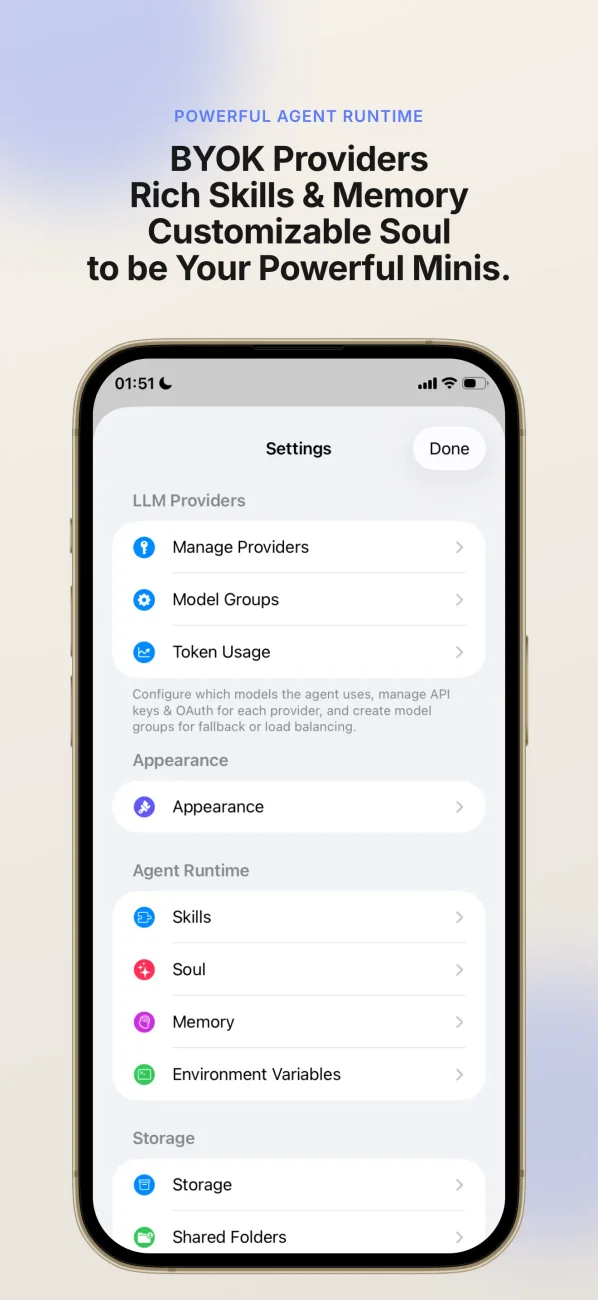
Bring your own API key. Choose from leading AI providers:
• Anthropic Claude
• OpenAI GPT
• Google Gemini
• DeepSeek
• Kimi (Moonshot AI)
• OpenRouter
• Any OpenAI-compatible endpoint
Deep iOS Integration
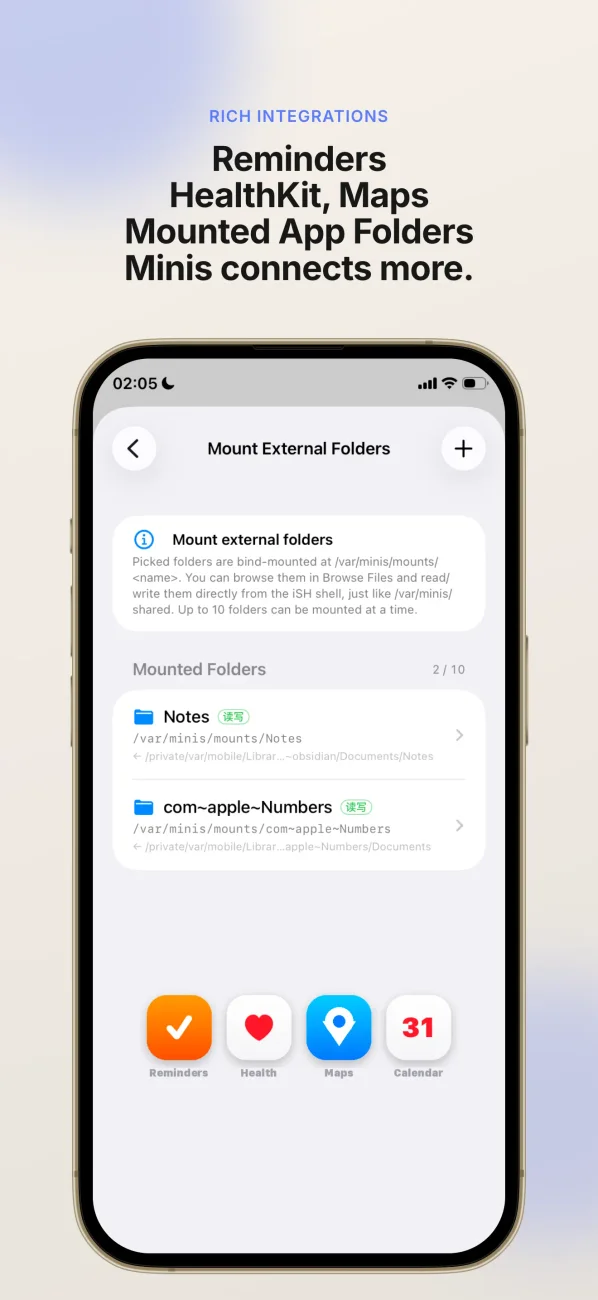
The agent accesses Apple frameworks natively:
• HealthKit — steps, heart rate, sleep, workouts, SpO₂
• Calendar & Reminders — create events, check availability, manage tasks
• HomeKit — control lights, switches, scenes, and smart accessories
• Photos — search, organize, and export from your library
• Location & Maps — current location, directions, nearby POIs
• Vision — OCR text recognition, object detection, barcode scanning
• Speech — real-time transcription and text-to-speech
• Weather — current conditions, hourly and daily forecasts
Built-in Web Browser
Navigate pages, take screenshots, extract content, fill forms, and interact with websites — all driven by the AI agent in the background.
Skills System
Import or create custom AI skills to extend the agent's capabilities. Share skills with others or build your own for specialized workflows.
Persistent Memory
The agent remembers your preferences, project context, and recurring patterns across sessions — building a personalized assistant that improves over time, all stored locally on your device.
Siri Shortcuts
Automate AI tasks with Siri and the Shortcuts app. Send prompts with file attachments, wait for results, and chain into complex workflows — all hands-free.
Privacy by Design
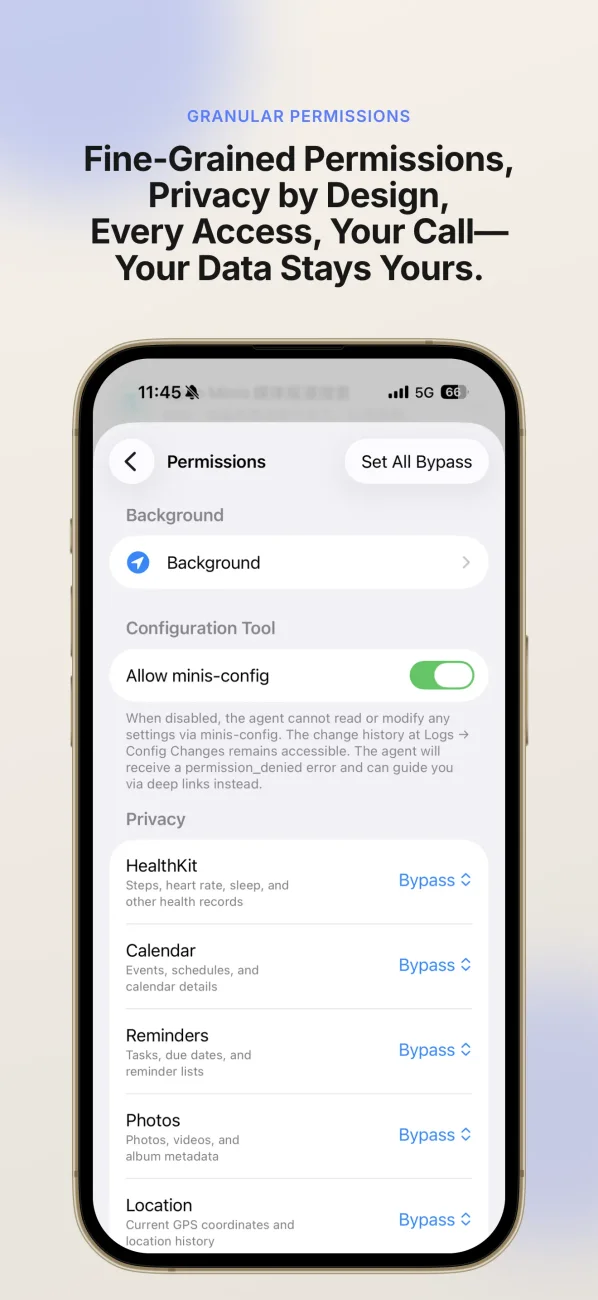
Your API keys and data stay on-device. Fine-grained permission controls let you decide exactly which personal data the agent can access. No account required. No data collected.
Có gì mới
Phiên bản 1.16 · 14/11/2026
iPhone Duo support
Better two-column and vertical-bar layouts: home buttons sit clear of the hinge, and in the vertical bar Search, Share Chat, and read replies are buttons of their own. The column divider is draggable and the split view survives backgrounding; a hidden list comes back with an edge swipe or a sideways drag. Files shared into Minis go to the chat open in the right column.
In-app floating windows
Web pages, images, video, audio, and document previews can collapse into a floating round icon: tap to expand, long-press for a preview. Pull a preview down, or long-press a link or image, to float it.
Network settings and Tailscale
A new Network section in Settings: upstream proxies and a built-in Tailscale node with browser sign-in. Each provider, the browser, MCP sign-in, and backups can go direct, through Tailscale, or through a proxy, and so can terminal programs.
Network disks
Add a WebDAV, SMB, SFTP, S3, or FTP server in Settings as a read-only disk for file tools, Browse Files, and chat media.
Home "Recent" section and question alerts
A new Recent section at the top of Home holds unread, running, and recently active chats. A chat waiting for your answer is marked, with a banner and a waiting-questions button.
Better groups
A group's avatar is a tile of its newest chats, a running group shows a lit arc, files and chats can be dragged onto a group card, and auto-grouping only touches groups you switched it on for.
Browser and page preview
The assistant's browser is now a multi-tab browser you can take over at any time. A local HTML page runs in fullscreen, and a pull down at the top closes the preview.
More languages
Added Persian, Arabic, Dutch, Italian, Hungarian, and Czech. Arabic and Persian screens read right-to-left.
Adding a provider is easier
Add Provider offers vendor templates, so a new provider needs only a key; each cloud template says how to get one.
Voice
Fish Audio is supported, a voice you cloned at the vendor can be pasted in to read aloud, and Bailian, iFlytek, and Doubao recognition use their latest protocols.
Sub-agents and scheduled tasks
A finished sub-agent can be given more to do, Stop can end only the current turn, and scheduled tasks are saved so a run missed while the app was killed is caught up.
Built-in manual and skills
A read-only manual the assistant searches first when you ask how Minis works; skills can list trigger words.
Backup and sync
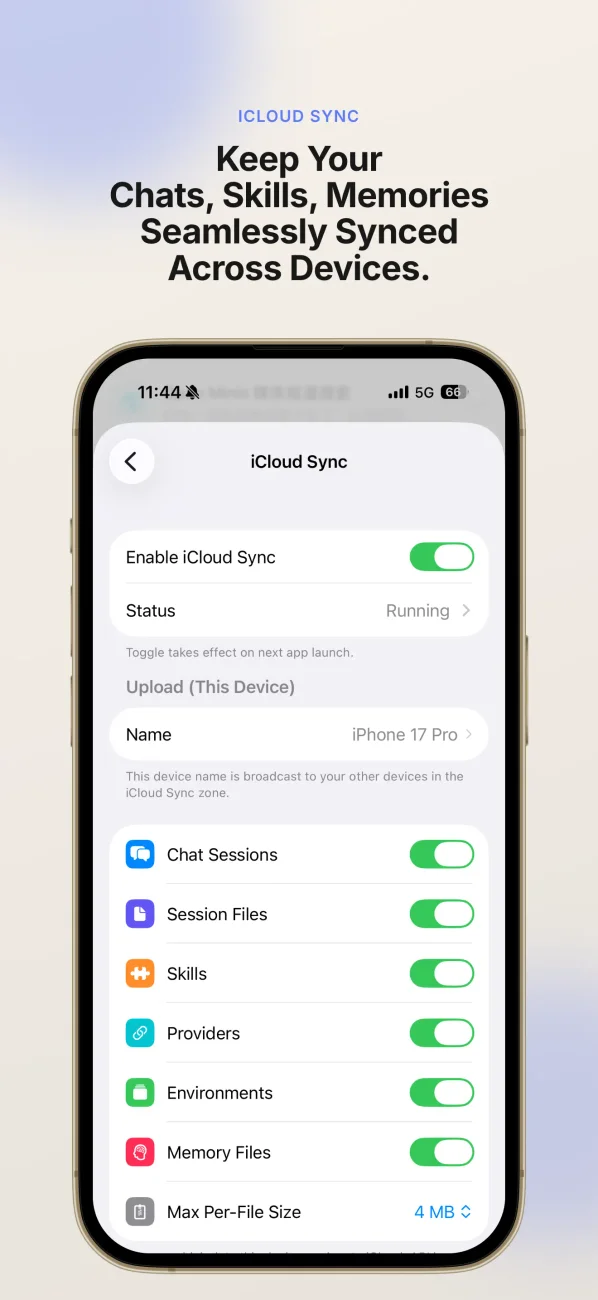
Restore is more complete, same-second messages keep their order, and empty files and folders now restore. Memory and Soul sync more reliably, and turning on sync no longer replaces another device's Soul.
Usage and quota
The Usage page has a summary card, a trend chart, and a breakdown; supported providers show remaining quota or balance.
New models
Added Claude Fable 5.2, GPT-6.1 Sol, and GPT Image 2.6.
Bug Fixes
- Fixed long conversations running into "Context is full" too early; old reasoning and large outputs are now trimmed first
- Fixed several crashes: the iOS 16 home folders, a keyboard event on iPadOS 26.0.1, sharing a long image and backgrounding the app, and a denied OAuth sign-in
- Fixed settings and mounted folders being read as "empty" after a reboot before the first unlock
- Fixed a shell command freezing the whole app on a slow mounted folder
- Fixed a fresh install being unable to upload to iCloud, so Mac chats never reached the iPhone
- Fixed backup issues: a server backup that couldn't be restored, SMB logins failing at random, and a deleted model group not coming back
- Fixed the conversation jumping when a reply starts, rows overlapping while a reply finishes, and the list jumping after rotation
- Fixed a request refused as too large failing again on every fallback; it is now resent to the same model with fewer images
- Fixed a new chat leaving a pile of empty "New Chat" rows when the model was switched right after the first send
- Fixed Stop still falling back to the next model or retrying
Quyền riêng tư của ứng dụng
Những gì 森 王 khai báo trên App Store về cách ứng dụng này xử lý dữ liệu.
-
Dữ liệu không được thu thập
Nhà phát triển không thu thập bất kỳ dữ liệu nào từ ứng dụng này.
Phương thức đảm bảo quyền riêng tư có thể khác nhau, chẳng hạn như tuỳ theo các tính năng bạn sử dụng hoặc độ tuổi của bạn.
Thông tin
- Người bán
- 森 王
- Danh mục
- Hiệu Suất
- Phiên bản
- 1.16
- Cập nhật
- 14/11/2026
- Phát hành
- 14/03/2026
- Kích thước
- 368,7 MB
- Yêu cầu
- iOS 16.0 trở lên
- Độ tuổi
- 17+
- Giá
- Miễn phí
- Ngôn ngữ
- Tiếng Anh, Tiếng Ả Rập, Tiếng Croatia, Tiếng Séc, Tiếng Hà Lan, Filipino, Tiếng Pháp, Tiếng Đức, Tiếng Hungary, Tiếng Indonesia, Tiếng Ý, Tiếng Nhật + 12 ngôn ngữ khác
- Bản quyền
- © OPENMINIS.APP
Có thể bạn cũng thích
-
 Paseo - Remote Coding AgentsHiệu Suất
-
 Unforgetful: Never Lose a TaskHiệu Suất
-
 OpenClawHiệu Suất
-
 OpenCat - AI Chat, Agent, MCPPrivacy-First Multi-Model AI
-
 Monologue: Smart DictationHiệu Suất
-
 MiiTrans - Dịch AIVăn bản Giọng nói Camera Ảnh
-
 Pal Chat - AI Chat ClientHiệu Suất
-
 Cue by ManusHiệu Suất
-
 Google AI Edge EloquentHiệu Suất
-
 YouMind - Chat AI và sáng tạoNghiên cứu, viết, tạo video