
OpLoop: App Blocker & Focus
Screen time detox with friends
Được thiết kế cho iPhone
Miễn phí · Mua hàng trong ứng dụng
- Độ tuổi9+
- Danh mụcHiệu Suất
- Nhà phát triểnStudioJson
- Ngôn ngữTiếng Anh+ 8 ngôn ngữ khác
- Kích thước52,4 MB
Liên kết đến trang App Store chính thức
Download.org không lưu trữ tệp nào của OpLoop: App Blocker & Focus. Nút này mở trang ứng dụng trên App Store, nơi StudioJson phát hành ứng dụng. Trang được kiểm tra lần cuối: 23/11/2026.
Ảnh chụp màn hình


Giới thiệu
Nhà phát triển chưa cung cấp nội dung này bằng ngôn ngữ của bạn.
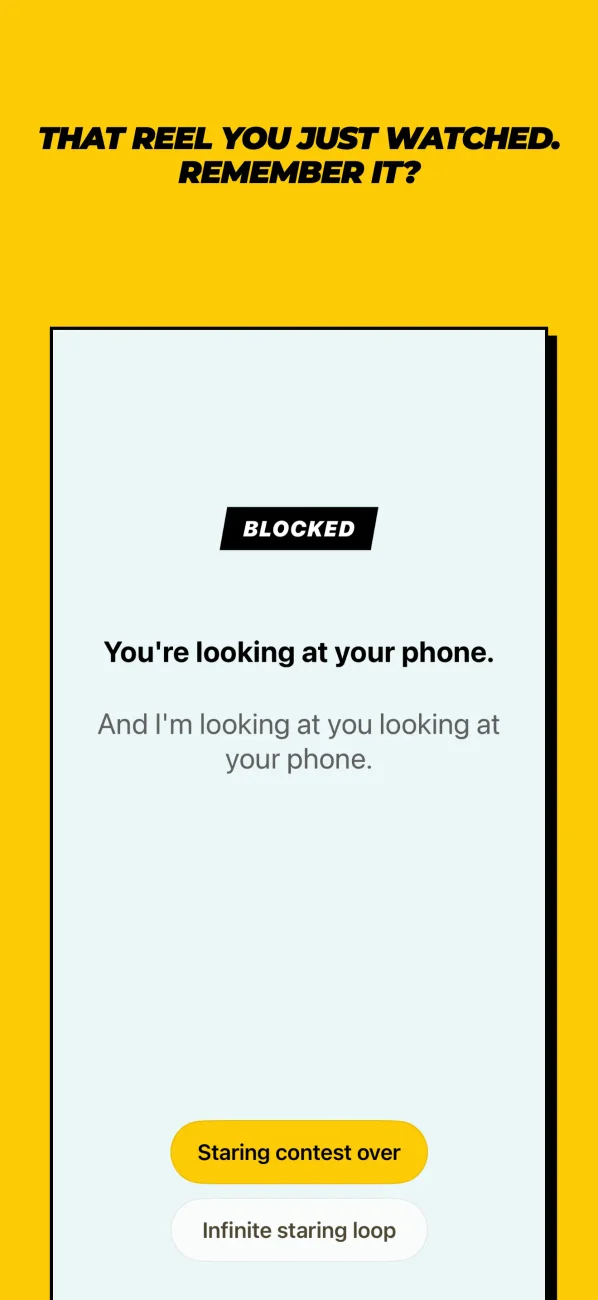
Those Reels you just scrolled. Remember any of them?
OpLoop blocks the apps that eat your day, on the schedule you set. Open one anyway and you get a card that makes you smile, instead of a gray wall or a lecture.
Built for doomscrollers who want a real digital detox. Cut screen time and break the endless-scroll habit, alone or with friends.
■ Blocking without the nagging
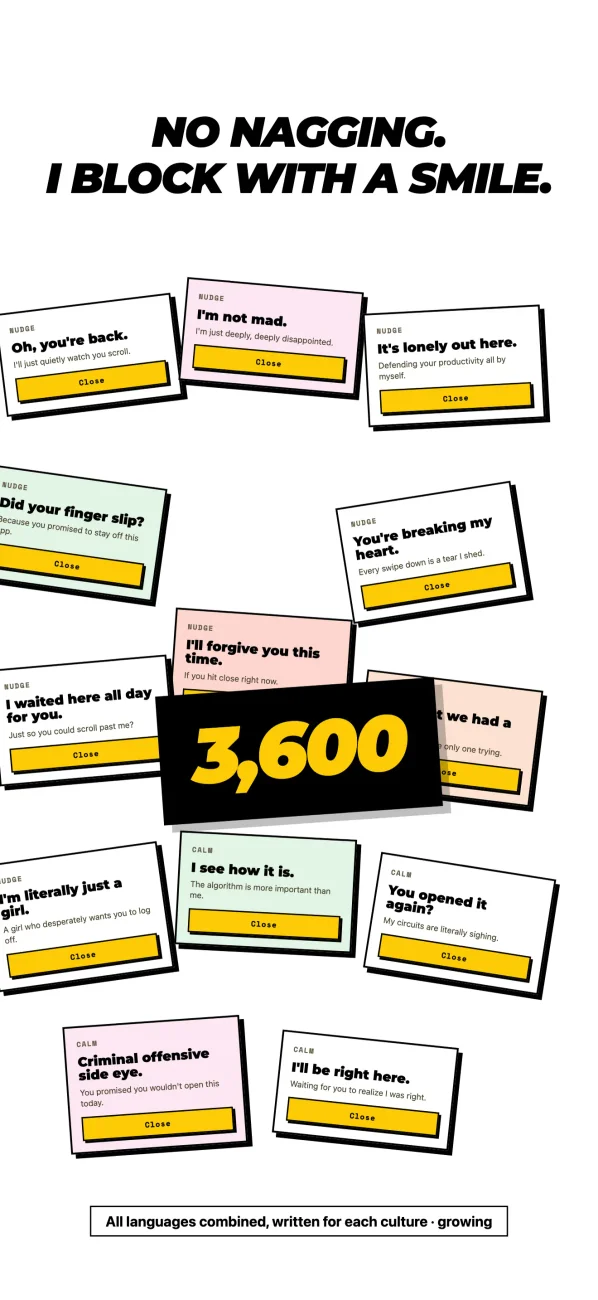
Every block shows a different card: a gentle poke, a calm line, sometimes a joke that goes right up to the line. 3,600 cards written for 12 cultures, each set from scratch, never machine-translated. Cooldowns keep the same line from turning into wallpaper.
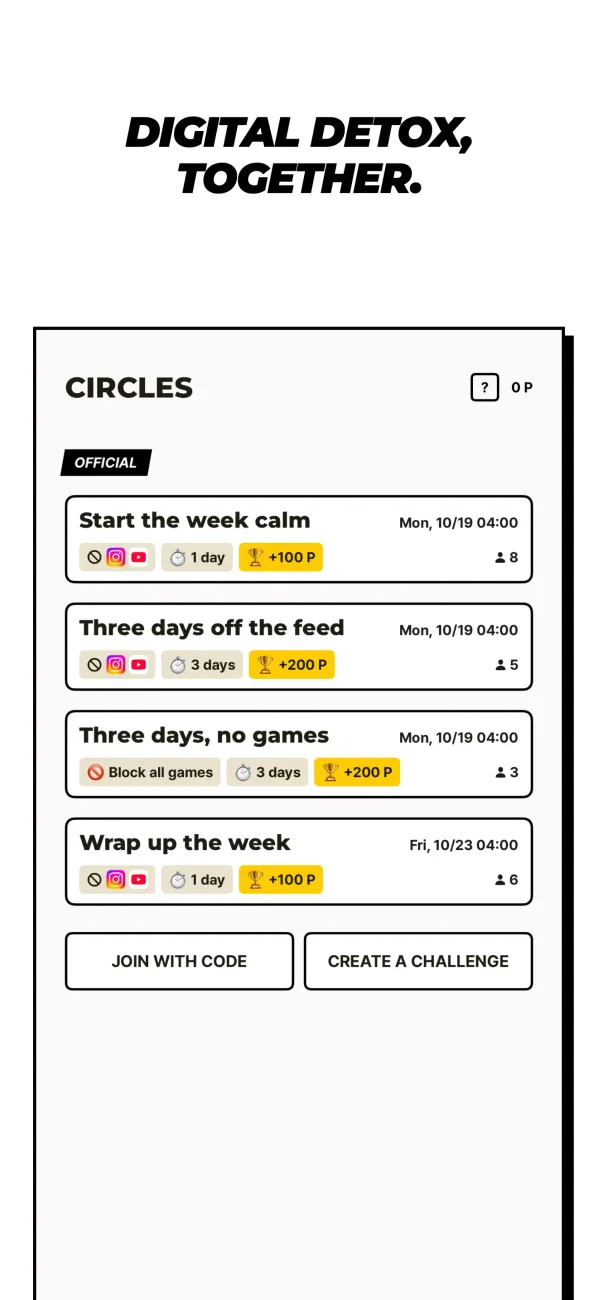
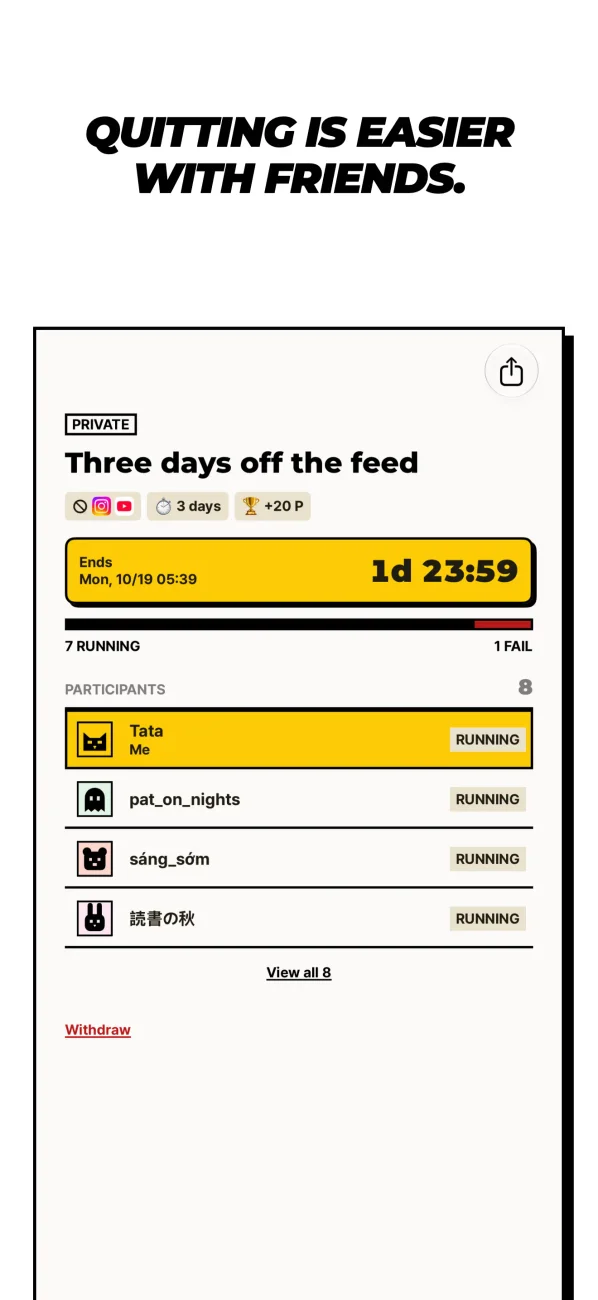
■ Challenges: quit together
Some goals are hard to keep alone. Join a challenge and quit on the same day as everyone else. OpLoop does the blocking for the whole challenge, and if you hold on to the end, you PASS. Official challenges are open to everyone. A friends' challenge starts from a single invite link (creating one is Pro).
■ Routines
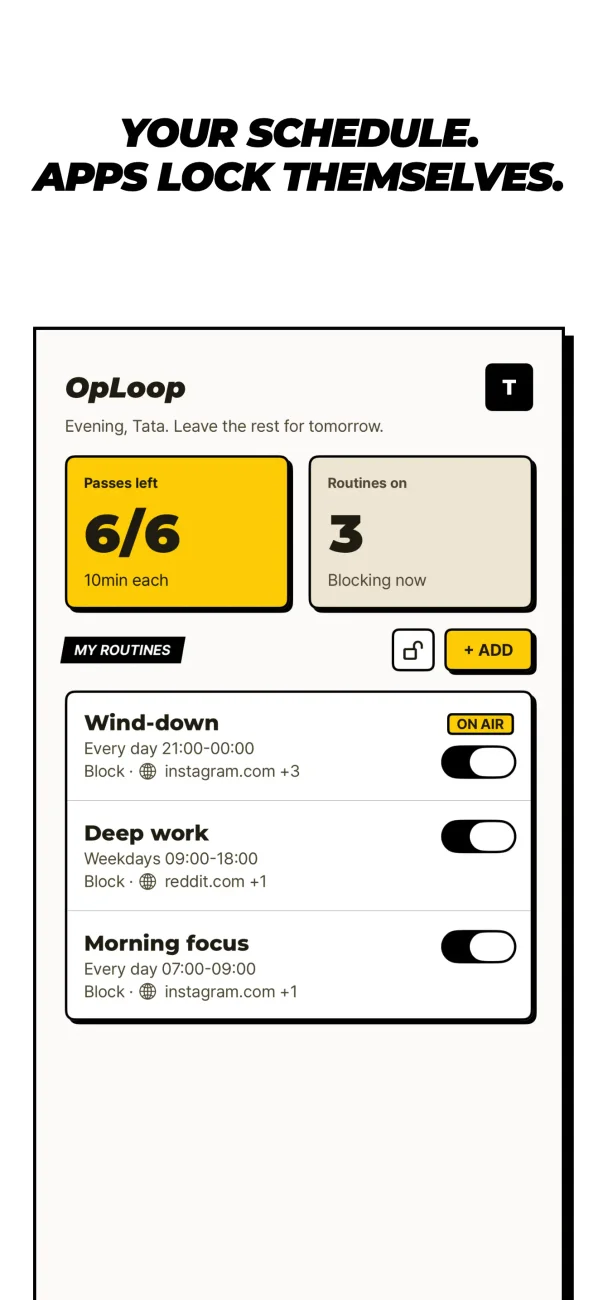
Pick the hours and the apps, then decide how strict. Morning focus, study hours, an evening wind-down: set the rhythm once and OpLoop turns blocking on and off for you. Websites can go on the list too.
■ Sprint
Need focus right now? Start a session, no schedule needed.
• Soft blocks the apps you picked
• Deep blocks everything except the apps you allow
• Lockdown (Pro) holds until the timer runs out
Pick Interval to alternate focus and breaks in sets, Pomodoro style.
Follow the timer on your Lock Screen, or start a Sprint right from the Home Screen widget.
■ Lockdown, the iPhone way
While Lockdown runs, iOS won't let you delete apps (OpLoop included), install new ones, change the clock, or open the web. That's as firm as iOS lets any app be: no tricks, and no promises we can't keep. If you like, a Shortcut can turn on a Focus when Lockdown starts.
■ Growth
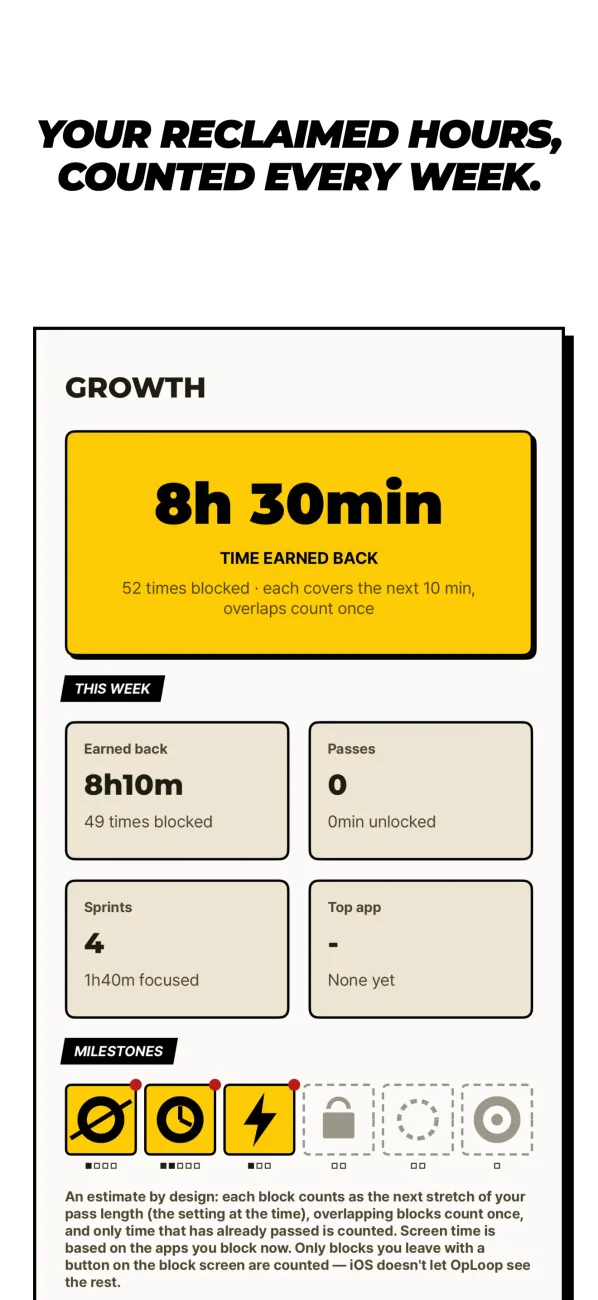
An estimate of the time you earned back each week, plus the blocks that held and the Sprints you finished.
■ Passes
A few short passes a day for when you really need the app. Use one right from the block screen. When they run out, the block holds.
■ Themes (Pro)
Four color themes to match your mood.
■ OpLoop Pro (in-app purchase)
Everything above is free, with one routine and one app per list. Features marked (Pro), such as Lockdown, themes and creating a friends' challenge, plus unlimited apps and routines and no ads, need OpLoop Pro: a monthly or yearly subscription with a free trial, or a one-time lifetime purchase.
■ About Screen Time access
OpLoop uses Apple's Screen Time API to block the apps and content you choose. We don't collect which apps you block or your blocking history. Everything it uses for blocking stays on your iPhone and never leaves it. If you sign in, we keep your email for your account.
■ Your records stay on your phone
Routines, blocks, and passes are stored on your device only and never uploaded. Join a challenge and only that challenge's rules and results are shared.
Terms of Service: https://oploop.app/terms
Privacy Policy: https://oploop.app/privacy
Có gì mới
Phiên bản 1.0.4 · 16/11/2026
Minor bug fixes and UI improvements
Quyền riêng tư của ứng dụng
Những gì StudioJson khai báo trên App Store về cách ứng dụng này xử lý dữ liệu.
-
Dữ liệu được sử dụng để theo dõi bạn
Có thể được sử dụng để theo dõi bạn trên các ứng dụng và trang web do công ty khác sở hữu.
- Mục mua
- Mã định danh
- Dữ liệu sử dụng
-
Dữ liệu liên kết với bạn
Có thể được thu thập và liên kết với danh tính của bạn.
- Mục mua
- Vị trí
- Thông tin liên hệ
- Nội dung của người dùng
- Mã định danh
- Dữ liệu sử dụng
-
Dữ liệu không liên kết với bạn
Có thể được thu thập nhưng không liên kết với danh tính của bạn.
- Mục mua
- Vị trí
- Mã định danh
- Dữ liệu sử dụng
- Chẩn đoán
Phương thức đảm bảo quyền riêng tư có thể khác nhau, chẳng hạn như tuỳ theo các tính năng bạn sử dụng hoặc độ tuổi của bạn.
Thông tin
- Người bán
- StudioJson
- Danh mục
- Hiệu Suất
- Phiên bản
- 1.0.4
- Cập nhật
- 16/11/2026
- Phát hành
- 23/10/2026
- Kích thước
- 52,4 MB
- Yêu cầu
- iOS 17.0 trở lên
- Độ tuổi
- 9+
- Giá
- Miễn phí
- Mua hàng trong ứng dụng
- Có
- Ngôn ngữ
- Tiếng Anh, Tiếng Pháp, Tiếng Đức, Tiếng Ý, Tiếng Nhật, Tiếng Hàn, Tiếng Bồ Đào Nha, Tiếng Tây Ban Nha, Tiếng Trung Phồn thể
- Bản quyền
- © 2026 StudioJson
Có thể bạn cũng thích
-
 OmniBlock: App Blocker & FocusHiệu Suất
-
 Recallock: App Blocker & StudyHiệu Suất
-
 pauza: screen time controlapp blocker, challenge friends
-
 Friends67: Screen Time ControlHiệu Suất
-
 Para: Screen Time ControlHiệu Suất
-
 Boring - Digital DetoxHiệu Suất
-
 SessionStackHiệu Suất
-
 reetleHiệu Suất
-
 Siloe: Save & OrganizeHiệu Suất
-
 Radix+ TimeHiệu Suất