Orbeat: Drum Machine
Beat maker & sequencer
Được thiết kế cho iPhone, iPad
Miễn phí · Mua hàng trong ứng dụng
- Độ tuổi4+
- Danh mụcNhạc
- Nhà phát triểnChih Han Lin
- Ngôn ngữTiếng Anh
- Kích thước5,4 MB
Liên kết đến trang App Store chính thức
Download.org không lưu trữ tệp nào của Orbeat: Drum Machine. Nút này mở trang ứng dụng trên App Store, nơi Chih Han Lin phát hành ứng dụng. Trang được kiểm tra lần cuối: 25/11/2026.
Ảnh chụp màn hình


Giới thiệu
Nhà phát triển chưa cung cấp nội dung này bằng ngôn ngữ của bạn.
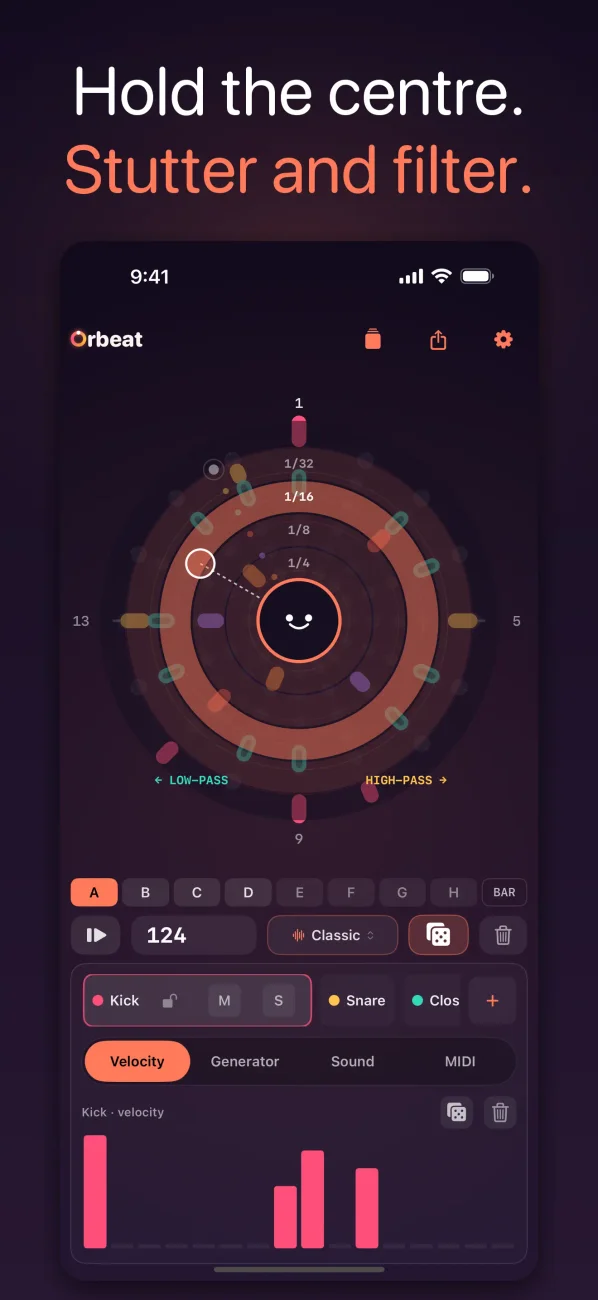
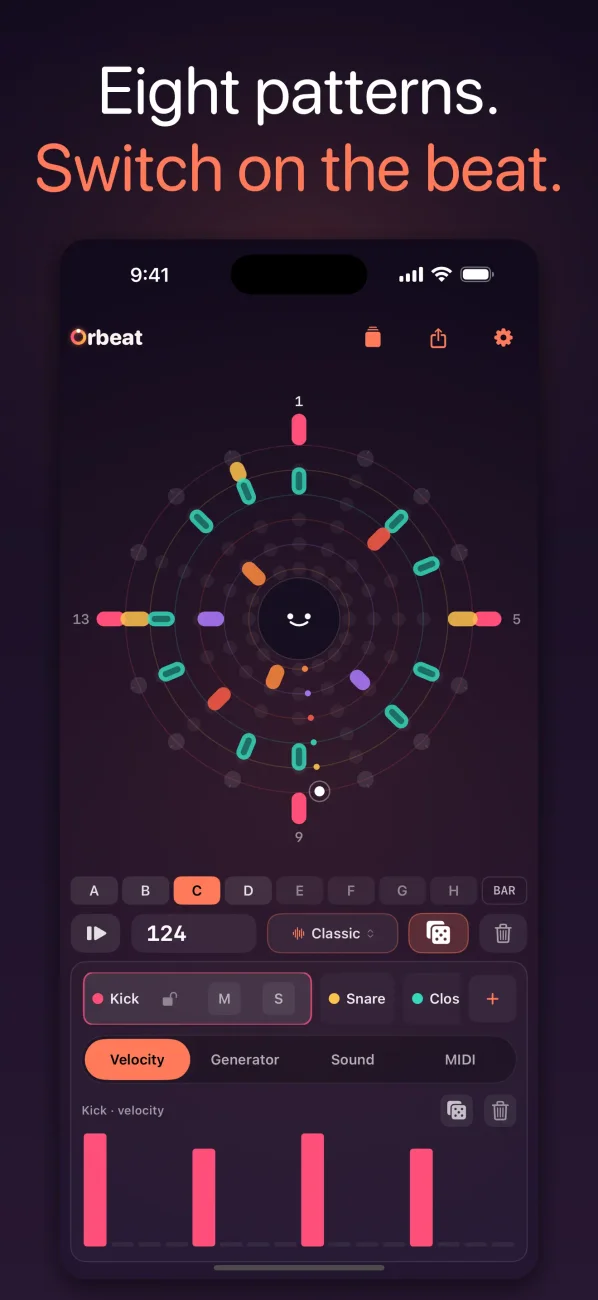
Orbeat is a drum machine in the round. Instead of a grid, your rhythm lives on a glowing mandala — concentric lanes of light that orbit a single play button. Tap the rings, watch the playhead sweep, and feel the groove move.
Built to be played, not programmed. Open it and you're already making beats.
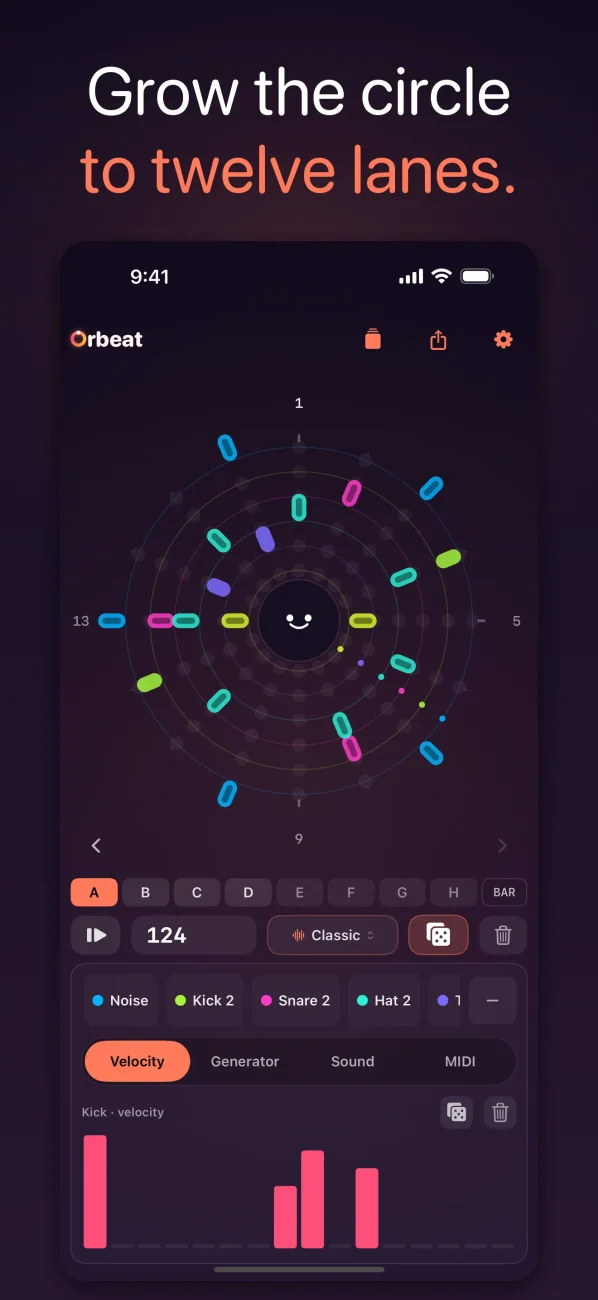
A CIRCULAR SEQUENCER — UP TO TWELVE LANES
Six lanes wrap the screen as rings, and the circle can grow to twelve: the mandala opens a second page of rings in its own electric color set, so every lane keeps its full size. Tap to place hits, lock a lane you love, mute and solo as you build the groove layer by layer. The whole pattern turns as it plays.
TURN A RING, PLAY THE CENTRE
Drag any ring around the circle and that lane's rhythm turns with your finger, so a hi-hat slides onto the off-beat while the beat keeps playing. Hold the play button in the middle and the circle becomes a performance pad: drag outward to stutter, from a whole beat down to a thirty-second note, left for a low-pass, right for a high-pass. Let go and the beat lands back in time. In a host, Repeat and Filter are parameters you can automate.
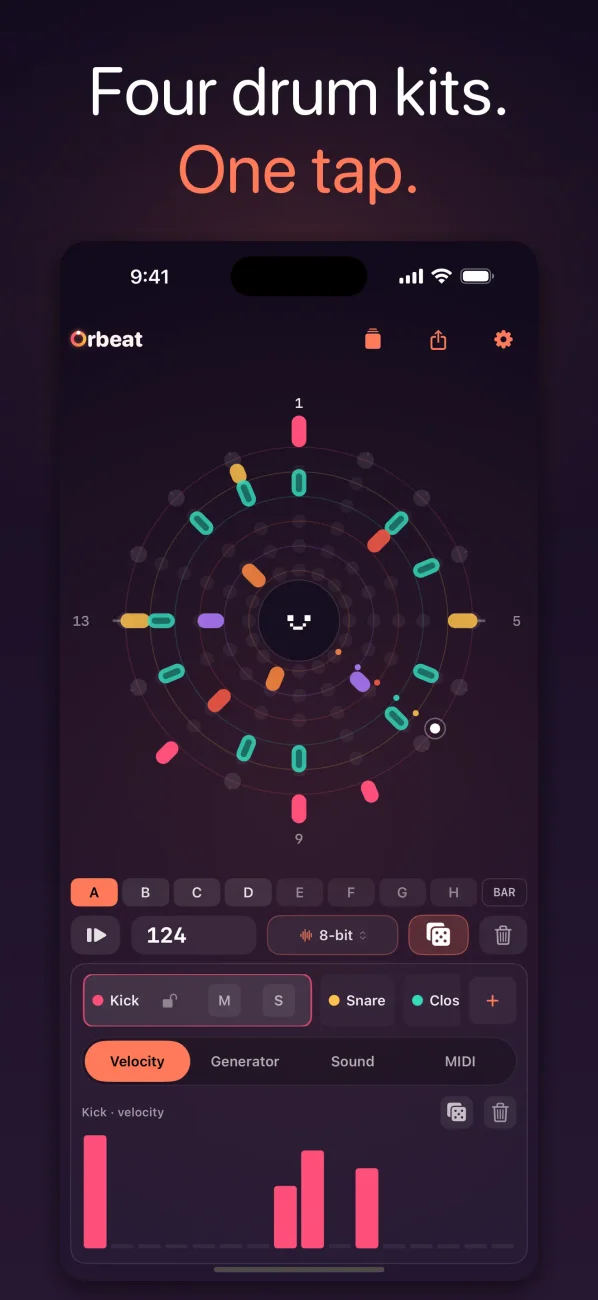
FOUR DRUM KITS
Classic, Acoustic, Glitch, and 8-bit — one tap reskins every voice while your pattern stays put. From clean and punchy to broken and chiptune.
BRING YOUR OWN SOUNDS
Build a custom kit and drop your own audio into any lane — WAV, AIFF or mp3, up to ten seconds, played at its original pitch and in stereo. Imported samples run clean to the output, while the lanes you leave alone keep their synth voice, so a hi-hat you recorded yourself sits right next to Orbeat's own drums. Your first custom kit is free.
GENERATORS THAT SURPRISE YOU
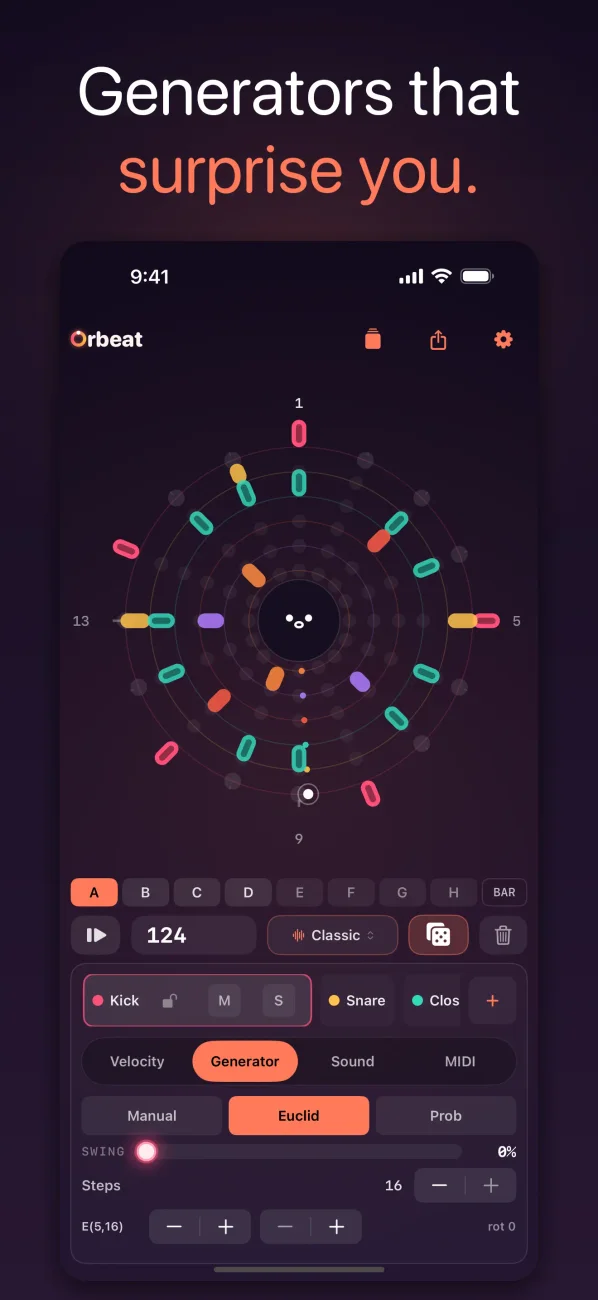
Roll the dice for an instant pattern, or use Euclidean rhythms to spread hits evenly around a ring. Like what you hear? Tap the ring to write it in and edit by hand.
MAKE IT BREATHE, MAKE IT DRIFT
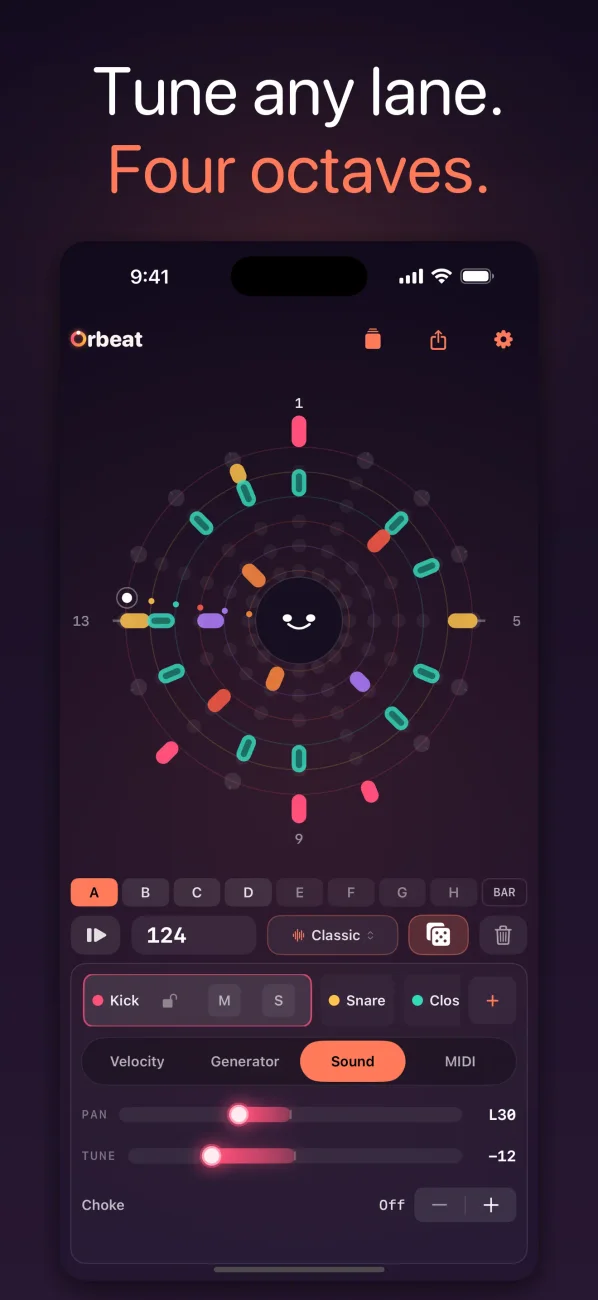
Add swing to push the feel off the grid, draw velocity per step for accents that live, pan each lane across the stereo field, and tune any lane across four octaves — drop a kick into sub territory, tighten a hat, or play an imported sample high and short. With Probability, hits fire by chance; with polymeter, each lane gets its own length so the phases drift in and out of sync.
TAKE IT ANYWHERE
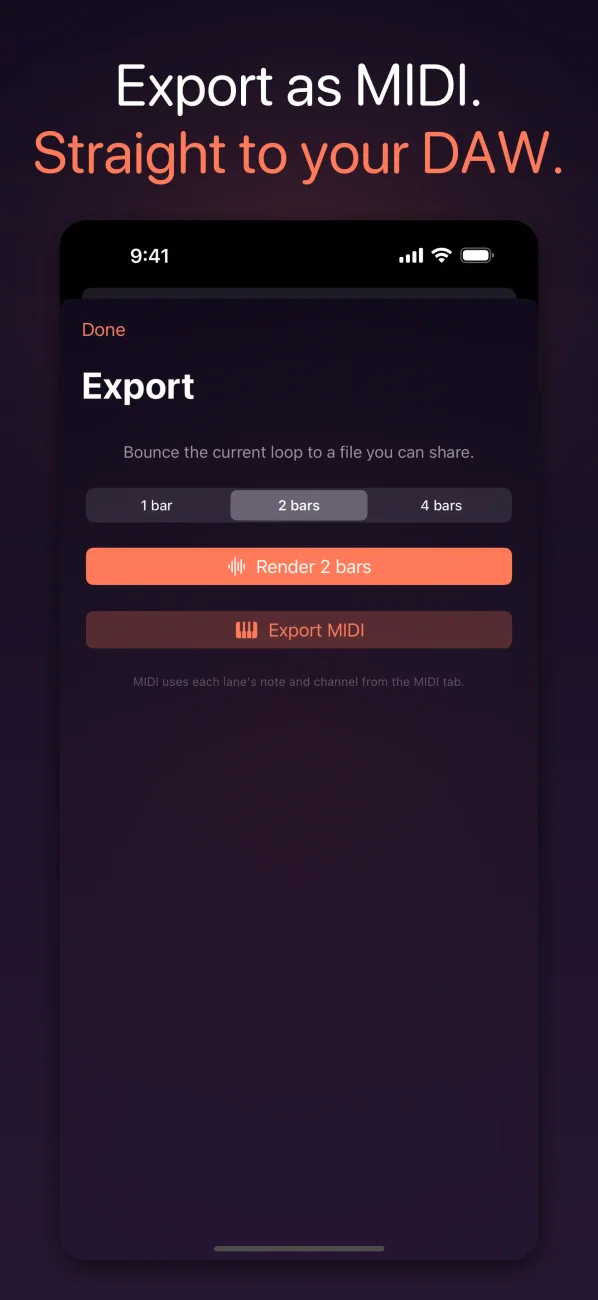
Bounce any loop to a stereo WAV — named with the beat, its length and its tempo, so it still makes sense in your DAW next month — or export it as a MIDI file that lands on General MIDI drum notes, swing and all. Or run Orbeat as an AUv3 instrument with MIDI in & out — sequence other instruments, or play Orbeat's lanes from your host's piano roll inside GarageBand, AUM, Logic, and other AUv3 hosts. Standalone, play the pads live from any MIDI controller and sync the whole groove to external MIDI clock.
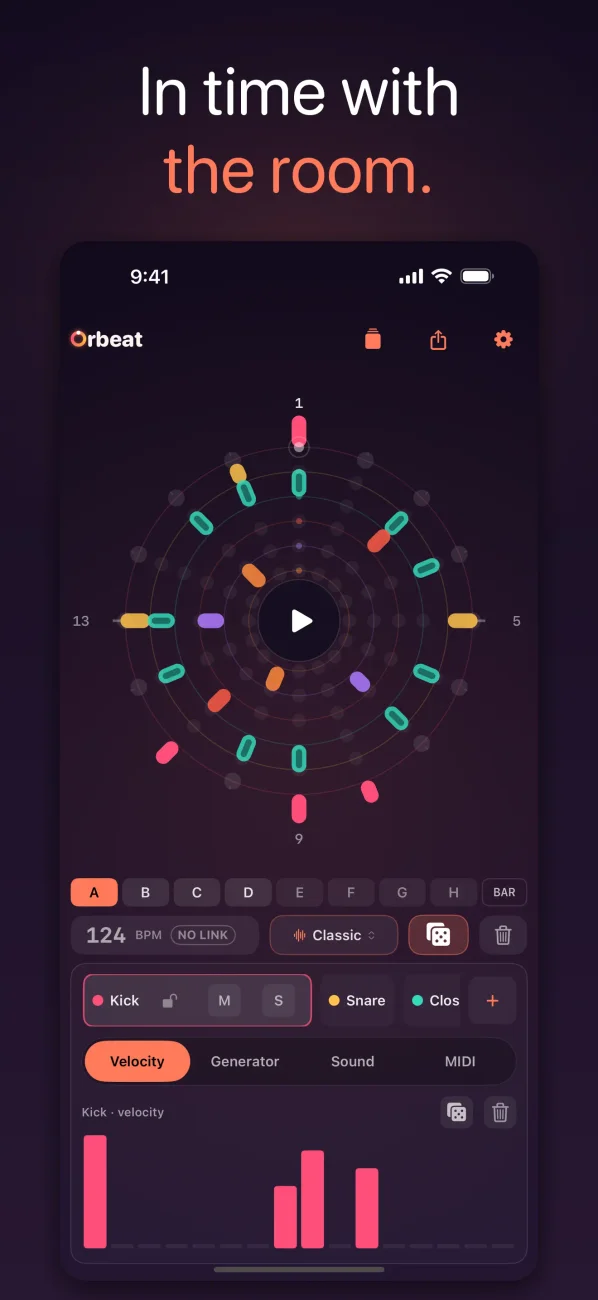
PLAY IN SYNC WITH THE ROOM
Ableton Link keeps Orbeat in time with every Link-enabled app and device on your network — Ableton Live, AUM, Loopy, a friend's iPad across the table. Tempo follows the session, start and stop are shared, and everyone stays in phase. No cables, no setup.
PLAY FREE. UNLOCK ONCE.
The full instrument is free forever — every kit, the six-lane circle, turning rings, the performance pad, Euclidean generators, swing, velocity, pan, per-lane tune, your first custom kit with your own samples, MIDI in & out, and Ableton Link. Orbeat Pro is a single one-time purchase (no subscription, ever) that unlocks room to grow the circle to twelve lanes, plus Probability, polymeter, WAV and MIDI export, unlimited saved beats, and extra custom kits.
Made for iPhone and iPad. No account, no ads, no tracking — your beats never leave your device unless you share them.
Tap the rings. Make it move.
Có gì mới
Phiên bản 1.5.0 · 16/11/2026
The circle has always been where you build a beat. Now you can play it.
TURN A RING
Put a finger on any ring and drag it around the circle. That lane's rhythm turns with you, a step at a time, so you can slide a hi-hat onto the off-beat while the beat keeps playing and hear it move. Let go and it stays where you left it; Undo puts it back. It works on every lane, hand-drawn or Euclidean, playing or stopped.
Pinch the circle to change how many steps the selected lane has. Step lengths are part of Orbeat Pro.
PLAY THE CENTRE
While the beat is playing, hold the play button in the middle of the circle and it becomes a performance pad. Drag outward to stutter: the further out you go, the tighter the repeat, from a whole beat down to a thirty-second note. Drag to the left to close a low-pass filter over the whole mix, or to the right for a high-pass; straight up leaves the sound alone. Let go and everything snaps back, right on the beat, as if you had never left.
A quick tap still starts and stops the beat, the same as before.
The stutter happens in the sequencer, not on a recording of the sound, so the notes Orbeat sends over MIDI stutter too, and whatever you are driving follows along.
IN YOUR HOST
The plug-in gets the same pad in the middle of its circle, and it plays while your host is playing. Repeat and Filter are new parameters, so your host can record a performance as automation and play it back.
AND A FEW MORE
Swiping across the circle no longer changes page, because the circle needs your finger for turning. Use the arrows underneath to reach lanes seven to twelve. In the plug-in, the circle now stays put while the controls below it scroll. With VoiceOver, the circle offers Shift earlier and Shift later for the selected lane.
ALSO IN THIS UPDATE
Every hit plays once. Orbeat listened to every MIDI source, its own port included, so each note it sent came back in and fired the lane again a few milliseconds later. It ignores its own port now, and your controllers and DAW work as before. Lanes you mute or solo away also stop sending MIDI.
Exports sound like playback. Choke groups now reach WAV export, so an open hat that a closed hat cuts off is cut off in the file too, and export no longer freezes the screen while it renders.
Save writes over your project. It used to make a new copy every time; now it updates the project you have open, and Save as New makes a copy. Opening another project over unsaved changes asks first, and your beat is saved in the background every 15 seconds and whenever you leave the app.
Undo the dice. After Dice or Clear, Undo waits at the bottom of the screen for a few seconds.
Copy a pattern. Long-press A to H to copy, paste or clear. The end of the pattern bar shows when a switch lands (now, on the beat or on the bar), and a tap changes it. Pattern banks are part of Orbeat Pro.
On iPhone, a tap between two rings goes to the lane you're editing. Pan and Tune show which way they're turned, and a double-tap centres them. Lanes past six get a minus button that asks before removing one. If a call or a change of headphones stops the sound, Orbeat restarts where it can and tells you where it can't. On iPad in portrait, the controls under the circle scroll.
Orbeat now removes imported samples that no kit uses any more. If you delete a kit, its samples go with it unless another kit still uses them.
Turning rings and the performance pad are free for everyone. Tell me what you'd like the circle to do next: zhi@nonoaudio.com. I read every message.
Quyền riêng tư của ứng dụng
Những gì Chih Han Lin khai báo trên App Store về cách ứng dụng này xử lý dữ liệu.
-
Dữ liệu không được thu thập
Nhà phát triển không thu thập bất kỳ dữ liệu nào từ ứng dụng này.
Phương thức đảm bảo quyền riêng tư có thể khác nhau, chẳng hạn như tuỳ theo các tính năng bạn sử dụng hoặc độ tuổi của bạn.
Thông tin
- Người bán
- Chih Han Lin
- Danh mục
- Nhạc
- Phiên bản
- 1.5.0
- Cập nhật
- 16/11/2026
- Phát hành
- 27/06/2026
- Kích thước
- 5,4 MB
- Yêu cầu
- iOS 16.0 trở lên
- Độ tuổi
- 4+
- Giá
- Miễn phí
- Mua hàng trong ứng dụng
- Có
- Ngôn ngữ
- Tiếng Anh
- Bản quyền
- © Nonotoday LLC