
Orbit - Task Management
Organize Clients & Get Paid
Được thiết kế cho iPhone, iPad
Miễn phí · Mua hàng trong ứng dụng
- Độ tuổi17+
- Danh mụcHiệu Suất
- Nhà phát triểnRon Jimuel Mendoza
- Ngôn ngữTiếng Anh
- Kích thước56,7 MB
Liên kết đến trang App Store chính thức
Download.org không lưu trữ tệp nào của Orbit - Task Management. Nút này mở trang ứng dụng trên App Store, nơi Ron Jimuel Mendoza phát hành ứng dụng. Trang được kiểm tra lần cuối: 20/11/2026.
Ảnh chụp màn hình
Giới thiệu
Nhà phát triển chưa cung cấp nội dung này bằng ngôn ngữ của bạn.
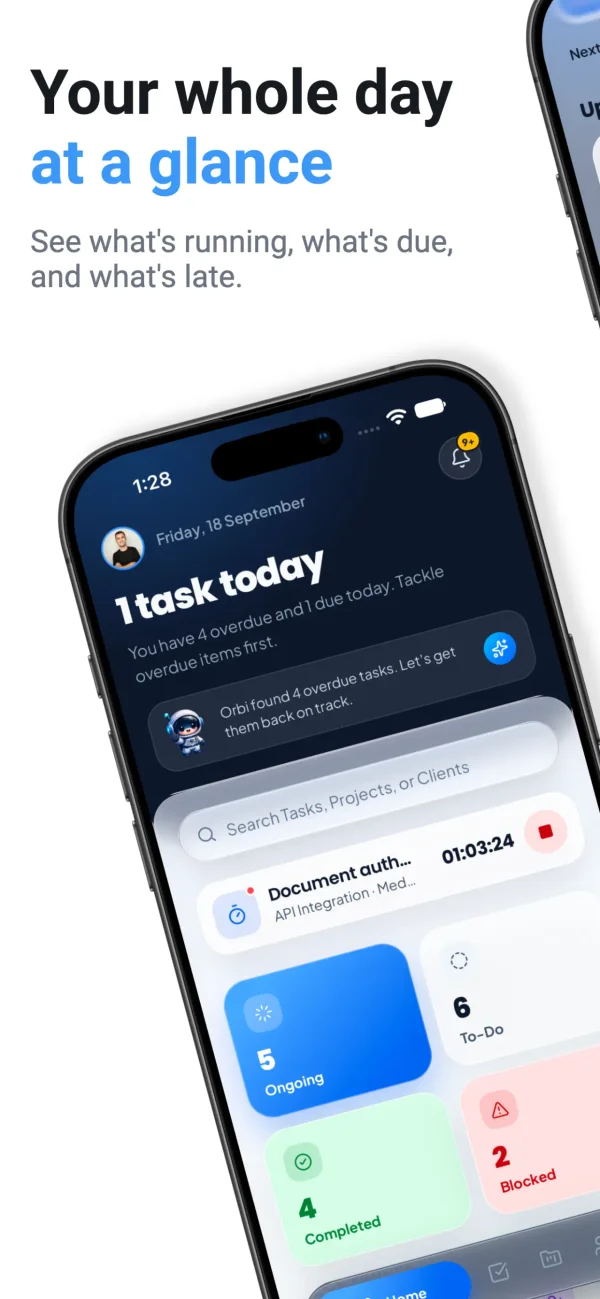
Orbit is the task and project manager built for freelancers and independent pros. Plan your day, keep every client and project in one place, send quotes and invoices, and let Orbi, your AI assistant, take care of the busywork on iPhone and iPad.
YOUR DAY AT A GLANCE
• A Home screen with today's focus, what's overdue, your ongoing work and what you're owed
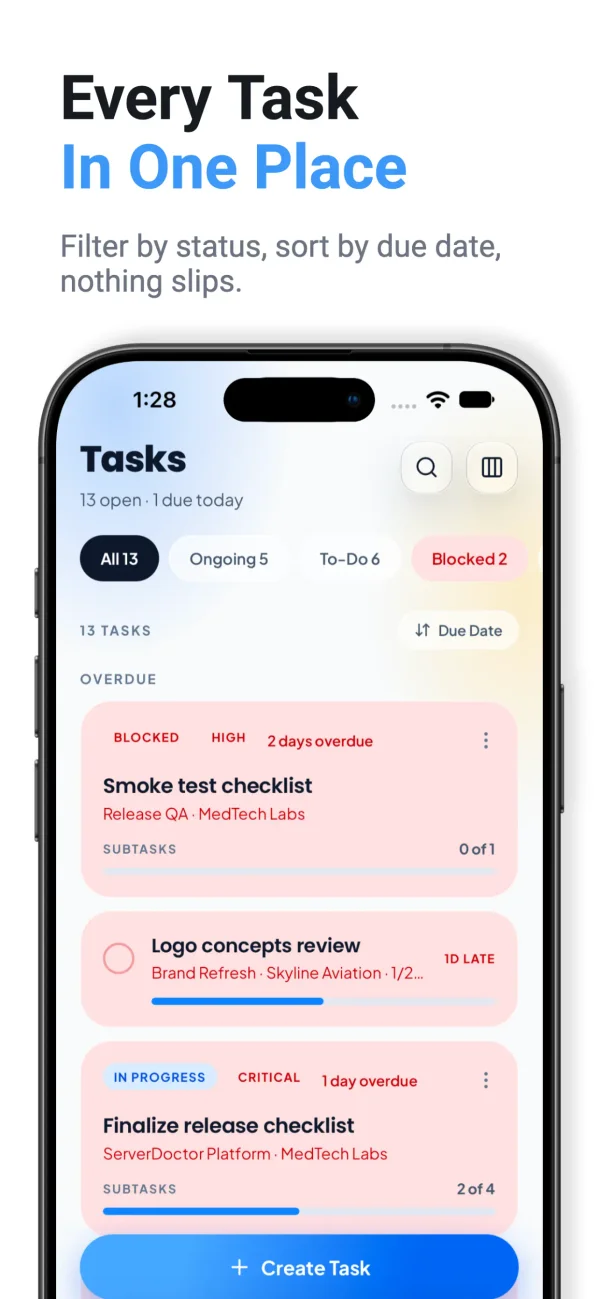
• Tasks with four priorities, statuses, due dates and times, tags, checklists, subtasks and repeating tasks
• A calendar with Day, Week, Month and Agenda views, plus a feed you can subscribe to in Google, Apple or Outlook Calendar
CLIENTS AND PROJECTS
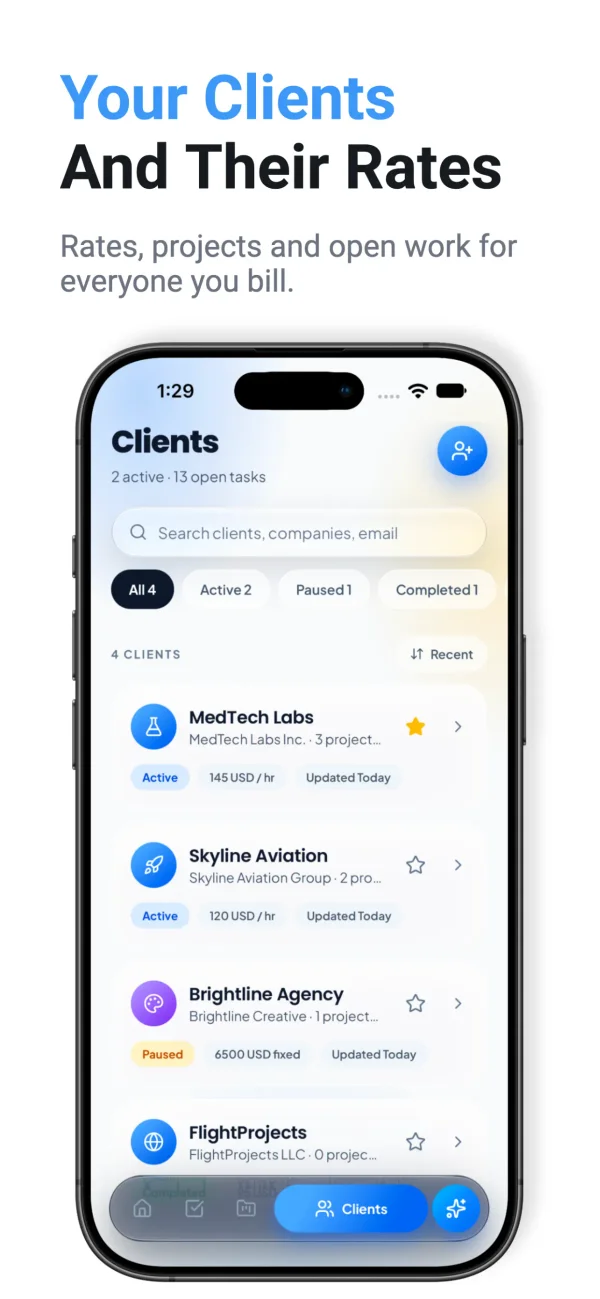
• Every client's contacts, projects, quotes, invoices and unbilled time on one page
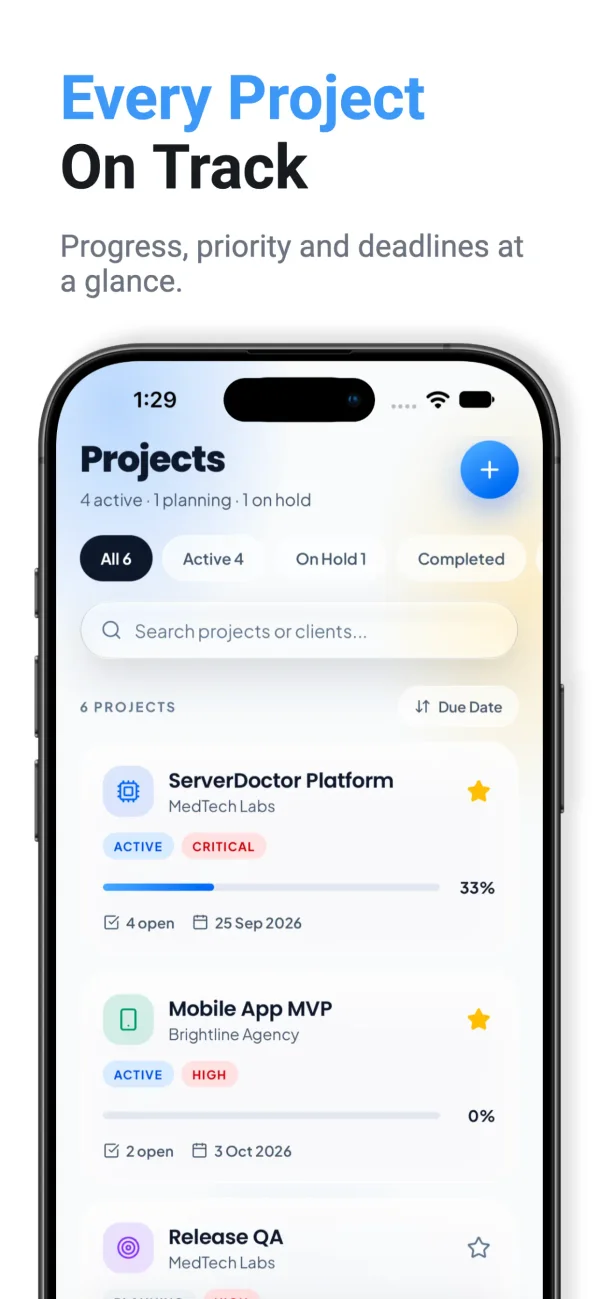
• Project progress, budgets by amount or hours, and what you really earn per hour
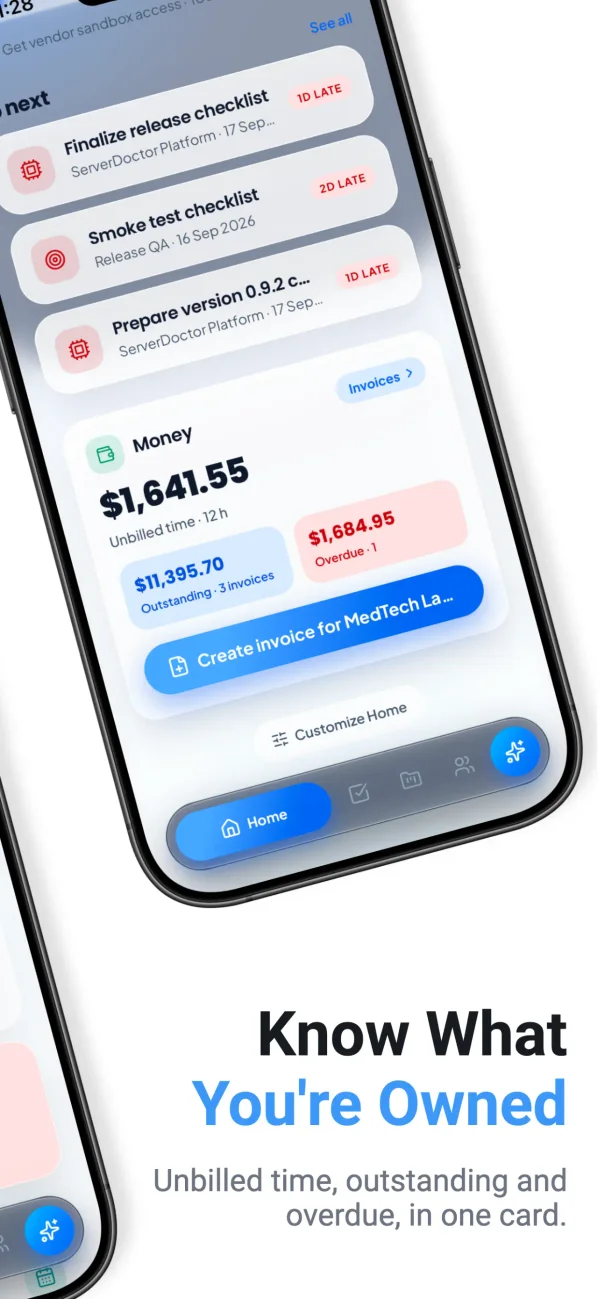
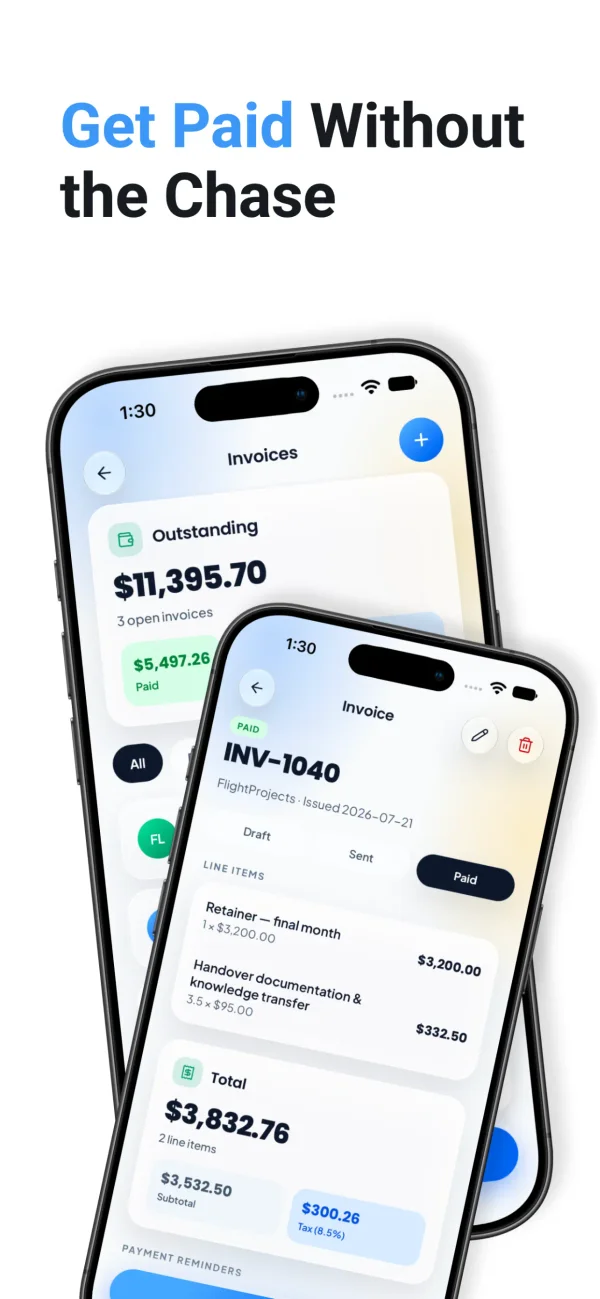
GET PAID
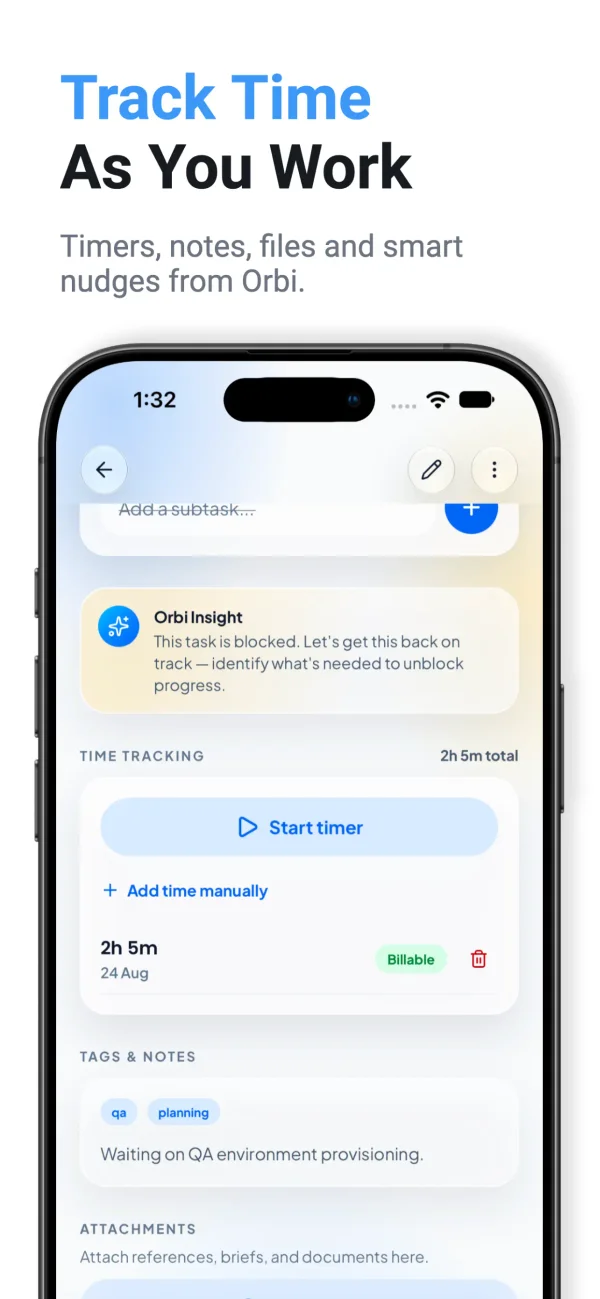
• Track time with a timer or add it later, then turn unbilled hours into an invoice
• Send quotes your clients can accept or decline online — a yes becomes a project, then an invoice
• Invoices with payment reminders, recurring invoices, and four layouts: Classic, Modern, Minimal and Bold
• Log expenses with receipts and bill them to clients
• Income and tax reports you can export as CSV or PDF
ORBI, YOUR AI ASSISTANT
Ask Orbi what to focus on, what's overdue or which invoices are still unpaid. Orbi looks things up across your work and lines up changes for you — nothing changes until you tap Apply. Your chat history stays on your device, and Orbi's AI providers don't train on your data.
AUTOMATION
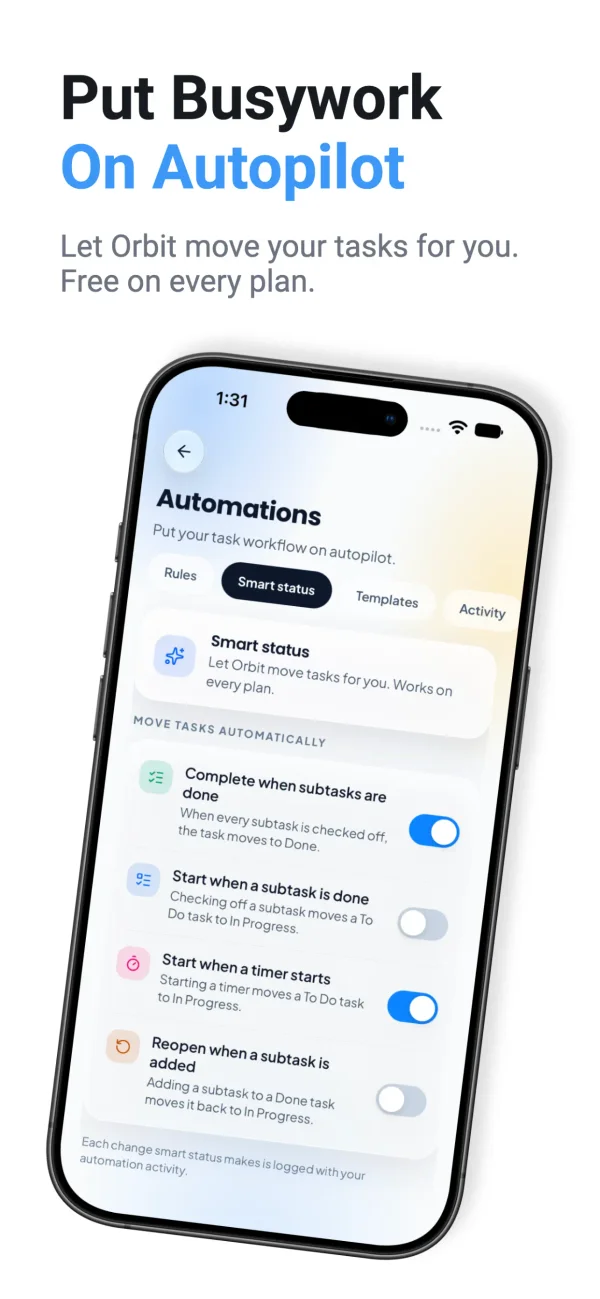
Smart status keeps your tasks current on its own: start a timer and a task moves to In Progress, finish its last subtask and it moves to Done.
BUILT FOR IPAD
A sidebar for every section, and lists with their details side by side for tasks, projects, clients, quotes, invoices and contracts.
ORBIT PRO
Upgrade when you need more:
• Orbi AI with up to 200 requests a day — create and edit projects, clients, invoices and more by chat, plus voice input
• A leads pipeline, from first contact to won
• Contracts with e-signature
• Advanced analytics: productivity trends and activity breakdown
• Custom automation rules
• Quotes, invoices and reports without the Orbit watermark
The free plan never expires and includes 5 Orbi requests a day.
SUBSCRIPTION
Orbit Pro is an auto-renewable subscription, billed monthly or yearly. Payment is charged to your Apple Account when you confirm your purchase. It renews automatically unless you cancel at least 24 hours before the end of the current period, and your account is charged for renewal within 24 hours before the period ends. You can manage or cancel your subscription in your App Store account settings.
Terms of Use: https://www.orbithq.net/terms-of-service
Privacy Policy: https://www.orbithq.net/privacy-policy
Có gì mới
Phiên bản 2.1.1 · 10/10/2026
Orbit is ready for iPhone Duo.
IPHONE DUO
• Open it up and Orbit spreads out with a sidebar for every section, just like on iPad. Tap the Orbit logo to expand the sidebar with labels, and tap the panel button to tuck it away again.
• Fold it closed and you get the familiar iPhone layout, with the tab bar at the bottom.
• Fold or unfold whenever you like — Orbit keeps you on the screen you were on.
• Buttons, sheets and pop-ups stay clear of the camera, and backgrounds run edge to edge in light and dark mode.
ALSO IN THIS RELEASE
• Invoice and quote design: the Font option is now a simple dropdown, so the full font names fit on iPhone
• iPad: the sidebar keeps its full-size buttons in short windows and scrolls smoothly, and Stage Manager windows can expand it too
• Home: Quick Action labels no longer break in the middle of a word
• Sign-in screens scroll on shorter screens, so every button is within reach
• Fixed: the Back arrow could do nothing after opening Orbit from a link — it now always takes you somewhere sensible
Quyền riêng tư của ứng dụng
Những gì Ron Jimuel Mendoza khai báo trên App Store về cách ứng dụng này xử lý dữ liệu.
-
Dữ liệu liên kết với bạn
Có thể được thu thập và liên kết với danh tính của bạn.
- Mục mua
- Thông tin tài chính
- Thông tin liên hệ
- Nội dung của người dùng
- Mã định danh
- Dữ liệu khác
-
Dữ liệu không liên kết với bạn
Có thể được thu thập nhưng không liên kết với danh tính của bạn.
- Chẩn đoán
Phương thức đảm bảo quyền riêng tư có thể khác nhau, chẳng hạn như tuỳ theo các tính năng bạn sử dụng hoặc độ tuổi của bạn.
Thông tin
- Người bán
- Ron Jimuel Mendoza
- Danh mục
- Hiệu Suất
- Phiên bản
- 2.1.1
- Cập nhật
- 10/10/2026
- Phát hành
- 14/07/2026
- Kích thước
- 56,7 MB
- Yêu cầu
- iOS 16.4 trở lên
- Độ tuổi
- 17+
- Giá
- Miễn phí
- Mua hàng trong ứng dụng
- Có
- Ngôn ngữ
- Tiếng Anh
- Bản quyền
- © 2026 Ron Jimuel Mendoza
Có thể bạn cũng thích
-
 Primora: Eisenhower MatrixHiệu Suất
-
 BrainDump: Voice Tasks & FocusHiệu Suất
-
 Study KittyHiệu Suất
-
 monday NotetakerHiệu Suất
-
 HabitatZeroHiệu Suất
-
 Prazo: Calendar & To-Do ListHiệu Suất
-
 e-Scanner: Quét & PDFSản phẩm Việt, không quảng cáo
-
 ERB MhandisiHiệu Suất
-
 Risenote – AI Meeting NotesHiệu Suất
-
 Theo dõi thói quen - HabiteeChuỗi, nhắc nhở & thói quen