- Độ tuổi4+
- Danh mụcTiện Ích
- Nhà phát triểnOrdio GmbH
- Ngôn ngữTiếng Anh+ 6 ngôn ngữ khác
- Kích thước79,8 MB
Liên kết đến trang App Store chính thức
Download.org không lưu trữ tệp nào của Ordio. Nút này mở trang ứng dụng trên App Store, nơi Ordio GmbH phát hành ứng dụng. Trang được kiểm tra lần cuối: 12/11/2026.
Ảnh chụp màn hình


Giới thiệu
Nhà phát triển chưa cung cấp nội dung này bằng ngôn ngữ của bạn.
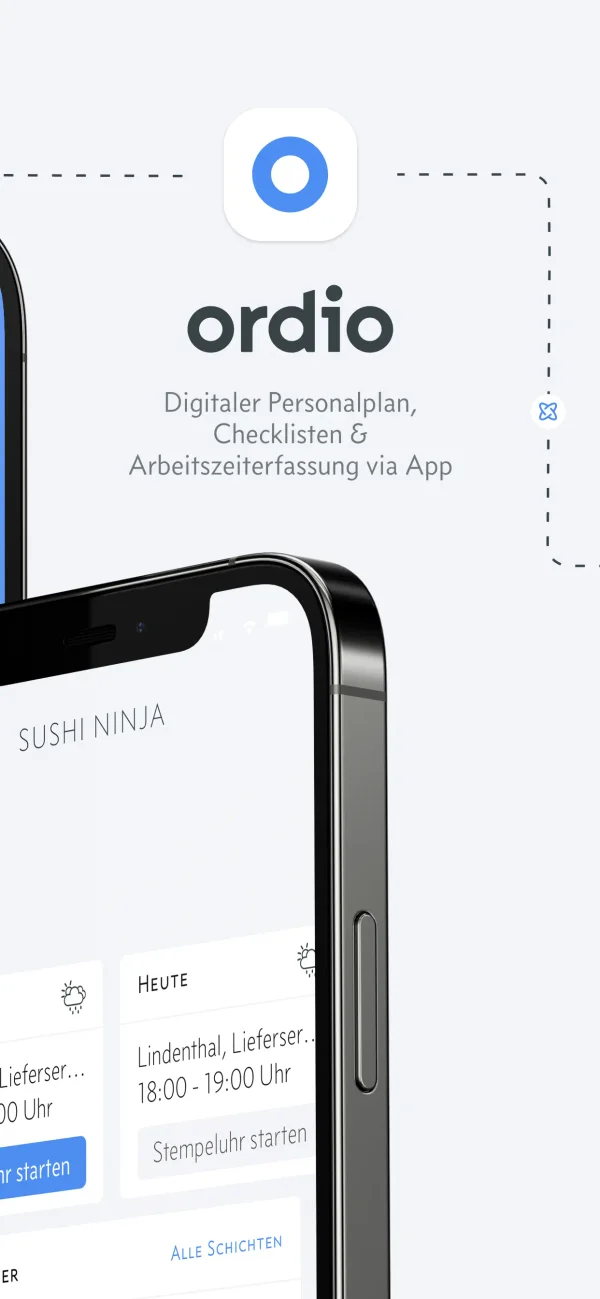
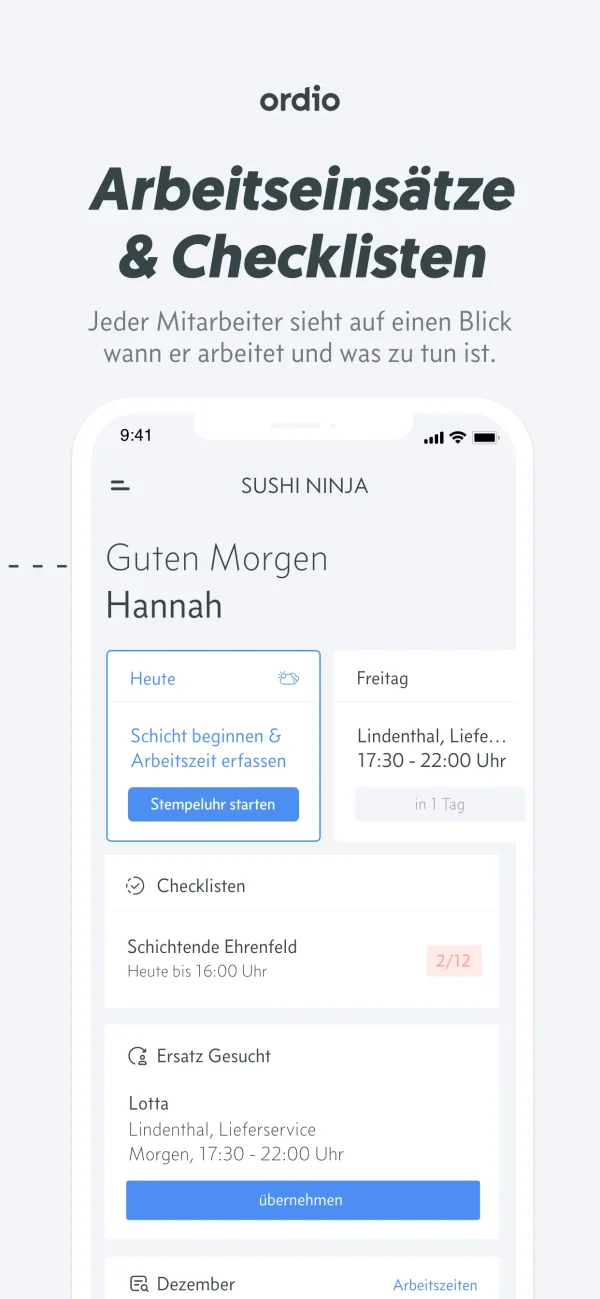
Ordio is the app for your team. You see your shifts, check in and out, and request leave. Your workplace plans in Ordio. You have the schedule on your phone.
To use the app, you need an Ordio account. Your workplace sends you an invitation. Your workplace also decides which of the following features you have in the app.
Schedule and shifts
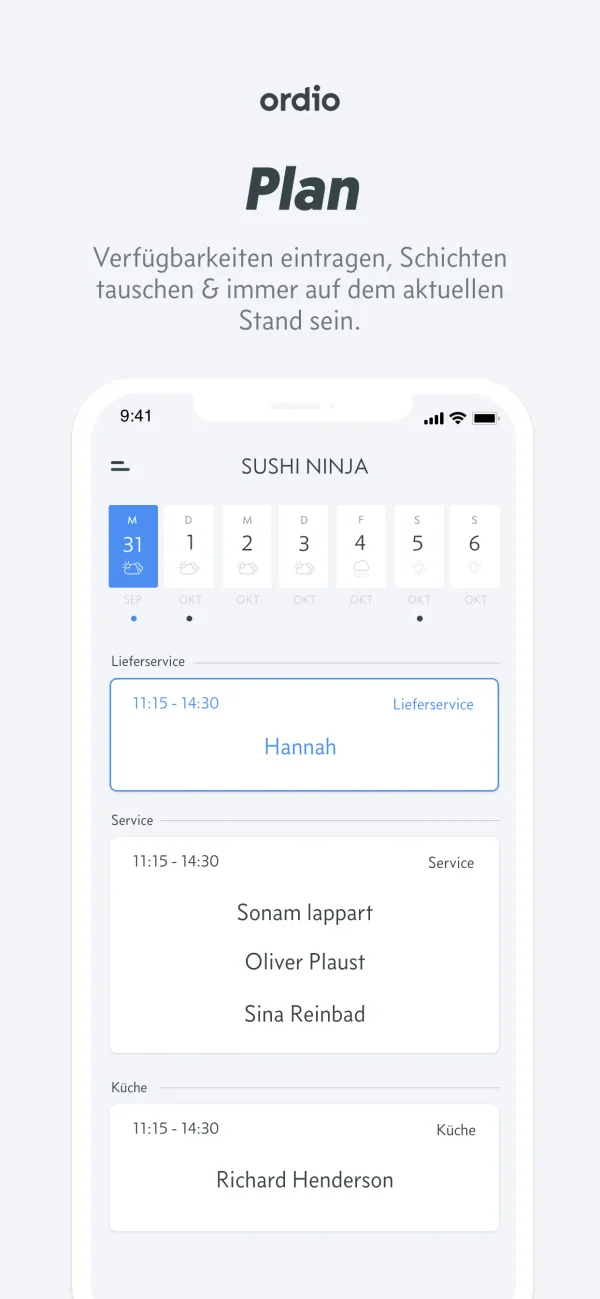
• You see your shifts as a list or in a calendar. If your workplace shares them, you also see your team's shifts.
• You apply for open shifts or enter yourself directly.
• You swap a shift or search for a replacement.
• You enter your availability, including "Partly available" with a reason.
• You subscribe to your shifts in your phone's calendar.
• You get a notification when a shift changes or someone wants to swap with you.
Time tracking
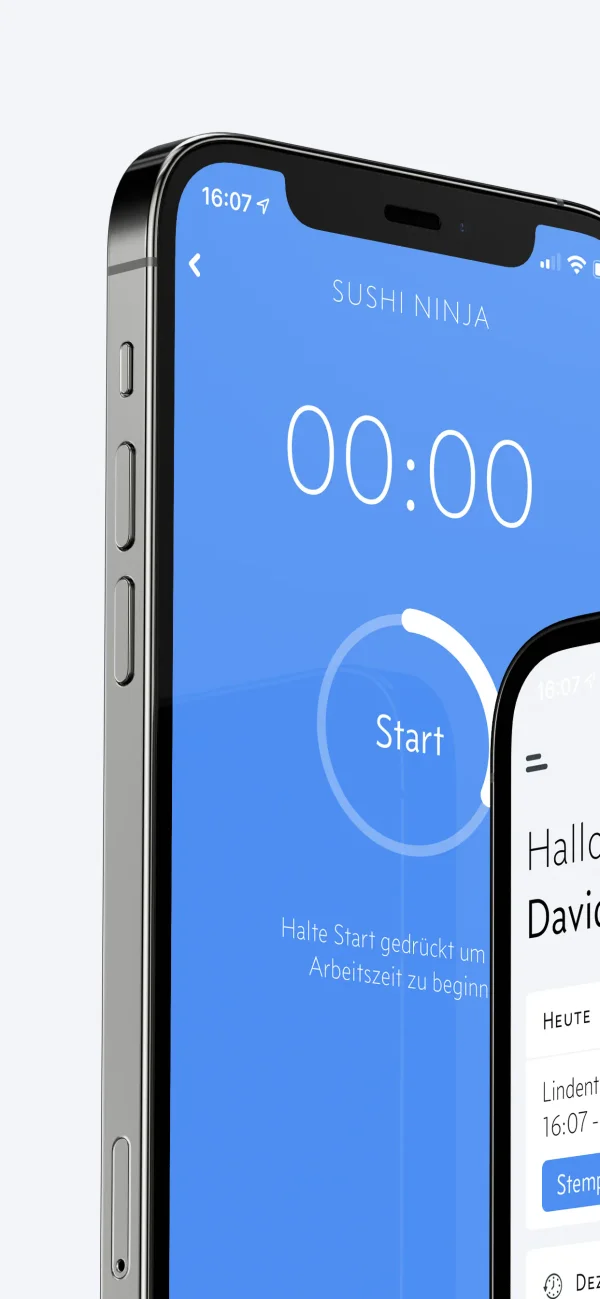
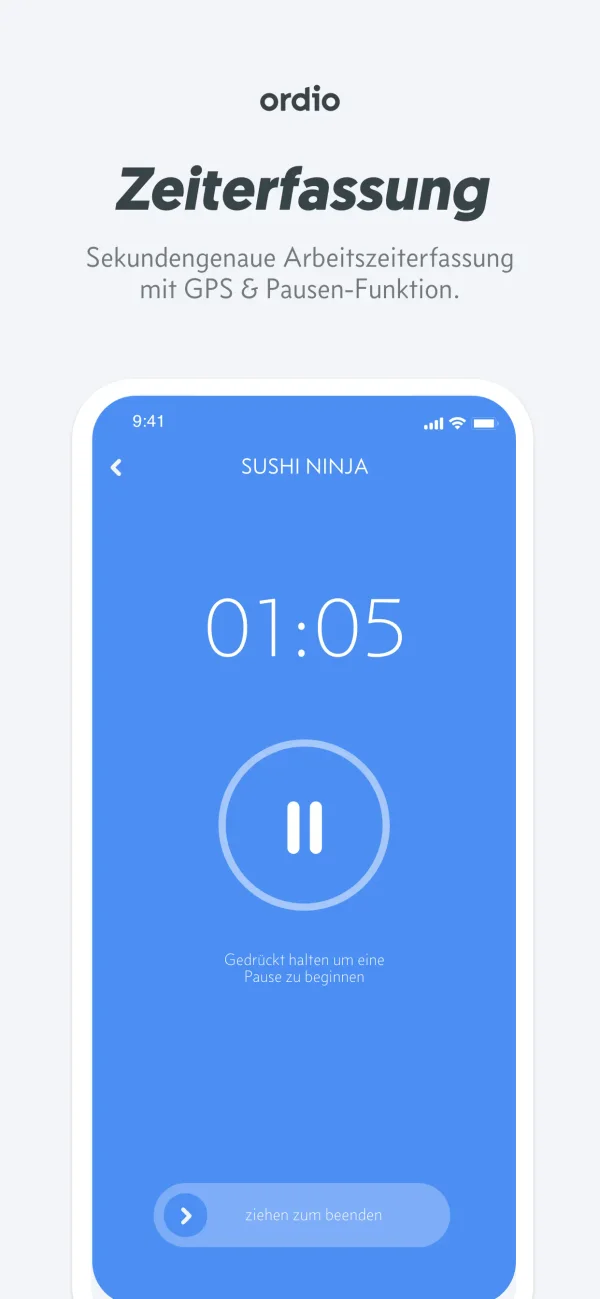
• You check in and out and record your breaks, including the short break.
• You check in by location at your workplace, with a QR code, or confirm with your signature.
• After the shift, you review and confirm your times.
• You see your running shift on the Lock Screen. A Home Screen widget shows today's shifts.
Working times
• You see actual and target hours, overtime and undertime, and your working-time account.
• You see your gross wage and your tips.
Leave and absences
• You request vacation and report sick days.
• You see your remaining vacation days. The app tells you when your request is decided.
Documents and personal data
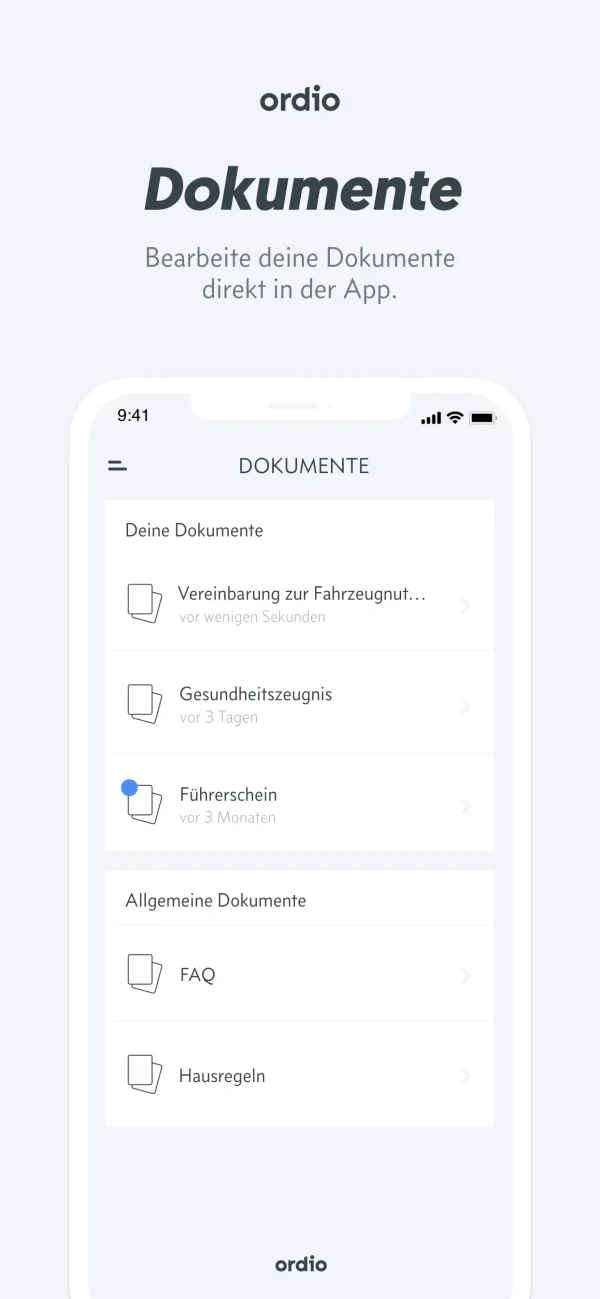
• You upload documents, such as a health certificate with an expiry date.
• You sign documents in the app.
• You keep your personal data up to date: address, bank details, tax and health insurance.
• You change your PIN for the Ordio Terminal.
Checklists and news
• You complete your workplace's checklists.
• You read messages from your workplace and see upcoming events.
22 languages
The app is available in 22 languages, including German, Turkish, Polish, Ukrainian and Romanian. It starts in your phone's language. You can pick another one in the settings.
For businesses
You create schedules, reports and exports in Ordio in the browser. At the entrance, your team can also check in on the Ordio Terminal tablet. You find more at ordio.com.
Location
If your workplace uses check-in by location, the app records your location when you check in and out. Some workplaces also use automatic check-out. If you allow location access "Always" for it, the app checks your location in the background during your shift. When you leave your workplace, Ordio checks you out. The checks stop when you are checked out.
Có gì mới
Phiên bản 5.9.0 · 26/10/2026
The app now follows your phone's text size. Before, text in Ordio always stayed the same size.
Short break: The time clock has a "Short break" button. It records a break of the length your workplace has set. An administrator switches it on in Ordio, under Settings, "Shift planning & time tracking".
New languages: Swedish, Danish and Georgian. Ordio is now available in 22 languages.
Tips: If your workplace manages tips in Ordio, you see your balance under "Working times".
Fixed:
– "Search replacement" now sends one request per tap. Before, colleagues sometimes got several emails.
– Your reason for "Partly available" is saved, even when you leave the field.
– If a document has expired, you can upload a new one directly. Before, the button was missing.
– "Unsubscribe" is back on shifts if your workplace allows it.
– With "Remember selection", your workplace stays selected after you log out.
Quyền riêng tư của ứng dụng
Những gì Ordio GmbH khai báo trên App Store về cách ứng dụng này xử lý dữ liệu.
-
Dữ liệu được sử dụng để theo dõi bạn
Có thể được sử dụng để theo dõi bạn trên các ứng dụng và trang web do công ty khác sở hữu.
- Thông tin liên hệ
-
Dữ liệu liên kết với bạn
Có thể được thu thập và liên kết với danh tính của bạn.
- Vị trí
- Thông tin liên hệ
- Mã định danh
- Dữ liệu sử dụng
-
Dữ liệu không liên kết với bạn
Có thể được thu thập nhưng không liên kết với danh tính của bạn.
- Chẩn đoán
Phương thức đảm bảo quyền riêng tư có thể khác nhau, chẳng hạn như tuỳ theo các tính năng bạn sử dụng hoặc độ tuổi của bạn.
Thông tin
- Người bán
- Ordio GmbH
- Danh mục
- Tiện Ích
- Phiên bản
- 5.9.0
- Cập nhật
- 26/10/2026
- Phát hành
- 20/11/2019
- Kích thước
- 79,8 MB
- Yêu cầu
- iOS 16.4 trở lên
- Độ tuổi
- 4+
- Giá
- Miễn phí
- Ngôn ngữ
- Tiếng Anh, Tiếng Hà Lan, Tiếng Đức, Tiếng Ba Lan, Tiếng Nga, Tiếng Tây Ban Nha, Tiếng Ukraina
- Bản quyền
- © Ordio GmbH