
Pangi – 2FA Authenticator
Private TOTP Codes & AutoFill
Được thiết kế cho iPhone, iPad
Miễn phí
- Độ tuổi4+
- Danh mụcTiện Ích
- Nhà phát triểnJacob Suchorabski
- Ngôn ngữTiếng Đức+ 1 ngôn ngữ khác
- Kích thước21,5 MB
Liên kết đến trang App Store chính thức
Download.org không lưu trữ tệp nào của Pangi – 2FA Authenticator. Nút này mở trang ứng dụng trên App Store, nơi Jacob Suchorabski phát hành ứng dụng. Trang được kiểm tra lần cuối: 12/11/2026.
Ảnh chụp màn hình
Giới thiệu
Nhà phát triển chưa cung cấp nội dung này bằng ngôn ngữ của bạn.
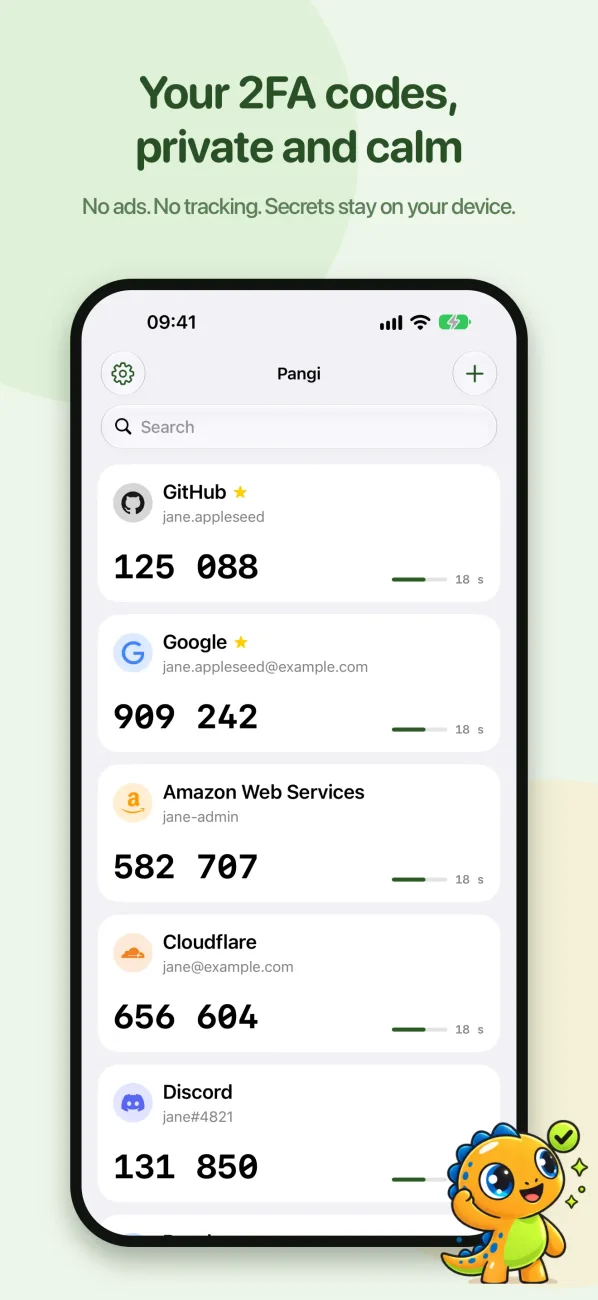
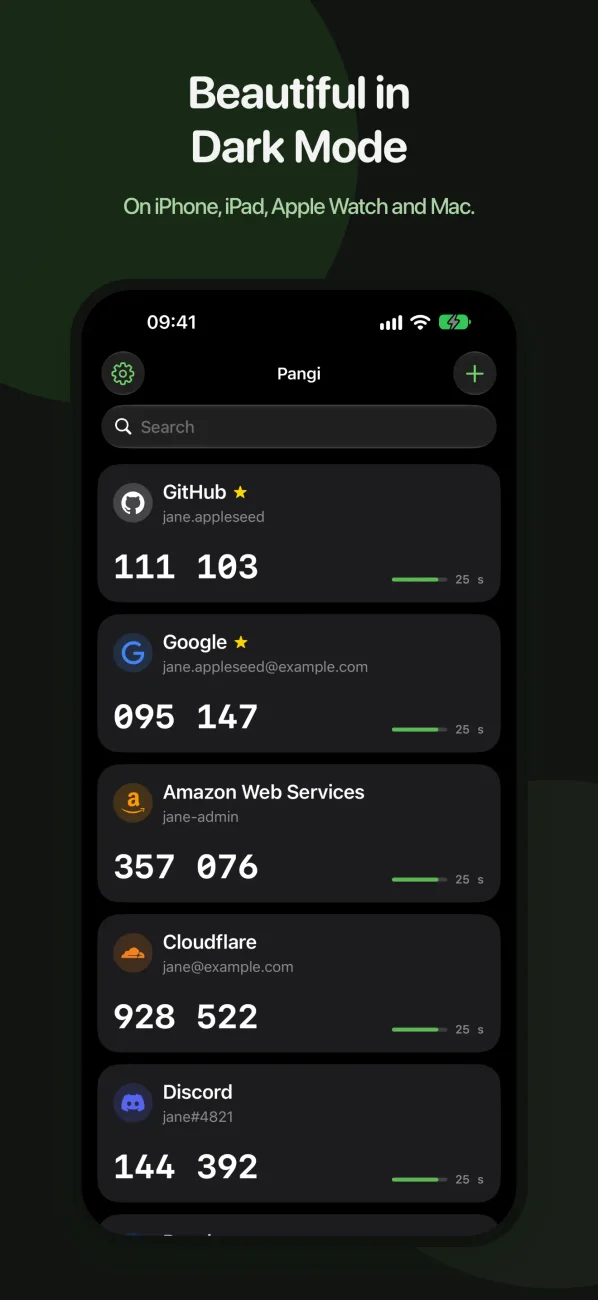
Pangi is a private two-factor authenticator (2FA) for iPhone, iPad and Apple Watch. It generates the 6- or 8-digit verification codes (TOTP) that protect your online accounts, keeps your secrets on your device, and never shows ads or tracks you.
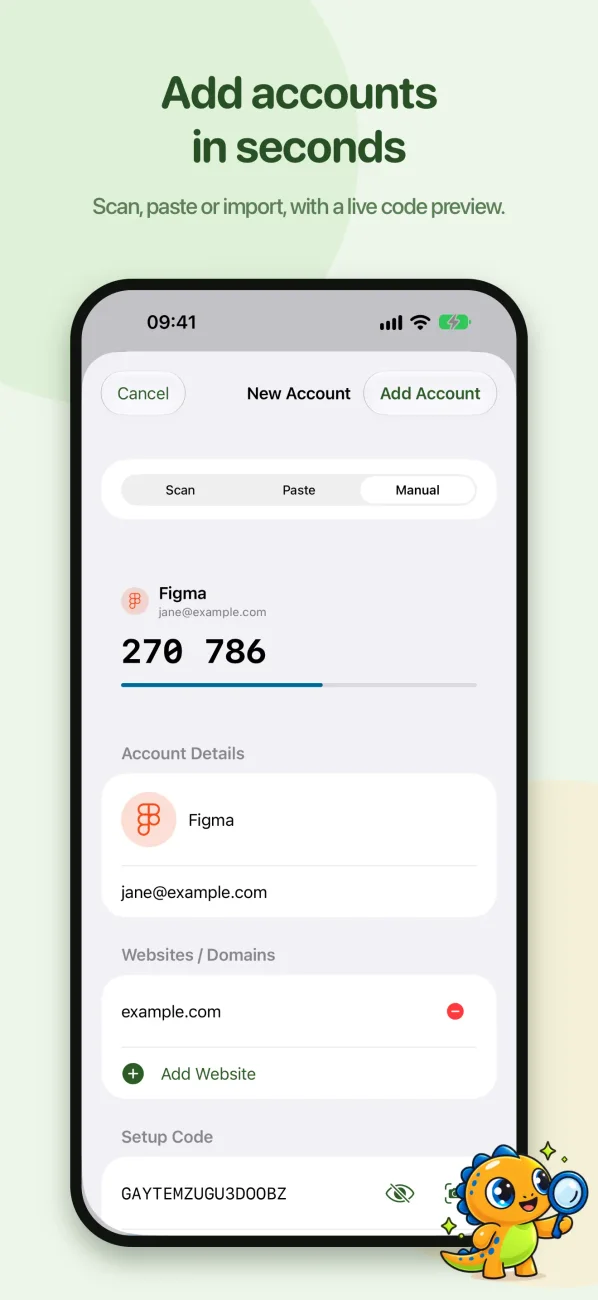
ADD ACCOUNTS IN SECONDS
- Scan a setup QR code with the camera, or pick a screenshot from Photos
- Paste an otpauth:// link or a setup key and check it with a live code preview
- Scan several QR codes in a row and import them together
- Move over from Google Authenticator using its export QR codes
- Enter keys manually with full control over algorithm (SHA-1, SHA-256, SHA-512), digits and period
CODES WHERE YOU NEED THEM
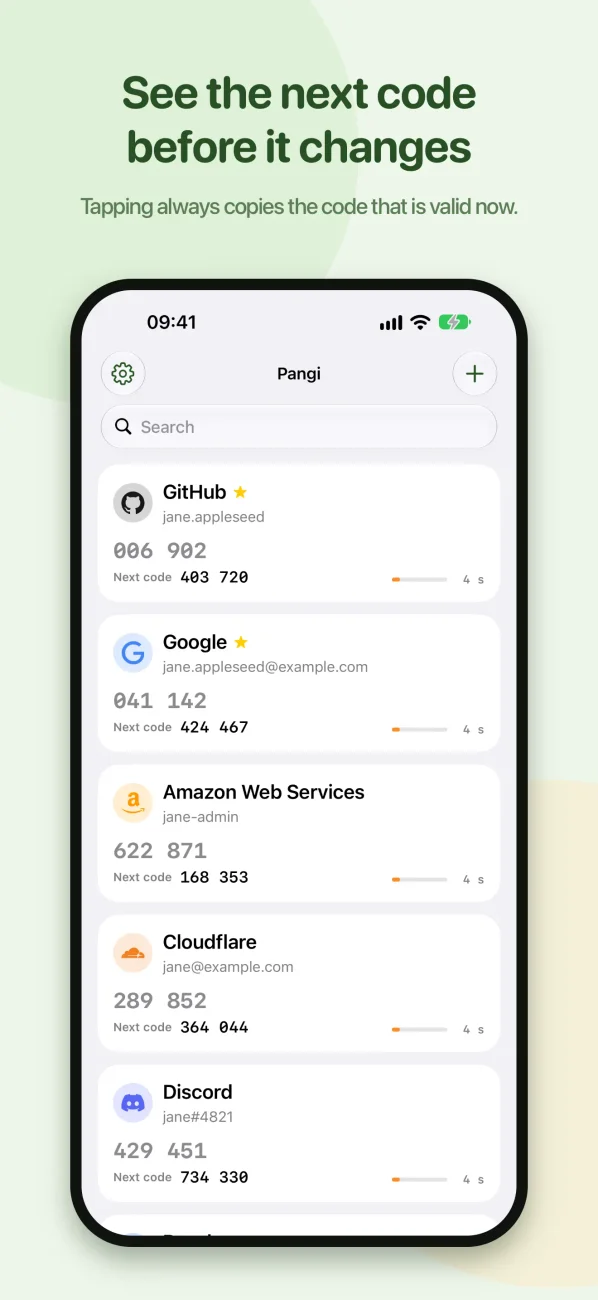
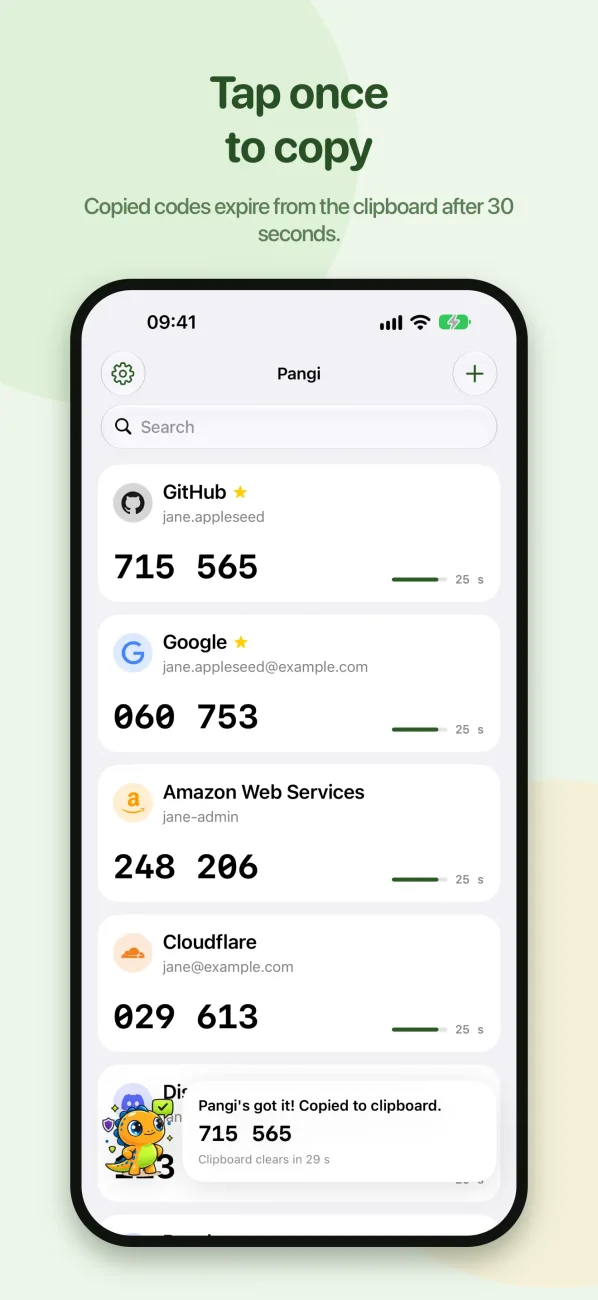
- Tap a card to copy the current code. Pangi previews the next code in the last seconds before it changes
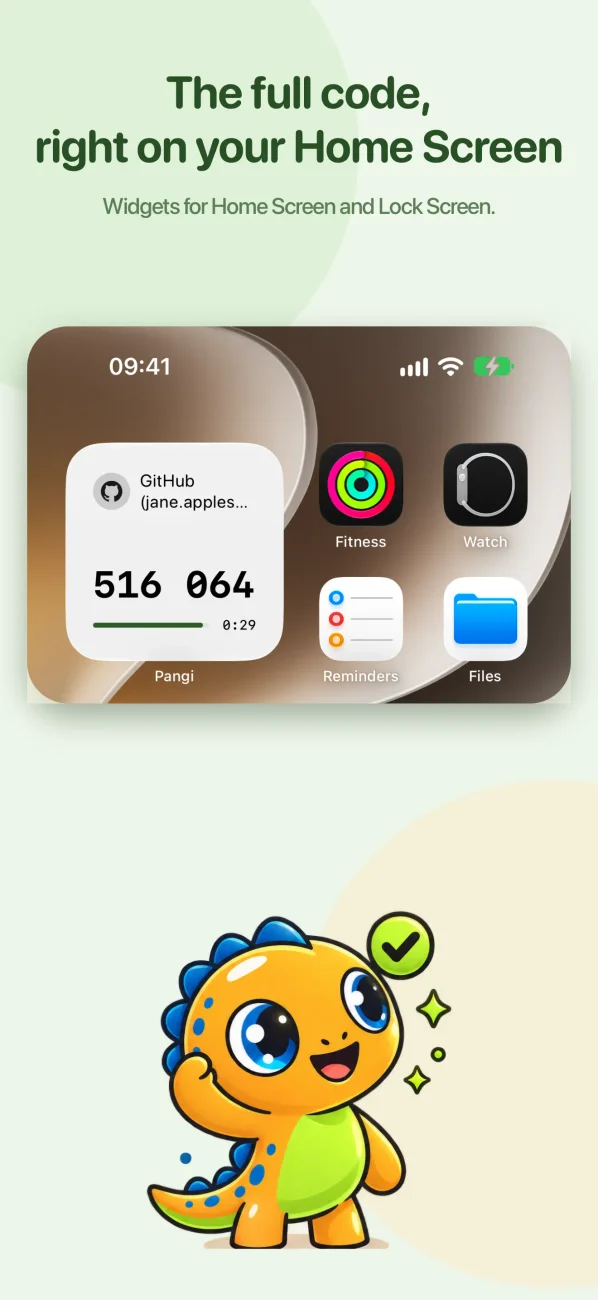
- Home Screen and Lock Screen widgets that show the full code
- AutoFill offers your one-time codes when you sign in
- Apple Watch app with your codes on your wrist
- Pangi for Mac, a menu bar companion (separate download), syncs through iCloud
- Adaptive layouts for iPad and iPhone Duo, with an optional grid view
SECURITY YOU CAN CHECK
- Secrets are stored in the Apple Keychain on your device
- Face ID, Touch ID or passcode lock that re-locks immediately or after 5 or 15 minutes
- Optional iCloud sync, encrypted on your device before upload
- Encrypted, password-protected backups you can export and restore
- Copied codes are cleared from the clipboard automatically
- Works offline
MORE THAN CODES
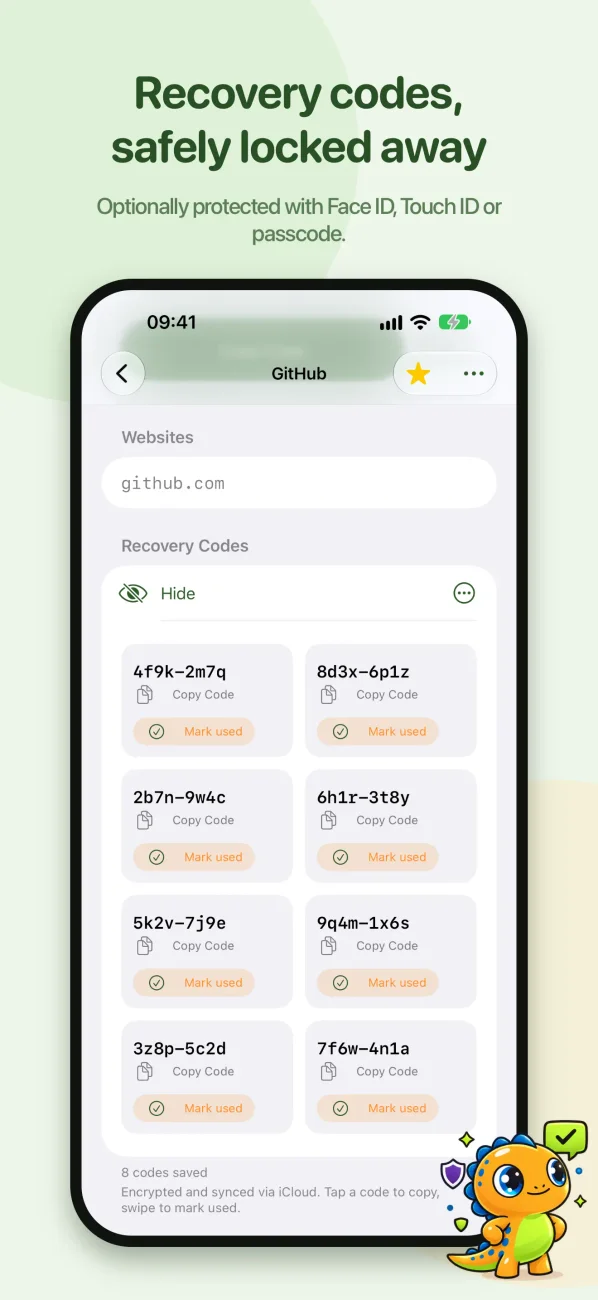
- Keep recovery codes with each account, with optional Face ID, Touch ID or passcode protection
- Automatic service icons, or your own icon for any account
- Favorites, search, custom order and colors
PRIVACY FIRST
No ads. No third-party analytics. No tracking. Pangi does not collect your data.
Whether you are switching from another authenticator or turning on two-factor authentication for the first time, Pangi keeps your verification codes private, fast and easy to reach.
Có gì mới
Phiên bản 2026.11 · 30/10/2026
Pangi 2026.11 is a complete redesign.
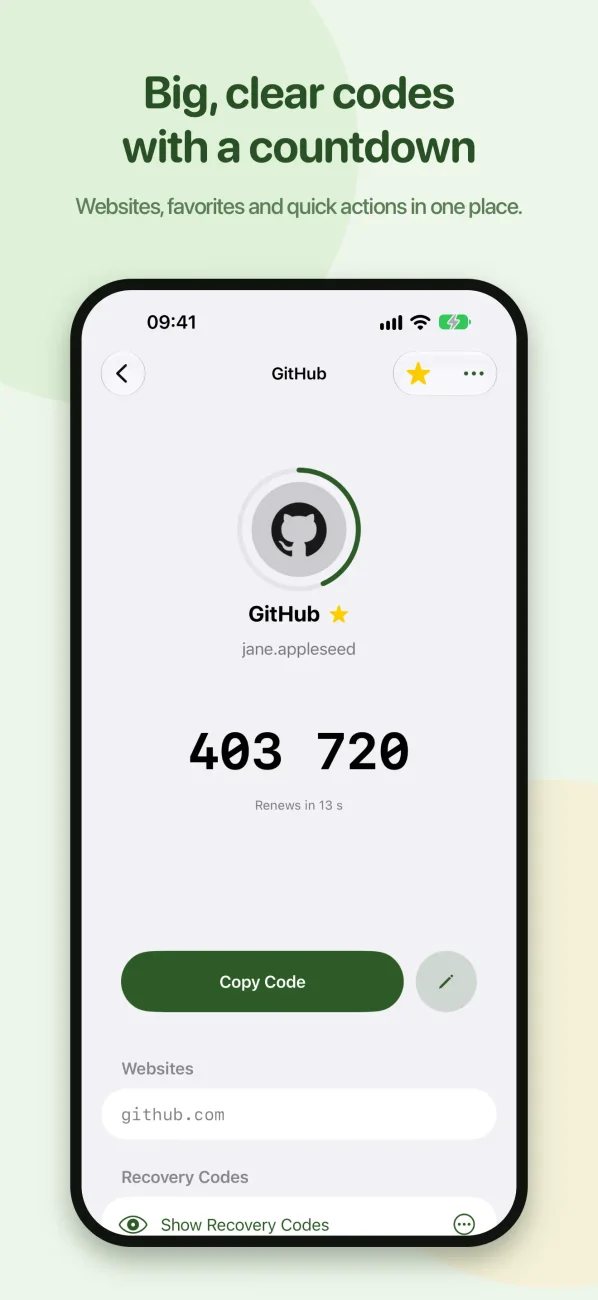
• New look: calmer account cards, a big centered code on the detail screen, and a preview of the next code in the last seconds before it changes. Tapping still copies the code that is valid right now.
• Faster setup: a full-screen scanner with torch, paste an otpauth link or setup key, check everything with a live code preview, and import several QR codes in one go.
• Full codes in widgets: Home Screen widgets and rectangular or inline Lock Screen widgets now show the entire code, including 8-digit codes. Circular widgets show a countdown.
• Recovery codes are shown as clear tiles, with optional Face ID, Touch ID or passcode protection.
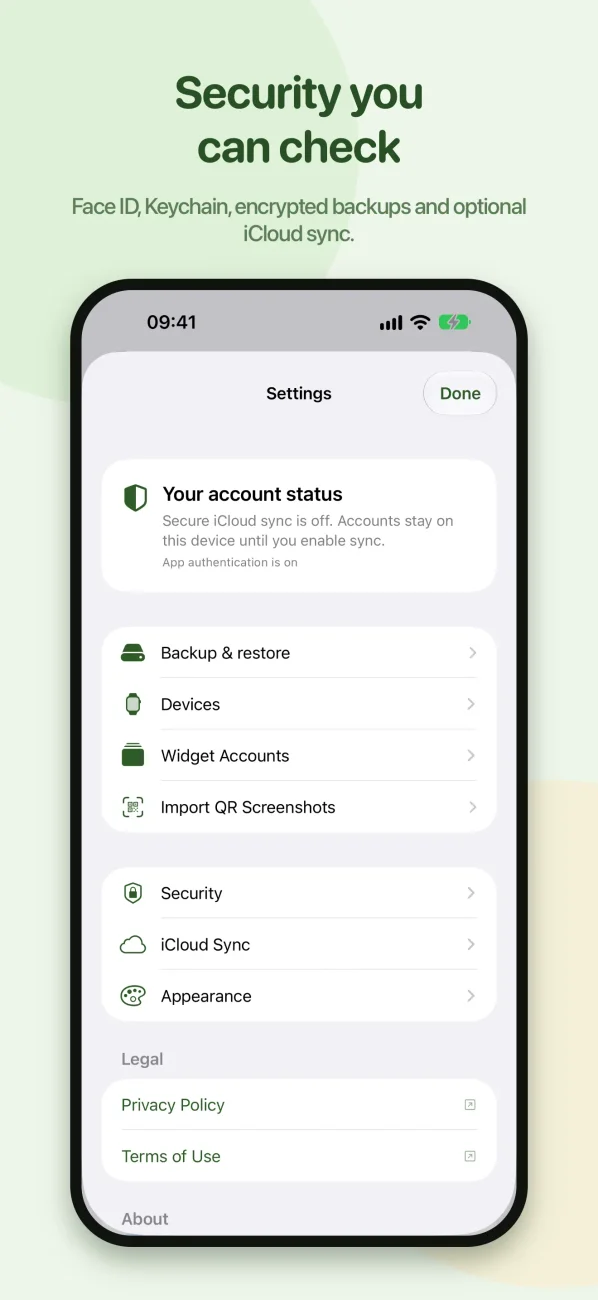
• Settings show your security and iCloud sync status at a glance, and Devices shows your Apple Watch and how to set up Pangi for Mac.
• iPhone Duo: improved layouts around the fold, copy confirmation kept away from the hinge, and a more compact detail view in shorter windows.
• Accessibility: larger text wraps instead of shrinking, clearer VoiceOver labels and copy feedback.
• Apple Watch loads your accounts faster and syncs more reliably.
• Polished German translation and many reliability fixes for sync, Keychain and backups.
Quyền riêng tư của ứng dụng
Những gì Jacob Suchorabski khai báo trên App Store về cách ứng dụng này xử lý dữ liệu.
-
Dữ liệu không được thu thập
Nhà phát triển không thu thập bất kỳ dữ liệu nào từ ứng dụng này.
Phương thức đảm bảo quyền riêng tư có thể khác nhau, chẳng hạn như tuỳ theo các tính năng bạn sử dụng hoặc độ tuổi của bạn.
Thông tin
- Người bán
- Jacob Suchorabski
- Danh mục
- Tiện Ích
- Phiên bản
- 2026.11
- Cập nhật
- 30/10/2026
- Phát hành
- 16/04/2026
- Kích thước
- 21,5 MB
- Yêu cầu
- iOS 18.0 trở lên
- Độ tuổi
- 4+
- Giá
- Miễn phí
- Ngôn ngữ
- Tiếng Đức, Tiếng Anh
- Bản quyền
- © 2026 Jacob Suchorabski
Có thể bạn cũng thích
-
 PetDiary: Pet Health RecordTiện Ích
-
 HearEasy - Sound AmplifierTiện Ích
-
 MeowMemo - Cat Food & JournalTiện Ích
-
 Hear Through Walls: AmplifyTiện Ích
-
 Ruum Hub: Smart RemoteTiện Ích
-
 Protegy Xác thực 2FA & Mã OTPTOTP, Mật khẩu & Bảo mật riêng
-
 Crest BrowserTiện Ích
-
 Thetis AuthenticatorTiện Ích
-
 Sound AmplifierHỗ trợ nghe & tăng micro
-
 Frame Grabber: Video to PicTiện Ích