- Độ tuổi4+
- Danh mụcĐồ Họa & Thiết Kế
- Nhà phát triểnkenta isomi
- Ngôn ngữTiếng Anh+ 9 ngôn ngữ khác
- Kích thước7,4 MB
Liên kết đến trang App Store chính thức
Download.org không lưu trữ tệp nào của patanQ. Nút này mở trang ứng dụng trên App Store, nơi kenta isomi phát hành ứng dụng. Trang được kiểm tra lần cuối: 27/11/2026.
Ảnh chụp màn hình



Giới thiệu
Nhà phát triển chưa cung cấp nội dung này bằng ngôn ngữ của bạn.
Make sewing patterns, add seam allowance automatically, and print at true size — all on your iPhone or iPad.
Start from a template such as a tote bag or skirt, enter your measurements, and draft to the millimeter. Print at exact size with AirPrint or export a true-size PDF.
No more spreading out big sheets of paper and measuring by hand — just combine shapes on screen.
Perfect for dressmaking, bags and pouches, home décor, leather craft and other DIY projects.
---
**Start from a Template**
7 ready-made templates: tote bag, drawstring bag, pocket, A-line skirt, cushion cover, placemat and round coaster.
Pick one, adjust the size, and your pattern is done.
**Automatic Seam Allowance**
Treats the shape's outline as the cutting line and draws a dash-dot stitching line inside it at the width you choose (mm).
Works with closed shapes such as rectangles, circles and polygons, and is included when you print or export to PDF.
**8 Drawing Tools**
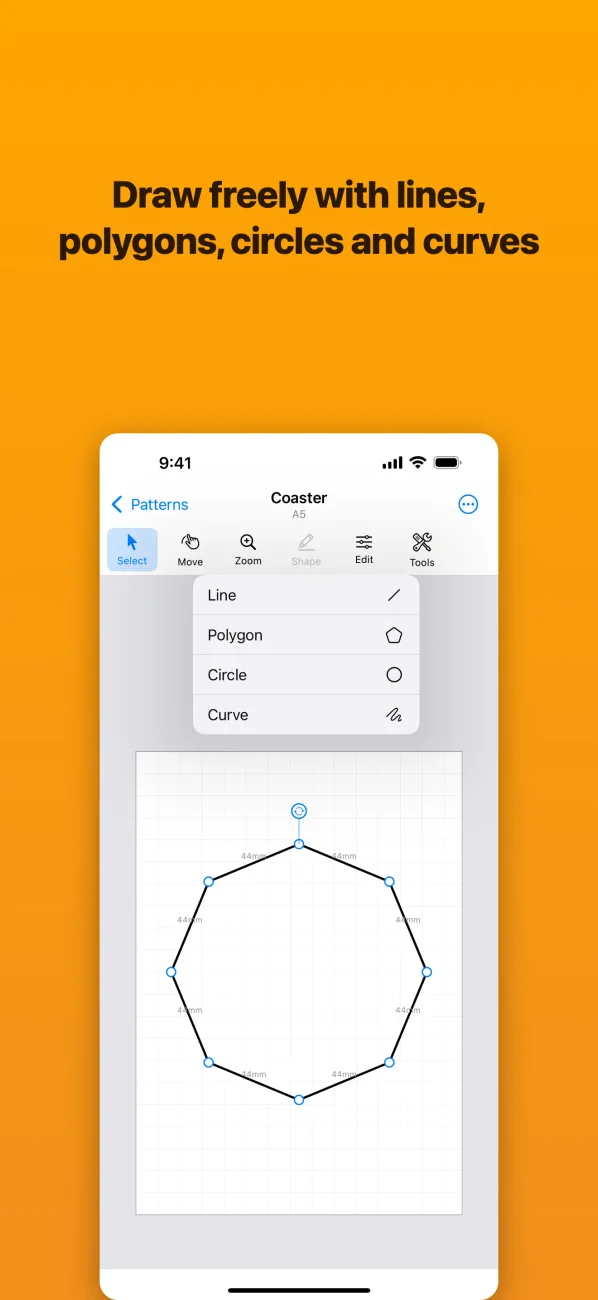
Draw anything from simple pieces to complex parts.
- Rectangle and triangle
- Circle and ellipse: adjust width and height independently
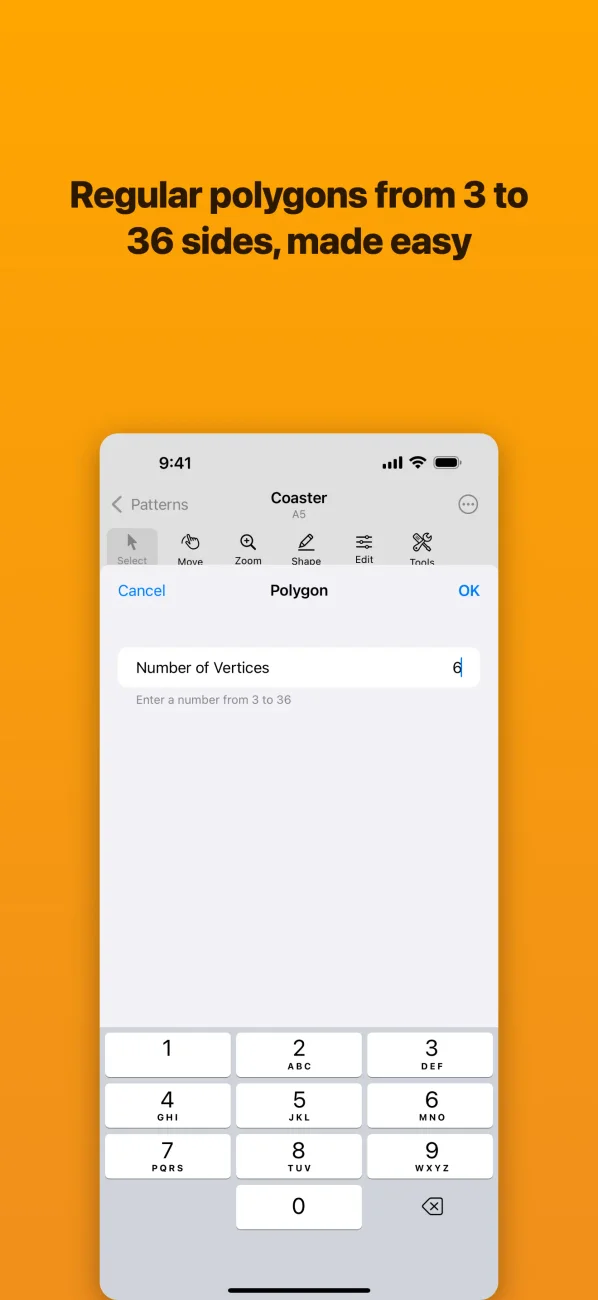
- Polygon: regular polygons from 3 to 36 sides
- Line and curve (Bezier): smooth curves, exactly how you want them
- Text: label pieces with names or cutting counts like "×2"
**Edit Freely**
- Drag to move, pull the handles to resize
- Turn on "Keep proportions" to resize without distorting the shape
- Set the angle (0–360°), line color and line style
- Undo and redo your edits
- Pinch with two fingers to zoom, drag with two fingers to move around
- Duplicate, flip horizontally or vertically — symmetrical pieces made easy
**Dimension Lines**
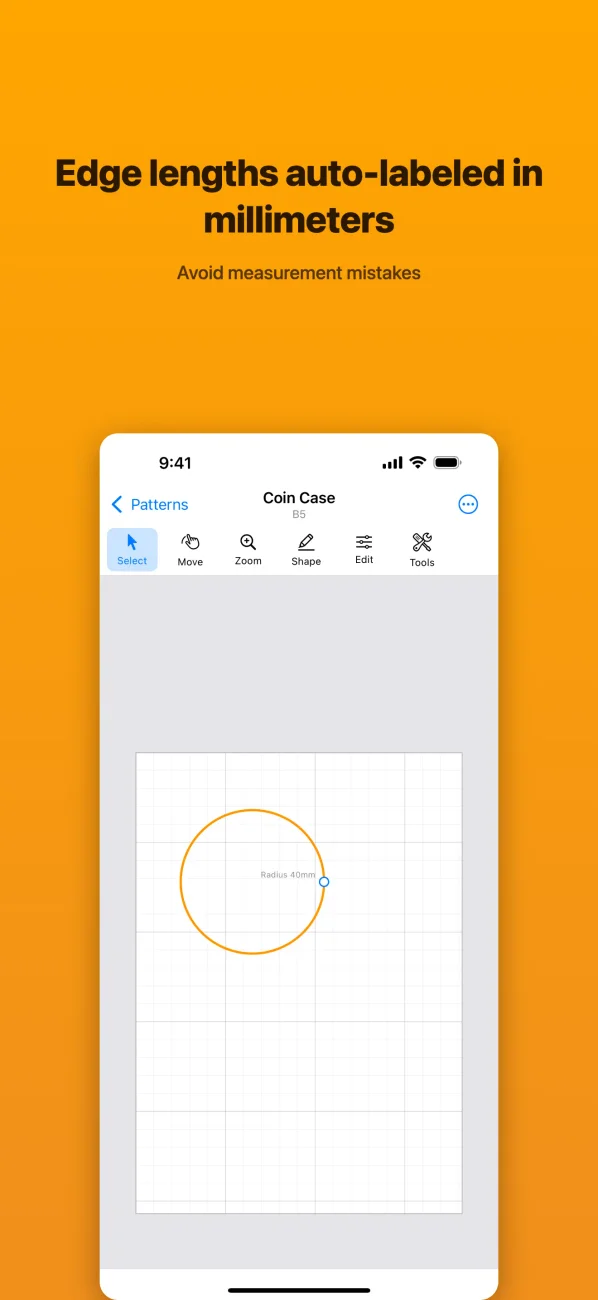
Shows the length of every edge (in mm) right on the canvas, so you can check your measurements as you draft and avoid sizing mistakes.
**Print at True Size & Export PDF**
10 paper sizes — A1–A5 and B1–B5 (JIS) — in portrait or landscape.
Export any pattern as a true-size PDF.
- AirPrint: print wirelessly to your printer at home
- Share PDF: send it via AirDrop, email, cloud storage and more
**Save Multiple Patterns**
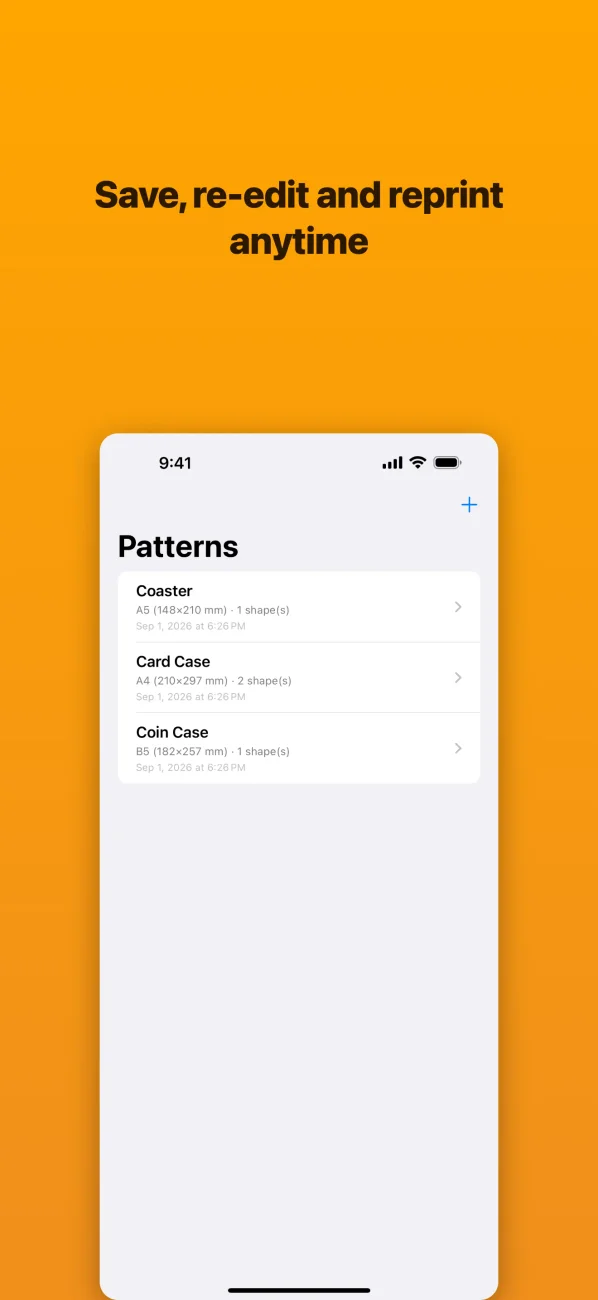
Save as many patterns as you like, and rename or delete them easily.
Reopen an unfinished pattern anytime and pick up right where you left off.
---
**Great for**
- Making sewing patterns on your phone
- Drafting bags and pouches in your own custom size
- Preparing patterns with seam allowance without drawing it by hand
- Printing true-size templates for leather craft, quilting and DIY
- Making cushion covers, placemats and other home sewing projects
Serious pattern drafting, made simple.
Bring it into your everyday handmade projects.
Có gì mới
Phiên bản 1.0.14 · 26/11/2026
• Simpler controls: the "Pan/Zoom" button is gone. Drag a selected shape to move it. Drag anywhere else with one finger to move around, and use two fingers to zoom and move. Zooming now centers on your fingers.
• Pattern files that can't be opened (for example, damaged files) are now shown at the bottom of the list, where you can delete them.
• If a pattern can't be saved, the app now tells you and lets you tap "Retry". Closing the editor with unsaved changes asks you first.
• In the A-Line Skirt template, a waist wider than the hem is now set to the hem width, with a note saying so.
• After you save 3 patterns, the app now asks if you would like to rate it on the App Store. Your feedback helps us improve (shown at most once per version; you can always tap "Not Now").
• Bug fixes:
- PDF sharing, printing, Network Print and saving the QR code failed when a pattern name contained characters such as "/".
- Opening and closing the Edit screen could change the angle or seam allowance values.
- The QR code screen could keep closing and reopening.
- Using two fingers while dragging a shape could leave the shape halfway.
- The seam line could disappear on patterns with inward corners.
- Rotating the device could shift the pattern on screen.
- The Angle value didn't update after flipping a shape.
- Just opening and closing a pattern changed the order of the list.
• Updated privacy information and ad-related settings to the latest requirements.
Quyền riêng tư của ứng dụng
Những gì kenta isomi khai báo trên App Store về cách ứng dụng này xử lý dữ liệu.
-
Dữ liệu được sử dụng để theo dõi bạn
Có thể được sử dụng để theo dõi bạn trên các ứng dụng và trang web do công ty khác sở hữu.
- Dữ liệu sử dụng
-
Dữ liệu không liên kết với bạn
Có thể được thu thập nhưng không liên kết với danh tính của bạn.
- Dữ liệu sử dụng
- Chẩn đoán
Phương thức đảm bảo quyền riêng tư có thể khác nhau, chẳng hạn như tuỳ theo các tính năng bạn sử dụng hoặc độ tuổi của bạn.
Thông tin
- Người bán
- kenta isomi
- Danh mục
- Đồ Họa & Thiết Kế
- Phiên bản
- 1.0.14
- Cập nhật
- 26/11/2026
- Phát hành
- 02/09/2026
- Kích thước
- 7,4 MB
- Yêu cầu
- iOS 17.0 trở lên
- Độ tuổi
- 4+
- Giá
- Miễn phí
- Ngôn ngữ
- Tiếng Anh, Tiếng Ả Rập, Tiếng Pháp, Tiếng Đức, Tiếng Ý, Tiếng Nhật, Tiếng Hàn, Tiếng Trung Giản thể, Tiếng Tây Ban Nha, Tiếng Trung Phồn thể
- Bản quyền
- © kenta.isomi
Có thể bạn cũng thích
-
 PatternPlot: Trace & GradeĐồ Họa & Thiết Kế
-
 Bag DesignĐồ Họa & Thiết Kế
-
 SewGrader: thiết kế rậpRập theo số đo, nhảy size
-
 Cutrove, AI Cutouts & CollagesĐồ Họa & Thiết Kế
-
 SashikoĐồ Họa & Thiết Kế
-
 F-CADĐồ Họa & Thiết Kế
-
 Garment Pattern MakerĐồ Họa & Thiết Kế
-
 中国传统色彩Đồ Họa & Thiết Kế
-
 Repaint: Sơn nhà & phòng AIXem màu tường ngay tức thì
-
 印章制作-公章合同章萝卜章生成Đồ Họa & Thiết Kế