Pause: Focus & Screen Time
Asks why before doomscrolling
Được thiết kế cho iPhone, iPad
Miễn phí · Mua hàng trong ứng dụng
- Độ tuổi4+
- Danh mụcSức Khỏe & Thể Dục
- Nhà phát triểnVassiliy Shmigirilov
- Ngôn ngữTiếng Anh
- Kích thước653,0 KB
Liên kết đến trang App Store chính thức
Download.org không lưu trữ tệp nào của Pause: Focus & Screen Time. Nút này mở trang ứng dụng trên App Store, nơi Vassiliy Shmigirilov phát hành ứng dụng. Trang được kiểm tra lần cuối: 18/11/2026.
Ảnh chụp màn hình
Giới thiệu
Nhà phát triển chưa cung cấp nội dung này bằng ngôn ngữ của bạn.
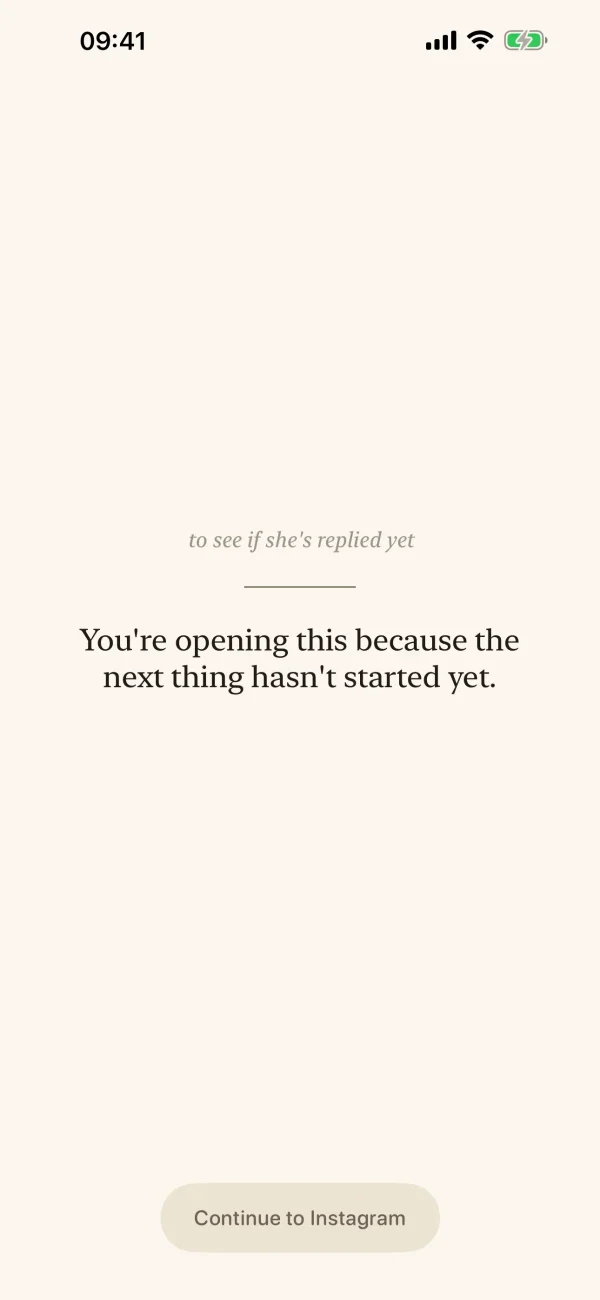
The apps you choose ask you one question before they open: why now? Type a short answer, read it back as one calm sentence, and two seconds later Continue appears. Then you go in, or you put the phone down.
No timer to wait out and nothing gets blocked. Everything runs on your iPhone. What you type is never stored or uploaded; it is gone the moment you continue.
HOW IT WORKS
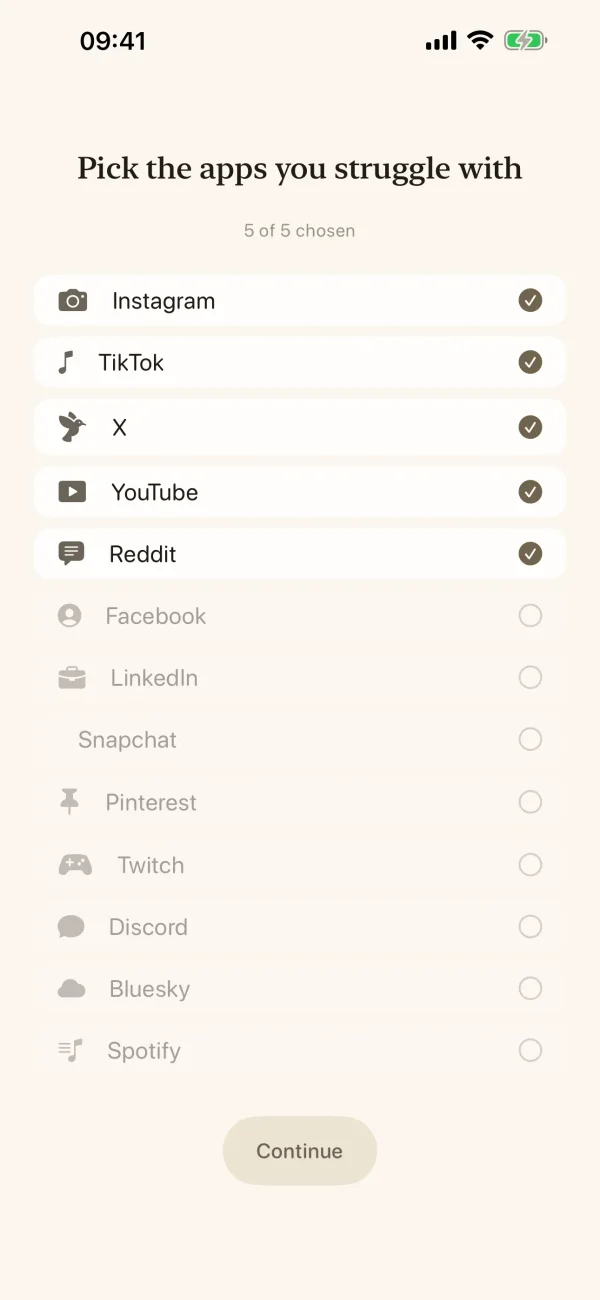
1. Pick the apps. Choose from a list of common social, video, chat, music and browser apps, or add any app by its link scheme.
2. Route each one through Pause. This uses a Shortcuts automation you set up once per app; the app walks you through the five steps and shows the exact link to paste.
3. Open a routed app. Instead of the feed you get one screen: the question, a text field, then your own reason mirrored back in a calm sentence, then Continue.
The friction is the typing and the reading, nothing more. Take an app off the list and its friction is gone the same minute.
TWO TONES
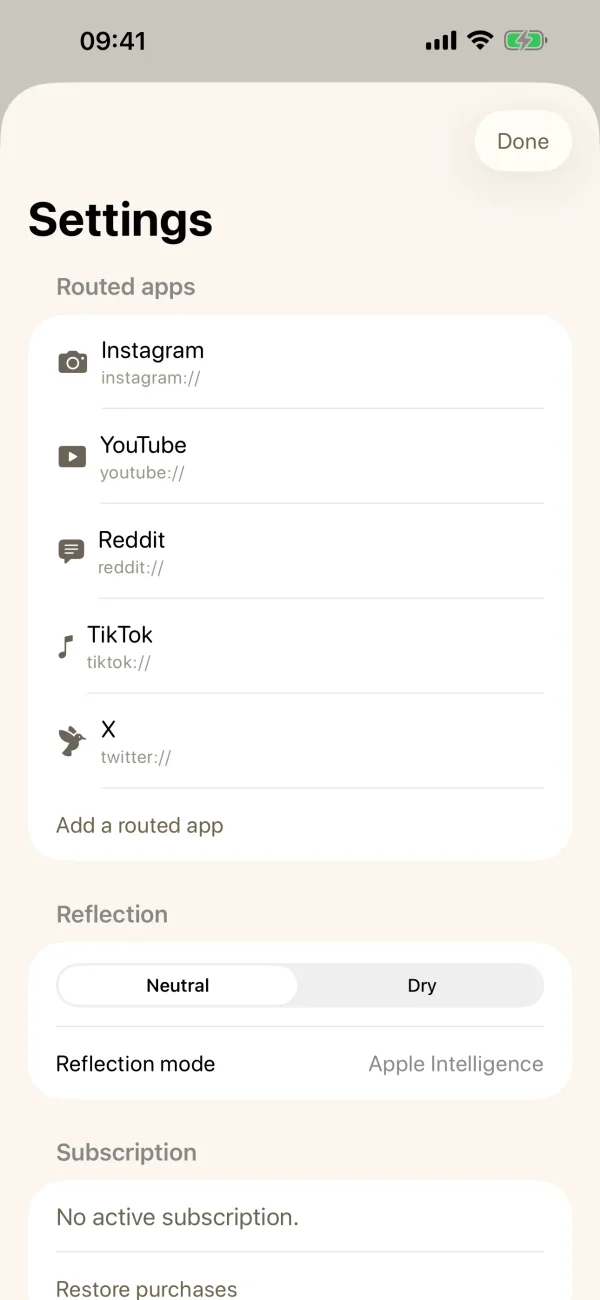
Neutral mirrors your sentence back plainly. Dry is shorter and a little more blunt. Switch in Settings whenever you like.
WHAT IT NEVER DOES
- No account and no sign-in
- No server, no analytics, no ads, no notifications
- No streaks, badges, points or "minutes saved" screens
- No history of what you typed; each reason lives in memory only for the moment it belongs to
- No reading of the content inside the apps you route
- No network calls of its own
WHAT YOU NEED
An iPhone on iOS 26. On iPhone 15 Pro and newer, with the system's on-device intelligence turned on, the reflection is written by the on-device language model in iOS 26. On other iPhones, or with it turned off, Pause uses a built-in set of static reflections instead, and the routing and the typing work exactly the same way. Either way it works offline.
WHO IT IS FOR
People who reach for the same few apps many times a day and want a beat before the next one, without handing a blocker the keys. Pause is an agreement with yourself. You can walk around it, and it will not tell on you.
FREE AND PAID
Your first routed session is free with the whole mechanic, so you feel it work before you decide anything. From the second session Pause asks you to subscribe or buy once; you can answer Maybe later and it asks again a day later. Both subscriptions start with a 7-day free trial for new subscribers. The one-time purchase never expires and is family-shareable.
Pause is made by Hadger, a one-person iOS studio that ships calm, private apps for iPhone.
SUBSCRIPTION TERMS
- Pause Weekly: weekly subscription with a 7-day free trial for new subscribers, auto-renews until cancelled.
- Pause Annual: yearly subscription with a 7-day free trial for new subscribers, auto-renews until cancelled.
- Pause Lifetime: one-time purchase, family-shareable, never expires.
- The reflection mechanic is free for the first routed-app session. The paywall surfaces on the second routed-app session. Prices are shown in the app before you confirm.
- Payment is charged to your Apple ID at confirmation of purchase. Subscriptions auto-renew unless cancelled at least 24 hours before the current period ends. Your account is charged for renewal within 24 hours prior to the end of the current period. Manage or cancel anytime in Settings → Apple ID → Subscriptions.
Privacy Policy: https://hadgerapps.github.io/pause/privacy/
Terms of Use (EULA): https://hadgerapps.github.io/pause/terms/
Có gì mới
Phiên bản 1.1 · 16/08/2026
A new app icon. It reads as a grid of apps with one tile paused, so it is easier to pick out at small sizes.
About now ends with a short More from Hadger list, so the other Hadger apps are one tap away.
About scrolls, so nothing is cut off at the largest text sizes.
Quyền riêng tư của ứng dụng
Những gì Vassiliy Shmigirilov khai báo trên App Store về cách ứng dụng này xử lý dữ liệu.
-
Dữ liệu không được thu thập
Nhà phát triển không thu thập bất kỳ dữ liệu nào từ ứng dụng này.
Phương thức đảm bảo quyền riêng tư có thể khác nhau, chẳng hạn như tuỳ theo các tính năng bạn sử dụng hoặc độ tuổi của bạn.
Thông tin
- Người bán
- Vassiliy Shmigirilov
- Danh mục
- Sức Khỏe & Thể Dục
- Phiên bản
- 1.1
- Cập nhật
- 16/08/2026
- Phát hành
- 02/06/2026
- Kích thước
- 653,0 KB
- Yêu cầu
- iOS 26.0 trở lên
- Độ tuổi
- 4+
- Giá
- Miễn phí
- Mua hàng trong ứng dụng
- Có
- Ngôn ngữ
- Tiếng Anh
- Bản quyền
- © 2026 Hadger
Có thể bạn cũng thích
-
 MindPause: App Time BreakSức Khỏe & Thể Dục
-
 Focus Pause: Chặn ứng dụngThời gian sử dụng & tập trung
-
 Hơi Thở Nhịp Đều - CadyneHướng dẫn thở thư giãn hiệu
-
 Stronger With DindiSức Khỏe & Thể Dục
-
 IBS & Poop Tracker - GutLogSức Khỏe & Thể Dục
-
 4-7-8 Breathwork: 478 ResetSức Khỏe & Thể Dục
-
 Poka HealthSức Khỏe & Thể Dục
-
 Glow Alarm - Đèn thức dậyBáo thức bình minh
-
 RURec2GoSức Khỏe & Thể Dục
-
 Tibetan Singing Bowls: CrystalSức Khỏe & Thể Dục