PC Controller: Remote Mouse
Keyboard, power & Wake on LAN
Được thiết kế cho iPhone, iPad
Miễn phí · Mua hàng trong ứng dụng
- Độ tuổi4+
- Danh mụcTiện Ích
- Nhà phát triểnMalkane
- Ngôn ngữTiếng Anh+ 14 ngôn ngữ khác
- Kích thước18,1 MB
Liên kết đến trang App Store chính thức
Download.org không lưu trữ tệp nào của PC Controller: Remote Mouse. Nút này mở trang ứng dụng trên App Store, nơi Malkane phát hành ứng dụng. Trang được kiểm tra lần cuối: 16/11/2026.
Ảnh chụp màn hình




Giới thiệu
Nhà phát triển chưa cung cấp nội dung này bằng ngôn ngữ của bạn.
PC Controller turns your iPhone, iPad and Apple Watch into a remote control for your Windows PC or Mac. Move the mouse, type, change the volume, switch monitors, move files and put the computer to sleep, all over your own Wi-Fi, with no cloud, no account and nothing to sign up for.
Install the free agent on your computer, scan the QR code it shows, and you're paired. The app also lists the computers it finds on your network, so there's nothing to type.
TRACKPAD AND KEYBOARD
• A full-screen trackpad: move, tap, two-finger right-click, scroll, drag and pinch to zoom
• Type with the iPhone keyboard, emoji and dictation included
• An extended keypad with the keys a phone doesn't have: arrows, Esc, Tab, Home, End, Delete, Ctrl, Alt and Win
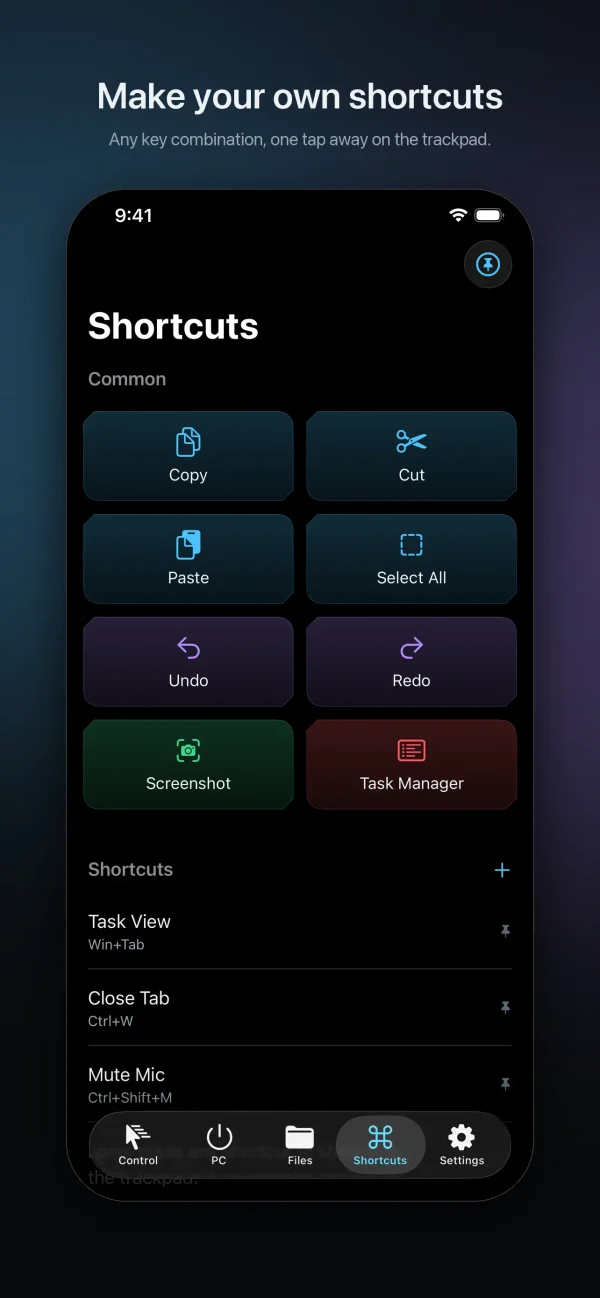
• Build your own shortcuts and fire any key combination with one tap
• On Windows it all works on the login screen too, before anyone has signed in
POWER
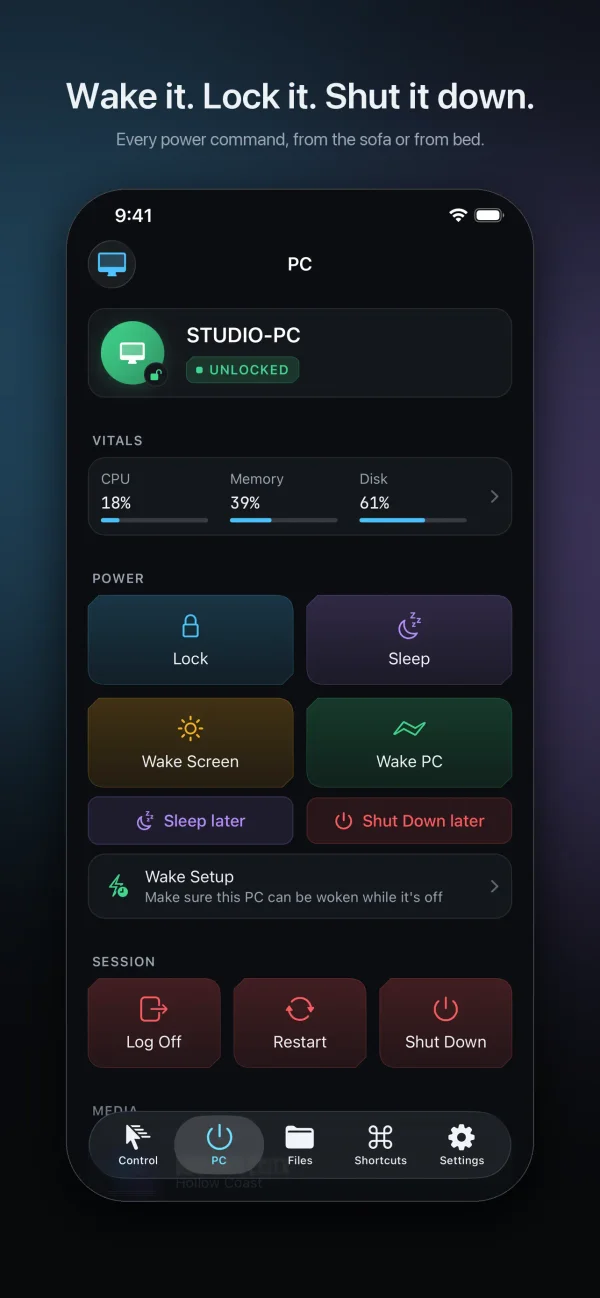
• Lock, sleep, wake, shut down, restart or log off
• Wake a sleeping PC over Wake-on-LAN, and let the app set up the PC so it wakes from a full shutdown too
• Schedule it: "Sleep in 30 minutes" keeps counting down on the computer after you've left, with a live countdown on your Lock Screen and in the Dynamic Island
• Set your home once and the phone can wake the PC as you arrive and lock it as you leave, decided entirely on the device
SOUND AND MEDIA
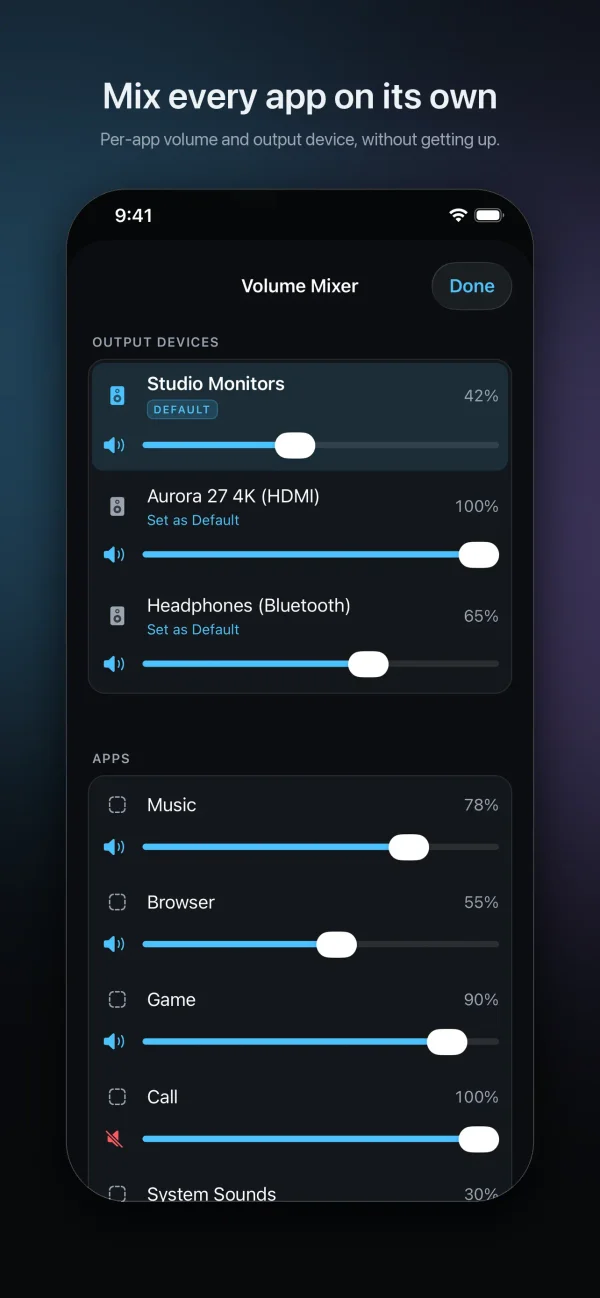
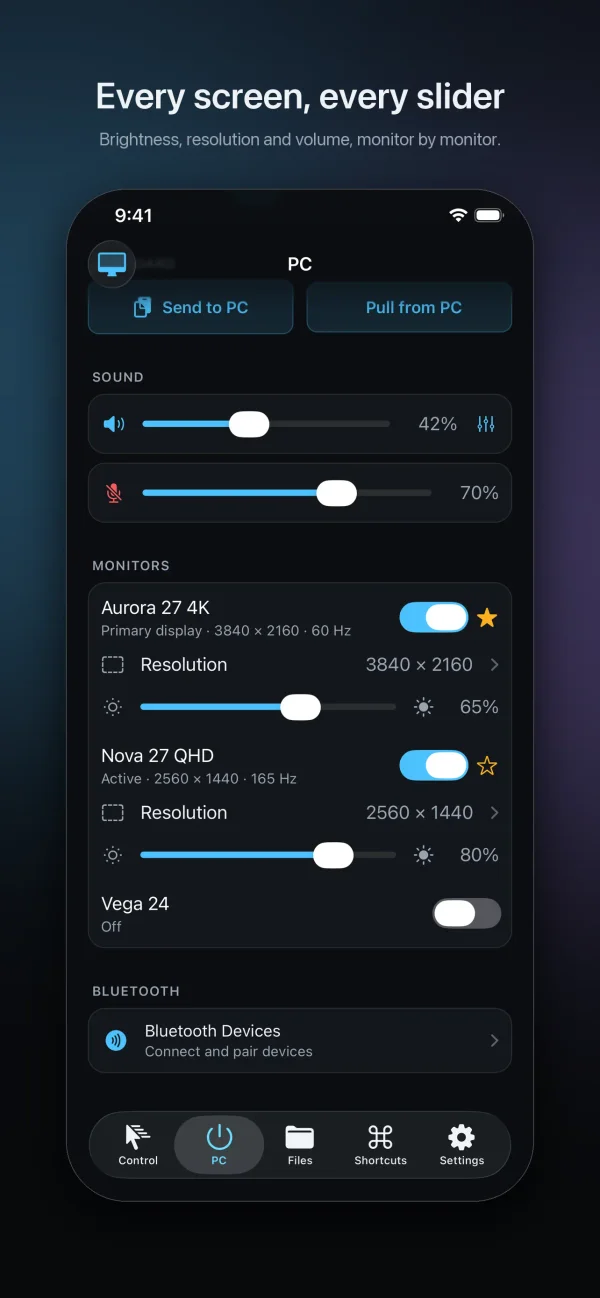
• Master volume and mute, plus a mixer with its own slider for every app and every output device
• Switch the default speaker, and mute the microphone for every app at once
• See what's playing, with album art, a scrubber and transport controls that drive Spotify, browsers and any other player
SCREENS
• Turn each monitor on or off, choose the primary, and set brightness, resolution and refresh rate
• Save a display arrangement and bring it back with one tap
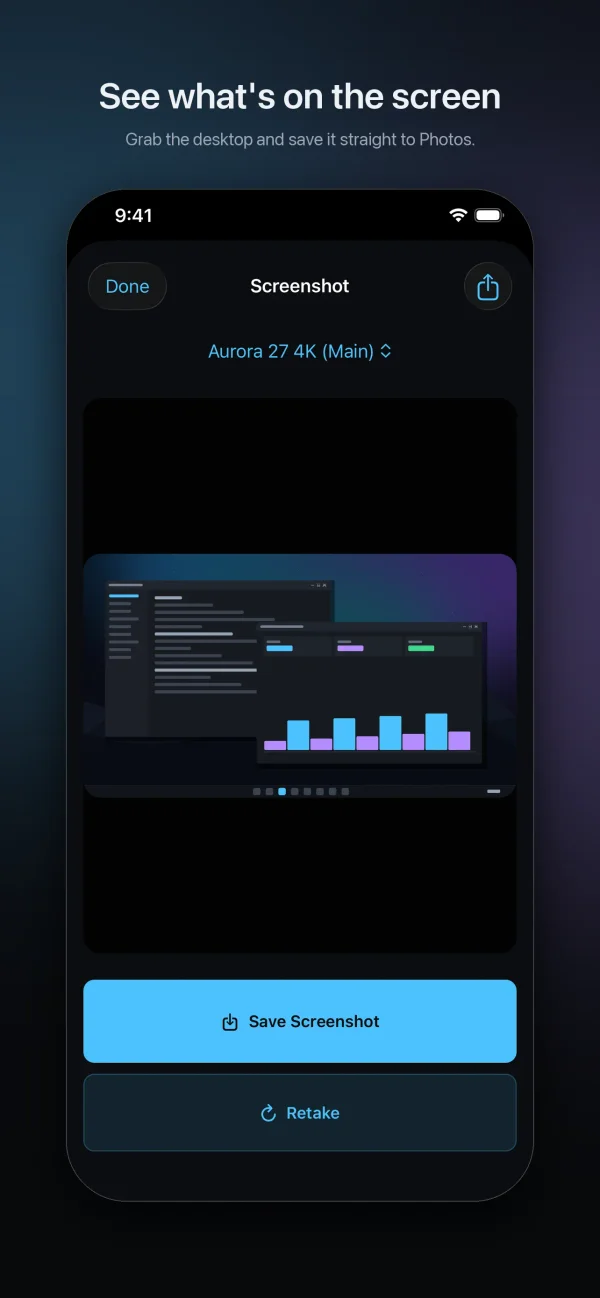
• Grab a screenshot of any display and save it to Photos or share it
FILES AND CLIPBOARD
• Browse the computer's folders and drives, download files with live progress, then preview, share or save them
• Send photos, videos and files to the computer, from the app or straight from the share sheet in any other app
• Push the phone's clipboard to the PC or pull the PC's to the phone, text or image
• Send a link and it opens in the computer's browser
AND MORE
• Bluetooth: see what's paired and connected, then connect, disconnect, scan and pair
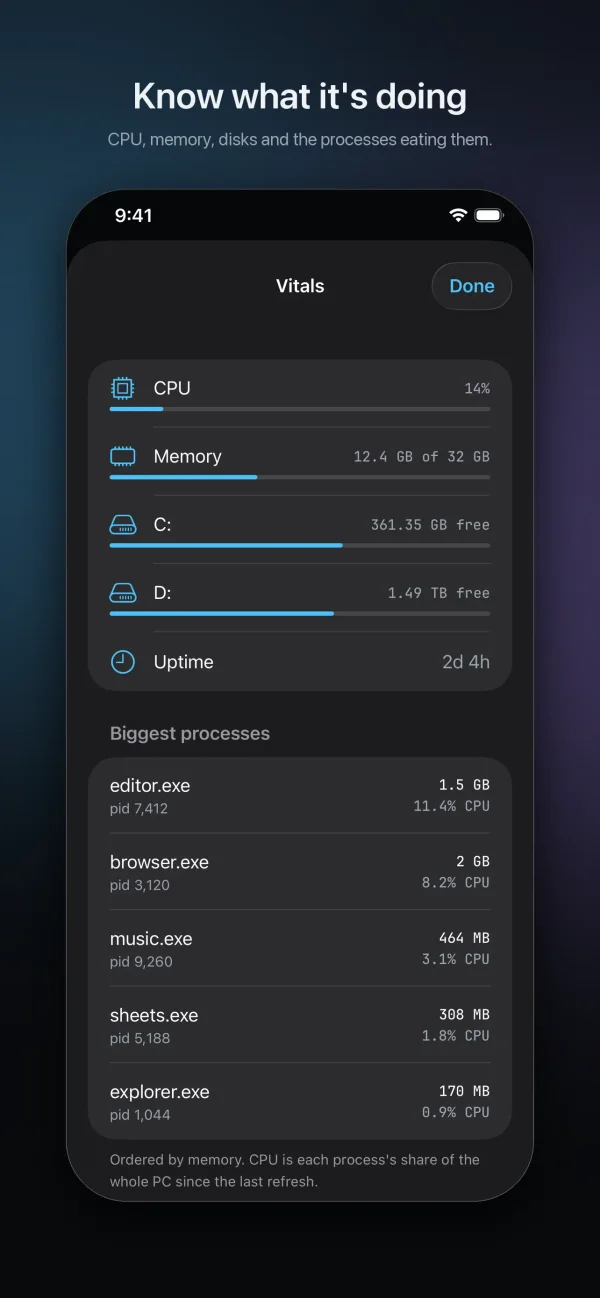
• Vitals: CPU, memory, disk, battery, uptime and the processes using the most memory, with a swipe to end one
• Apps: see what's open on the computer, bring one forward, minimize or close it
• Siri: "Hey Siri, lock my PC", plus Home Screen, Lock Screen and Control Center buttons for Lock, Wake, Mute and Mute Mic
• Apple Watch: trackpad, media, power, monitors, mixer, shortcuts and clipboard on your wrist, and it finds the PC on its own when the phone isn't around
• iPad: a dashboard that puts the whole machine on one screen
• Available in 15 languages
PRIVATE BY DESIGN
There is no server. The phone and watch talk directly to the agent on your computer over your Wi-Fi, VPN or Bluetooth, and the pairing token lives in your Keychain. PC Controller collects nothing: no analytics, no telemetry, no account.
WHAT YOU NEED
The free PC Controller agent, for Windows 11 or macOS 13 and later, from https://pccontroller.rymanit.com. The phone and the computer must be on the same network, or connected through a VPN or Bluetooth.
PRICING
Every feature is free for 7 days, with no card up front. After that, choose PC Controller Pro — Monthly (USD 0.99 per month), PC Controller Pro — Yearly (USD 8.99 per year) or PC Controller Pro — Lifetime, a one-time purchase (USD 19.99). Subscriptions renew automatically unless cancelled at least 24 hours before the end of the current period, and can be managed in your App Store account settings.
Privacy policy: https://pccontroller.rymanit.com/privacy.html
Terms of use: https://www.apple.com/legal/internet-services/itunes/dev/stdeula/
Có gì mới
Phiên bản 2.3.1 · 13/10/2026
New in 2.3.1
• Settings is regrouped into clear sections, and the new Help & support section answers common questions, lets you contact support and sums up how your privacy is protected.
• The app is now dark by default. To change it, choose Light, or Automatic to follow your iPhone or iPad, in Settings → Appearance.
• Share PC Controller with a friend from Help & support.
• The pairing screen can send the desktop app's link to your computer, so you can install the app there.
• In the demo, “Set up your own PC” takes you straight to pairing your own computer.
• The app opens faster.
Quyền riêng tư của ứng dụng
Những gì Malkane khai báo trên App Store về cách ứng dụng này xử lý dữ liệu.
-
Dữ liệu không được thu thập
Nhà phát triển không thu thập bất kỳ dữ liệu nào từ ứng dụng này.
Phương thức đảm bảo quyền riêng tư có thể khác nhau, chẳng hạn như tuỳ theo các tính năng bạn sử dụng hoặc độ tuổi của bạn.
Thông tin
- Người bán
- Rymanit consulting AB
- Danh mục
- Tiện Ích
- Phiên bản
- 2.3.1
- Cập nhật
- 13/10/2026
- Phát hành
- 22/09/2026
- Kích thước
- 18,1 MB
- Yêu cầu
- iOS 16.0 trở lên
- Độ tuổi
- 4+
- Giá
- Miễn phí
- Mua hàng trong ứng dụng
- Có
- Ngôn ngữ
- Tiếng Anh, Tiếng Ả Rập, Tiếng Pháp, Tiếng Đức, Hindi, Tiếng Ý, Tiếng Nhật, Tiếng Hàn, Persian, Tiếng Bồ Đào Nha, Tiếng Nga, Tiếng Trung Giản thể + 3 ngôn ngữ khác
- Bản quyền
- © 2026 RymanIT Consulting AB
Có thể bạn cũng thích
-
 Tappio: Điều khiển máy tínhChuột, trackpad và bàn phím
-
 Phone Mouse・Remote・KeyboardTiện Ích
-
 AirBoard: Bluetooth KeyboardTiện Ích
-
 GGMouse: Pro Mouse & KeyboardTiện Ích
-
 BT Keys: Bàn phím & TrackpadChuột Bluetooth, điều khiển TV
-
 Mobile Mouse Bluetooth RemoteTiện Ích
-
 Tracepad - Mouse & TrackpadTiện Ích
-
 PC RemoteTiện Ích
-
 Flydigi Game CenterTiện Ích
-
 Remote MouseĐiều khiển máy tính tiện lợi