PDF Document Scanner · DocSave
Keep IDs Safe & Sign Documents
Được thiết kế cho iPhone
Miễn phí · Mua hàng trong ứng dụng
- Độ tuổi4+
- Danh mụcHiệu Suất
- Nhà phát triểnDmitriy Biserov
- Ngôn ngữTiếng Anh+ 20 ngôn ngữ khác
- Kích thước55,6 MB
Liên kết đến trang App Store chính thức
Download.org không lưu trữ tệp nào của PDF Document Scanner · DocSave. Nút này mở trang ứng dụng trên App Store, nơi Dmitriy Biserov phát hành ứng dụng. Trang được kiểm tra lần cuối: 23/11/2026.
Ảnh chụp màn hình
Giới thiệu
Nhà phát triển chưa cung cấp nội dung này bằng ngôn ngữ của bạn.
I made DocSave for myself. I used to hunt for my passport among thousands of photos in my gallery, contracts kept getting lost in chats and email, and to compress or sign a PDF I had to upload personal documents to sketchy websites. I wanted one app where everything is close at hand, turns up in a second and never leaks anywhere. That's how DocSave came about. No subscription: Pro is a one-time purchase, and it's yours forever.
DocSave is a document scanner, a PDF editor and a safe place for your passport, driver's license and important paperwork. Everything is stored only on your iPhone: no sign-up, no servers, no cloud.
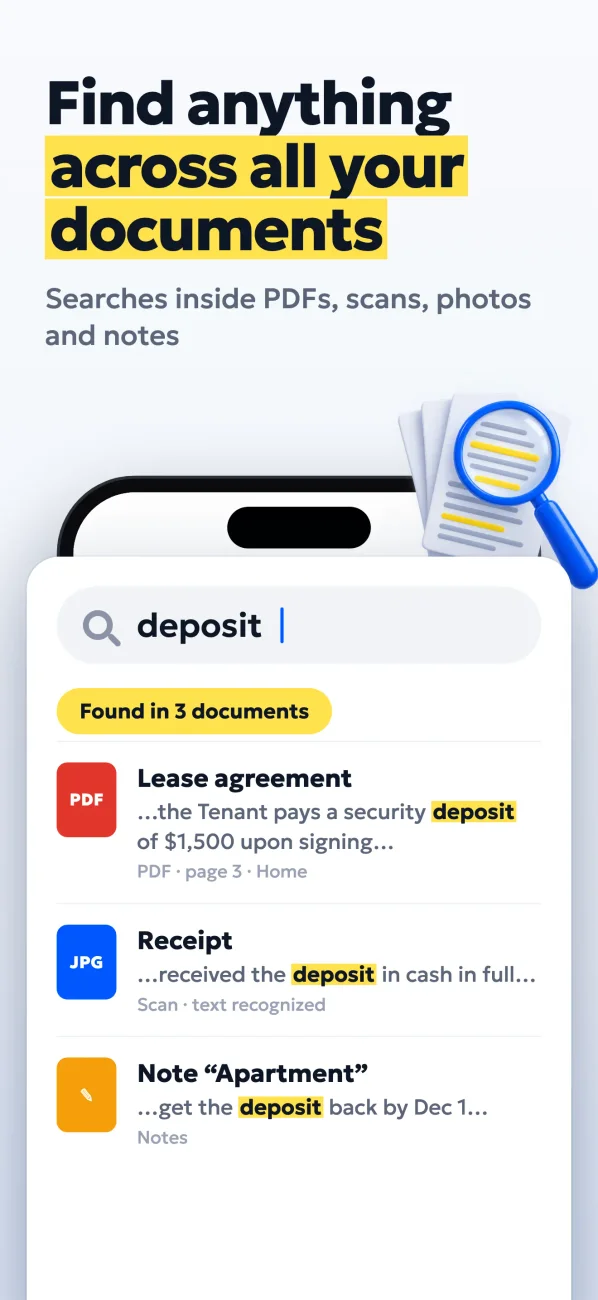
FIND ANY DOCUMENT IN A SECOND
Search looks through the text inside PDFs, scans, photos and notes. Type "deposit" and DocSave finds the lease, the receipt and the note where that word appears.
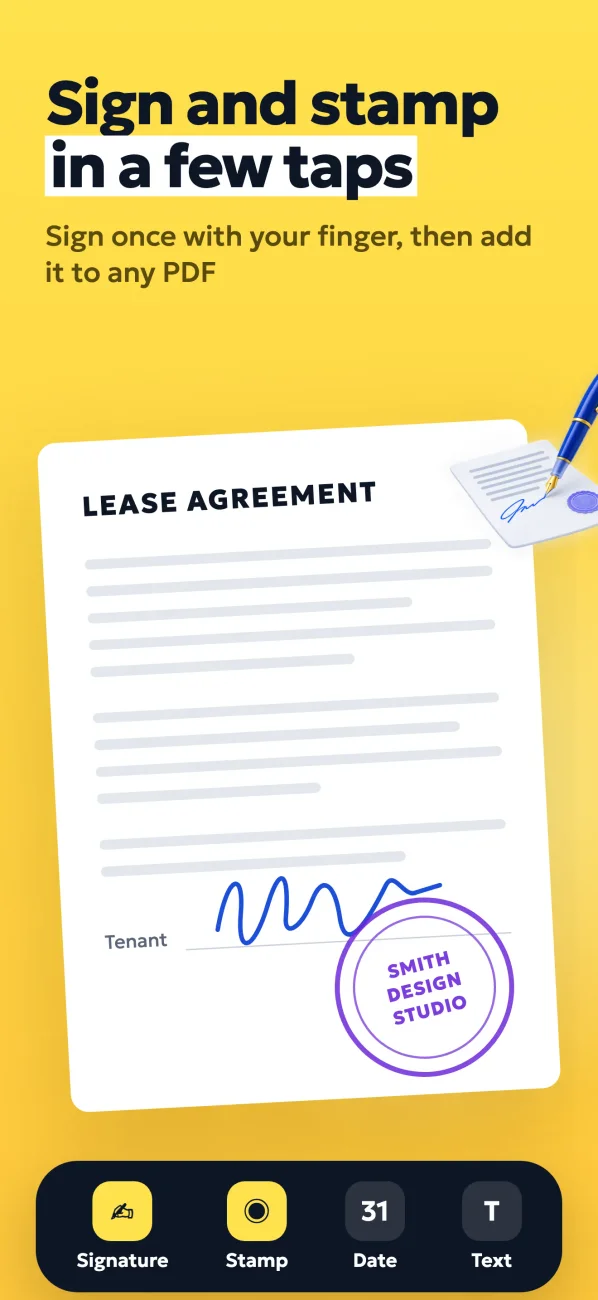
SIGN AND STAMP
Sign with your finger once, then add your signature, a stamp, the date or text to any PDF.
DOCUMENT SCANNER
• Scanning with automatic cropping and page straightening
• On-device text recognition (OCR)
• Import from Photos, Files, Mail and other apps
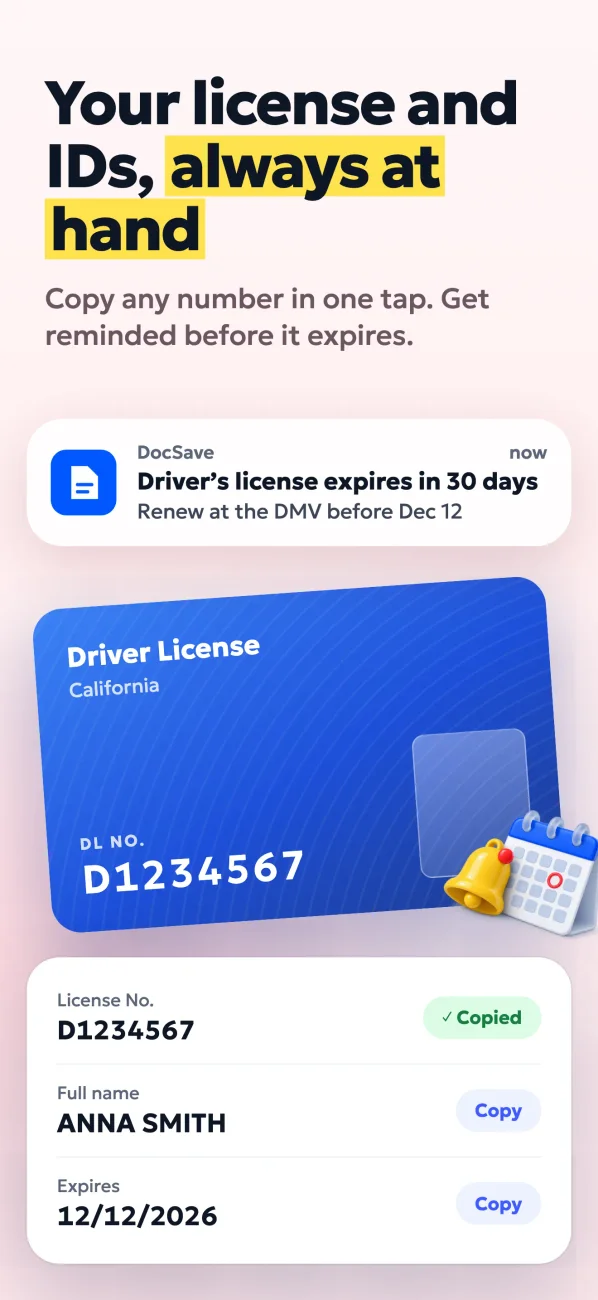
PASSPORT, DRIVER'S LICENSE AND OTHER IDS ALWAYS AT HAND
• Document cards: passport, ID card, driver's license, insurance card and much more
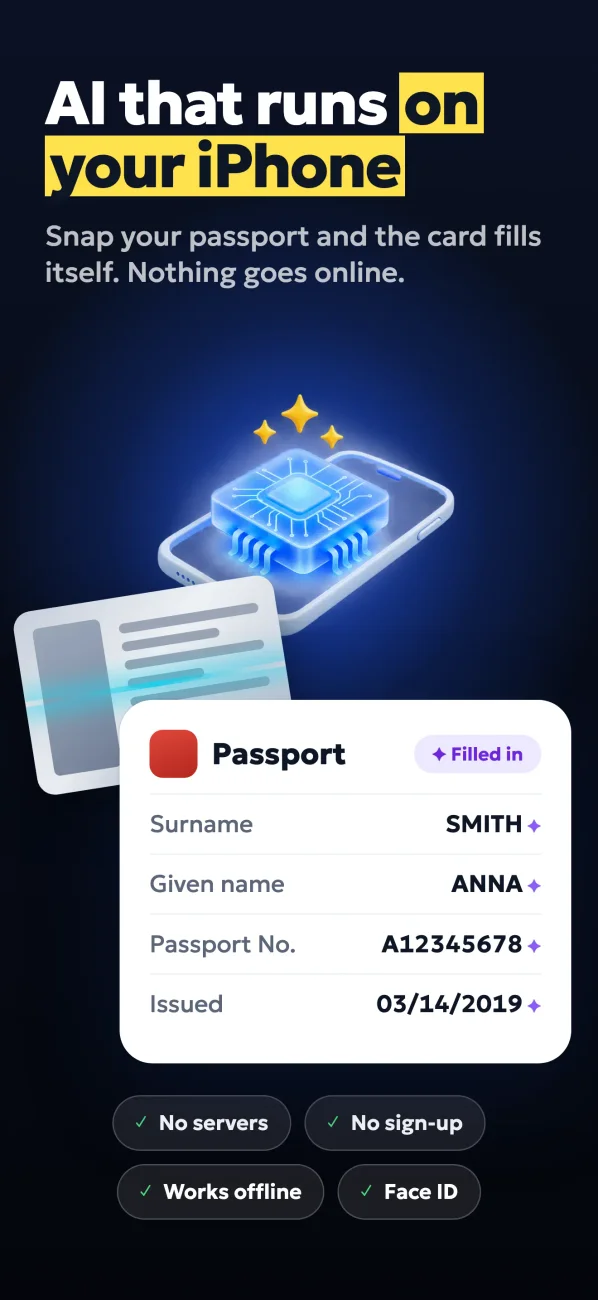
• Take a photo of your passport and the neural network on your iPhone fills in the fields for you. Your data never leaves the device
• Copy any number with one tap
• Get a reminder before a document expires
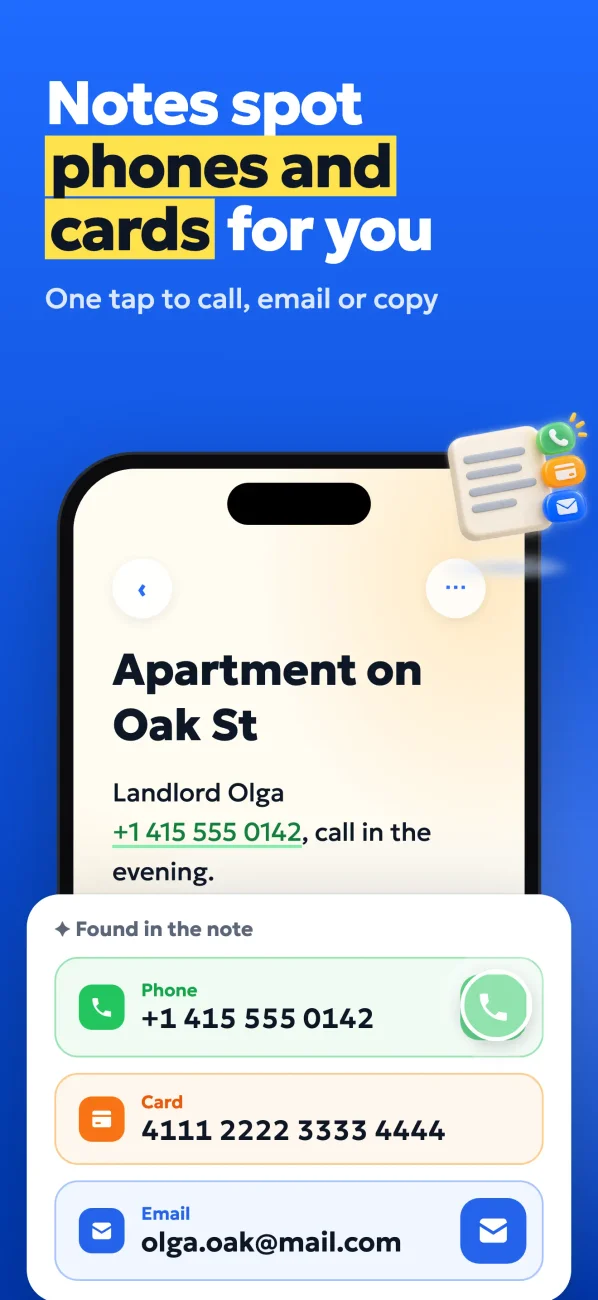
SMART NOTES
DocSave spots phone numbers, card numbers, email addresses and street addresses in your notes. One tap and you're calling, writing an email or copying a number.
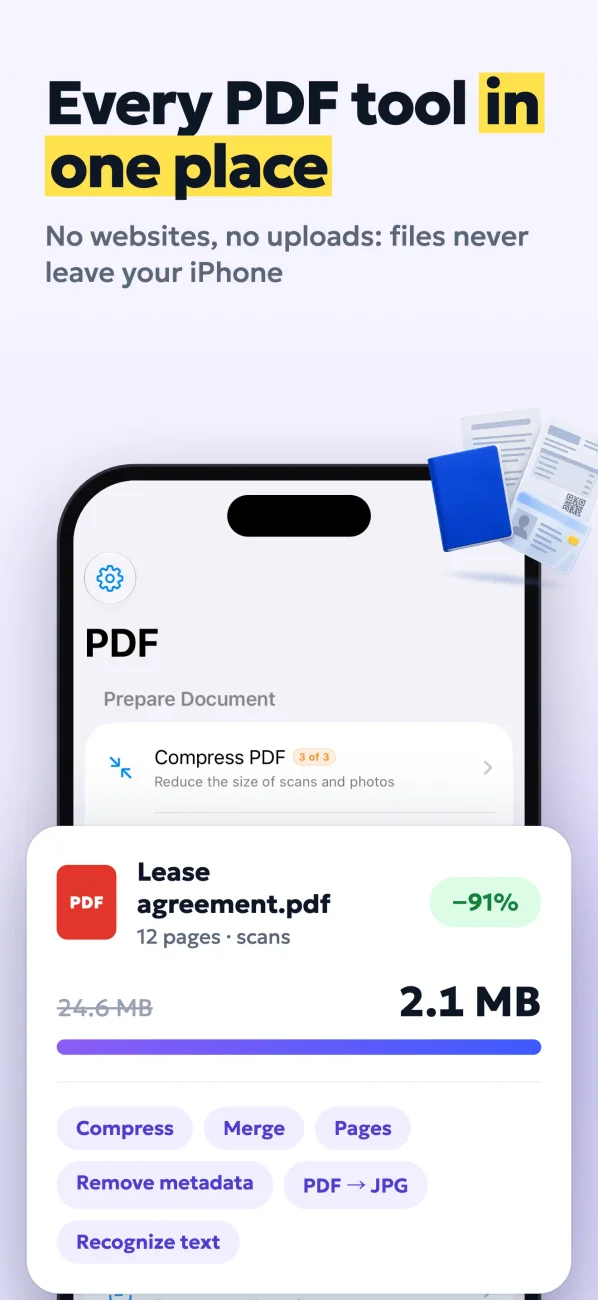
ALL YOUR PDF TOOLS IN ONE PLACE
• PDF compression: files up to 10x smaller
• Merge files into a single PDF
• Pages: rotate, reorder, delete
• Remove hidden data (metadata)
• PDF to JPG and PNG
• Text recognition
No converter websites, no uploads: your files never leave your iPhone.
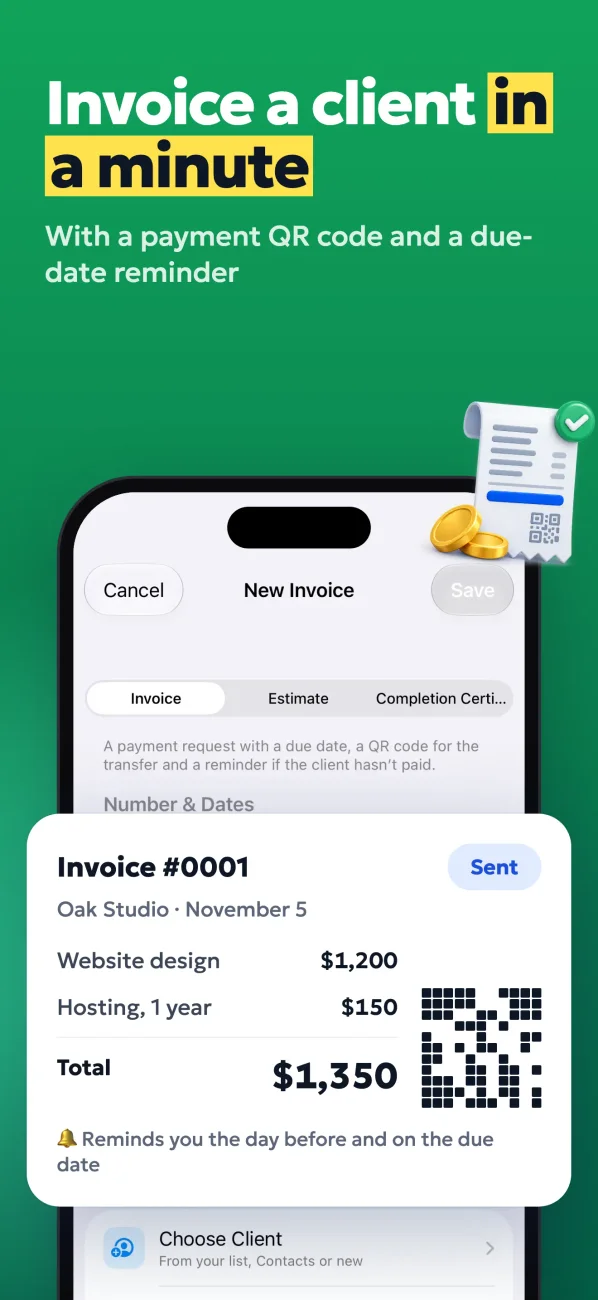
INVOICES AND ESTIMATES IN A MINUTE
Create an invoice with a QR code for payment, send it to your client as a PDF and get a reminder when payment is due.
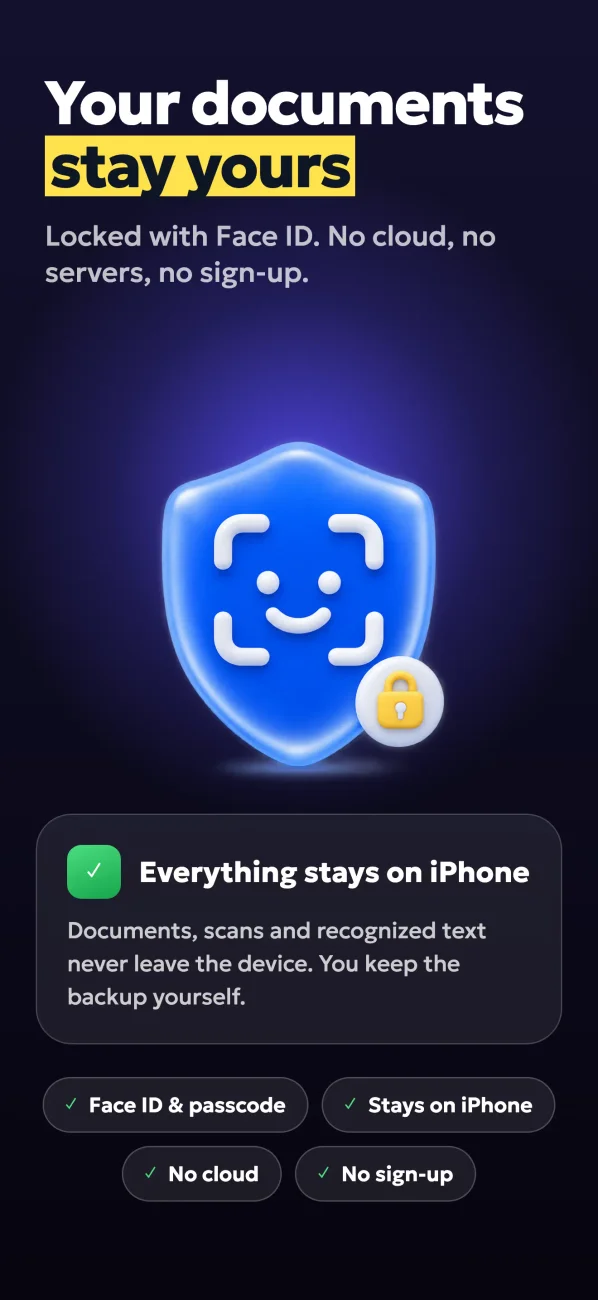
YOUR DOCUMENTS BELONG TO YOU ALONE
• Protected with Face ID and your passcode
• No account, no servers, no cloud
• We don't collect any data
• You make and keep your own backups
DocSave Pro unlocks every feature with no limits. It's a one-time purchase that's yours forever, with no subscription and no recurring charges. You can restore your purchase on another iPhone signed in with the same Apple ID.
Terms of Use: https://www.apple.com/legal/internet-services/itunes/dev/stdeula/
Có gì mới
Phiên bản 1.1 · 11/11/2026
Hi! This is a big DocSave update: AI that answers from your documents, spaces for the whole family, bank cards, trips, ZIP, iCloud auto backup and lots more. Everything still runs right on your iPhone, with no servers.
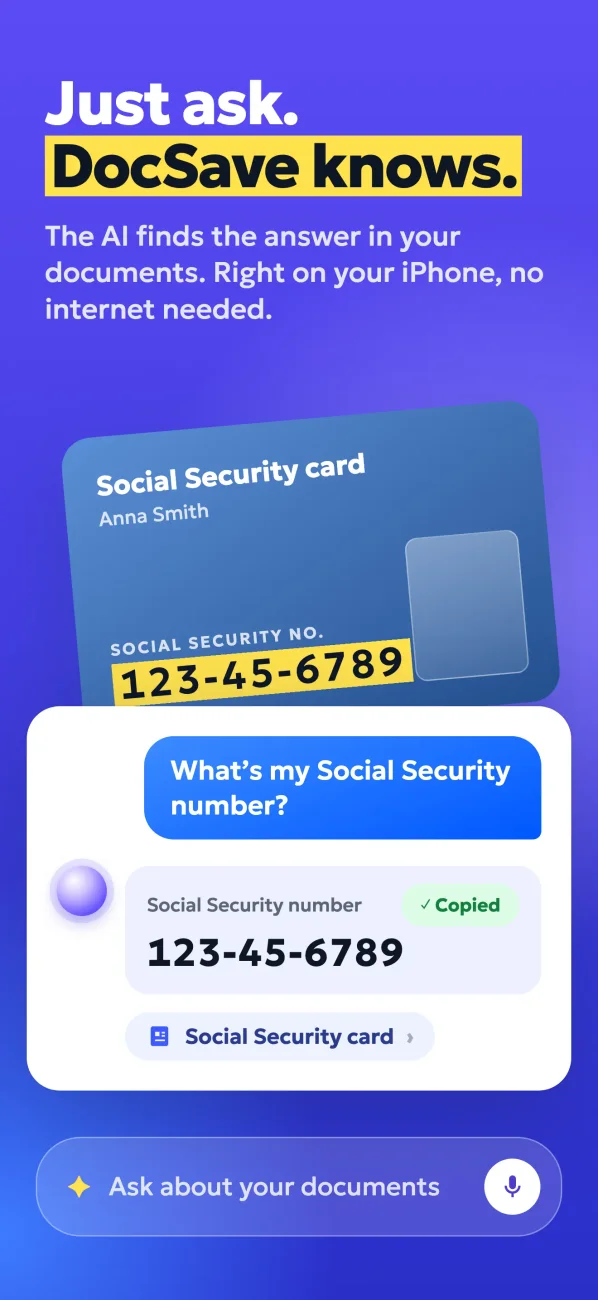
Ask AI
• Ask in plain words: "What's my passport number?", "When does my insurance expire?", "What's my SSN?" and get the answer with a link to the document
• You can ask by voice
• Smart search finds a document by meaning, even when those words aren't in it
• Summary: what the document is about and what matters in it, in a couple of lines
• Translate: translate a document right on your phone
Spaces for the family
• Each family member gets their own space: their own folders, documents, recents and cards
• Switch between Mine and your loved ones right on the home screen
• Search and AI look through all spaces at once
• ID cards recognize whose they are
Cards and documents
• Bank cards, widgets, export and Share
• Scanning both sides of a card fills in the front and the back at once
• Tap a page of a card and the file opens right on it
• Business cards: name, company and phone numbers go straight into a new contact
• Find documents in Photos: DocSave looks through your library and suggests photos of documents. Receipts and menus can be hidden, and checked photos are remembered
Scenarios
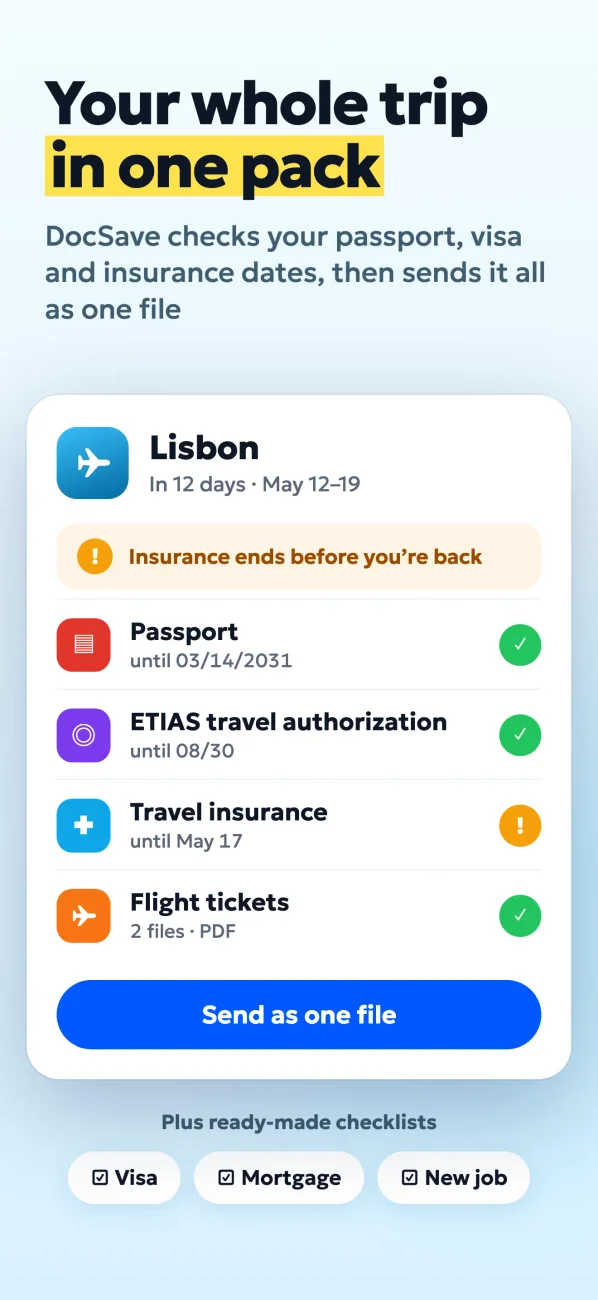
• Trips: gather the documents for a trip and a list of things to do before you fly
• Checklists: "What you need for a visa" or "For a mortgage", and DocSave suggests which documents fit
• Emergency Access: an encrypted package of documents for someone close and an emergency card
Dates
• Dates & Reminders: all documents by how soon they expire
• Set several reminders for one document: 2 months, 1 month and 2 weeks before
• Calendar: which documents were added on which day
Files
• ZIP tab: pack and unpack archives, keep ZIP files in your library
• Word, Excel and PowerPoint: turn them into PDF, and export PDF back to Word or Excel
• Copy for Sending: hide numbers and add a watermark before sending
• Compare versions: what changed between two versions of a document
• Highlight, Draw, Sign and Redact work with both photos and PDF
• Filters for scans and photos already in your library
• DocSave warns you if the same file is already there
Reliability
• iCloud Auto Backup: an encrypted copy of your library saves itself, and you can restore it on a new iPhone
• Widgets for the Home Screen and Control Center: scan in one tap, expiring and pinned documents
• Rearrange folders by dragging
• New languages: Hindi, Indonesian, Vietnamese and Thai
Thanks for using DocSave! If something's off or you have an idea, write to me right from Settings ◕‿◕
Quyền riêng tư của ứng dụng
Những gì Dmitriy Biserov khai báo trên App Store về cách ứng dụng này xử lý dữ liệu.
-
Dữ liệu không được thu thập
Nhà phát triển không thu thập bất kỳ dữ liệu nào từ ứng dụng này.
Phương thức đảm bảo quyền riêng tư có thể khác nhau, chẳng hạn như tuỳ theo các tính năng bạn sử dụng hoặc độ tuổi của bạn.
Thông tin
- Người bán
- Dmitriy Biserov
- Danh mục
- Hiệu Suất
- Phiên bản
- 1.1
- Cập nhật
- 11/11/2026
- Phát hành
- 06/11/2026
- Kích thước
- 55,6 MB
- Yêu cầu
- iOS 18.6 trở lên
- Độ tuổi
- 4+
- Giá
- Miễn phí
- Mua hàng trong ứng dụng
- Có
- Ngôn ngữ
- Tiếng Anh, Tiếng Ả Rập, Tiếng Hà Lan, Tiếng Pháp, Tiếng Đức, Hindi, Tiếng Indonesia, Tiếng Ý, Tiếng Nhật, Kazakh, Tiếng Hàn, Tiếng Ba Lan + 9 ngôn ngữ khác
- Bản quyền
- © Abrik JP
Có thể bạn cũng thích
-
 TaskMaid: Cute To-Do PlannerHiệu Suất
-
 Stop Doomscrolling - AlbaHiệu Suất
-
 Cyber CollectorHiệu Suất
-
 DOTHING - Tasks & FocusHiệu Suất
-
 Swoopbox: Lưu trữ & ClipboardLưu, sao chép và dán
-
 Uncle Rudy: Tasks that roastHiệu Suất
-
 Сохра: Закладки, видео и постыHiệu Suất
-
 Feddy – Keep PostingHiệu Suất
-
 Time Left - CountdownHiệu Suất
-
 Re:mindr - Quick RemindersHiệu Suất