
PDF Editor - Scanner & Viewer
PDF Scanner & Creator PDF File
Được thiết kế cho iPhone, iPod touch
Miễn phí · Mua hàng trong ứng dụng
- Độ tuổi4+
- Danh mụcTiện Ích
- Nhà phát triểnStarhive Limited
- Ngôn ngữTiếng Anh+ 1 ngôn ngữ khác
- Kích thước125,9 MB
Liên kết đến trang App Store chính thức
Download.org không lưu trữ tệp nào của PDF Editor - Scanner & Viewer. Nút này mở trang ứng dụng trên App Store, nơi Starhive Limited phát hành ứng dụng. Trang được kiểm tra lần cuối: 30/11/2026.
Ảnh chụp màn hình


Giới thiệu
Nhà phát triển chưa cung cấp nội dung này bằng ngôn ngữ của bạn.
Scan, edit, and sign PDFs on your phone. Turn a paper contract into a PDF, revise the wording in an existing document, or fill out and sign a form before sending it back. When a report needs a closer read, start with an AI summary, then switch between the original text and its translation to explore the details that matter.
FEATURE HIGHLIGHTS
Scan paper documents into PDFs
Use your camera to scan contracts, lecture notes, or ID documents. If you already have photos of the pages, select them from your photo library to create a PDF. After a meeting or class, turn the handouts you want to keep into a document you can save, revisit, and share. For new projects, you can also start with a blank PDF.
Edit text, fill out forms, and sign
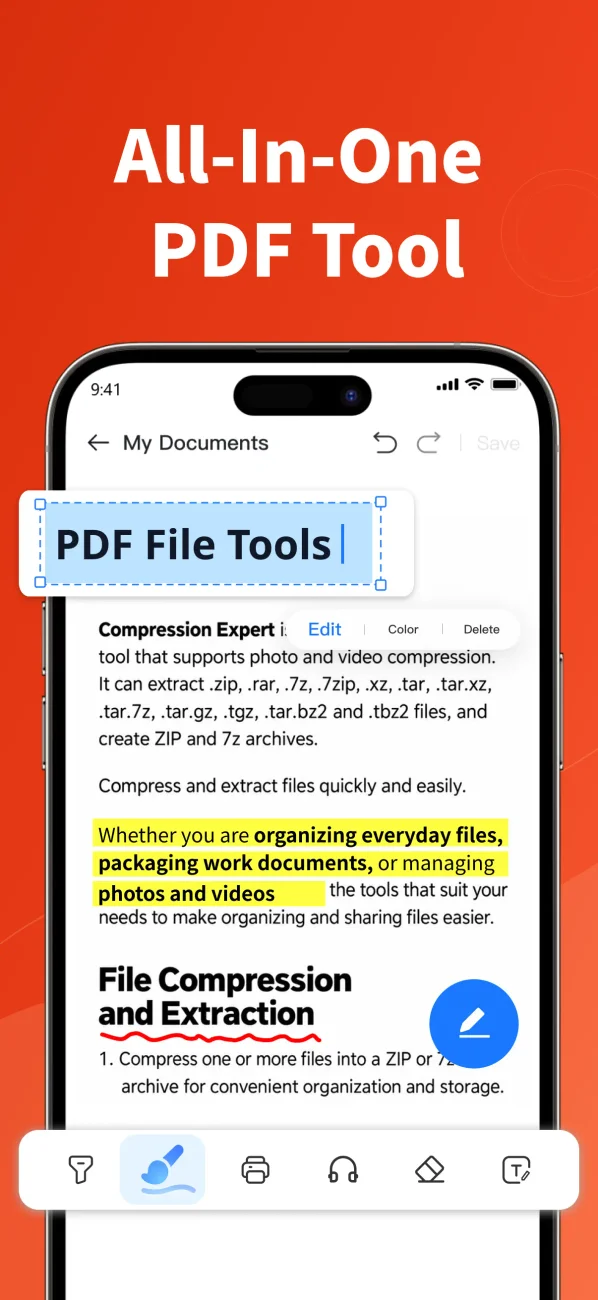
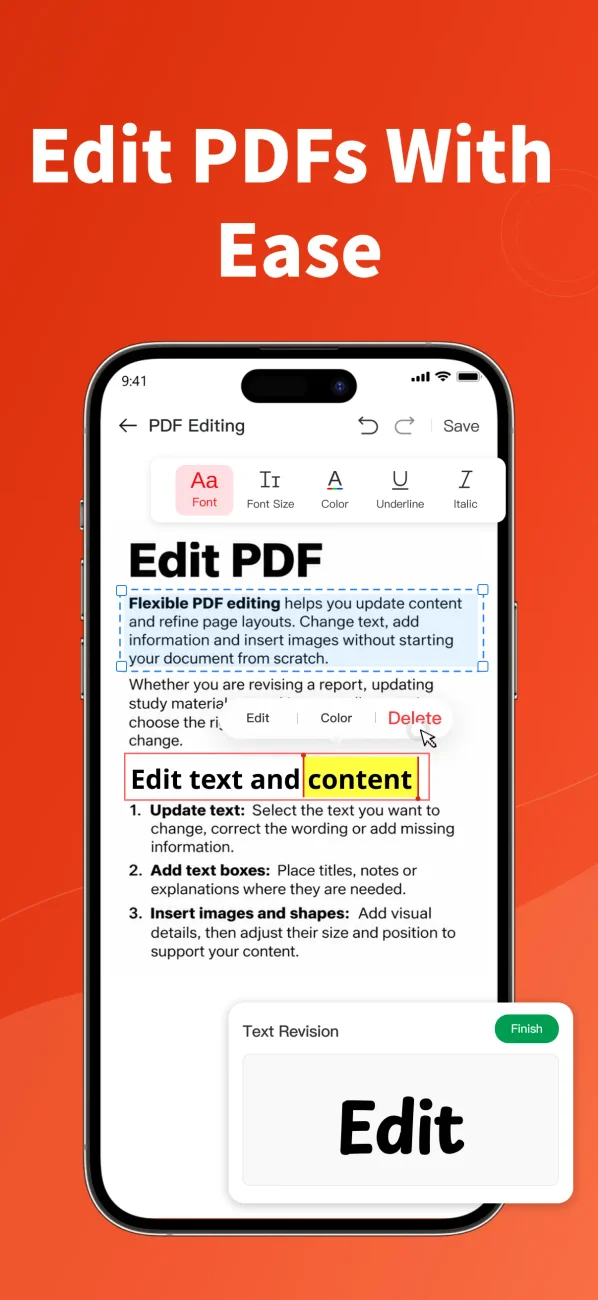
Open a PDF to correct a typo or update a passage. Adjust the font, text size, and color to match the surrounding content, or underline an important clause so it stands out during review. When a form is ready to return, fill in the required details and add your signature directly to the file, saving yourself a trip to the printer.
Convert between PDF and six file formats
Convert PDFs to Word, Excel, PowerPoint, images, TXT, or HTML, and convert any of these formats back to PDF. Choose Word when a draft needs another round of edits, Excel when you need to work with a table, or an image when you want to share a page. Once your document is ready, convert the finished version to PDF for delivery.
Summarize, translate, and listen
Get an overview of a lengthy report with an AI summary, then return to the full text to examine a recommendation or read the reasoning behind it. For documents in another language, switch between the original and translated text to check a phrase in context. When reading on screen is inconvenient, use read-aloud to listen to the document on your commute.
Organize pages and prepare files for sharing
Merge several attachments into one PDF and arrange the pages in reading order. If a recipient needs just one section, split it into a separate file and share that chapter on its own. Add, delete, or copy pages as you revise the document. Before sending it, compress the PDF to reduce its size, add a watermark, or set a password for an important file.
Save files to the cloud and access them anytime
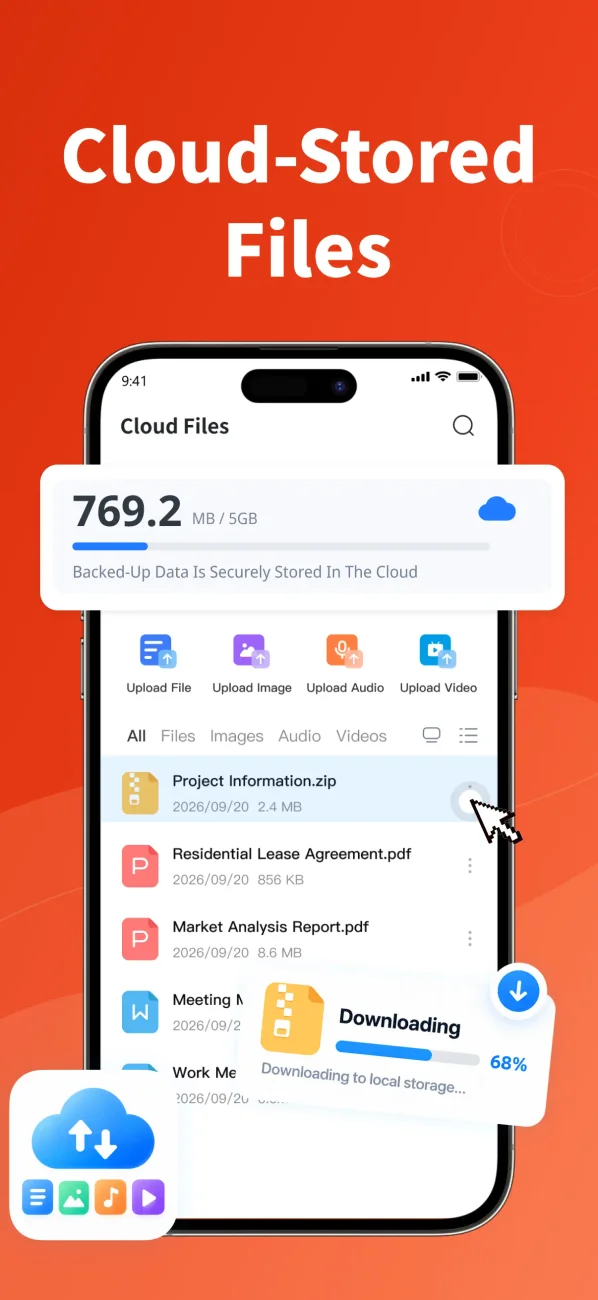
Store documents, images, audio, and videos in your cloud drive and open them whenever you need them. Keep a contract for your next meeting, save course materials for later study, or revisit a photo you took for reference. Browse by file type to go straight to your documents, pictures, or recordings. From the home screen, you can also search by keyword or reopen a recently used file.
Use these tools together when preparing a document for someone else. For example, scan the handouts from a training session, combine them with the presentation as a single PDF, and arrange the pages to follow the agenda. Keep the complete document in your cloud drive and send a colleague just the section they need.
SUBSCRIPTION OPTIONS
The app offers three auto-renewable subscriptions for individual or family use. Each plan unlocks the premium PDF features and services included in that subscription.
Weekly: $4.99 per week, billed weekly.
Family Weekly: $6.99 per week, billed weekly. Supports Family Sharing.
Annual: $99.99 per year, billed annually.
See the subscription screen in the app for the price, included features, and Family Sharing benefits of each plan.
PAYMENT AND RENEWAL
Payment is charged to your Apple Account. Your subscription renews automatically for the selected billing period until canceled. You can view your subscription details, manage your plan, or cancel your subscription at any time in the Subscriptions section of your Apple Account settings.
Privacy Policy:https://www.haohaoda.xyz/privacy.html
Terms of Use (EULA):https://www.apple.com/legal/internet-services/itunes/dev/stdeula/
Có gì mới
Phiên bản 1.1.6 · 28/11/2026
Fix bugs
Quyền riêng tư của ứng dụng
Những gì Starhive Limited khai báo trên App Store về cách ứng dụng này xử lý dữ liệu.
-
Dữ liệu không được thu thập
Nhà phát triển không thu thập bất kỳ dữ liệu nào từ ứng dụng này.
Phương thức đảm bảo quyền riêng tư có thể khác nhau, chẳng hạn như tuỳ theo các tính năng bạn sử dụng hoặc độ tuổi của bạn.
Thông tin
- Người bán
- Starhive Limited
- Danh mục
- Tiện Ích
- Phiên bản
- 1.1.6
- Cập nhật
- 28/11/2026
- Phát hành
- 09/12/2025
- Kích thước
- 125,9 MB
- Yêu cầu
- iOS 15.0 trở lên
- Độ tuổi
- 4+
- Giá
- Miễn phí
- Mua hàng trong ứng dụng
- Có
- Ngôn ngữ
- Tiếng Anh, Tiếng Trung Giản thể
- Bản quyền
- © HaoNova
Có thể bạn cũng thích
-
 Cleaner: Photo & Video CleamIATiện Ích
-
 PhotoSureTiện Ích
-
 PDF Expert ViewerTiện Ích
-
 Translo - allTiện Ích
-
 PDF Organizer - Files ProtectTiện Ích
-
 Simple Translator - Word GameTiện Ích
-
 Phone Storage Cleaner, CleanupTiện Ích
-
 Tidy Clean: Storage CleanerTiện Ích
-
 PDF Converter: Docs ScannerQuét, OCR, ký, chỉnh sửa, gộp
-
 Memora: Photo & Video CleanerTiện Ích