
PDNote - Call Sheet, Breakdown
Stripboard & shooting schedule
Được thiết kế cho iPhone, iPad, iPod touch
Miễn phí
- Độ tuổi12+
- Danh mụcHiệu Suất
- Nhà phát triểnINNOPLE
- Ngôn ngữTiếng Anh+ 3 ngôn ngữ khác
- Kích thước4,8 MB
Liên kết đến trang App Store chính thức
Download.org không lưu trữ tệp nào của PDNote - Call Sheet, Breakdown. Nút này mở trang ứng dụng trên App Store, nơi INNOPLE phát hành ứng dụng. Trang được kiểm tra lần cuối: 12/11/2026.
Ảnh chụp màn hình
Giới thiệu
Nhà phát triển chưa cung cấp nội dung này bằng ngôn ngữ của bạn.
PDNote is a video production collaboration app that turns one scene list into your script breakdown, shooting schedule (stripboard) and call sheets. Directors, producers, assistant directors, production managers, script supervisors, department crew and cast work from the same scene data.
Import a script and it is split into scenes. The breakdown, department sheets, shooting schedule, call sheets and daily production reports are all built from that data. When a revised draft arrives, you review only the scenes that changed. All features are free during the beta.
■ Script import and breakdown
· Supports FDX, Fountain, PDF, HWP, HWPX and DOCX files, or pasted text.
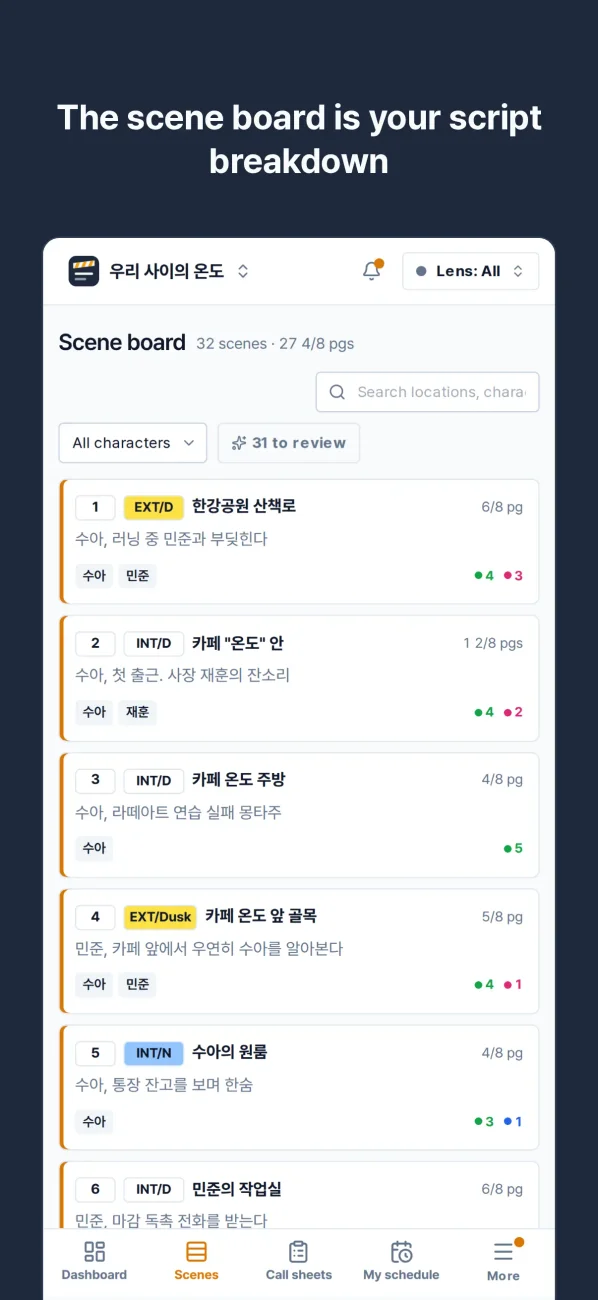
· AI finds scene boundaries and elements such as locations, cast, props and costumes. The script text is kept exactly as written.
· AI findings are marked for review. Only items a department confirms go into published documents.
· The scene board is your script breakdown. A department lens shows only your columns, and it prints on landscape A4 or US Letter.
■ Department sheets
· Cast list and appearance matrix, locations with scouting photos, art and props, costume and hair & makeup, budget and crew settlement.
· Everything comes from the same scene data, so one edit updates every sheet.
■ Shooting schedule, stripboard and DOOD
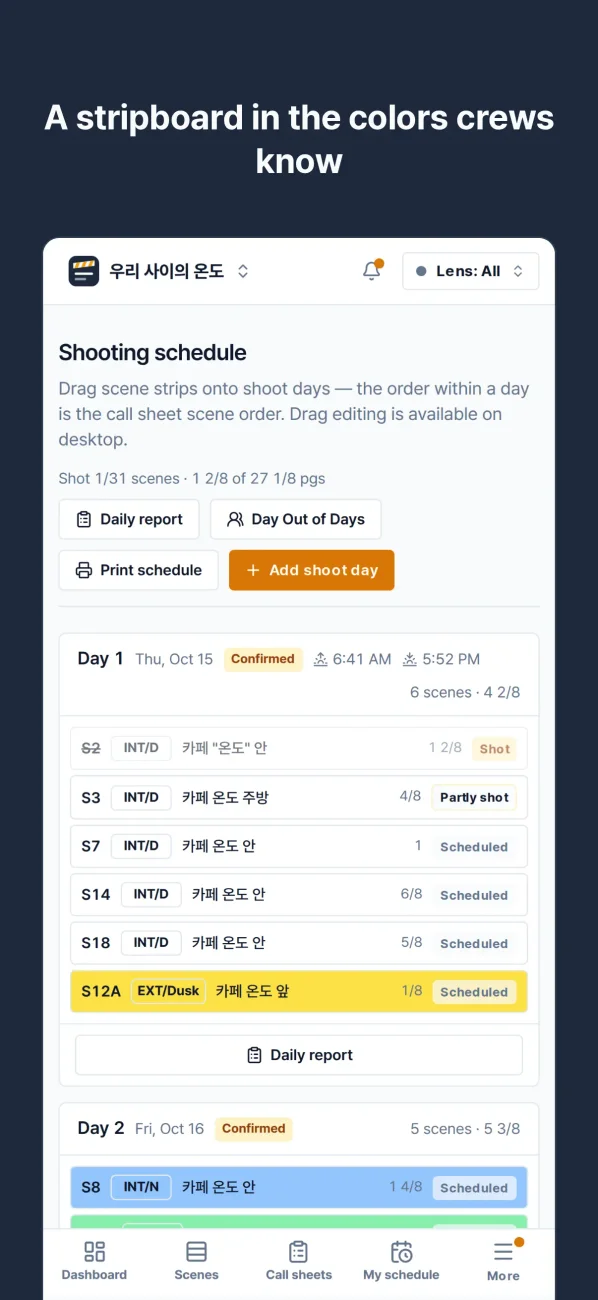
· Strip colors follow set convention: INT/D white, EXT/D yellow, INT/N blue, EXT/N green.
· Drag scenes onto shoot days, split long scenes across days, and see remaining scenes counted automatically.
· Day out of days (DOOD) and daily production reports come from the same schedule.
■ Call sheets
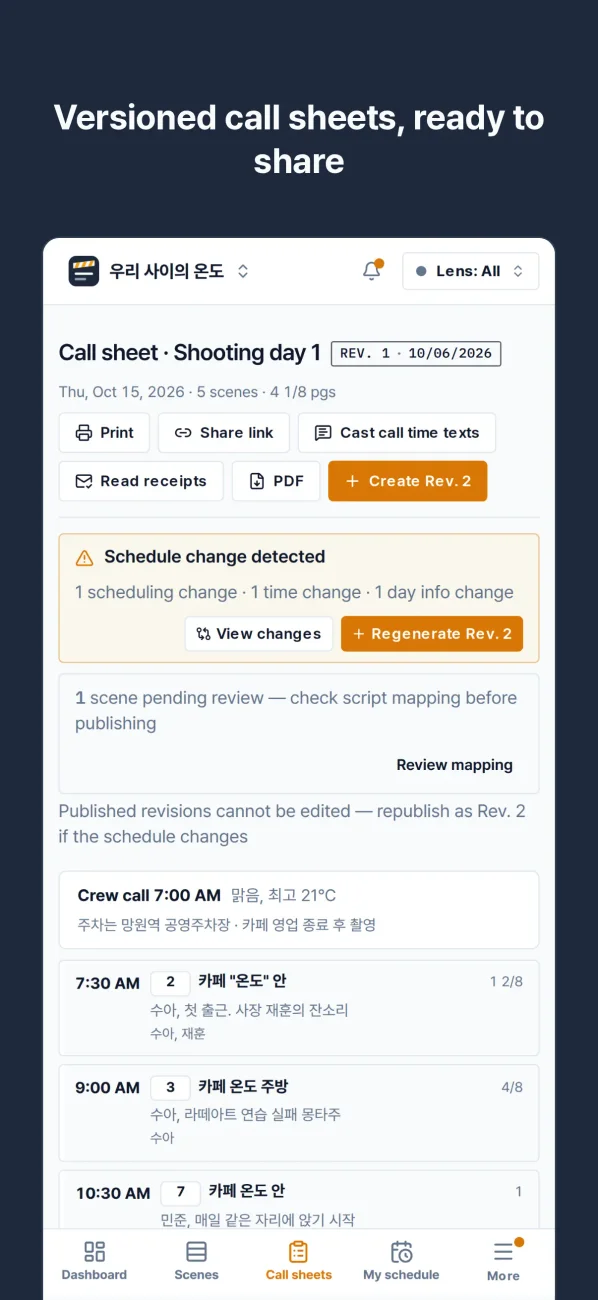
· Pick a shoot day and a draft call sheet is ready. Every publish is saved as a new revision.
· Share links that open without sign-in (with expiry), QR codes, PDF and print.
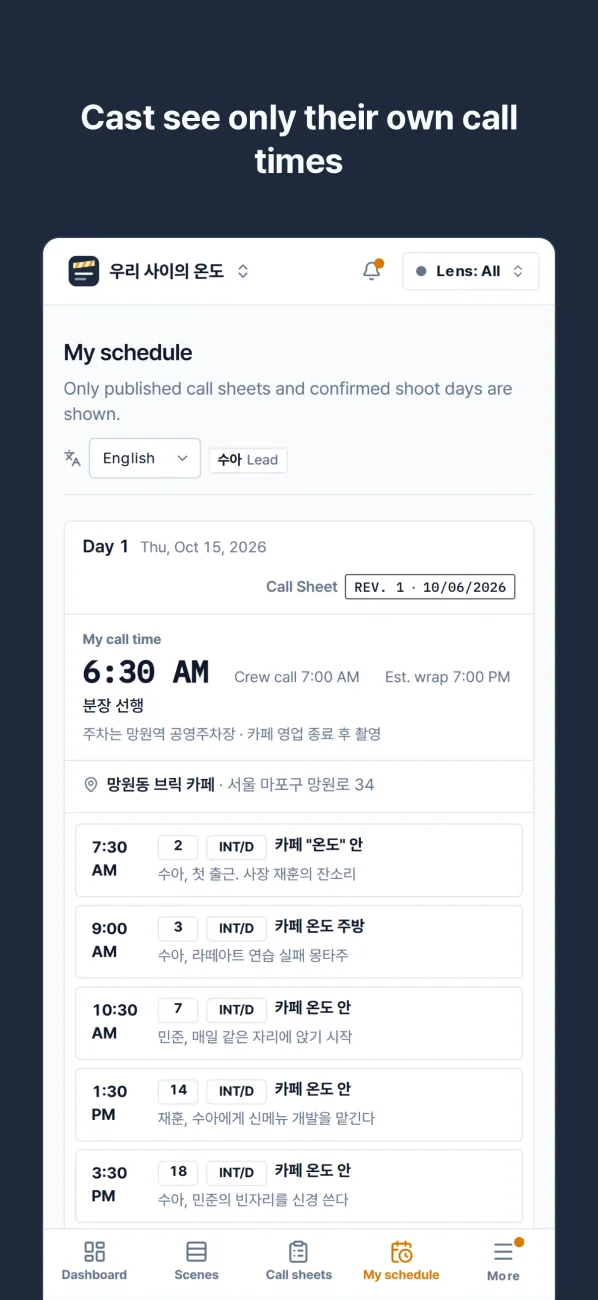
· Cast see only their own shoot days and call times in My schedule.
· If the schedule changes after publishing, the call sheet shows a change banner.
■ Revised drafts
· Re-import the 2nd or 3rd draft and scenes are matched as unchanged, modified, added or omitted, with line-by-line diffs.
· Only the departments affected by a change are notified.
■ Channels and notifications
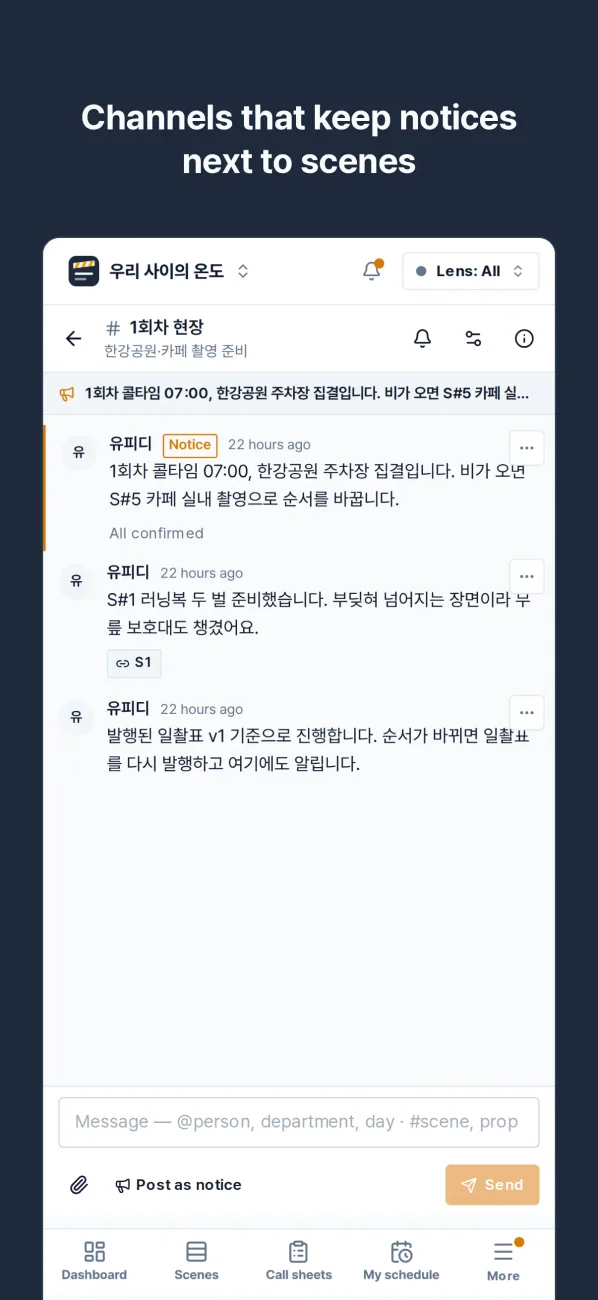
· Each project gets channels for all-crew notices, each department and the cast.
· Notices stay pinned and show who has confirmed them.
· Attach a scene, shoot day or prop to a message and it shows up again on that scene.
· A notifications page collects mentions, notices and schedule changes, with in-app, push and email settings per type.
■ Profiles and portfolio
· Share your filmography, stills and video links per credit, and a resume PDF at pdnote.app/@handle.
· You decide who sees your contact details, birth date and physical details, group by group.
· Credits from PDNote projects carry a PDNote verification badge.
■ Film and people pages
· Browse film and filmmaker pages built from public data of the Korean Film Council (KOBIS), and link your person page to your profile.
■ Field tools, no sign-in
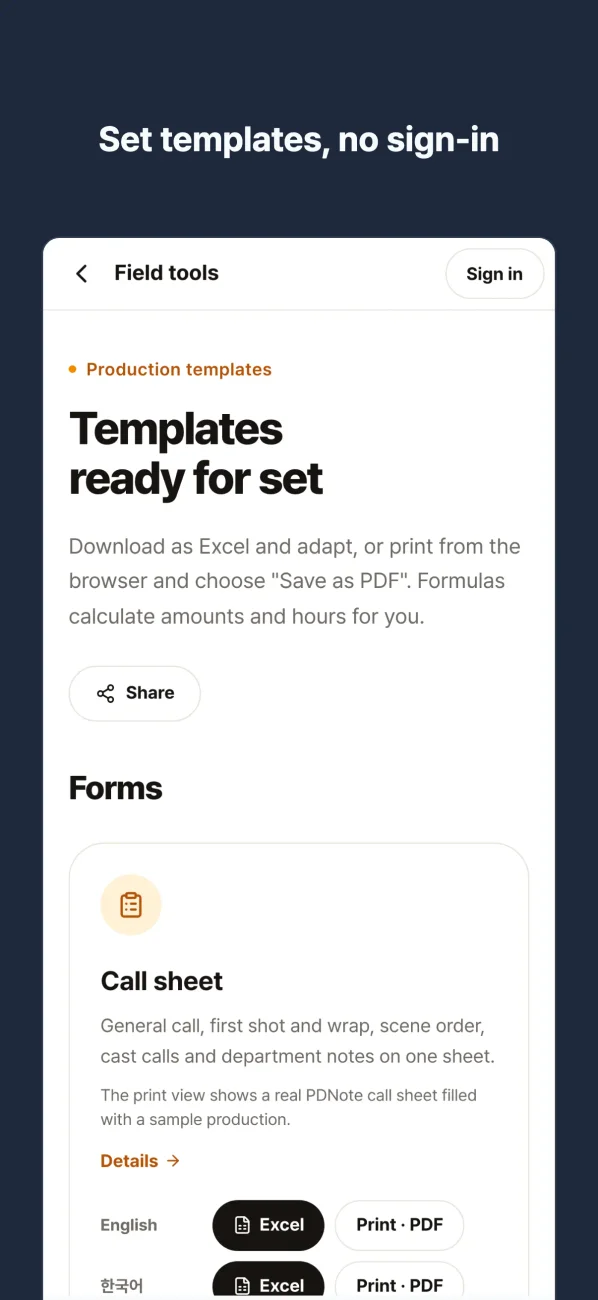
· Ten templates in Korean and English: call sheet, production budget, timesheet, equipment checklist, script breakdown and five production checklists, as xlsx files or print.
· Film set glossary: 106 Korean set terms explained in Korean, English and Japanese.
· Crew pay, 3.3% withholding and work hours calculators follow Korean tax and labor rules. Results are for reference only.
■ In the office and on set
· Edit on desktop. On your phone, check the day and add photos, checks and notes. One account for both.
· Push notifications, and offline access to recent call sheets.
· Interface: Korean, English, Simplified Chinese, Traditional Chinese and Japanese.
All features are free during the beta. AI features have a monthly usage limit per person.
Có gì mới
Phiên bản 1.4 · 04/11/2026
· New project types: variety, commercial, music video, documentary and event, each with its own default tools and a commercial budget template
· Production timeline with air-date countdown and suggested dates
· Character sheets and relationships
· More shot sizes, angles and aspect ratios; set abbreviations explained on screen
· Learn: a 10-part production course, plus 31 on-set templates with guides and examples
· Project channels: department chats, notice read status and messages attached to scenes
· All notifications in one place, with settings for each type
· Activity profile, portfolio and résumé PDF
· Print directly from the app; save Excel templates and QR images
· Links to tools, profiles, films and people open in the app
· Screenshots and screen recordings are recorded in the project security log
· New-version notice, and rate the app from Settings > App info
· Stability improvements
Quyền riêng tư của ứng dụng
Những gì INNOPLE khai báo trên App Store về cách ứng dụng này xử lý dữ liệu.
-
Dữ liệu liên kết với bạn
Có thể được thu thập và liên kết với danh tính của bạn.
- Thông tin liên hệ
- Nội dung của người dùng
- Mã định danh
-
Dữ liệu không liên kết với bạn
Có thể được thu thập nhưng không liên kết với danh tính của bạn.
- Chẩn đoán
Phương thức đảm bảo quyền riêng tư có thể khác nhau, chẳng hạn như tuỳ theo các tính năng bạn sử dụng hoặc độ tuổi của bạn.
Thông tin
- Người bán
- INNOPLE
- Danh mục
- Hiệu Suất
- Phiên bản
- 1.4
- Cập nhật
- 04/11/2026
- Phát hành
- 28/10/2026
- Kích thước
- 4,8 MB
- Yêu cầu
- iOS 15.0 trở lên
- Độ tuổi
- 12+
- Giá
- Miễn phí
- Ngôn ngữ
- Tiếng Anh, Tiếng Nhật, Tiếng Hàn, Tiếng Trung Giản thể
- Bản quyền
- © ⓒ 2026. INNOPLE all rights reserved.
Có thể bạn cũng thích
-
 To Do ++Task List Agenda - Quarterplan
-
 NoteEase-Recording Made EasyHiệu Suất
-
 InfDraft - Unlimited canvasHiệu Suất
-
 Odoo WebAppHiệu Suất
-
 Alt: Unlimited AI Voice MemoHiệu Suất
-
 MyOdooHiệu Suất
-
 The Chat AI - ChatBot ΑρρUltimate Intelligent Assistant
-
 A1 Slides: AI Powerpoint MakerHiệu Suất
-
 AI+ Chat & Al Video GeneratorHiệu Suất