Pedometer: Step Counter Widget
Daily goal, walk & run tracker
Được thiết kế cho iPhone
Miễn phí · Mua hàng trong ứng dụng
- Độ tuổi4+
- Danh mụcSức Khỏe & Thể Dục
- Nhà phát triểnFotios Avgidis
- Ngôn ngữTiếng Anh+ 7 ngôn ngữ khác
- Kích thước2,8 MB
Liên kết đến trang App Store chính thức
Download.org không lưu trữ tệp nào của Pedometer: Step Counter Widget. Nút này mở trang ứng dụng trên App Store, nơi Fotios Avgidis phát hành ứng dụng. Trang được kiểm tra lần cuối: 28/11/2026.
Ảnh chụp màn hình
Giới thiệu
Nhà phát triển chưa cung cấp nội dung này bằng ngôn ngữ của bạn.
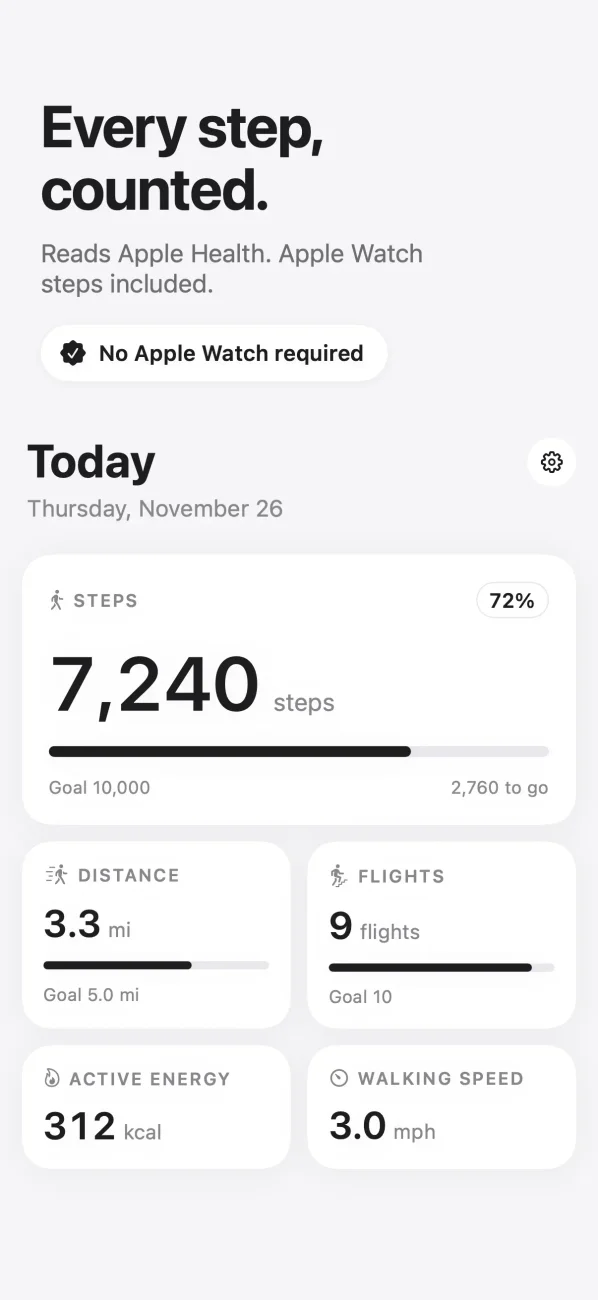
Pedometer counts your steps, distance, and flights climbed, and shows them as plain numbers and charts. It reads Apple Health, so if you wear an Apple Watch, its steps are included.
TODAY
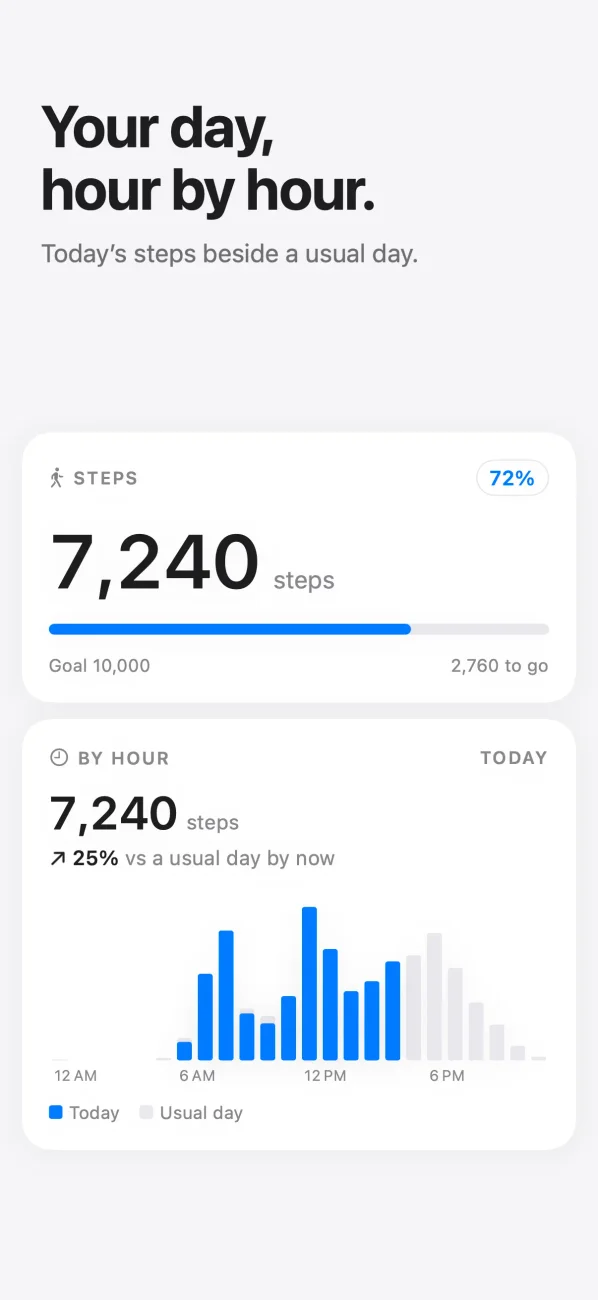
Your steps against your goal, with what is left to go. Distance and flights climbed against their goals, with active energy and walking speed beside them. A chart shows today hour by hour, next to a usual day.
GOALS
Set a daily goal for steps, distance, and flights climbed. They start at 10,000 steps, 8 km or 5 miles, and 10 flights. The steps goal can be different for each day of the week. If you want, Pedometer tells you when you reach your steps goal and reminds you in the evening how many steps are left. Both notifications stay off until you turn them on.
HISTORY
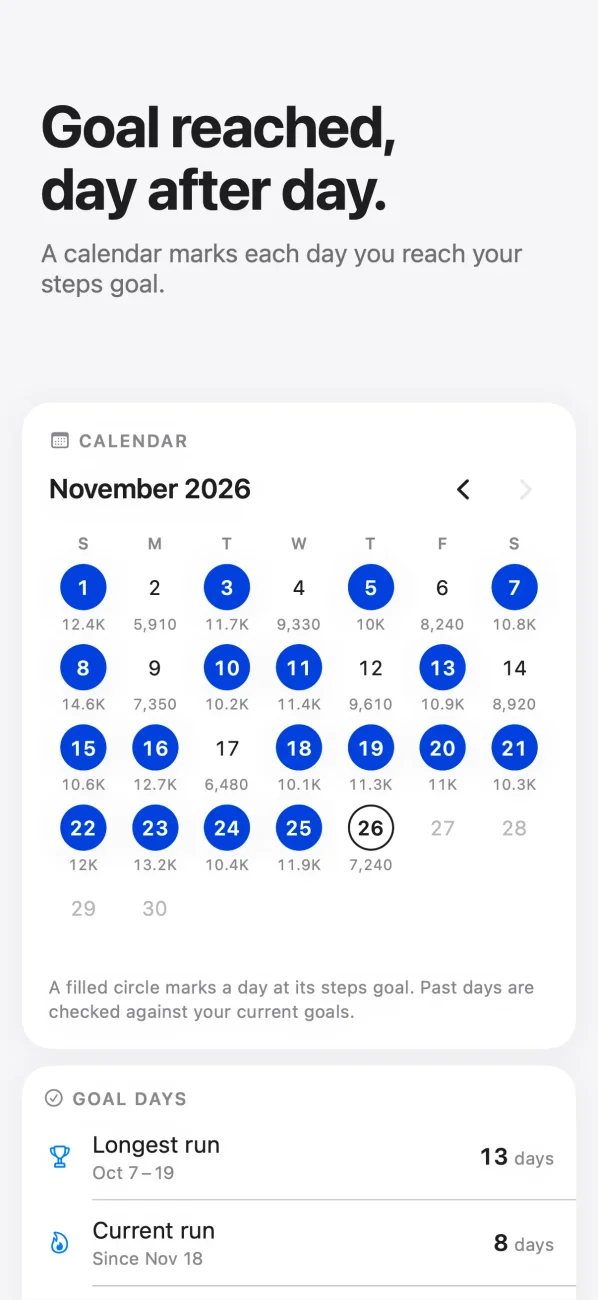
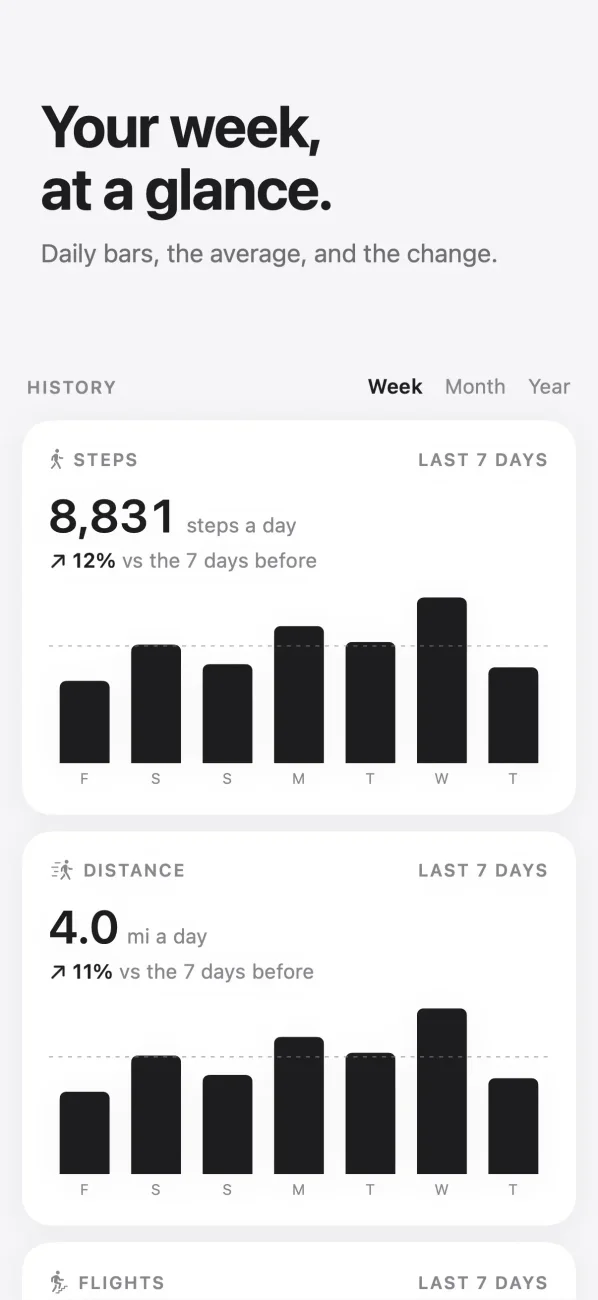
One chart per number, for the last week, month, or year. Each shows the daily average and how it compares with the period before. Touch a chart to read a single day, or a single week in the year view. A month calendar shows each day's steps and marks the days you reached your goal. Records show your step totals for every month and year, your best day, week and month for steps, flights climbed and walking speed, and your longest run of days at your steps goal.
WALKS AND RUNS
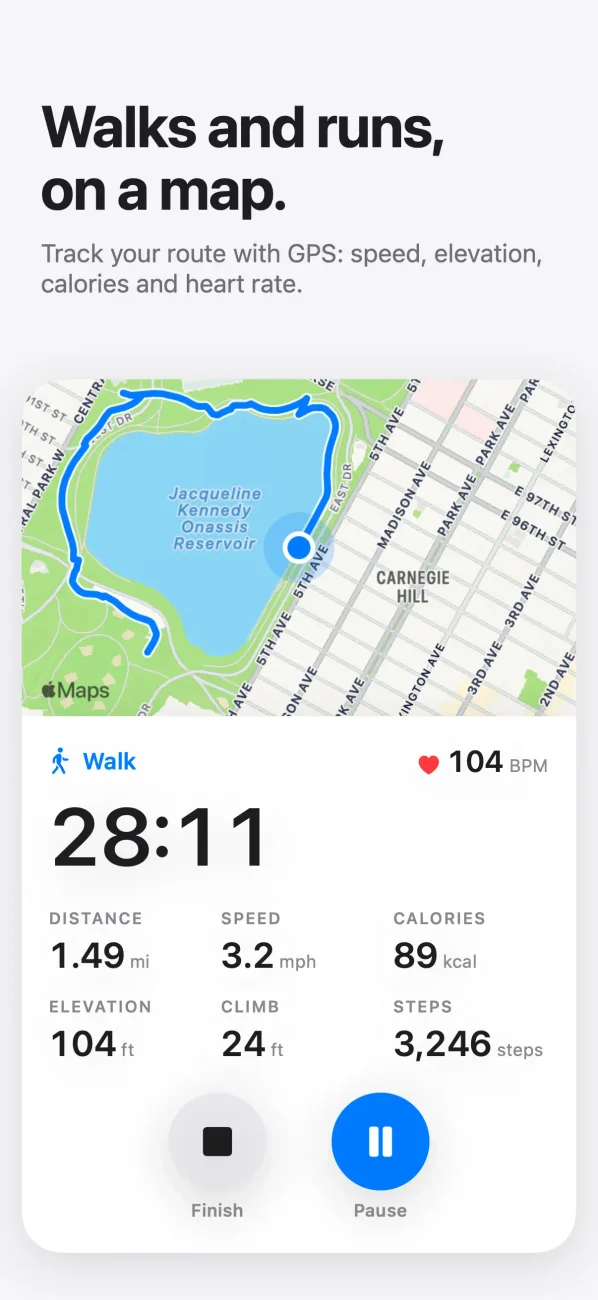
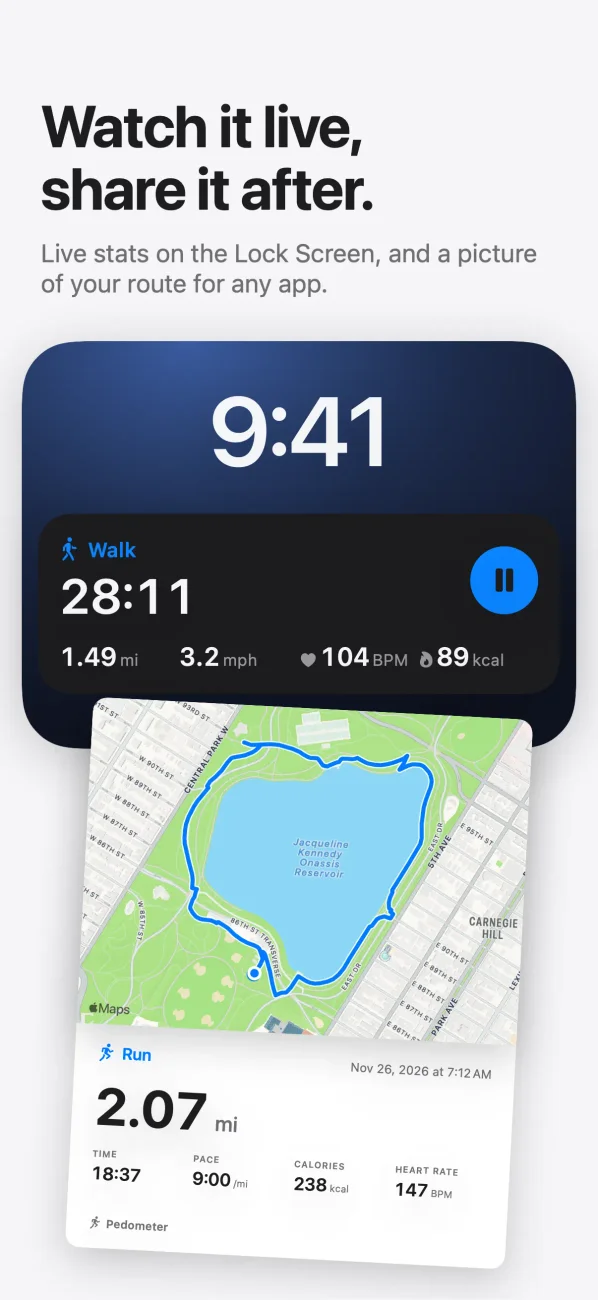
Record a walk or run with GPS. The map keeps you in the middle and draws your route, with your time, distance, speed or pace, calories, elevation and climb. With AirPods Pro 3, Powerbeats Pro 2 or a Bluetooth heart rate strap, your heart rate shows live too (iOS 26). While you go, the numbers stay on the Lock Screen with a pause button. Each walk is saved to Apple Health with its route, and you can share a picture of it with the map and your numbers.
WIDGETS
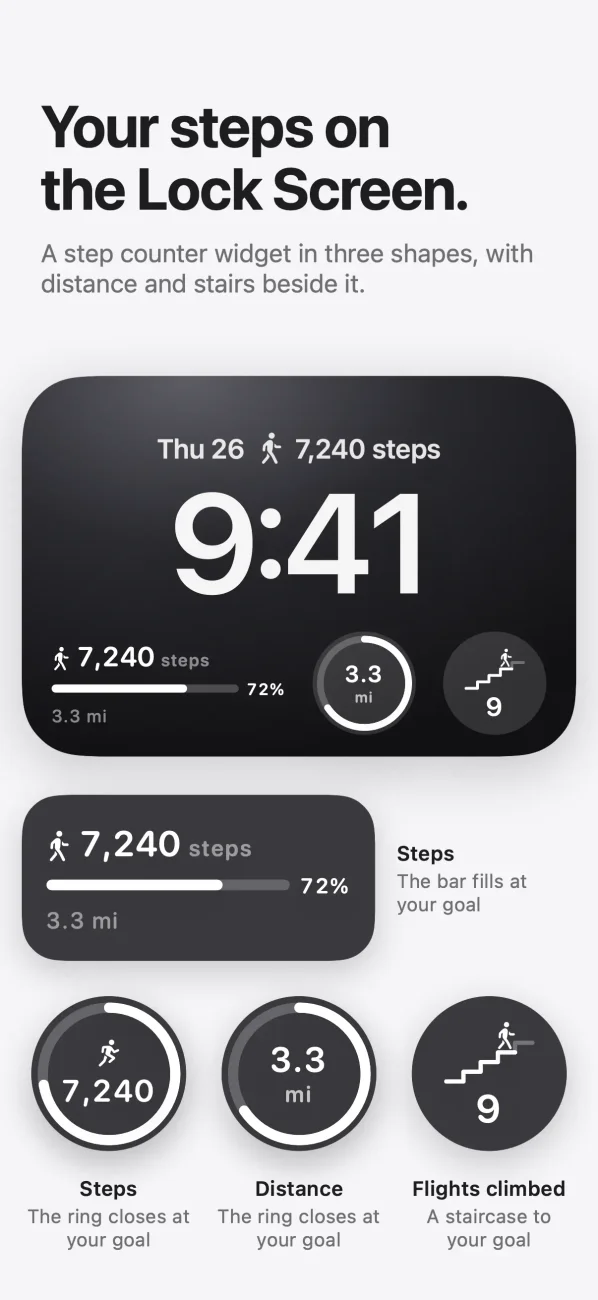
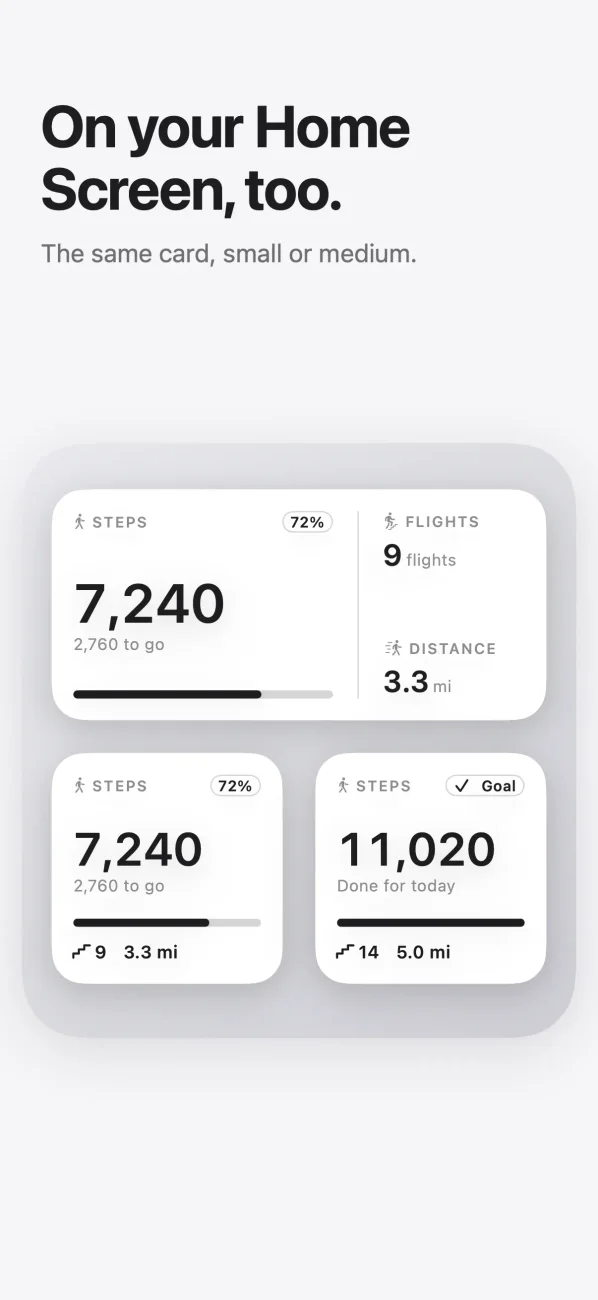
• Lock Screen: steps and distance, each inside a ring that closes at your goal, and flights climbed, with a little figure that climbs a staircase to your goal. Above your steps, a figure goes from walking to running as you near your goal. A rectangular widget shows your steps with a goal bar and your distance, and a one-line widget shows your steps above the clock.
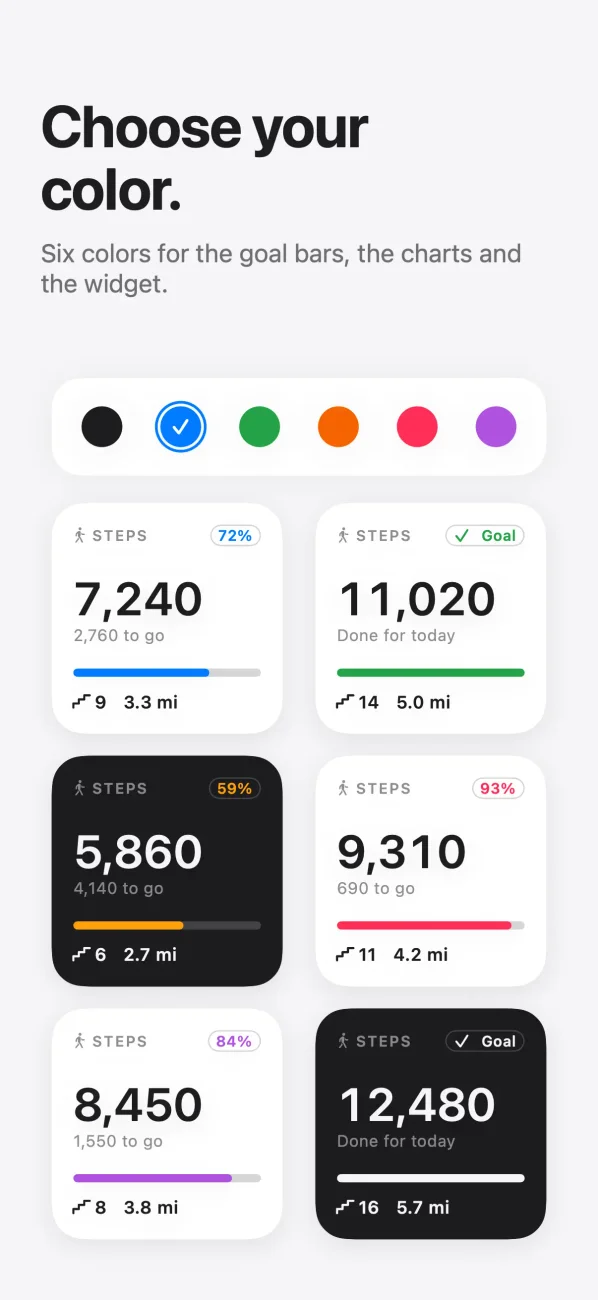
• Home Screen: the same card as the app, small, medium or large. The large size adds today hour by hour. Touch and hold the widget to make it light or dark, or to show the steps alone.
EASY TO READ
The text follows the text size you set on your iPhone.
NO APPLE WATCH REQUIRED
Your iPhone counts your steps on its own.
PRIVATE BY DESIGN
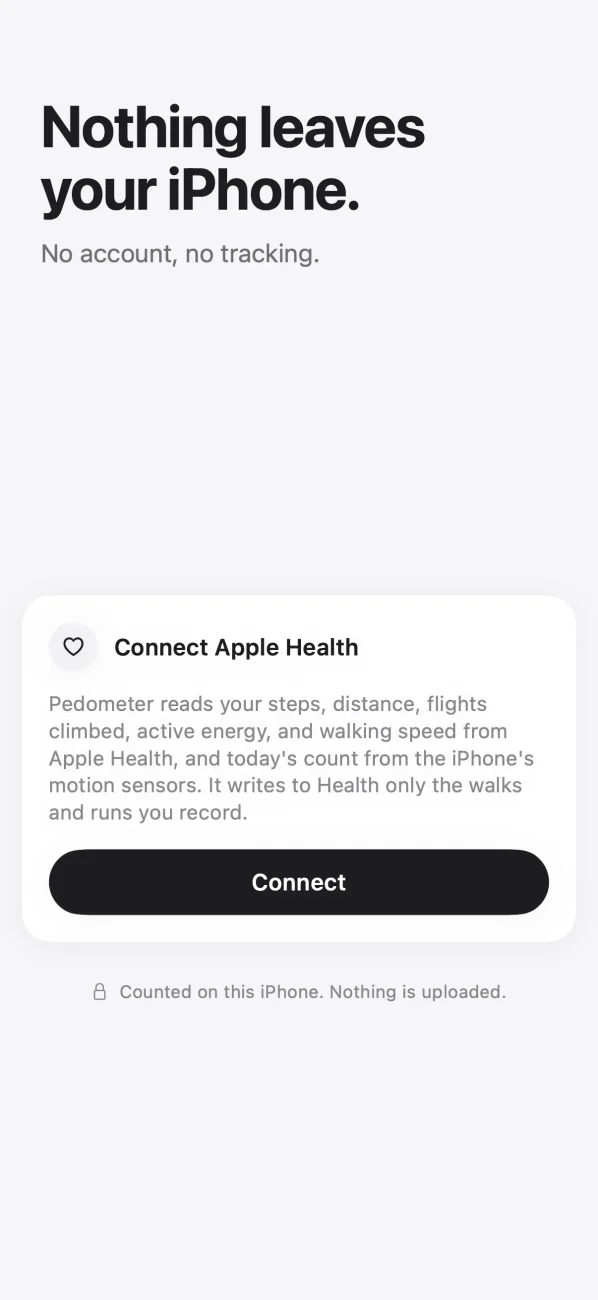
• Reads Apple Health, and writes to it only the walks and runs you record.
• Your location is used only while you record, and stays on your iPhone.
• Everything is counted and stored on your iPhone. Nothing is uploaded.
• No account, no analytics, no tracking.
Pedometer is not a medical device and does not give medical advice.
Có gì mới
Phiên bản 1.6 · 27/11/2026
Pedometer now has four tabs: Today, Workouts, History and Records.
A month calendar in Records shows your steps for each day and marks the days you reached your goal.
Records also show your longest run of days at your steps goal, and your current one.
Set a different steps goal for each day of the week in Settings.
Two new Lock Screen widgets: your steps with a goal bar in a rectangle, and your steps on one line above the clock.
Optional notifications when you reach your steps goal, and an evening reminder with the steps you have left. They stay off until you turn them on in Settings.
On iOS 26.1 and later, a walk or run you are recording can shrink to a bar above the tabs, with its time, distance and a pause button.
Orange is now the default color. You can pick another in Settings.
Haptic feedback when you change a goal, switch months in the calendar, or touch a bar in a chart.
The app's text now follows the text size set on your iPhone.
Quyền riêng tư của ứng dụng
Những gì Fotios Avgidis khai báo trên App Store về cách ứng dụng này xử lý dữ liệu.
-
Dữ liệu không được thu thập
Nhà phát triển không thu thập bất kỳ dữ liệu nào từ ứng dụng này.
Phương thức đảm bảo quyền riêng tư có thể khác nhau, chẳng hạn như tuỳ theo các tính năng bạn sử dụng hoặc độ tuổi của bạn.
Thông tin
- Người bán
- Fotios Avgidis
- Danh mục
- Sức Khỏe & Thể Dục
- Phiên bản
- 1.6
- Cập nhật
- 27/11/2026
- Phát hành
- 14/10/2026
- Kích thước
- 2,8 MB
- Yêu cầu
- iOS 17.0 trở lên
- Độ tuổi
- 4+
- Giá
- Miễn phí
- Mua hàng trong ứng dụng
- Có
- Ngôn ngữ
- Tiếng Anh, Tiếng Hà Lan, Tiếng Pháp, Tiếng Đức, Tiếng Ý, Tiếng Nhật, Tiếng Bồ Đào Nha, Tiếng Tây Ban Nha
- Bản quyền
- © 2026 Fotios Avgidis
Có thể bạn cũng thích
-
 Pedometer - StepKitSức Khỏe & Thể Dục
-
 Simple Step Counter & WidgetSức Khỏe & Thể Dục
-
 Angel Step: Đếm Bước ChânPedometer & step widget
-
 Pedometer IISức Khỏe & Thể Dục
-
 Step Counter: Pedometer WidgetSức Khỏe & Thể Dục
-
 StepMark: Pedometer WidgetSức Khỏe & Thể Dục
-
 WalkLean: Step & Weight DiarySức Khỏe & Thể Dục
-
 Move Metrics: Step Counter AppSức Khỏe & Thể Dục
-
 Widgethy: Health WidgetsSức Khỏe & Thể Dục
-
 StepBack: Retro PedometerSức Khỏe & Thể Dục