- Độ tuổi4+
- Danh mụcGiáo Dục
- Nhà phát triểnFRESHLAB IBERIA SLU
- Ngôn ngữTiếng Anh+ 2 ngôn ngữ khác
- Kích thước127,1 MB
Liên kết đến trang App Store chính thức
Download.org không lưu trữ tệp nào của pictos. Nút này mở trang ứng dụng trên App Store, nơi FRESHLAB IBERIA SLU phát hành ứng dụng. Trang được kiểm tra lần cuối: 23/11/2026.
Ảnh chụp màn hình


Giới thiệu
Nhà phát triển chưa cung cấp nội dung này bằng ngôn ngữ của bạn.
From pictures to words.
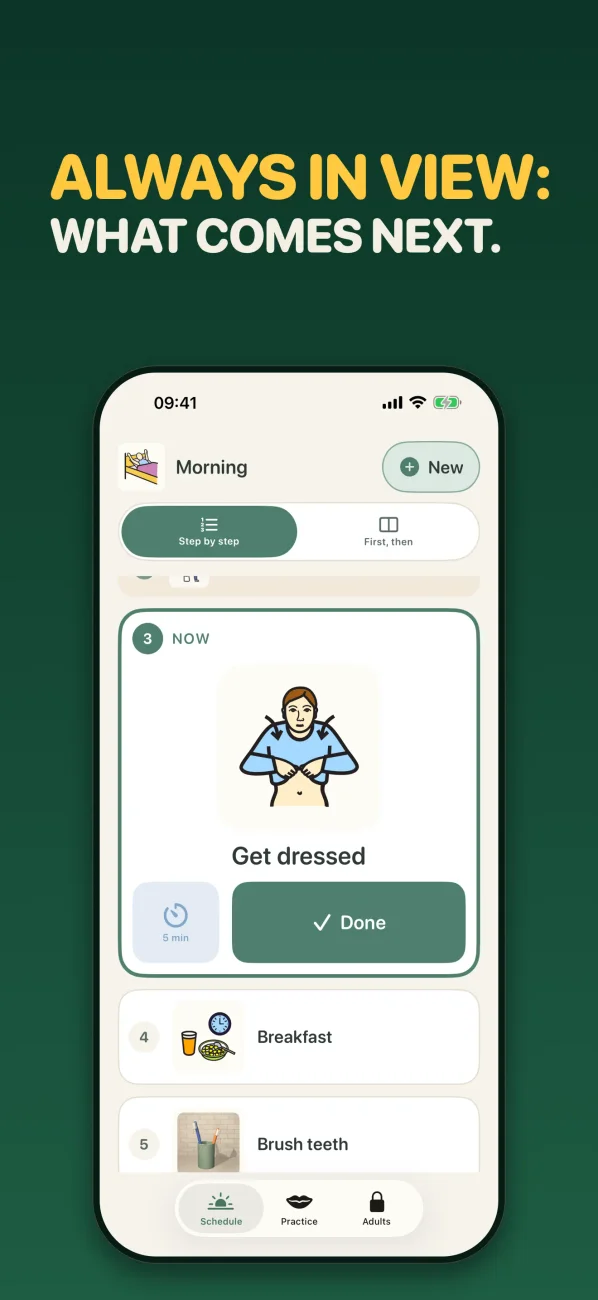
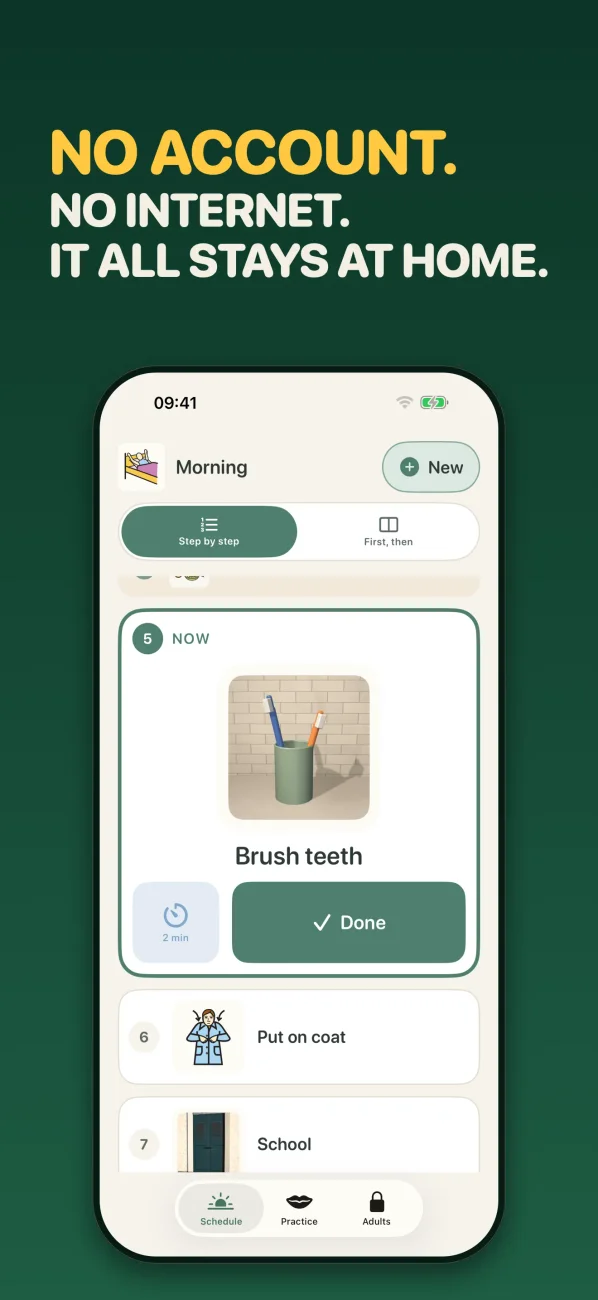
pictos. builds step-by-step sequences for children who need to know what happens now and what comes next: with pictograms or your own photos, the real toothbrush, the school door. A sequence takes a few minutes to set up, and the schedule shows it one step at a time.
VISUAL SCHEDULE
- "Step by step": the whole plan as one list that scrolls. The current step large, what is done quietly above, what comes next below. Scrolling only looks; it never ticks off or skips anything.
- "First, then": the current step and the next one, both large, for children who need it that way. The rest stays in view below.
- "New": every plan on a grid of large cards. Each plan always starts at the first step, never halfway, and it can be undone.
- Tap a picture and the app reads it aloud.
- Mark each step as done, with calm feedback: no sudden sounds, no distracting animations.
- A visual timer per step: a disc that empties, with no ticking.
- Three example plans (morning, school, evening) to start with, and as many of your own as you need.
FOR ADULTS
- Build and reorder steps in a few minutes: find the pictogram by keyword or take a photo.
- Use photos from home: the real toothbrush, the school door. Each step carries the word you type.
- Choose the picture set: ARASAAC pictograms, Mulberry symbols or your own photos. Switching sets never changes a plan.
- The adult area sits behind a 3-second press and hold.
- With Apple Intelligence you can type the routine the way you'd say it and the app suggests the steps; the pictogram is always picked by a keyword search, and you check everything.
- Share a plan by WhatsApp or email as a link: on the other iPhone it opens in pictos., shows a preview first and is only added once confirmed. With your own photos, as a file.
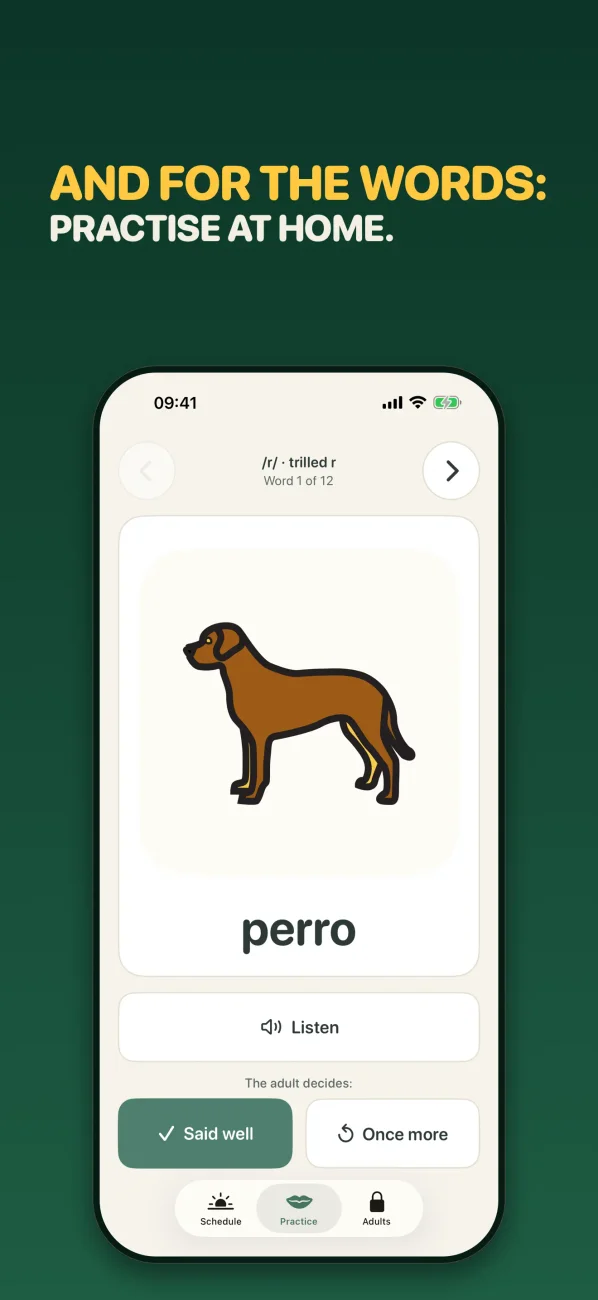
PRACTISE AT HOME (EXTRA)
Cards for practising at home what your speech specialist works on: picture, word, and the word spoken aloud. By default the adult rates each attempt. As a trial, the app can also listen on the device itself; it only says "Well done!" when it is sure, and otherwise asks "Once more!". It never tells a child something was wrong. The practice words are currently Spanish, so the “Practice” tab only shows up by itself in Spanish; switch it on under Adults › For the child.
PRIVACY
Free, no accounts, no ads, no purchases, no internet: it works in airplane mode. Plans, photos and history stay on your device; the privacy label says "Data Not Collected". Speech is recognised on the device and never stored.
pictos. supports everyday routines and practice at home; it does not replace any professional.
Autor pictográfico: Sergio Palao. Origen: ARASAAC (https://arasaac.org). Licencia: CC (BY-NC-SA). Propiedad: Gobierno de Aragón (España).
Mulberry Symbols © 2018-2026 Steve Lee (mulberrysymbols.org), licensed CC BY-SA 4.0.
Có gì mới
Phiên bản 1.1 · 09/11/2026
• Coming up: for steps with a timer, the card calmly shows what comes next shortly before the end, without sound.
• Timers now also come in 15, 30 or 45 seconds – handy for washing hands.
• 574 pictures instead of 116, with new sections: food and drink, play and activities, health. Pictograms: ARASAAC (Sergio Palao, Gobierno de Aragón, CC BY-NC-SA) and Mulberry Symbols (Steve Lee, CC BY-SA).
• Stay in Pictos: a Guided Access how-to under Adults › For the child.
• The “Practice” tab (Spanish words) now only shows up by itself in Spanish. If you used it, it stays; otherwise switch it on under Adults › For the child.
Quyền riêng tư của ứng dụng
Những gì FRESHLAB IBERIA SLU khai báo trên App Store về cách ứng dụng này xử lý dữ liệu.
-
Dữ liệu không được thu thập
Nhà phát triển không thu thập bất kỳ dữ liệu nào từ ứng dụng này.
Phương thức đảm bảo quyền riêng tư có thể khác nhau, chẳng hạn như tuỳ theo các tính năng bạn sử dụng hoặc độ tuổi của bạn.
Thông tin
- Người bán
- FRESHLAB IBERIA SL
- Danh mục
- Giáo Dục
- Phiên bản
- 1.1
- Cập nhật
- 09/11/2026
- Phát hành
- 20/10/2026
- Kích thước
- 127,1 MB
- Yêu cầu
- iOS 26.0 trở lên
- Độ tuổi
- 4+
- Giá
- Miễn phí
- Ngôn ngữ
- Tiếng Anh, Tiếng Đức, Tiếng Tây Ban Nha
- Bản quyền
- © 2026 Freshlab Iberia S.L.U.