Pilot Display
ARS and ION companion app
Được thiết kế cho iPhone, iPad, iPod touch
Miễn phí
- Độ tuổi4+
- Danh mụcDẫn Đường
- Nhà phát triểnEarthscape
- Ngôn ngữTiếng Anh
- Kích thước2,9 MB
Liên kết đến trang App Store chính thức
Download.org không lưu trữ tệp nào của Pilot Display. Nút này mở trang ứng dụng trên App Store, nơi Earthscape phát hành ứng dụng. Trang được kiểm tra lần cuối: 17/11/2026.
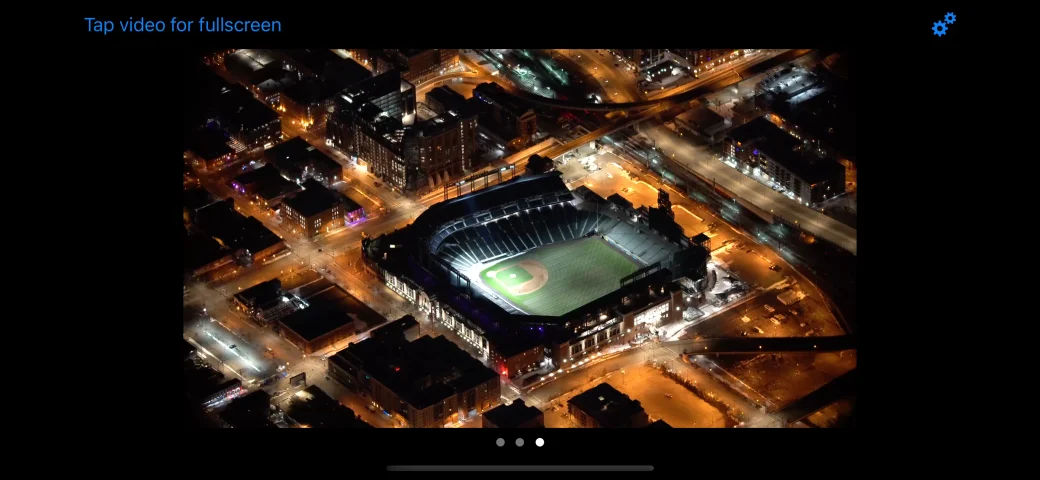
Ảnh chụp màn hình

Giới thiệu
Nhà phát triển chưa cung cấp nội dung này bằng ngôn ngữ của bạn.
Pilot Display is the iOS companion application for the Shotover Systems ARS and ION devices. Pilot Display is designed to be viewed by the pilot to provide a navigational aid when flying to a location, or a search pattern. The application can also be used by any passengers or crew who may be interested in information about the aircraft or viewing live video.
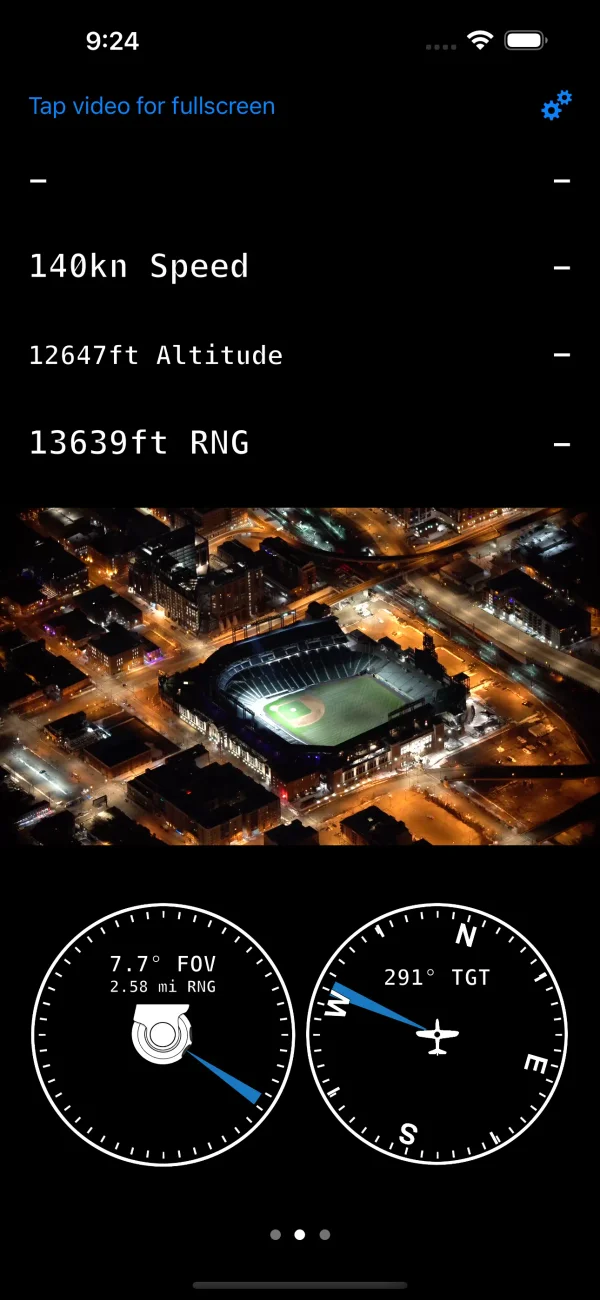
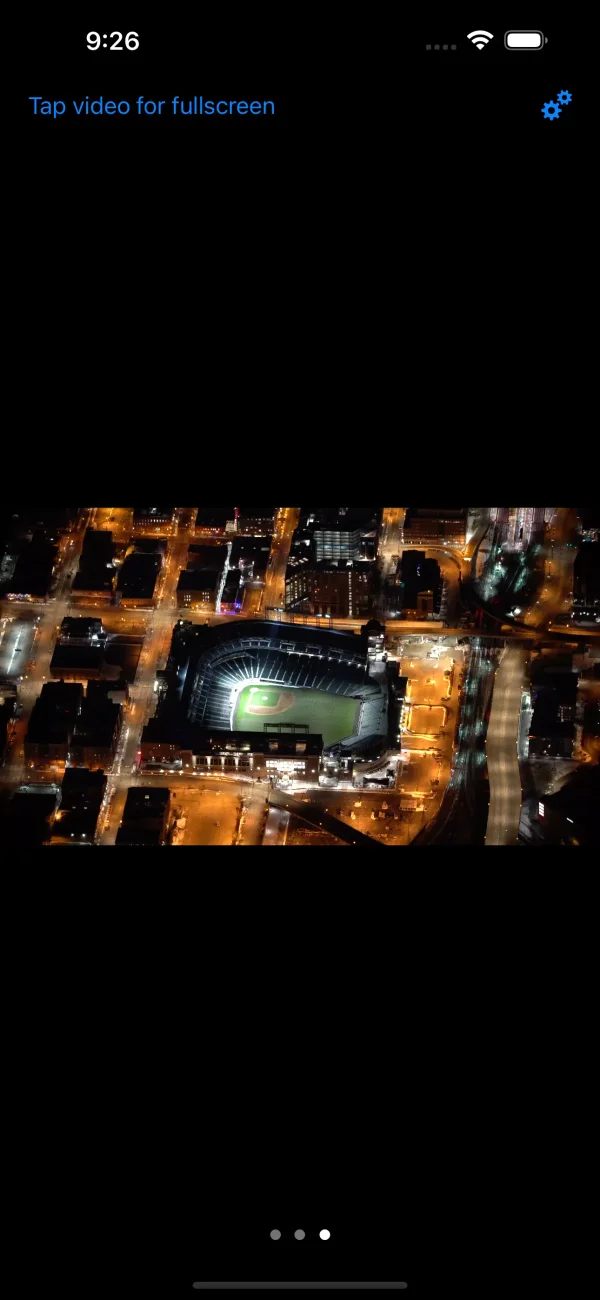
Pilot Display supports live streaming video for up to three channels. You can view what the cameras are recording or what the ARS screen is displaying all in real-time. Flick up or down on the video to switch channels. Tap the screen to show the settings option and configure Pilot Display. Flick left and right to change the view.
Video can be turned on or off at any time and viewed in three different layouts:
- Thumbnail Video
- Full Screen Video
- Full Screen Video with Overlays
Pilot Display provides lots of data overlays. Over 20 different data fields are available depending on the current system mode.
Gimbal Mode provides information about the gimbal and camera:
- Aircraft Absolute Heading
- Camera Field of View
- Camera Slant Range
- Camera Target Absolute Heading
- Camera Target Relative Heading
- Camera Elevation Absolute Angle
- Aircraft Altitude (AMSL / AGL)
- Aircraft Speed
- Orbit Helper Radius
- TGT Coordinates
Marker Mode provides information about a specific point of interest in addition to all of the Gimbal Mode information:
- Marker Address
- Marker Absolute Heading
- Marker Relative Heading
- Marker Estimated Time to Arrival
- Marker Estimated Time Enroute
- Marker Ground Distance
- Marker Coordinates
Vehicle Follow Mode provides information about a search pattern, plus most of the Gimbal Mode information:
- Offset shows how far left or right of the ideal search pattern the aircraft is
- Next Waypoint Estimated Time To Arrival
- Next Waypoint Estimated Time Enroute
- Distance Remaining in Search Pattern
- Distance Completed in Search Pattern
- Distance to next waypoint
Camera Follow Mode provides information about a camera search pattern including most information from the Gimbal and Vehicle Follow Modes. No offset is provided in this mode.
All fields are user reconfigurable - just tap and select to customize your layout. You can even select the color of the text for enhanced visibility. Fields can be viewed in several measurement units.
Your mission system will need to be configured to use a WIFI access point if not already installed. Please contact your support representative to discuss updating and enabling the Pilot Display feature.
Please note that ION support will require software version 2.X or above.
Có gì mới
Phiên bản 1.5 · 29/11/2023
- Added new customizable crosshair
- Added video crop mode selector
Quyền riêng tư của ứng dụng
Những gì Earthscape khai báo trên App Store về cách ứng dụng này xử lý dữ liệu.
-
Dữ liệu không được thu thập
Nhà phát triển không thu thập bất kỳ dữ liệu nào từ ứng dụng này.
Phương thức đảm bảo quyền riêng tư có thể khác nhau, chẳng hạn như tuỳ theo các tính năng bạn sử dụng hoặc độ tuổi của bạn.
Thông tin
- Người bán
- Churchill Navigation
- Danh mục
- Dẫn Đường
- Phiên bản
- 1.5
- Cập nhật
- 29/11/2023
- Phát hành
- 11/06/2015
- Kích thước
- 2,9 MB
- Yêu cầu
- iOS 15.0 trở lên
- Độ tuổi
- 4+
- Giá
- Miễn phí
- Ngôn ngữ
- Tiếng Anh
- Bản quyền
- © 2023 SHOTOVER Systems