
PingPoint: Network Latency Map
GPS Ping Tracker & Heatmap
Được thiết kế cho iPhone, iPad, Mac, iPod touch
59.000đ
- Độ tuổi4+
- Danh mụcTiện Ích
- Nhà phát triểnKevin Ross
- Ngôn ngữTiếng Anh+ 2 ngôn ngữ khác
- Kích thước3,9 MB
Liên kết đến trang App Store chính thức
Download.org không lưu trữ tệp nào của PingPoint: Network Latency Map. Nút này mở trang ứng dụng trên App Store, nơi Kevin Ross phát hành ứng dụng. Trang được kiểm tra lần cuối: 17/11/2026.
Ảnh chụp màn hình
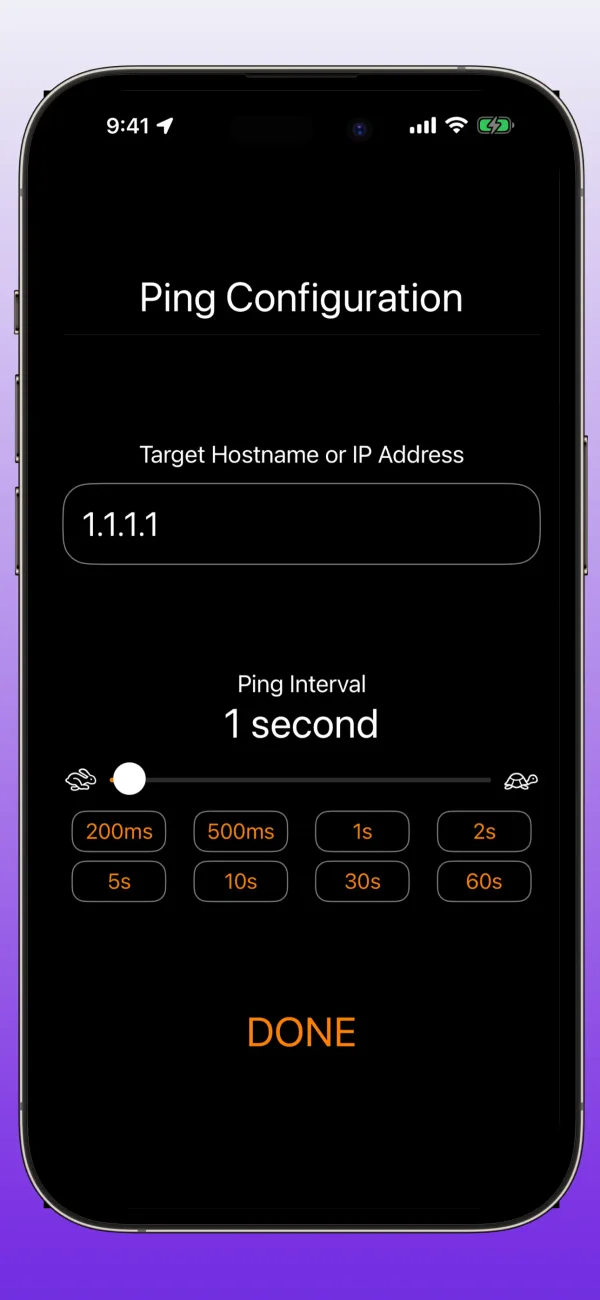
Giới thiệu
Nhà phát triển chưa cung cấp nội dung này bằng ngôn ngữ của bạn.
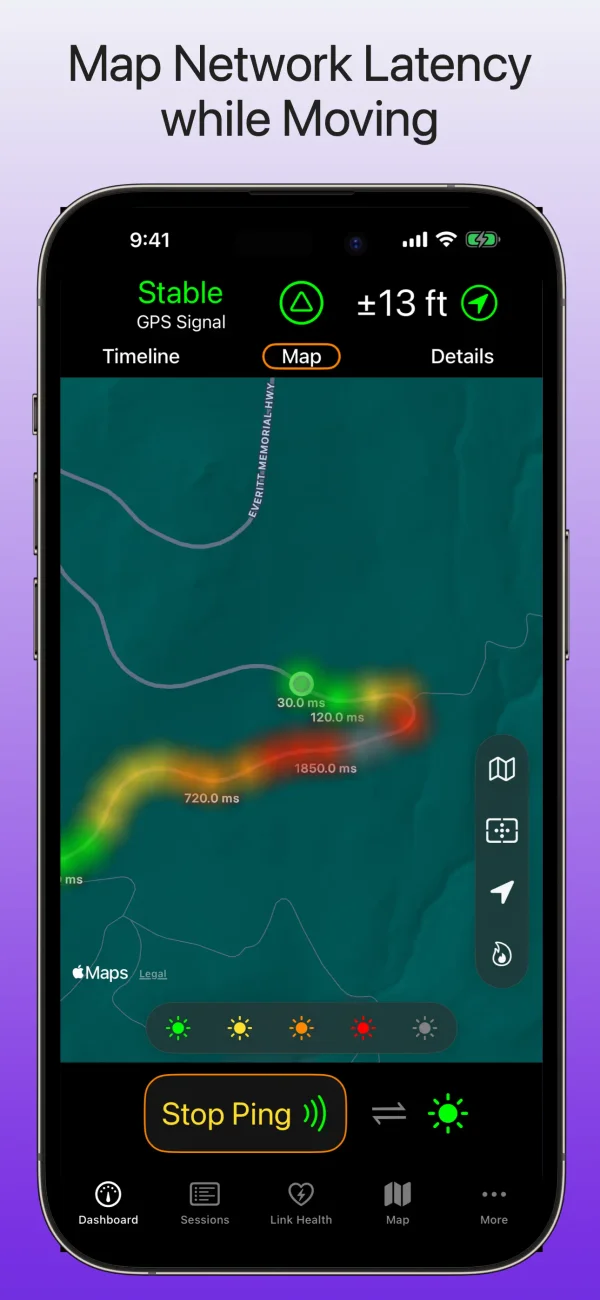
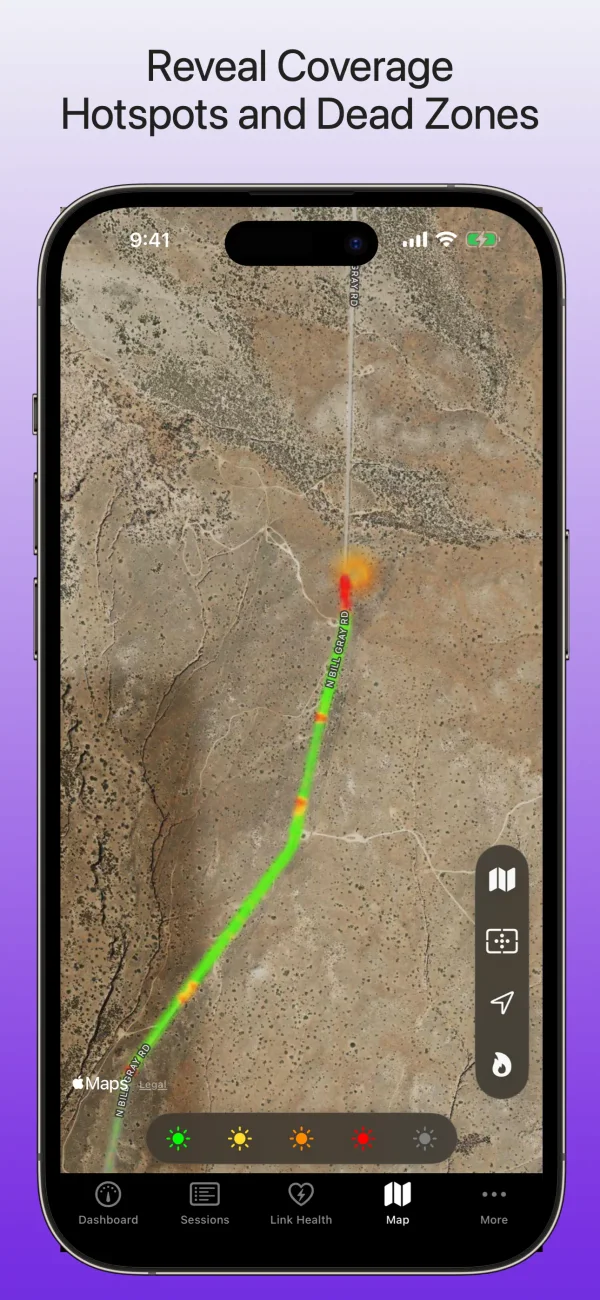
Have you ever wished you could map network latency along a road or trail, but couldn’t find an app for it? PingPoint lets you visualize ping performance on the go in real locations, so you can spot the fastest signal areas while you navigate.
Now on the Mac too, included with your purchase.
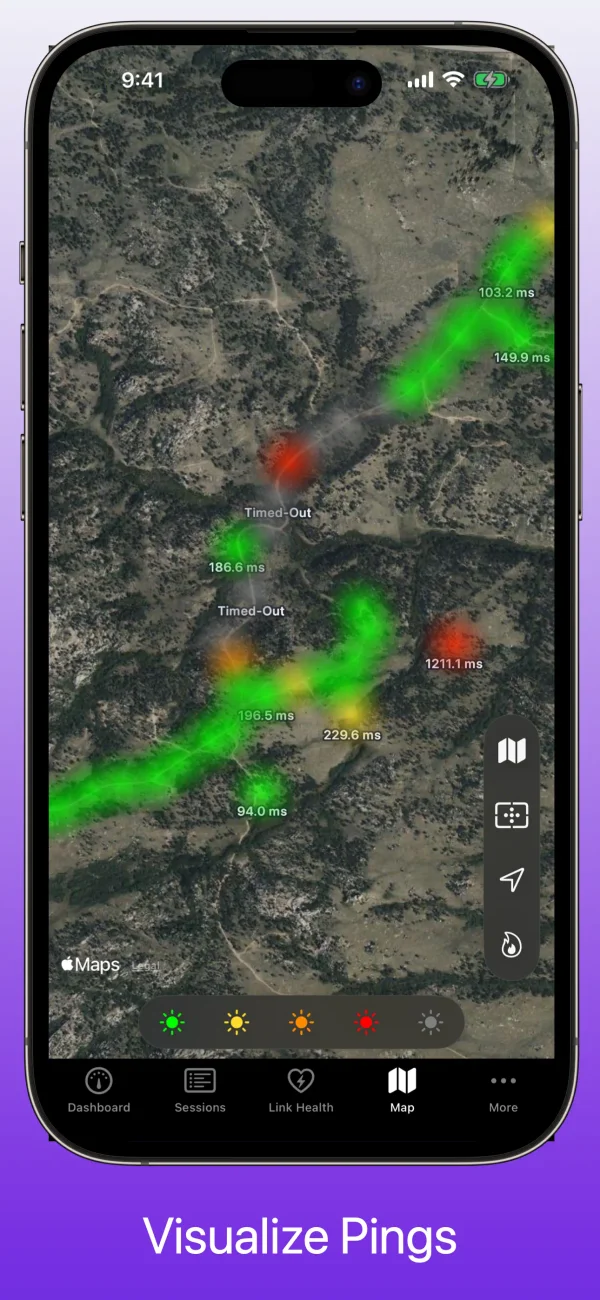
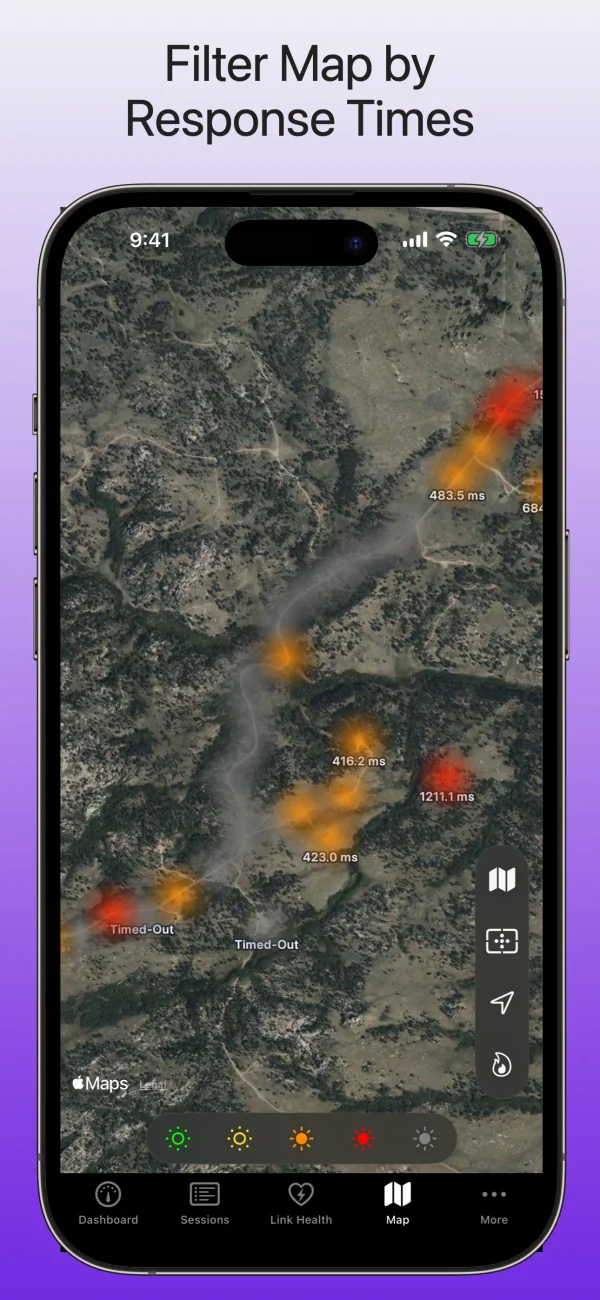
Record ping sessions while driving, hiking, or traveling to understand connectivity for a route, trail, or specific area. PingPoint plots each ping on a map as colored blips from green to red, showing good to poor latency. Choose your ping interval and target hosts to test different network conditions and compare results across locations.
PingPoint is built for IT professionals, network analysts, road warriors, digital nomads, and anyone technically inclined who wants to measure, diagnose, and graph connectivity while moving. I built PingPoint while living on the road — at the edges of cellular service, I was tired of ping tools that told me how fast my connection was but never where. So I made one that maps it.
Common uses:
- Find the best connectivity regions by mapping network latency along your route or trail (cellular or mobile hotspot)
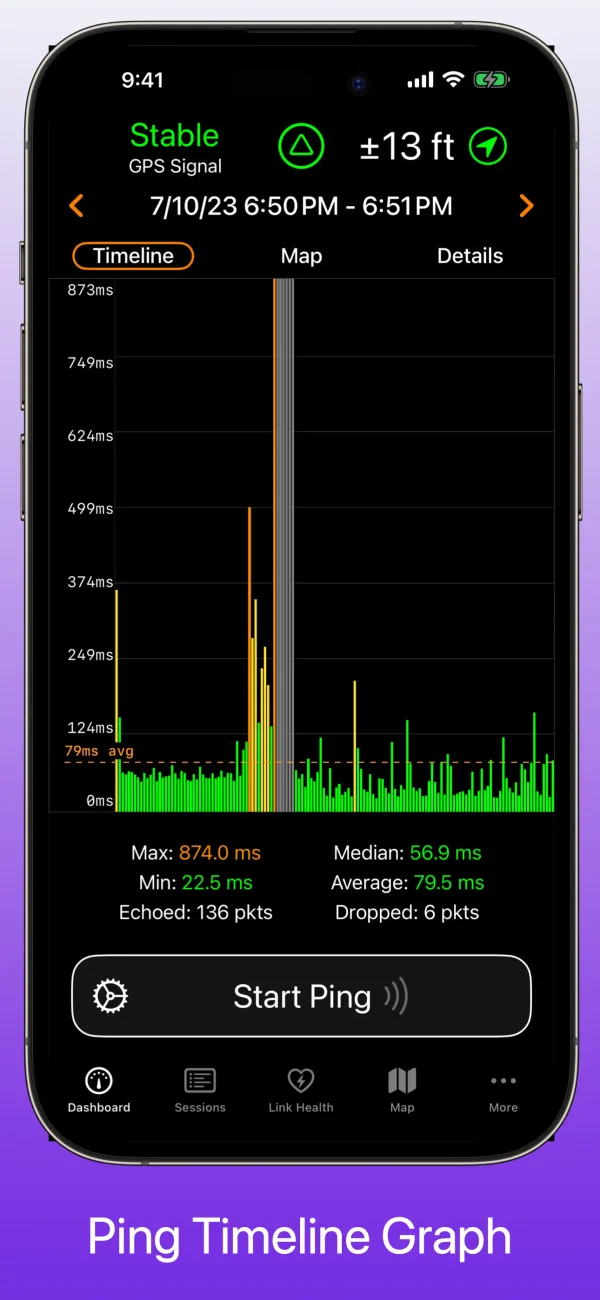
- Review connection stability over time using the timeline graph (cellular or Wi-Fi)
- Map the latency of regions around your home Wi-Fi
- Improve responsiveness in congested networks by pinging in the background while using other apps (cellular or mobile hotspot)
- Test latency to a host similar to standard network ping tools
FEATURES
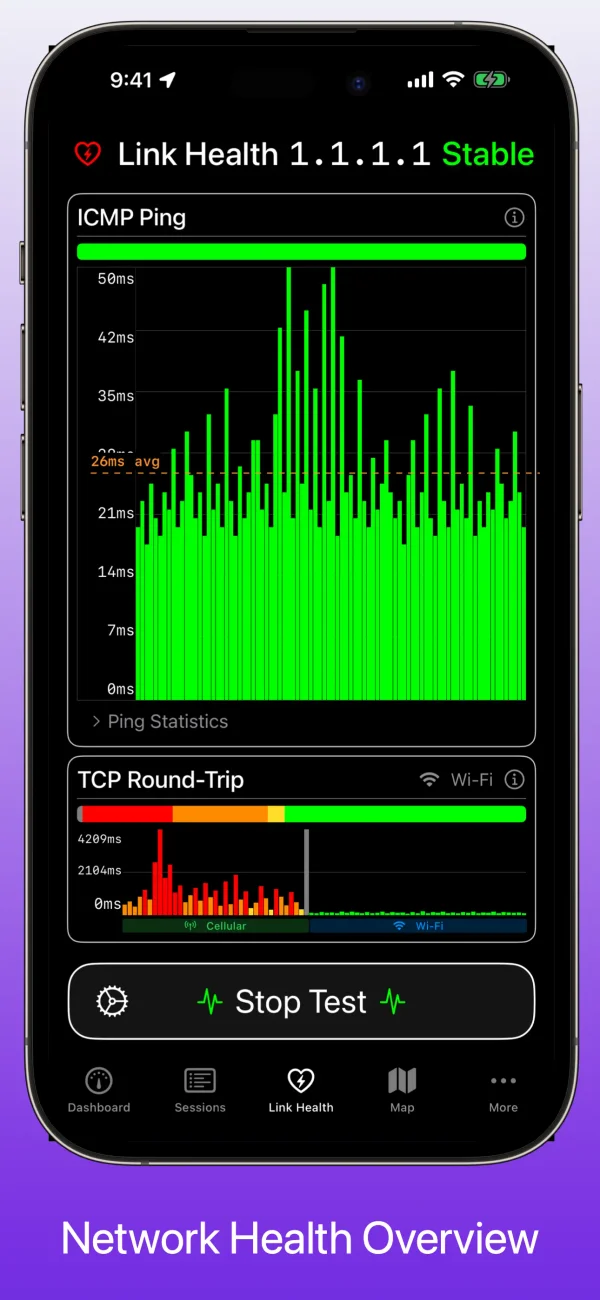
- Link Health tab for a real-time read on connection quality, pairing ICMP ping with a TCP latency probe
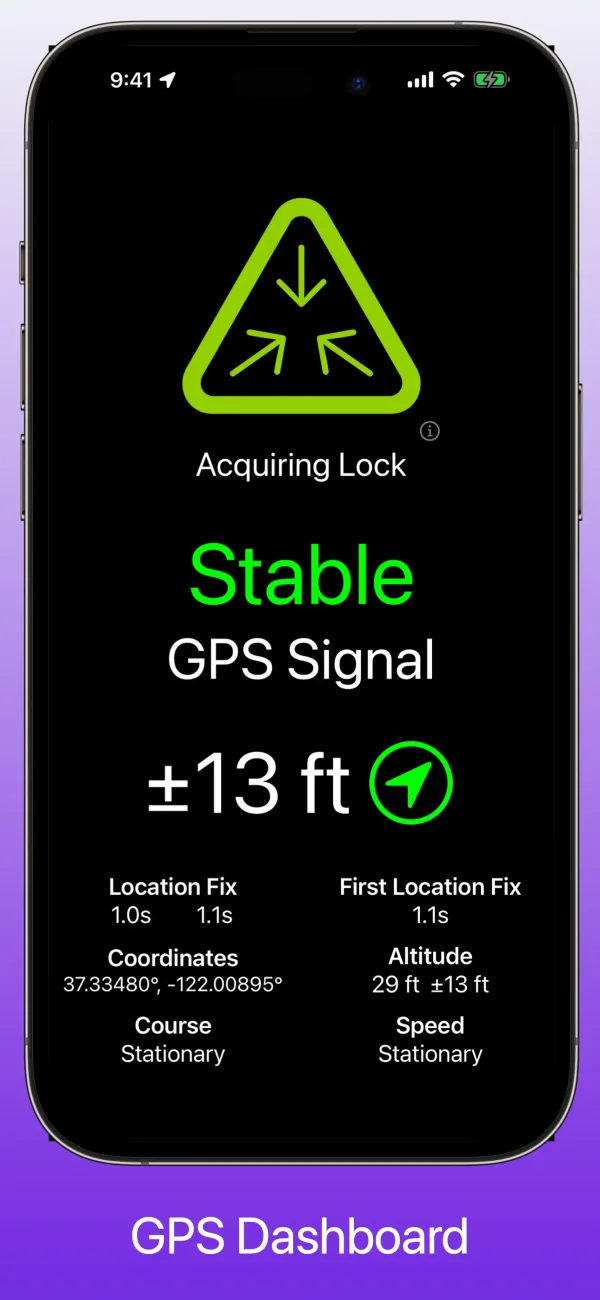
- Dashboard with live GPS accuracy readings, plus map and graph views for latency testing
- Map view showing all pings and latency information at recorded locations
- Heatmap mode that composites your pings into smooth latency blobs for clearer coverage at a glance, toggled right on the map
- Filter map pings by latency to immediately see faster and slower areas
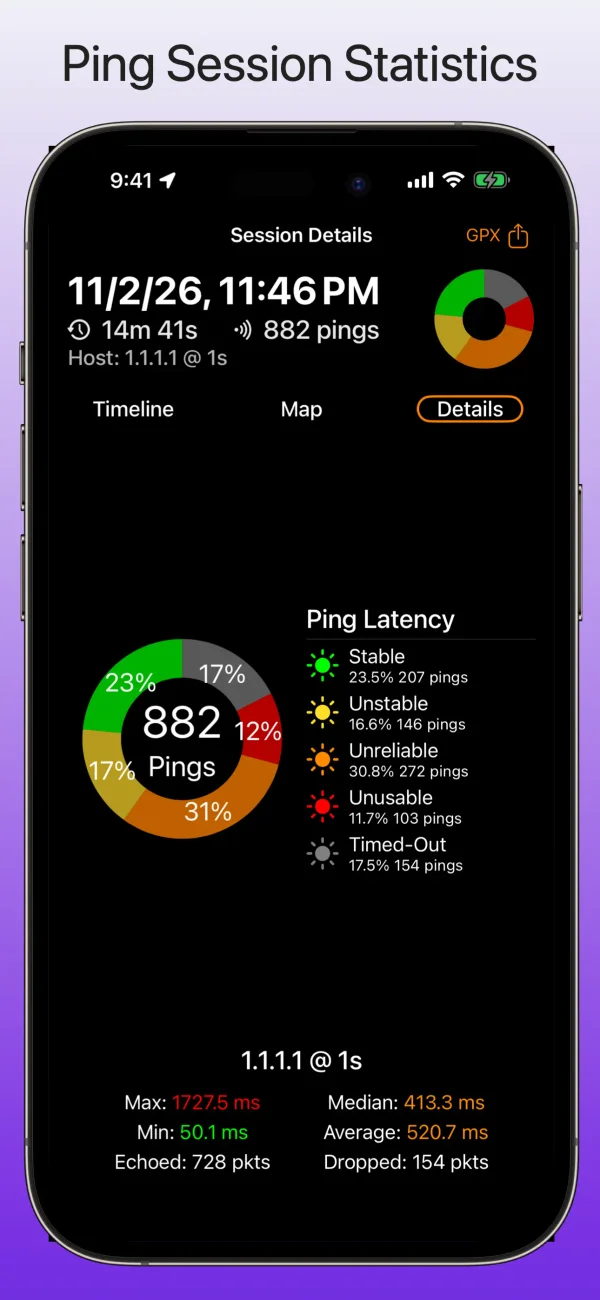
- Session-based results with min, max, mean/average, and round-trip statistics, plus graphs per session
- Quick controls to switch ping intervals
- Tap an individual map blip to view the recorded latency and GPS accuracy for that ping
- Copy coordinates for any ping location
- Navigate to any ping location using Apple Maps
- Export ping sessions as GPX routes
LIMITATIONS
- The dashboard timeline graph is not interactive yet
- IPv4 only for now (send feedback if you need IPv6 sooner)
- Ping packet sizes are not configurable yet (send feedback if you need this sooner)
- Location accuracy depends on your device’s built-in GPS and using a third-party GPS receiver can improve accuracy reported to PingPoint.
ON THE ROADMAP
- Better iPad layouts
- Improved timeline view with scroll, zoom, and interactivity
- More detailed per-ping information and richer session statistics
- Additional charts and graphs
- Configurable ping packet sizes and payload
- Enhanced session organization (naming, tagging, flagging, and more)
- Location-based ping intervals (ping only after moving a set distance)
- Throughput testing
- Apple Watch support
PRIVACY POLICY
All recorded location data stays offline and encrypted on your device. PingPoint uses no third-party analytics or advertising frameworks, and it does not transmit, distribute, or sell your data. Ever.
Có gì mới
Phiên bản 1.5.2 · 16/11/2026
• Link Health: the TCP Round-Trip badge no longer says Offline while your connection is working.
• Skipped an update? The What's New screen now shows everything you missed.
• PingPoint is on the Mac too, included with your purchase.
Quyền riêng tư của ứng dụng
Những gì Kevin Ross khai báo trên App Store về cách ứng dụng này xử lý dữ liệu.
-
Dữ liệu không được thu thập
Nhà phát triển không thu thập bất kỳ dữ liệu nào từ ứng dụng này.
Phương thức đảm bảo quyền riêng tư có thể khác nhau, chẳng hạn như tuỳ theo các tính năng bạn sử dụng hoặc độ tuổi của bạn.
Thông tin
- Người bán
- Kevin Ross
- Danh mục
- Tiện Ích
- Phiên bản
- 1.5.2
- Cập nhật
- 16/11/2026
- Phát hành
- 30/06/2023
- Kích thước
- 3,9 MB
- Yêu cầu
- iOS 15.0 trở lên
- Độ tuổi
- 4+
- Giá
- 59.000đ
- Ngôn ngữ
- Tiếng Anh, Tiếng Nhật, Tiếng Hàn
- Bản quyền
- © 2026 Kevin Ross