PlanCoach - Task Splitting
Help for procrastination &ADHD
Được thiết kế cho iPhone, iPad
Miễn phí · Mua hàng trong ứng dụng
- Độ tuổi4+
- Danh mụcTiện Ích
- Nhà phát triển晓江 苏
- Ngôn ngữTiếng Anh+ 8 ngôn ngữ khác
- Kích thước57,1 MB
Liên kết đến trang App Store chính thức
Download.org không lưu trữ tệp nào của PlanCoach - Task Splitting. Nút này mở trang ứng dụng trên App Store, nơi 晓江 苏 phát hành ứng dụng. Trang được kiểm tra lần cuối: 24/11/2026.
Ảnh chụp màn hình
Giới thiệu
Nhà phát triển chưa cung cấp nội dung này bằng ngôn ngữ của bạn.
PlanCoach helps you get through everything you thought was too hard, one thing at a time, and actually enjoy the process.
Built on CBT and cognitive offloading: serious about beating procrastination, and ADHD-friendly.
What makes PlanCoach different from its many imitators?
=================================
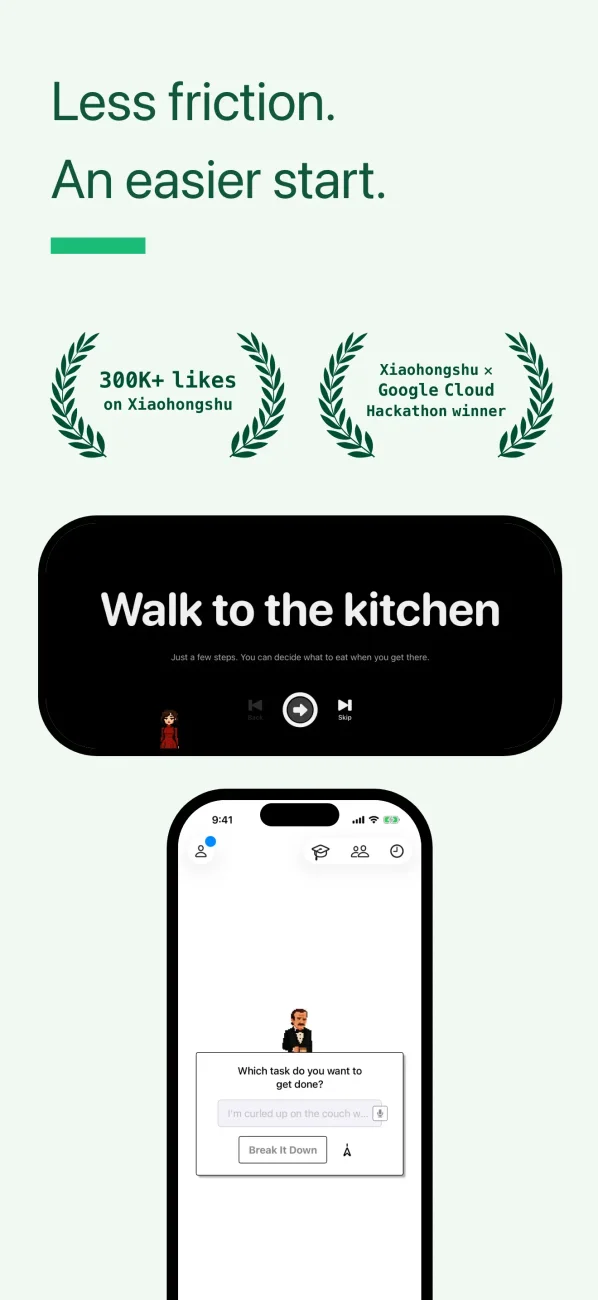
1. A larger community. Since a viral post in July 2025 (300K likes, 3M+ views), PlanCoach has grown to hundreds of thousands of users.
2. Built with the community. Shaped by 1,000+ pieces of community feedback, with constant iteration and great reviews.
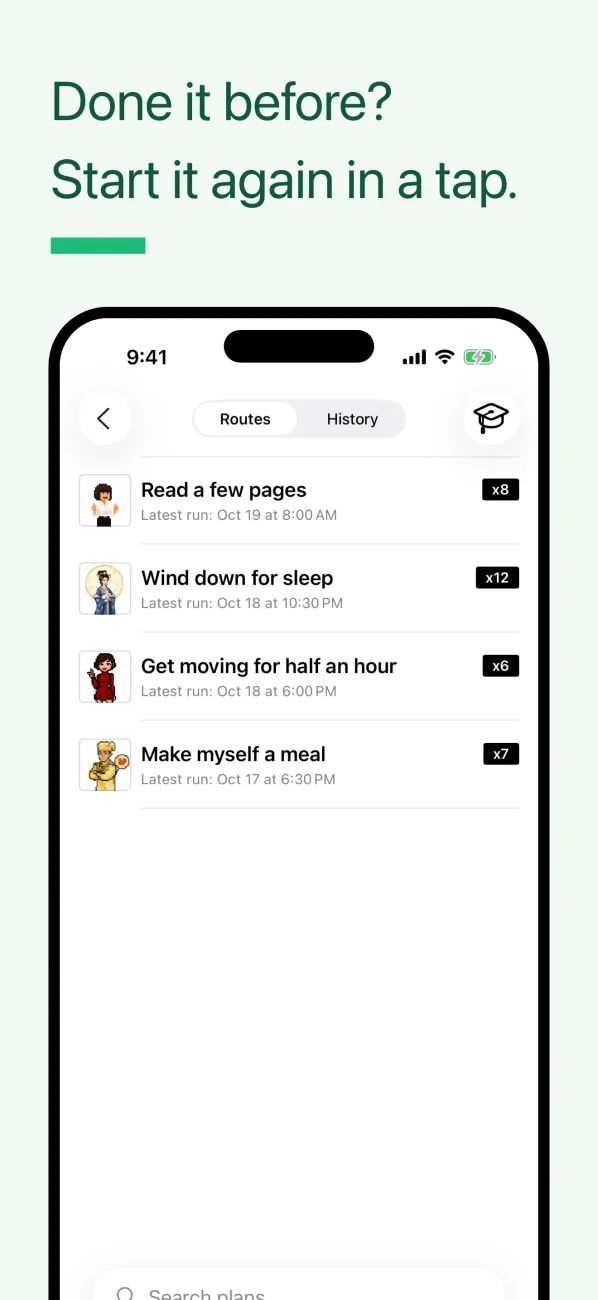
3. Covers the whole task cycle (start, execute, focus, capture distracting thoughts, record reflections, time receipts), so you can get back on track from any stage.
4. Deep customisation. Coaches, personal profiles, per-coach rewrites and lorebooks give you huge freedom and fun.
The Psychology Behind It
========
1. Zeigarnik effect: unfinished tasks keep occupying your mind. Making a plan lets you put them down, and once you start, you want to finish.
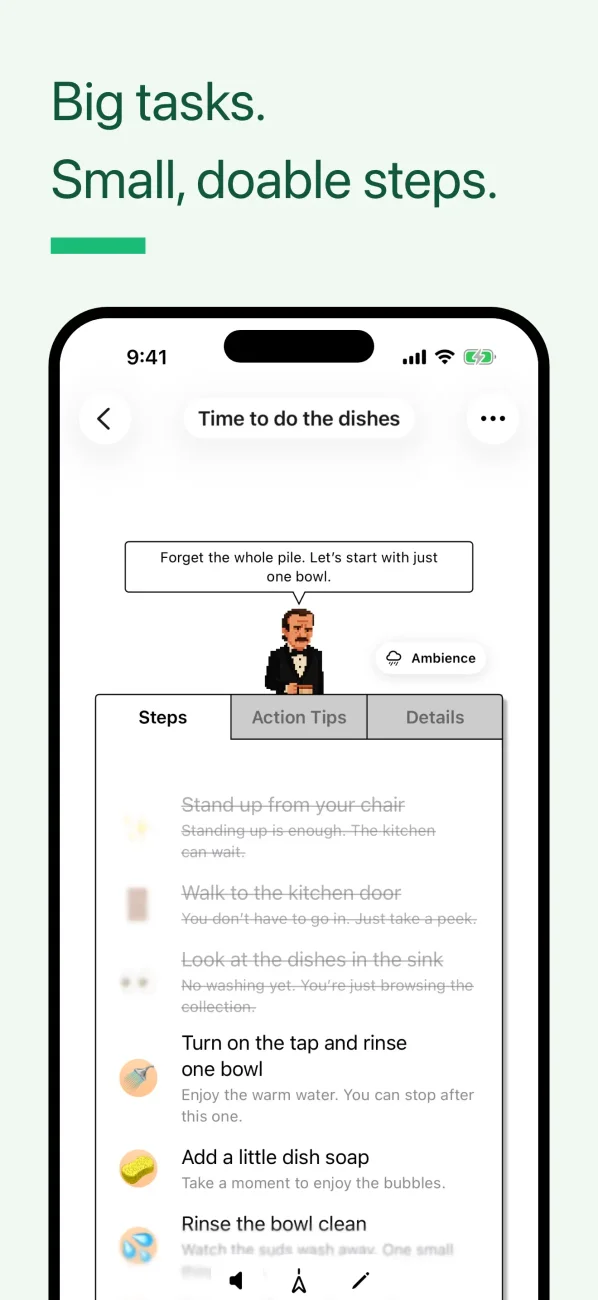
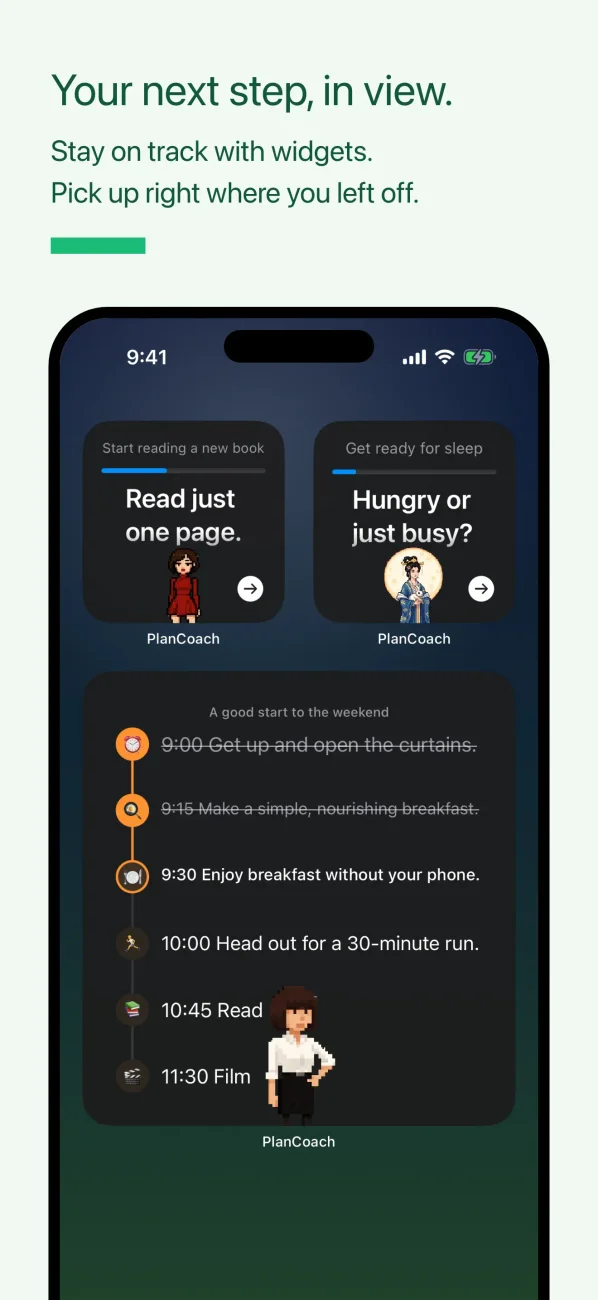
→ AI breaks tasks into steps, with a first step small enough to start now; widgets, Live Activities and persistent reminders keep it in sight.
2. Cognitive offloading: your mind is for thinking, not for storing.
→ Shake to save a thought to Idea Capture; Navigation Mode keeps the current step on screen, so you only need to look, not remember; lorebooks and your profile remember your context.
3. CBT (Cognitive Behavioural Therapy): act first, and your mood will follow.
→ Coaches turn tasks into concrete actions and answer self-doubt with encouragement; "Explain it" shows the reasoning behind each step, dissolving resistance.
4. Tiny starts (Atomic Habits): make the bar so low you can't fail.
→ Revise steps until they are small enough; Shortcuts can start a routine on a schedule or with an NFC tap.
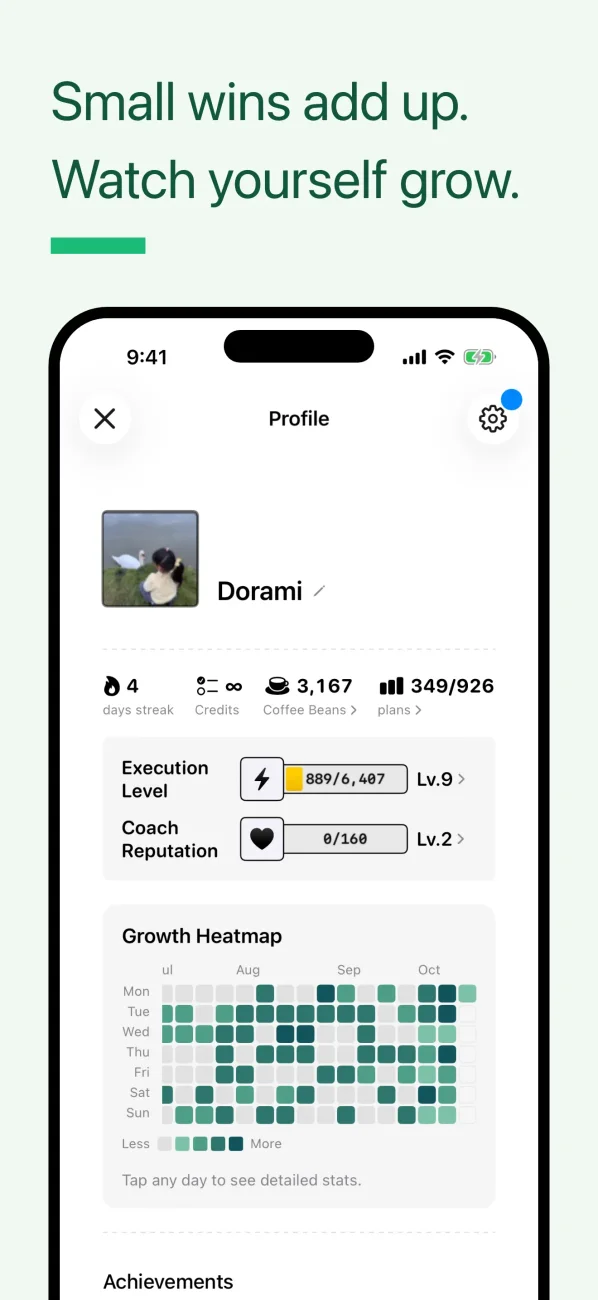
5. Instant positive feedback: make progress visible.
→ Check-ins, the Growth System and time receipts turn your real-world effort into results you can see.
Key Features
======
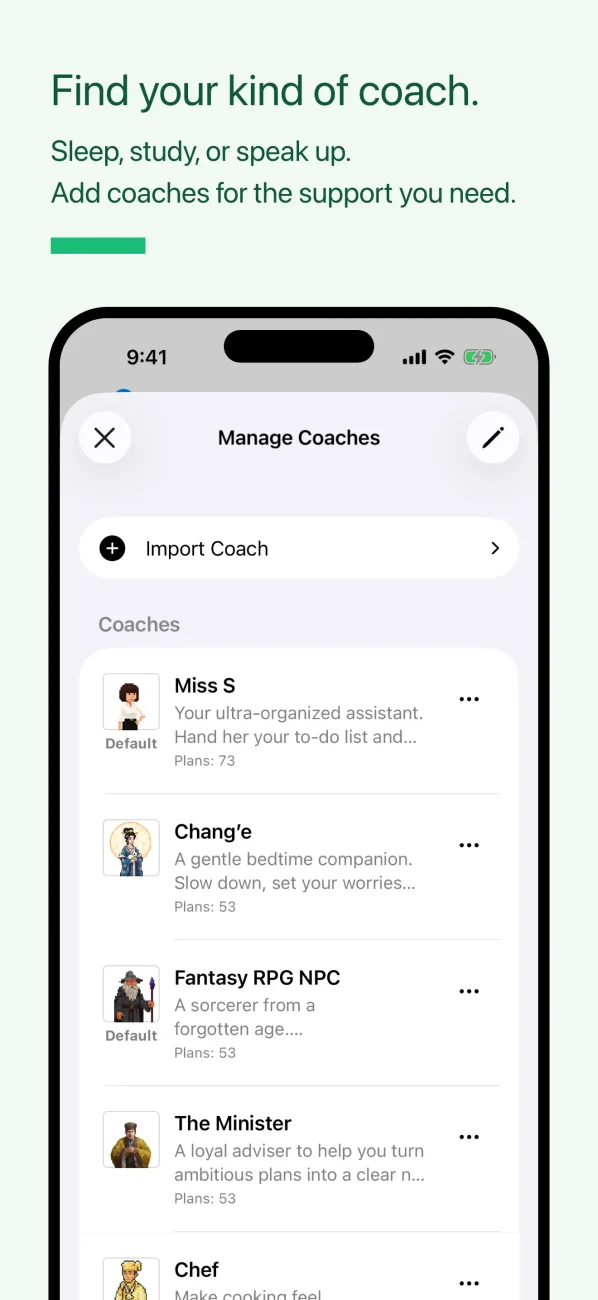
1. Multiple Coaches
4 carefully selected built-in coaches: Coach W gets you started, the cool big sister is blunt and balanced, Miss S handles chained tasks, and the NPC Mage turns boring tasks into role-playing adventures.
2. Coach DLC
Download the coaches you like: a minister, a butler, a communication coach, a sleep coach, even a chef… one app, endless ways to play.
3. Growth System
Make your real-world effort visible inside the app, so you fall in love with the version of yourself that keeps improving.
4. Personal Profile
Coaches refer to your profile every time they plan, so steps fit your situation and encouragement hits home.
Each coach can see its own rewrite of your profile (the "Master Chef" sees your food preferences; the "Minister" sees that you are a Spanish princess).
5. Navigation Mode (Focus)
An ADHD-friendly focus mode: large always-visible text (GTD-inspired), progressive step disclosure and course correction, so focus comes naturally.
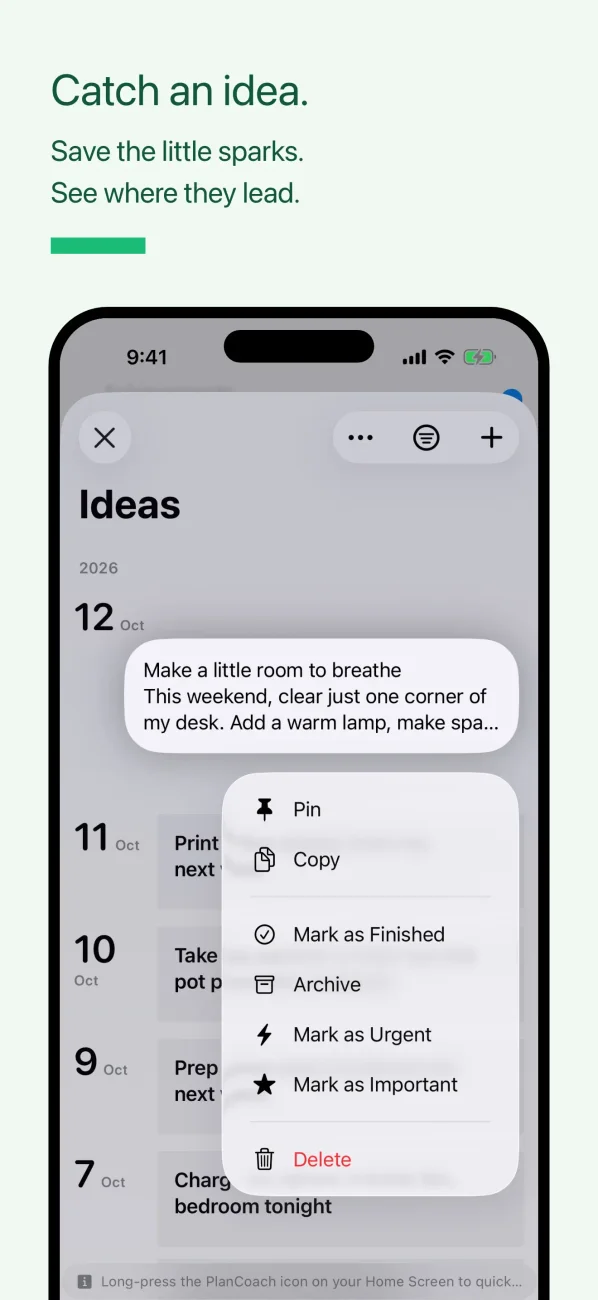
6. Idea Capture (Not a TODO List)
"Your mind is for having ideas, not holding them."
Shake firmly on any screen to capture an idea instantly.
You don't need a brilliant idea every time. Keep capturing them, and the rare good ones will eventually connect into real change.
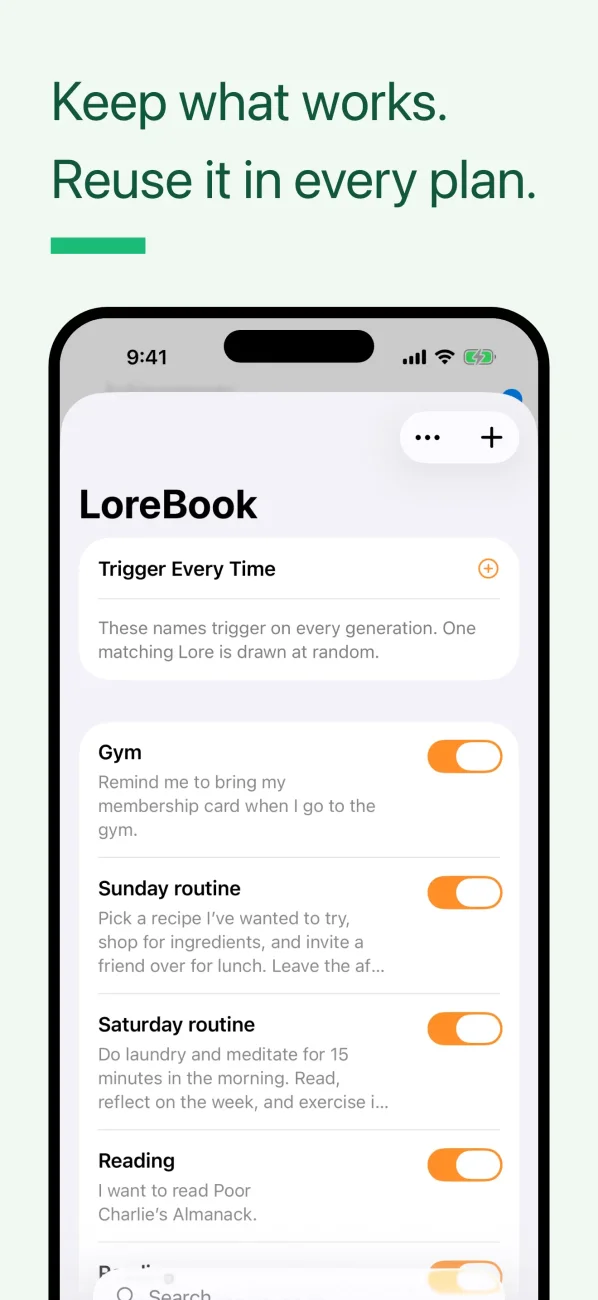
7. Lorebook
Define a dictionary for your own world, packaging complex instructions, technical terms and personal SOPs into reusable entries.
8. Apple Watch Support!
Great for cooking, exercising or walking, when you can't keep looking at your phone.
9. Iterative Revision
Good plans are made by revising. Refine yours endlessly with AI until it truly fits.
====
The app price is increasing month by month, and the lifetime purchase will gradually rise to ¥268. The earlier you buy, the better the deal!
Website: https://plancoach.app/
Terms of Use (EULA): https://www.apple.com/legal/internet-services/itunes/dev/stdeula/
Có gì mới
Phiên bản 2.15.18 · 23/11/2026
- Coach avatars in notifications now show the head and shoulders instead of being cut off. (@萌兔)
- When you ask your coach about PlanCoach itself, the answer now reflects your membership, remaining free plans, level and coffee beans.
- Other bug fixes and improvements.
Quyền riêng tư của ứng dụng
Những gì 晓江 苏 khai báo trên App Store về cách ứng dụng này xử lý dữ liệu.
-
Dữ liệu không được thu thập
Nhà phát triển không thu thập bất kỳ dữ liệu nào từ ứng dụng này.
Phương thức đảm bảo quyền riêng tư có thể khác nhau, chẳng hạn như tuỳ theo các tính năng bạn sử dụng hoặc độ tuổi của bạn.
Thông tin
- Người bán
- 晓江 苏
- Danh mục
- Tiện Ích
- Phiên bản
- 2.15.18
- Cập nhật
- 23/11/2026
- Phát hành
- 16/07/2025
- Kích thước
- 57,1 MB
- Yêu cầu
- iOS 17.0 trở lên
- Độ tuổi
- 4+
- Giá
- Miễn phí
- Mua hàng trong ứng dụng
- Có
- Ngôn ngữ
- Tiếng Anh, Tiếng Pháp, Tiếng Đức, Tiếng Ý, Tiếng Nhật, Tiếng Hàn, Tiếng Trung Giản thể, Tiếng Tây Ban Nha, Tiếng Trung Phồn thể
- Bản quyền
- © 2026 Xiaojiang Su