
- Độ tuổi4+
- Danh mụcHiệu Suất
- Nhà phát triểnJIN KIM
- Ngôn ngữTiếng Anh+ 55 ngôn ngữ khác
- Kích thước132,7 MB
Liên kết đến trang App Store chính thức
Download.org không lưu trữ tệp nào của PlanHalo. Nút này mở trang ứng dụng trên App Store, nơi JIN KIM phát hành ứng dụng. Trang được kiểm tra lần cuối: 23/11/2026.
Ảnh chụp màn hình



Giới thiệu
Nhà phát triển chưa cung cấp nội dung này bằng ngôn ngữ của bạn.
Your whole day, across your Apple devices.
PlanHalo brings tasks, events, projects, notes and focus into one personal planner. Capture an idea on iPhone, shape your plans on iPad or Mac, and check off today's tasks on Apple Watch.
KEY FEATURES
• Today and quick capture
See today's tasks, overdue items and completed work together. Add a task quickly, then organize its date, priority, project and reminder. Keep tasks without a date in your Inbox until you are ready to plan them. Exclude individual project tasks from today's list and restore them later. Project data and completion records stay intact.
• Year, month, week and day
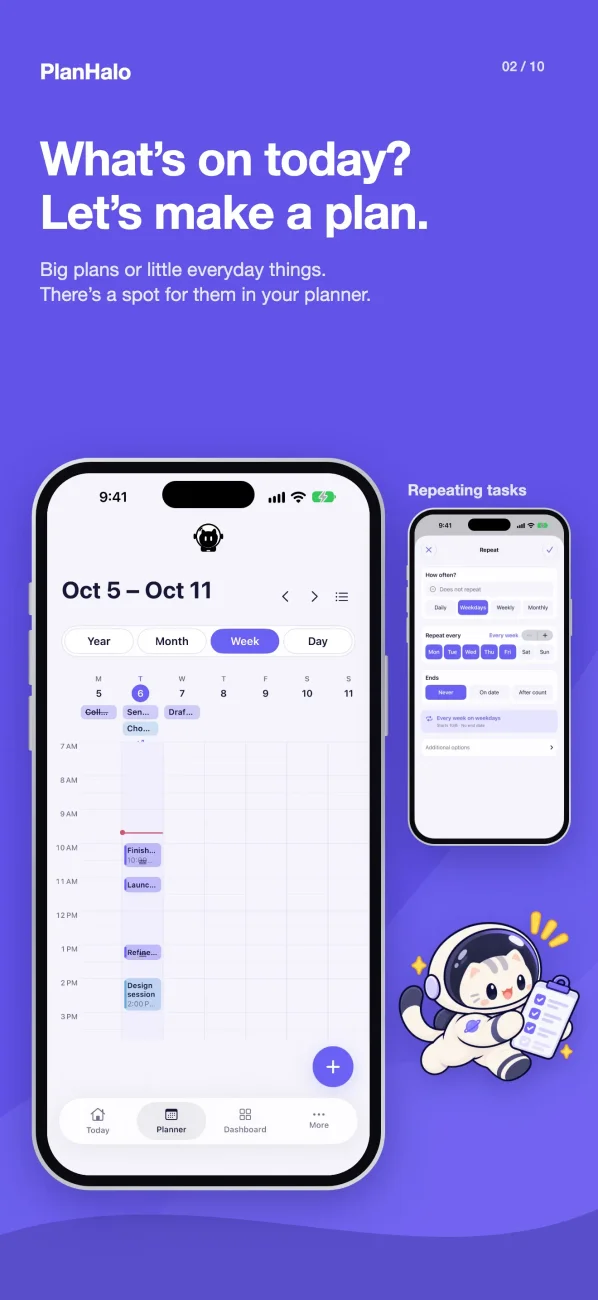
Move between the bigger picture and your daily schedule. On iPhone, tap Year, Month, Week or Day and swipe between periods. Plan tasks, events and time blocks together. Choose daily, weekday, weekly or monthly repeats, then set the interval and ending condition.
• Home Screen widgets
Keep today's tasks, your planner, project progress, notes, habits and focus close at hand. Use supported actions, such as checking off a task or starting focus, directly from a widget. Choose the information and sizes that fit your Home Screen.
• Lock Screen Live Activities
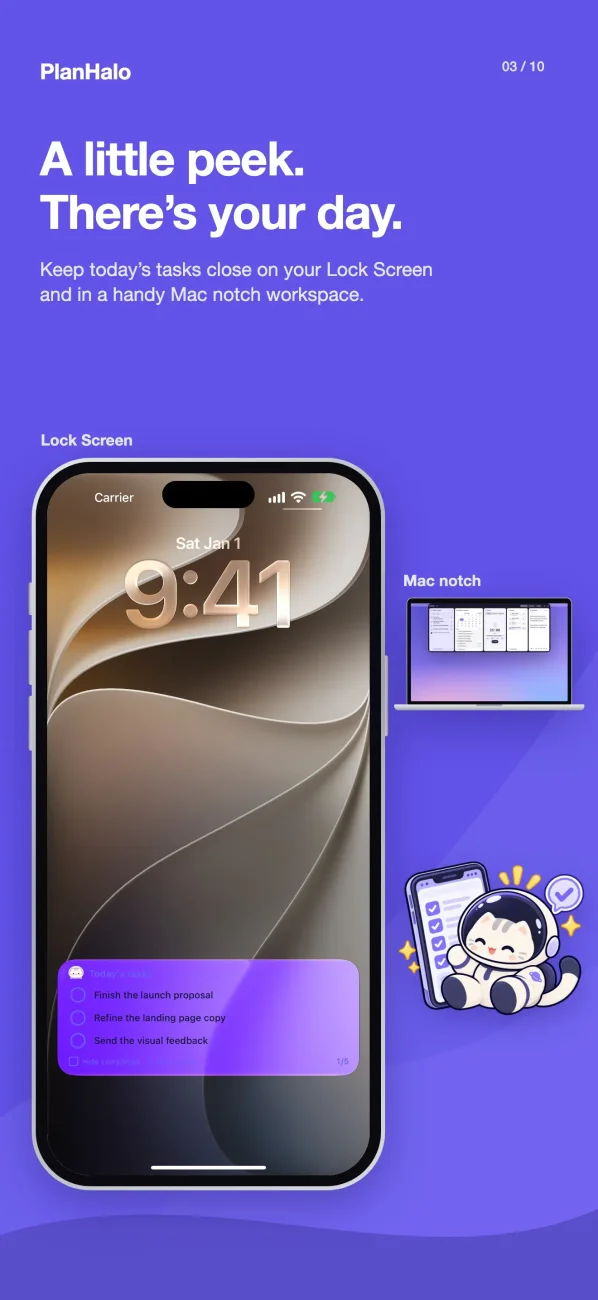
Keep today's tasks on your Lock Screen and Dynamic Island. Check tasks on the Lock Screen, hide or show completed items, and move to the next group of tasks. Follow an active focus timer with its own Live Activity.
• Project boards
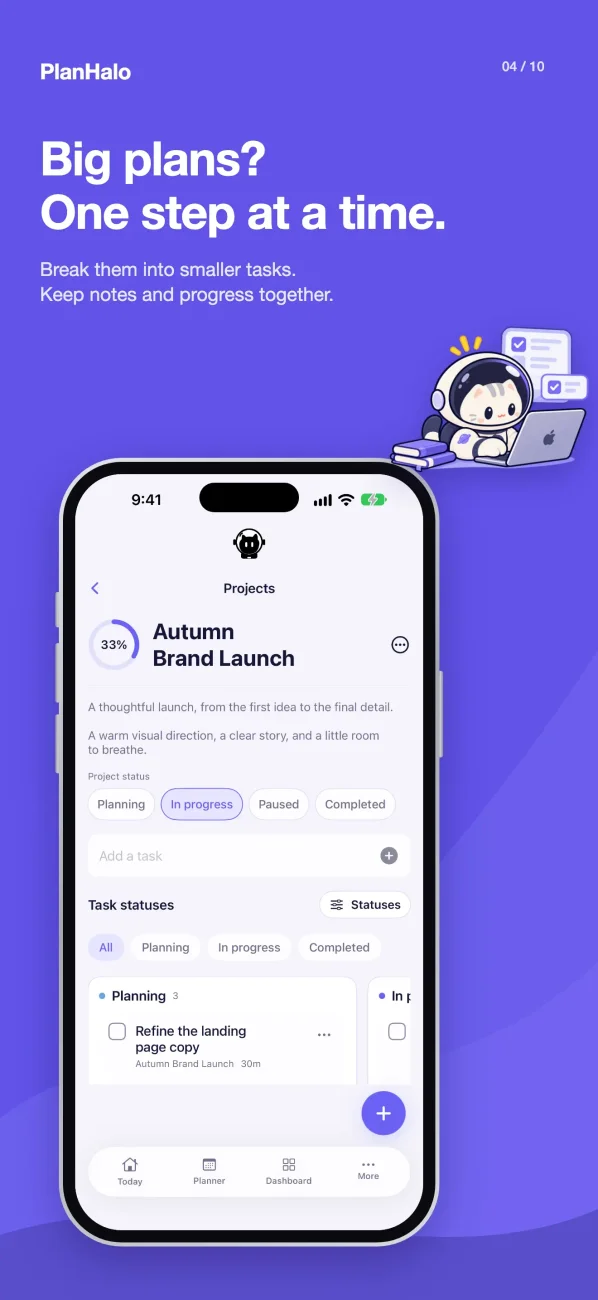
Break a bigger goal into manageable steps. Organize project tasks by status and section, and drag cards to update their progress. Keep tasks, notes and project details together.
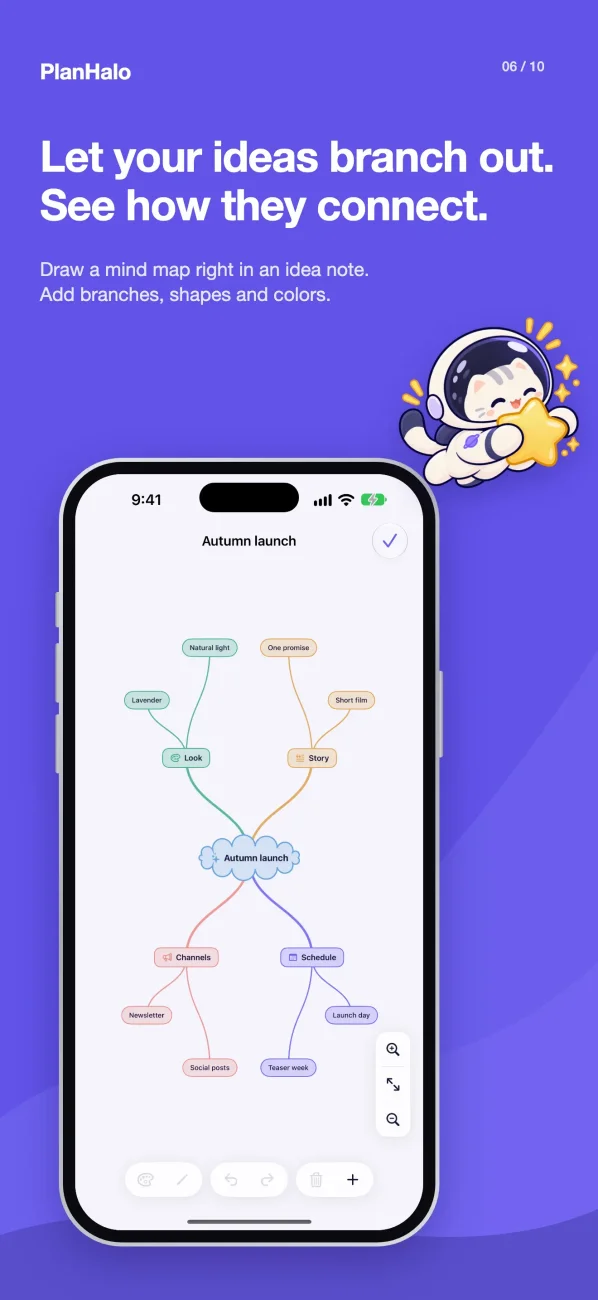
• Notes with room for ideas
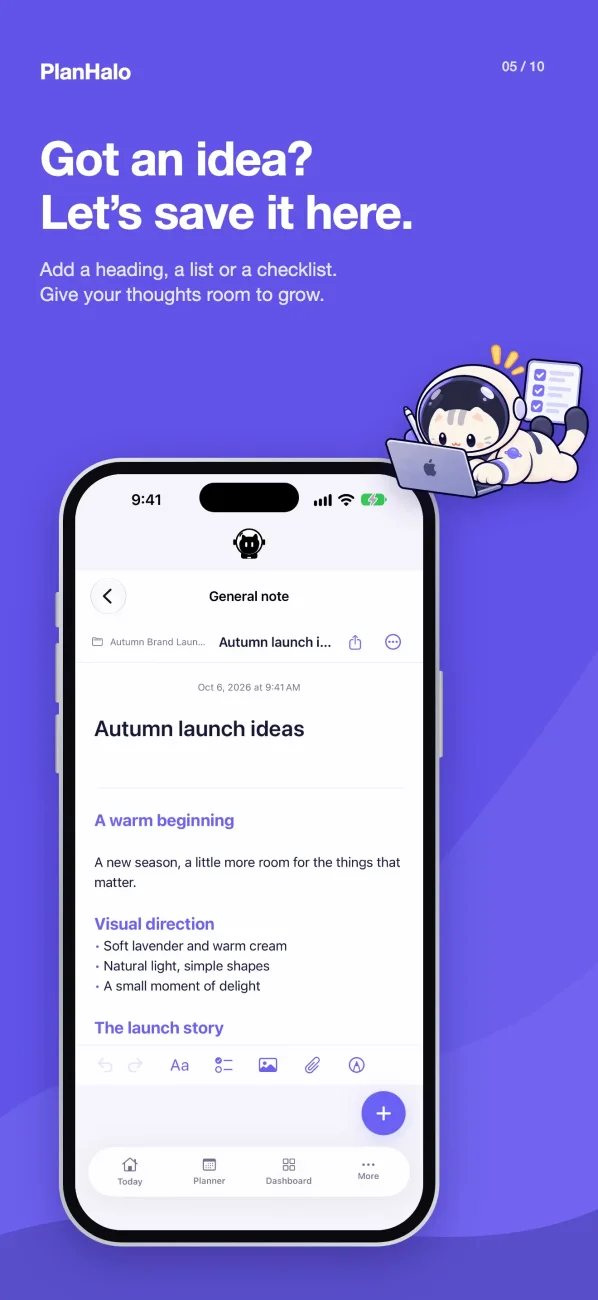
Write daily, general and project notes. Add headings, lists and checklists, and insert images into note, task and project content. Use search to return to what you need.
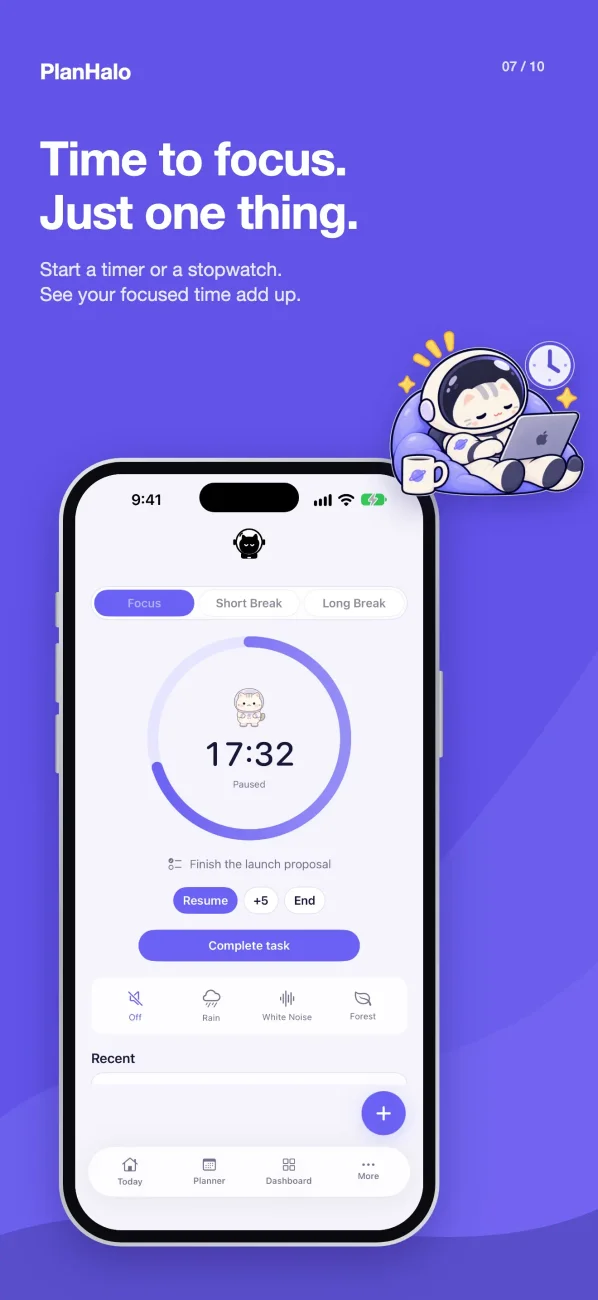
• Focus and habits
Use a focus timer or stopwatch to record time spent on one thing. Make room for breaks, review focus sessions, and build routines with habits and repeating tasks.
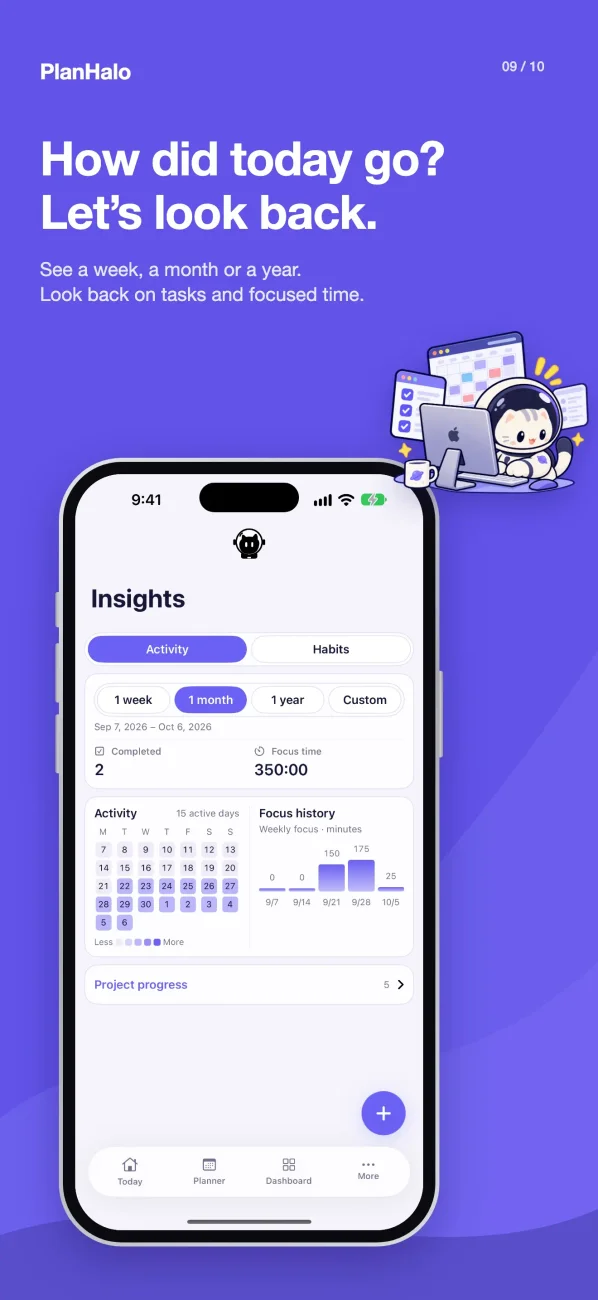
• Dashboard and insights
Choose and arrange the elements on your dashboard. Explore a week, month, year or custom range to review completed tasks, focus time, activity patterns and project progress.
• Reminders for today and overdue tasks
Get a reminder for today's unfinished tasks and overdue items. The default is every two hours between 9 a.m. and 8 p.m. Change the interval and active hours in Settings, or turn reminders off. Delivery follows your device's notification permissions and settings.
• A little cat to keep you company
The cat at the top of the app reacts as you type, save, complete tasks and start focusing. Small expressions and movements follow your progress through the day.
ON APPLE WATCH
• Read and check from your wrist
Read today's tasks and mark them complete. Browse your planner, project progress, notes and focus screens from your wrist. Complications and the Smart Stack keep key screens close at hand.
A DAY THAT CONTINUES WITH YOU
Your records save to your device first and sync between iPhone, iPad, Mac and Apple Watch using the same iCloud account. Continue on Mac with a spacious workspace and a compact notch workspace.
Choose from 57 language and locale options in Settings, including Korean, English, Japanese, Chinese, French, German, Spanish and Arabic. Personalize your workspace with a choice of color themes.
Có gì mới
Phiên bản 1.2.5 · 16/11/2026
More useful task reminders
• Set a one-time system alarm for a task while adding or editing it on iOS/iPadOS 26 or later. On earlier versions, use a standard notification reminder.
• Empty all deleted items at once from the Trash screen on iPhone.
Quyền riêng tư của ứng dụng
Những gì JIN KIM khai báo trên App Store về cách ứng dụng này xử lý dữ liệu.
-
Dữ liệu không được thu thập
Nhà phát triển không thu thập bất kỳ dữ liệu nào từ ứng dụng này.
Phương thức đảm bảo quyền riêng tư có thể khác nhau, chẳng hạn như tuỳ theo các tính năng bạn sử dụng hoặc độ tuổi của bạn.
Thông tin
- Người bán
- JIN KIM
- Danh mục
- Hiệu Suất
- Phiên bản
- 1.2.5
- Cập nhật
- 16/11/2026
- Phát hành
- 17/10/2026
- Kích thước
- 132,7 MB
- Yêu cầu
- iOS 18.0 trở lên
- Độ tuổi
- 4+
- Giá
- 9.000đ
- Ngôn ngữ
- Tiếng Anh, Albanian, Tiếng Ả Rập, Armenian, Azerbaijani, Basque, Belarusian, Bosnian, Bulgarian, Tiếng Catalan, Central Kurdish, Tiếng Croatia + 44 ngôn ngữ khác
- Bản quyền
- © 2026 JIN KIM
Có thể bạn cũng thích
-
 NokuneraBiết đồ trong nhà ở đâu
-
 PDF Scanner - Easy Scan PDFHiệu Suất
-
 Decision Matrix Pro2026Hiệu Suất
-
 호글 - HWP HWPX 한글뷰어Hiệu Suất
-
 Goals Tracker – Goals LabHiệu Suất
-
 Voice To-do: AI Task BuddyHiệu Suất
-
 PromptGen – AI Image PromptsHiệu Suất
-
 Achievements: Gamify Your LifeHiệu Suất
-
 Ambient Cafe — Focus & SleepHiệu Suất
-
 swayp - gallery cleanerHiệu Suất