- Độ tuổi4+
- Danh mụcGiáo Dục
- Nhà phát triểnIMAGE FACTORY CO., LTD.
- Ngôn ngữTiếng Anh+ 1 ngôn ngữ khác
- Kích thước276,6 MB
Liên kết đến trang App Store chính thức
Download.org không lưu trữ tệp nào của 星座早見 / Planisphere. Nút này mở trang ứng dụng trên App Store, nơi IMAGE FACTORY CO., LTD. phát hành ứng dụng. Trang được kiểm tra lần cuối: 12/11/2026.
Ảnh chụp màn hình

Giới thiệu
Nhà phát triển chưa cung cấp nội dung này bằng ngôn ngữ của bạn.
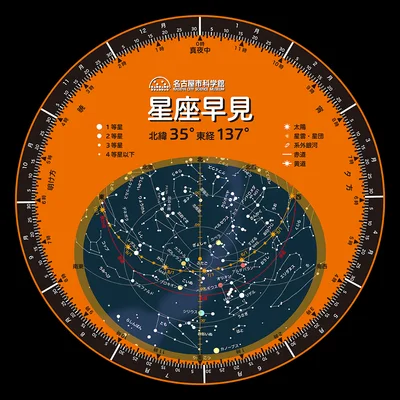
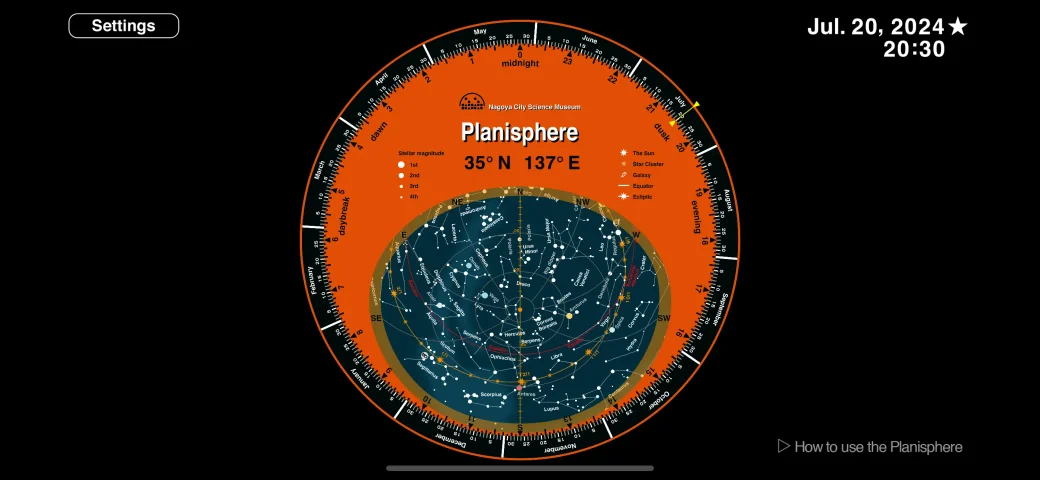
The planetarium curators of Nagoya City Science Museum have originally designed the Planisphere app. Many people know how to use the planisphere, because we learn it at elementary school. This is the planisphere of the era of IT which added the advantage as an app, with the plain usage of the planisphere printed on paper and plastic. Please look up at the real starry sky with this Planisphere app.
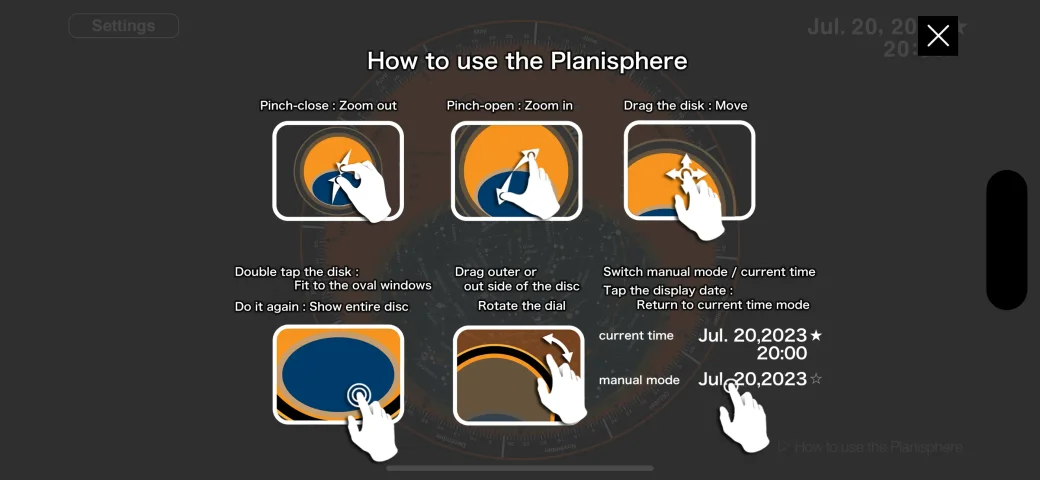
The Planisphere app shows the sky of the current time at the start-up. To check the sky at other time, you drag around the date scale with your fingertips to set the date and time. You can use pinch gestures to manipulate a map of the sky. It attends you to enjoy the star watching by glowing in dark place. It is the exceptional planisphere app, because it’s displayed up to the planet positions of the night that is impossible with the printed planisphere!
【Features of the Planisphere application】
・ Anytime, anywhere: When you look up at the night sky, it stands by in your smartphone or tablet.
・ Very easy usage: The usage of planisphere is exactry same as you learned. Just touch and rotate the board.
・ Quick access : The Planisphere shows the night sky when you start the app. It is easier than a printed planisphere.
・ Prominent planets: The planets always stand out in the night sky. However, the planet positions change day by day, so it is not possible to display on the printed planisphere. The Planisphere app calculates the positions in the night of the 5 planets and the Moon that are seen by the naked eye and displays them as icons on the board.
・ Good at dark places : When we look up at the starry sky, we are of course in a dark place. We needed a torch when using a printed planisphere. But the Planisphere app can be used in the darkness because of the screen light. A tip when using the app is to reduce the screen brightness not to be dazzling.
・ Friendly to any ages: It is difficult to see small letters in a dark place. You can freely zoom in and out with the fingertips on the Planisphere app. Furthermore, it is easier to see than a printed planisphere, since the screen of smart phone or tablet have a light.
・ Sunrise and sunset : You can find the sunrise time by setting a target object to the eastern horizon and the sunset time by setting it to the western horizon on the board. On the Planisphere app, you can find the rough time and direction of sunrise or sunset, because it shows not only stars but also the planets and the Moon.
・ For education : In schools, science museums, planetariums and public astronomical observatories, there are occasions that to explain how to use a planisphere. It is small letters and hard to show to people when explaining the usage. For now, you can connect a smart phone or a tablet to a projector or a big monitor to make the planisphere image larger. There is also a more sophisticated computer version (for Windows and Macintosh) of the Planisphere app. If your school provides tablets to the students, you can use the Planisphere app instead of a printed planisphere.
・ Planetarium of Nagoya City Science Museum opened in 1962. It is the planisphere which contains a lot of curator's experience and know-how. We have made it as an application that we use printed planispheres for the citizen observation party, educational programs, astronomical exhibition room of Nagoya City Science Museum and sell at the museum shop. Bright famous stars, Moon and planets are visible even in the town. Please look up at the real starry sky with this Planisphere app.
・ Astronomical information of Nagoya City Science Museum introduces various astronomical phenomena and events. Please also click here if you would like to know more about the Planisphere app.
>Astronomical information
http://www.ncsm.city.nagoya.jp/study/astro/
>Planisphere
http://www.ncsm.city.nagoya.jp/study/astro/hayami.html
Có gì mới
Phiên bản 7.3.2 · 09/06/2026
Corresponds to 50 degrees north latitude.
Image update.
Quyền riêng tư của ứng dụng
Những gì IMAGE FACTORY CO., LTD. khai báo trên App Store về cách ứng dụng này xử lý dữ liệu.
-
Dữ liệu không được thu thập
Nhà phát triển không thu thập bất kỳ dữ liệu nào từ ứng dụng này.
Phương thức đảm bảo quyền riêng tư có thể khác nhau, chẳng hạn như tuỳ theo các tính năng bạn sử dụng hoặc độ tuổi của bạn.
Thông tin
- Người bán
- IMAGE FACTORY CO., LTD.
- Danh mục
- Giáo Dục
- Phiên bản
- 7.3.2
- Cập nhật
- 09/06/2026
- Phát hành
- 11/01/2024
- Kích thước
- 276,6 MB
- Yêu cầu
- iOS 15.0 trở lên
- Độ tuổi
- 4+
- Giá
- Miễn phí
- Ngôn ngữ
- Tiếng Anh, Tiếng Nhật
- Bản quyền
- © IMAGE FACTORY CO., LTD.