
Plushbucket
Fork & shock setup, offline
Được thiết kế cho iPhone, iPad, iPod touch
Miễn phí · Mua hàng trong ứng dụng
- Độ tuổi4+
- Danh mụcThể Thao
- Nhà phát triểnMatthew Folkman
- Ngôn ngữTiếng Anh
- Kích thước4,7 MB
Liên kết đến trang App Store chính thức
Download.org không lưu trữ tệp nào của Plushbucket. Nút này mở trang ứng dụng trên App Store, nơi Matthew Folkman phát hành ứng dụng. Trang được kiểm tra lần cuối: 27/11/2026.
Ảnh chụp màn hình


Giới thiệu
Nhà phát triển chưa cung cấp nội dung này bằng ngôn ngữ của bạn.
Measured in the lab, tested on the trail.
Plushbucket gets your mountain bike suspension set up right, and shows you why each setting matters.
YOUR NUMBERS, FIRST
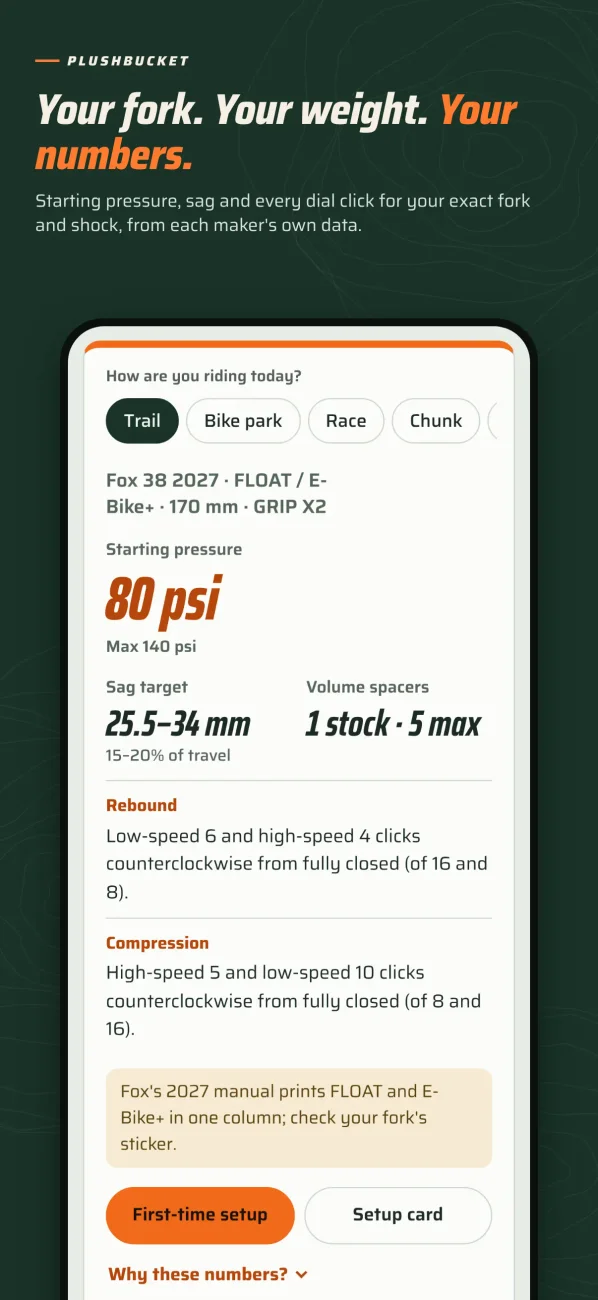
Pick your fork or shock, enter your weight, and get a starting air pressure, a sag target, volume spacers and starting rebound and compression clicks, taken from each maker’s own setup charts wherever they publish them. Every click is counted the same way: from fully closed. Tap “Why these numbers?” to see where each one comes from.
11 FORK AND 12 SHOCK BRANDS
RockShox, Fox, Öhlins, Marzocchi, DVO, PUSH, EXT, FAST, Cane Creek, Manitou, SR Suntour and Intend, including previous generations. For shocks, pick your bike from 86 frames with known leverage ratios.
FIRST-TIME SETUP, ONE STEP AT A TIME
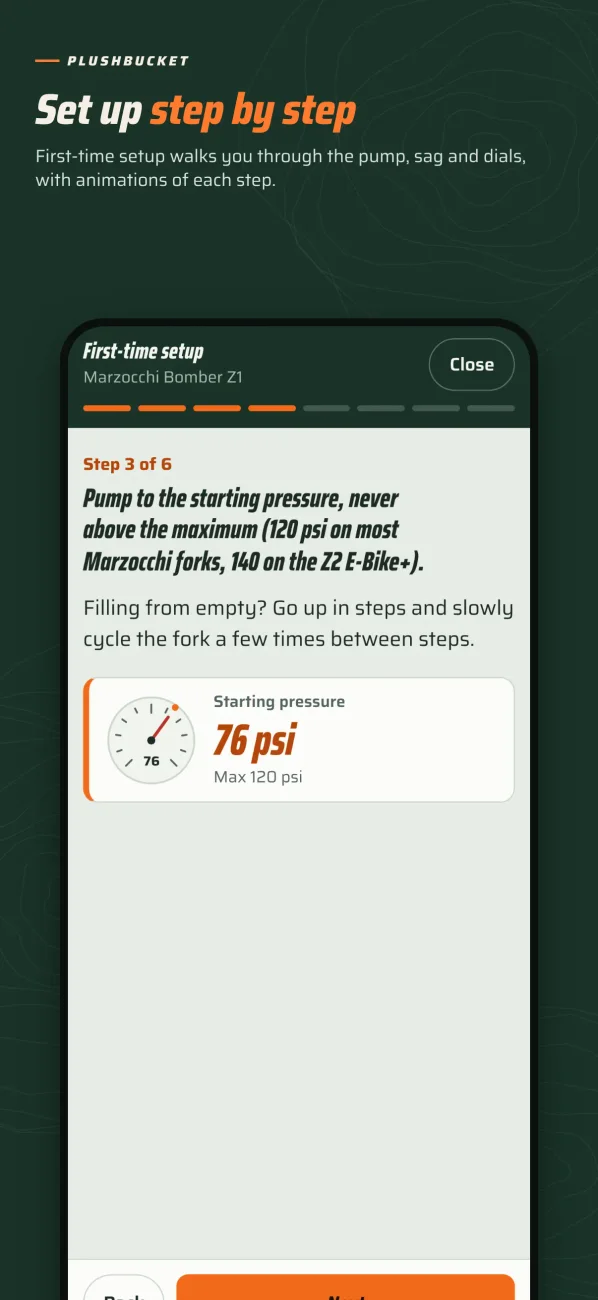
New to setting up suspension? First-time setup walks you through it one screen at a time, with your numbers on every step. A pump gauge shows the pressure to hit. The bike settles into sag so you can see what you’re measuring. Each dial turns to fully closed, then counts back to your clicks.
SEE WHAT YOUR SUSPENSION IS DOING
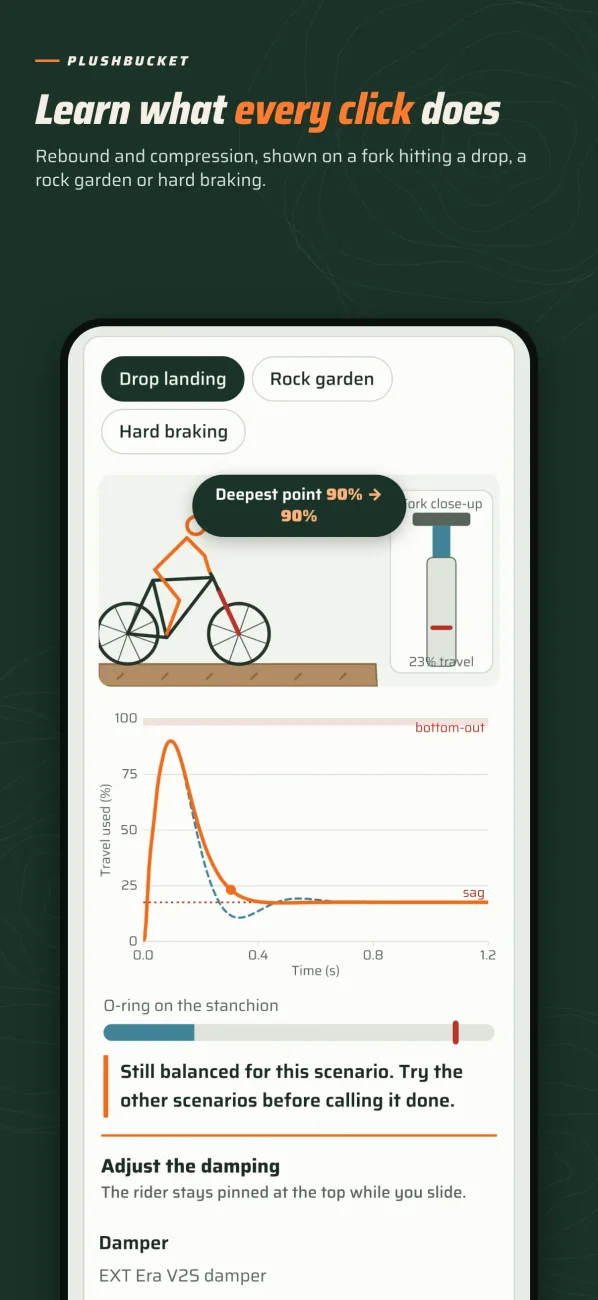
A live cutaway shows the air spring compressing: pressure, volume spacers and the negative chamber. Watch a rider land a jump, hit a rock garden or brake hard, see what each click of rebound and compression changes, and see how much travel you used.
TUNED FOR HOW YOU RIDE
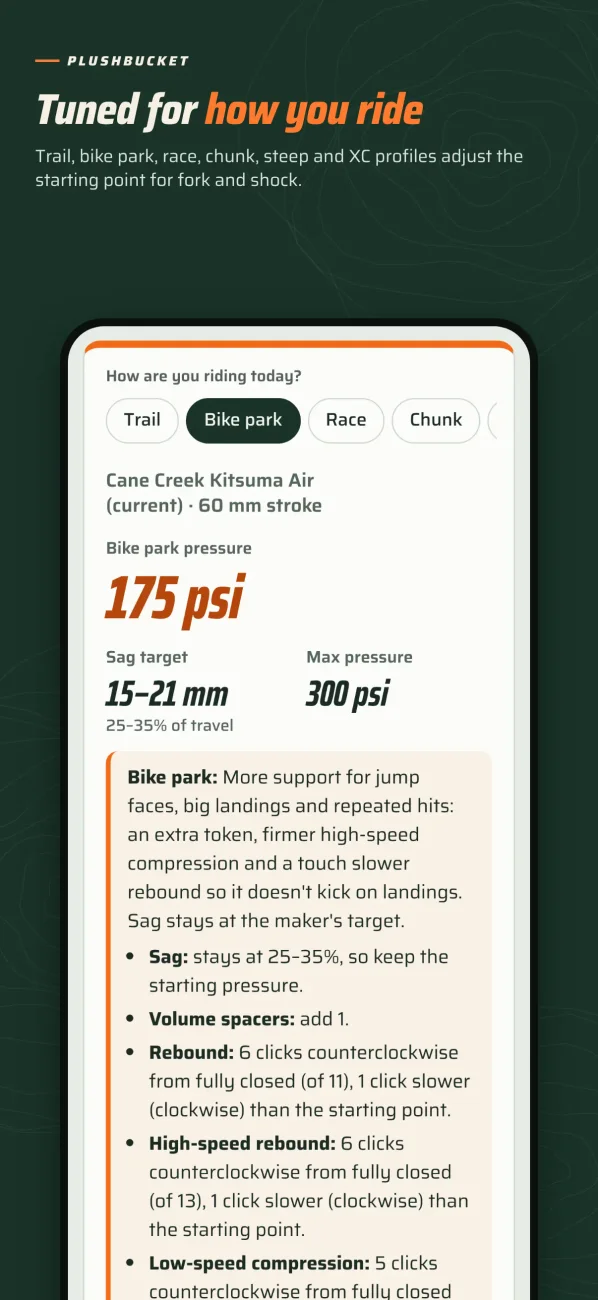
Switch between Trail, Bike park, Race, Chunk, Steep and XC profiles to see how a good starting point changes for the riding you’re doing today.
FIX WHAT YOU FEEL
Harsh on roots? Kicking back off jumps? Diving on steeps? Trail notes match what you felt to a fix and give you one change to try on your next ride, then track whether it helped. Bracketing helps you find your best click, and a balance check compares front and rear sag.
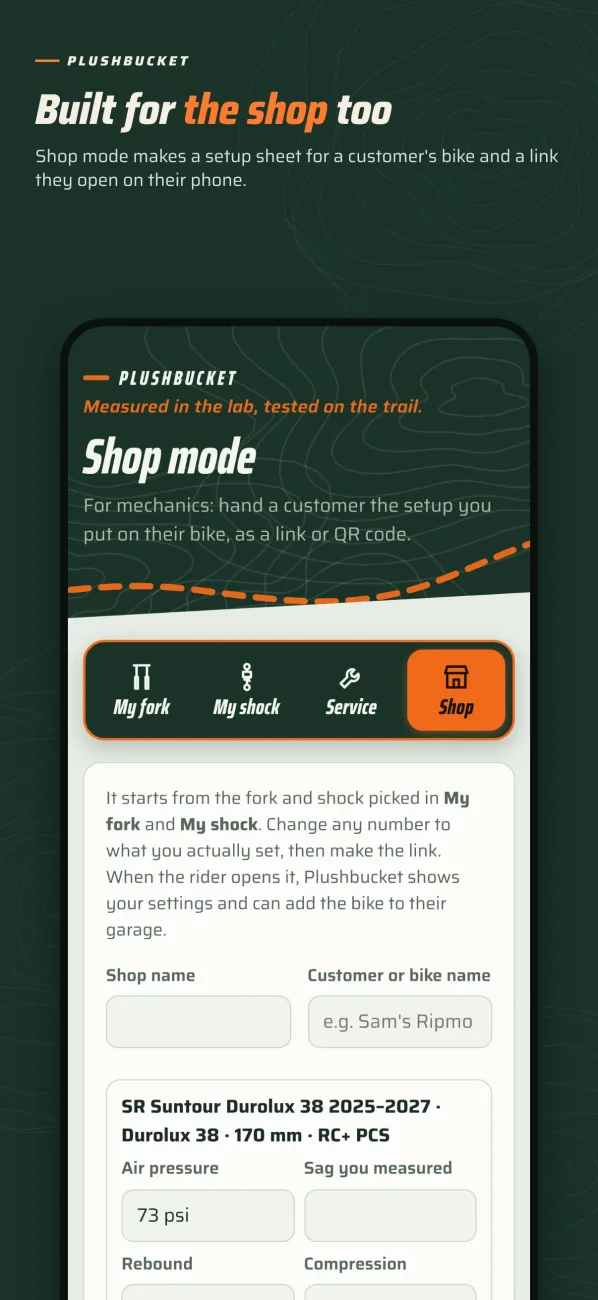
FOR BIKE SHOPS
Shop mode is one tap away. Record what you set on a customer’s bike and hand it over as a link or QR code. When the rider opens it, Plushbucket shows your settings and can add the bike to their garage.
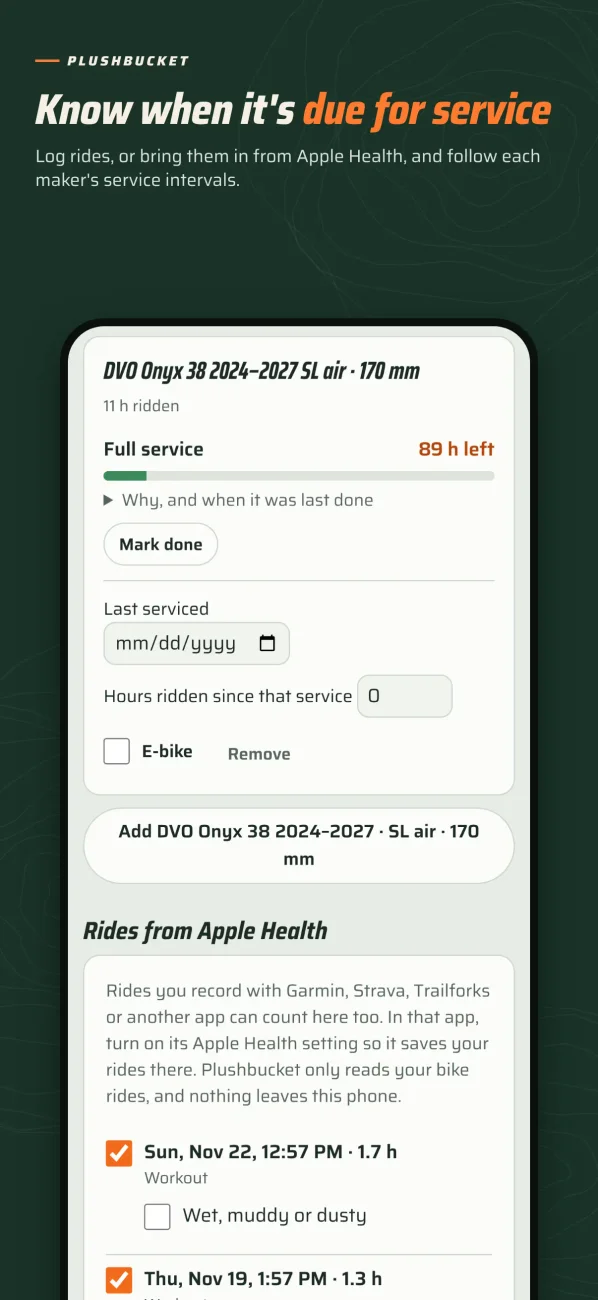
KNOW WHEN IT’S DUE FOR SERVICE
Log ride hours (wet and muddy rides count extra) and see when each service is due, using each maker’s own service intervals.
APPLE WATCH
See each bike’s settings on your wrist and time your rides. The hours go straight into your service log, and each ride is saved as an Outdoor Cycle workout in Apple Fitness.
PRIVATE AND OFFLINE
No account, no ads, no tracking. Everything stays on your phone and works without signal on the trail. Save a backup file to move to a new phone.
Settings are a starting point. Never exceed the maximum pressure printed on your fork or shock.
A Big thank you to DVO for helping this all come together and getting other manufacturers to help. DVO is the GOAT
Có gì mới
Phiên bản 1.9.3 · 26/11/2026
New: Tune on the trail. Ride a short loop, answer one question after each lap, and Plushbucket moves one dial at a time by a set number of clicks until it feels right. It also checks whether each change made the bike feel more confident, and shows your rebound on a Composure to Traction dial.
New: Tune log. Every session is saved with your start and end clicks and how far you got. Use one as your tune and it shows on your setup card for that riding profile.
New: Before you measure sag. A short checklist in setup and the Balance check so your sag numbers come out right.
Built for iPad: setup and the spring or damping side by side, and on bigger screens all three at once.
Fixed: on bikes with a leverage curve, the Spring graph now shows sag as a percentage of shock stroke, matching your setup card.
The Service tab is now Ride & service.
Quyền riêng tư của ứng dụng
Những gì Matthew Folkman khai báo trên App Store về cách ứng dụng này xử lý dữ liệu.
-
Dữ liệu không được thu thập
Nhà phát triển không thu thập bất kỳ dữ liệu nào từ ứng dụng này.
Phương thức đảm bảo quyền riêng tư có thể khác nhau, chẳng hạn như tuỳ theo các tính năng bạn sử dụng hoặc độ tuổi của bạn.
Thông tin
- Người bán
- Matthew Folkman
- Danh mục
- Thể Thao
- Phiên bản
- 1.9.3
- Cập nhật
- 26/11/2026
- Phát hành
- 18/11/2026
- Kích thước
- 4,7 MB
- Yêu cầu
- iOS 15.0 trở lên
- Độ tuổi
- 4+
- Giá
- Miễn phí
- Mua hàng trong ứng dụng
- Có
- Ngôn ngữ
- Tiếng Anh
- Bản quyền
- © 2026 Matt Folkman