Pocket Shack
Ham radio push to talk
Được thiết kế cho iPhone, iPad, Mac
Miễn phí · Mua hàng trong ứng dụng
- Độ tuổi12+
- Danh mụcTiện Ích
- Nhà phát triểnCygnus Strategy
- Ngôn ngữTiếng Anh
- Kích thước19,8 MB
Liên kết đến trang App Store chính thức
Download.org không lưu trữ tệp nào của Pocket Shack. Nút này mở trang ứng dụng trên App Store, nơi Cygnus Strategy phát hành ứng dụng. Trang được kiểm tra lần cuối: 27/11/2026.
Ảnh chụp màn hình

Giới thiệu
Nhà phát triển chưa cung cấp nội dung này bằng ngôn ngữ của bạn.
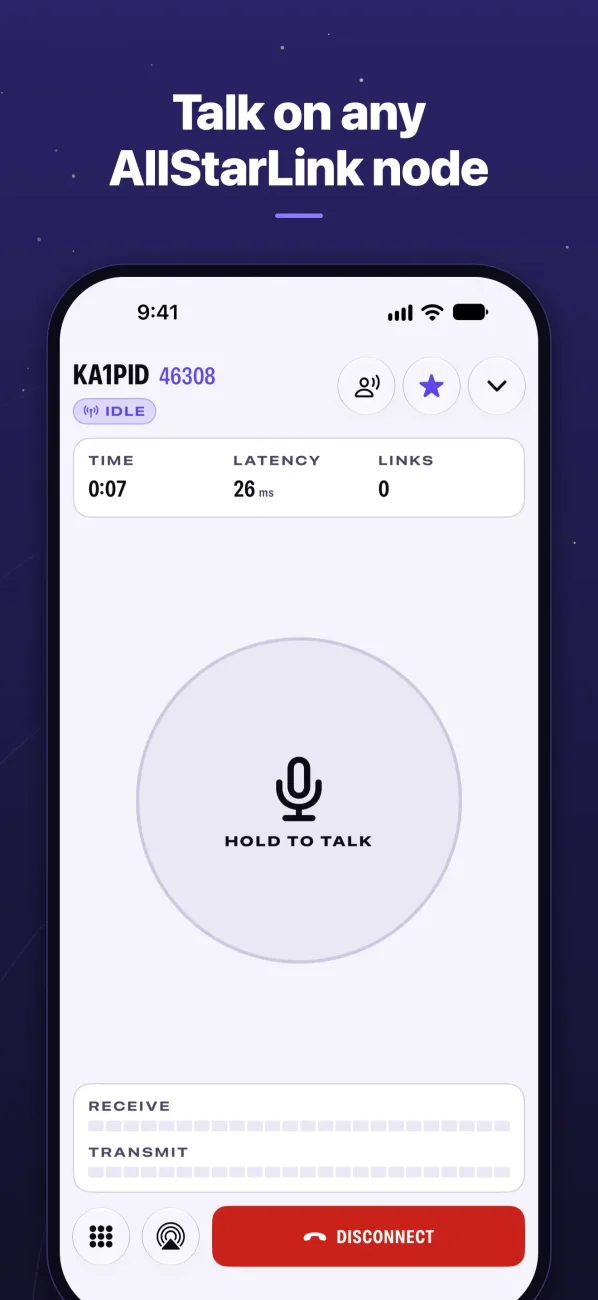
Pocket Shack puts the AllStarLink network in your pocket. Connect to amateur radio repeaters and hubs around the world, listen to what's happening, and talk with a tap, from your iPhone, Mac or Apple Watch.
TALK AND LISTEN
• Connect to any AllStarLink node that allows app connections, with clear audio and a live session clock.
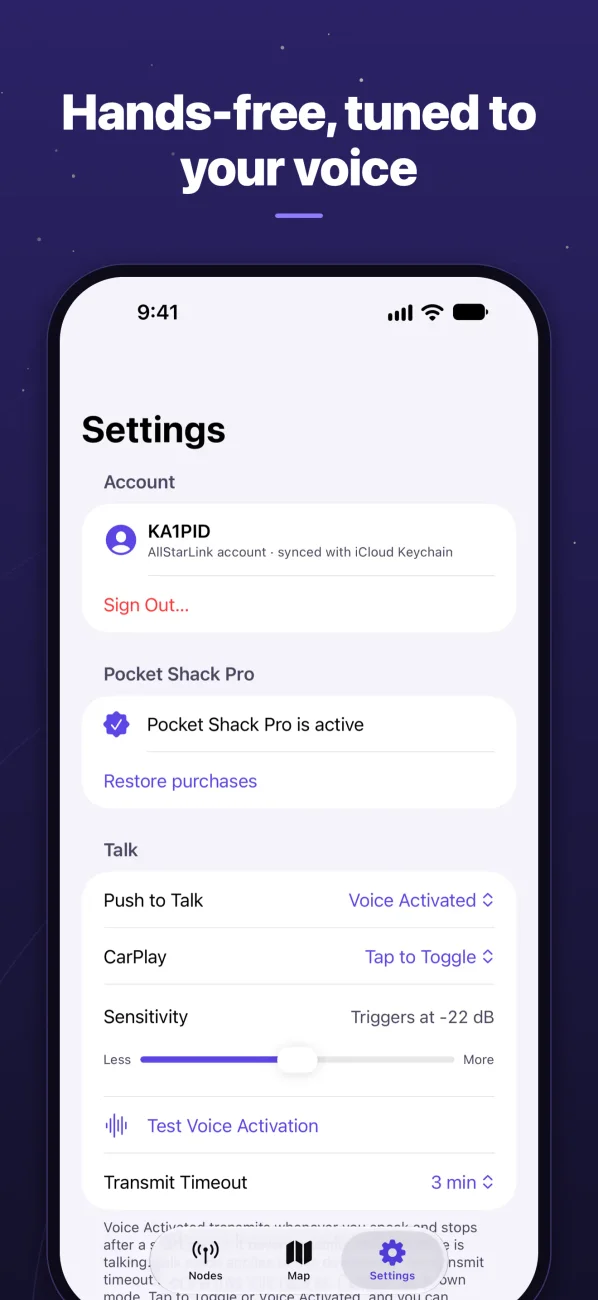
• Hold to talk, tap to toggle, or go hands-free with voice activation and a live sensitivity meter. (Pro)
• Listen to any node free, with no microphone needed. Monitor-only connections never transmit.
• Never talk over anyone: Pocket Shack shows when the node has the channel and waits for it. (Pro)
• A transmit timer with a countdown keeps you from timing out the repeater. (Pro)
• Mic gain with a level meter tells you if you sound too quiet, just right, or too hot. (Pro)
• Voice processing cancels echo and evens out your level; turn it off for raw audio with a headset. (Pro)
• An optional local beep when another station stops talking, for nodes that don't send their own.
• Quiet and loud stations play at a similar volume. Turn it off for the raw node audio.
• See which node keyed up, with its callsign and location, on the connection screen, Lock Screen, Apple Watch and CarPlay.
• Use the call Mute control on the Lock Screen, in CarPlay or on AirPods to start and stop talking. (Pro)
FIND SOMEONE TO TALK TO
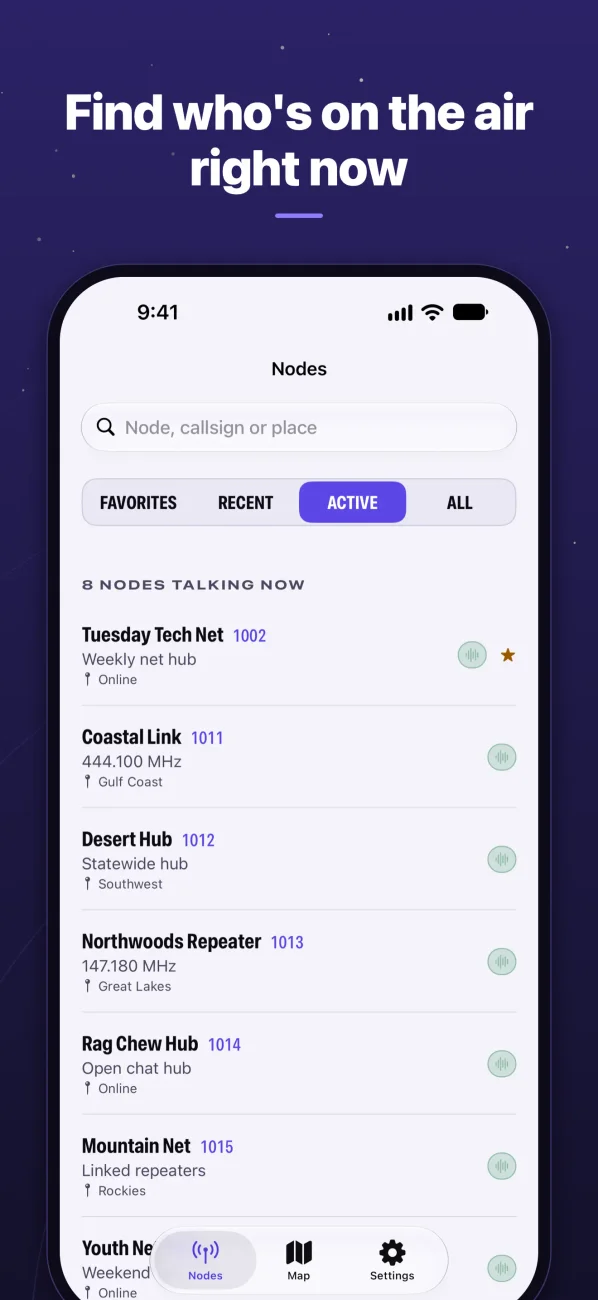
• See which nodes are on the air right now and jump in.
• Optionally hide nodes that don't allow app connections, so you only see nodes you can join.
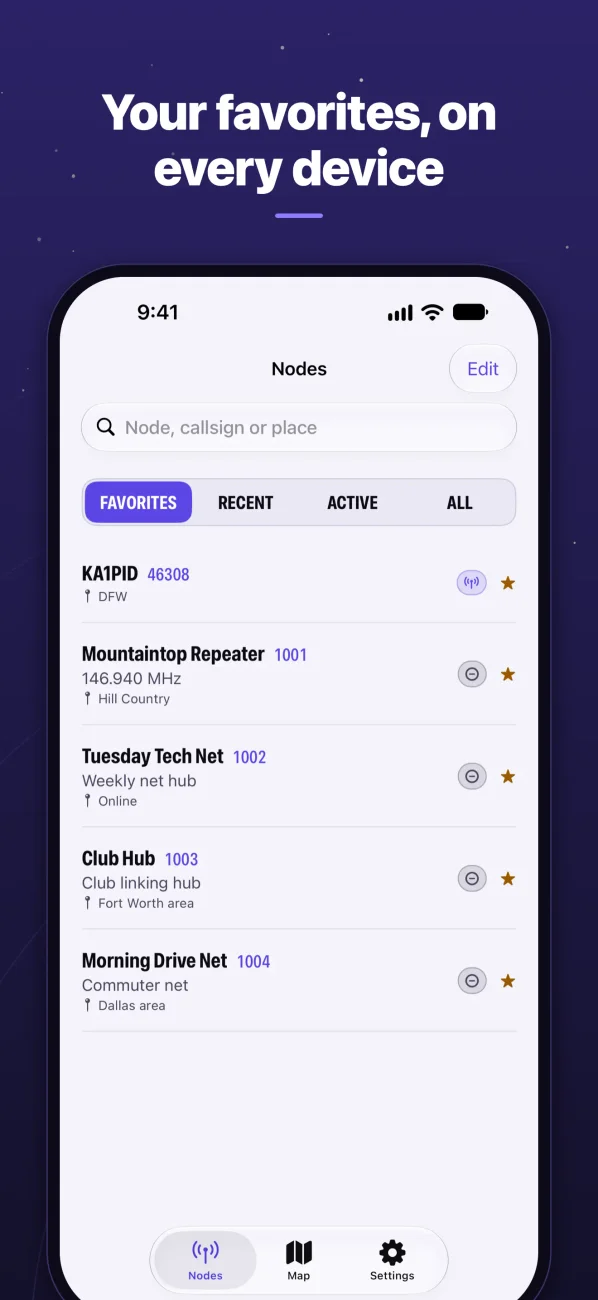
• Keep the nodes you use most a tap away, in your order, with a live talking or idle badge.
• Search the full node directory by number, callsign or place, even offline.
• Browse every node on a map, or list the ones nearest you.
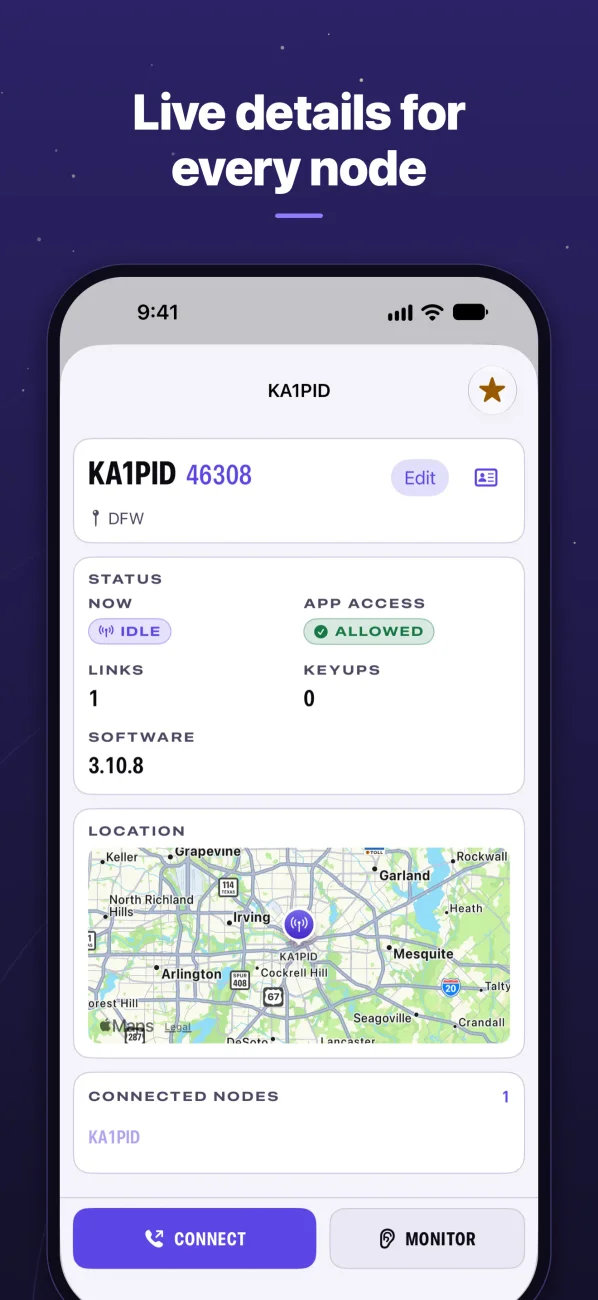
• Live node details: who it's linked to, its frequency, location and activity.
• Look up any callsign in the app, with your QRZ subscription if you have one.
• Name any node, like “JB”, and keep a note on it, synced to all your devices.
EVERYWHERE YOU ARE
• Run your connection from your wrist: pick a favorite, hold to talk, and see when it's busy, with your iPhone in your pocket.
• Hold the big Talk button, double-tap, or use the Apple Watch Ultra Action Button, with a ring counting down your transmit time. (Pro)
• Distinct wrist taps when the channel clears, when you're on the air, before the timeout, and if the link drops.
• See your connection on your watch face and in the Smart Stack.
• Favorites, recents and settings sync through iCloud, and your account through iCloud Keychain.
• Live Activity and Dynamic Island with a Talk button, plus a Control Center control.
• Widgets for your Home Screen, Lock Screen and Mac desktop show a node's status at a glance.
• Keeps listening with the screen locked, over Bluetooth, and reconnects when you move between Wi-Fi and cellular.
• A real Mac app with a menu bar control, a global push-to-talk shortcut and your choice of microphone and speakers.
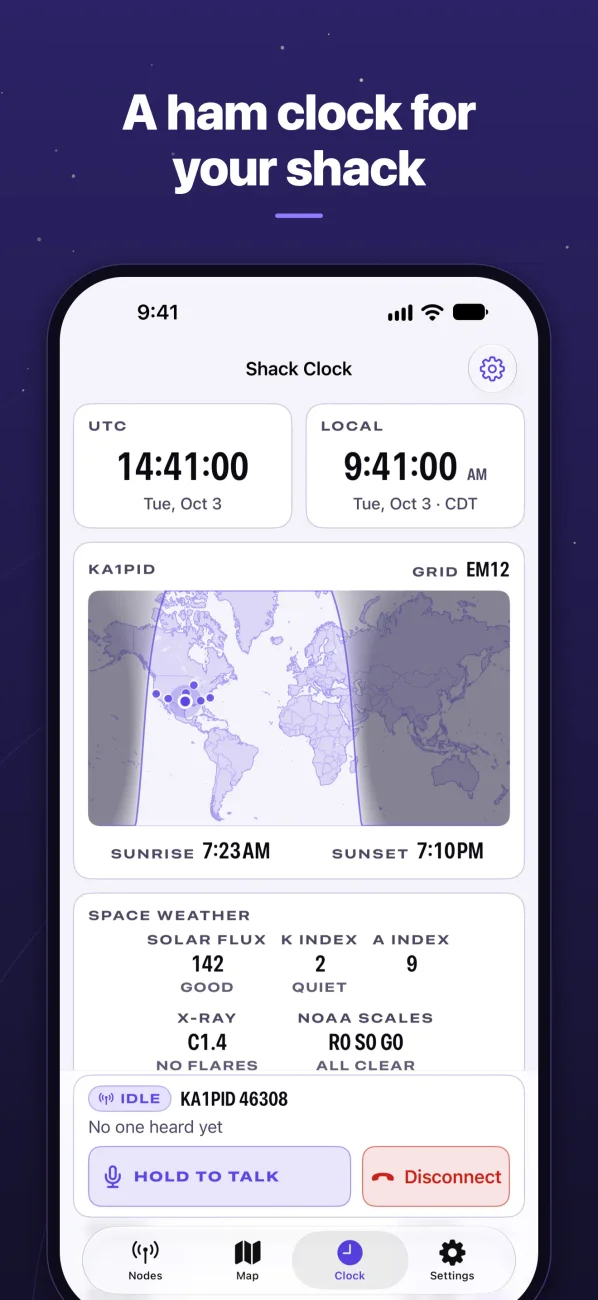
• A ham clock on your iPhone, iPad or Mac: UTC, the grey line, space weather and your node's status.
• "Call node 46308 with Pocket Shack" with Siri, and connections in your phone's Recents.
• On iPad and an unfolded iPhone Duo, your nodes sit beside the node you're on.
MADE FOR OPERATORS
• An all-red Night appearance that keeps your night vision, plus Day and Dark, or follow your system setting.
• Built for VoiceOver and large text, with clear status words and symbols that never rely on color alone.
• No ads, no tracking, no analytics. Your data stays on your devices and in your iCloud.
• A DTMF keypad for node commands. (Pro)
Listening is free. Pocket Shack Pro unlocks transmitting: $1.99 a month, $14.99 a year with a 7-day free trial, or $39.99 once. Family Sharing included.
Requires an AllStarLink account. AllStarLink accounts are only for licensed amateur radio operators. Pocket Shack isn't affiliated with AllStarLink, Inc.
Terms of Use: https://cygnusstrategy.com/legal/terms
Privacy Policy: https://cygnusstrategy.com/legal/privacy
Có gì mới
Phiên bản 1.4.1 · 26/11/2026
Shack Clock now gets its space weather from Albireo, our own free service that relays NOAA's public data. Nothing about you is sent, and the readings are the same, except that the A index is now the planetary A index for the last full day. The K index and solar flux charts fill in over the coming weeks as Albireo's history grows.
Quyền riêng tư của ứng dụng
Những gì Cygnus Strategy khai báo trên App Store về cách ứng dụng này xử lý dữ liệu.
-
Dữ liệu liên kết với bạn
Có thể được thu thập và liên kết với danh tính của bạn.
- Mã định danh
Phương thức đảm bảo quyền riêng tư có thể khác nhau, chẳng hạn như tuỳ theo các tính năng bạn sử dụng hoặc độ tuổi của bạn.
Thông tin
- Người bán
- Cygnus Strategy LLC
- Danh mục
- Tiện Ích
- Phiên bản
- 1.4.1
- Cập nhật
- 26/11/2026
- Phát hành
- 09/10/2026
- Kích thước
- 19,8 MB
- Yêu cầu
- iOS 26.1 trở lên
- Độ tuổi
- 12+
- Giá
- Miễn phí
- Mua hàng trong ứng dụng
- Có
- Ngôn ngữ
- Tiếng Anh
- Bản quyền
- © 2026 Cygnus Strategy LLC