Podcast Maker
Voice Recorder & Audio Editor
Được thiết kế cho iPhone, iPad
Miễn phí · Mua hàng trong ứng dụng
- Độ tuổi4+
- Danh mụcNhạc
- Nhà phát triểnAdem Uresin
- Ngôn ngữTiếng Đức+ 16 ngôn ngữ khác
- Kích thước84,7 MB
Liên kết đến trang App Store chính thức
Download.org không lưu trữ tệp nào của Podcast Maker. Nút này mở trang ứng dụng trên App Store, nơi Adem Uresin phát hành ứng dụng. Trang được kiểm tra lần cuối: 12/11/2026.
Ảnh chụp màn hình
Giới thiệu
Nhà phát triển chưa cung cấp nội dung này bằng ngôn ngữ của bạn.
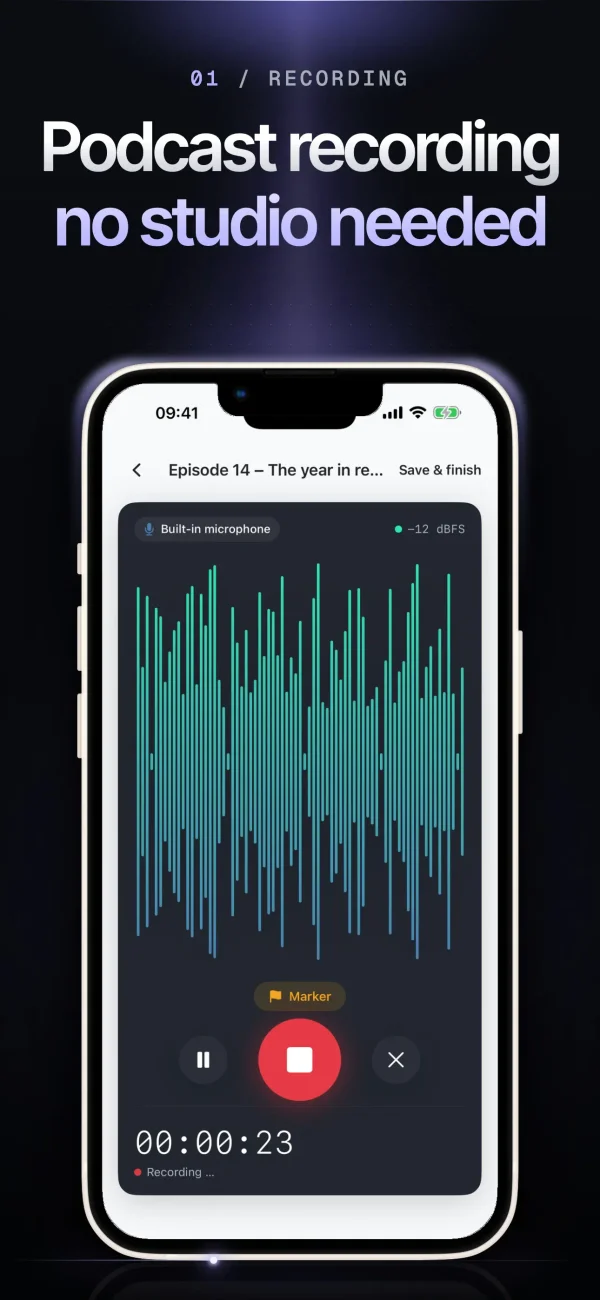
Podcast Maker is a podcast recorder, voice memo and dictation app for iPhone. Record episodes in uncompressed 48 kHz audio, crash-proof, with nothing lost if the app closes.
Voice recorder and audio editor in one app for podcasters: choose your microphone, record, invite guests via link, edit with the transcript, add music, and export as M4A (AAC) or WAV, all on iPhone.
EDIT WITH THE TRANSCRIPT
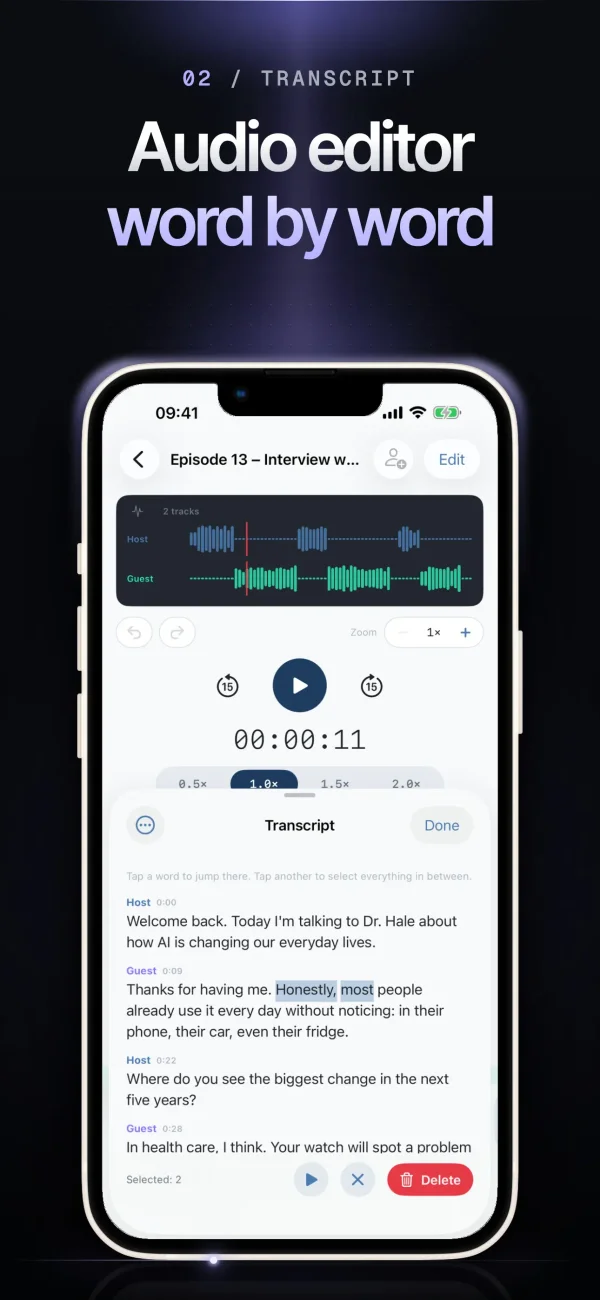
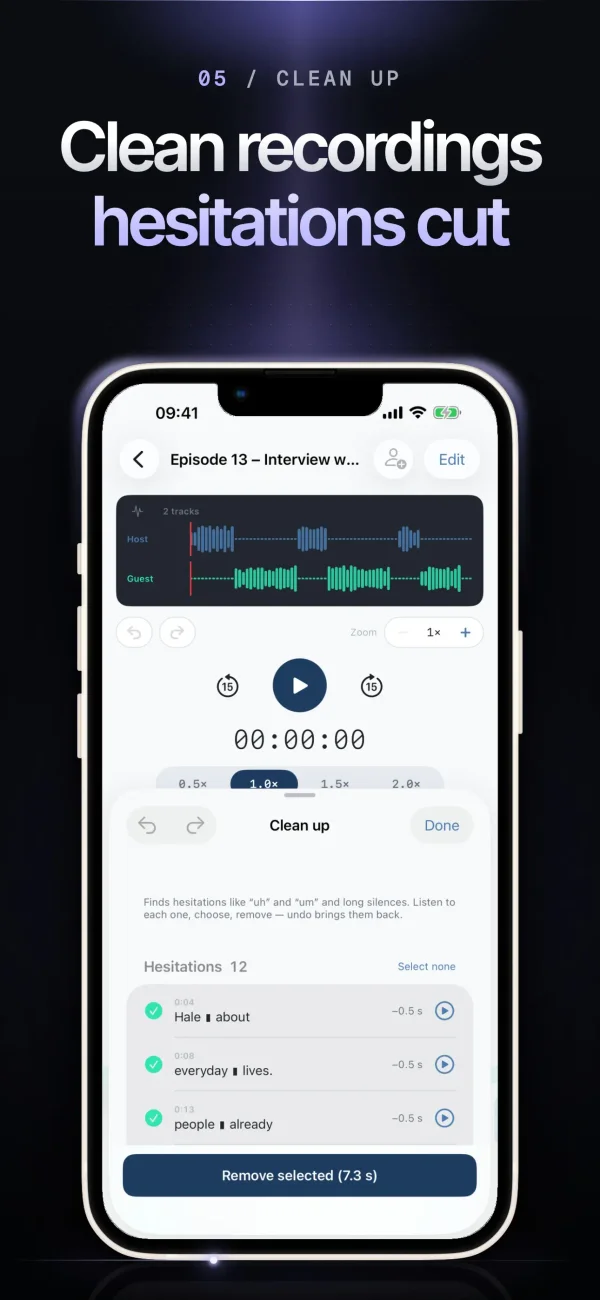
Your episode is written out word by word on iPhone. Tap a word to jump there, select words and delete them, and the audio goes with them. Clean up finds hesitations and silences longer than a second; listen to each and remove them in one step. On iPhones with Apple Intelligence, the app writes show notes, title ideas and chapters from the transcript, on the device.
MUSIC AND STUDIO SOUND
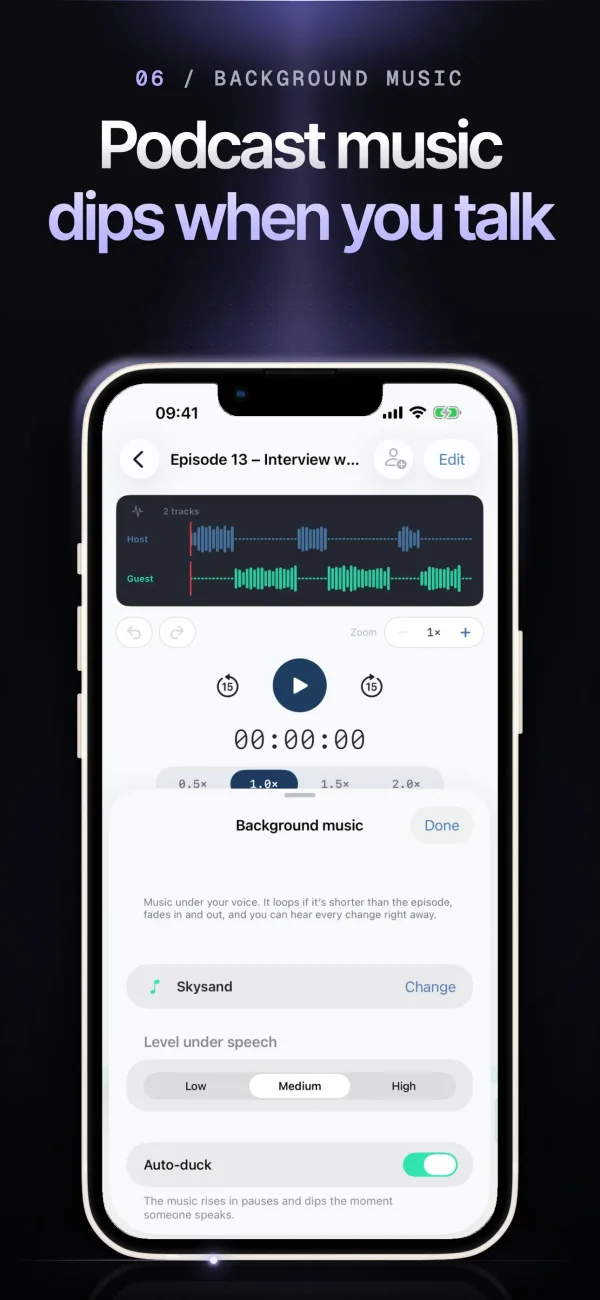
Background music under the whole episode or a part of it, lowered automatically whenever someone speaks. 50 tracks: talk, lo-fi, jazz, piano, business and news. Keep your own jingles in My sounds. Studio sound gives a clearer voice at an even level in one tap, and in interviews each voice has its own level. An episode template starts every new episode with your intro, outro, music and studio sound.
CRASH-PROOF RECORDING
Audio is written to storage every ten seconds, so nothing is lost if the app crashes or iPhone restarts. Pause and resume, drop markers, keep recording in the background and on the lock screen. An incoming call pauses the recording and it resumes on its own. A take can run up to four hours.
MICROPHONE AND LEVELS
Built-in mic, wired headphones, a USB interface or Bluetooth, with a warning because Bluetooth records at 16 kHz. The level meter warns when you are too quiet or too loud. Start with Siri; pause, resume and stop from the lock screen, Dynamic Island or widget.
REMOTE INTERVIEW WITH A GUEST
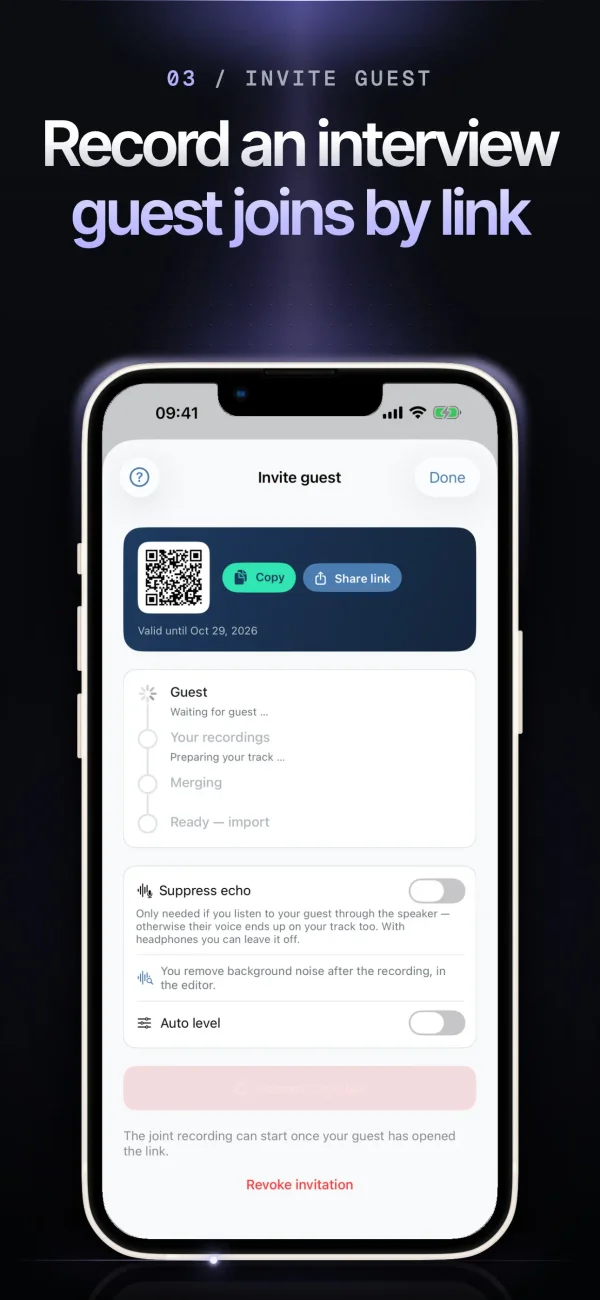
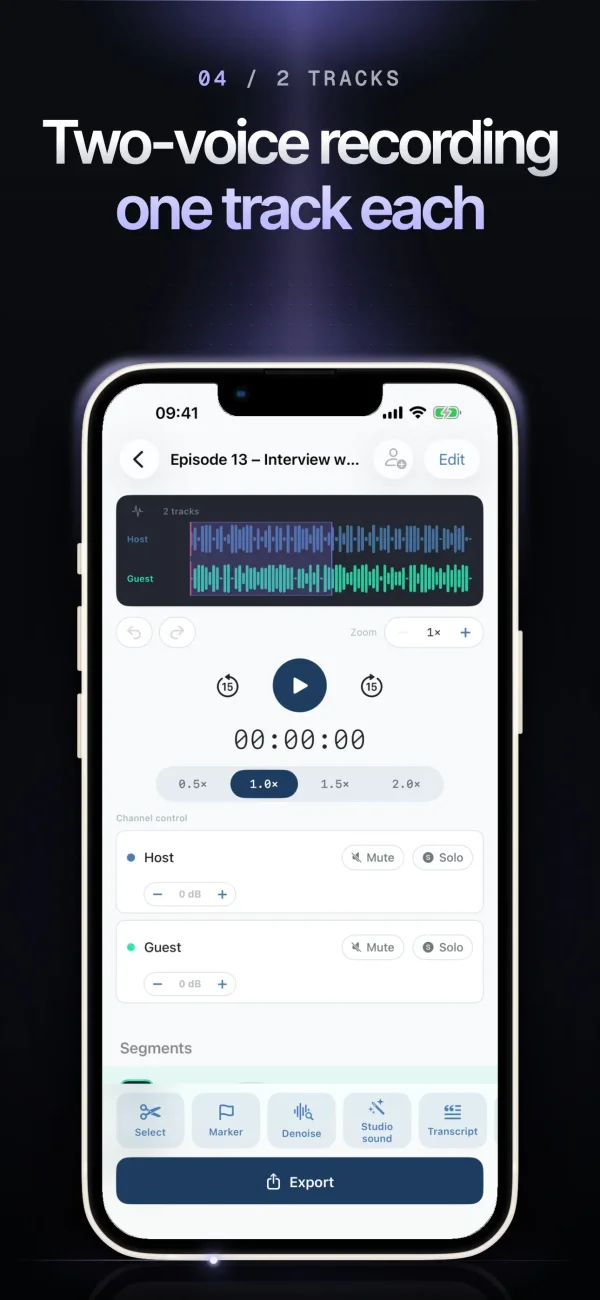
Invite your guest via link: no app needed, they join from the browser. You hear each other live, each side records locally and the tracks are merged afterward, so a weak connection does not touch audio quality. Both voices are balanced in volume, a dropped connection reconnects, and the recording screen tells you when your guest's recording stops.
EDITING ON iPHONE
Waveform editor with zoom: delete a range or cut in the middle. Reorder, listen to and remove segments, move a clip to another episode. Undo and redo, one tap back to the original. Markers, playback speed from 0.5× to 2×. Noise reduction and auto level, reversible. Join episodes in any direction and add intro, outro and 40 sounds such as applause or a sting anywhere, on top of the recording.
SERIES AND EXPORT
Episodes are grouped under shows and numbered automatically. Export via the share sheet to any app, in higher quality or WAV, in the background.
ICLOUD BACKUP AND PRIVACY
Optional backup to your own iCloud, on and off whenever you like. Without it, recordings stay on this device. The app works fully without an account, and your audio never reaches our servers. You can export your data or delete your account.
DEVICES AND LANGUAGES
For iPhone, iPad (three columns) and iPhone Duo (side by side when unfolded), iOS 17 or later. 18 languages, switchable without changing your iPhone's language. Dark mode, dynamic type and VoiceOver.
FREE AND STUDIO-PASS
Free: two episodes, fifteen minutes each, full editing, joining episodes, inserted sounds, and M4A export.
Studio-Pass unlocks: unlimited episodes, takes up to four hours, remote guest interview via link, transcript, clean up, notes, background music, studio sound, episode templates, intro and outro, noise reduction, automatic level adjustment, higher quality and WAV export, playback speed.
Terms of Use: https://www.apple.com/legal/internet-services/itunes/dev/stdeula/
Privacy Policy: https://rsndijital.com/link/podcast/privacy-policy.html
Có gì mới
Phiên bản 1.2 · 28/10/2026
Edit your episode by editing its text.
TRANSCRIPT
Tap Transcript and the episode is written out word by word on your iPhone. Tap a word to jump there, select a few and delete them: the audio goes with them. Interviews show who said what, Host and Guest.
CLEAN UP
Clean up listens through the episode and finds hesitations and silences longer than a second. Listen to each one, untick what you want to keep and remove the rest in one step. Silences are shortened to half a second, not cut out.
NOTES AND CHAPTERS
On iPhones with Apple Intelligence, the app writes show notes, title ideas and chapters from the transcript, on the device. Chapters travel with the exported file.
MUSIC
• Background music under the whole episode or a part of it. It gets quieter on its own whenever someone speaks.
• 50 tracks to choose from: talk, lo-fi, jazz, piano, business and news. Each one downloads the first time you pick it.
• My sounds: import your own jingles once and use them in every episode.
SOUND
• Studio sound: one tap for a clearer voice at an even level.
• In interviews, a separate level for each voice.
EPISODE TEMPLATE
Save intro, outro, background music and studio sound once per podcast. Every new episode starts with them.
IPHONE DUO
Unfold it and your podcasts and the open episode sit side by side.
Transcript, Clean up, Notes, Music, Studio sound and Templates are part of Premium.
Quyền riêng tư của ứng dụng
Những gì Adem Uresin khai báo trên App Store về cách ứng dụng này xử lý dữ liệu.
-
Dữ liệu được sử dụng để theo dõi bạn
Có thể được sử dụng để theo dõi bạn trên các ứng dụng và trang web do công ty khác sở hữu.
- Mã định danh
-
Dữ liệu liên kết với bạn
Có thể được thu thập và liên kết với danh tính của bạn.
- Mục mua
- Thông tin liên hệ
- Nội dung của người dùng
- Mã định danh
-
Dữ liệu không liên kết với bạn
Có thể được thu thập nhưng không liên kết với danh tính của bạn.
- Mã định danh
- Dữ liệu sử dụng
- Chẩn đoán
Phương thức đảm bảo quyền riêng tư có thể khác nhau, chẳng hạn như tuỳ theo các tính năng bạn sử dụng hoặc độ tuổi của bạn.
Thông tin
- Người bán
- Adem Uresin
- Danh mục
- Nhạc
- Phiên bản
- 1.2
- Cập nhật
- 28/10/2026
- Phát hành
- 17/08/2026
- Kích thước
- 84,7 MB
- Yêu cầu
- iOS 17.0 trở lên
- Độ tuổi
- 4+
- Giá
- Miễn phí
- Mua hàng trong ứng dụng
- Có
- Ngôn ngữ
- Tiếng Đức, Tiếng Đan Mạch, Tiếng Anh, Tiếng Phần Lan, Tiếng Pháp, Tiếng Ý, Tiếng Nhật, Tiếng Hàn, Tiếng Hà Lan, Tiếng Bokmål Na Uy, Tiếng Ba Lan, Tiếng Bồ Đào Nha + 5 ngôn ngữ khác
- Bản quyền
- © Adem Uresin
Có thể bạn cũng thích
-
 Trình tạo podcast: Ứng dụngGhi và chỉnh sửa podcast
-
 Wavelength Pro Audio EditorNhạc
-
 Fiedel-Max 1Nhạc
-
 BroadcastSelf: Radio StreamerNhạc
-
 PodCall|Podcast Voice RecorderNhạc
-
 Proyeccion Stereo 101.5fmNhạc
-
 Audio Editor - Music EnhancerNhạc
-
 MOOSYC: Music DistributionNhạc
-
 SonicForge - Chỉnh âm thanhĐổi định dạng, cắt & trộn
-
 EverlistenNhạc