PolyNotes: AI Notebook & Notes
Writing App, Notepad & Study
Được thiết kế cho iPhone, iPad, iPod touch
Miễn phí · Mua hàng trong ứng dụng
- Độ tuổi4+
- Danh mụcHiệu Suất
- Nhà phát triểnYarub Alhaj
- Ngôn ngữTiếng Anh+ 10 ngôn ngữ khác
- Kích thước31,7 MB
Liên kết đến trang App Store chính thức
Download.org không lưu trữ tệp nào của PolyNotes: AI Notebook & Notes. Nút này mở trang ứng dụng trên App Store, nơi Yarub Alhaj phát hành ứng dụng. Trang được kiểm tra lần cuối: 23/11/2026.
Ảnh chụp màn hình



Giới thiệu
Nhà phát triển chưa cung cấp nội dung này bằng ngôn ngữ của bạn.
PolyNotes is the notebook app for students. Handwrite your notes, mark up your lecture slides, and ask an AI tutor that answers from your own course material.
TAKE NOTES YOUR WAY
• Write with Apple Pencil on a whiteboard that grows as you go, or type.
• Import lecture slides, PDFs and PowerPoints, then mark them up with a pen, highlighter, text and photos.
• Open Excel and CSV files in an editable spreadsheet, and export them back to Excel.
• Turn handwriting into text right on your iPad: free, offline and private.
• Bring in notebooks you've exported from other note apps.
• Keep quick notes on your Home screen.
YOUR LECTURE COMPANION ON IPHONE
• Open a lecture to read the slides and write on them.
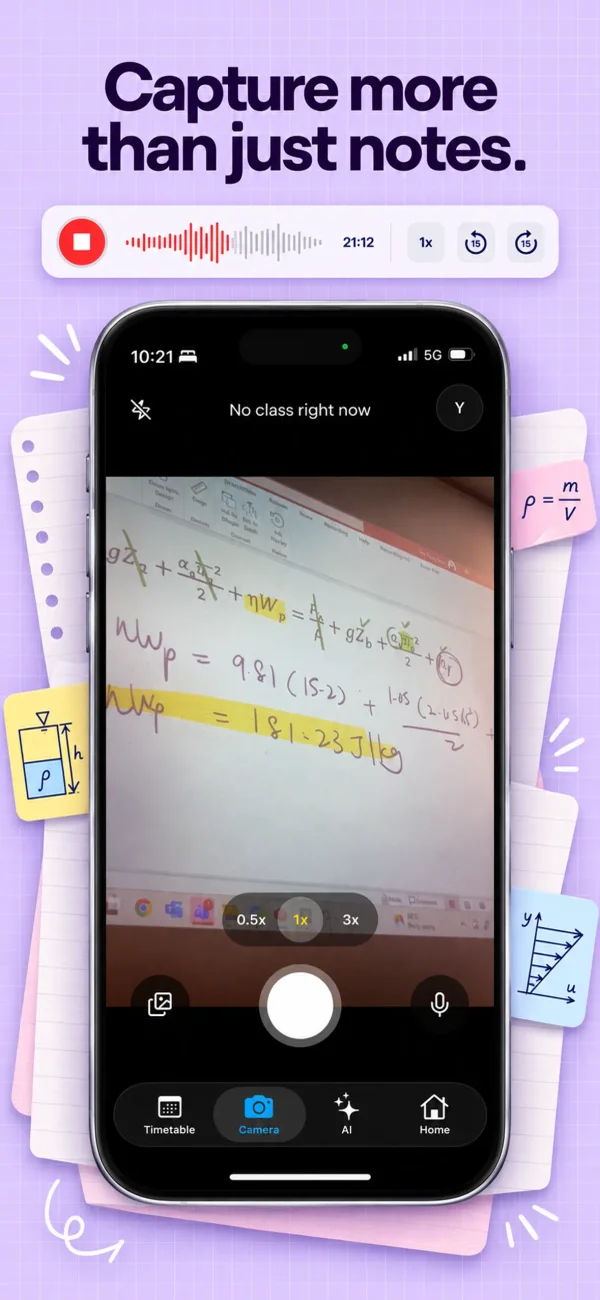
• Photograph the board. Photos taken during a class are filed to the right module and reach your iPad within seconds.
• Record the lecture, even with your screen locked.
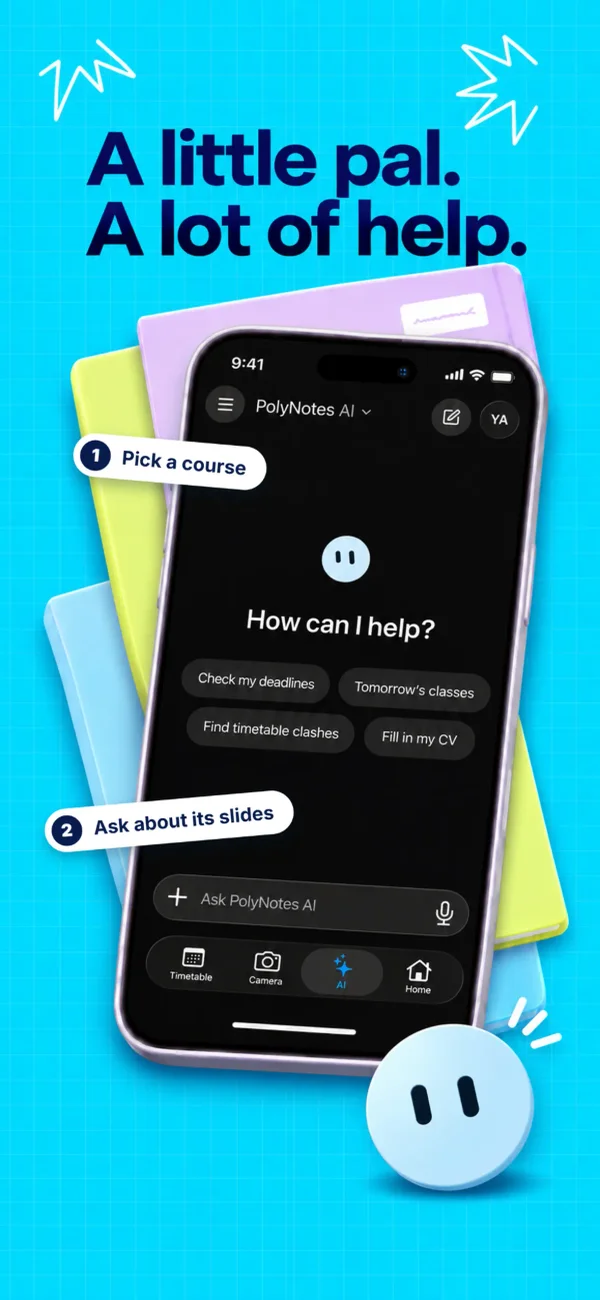
• Ask the AI about a module while you're in class.
AN AI TUTOR THAT KNOWS YOUR COURSE
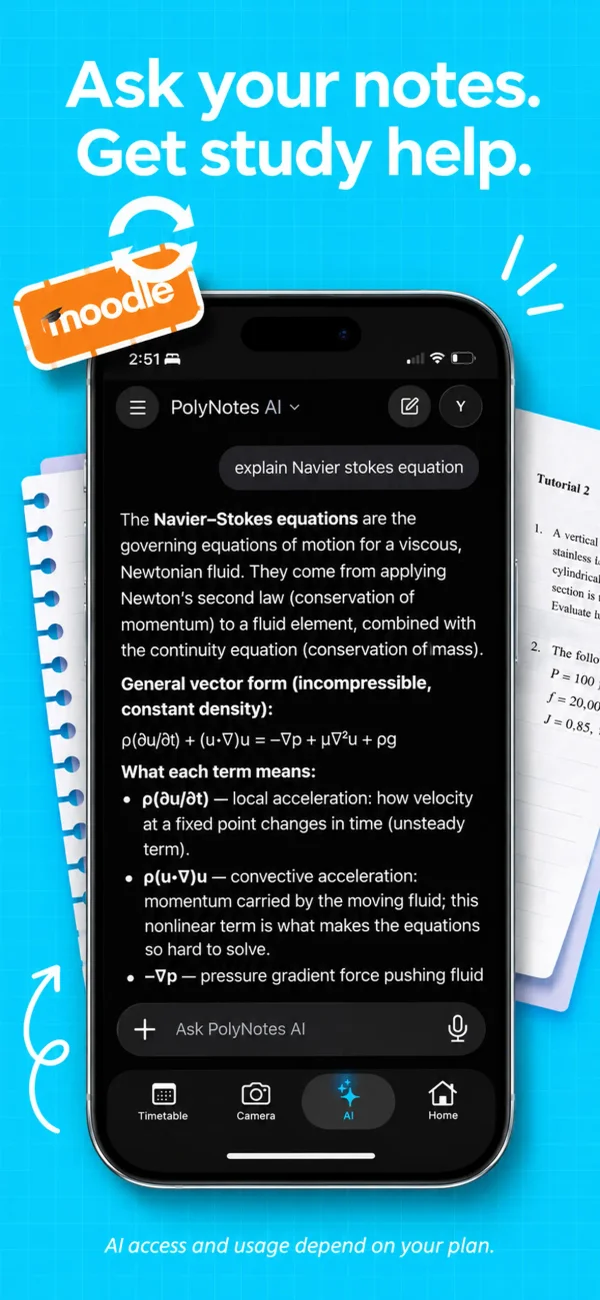
• Get answers from your own slides and notes, with the source cited.
• Add a free OpenStax textbook to a module, and the tutor cites its sections too.
• Work through problems step by step with the built-in math solver.
• Find real scholarly sources and cite them in APA, Harvard or IEEE in your documents.
• Turn a lecture into flashcards, a summary or a quiz on the Pro plan.
• On iOS 26 with Apple Intelligence, the tutor can also answer offline with Apple's on-device model.
STAY ON TOP OF YOUR COURSES
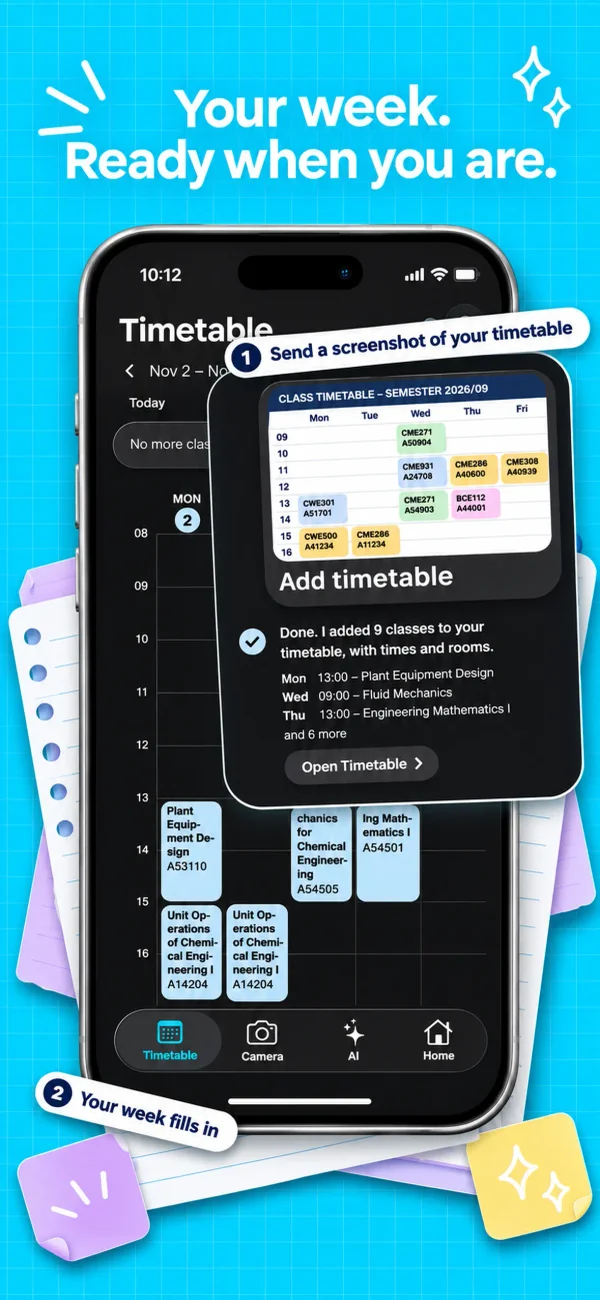
• See your timetable, deadlines and exams, with a countdown as they get close.
• Get a reminder before each class, and a wake-up alarm before your first one (a real alarm on iOS 26).
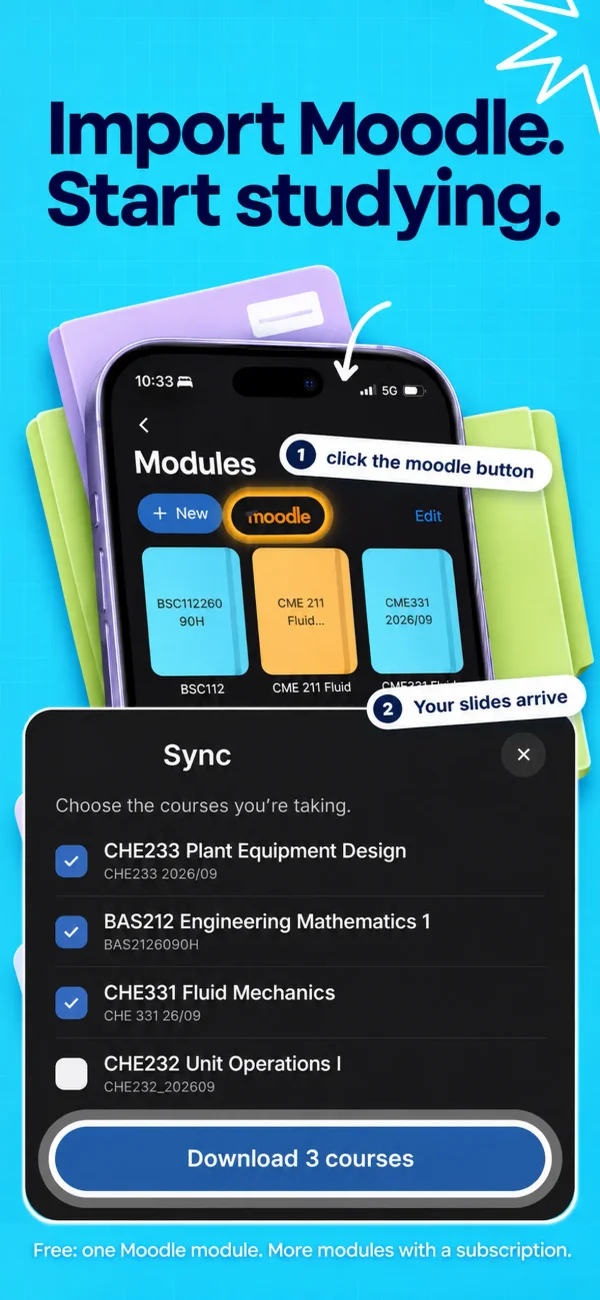
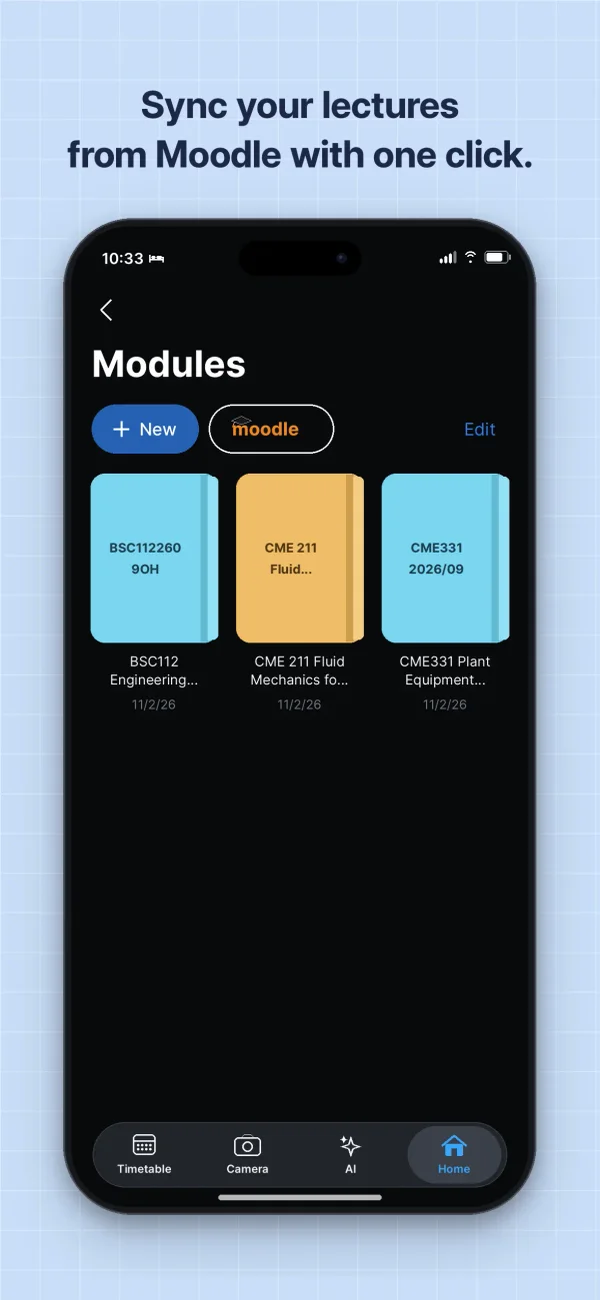
• Find your university and sync your courses from Moodle or Canvas, with their announcements and calendar.
• Using Blackboard, Brightspace or Google Calendar? Paste your calendar link and your due dates arrive by themselves.
• Plan your degree with a roadmap, and keep your CV up to date.
ALL YOUR DEVICES, IN STEP
• Sign in with Apple, Google or Microsoft to keep your timetable, courses, deadlines and lecture notes in step on iPhone, iPad
and Windows.
• Photos, recordings and files you add reach your other devices.
• Your work is private to your account and never used to train AI.
MAKE IT YOURS
• Light and dark mode, plus Blossom, Halloween and Sunshine themes.
PLANS
• Free: 1 module and 3 AI actions a month.
• Essential: unlimited modules, Moodle and Canvas sync for every course, and the AI tutor and math help, with 30 AI actions a
month or 300 a year.
• Pro: everything in Essential, plus AI flashcards, summaries and quizzes, clean handwriting, equation plots and an AI degree
roadmap, with 50 AI actions a month or 500 a year.
Subscriptions are billed through the App Store and renew automatically until you cancel. Manage them in your Apple account
settings.
AI answers are a study aid and can be wrong. Check anything important, and follow your school's academic-integrity rules.
Terms: https://polynotes.me/terms
Privacy: https://polynotes.me/privacy
Pro: turn a lasso selection into a 3D model or export it as GLB. On the board it has a transparent background. Tap once to move or resize it, then tap again to rotate.
Có gì mới
Phiên bản 1.3.2 · 21/11/2026
• Connectors follow shapes as you drag. Aligned ports join directly; automatic lines bend around the shapes when their positions change. You can still choose line styles and move waypoints yourself.
• Resize process equipment from its corners without distorting it. Each side now has one connection handle. Basic shapes still stretch, and labels stay readable on colored boxes in dark mode.
• The tutor can draw on your board without a mode switch. Slide between Quick, Standard and Deep; chat buttons no longer shrink when tapped. On iPad, the AI pal sits just above the input when the keyboard opens.
• Open shapes, mind maps and templates in one sidebar. New pens start at size 4, with dark ink on light paper and light ink on dark paper.
• Pro: turn a lasso selection into a 3D model or export it as GLB. On the board it has a transparent background. Tap once to move or resize it, then tap again to rotate.
Quyền riêng tư của ứng dụng
Những gì Yarub Alhaj khai báo trên App Store về cách ứng dụng này xử lý dữ liệu.
-
Dữ liệu liên kết với bạn
Có thể được thu thập và liên kết với danh tính của bạn.
- Mục mua
- Thông tin liên hệ
- Nội dung của người dùng
- Dữ liệu sử dụng
-
Dữ liệu không liên kết với bạn
Có thể được thu thập nhưng không liên kết với danh tính của bạn.
- Nội dung của người dùng
- Lịch sử tìm kiếm
Phương thức đảm bảo quyền riêng tư có thể khác nhau, chẳng hạn như tuỳ theo các tính năng bạn sử dụng hoặc độ tuổi của bạn.
Thông tin
- Người bán
- Yarub Alhaj
- Danh mục
- Hiệu Suất
- Phiên bản
- 1.3.2
- Cập nhật
- 21/11/2026
- Phát hành
- 27/10/2026
- Kích thước
- 31,7 MB
- Yêu cầu
- iOS 15.0 trở lên
- Độ tuổi
- 4+
- Giá
- Miễn phí
- Mua hàng trong ứng dụng
- Có
- Ngôn ngữ
- Tiếng Anh, Tiếng Pháp, Tiếng Đức, Tiếng Ý, Tiếng Nhật, Tiếng Hàn, Tiếng Bồ Đào Nha, Tiếng Nga, Tiếng Trung Giản thể, Tiếng Tây Ban Nha, Tiếng Thổ Nhĩ Kỳ
- Bản quyền
- © 2026 PolySync