Printer app, Smart AIR printer
Print Documents, Photos, PDF
Được thiết kế cho iPhone, iPad
Miễn phí
- Độ tuổi4+
- Danh mụcKinh Doanh
- Nhà phát triển锦菊 曾
- Ngôn ngữTiếng Anh
- Kích thước4,1 MB
Liên kết đến trang App Store chính thức
Download.org không lưu trữ tệp nào của Printer app, Smart AIR printer. Nút này mở trang ứng dụng trên App Store, nơi 锦菊 曾 phát hành ứng dụng. Trang được kiểm tra lần cuối: 21/11/2026.
Ảnh chụp màn hình
Giới thiệu
Nhà phát triển chưa cung cấp nội dung này bằng ngôn ngữ của bạn.
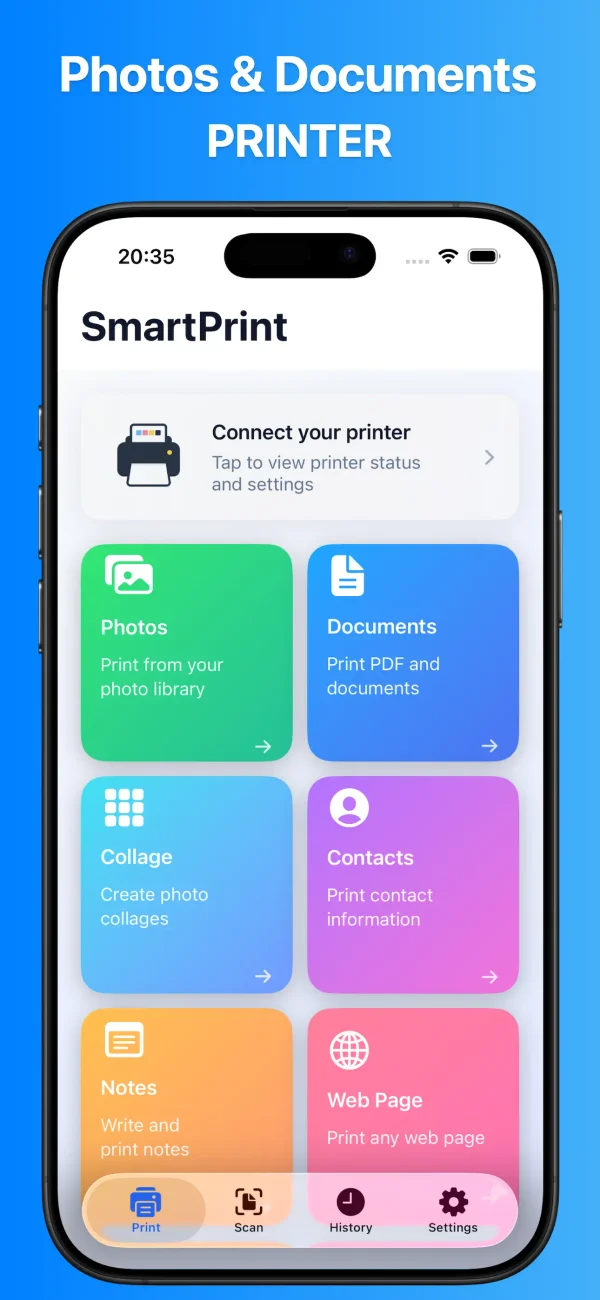
Smart Printer transforms your iPhone and iPad into a powerful printing and scanning hub. Print photos with professional filters and collages, documents, contacts, web pages, and notes. Scan with 3 specialized modes. Built with iOS 26's Liquid Glass design.
SEAMLESS AIRPRINT INTEGRATION
Connect to any AirPrint-enabled printer on your network. No setup, no drivers, no hassle. Smart Printer automatically discovers available printers and lets you print instantly. Works with HP, Canon, Epson, Brother, and all major printer brands that support AirPrint.
PRINT ANYTHING, BEAUTIFULLY
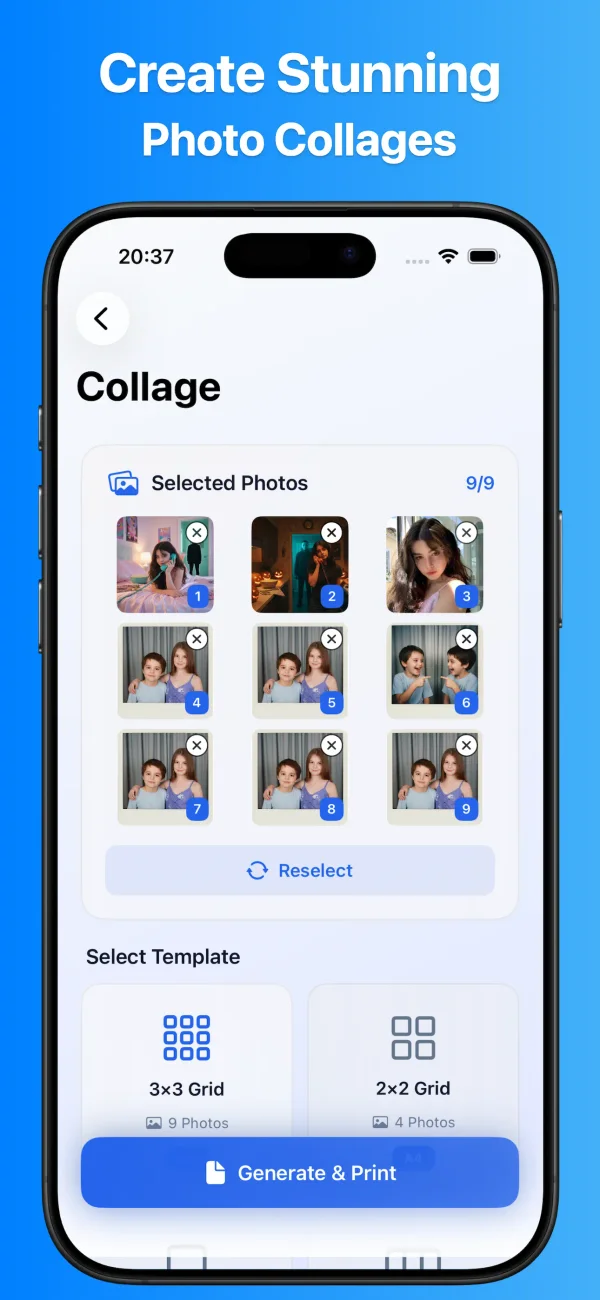
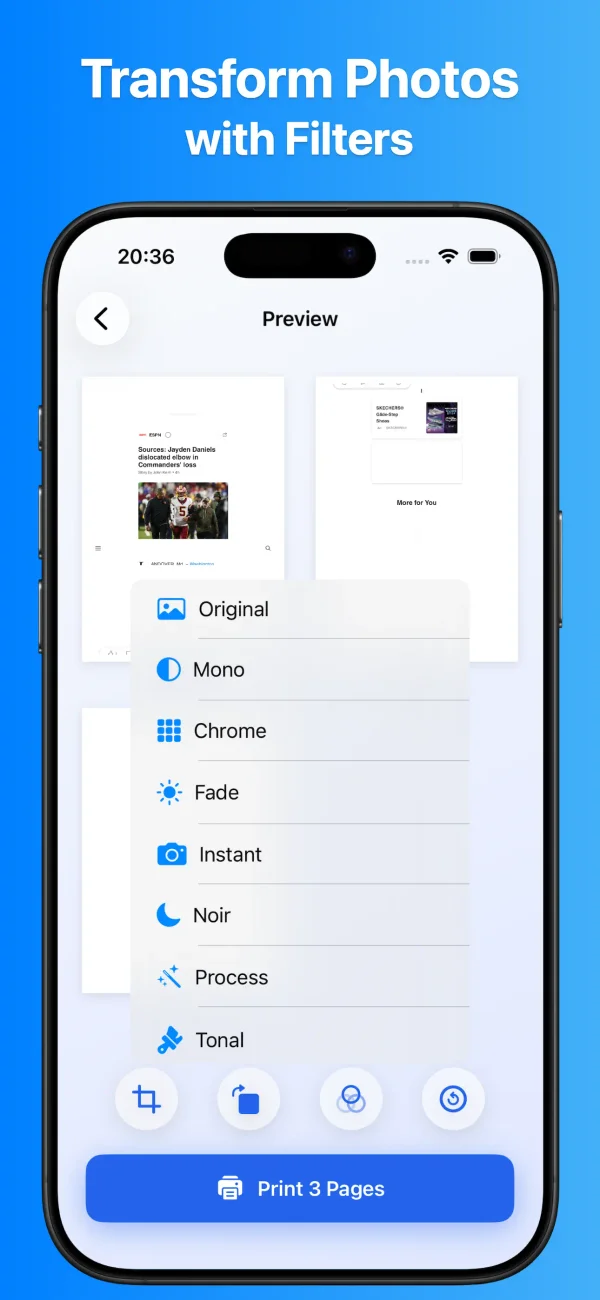
• Photos - Apply 11 professional filters (B&W, Sepia, Vintage, Chrome, Fade, Instant, Mono, Noir, Process, Tonal, Transfer) or create stunning photo collages with multiple layout templates
• Documents - Print PDF, images, and scanned files with preview
• Contacts - Print professional contact cards with clean formatting
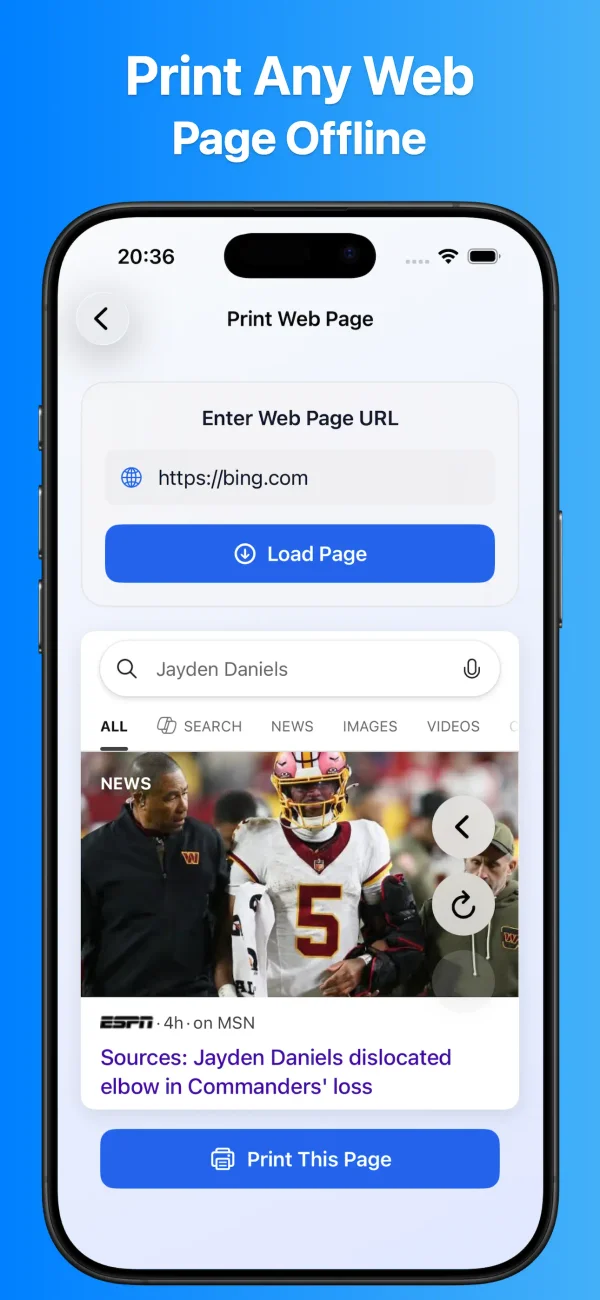
• Web Pages - Capture and print any webpage with automatic formatting
• Notes - Quick text printing for lists, memos, and reminders
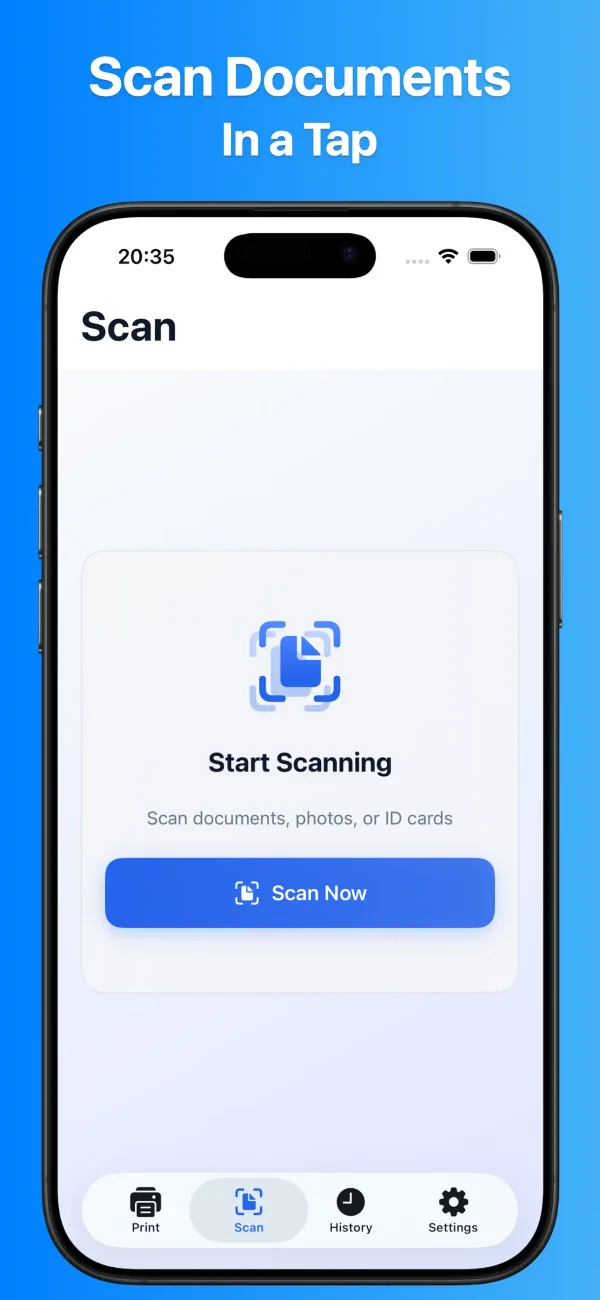
ADVANCED SCANNING
Transform your device into a professional scanner with 3 specialized modes: Document mode for contracts and papers, Photo mode for pictures, and ID Card mode for licenses and cards. Automatic edge detection, perspective correction, and color enhancement ensure perfect scans every time.
PROFESSIONAL PRINT SETTINGS
• Paper Sizes: A4, Letter, Legal, A3, A5
• Orientation: Portrait and Landscape
• Color Mode: Full color or black & white
• Multiple Copies: Print up to 99 copies at once
• Duplex Printing: Automatic two-sided printing support
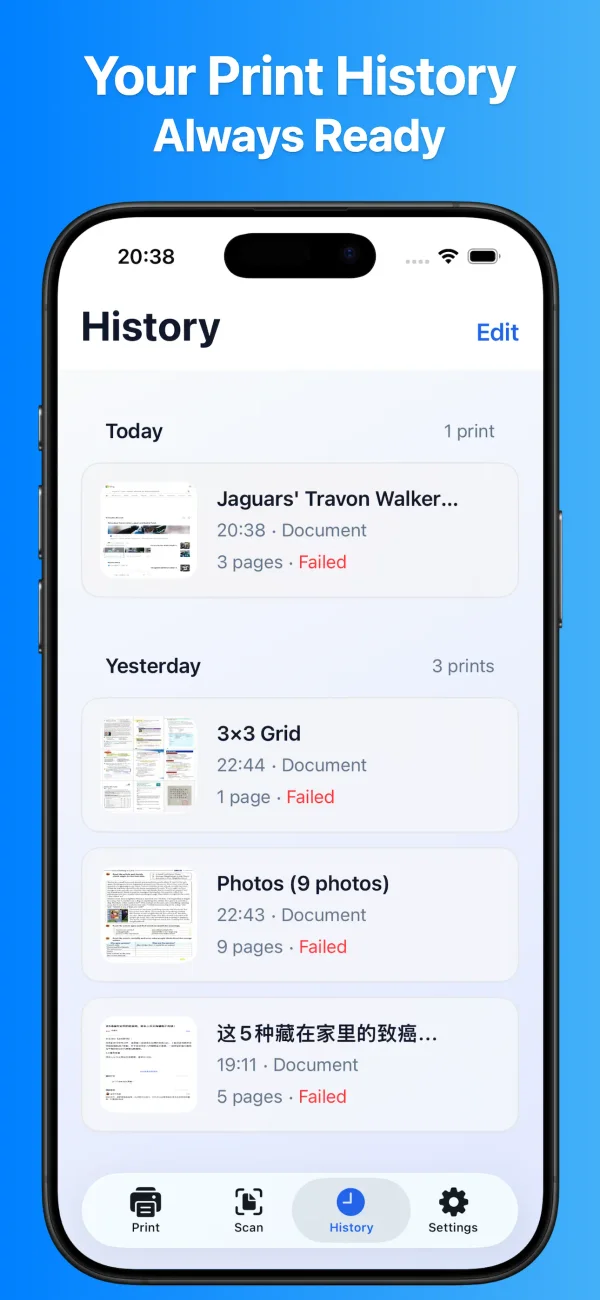
ORGANIZED HISTORY
Never lose track of what you've printed or scanned. Smart Printer maintains a comprehensive history of all your print jobs and scanned documents. View thumbnails, reprint documents, and access your scan archive anytime. Optional iCloud sync keeps your history available across all your devices.
BEAUTIFUL iOS 26 LIQUID GLASS DESIGN
Smart Printer embraces Apple's latest iOS 26 Liquid Glass design language. Every screen features elegant glass-like materials, fluid animations, and a cohesive coral color theme that's both beautiful and functional.
PRIVACY FOCUSED
Your documents and photos are processed locally on your device. No data is sent to external servers. Smart Printer only accesses your photos and contacts when you explicitly choose to print them. Optional iCloud sync is encrypted end-to-end.
SYSTEM REQUIREMENTS
• Requires iOS 18.0 or later
• Compatible with iPhone and iPad
• AirPrint-enabled printer required for printing
• Camera required for document scanning
Whether you're printing family photos, business documents, or scanning receipts on the go, Smart Printer gives you professional results with consumer simplicity.
Terms of Use: https://sites.google.com/view/terms-of-use-smart-printer
Privacy Policy: https://sites.google.com/view/privacy-policy-smart-printer
Contact Us: phototopdf@163.com
Có gì mới
Phiên bản 1.1 · 12/11/2025
What's New in Version 1.1
NEW: Printer Management
• Discover and manage AirPrint printers on your network
• Support for IPP, IPP-SSL, and LPD protocols
• View printer status and connection details
• Automatic printer discovery with smart refresh
IMPROVEMENTS:
• Fixed: Web pages now print with correct pagination instead of single long page
• Enhanced: Better multi-page PDF generation for web content
• Optimized: Reduced app startup logs for cleaner experience
We're constantly improving Smart Printer to make printing on iOS effortless. Thank you for your support!
Quyền riêng tư của ứng dụng
Những gì 锦菊 曾 khai báo trên App Store về cách ứng dụng này xử lý dữ liệu.
-
Dữ liệu không được thu thập
Nhà phát triển không thu thập bất kỳ dữ liệu nào từ ứng dụng này.
Phương thức đảm bảo quyền riêng tư có thể khác nhau, chẳng hạn như tuỳ theo các tính năng bạn sử dụng hoặc độ tuổi của bạn.
Thông tin
- Người bán
- 锦菊 曾
- Danh mục
- Kinh Doanh
- Phiên bản
- 1.1
- Cập nhật
- 12/11/2025
- Phát hành
- 06/11/2025
- Kích thước
- 4,1 MB
- Yêu cầu
- iOS 18.0 trở lên
- Độ tuổi
- 4+
- Giá
- Miễn phí
- Ngôn ngữ
- Tiếng Anh
- Bản quyền
- © Printer app & smart print app
Có thể bạn cũng thích
-
 WarrantyFileHiệu Suất
-
 UP BrowserHiệu Suất
-
 RealOr | Detect & AnalyzeHiệu Suất
-
 Cash Counter: Sổ Thu ChiQuản lý chi tiêu, Bảng tính
-
 ThinkMap: AI Problem SolverHiệu Suất
-
 Smart Printer App - iPrint ®Kinh Doanh
-
 PDFSignerScannerHiệu Suất
-
 PDF Complete - Split & MergeHiệu Suất
-
 WeFocus: App Blocker & LimitsHiệu Suất
-
 Runny - Quick Chat Style NotesHiệu Suất