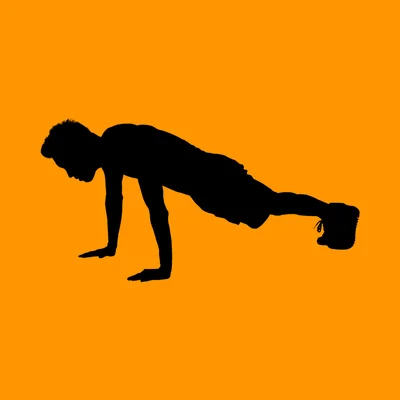
- Độ tuổi4+
- Danh mụcSức Khỏe & Thể Dục
- Nhà phát triểnYongsu Gwak
- Ngôn ngữTiếng Anh
- Kích thước911,0 KB
Liên kết đến trang App Store chính thức
Download.org không lưu trữ tệp nào của Pushup Guide. Nút này mở trang ứng dụng trên App Store, nơi Yongsu Gwak phát hành ứng dụng. Trang được kiểm tra lần cuối: 20/11/2026.
Giới thiệu
Nhà phát triển chưa cung cấp nội dung này bằng ngôn ngữ của bạn.
Pushup Guide — Your Personal Pushup Progression Plan
Pushup Guide is a smart pushup training app for Apple Watch that builds a personalized workout plan based on your strength level.
IMPORTANT: This app does NOT count your pushups automatically. You manually track your reps — enter them via Digital Crown in test/AMRAP sets, or simply complete the displayed reps and tap in regular sets.
— HOW IT WORKS —
1. INITIAL TEST
Start by doing as many pushups as you can. Rotate the Digital Crown to set your rep count, then tap to confirm. The app analyzes your result and assigns you a level (1–20), which determines your training intensity.
2. HOME SCREEN
Your current level and training day are displayed at a glance. The app follows a 3-day schedule:
• Day I: 5 sets with an AMRAP (As Many Reps As Possible) set
• Day II: 9 sets calculated from your Day I performance
• Day III: 9 sets calculated from your Day II performance
Tap to start your workout. Long press to access reset options.
3. SET SCREEN
Each set shows the target rep count and your current progress (e.g., "1 / 5"). Tap the screen to mark the set as complete and move to your rest period. Long press to return to the Home screen.
4. REST SCREEN
A countdown timer guides your rest between sets. Tap to pause/resume the timer. Long press to skip rest and proceed directly to the next set.
5. AMRAP SCREEN
The "As Many Reps As Possible" set lets you push your limits. Rotate the Digital Crown to enter your rep count, then tap to confirm. This result determines your level for the next week, making the plan progressively harder as you get stronger. Long press to return to the Home screen.
— IMPORTANT SETUP —
HealthKit Permission:
Go to iPhone → Settings → Privacy & Security → Health → Pushup Guide → Enable all categories to allow workout tracking.
Always On Display:
To keep the workout screen visible during your workout, go to Apple Watch → Settings → Display & Brightness → Always On → Show Apps → Turn on Pushup Guide. The screen will remain visible even when your wrist is down, and the rest timer will count down accurately.
— FEATURES —
• 20-level progressive system that adapts to your strength
• Personalized rep counts calculated from your performance
• Automatic rest timer between sets
• HealthKit workout recording
• Home screen widget showing your current training day
• No subscriptions, no ads
— DISCLAIMER —
This app provides general fitness guidance only and is not a substitute for professional medical advice. Consult your physician before starting any exercise program, especially if you have heart disease, high blood pressure, or any other medical condition or concerns. Stop exercising immediately if you feel pain, dizziness, or discomfort. Use this app at your own risk.
Có gì mới
Phiên bản 1.2.1 · 22/10/2026
- Minor bug fixes.
Quyền riêng tư của ứng dụng
Những gì Yongsu Gwak khai báo trên App Store về cách ứng dụng này xử lý dữ liệu.
-
Dữ liệu không được thu thập
Nhà phát triển không thu thập bất kỳ dữ liệu nào từ ứng dụng này.
Phương thức đảm bảo quyền riêng tư có thể khác nhau, chẳng hạn như tuỳ theo các tính năng bạn sử dụng hoặc độ tuổi của bạn.
Thông tin
- Người bán
- Yongsu Gwak
- Danh mục
- Sức Khỏe & Thể Dục
- Phiên bản
- 1.2.1
- Cập nhật
- 22/10/2026
- Phát hành
- 03/07/2026
- Kích thước
- 911,0 KB
- Yêu cầu
- iOS 26.0 trở lên
- Độ tuổi
- 4+
- Giá
- 59.000đ
- Ngôn ngữ
- Tiếng Anh
- Bản quyền
- © 2026 Studio Hot & Sweet
Có thể bạn cũng thích
-
 HardSetSức Khỏe & Thể Dục
-
 LeaveLock: Must-Leave AlarmSức Khỏe & Thể Dục
-
 SleepLock: Must-Sleep AlarmSức Khỏe & Thể Dục
-
 Tons: Workout Volume TrackerSức Khỏe & Thể Dục
-
 Protocol - Sound SystemSức Khỏe & Thể Dục
-
 RunMapr: Run Map & HR ZonesSức Khỏe & Thể Dục
-
 Push Up - Gainz to GodhoodSức Khỏe & Thể Dục
-
 HealthLenseSức Khỏe & Thể Dục
-
 The Workout App: Home WorkoutSức Khỏe & Thể Dục
-
 Sleevi - Mobile Sleep LabSức Khỏe & Thể Dục