Quick Sigma
Category Totals Calculator
Được thiết kế cho iPhone
Mua hàng trong ứng dụng
- Độ tuổi4+
- Danh mụcHiệu Suất
- Nhà phát triểnHiroshi Sakakibara
- Ngôn ngữTiếng Nhật+ 1 ngôn ngữ khác
- Kích thước5,8 MB
Quick Sigma hiện có thể không có trên App Store
Ở lần kiểm tra gần nhất, chúng tôi không truy cập được trang trên cửa hàng. Liên kết vẫn dẫn đến trang App Store chính thức.
Ảnh chụp màn hình

Giới thiệu
Nhà phát triển chưa cung cấp nội dung này bằng ngôn ngữ của bạn.
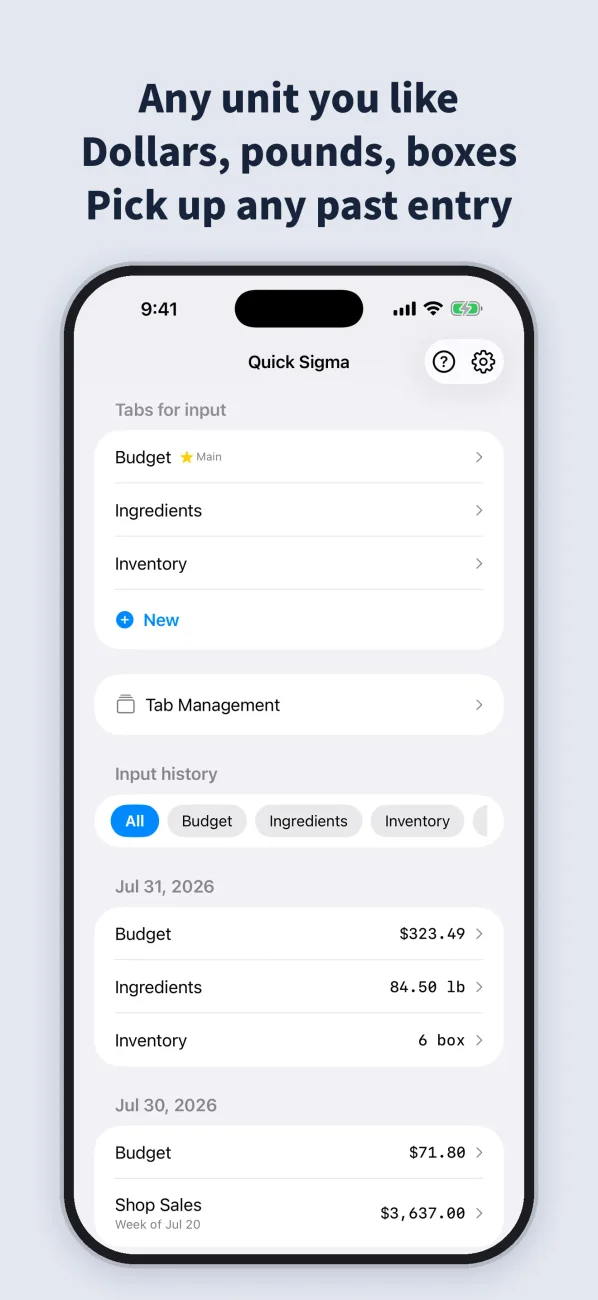
Enter numbers just like you would on a calculator, and get totals by category, by item, and by day.
Quick Sigma is built for anyone who adds up the same kinds of numbers on a calculator, day after day.
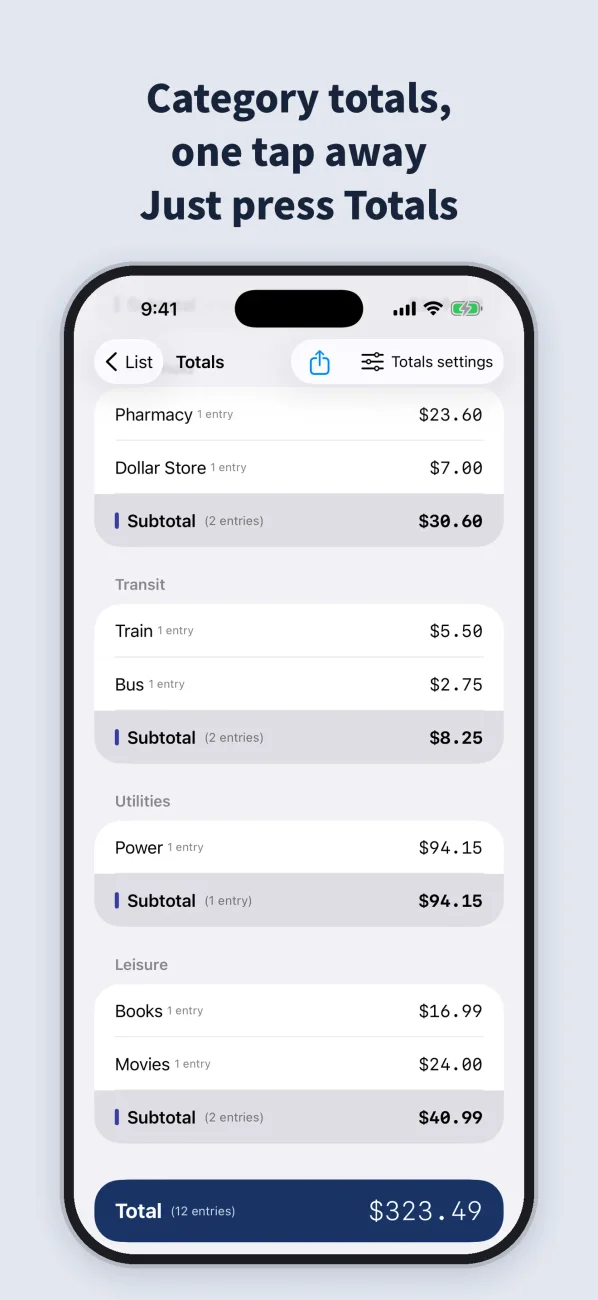
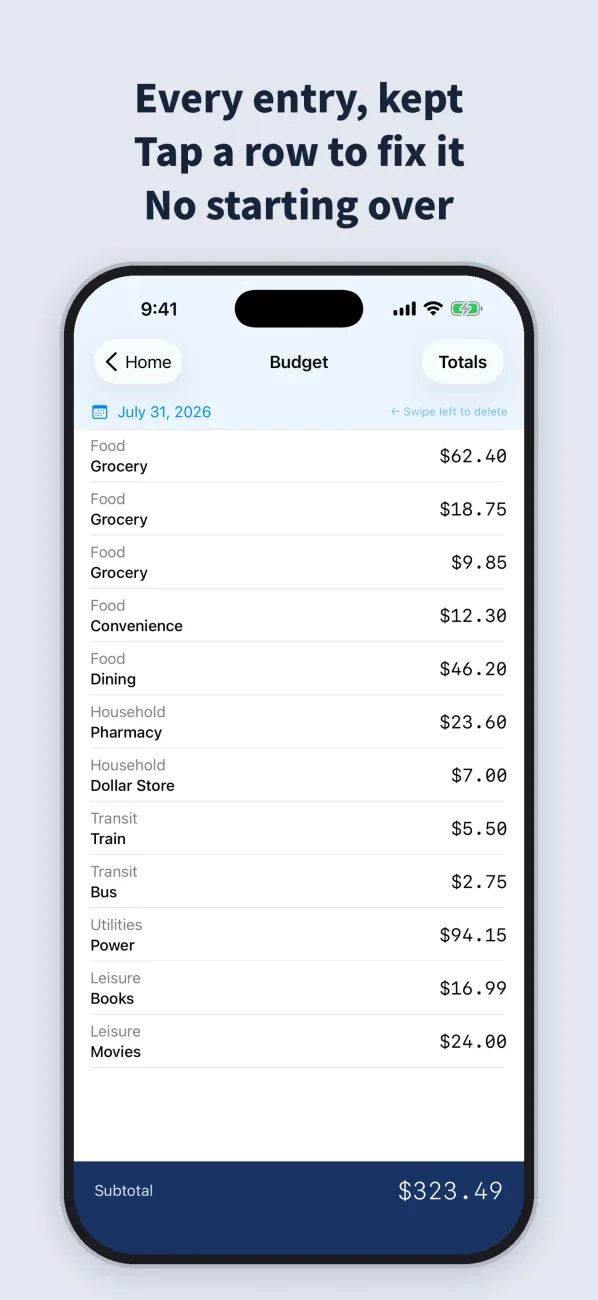
Whenever you want to see where things stand, tap the ∑ (Totals) key. Your subtotals and grand total are right there. Every entry is saved on its own, so one mistake never means starting over. Just fix that one entry.
■ Who it's for
• Shop owners who total daily sales by department on a calculator
• Anyone tracking household spending by category
• Anyone who adds up more than money, like miles or inventory
■ How it works
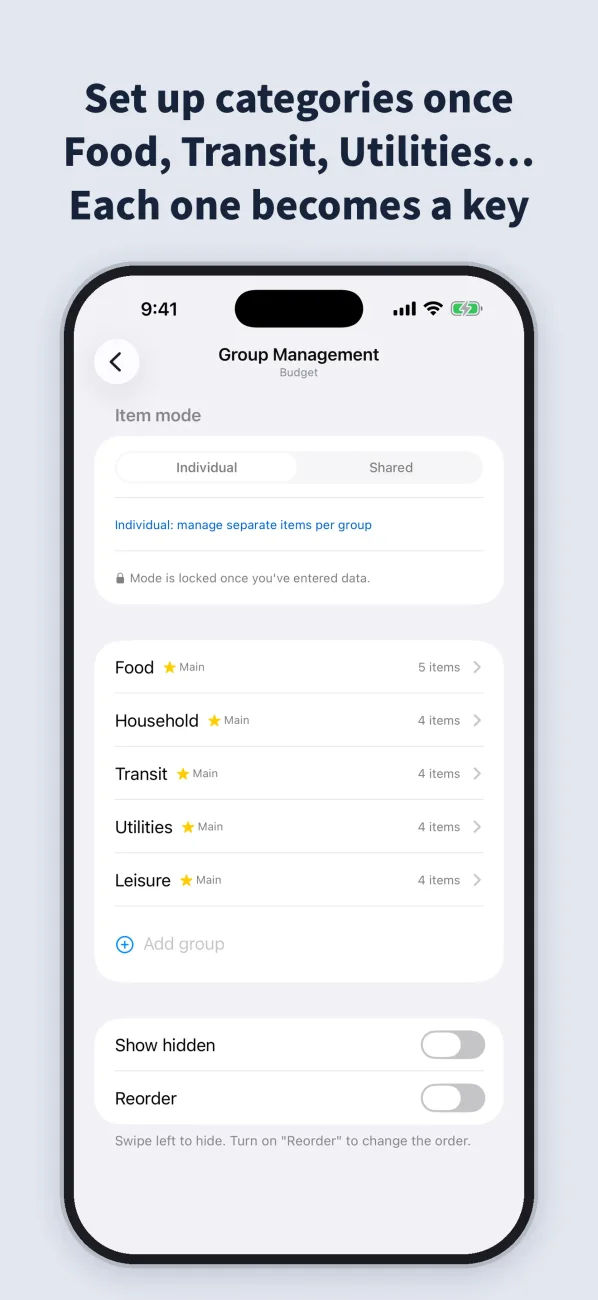
Set up three levels once, at the start:
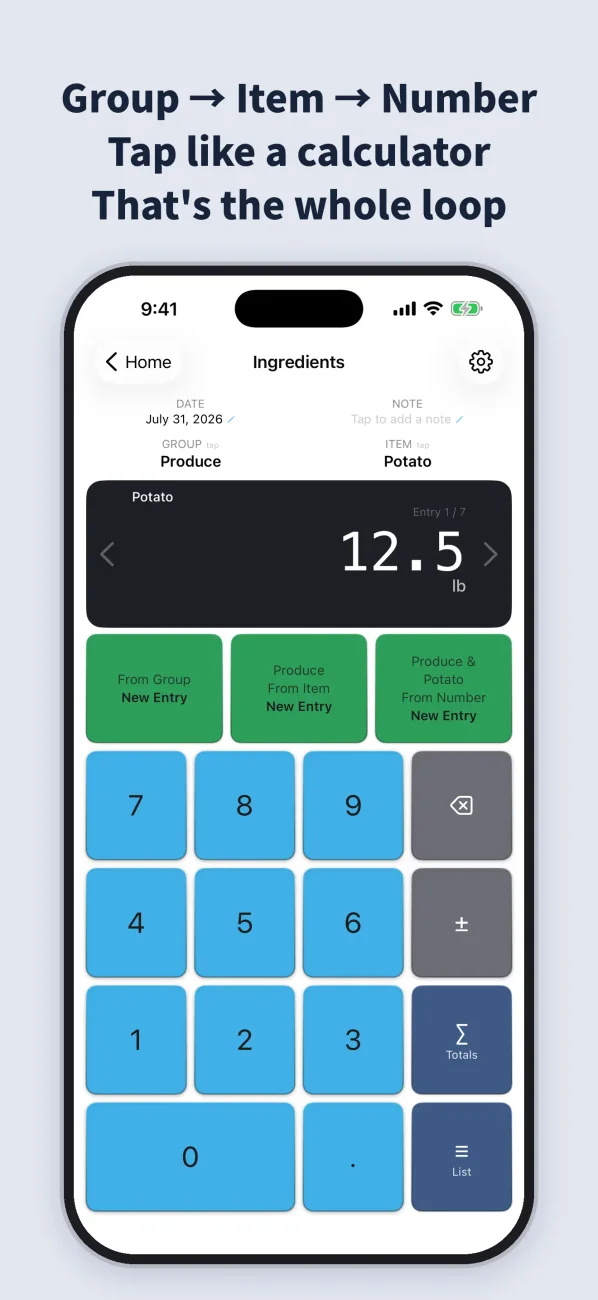
Tab (what you're totaling) → Group (category) → Item (breakdown)
Example: Household → Food → Vegetables
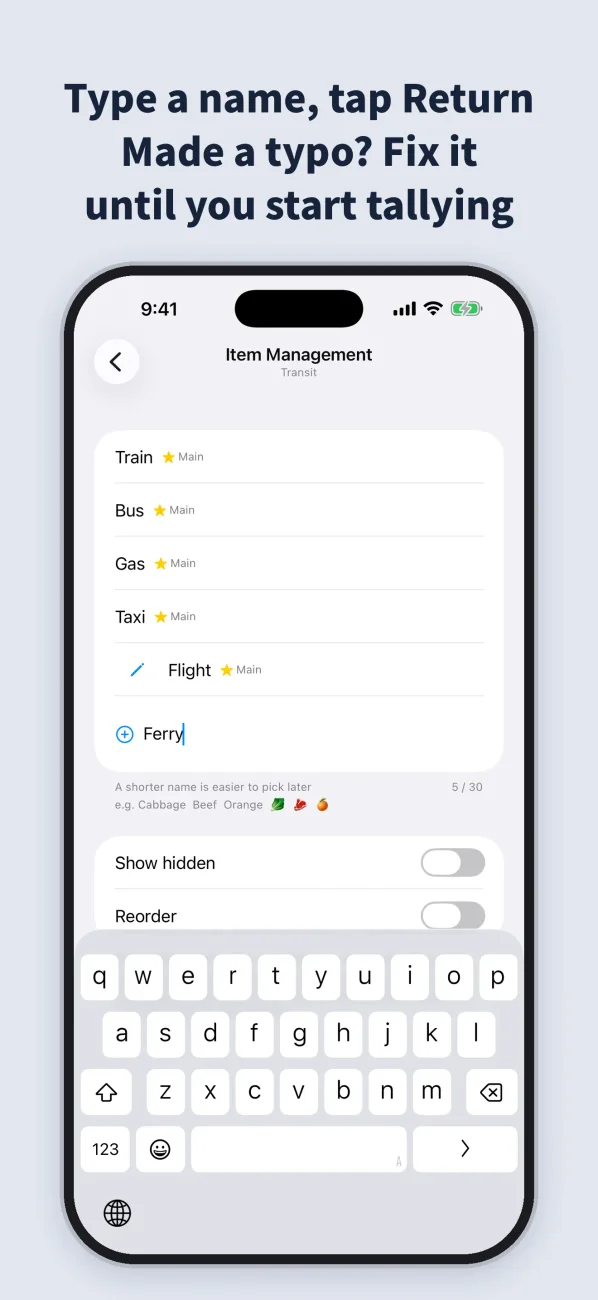
Your groups and items become keys right on the keypad. From then on, just tap Group → Item → number. Items are optional. If a group has no items, tap the group and type the number.
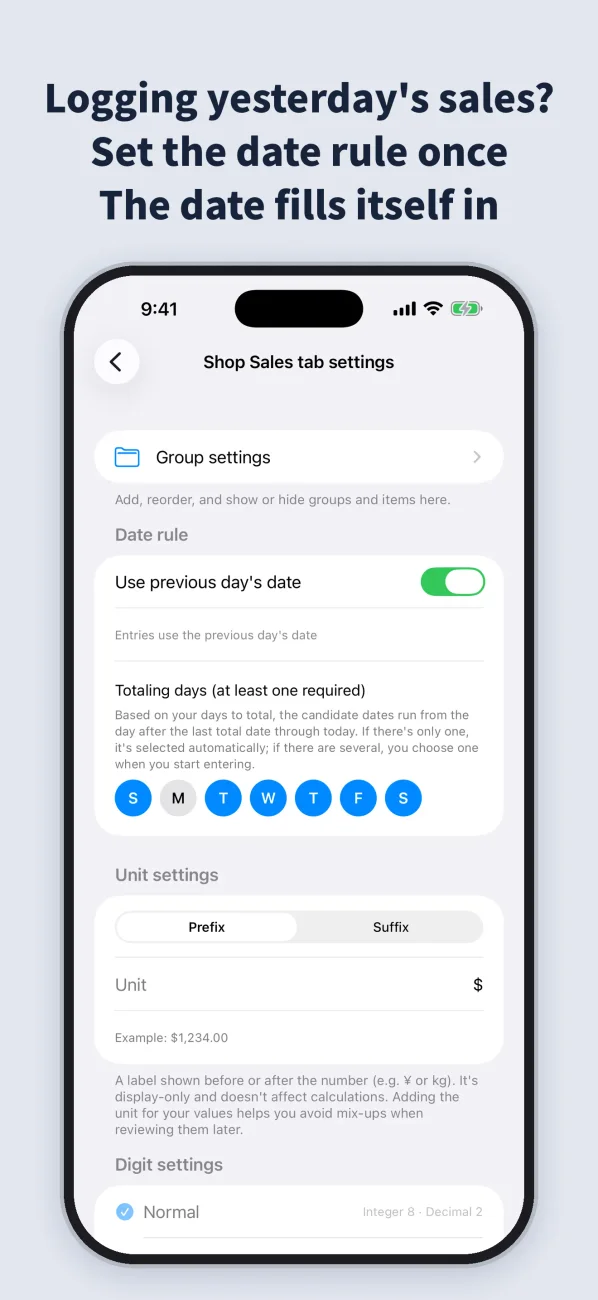
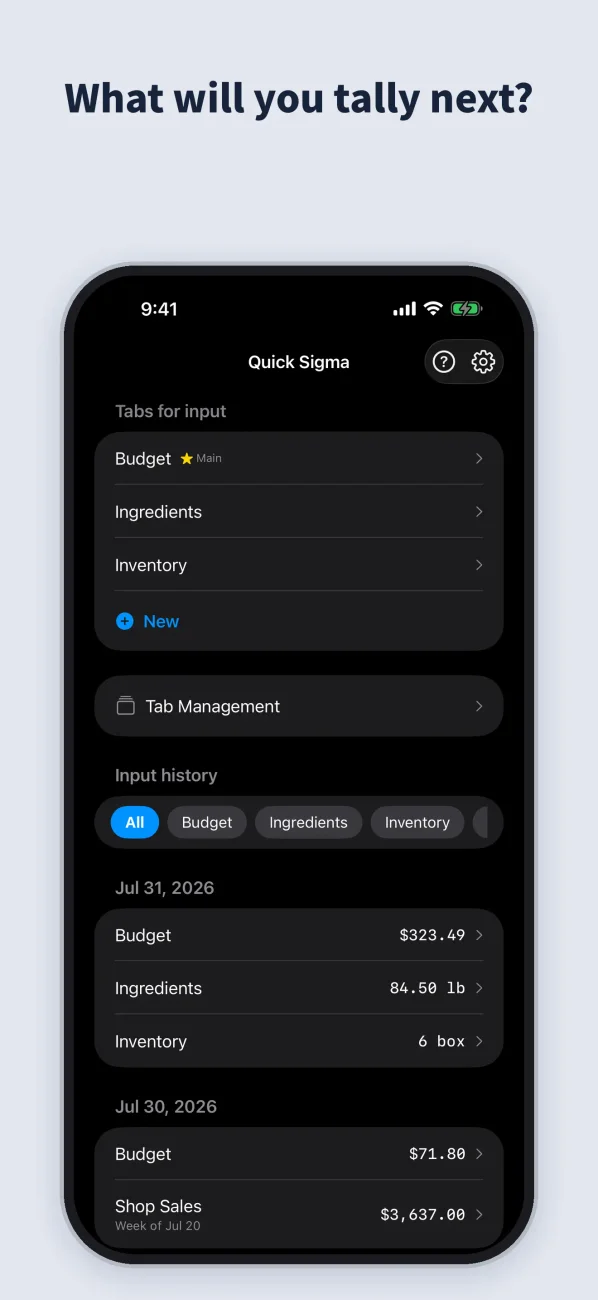
Each tab keeps your entries organized by date, so the same keys work day after day. Pick a tab, and the date is filled in for you.
■ Totals, your way
• Switch views: by group, by item, or by date
• Enter sales by department, then see them regrouped by product
• Get totals for this week, this month, last month, and more, or for any dates you pick
• See how many entries make up each total
■ For example: splitting the bill
You paid for dinner with friends. Now you're going down the receipt again, once for each person?
With Quick Sigma, make each friend a group and enter the receipt just once, from top to bottom. Tap ∑, and everyone's total is ready.
■ Your data stays on your device
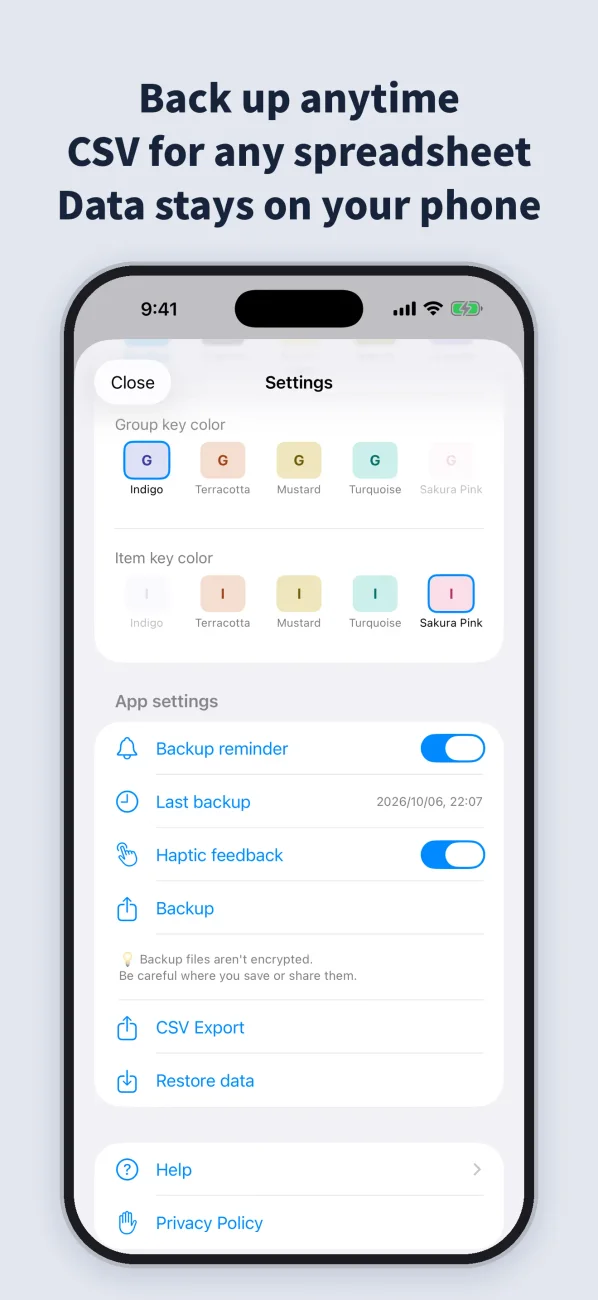
Quick Sigma collects no personal information and no usage data. Nothing you enter is ever sent anywhere. No ads, no tracking.
■ Free
• 1 tab with up to 5 groups, each with up to 5 items. Together, these are called Main.
• Reordering within Main
• No limit on how many entries or days you record
• Viewing past data, seeing totals, and making backups are always free and unlimited
■ Full Plan (subscription)
• Unlimited tabs, groups, and items
• Changing which tab, groups, and items are in Main
• Custom digit limits (how many digits an entry can have before and after the decimal point)
• Saving 0 as an entry
• More key layouts: 3×3 (Wide) and 4×4 (Expanded)
• CSV export, ready to open in spreadsheet apps
□ About the subscription
• Choose a monthly or yearly plan. Prices are shown in the app before you subscribe.
• Payment is charged to your Apple Account. The subscription renews automatically unless canceled at least 24 hours before the end of the current period.
• Cancel anytime on your iPhone in Settings > [your name] > Subscriptions.
• Canceling never deletes your data. You can still view your data, see totals, and make backups. You can also keep adding entries to the tab, groups, and items marked Main.
Privacy Policy: https://orucad4.github.io/sigmas-support/privacy.html
Terms of Use (EULA): https://www.apple.com/legal/internet-services/itunes/dev/stdeula/
Contact: quicksigma.support@gmail.com
Có gì mới
Phiên bản 2.1.1 · 21/11/2026
• Totals for tabs that don't use items now show a simple list of group totals, instead of repeating the same numbers.
• When viewing totals by item, entries without an item now appear under "(No item)" instead of a blank heading.
• Fixed an issue where choosing a backup file to restore could fail without any message. You'll now see a message if the file can't be read.
• Better protection in CSV files, so spreadsheet apps don't treat your names and notes as formulas.
• Other fixes and improvements.
Quyền riêng tư của ứng dụng
Những gì Hiroshi Sakakibara khai báo trên App Store về cách ứng dụng này xử lý dữ liệu.
-
Dữ liệu không được thu thập
Nhà phát triển không thu thập bất kỳ dữ liệu nào từ ứng dụng này.
Phương thức đảm bảo quyền riêng tư có thể khác nhau, chẳng hạn như tuỳ theo các tính năng bạn sử dụng hoặc độ tuổi của bạn.
Thông tin
- Người bán
- Hiroshi Sakakibara
- Danh mục
- Hiệu Suất
- Phiên bản
- 2.1.1
- Cập nhật
- 21/11/2026
- Phát hành
- 31/07/2026
- Kích thước
- 5,8 MB
- Yêu cầu
- iOS 18.6 trở lên
- Độ tuổi
- 4+
- Mua hàng trong ứng dụng
- Có
- Ngôn ngữ
- Tiếng Nhật, Tiếng Anh
- Bản quyền
- © 2026 Hiroshi Sakakibara
Có thể bạn cũng thích
-
 おしらせくん-簡単入力でタスク・Todo・スケジュール管理Hiệu Suất
-
 のこりメモ - 金額を自動合計・残額管理Hiệu Suất
-
 Register Check: Cash CountHiệu Suất
-
 wijot - Minimal Widget NotesHiệu Suất
-
 予定表と家計簿Hiệu Suất
-
 MonoTape - Máy Tính Ghi ChúSổ tính có nhãn và tham chiếu
-
 Table & Spreadsheet MakerHiệu Suất
-
 SimpleSigmaHiệu Suất
-
 ManualMaker / Manual creationHiệu Suất
-
 逆算タイムテーブル - 1日の予定表を簡単に作成しようHiệu Suất