Quick Snip
Quick Snip, Markup and Share
Được thiết kế cho iPhone, iPad
Miễn phí · Mua hàng trong ứng dụng
- Độ tuổi4+
- Danh mụcHiệu Suất
- Nhà phát triểnNeuralQuark
- Ngôn ngữTiếng Anh
- Kích thước46,8 MB
Liên kết đến trang App Store chính thức
Download.org không lưu trữ tệp nào của Quick Snip. Nút này mở trang ứng dụng trên App Store, nơi NeuralQuark phát hành ứng dụng. Trang được kiểm tra lần cuối: 15/11/2026.
Ảnh chụp màn hình


Giới thiệu
Nhà phát triển chưa cung cấp nội dung này bằng ngôn ngữ của bạn.
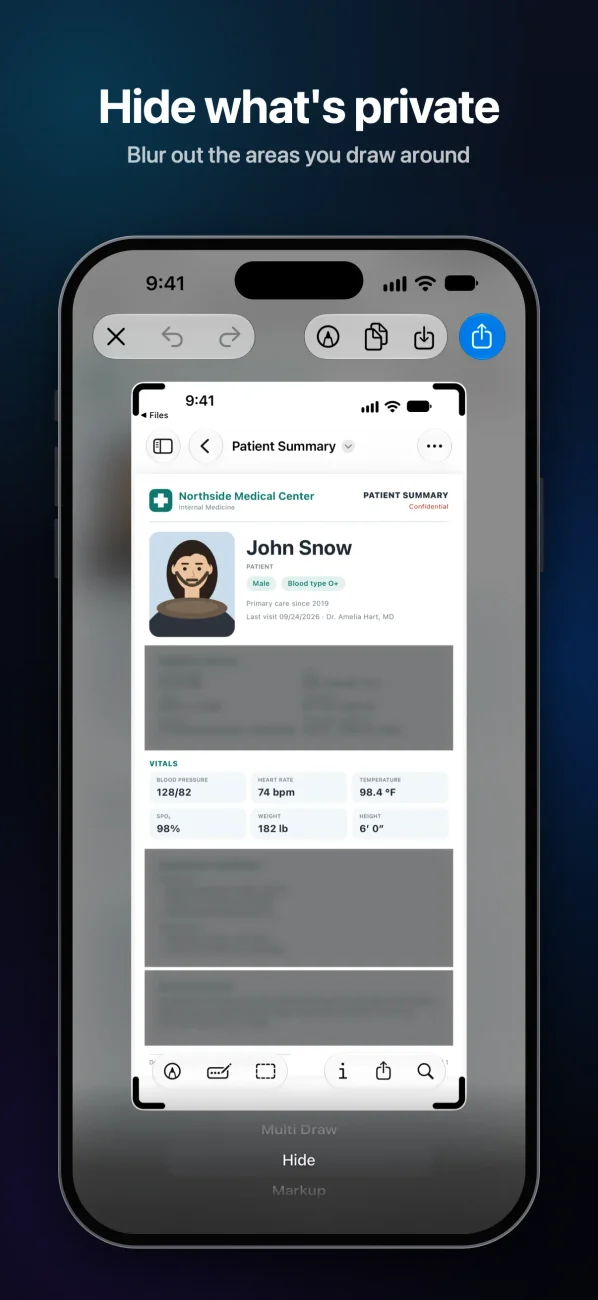
Take control of how you take screenshots on iOS. Fastest snipping (draw freely to snap crop), finer control over its size and style, swiftly cut out stickers to paste, hide parts of screenshot.
Snip what's on your screen, mark it up and share it in seconds. Press the Action button or squeeze Apple Pencil Pro, and your screenshot opens straight in the Screenshot+ editor.
Screenshot+ doesn't replace the screenshot built into iOS. Each has its own trigger, so you can use both: the iOS screenshot saves the whole screen to Photos as it is, while Screenshot+ opens straight into the editor to crop, cut out, style and share.
SNIP FROM ANYWHERE
Set up as many triggers as you like:
• Action button (iPhone): one press snips whatever's on screen.
• Apple Pencil Pro (iPad): squeeze the barrel to snip without putting the Pencil down.
• Back Tap (iPhone): double or triple tap the back of your iPhone.
• Keyboard and mouse (iPad): snip with a key combination or a spare mouse button.
• AssistiveTouch: add a snip button to the floating menu.
• Siri, or a voice command of your own, hands-free.
Close the editor and you're back in the app you were using.
FAST SNIPPING CUTOUTS
Snip the screen, draw around what you want with Free Form, then touch and hold the selection and drag it into apps like Freeform. It has a transparent background, just like a sticker.
SHARE STYLISED SCREENSHOTS
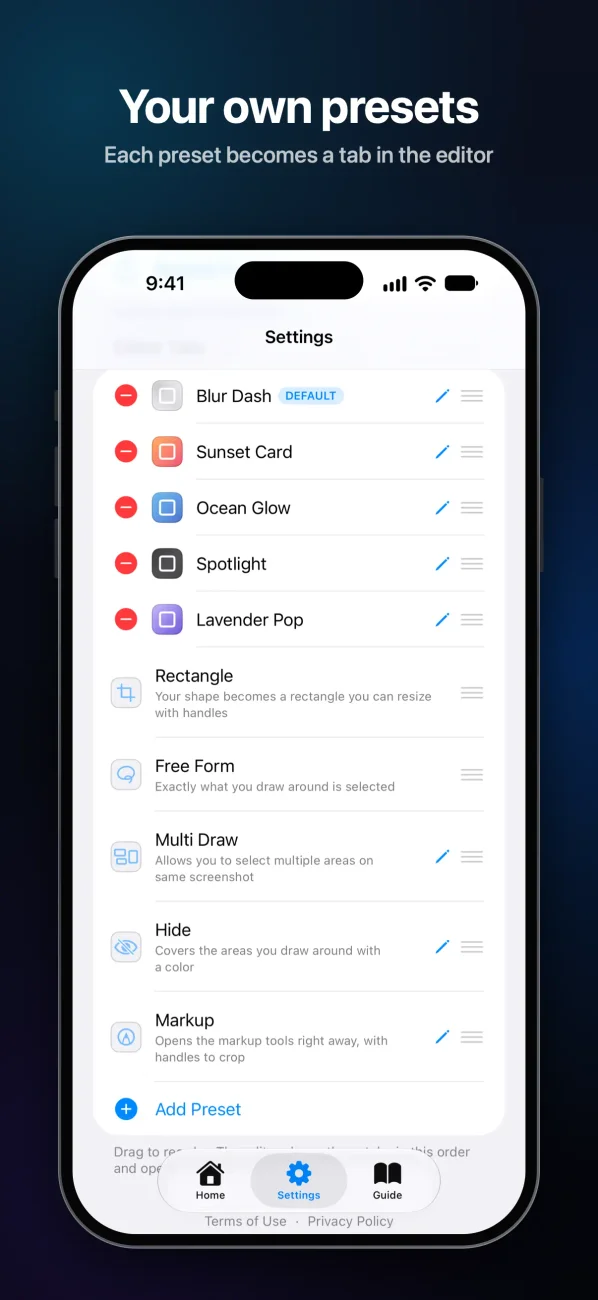
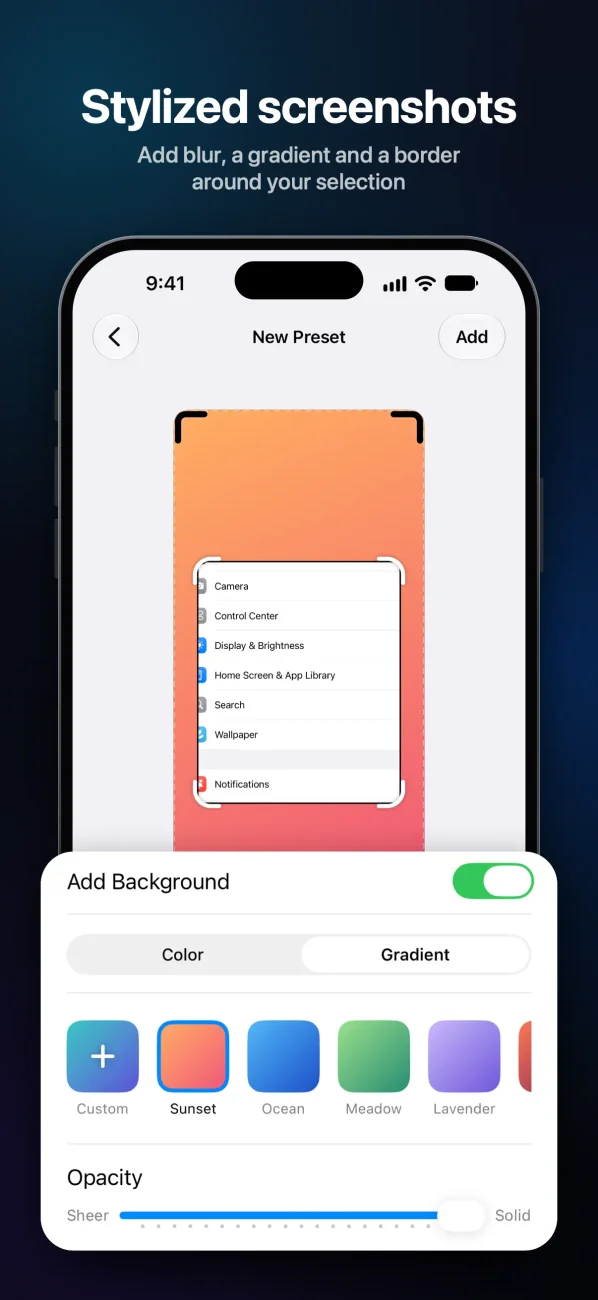
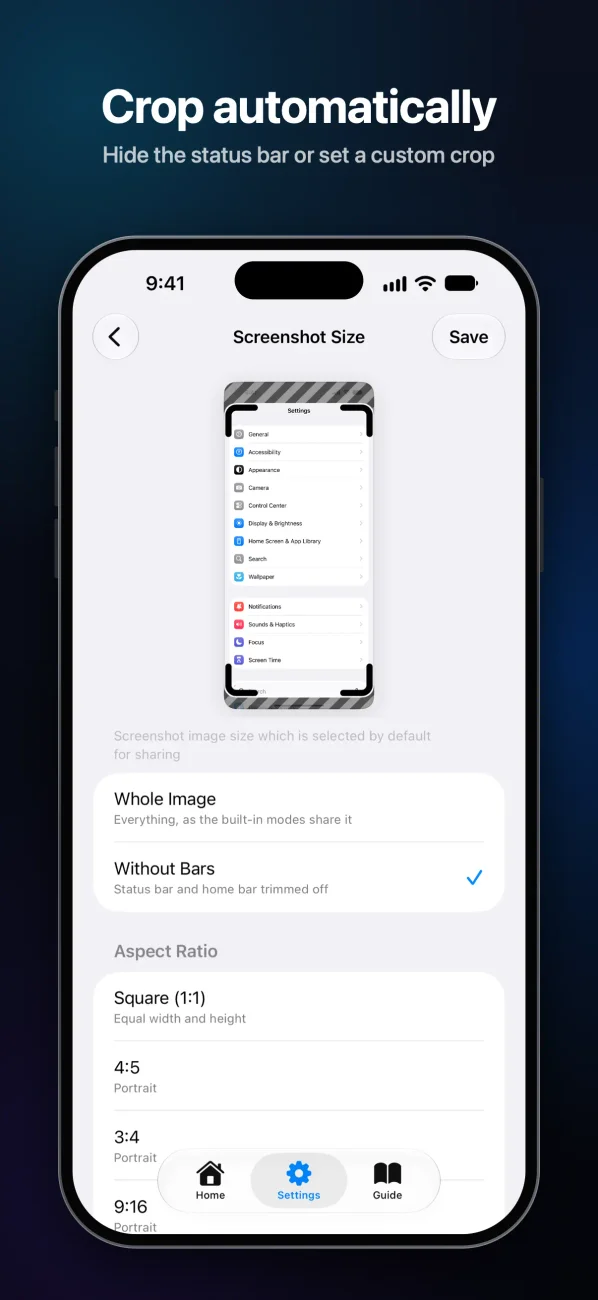
Make your own presets to share elegant-looking screenshots every time. A preset can crop out the status bar automatically and put a gradient, color or blur background around your selection, with an optional border, so every screenshot you share has a distinct look.
• Choose from six gradients or mix your own.
• Set the screenshot size each preset shares by default.
• See every change in a live preview.
Each preset becomes a tab in the editor. Put your favourite first and the editor opens on it.
SHARE, COPY, SAVE OR DRAG
Share is one tap away in the editor. You can also copy your snip, save it to Photos or drag it into another app. Cutouts keep their transparent background.
USE THE EDITOR ON ANY PHOTO
Tap Share on a system screenshot or any other photo, in Photos, Files or Safari, and choose Screenshot+ to use the same selection tools. The editor opens right on top of the app you're in.
RECENTS
Your latest snips appear on the Home tab. Reopen one to carry on editing, with undo history intact.
QUICK, GUIDED SETUP
Setup takes a few minutes, once: allow notifications, add two free shortcuts and set your trigger. The Home tab walks you through each step, and the Guide tab has setup videos for the triggers. Screenshot+ relies on notifications to work, but it won't send you notifications.
SCREENSHOT+ PRO
Every tool is free to use. Free exports carry a small "Powered by Screenshot+" watermark. Screenshot+ Pro removes it from everything you copy, save, share or drag out.
Screenshot+ Pro is a monthly auto-renewing subscription with a 3-day free trial for new subscribers.
Terms of Use: https://www.apple.com/legal/internet-services/itunes/dev/stdeula/
Privacy Policy: https://www.neuralquark.com/screenshot-snipper-privacy-policy/
Pencil squeeze requires Apple Pencil Pro. The Action button is on iPhone 15 Pro and later.
Có gì mới
Phiên bản 1.1.4 · 06/11/2026
New settings for closing behaviour of editor:
- Auto Copy on Close
- Auto Save on Close
- Auto Copy and Close on Selection
Quyền riêng tư của ứng dụng
Những gì NeuralQuark khai báo trên App Store về cách ứng dụng này xử lý dữ liệu.
-
Dữ liệu không được thu thập
Nhà phát triển không thu thập bất kỳ dữ liệu nào từ ứng dụng này.
Phương thức đảm bảo quyền riêng tư có thể khác nhau, chẳng hạn như tuỳ theo các tính năng bạn sử dụng hoặc độ tuổi của bạn.
Thông tin
- Người bán
- Neuralquark Computing LLP
- Danh mục
- Hiệu Suất
- Phiên bản
- 1.1.4
- Cập nhật
- 06/11/2026
- Phát hành
- 26/10/2026
- Kích thước
- 46,8 MB
- Yêu cầu
- iOS 27.0 trở lên
- Độ tuổi
- 4+
- Giá
- Miễn phí
- Mua hàng trong ứng dụng
- Có
- Ngôn ngữ
- Tiếng Anh
- Bản quyền
- © 2026 NeuralQuark Computing LLP
Có thể bạn cũng thích
-
 Taqly: Visual PlanningHiệu Suất
-
 SnapAction: Screenshot AIHiệu Suất
-
 Nexus Mail - All Email LoginHiệu Suất
-
 Driftto: Ghi chú nhanhGửi thẳng vào đúng ứng dụng
-
 Ticknow: Tasks & Live ActivityHiệu Suất
-
 DigitalTwin AI: AI KeyboardHiệu Suất
-
 Nag: To Do List & RemindersHiệu Suất
-
 Snippet Keyboard - Dán nhanhCâu trả lời soạn sẵn, một chạm
-
 ToolSnap: AI Tool IdentifierHiệu Suất
-
 Clipster Clipboard ManagerHiệu Suất