- Độ tuổi4+
- Danh mụcẢnh & Video
- Nhà phát triểnScott DeVore
- Ngôn ngữTiếng Anh
- Kích thước2,5 MB
Liên kết đến trang App Store chính thức
Download.org không lưu trữ tệp nào của QuickLUT. Nút này mở trang ứng dụng trên App Store, nơi Scott DeVore phát hành ứng dụng. Trang được kiểm tra lần cuối: 07/11/2026.
Ảnh chụp màn hình
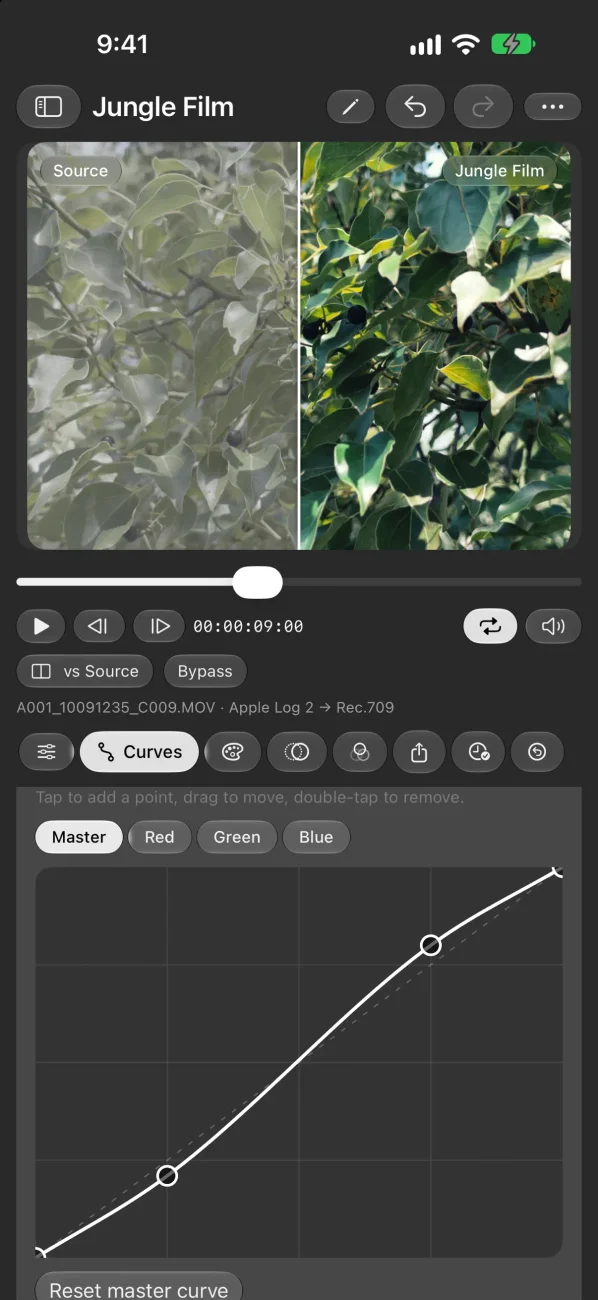
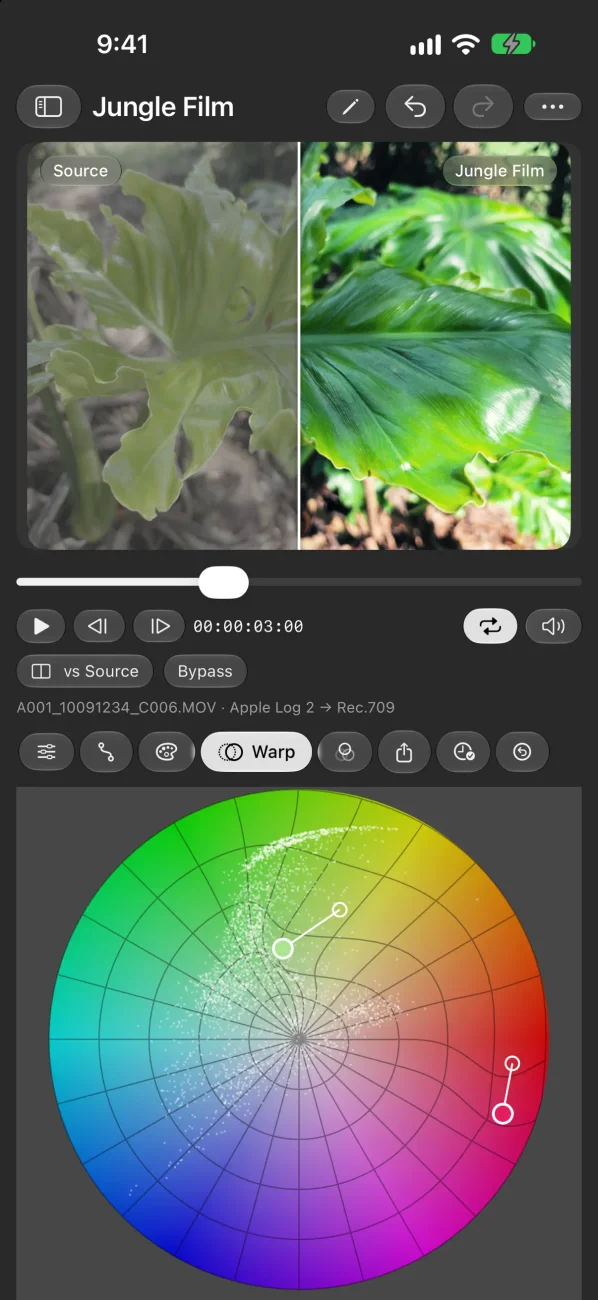
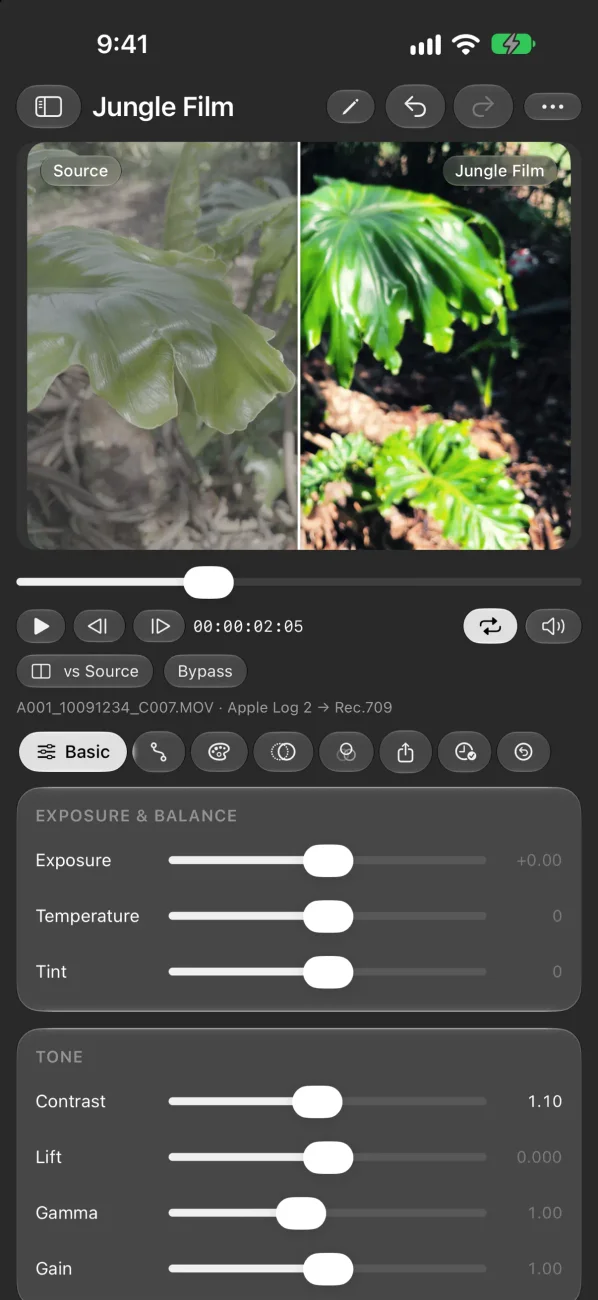
Giới thiệu
Nhà phát triển chưa cung cấp nội dung này bằng ngôn ngữ của bạn.
Apply LUTs or create a new one to convert your iPhone's Apple Log footage into beautiful color-graded clips to use, all on your iPhone or iPad. Save out the LUT you made for use in other apps.
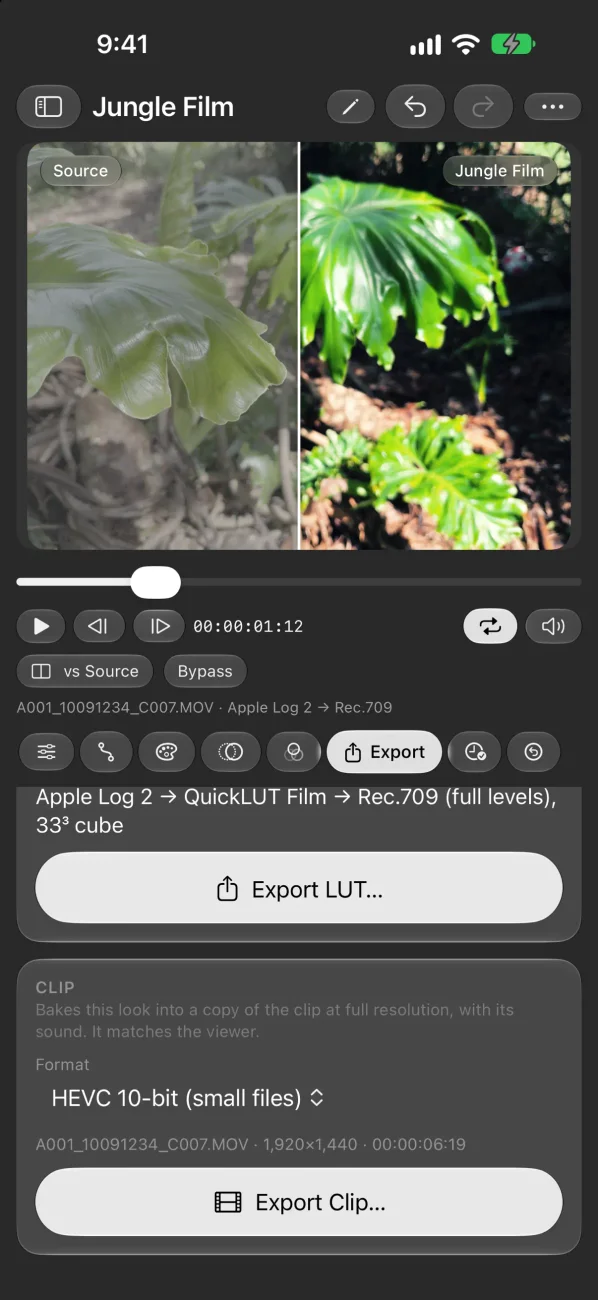
QuickLUT takes flat, looking log footage and turns it into a finished video look. Open a clip or still from your photo library, shape the look with simple controls, and export a LUT for DaVinci Resolve, Premiere Pro, Final Cut Pro, Blackmagic Camera or any other editor that reads .cube files. Or bake the look straight into a copy of your clip.
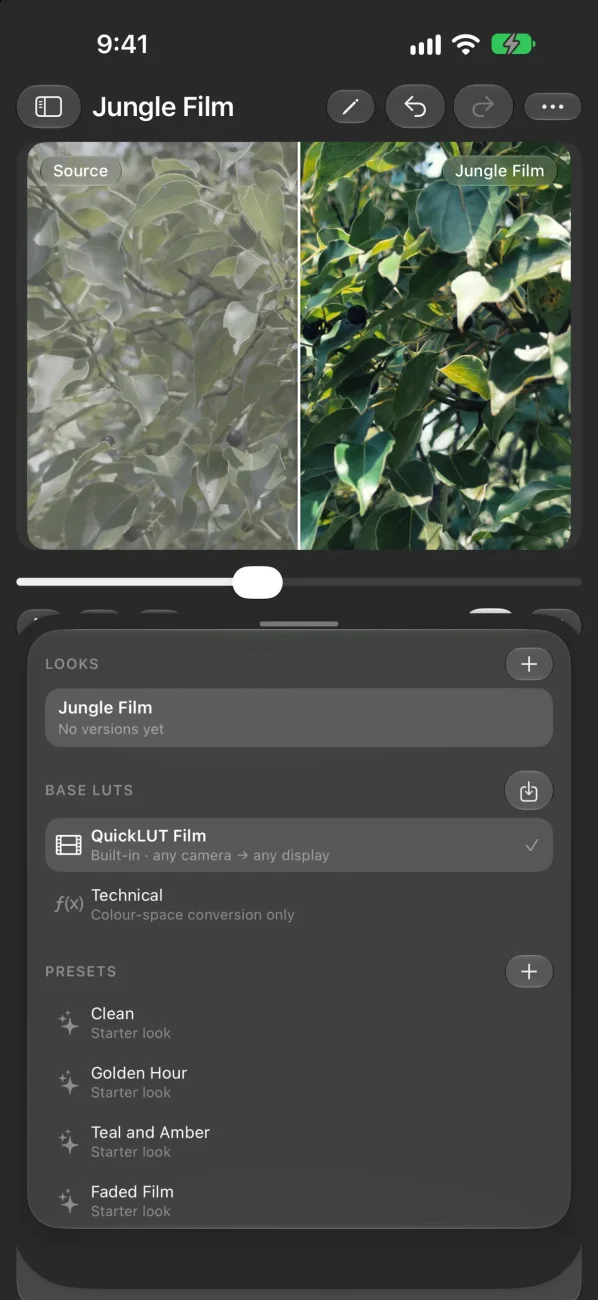
SEE IT ON YOUR OWN FOOTAGE Drag the split line to compare your source with the finished look on a real frame from your clip. Play it back to preview it with the look applied.
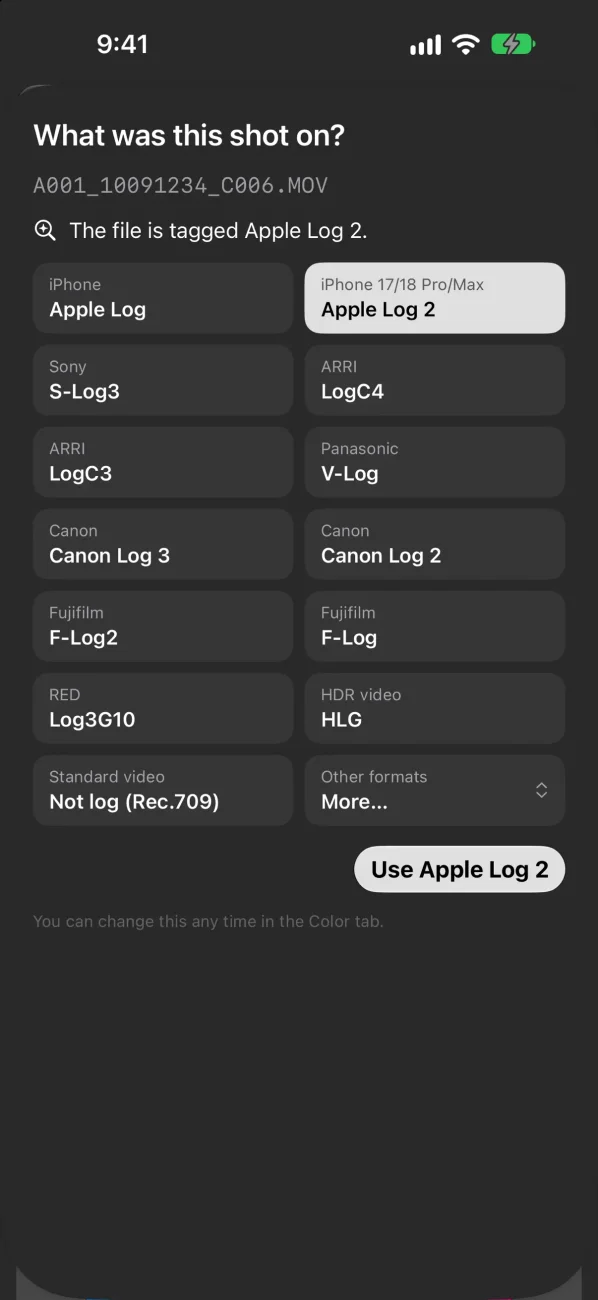
BUILT FOR LOG FOOTAGE QuickLUT understands the log formats cameras actually record: • Apple Log and Apple Log 2 (iPhone 15 Pro and later, including iPhone 17 and 18 Pro and Pro Max) • Sony S-Log3 • ARRI LogC3 and LogC4 • Panasonic V-Log • Canon Log 2 and Canon Log 3 • Fujifilm F-Log and F-Log2 • RED Log3G10 • Rec.709, HLG and other standard video.
The first time you open a clip, QuickLUT asks what it was shot on and suggests an answer from the file. It can tell when a re-exported clip carries the wrong tag.
START OFF RIGHT Every look starts from QuickLUT Film: a gentle film tone curve, careful handling of saturated colors and a base that works from any camera to any display. Eight starter looks give you a quick place to begin: Golden Hour, Teal and Amber, Faded Film, Bleach Bypass, Night Drive, Vivid Summer, Silver Mono and Clean.
SHAPE THE LOOK • Exposure, temperature, tint, contrast, lift, gamma, gain and saturation • Master and red, green and blue curves • Hue curves: hue against hue, saturation and luminance • Color warp: place pins on a hue and saturation wheel and drag colours to where you want them. Mesh pins pull neighbouring colours along smoothly; precise pins change just one color. Pick a colour straight from your picture. • A grey-ramp scope that shows exactly what your look does to tone
EXPORT WHAT YOU NEED • LUTs as .cube or .3dl, at 17, 33 or 65 points, for any input and output colour space • Clips with the look baked in: full resolution, original frame rate and sound, as HEVC 10-bit, or ProRes on devices that support it • Save to Files, add clips to Photos, or share with AirDrop, Messages and Mail • File names that fill themselves in from the look, camera and size
KEEP YOUR WORK • Looks save automatically as you work • Undo and redo (200 steps) that survive closing the app • Save versions of a look, compare your look against any version, restore one, or branch a new look from it • Import your own .cube and .3dl LUTs and use them as a base
MADE FOR PEOPLE WHO GRADE • Works offline. No account, no sign-in, no subscription • Collects no data of any kind • A built-in test chart lets you try every control without any footage • One price, once. No ads and no in-app purchases • Designed for iPhone and iPad. On iPad the library, viewer and controls sit side by side
QuickLUT builds LUTs. It does not edit video timelines. Use it to design a look, then take the LUT to your editor, or export a graded copy of a clip.
Requires iOS 26 or later. ProRes export needs a device with a ProRes encoder.
Quyền riêng tư của ứng dụng
Những gì Scott DeVore khai báo trên App Store về cách ứng dụng này xử lý dữ liệu.
-
Dữ liệu không được thu thập
Nhà phát triển không thu thập bất kỳ dữ liệu nào từ ứng dụng này.
Phương thức đảm bảo quyền riêng tư có thể khác nhau, chẳng hạn như tuỳ theo các tính năng bạn sử dụng hoặc độ tuổi của bạn.
Thông tin
- Người bán
- Scott DeVore
- Danh mục
- Ảnh & Video
- Phiên bản
- 1.0
- Cập nhật
- 31/10/2026
- Phát hành
- 27/10/2026
- Kích thước
- 2,5 MB
- Yêu cầu
- iOS 26.0 trở lên
- Độ tuổi
- 4+
- Giá
- 299.000đ
- Ngôn ngữ
- Tiếng Anh
- Bản quyền
- © 2026 Scott DeVore